XKBISC350CLPayment Terminal
INGENICO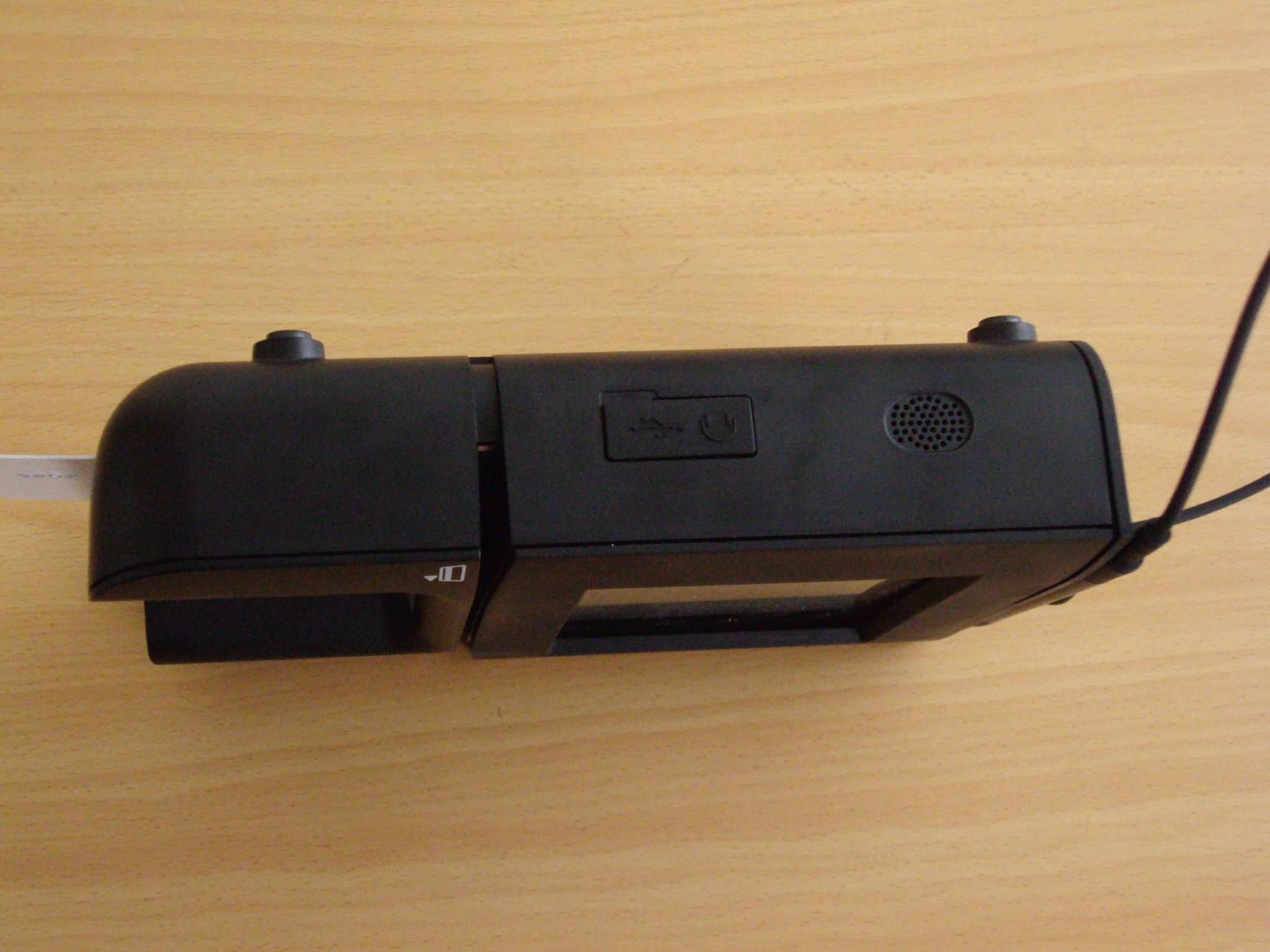
Click to zoom
Application Details
- Equipment Class
- DXX - Part 15 Low Power Communication Device Transmitter
- Date of Grant
- Jul 20, 2010
- Application Purpose
- Original Equipment
- Date of Application
- Jul 20, 2010
- Equipment Note
- Payment Terminal
- Frequency Range
- 13.56000000 - 13.56000000
- Company
- INGENICO
- Country
- France
Documents & Files
Document Text
Text extracted from the exhibit documents filed with the FCC. Open a document above to read the original.
Users Manual
Ingenico – 190-192 Avenue Charles de Gaulle 92200 Neuilly sur Seine Tél. 33(0)1 46 25 82 00 - Fax 33 (0)1 47 72 56 95 Ingenico – 190-192 Avenue Charles de Gaulle 92200 Neuilly sur Seine Tél. 33(0)1 46 25 82 00 - Fax 33 (0)1 47 72 56 95 9000013 97 R11 000 01/951 ISC350 Security of your terminal Your device fulfils current applicable PCI PED secu rity requirements. Upon receipt of your terminal you should check for signs of tampering of the equipment. It is strongly advised that these checks are performed regularly after receipt. You s hould check, for example: that the keypad is firmly in place; th at there is no evidence of unusual wires that have been connected to any ports on your terminal or associated equipment, the chip card reader or any other part of your terminal. Such che cks would provide warning of any unauthorised modifications t o your terminal, and other suspicious behaviour of individ uals that have access to your terminal. Your terminal detects any “tampered state”. In this state the terminal will repeatedly flash the message” Alert Irruption!” and further use of the t erminal will not be possible. If you observe the “Alert Irruptio n!” message, you should contact the terminal helpdesk immediatel y. You are strongly advised to ensure that privileged access to your terminal is only granted to staff that have been in dependently verified as being trustworthy. CAUTION NEVER ask the customer to divulge their PIN Code. C ustomers should be advised to ensure that they are not being overlooked when entering their PIN Code. WARNING TO USERS IN THE UNITED STATES Federal Communication Commission Interference Statement 47 CFR Section 15.105(b) This equipment has been tested and found to comply with the limits for a Class B digital device, pursuant to Pa rt 15 of the FCC Rules. These limits are designed to provide reasona ble protection against harmful interference in a reside ntial installation. This equipment generates uses and can radiate radio frequency energy and, if not installed and us ed in accordance with the instructions, may cause harmful interference to radio communications. However, ther e is no guarantee that interference will not occur in a par ticular installation. If this equipment does cause harmful interference to radio or television reception, which can be dete rmined by turning the equipment off and on, the user is encou raged to try to correct the interference by one of the following measures: - Reorient or relocate the receiving antenna. - Increase the separation between the equipment and receiver. - Connect the equipment into an outlet on a circuit different from that to which the receiver is connected. - Consult the dealer or an experienced radio/TV tec hnician for help. NO UNAUTHORIZED MODIFICATIONS 47 CFR Section 15.21 * 296106 CAUTION: This equipment may not be modified, altered, or changed in any way without signed written permission from Ingenico. Unauthorized modification may void the equipment authorization from the FCC and will void the Ingenico warranty. ANTENNA REQUIREMENT 47 CFR Section 15.203 This device ISC350 complies with Part 15 of the FCC Rules. Operation is subject to the following two conditions: (1) This device may not cause harmful interference, and (2) this device must accept any interference received, including interference that may cause undesired operation. WARNING TO USERS IN THE CANADA: Operation is subject to the following two condition s: (1) this device may not cause interference, and (2) this device must accept any interference, including interference that may cause undesired operation of the device. To reduce potential radio interference to other users, the antenna type and its gain should be so chosen that the equivalent isotropically radiated power (e.i.r.p.) is not more than that permitted fo r successful communication. SAFETY CAUTION: risk of explosion if the battery is replaced by an incorrect type. Dispose of used battery according to the instructions Connection of headset on audio output side jack : An excessive acoustic pressure of headset can involve deafness! Only use the power supply AC/DC PHIHONG model PSC30U-120V limited power source provided with iSC350 or an external power supply: 12Vdc, 2A or 24Vdc, 1A limited power source (LPS). Remove the DC power jack connector to power off the terminal. I n s t a l l a t i o n G u i d e Ingenico – 190-192 Avenue Charles de Gaulle 92200 Neuilly sur Seine Tél. 33(0)1 46 25 82 00 - Fax 33 (0)1 47 72 56 95 Ingenico – 190-192 Avenue Charles de Gaulle 92200 Neuilly sur Seine Tél. 33(0)1 46 25 82 00 - Fax 33 (0)1 47 72 56 95 9000013 97 R11 000 01/951 Power & Cable connections Stylus Pen Connection 1 2 3 Carefully inspect the shipping carton and its conte n ts for shipping damage. If the device is damaged, f ile a claim immediately with the shipping company and not ify Ingenico. You should have : Save the carton and packing material for repackagin g or moving the device in the future. Connect the c able to the HOST port before connecting the device to power. i SC350 device Stylus T his guide Terminal Location Positioning of the ISC350 on check stand must be in such a way to make cardholder PIN (Personal Identification Number) spying infeasible. The ISC350 device may be mounted on a flat surface, wall, or customer stand (recommended). If the host device supplies less than 12 volts of power, the de vice must be placed close to an easily-accessible power outlet. Do not place the ISC350 device on a PC monitor, adjacent to an electronically active security tag deactivation system, or near other sources of magnetic fields. The ISC350 device must be at least 12 inches away from an electronically active type of security tag deactivation pad. There are two types of security tag deactivation systems: • An electronically active system sends out a powerful and potentially disruptive signal to deactivate the security tag. If the ISC350 device is placed too close to the system’s pad, or placed ab…
Text truncated - open the document above for the full version.
External Photos
ISC 350 Top view ISC 350 side 1 view ISC 350 rear view ISC 350 front view ISC 350 bottom view ISC 350 side 2 view XKBISC350CL 2586D-ISC350CL External photographs
ID Label/Location Info
VERS.PART NUMERO DU DOCUMENT DRAWING NUMBER FORMAT SIZE FEUILLE / SHEET ETABLI DRAWN VERIFIE ECHELLE SCALE NOM / NAME NOM / NAME DATEDATE LIBELLE DENOMINATION DOCUMENT . REPRODUCTION ET DIVULGATION INTERDITES ALL RIGHTS RESERVED REPRODUCTION AND DISCLOSURE PROHIBITED 1/1 CHECKED 90000254800002 TYPE R46 - Olivier BLANC 296112846AB 20/07/201020/07/2010 F.ROBERT ETIQUETTE FCC iSC350 (MAR) iSC350 FCC STICKER MARKING (MAR) Adobe / ILLUSTRATOR Color:White RAL9010 Adhésive one side: permanent UL969 certified Material: Vynil or Polyester, thickness 50 to 100 m UL969 certified 2:1 Scale 1:1 55,6 0,5 - 0 17,5 0,5 - 0 Cli 1 Pantone Black c 900002549 R46 000 02
Internal Photos
XKBIC350CL 2586D-ISC350CL Internal and external photographs ISC Assembly 1 ISC Assembly 2 ISC 350 Display ISC 350 Mainbord 1 ISC 350 Mainbord 2 ISC 350 RFID antenna ISC 350 Topboard 1 ISC 350 Topboard 2 ISC 350 Overview ISC 350 Overview
Test Setup Photos
XKBISC350CL 2586D-ISC350CL Test set up photographs
Contact Information
Applicant
Nicolas Jacquemont(Certification Manager)
Test Firm
LCIEPatrick Pereira Teixeira
Technical Specifications
| # | Rule Parts | Frequency Range | Power Output |
|---|---|---|---|
| 1 | 15C | 13.56 MHz - 13.56 MHz | - |
Other Applications from INGENICO
XKB-DX8AM
Aug 06, 2026Smart POS Terminal
Equipment Class
PCB - PCS Licensed TransmitterXKB-INGA02WF
Apr 03, 2026Smart Module
Equipment Class
DSS - Part 15 Spread Spectrum TransmitterXKB-INGA02WU
Mar 25, 2026Smart Module
Equipment Class
DTS - Digital Transmission SystemXKB-MOBEM3TOC
Dec 24, 2025Mobile Payment Terminal
Equipment Class
DXX - Part 15 Low Power Communication Device Transmitter
XKB-RX9CLWBT
Aug 26, 2024Payment terminal
Equipment Class
NII - Unlicensed National Information Infrastructure TX