XNAHWA01Electronic device
Withings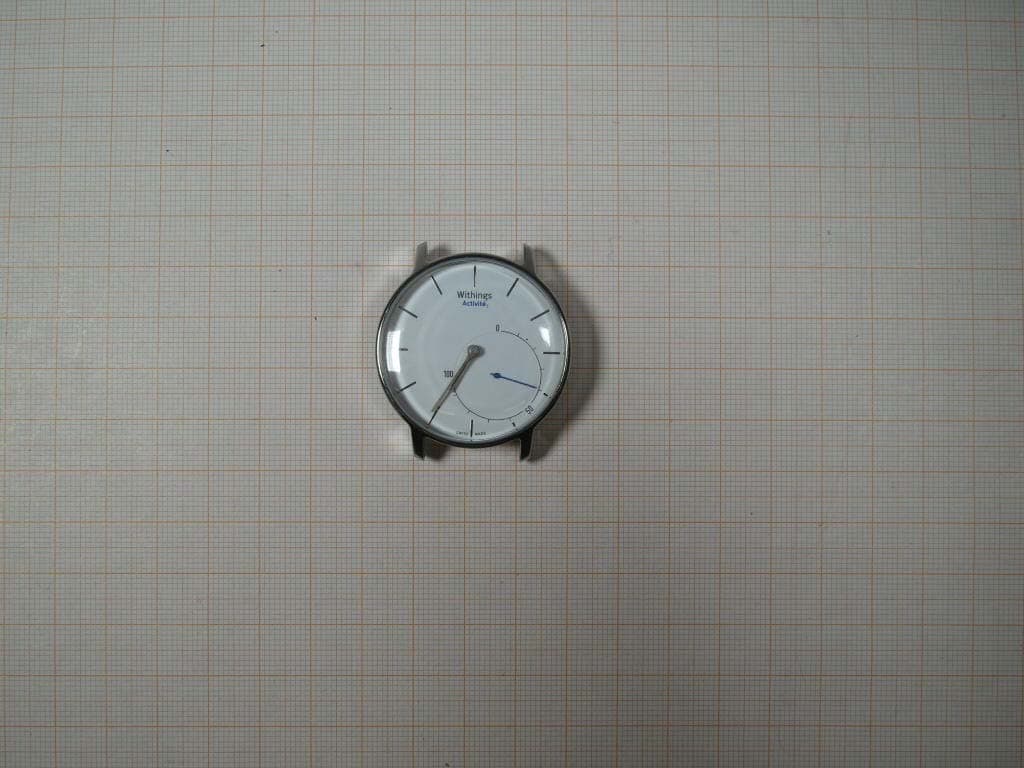
Click to zoom
Application Details
- Equipment Class
- DTS - Digital Transmission System
- Date of Grant
- Sep 28, 2014
- Application Purpose
- Original Equipment
- Date of Application
- Sep 28, 2014
- Equipment Note
- Electronic device
- Frequency Range
- 2402.00000000 - 2480.00000000
- Company
- Withings
- Country
- France
Documents & Files
Document Text
Text extracted from the exhibit documents filed with the FCC. Open a document above to read the original.
Users Manual
FR Démarrage rapide DE Schnellstart ES Inicio rápido IT Avvio rapido Quick Start Guide Thank you for choosing the Withings Activité Need help? support.withings.com/activite FR Merci d’avoir choisi le Withings Activité DE Wie bedanken uns für ihre Wahl zum Withings Activité ES Te agradecemos que hayas elegido el Withings Activité IT Grazie per aver scelto lo Withings Activité FR Besoin d’aide DE Brauchen Sie Hilfe ES Necesitas ayuda IT Ti serve aiuto support.withings.com/activite Quick start from your Smartphone and Tablet Get the app, visit: go.withings.com FR Démarrage rapide depuis votre Smartphone DE Schnellstart von Ihrem Smartphone ES Inicio rápido desde tu Smartphone IT Avvio rapido dallo Smartphone FR Obtenez l’appli, allez sur go.withings.com DE Holen Sie sich die App auf go.withings.com ES Consigue la aplicación en go.withings.com IT Per recuperare l’app, vai su go.withings.com go.witihings.com Quick start with the Withings Activité 1 Open the packaging, and locate the tool to activate the watch. 2 Insert the tool into the button on the back of the watch. 3 The hands will move for a minute indicating that your watch has started working. 23 FR Démarrage rapide de Withings Activité DE So schnell geht’s los mit der Withings Activité ES Primeros pasos con Withings Activité IT Guida rapida del tuo Activité Withings FR 1 Ouvrez le packaging, et prenez en main l’outil pour activer votre montre. 2 Insérez l’outil dans le bouton au dos de votre montre. 3 Les aiguilles bougent pendant une minute indiquant le bon fonctionnement de votre montre. DE 1 Öffnen Sie die Verpackung und nehmen Sie das Instrument heraus, um die Uhr zu aktivieren. 2 Fügen Sie das Instrument in die dafür vorgesehene Fläche auf der Gehäuserückseite ein. 3 Die Uhrzeiger drehen sich dann etwa eine Minute lang. Ihre Uhr wurde nun aktiviert. ES 1 Abra el paquete y busque la herramienta para activar el reloj 2 Introduzca la herramienta en el botón de la parte trasera del reloj. 3 Las manecillas se moverán durante un minuto para indicar que el reloj ha empezado a funcionar. IT 1 Apri la confezione e individua lo strumento di attivazione dell’orologio. 2 Inseriscilo nel pulsante situato sulla parte posteriore dell’orologio. 3 Le lancette si muoveranno per un minuto, indicando che l’orologio è entrato in funzione. 1 Get to know your Withings Activité FR Apprenez à connaitre votre Withings Activité DE Erfahren Sie mehr über die Withings Activité ES Conozca su Withings Activité IT Scopri il tuo Withings Activité FR Contenu de la boite DE Lieferumfang ES Contenido IT Contenuto della confezione FR 1 Withings Activité 2 Outil pour redémarrer la montre et pour ouvrir le dos du boitier de la montre. 3 Bracelet en plastique pour vos activités sportives. DE 1 Withings Activité 2 Instrument zum Stellen der Uhr und zum Öffnen der Gehäuserückseite. 3 Zusätzliches Sportarmband aus Kunststoff. ES 1 Withings Activité 2 Herramienta para restablecer el reloj y abrir el com- partimento trasero. 3 Correa adicional de plástico para actividades deportivas. IT 1 Withings Activité 2 Strumento di reset e apertura della cassa posteriore dell’orologio. 3 Cinturino in plastica extra per le attività sportive. Box Content 1 Withings Activité. 2 Tool to reset the watch and to open the watch back case. 3 Additional plastic wristband for sports. 12 3 Enter a daily objective in the Health Mate Application and observe your progression on the Activité tracking dial. Activité automatically syncs to your smartphone through Bluetooth Low Energy connectivity and works with the Health Mate Application where you can see all your activity data. Your progess (%) Activity 5 000 STEPS 50 % GOAL Activité, a new generation watch combining time and activity tracking FR Activité, une nouvelle génération de montre qui suit les mouvements du temps et du corps DE Activité – eine Uhr der neuen Art, die gleichzeitig Zeit und Bewegung misst ES Activité, un reloj de última generación que permite controlar tanto el tiempo como la actividad IT Activité, un orologio di ultima generazione che unisce la misurazione di tempo e movimento FR Entrez vos objectifs quotidiens dans l’application Health Mate et suivez votre progression sur le cadran de votre montre. Grâce à la technologie Bluetooth Low Energy, Activité se synchronise automatiquement à votre smartphone et vous permet de voir toutes vos données d’activité sur l’application Health Mate. DE Geben Sie in der Health Mate App Ihr jeweiliges Tagesziel ein und verfolgen Sie Ihren Fortschritt auf dem Activité Bewegungs- messer. Über eine energiesparende Bluetooth-Verbindung wer- den Daten von Ihrer Activité automatisch auf Ihr Smartphone synchronisiert, wo Sie über die Health Mate App alle Angaben zu Ihren Bewegungseinheiten an einem Ort finden. ES Introduzca un objetivo diario en la aplicación Health Mate y compruebe sus progresos en la esfera de seguimiento de Activi- té. Activité se sincroniza automáticamente con su smartphone a través de una conexión Bluetooth Low Energy y funciona con la aplicación Health Mate, donde podrá ver los datos de su actividad. IT Aggiungi il tuo obiettivo giornaliero nell’app Health Mate e controlla i tuoi progressi dal quadrante di monitoraggio Activité. Grazie alla connessione Bluetooth Low Energy, Activité si sincronizza automaticamente al tuo smartphone, interagendo con l’app Health Mate per mostrare informazioni sulla tua attività fisica. Activité automatically detects whether you are walking, running, swimming or sleeping. Activité, a unique tool to experience a health-inspired lifestyle FR Activité, un objet unique pour vous mettre sur la voie d’un mode de vie sain DE Activité – ein einzigartiges Tool für einen gesunden Lebensstil ES Activité, una herramienta imprescindible para un estilo de vida saludable IT Activité, uno strumento unico, per uno stile di vita sano FR Activité détecte automatiquement votre type d’activité (marche, course, nage, sommeil...). ACTIVITÉ: Suivez vos pas, calories, cour…
Text truncated - open the document above for the full version.
Users Manual
FR Démarrage rapide DE Schnellstart ES Inicio rápido IT Avvio rapido Quick Start Guide Thank you for choosing the Withings Activité Need help? support.withings.com/activite FR Merci d’avoir choisi le Withings Activité DE Wie bedanken uns für ihre Wahl zum Withings Activité ES Te agradecemos que hayas elegido el Withings Activité IT Grazie per aver scelto lo Withings Activité FR Besoin d’aide DE Brauchen Sie Hilfe ES Necesitas ayuda IT Ti serve aiuto support.withings.com/activite Quick start from your Smartphone and Tablet Get the app, visit: go.withings.com FR Démarrage rapide depuis votre Smartphone DE Schnellstart von Ihrem Smartphone ES Inicio rápido desde tu Smartphone IT Avvio rapido dallo Smartphone FR Obtenez l’appli, allez sur go.withings.com DE Holen Sie sich die App auf go.withings.com ES Consigue la aplicación en go.withings.com IT Per recuperare l’app, vai su go.withings.com go.witihings.com Quick start with the Withings Activité 1 Open the packaging, and locate the tool to activate the watch. 2 Insert the tool into the button on the back of the watch. 3 The hands will move for a minute indicating that your watch has started working. 23 FR Démarrage rapide de Withings Activité DE So schnell geht’s los mit der Withings Activité ES Primeros pasos con Withings Activité IT Guida rapida del tuo Activité Withings FR 1 Ouvrez le packaging, et prenez en main l’outil pour activer votre montre. 2 Insérez l’outil dans le bouton au dos de votre montre. 3 Les aiguilles bougent pendant une minute indiquant le bon fonctionnement de votre montre. DE 1 Öffnen Sie die Verpackung und nehmen Sie das Instrument heraus, um die Uhr zu aktivieren. 2 Fügen Sie das Instrument in die dafür vorgesehene Fläche auf der Gehäuserückseite ein. 3 Die Uhrzeiger drehen sich dann etwa eine Minute lang. Ihre Uhr wurde nun aktiviert. ES 1 Abra el paquete y busque la herramienta para activar el reloj 2 Introduzca la herramienta en el botón de la parte trasera del reloj. 3 Las manecillas se moverán durante un minuto para indicar que el reloj ha empezado a funcionar. IT 1 Apri la confezione e individua lo strumento di attivazione dell’orologio. 2 Inseriscilo nel pulsante situato sulla parte posteriore dell’orologio. 3 Le lancette si muoveranno per un minuto, indicando che l’orologio è entrato in funzione. 1 Get to know your Withings Activité FR Apprenez à connaitre votre Withings Activité DE Erfahren Sie mehr über die Withings Activité ES Conozca su Withings Activité IT Scopri il tuo Withings Activité FR Contenu de la boite DE Lieferumfang ES Contenido IT Contenuto della confezione FR 1 Withings Activité 2 Outil pour redémarrer la montre et pour ouvrir le dos du boitier de la montre. 3 Bracelet en plastique pour vos activités sportives. DE 1 Withings Activité 2 Instrument zum Stellen der Uhr und zum Öffnen der Gehäuserückseite. 3 Zusätzliches Sportarmband aus Kunststoff. ES 1 Withings Activité 2 Herramienta para restablecer el reloj y abrir el com- partimento trasero. 3 Correa adicional de plástico para actividades deportivas. IT 1 Withings Activité 2 Strumento di reset e apertura della cassa posteriore dell’orologio. 3 Cinturino in plastica extra per le attività sportive. Box Content 1 Withings Activité. 2 Tool to reset the watch and to open the watch back case. 3 Additional plastic wristband for sports. 12 3 Enter a daily objective in the Health Mate Application and observe your progression on the Activité tracking dial. Activité automatically syncs to your smartphone through Bluetooth Low Energy connectivity and works with the Health Mate Application where you can see all your activity data. Your progess (%) Activity 5 000 STEPS 50 % GOAL Activité, a new generation watch combining time and activity tracking FR Activité, une nouvelle génération de montre qui suit les mouvements du temps et du corps DE Activité – eine Uhr der neuen Art, die gleichzeitig Zeit und Bewegung misst ES Activité, un reloj de última generación que permite controlar tanto el tiempo como la actividad IT Activité, un orologio di ultima generazione che unisce la misurazione di tempo e movimento FR Entrez vos objectifs quotidiens dans l’application Health Mate et suivez votre progression sur le cadran de votre montre. Grâce à la technologie Bluetooth Low Energy, Activité se synchronise automatiquement à votre smartphone et vous permet de voir toutes vos données d’activité sur l’application Health Mate. DE Geben Sie in der Health Mate App Ihr jeweiliges Tagesziel ein und verfolgen Sie Ihren Fortschritt auf dem Activité Bewegungs- messer. Über eine energiesparende Bluetooth-Verbindung wer- den Daten von Ihrer Activité automatisch auf Ihr Smartphone synchronisiert, wo Sie über die Health Mate App alle Angaben zu Ihren Bewegungseinheiten an einem Ort finden. ES Introduzca un objetivo diario en la aplicación Health Mate y compruebe sus progresos en la esfera de seguimiento de Activi- té. Activité se sincroniza automáticamente con su smartphone a través de una conexión Bluetooth Low Energy y funciona con la aplicación Health Mate, donde podrá ver los datos de su actividad. IT Aggiungi il tuo obiettivo giornaliero nell’app Health Mate e controlla i tuoi progressi dal quadrante di monitoraggio Activité. Grazie alla connessione Bluetooth Low Energy, Activité si sincronizza automaticamente al tuo smartphone, interagendo con l’app Health Mate per mostrare informazioni sulla tua attività fisica. Activité automatically detects whether you are walking, running, swimming or sleeping. Activité, a unique tool to experience a health-inspired lifestyle FR Activité, un objet unique pour vous mettre sur la voie d’un mode de vie sain DE Activité – ein einzigartiges Tool für einen gesunden Lebensstil ES Activité, una herramienta imprescindible para un estilo de vida saludable IT Activité, uno strumento unico, per uno stile di vita sano FR Activité détecte automatiquement votre type d’activité (marche, course, nage, sommeil...). ACTIVITÉ: Suivez vos pas, calories, cour…
Text truncated - open the document above for the full version.
External Photos
Test report no.: 1-8319/14-01-01_AnnexA Page 1 of 4 Annex A This test report annex is electronically signed and valid without handwriting signature. For verification of the electronic signatures, the public keys can be requested at the testing laboratory. Test report annex authorised: David Lang Specialist Radio Communications & EMC Test report no.: 1-8319/14-01-01_AnnexA Page 2 of 4 External photos of the EUT Photo 1: Photo 2: Test report no.: 1-8319/14-01-01_AnnexA Page 3 of 4 Photo 3: Photo 4: Test report no.: 1-8319/14-01-01_AnnexA Page 4 of 4 Document history Version Applied changes Date of release Initial release 2014-07-28
ID Label/Location Info
Labeling Infos Withings Model: HWA01 FCC ID: XNAHWA01 IC ID: 11411A-HWA01 The following test is put into the user manuel: This device complies with Part 15 of the FCC Rules and with Industry Canada licence-exempt RSS standard(s). Operation is subject to the following two conditions: (1) this device may not cause harmful interference, and (2) this device must accept any interference received, including interference that may cause undesired operation. Le présent appareil est conforme aux CNR d'Industrie Canada applicables aux appareils radio exempts de licence. L'exploitation est autorisée aux deux conditions suivantes: (1) l'appareil ne doit pas produire de brouillage, et (2) l'utilisateur de l'appareil doit accepter tout brouillage radioélectrique subi, même si le brouillage est susceptible d'en compromettre le fonctionnement.
Internal Photos
Test report no.: 1-8319/14-01-01_AnnexB Page 1 of 4 Annex B This test report annex is electronically signed and valid without handwriting signature. For verification of the electronic signatures, the public keys can be requested at the testing laboratory. Test report annex authorised: David Lang Specialist Radio Communications & EMC Test report no.: 1-8319/14-01-01_AnnexB Page 2 of 4 Internal photos of the EUT Photo 1: Photo 2: Test report no.: 1-8319/14-01-01_AnnexB Page 3 of 4 Photo 3: Photo 4: Test report no.: 1-8319/14-01-01_AnnexB Page 4 of 4 Document history Version Applied changes Date of release Initial release 2014-07-28
Test Report
2014-09-10 Page 1 of 50 TEST REPORT Test report no.: 1-8319/14-01-05-A Testing laboratory Applicant CETECOM ICT Services GmbH Untertuerkheimer Strasse 6 – 10 66117 Saarbruecken / Germany Phone: + 49 681 5 98 - 0 Fax: + 49 681 5 98 - 9075 Internet: http://www.cetecom.com e-mail: [email protected] Accredited Testing Laboratory: The testing laboratory (area of testing) is accredited according to DIN EN ISO/IEC 17025 (2005) by the Deutsche Akkreditierungsstelle GmbH (DAkkS) The accreditation is valid for the scope of testing procedures as stated in the accreditation certificate with the registration number: D-PL-12076-01-00 Withings 20, rue Rouget de Lisle, 92130 Issy les Moulineaux / FRANCE Phone: +33 1 41 46 04 64 Contact: Marina Aparicio Rodriguez e-mail: [email protected] Phone: +33 1 41 46 04 64 Manufacturer Withings 20, rue Rouget de Lisle, 92130 Issy les Moulineaux / FRANCE Test standard/s 47 CFR Part 15 Title 47 of the Code of Federal Regulations; Chapter I; Part 15 - Radio frequency devices RSS - 210 Issue 8 Spectrum Management and Telecommunications Radio Standards Specification - Licence-exempt Radio Apparatus (All Frequency Bands): Category I Equipment For further applied test standards please refer to section 3 of this test report. Test Item Kind of test item: Electronic device Model name: HWA01 FCC ID: XNAHWA01 IC: 11411A-HWA01 Frequency: 2400 MHz to 2483.5 MHz Technology tested: Bluetooth® LE Antenna: Integrated ceramic antenna Power supply: 3.0V DC Battery powered Temperature range: -20°C to +55°C This test report is electronically signed and valid without handwriting signature. For verification of the electronic signatures, the public keys can be requested at the testing laboratory. Test report authorised: Test performed: Tobias Wittenmeier David Lang Experienced Specialist Radio Communications & EMC Radio Communications & EMC Test report no.: 1-8319/14-01-05-A 2014-09-10 Page 2 of 50 1 Table of contents 1 Table of contents ............................................................................................................................................ 2 2 General information ....................................................................................................................................... 3 2.1 Notes and disclaimer .......................................................................................................................... 3 2.2 Application details ............................................................................................................................... 3 3 Test standard/s ............................................................................................................................................... 3 3.1 Measurement guidance ....................................................................................................................... 3 4 Test environment ............................................................................................................................................ 4 5 Test item .......................................................................................................................................................... 4 5.1 Additional information ........................................................................................................................ 4 6 Test laboratories sub-contracted ................................................................................................................. 4 7 Description of the test setup ......................................................................................................................... 5 7.1 Radiated measurements chamber F .................................................................................................. 5 7.2 Radiated measurements chamber C ................................................................................................. 6 7.3 Radiated measurements 12.75 GHz to 26 GHz ................................................................................. 7 7.4 AC conducted ...................................................................................................................................... 8 7.5 Conducted measurements ................................................................................................................. 9 8 Summary of measurement results ............................................................................................................. 10 9 Measurement results .................................................................................................................................... 11 9.1 Antenna gain ...................................................................................................................................... 11 9.2 Power spectral density ..................................................................................................................... 12 9.3 Carrier frequency separation ........................................................................................................... 15 9.4 Number of hopping channels ........................................................................................................... 17 9.5 Time of occupancy (dwell time) ....................................................................................................... 19 9.6 Spectrum bandwidth of a FHSS system – 6 dB bandwidth .......................................................... 20 9.7 Spectrum bandwidth of a FHSS system – 20 dB bandwidth ........................................................ 23 9.8 Maximum output power .................................................................................................................... 26 9.9 Band edge compliance conducted .................................................................................................. 27 9.10 Band edge compliance radiated ...............…
Text truncated - open the document above for the full version.
Test Setup Photos
Test report no.: 1-8319/14-01-01_AnnexD 2014-07-28 Page 1 of 5 Annex D This test report annex is electronically signed and valid without handwriting signature. For verification of the electronic signatures, the public keys can be requested at the testing laboratory. Test report annex authorised: David Lang Specialist Radio Communications & EMC Test report no.: 1-8319/14-01-01_AnnexD 2014-07-28 Page 2 of 5 EUT Test setup photos Photo 1: Photo 2: Test report no.: 1-8319/14-01-01_AnnexD 2014-07-28 Page 3 of 5 Photo 3: Photo 4: Test report no.: 1-8319/14-01-01_AnnexD 2014-07-28 Page 4 of 5 Photo 5: Photo 6: Test report no.: 1-8319/14-01-01_AnnexD 2014-07-28 Page 5 of 5 Document history Version Applied changes Date of release Initial release 2014-07-28
Contact Information
Applicant
Xavier Debreuil(Product Director)
Test Firm
cetecom advanced GmbHGerald Schmidt
Technical Specifications
| # | Rule Parts | Frequency Range | Power Output |
|---|---|---|---|
| 1 | 15C | 2.40 GHz - 2.48 GHz | 1.00 mW |
Other Applications from Withings
XNAWBS15
May 15, 2026Withings BodyScan 2
Equipment Class
DTS - Digital Transmission SystemXNASCT02
Jul 03, 2024SCT02
Equipment Class
DTS - Digital Transmission SystemXNAWBS14
Jan 25, 2024WITHINGS BODY PRO 2
Equipment Class
DTS - Digital Transmission System
XNAHWA10
Jul 31, 2023HWA10
Equipment Class
DTS - Digital Transmission System
XNAWBS08
Apr 03, 2023Withings Body Scan
Equipment Class
DTS - Digital Transmission System