XV3AK10BASIC AIR KEYBOARD CONQUEROR
Holy Investment Co., Ltd.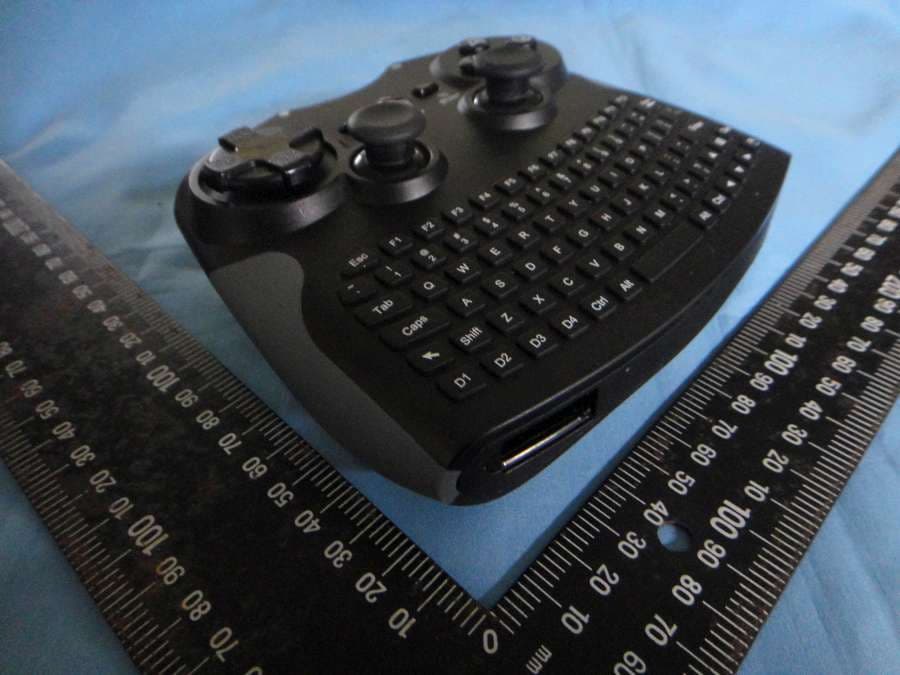
Click to zoom
Application Details
- Equipment Class
- DXX - Part 15 Low Power Communication Device Transmitter
- Date of Grant
- Mar 25, 2012
- Application Purpose
- Original Equipment
- Date of Application
- Mar 25, 2012
- Equipment Note
- BASIC AIR KEYBOARD CONQUEROR
- Frequency Range
- 2403.00000000 - 2475.00000000
- Company
- Holy Investment Co., Ltd.
- Country
- Taiwan
Documents & Files
Document Text
Text extracted from the exhibit documents filed with the FCC. Open a document above to read the original.
Users Manual
Basic Basic Air Keyboard Conqueror User Manual Safety Information 1. Do not use this product near water or moisture. 2. This product is NOT weatherproof. 3. Clean only with a dry lint-free cloth.Disconnect the power source before cleaning.Do not use any chemicals or cleaners. 4. Do not install or use near any open flame or heat sources, such as radiators,heat registers, stoves, grills, or other devices that produce heat. 5. Do not expose to direct sunlight. 6. Only use accessories specified by the manufacturer. Installation Guide 1. Battery 1. When the battery is low, the red LED light will flash slowly. (Please refer to Section 5 below for LED indicator). 2. Please remove batteries, if you do not intend to use the product for a long period of time. Product & Accessory 1.Basic Air Keyboard Conqueror*1 2.Dongle receiver*1 3.CD Software for Definable Buttons*1 4.Alkaline battery*2 Feature Ergonomic design for ultra comfort and control Two analog joysticks with digital buttons 4 axis 12 fire buttons Trusty 8-way D-pad Plug-and-play convenience Power saving function User definable buttons Mouse controlled by Joystick Important Safety Instructions 1. Read and Keep this manual 2. Always consider the environmental issues and foll ow local regulations when disposing batteries. If you will not use the product for a long period of time, please remove the batteries. 3. Please consult qualified service personnel for maintenance. Service is required when the unit has been damaged in any way; such as liquids spill on the product, objects fall onto the product, the product has been exposed to rain or moisture, the product does not operate normally, or has been dropped. Specification Frequency Range: 2400MHz ~ 2483MHz Alkali ne battery Operation time: > 30hrs for constant usage Supported OS: PC: Windows 98/ME/2000/XP/Vista/Windows 7; Linux PS3 Transmission range: up to 10 meters Dimension : 149(L) x 126(W) x 47(H)mm *Self customizable buttons are only for Microsoft Windows system. Fig 1: The compartment of Alkaline batteries Fig 2: Dongle Compartment 2. Installation 1) Connect Air Dongle to the computer. (Make sure the blue LED on Air Dongle is blinking before turning on the Air Keyboard Power). 2) To avoid interference, if you are using more than one wireless dongle at a time, the distance between each dongle should be more than 50cm. 3) After idling for 1 minute, Air Keyboard will switch off to save power. Press the power button to turn it on again. 4) After connecting the Air Dongle to the USB port of the computer, the system will automatically search for Air Keyboard and establish connection. Block 2: The quick access buttons could be customized with 3 different methods. 1) Application: Click the Browse button to search the file or software you want to access with definable button. 2) Pull down menu: Select the program or command from the pull down menu. 3) Key: Specify the combinations of keys to be executed with a definable button. 3. User definable buttons (Applies to Windows OS) Get quick access to the media, programs, and files you use most often with definable buttons. 1) Please insert the Driver CD and follow steps on screen to install. 2) Please select the device name from the pull down menu. Block 1: Buttons: Select the button you want to define once at a time. Block 3: Show you the current settings of each definable buttons. Note: Press Apply to confirm the setting. Press OK to finish the setting. Press Exit to quit the function of quick access. 4. Function of Keyboard Buttons 1) Please use the button to wake up mouse. 5. LED Indicators 1) Connecting: Blue LED flashes once for each command. 2) Power Key Suffi cient power: Green LED on. 3) Low battery indicator Low battery: Red LED flashes. 2) Press the power key for 1.5 sec. to switch the function of 8-way D-pad and J1. (Under PC mode only) *Under PC mode - Control the right joystick to move the cursor to indicated places. Under PS3 mode - Control the left joystick to move the cursor to indicated places. Mouse wake up / disable 3) Red LED: Low battery / PS Button Windows Middle mouse Definable Button Mouse left key Mouse right key Definable Button Definable Button Definable Button Power Key Mode Switch: 1.Walk up mouse 2.Disable mouse function 5 6 65 6.Using Air Keyboard Conqueror for Play Station 3 Activated with dongle plugged on PS3. *The L3 and R3 buttons function when the sticks are pressed. R2 button R1 button L2 button L1 button Directional buttons Left stick/ L3 button Right stick/ R3 button START buttonSELECT button PS button button button button button Troubleshooting: If Air Keyboard does not work properly, please follow these troubleshooting methods. 1) Make sure the batteries are properly installed and the batteries contain enough power.When the remaining power is insufficient, the power status indicator will be blinking in RED.Please replace batteries or Air Keyboard will shut down automatically. 2) If Air Keyboard does not work properly even with sufficient power, make sure Air Keyboard is turned on and try these steps: a) Remove Air Dongle. Then, reconnect Air Dongle and try again. b) Try a different port or environment: Try to connect the Air Dongle to a different USB port. Then, check the operation of Air Keyboard. By trying Air Dongle in a different port, you can eliminate any issues caused by the port. c) Test the device on a different computer If the issue continues to occur, test the keyboard on a different computer in a different environment. 3) T he pairing between Air Dongle and Air Keyboard was completed before shipment If above steps do not solve your issue, it might be that the pairing was lost. Perform the following steps to pair again: 1) Connect Air Dongle to the computer. 2) Bring Air Keyboard next to Air Dongle within 5cm. Press the “Windows” and “ 6 ” buttons at the same time for 5 seconds. Air Keyboard will search for Air Dongle and the Air Dongle LED indicator will be blinking. When the pairing is comple…
Text truncated - open the document above for the full version.
External Photos
Compliance Certification Services Inc. Report No.:T120117N02 Page A1 / 8 External Photo (AK10) Compliance Certification Services Inc. Report No.:T120117N02 Page A2 / 8
ID Label/Location Info
Diagram Label location FCC Caution: This device complies with Part 15 of the FCC Rules. Operation is subject to the following two conditions: (1) This device may not cause harmful interference, and (2) this device must accept any interference received, including interference that may cause undesired operation. FCC Caution: This device complies with Part 15 of the FCC Rules. Operation is subject to the following two conditions: (1) This device may not cause harmful interference, and (2) this device must accept any interference received, including interference that may cause undesired operation.
Internal Photos
Compliance Certification Services Inc. Report No.:T120117N02 Page A3 / 8 Internal Photo (AK10) Compliance Certification Services Inc. Report No.:T120117N02 Page A4 / 8 Compliance Certification Services Inc. Report No.:T120117N02 Page A5 / 8 Compliance Certification Services Inc. Report No.:T120117N02 Page A6 / 8 Compliance Certification Services Inc. Report No.:T120117N02 Page A7 / 8 Compliance Certification Services Inc. Report No.:T120117N02 Page A8 / 8
Operational Description
R&D Print date 10/10/07 Pre Jul, 2009 3216 Ceramic Chip Antenna (PIFA Mode) for Bluetooth/WLan Application CAN4311 132 2X 245 3K Tommy Chen Page 1 sheet 190-1 A4 Willing Chang Oscar Lu Yageo Taiwan / High Frequency Ceramic Department 3216 Ceramic Chip Antenna in PIFA Mode for Bluetooth/WLan Application Preliminary ANTENNA PRODUCTS Jul. 2009. R&D Print date 10/10/07 Pre Jul, 2009 3216 Ceramic Chip Antenna (PIFA Mode) for Bluetooth/WLan Application CAN4311 132 2X 245 3K Tommy Chen Page 2 sheet 190-2 A4 Willing Chang Oscar Lu Yageo Taiwan / High Frequency Ceramic Department 3216 Ceramic Chip Antenna for Bluetooth/WLAN Application Product Specification Quick Reference Data Centre Frequency 2.45 GHz Bandwidth 2.4 ~ 2.484GHz Polarization Linear Azimuth Beamwidth Omni-directional Peak Gain 2.84 dBi Impedance 50Ω Operating Temperature -25~85 o C Termination Ni / Sn (Environmentally-Friendly Leadless) Resistance to soldering heats 260°C , 10sec. Maximum Power 1W R&D Print date 10/10/07 Pre Jul, 2009 3216 Ceramic Chip Antenna (PIFA Mode) for Bluetooth/WLan Application CAN4311 132 2X 245 3K Tommy Chen Page 3 sheet 190-3 A4 Willing Chang Oscar Lu Yageo Taiwan / High Frequency Ceramic Department 1. Mechanical Data (3.2 x 1.6x 1.2 mm³) 1.6± ±± ±0.1 3.2± ±± ±0.1 1.2± ±± ±0.1 Unit: mm R&D Print date 10/10/07 Pre Jul, 2009 3216 Ceramic Chip Antenna (PIFA Mode) for Bluetooth/WLan Application CAN4311 132 2X 245 3K Tommy Chen Page 4 sheet 190-4 A4 Willing Chang Oscar Lu Yageo Taiwan / High Frequency Ceramic Department 2. Evaluation Board Dimension and Outlook ■ ■■ ■ Suggested Matching Circuit : 2.2 pF 3216 PIFA antenna 0.82 pF Feeding ■ ■■ ■ Illustration of Evaluation Board Unit: mm Copper Ground via hole 90.0 40.0 50 Ω ΩΩ ΩFeed Line Feed contact Ground contact Matching Circuit R&D Print date 10/10/07 Pre Jul, 2009 3216 Ceramic Chip Antenna (PIFA Mode) for Bluetooth/WLan Application CAN4311 132 2X 245 3K Tommy Chen Page 5 sheet 190-5 A4 Willing Chang Oscar Lu Yageo Taiwan / High Frequency Ceramic Department ■ ■■ ■ Clearance Definition: ( Size = 6.0 * 4.0 mm ) ■ ■■ ■ Soldering Pads Dimension and Footprint : 0.64 6.0 Unit: mm 4.0 1.6 1.25 1.25 4.0 0.32 0.64 0.40 Tol : ±0.2 Unit: mm 1.25 0.32 0.64 1.6 4.0 1.25 R&D Print date 10/10/07 Pre Jul, 2009 3216 Ceramic Chip Antenna (PIFA Mode) for Bluetooth/WLan Application CAN4311 132 2X 245 3K Tommy Chen Page 6 sheet 190-6 A4 Willing Chang Oscar Lu Yageo Taiwan / High Frequency Ceramic Department 3. Measured S-parameter R&D Print date 10/10/07 Pre Jul, 2009 3216 Ceramic Chip Antenna (PIFA Mode) for Bluetooth/WLan Application CAN4311 132 2X 245 3K Tommy Chen Page 7 sheet 190-7 A4 Willing Chang Oscar Lu Yageo Taiwan / High Frequency Ceramic Department 4.The Definition of X-Y-Z Plane X Z Y R&D Print date 10/10/07 Pre Jul, 2009 3216 Ceramic Chip Antenna (PIFA Mode) for Bluetooth/WLan Application CAN4311 132 2X 245 3K Tommy Chen Page 8 sheet 190-8 A4 Willing Chang Oscar Lu Yageo Taiwan / High Frequency Ceramic Department 5. The Environment of Antenna Radiation Pattern Anechoic Chamber Dimension=10(m) × ×× × 6(m) × ×× × 6(m) R&D Print date 10/10/07 Pre Jul, 2009 3216 Ceramic Chip Antenna (PIFA Mode) for Bluetooth/WLan Application CAN4311 132 2X 245 3K Tommy Chen Page 9 sheet 190-9 A4 Willing Chang Oscar Lu Yageo Taiwan / High Frequency Ceramic Department 6. Radiation Pattern R&D Print date 10/10/07 Pre Jul, 2009 3216 Ceramic Chip Antenna (PIFA Mode) for Bluetooth/WLan Application CAN4311 132 2X 245 3K Tommy Chen Page 10 sheet 190-10 A4 Willing Chang Oscar Lu Yageo Taiwan / High Frequency Ceramic Department R&D Print date 10/10/07 Pre Jul, 2009 3216 Ceramic Chip Antenna (PIFA Mode) for Bluetooth/WLan Application CAN4311 132 2X 245 3K Tommy Chen Page 11 sheet 190-11 A4 Willing Chang Oscar Lu Yageo Taiwan / High Frequency Ceramic Department 7. Reliability Test IEC 384-10/ CECC 32 100 CLAUSE IEC 60068-2 TEST METHO D TEST PROCEDURE REQUIREMENTS 4.4 Mounting The antenna can be mounted on printed- circuit boards or ceramic substrates by applying wave soldering, reflow soldering (including vapour phase soldering) or conductive adhesive No visible damage 4.5 Visual inspection and dimension check Any applicable method using × ×× × 10 magnification In accordance with specification (chip off 4mm) 4.6.1 Antenna Central Frequency at 20 o C Standard test board in page 4 4.8 Adhesion A force of 3 N applied for 10 s to the line joining the terminations and in a plane parallel to the substrate No visible damage Bond strength of plating on end face Mounted in accordance with CECC 32 100, paragraph 4.4 No visible damage 4.9 Conditions: bending 0.5 mm at a rate of 1mm/s, radius jig. 340 mm, 2mm warp on FR4 board of 90 mm length No visible damage R&D Print date 10/10/07 Pre Jul, 2009 3216 Ceramic Chip Antenna (PIFA Mode) for Bluetooth/WLan Application CAN4311 132 2X 245 3K Tommy Chen Page 12 sheet 190-12 A4 Willing Chang Oscar Lu Yageo Taiwan / High Frequency Ceramic Department IEC 384-10/ CECC 32 100 CLAUSE IEC 60068-2 TEST METHO D TEST PROCEDURE REQUIREMENTS 4.10 20(Tb) Resistance to soldering heat 260 ± 5 °C for 10 ± 0.5 s in a static solder bath Satisfy the original electrical specification after soldering. Resistance to leaching 260 ± 5 °C for 30 ± 1 s in a static solder bath Using visual enlargement of × ×× × 10, dissolution of the termination shall not exceed 10% 4.11 20(Ta) Solderability Zero hour test, and test after storage (20 to 24 months) in original atmosphere; un-mounted chips completely immersed for 2 ± 0.5 s in 235 ± 5°C. The termination must be well tinned, at least 75% is well tinned at termination 4.12 4(Na) Rapid change of temperature -25 °C (30 minutes) to +85 °C (30 minutes); 100 cycles No visible damage Central Freq. Change ± 6% 4.14 3(Ca) Damp heat 500 ± 12 hours at 60 °C; 90 to 95 % RH No visible damage 2 hours recovery Central Freq. Change ± 6% 4.15 Endurance 500 ± 12 hours at 85 °C; No visible damage 2 hours recovery Central Freq. Change ± 6% R&D Print date 10/10/07 …
Text truncated - open the document above for the full version.
Operational Description
AK10 工作原理 本專案將實現出Chipcon CC2511 Dongle 與AK10 產品的操作,Dongle 用來接在主電腦端,而AK10 是鍵盤+滑鼠+娛樂鍵,任意二者之間透過無 線傳輸,來傳送USB HID Device 的資料。在Local Dongle 的部份會負責對作業 系統列舉成USB 複合式裝置,就是鍵盤、滑鼠與搖桿三者合而為一的裝置,作 業統會輪詢它們的按鍵或操作狀態,此時Local Dongle 就會發送無線封包給 Remote Air_keyboard,Remote Air_keyboard 收到會詢問USB HID 的操作資料, 並透過無線回傳給Local Dongle,此時Local Dongle 再把資料回覆給作業系統, 因此使用者就可透過Local Dongle 與Remote Air_keyboard 達成無線HID 裝置 應 用了。 AK10 (Air_Keyboard) In this Project, we will design two products. One is CC2511 Dongle and the other is AK10. Both of them are use wireless technique to transport data. In the Dongle side, it will be enumerated to USB composite Device, which contains the composed the function of keyboard, mouse and gamepad. The O.S polling the HID data status through Dongle to Remote Air_keyboard’s HID Device. So, we need send Packet from dongle to Remote Air_keyboard, and Remote Air_keyboard response the HID data status to O.S through Dongle. Under this technology, User can use wireless USB HID application.
Test Report
Compliance Certification Services Inc. FCC ID: XV3AK10 Report No.: T120117N07-RP1 Note: This report shall not be reproduced except in full, without the written approval of Compliance Certification Services Inc. This document may be altered or revised by Compliance Certification Services Inc. personnel only, and shall be noted in the revision section of the document. Page 1 / 33 : Rev. 00 FCC 47 CFR PART 15 SUBPART C AND ANSI C63.4: 2003 TEST REPORT For Basic Air Keyboard Conqueror Model : AK10 Brand Name : Test Report Number: T120117N07-RP1 Issued for Holy Investment Co., Ltd. 1F., No.2, Lane 25, Yong-an 2nd St., Yung Kang Dist., Tainan City 710, Taiwan Issued by Compliance Certification Services Inc. Tainan Lab. No.8,Jiucengling, Xinhua Dist., Tainan City 712, Taiwan (R.O.C.) TEL: 886-6-580-2201 FAX: 886-6-580-2202 Issued Date: March 22, 2012 Compliance Certification Services Inc. FCC ID: XV3AK10 Report No.: T120117N07-RP1 Page 2 / 33 Rev. 00 REVISION HISTORY Rev. Issue Date Revisions Effect Page Revised By 00 December 13, 2011 Initial Issue ALL Sunny Chang 01 March 22, 2012 Add test data Page 17-20; 22 Sunny Chang Compliance Certification Services Inc. FCC ID: XV3AK10 Report No.: T120117N07-RP1 Page 3 / 33 Rev. 00 TABLE OF CONTENTS 1. TEST RESULT CERTIFICATION ...................................................... 4 2. EUT DESCRIPTION ........................................................................... 5 3. TEST METHODOLOGY ..................................................................... 6 3.1 EUT CONFIGURATION ...................................................................................6 3.2 EUT EXERCISE ...............................................................................................6 3.3 GENERAL TEST PROCEDURES ....................................................................6 3.4 FCC PART 15.205 RESTRICTED BANDS OF OPERATIONS ........................7 3.5 DESCRIPTION OF TEST MODES...................................................................8 4. INSTRUMENT CALIBRATION .......................................................... 9 4.1 MEASURING INSTRUMENT CALIBRATION ..................................................9 4.2 MEASUREMENT EQUIPMENT USED ............................................................9 5. FACILITIES AND ACCREDITATIONS ............................................ 10 5.1 FACILITIES ....................................................................................................10 5.2 EQUIPMENT ..................................................................................................10 5.3 LABORATORY ACCREDITATIONS LISTINGS .............................................10 5.4 TABLE OF ACCREDITATIONS AND LISTINGS............................................11 6. SETUP OF EQUIPMENT UNDER TEST.......................................... 12 6.1 SETUP CONFIGURATION OF EUT ..............................................................12 6.2 SUPPORT EQUIPMENT................................................................................12 6.3 EUT OPERATING CONDITION .....................................................................12 7. FCC PART 15.249 REQUIREMENTS.............................................. 13 7.1 20 DB BANDWIDTH.......................................................................................13 7.2 BAND EDGES MEASUREMENT ...................................................................16 7.3 SPURIOUS EMISSION..................................................................................21 7.4 POWERLINE CONDUCTED EMISSIONS .....................................................29 8. APPENDIX IPHOTOGRAPHS OF TEST SETUP ............................ 31 APPENDIX II PHOTOGRAPHS OF EUT..................................A1 Compliance Certification Services Inc. FCC ID: XV3AK10 Report No.: T120117N07-RP1 Page 4 / 33 Rev. 00 1. TEST RESULT CERTIFICATION Product: Basic Air Keyboard Conqueror Model: AK10 Brand Name: Applicant: Holy Investment Co., Ltd. 1F., No.2, Lane 25, Yong-an 2nd St., Yung Kang Dist., Tainan City 710, Taiwan Manufacturer: JOW TONG TECHNOLOGY CO., LTD. 46. Lane 337, Chung Cheng Rd., Yung Kang Dist., Tainan City 710, Taiwan, R.O.C. Tested: February 03, 2012 ~ February 06, 2012 APPLICABLE STANDARDS STANDARD TEST RESULT FCC Part 15 Subpart C AND ANSI C63.4 : 2003 No non-compliance noted Approved by: Reviewed by: Jeter Wu Assistant Manager Eric Huang Assistant Section Manager Compliance Certification Services Inc. FCC ID: XV3AK10 Report No.: T120117N07-RP1 Page 5 / 33 Rev. 00 2. EUT DESCRIPTION Product Basic Air Keyboard Conqueror Model Number AK10 Brand Name Serial Number T120117N07 Received Date January 17, 2012 Power Supply 3Vdc (Powered from Battery) Frequency Range 2403 ~ 2475MHz Transmit Peak Power 94 dBuV/m Transmit Data Rate 100 kbps Modulation Technique MSK Channel Spacing 1.5MHz Number of Channels 49 Channels Antenna Specification Gain : 2.84 dBi Antenna Designation Chip Antenna Temperature Range 0 ~ +55°C Remark: 1. The sample selected for test was production product and was provided by manufacturer. 2. This submittal(s) (test report) is intended for FCC ID: XV3AK10 filing to comply with Section 15.107, 15.109, 15.207, 15.209, 15.249 (FCC Part 15, Subpart C Rules.) 3. For more details, please refer to the User’s manual of the EUT. Compliance Certification Services Inc. FCC ID: XV3AK10 Report No.: T120117N07-RP1 Page 6 / 33 Rev. 00 3. TEST METHODOLOGY The tests documented in this report were performed in accordance with ANSI C63.4: 2003 and FCC CFR 47 Part 15.207, 15.209 and 15.249. 3.1 EUT CONFIGURATION The EUT configuration for testing is installed on RF field strength measurement to meet the Commissions requirement and operating in a manner that intends to maximize its emission characteristics in a continuous normal application. 3.2 EUT EXERCISE The EUT was operated in the engineering mode to fix the TX frequency that was for the purpose of the measurements. According to its s…
Text truncated - open the document above for the full version.
Test Setup Photos
Compliance Certification Services Inc. FCC ID: XV3AK10 Report No.: T120117N07-RP1 Page 31 / 33 Rev. 00 8. APPENDIX IPHOTOGRAPHS OF TEST SETUP RADIATED EMISSION MEASUREMENT SETUP Compliance Certification Services Inc. FCC ID: XV3AK10 Report No.: T120117N07-RP1 Page 32 / 33 Rev. 00 RADIATED RF MEASUREMENT SETUP Compliance Certification Services Inc. FCC ID: XV3AK10 Report No.: T120117N07-RP1 Page 33 / 33 Rev. 00
Contact Information
Applicant
Ethan Chen(Manager)
Test Firm
Compliance Certification Services Inc.Tommy WU
Technical Specifications
| # | Rule Parts | Frequency Range | Power Output |
|---|---|---|---|
| 1 | 15C | 2.40 GHz - 2.48 GHz | - |
Other Applications from Holy Investment Co., Ltd.
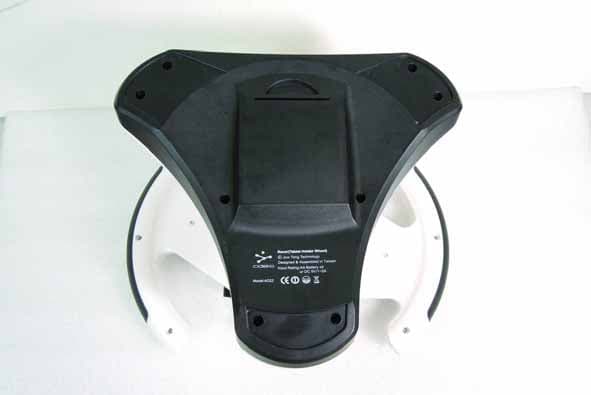
XV3AD22
Oct 29, 2012Racer(Tablet Holder Wheel)
Equipment Class
DSS - Part 15 Spread Spectrum Transmitter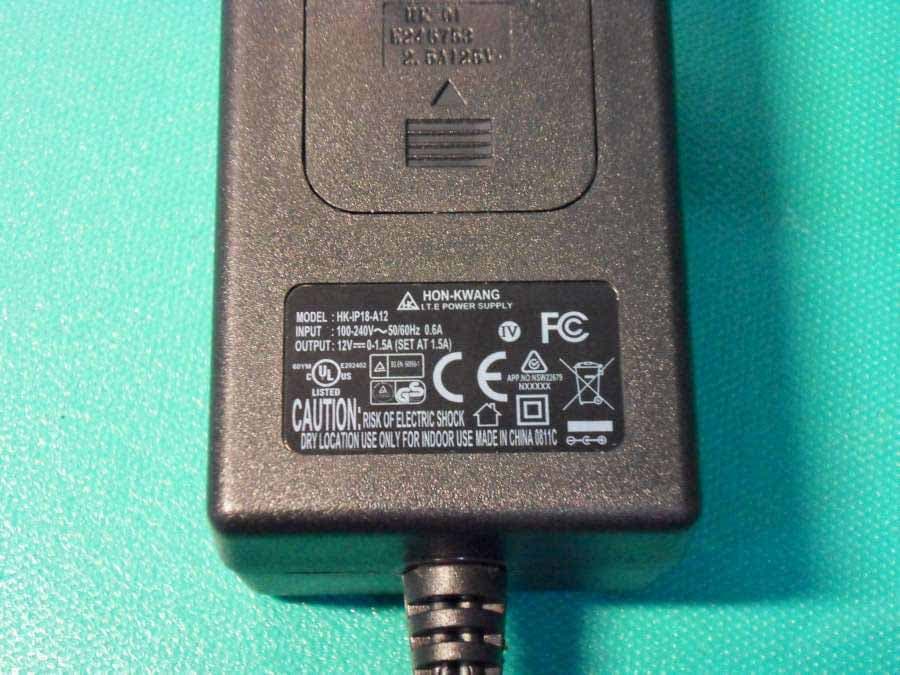
XV3AB03B
Dec 27, 2011CIDEKO SIMPLE BOX ADVANCED
Equipment Class
DTS - Digital Transmission System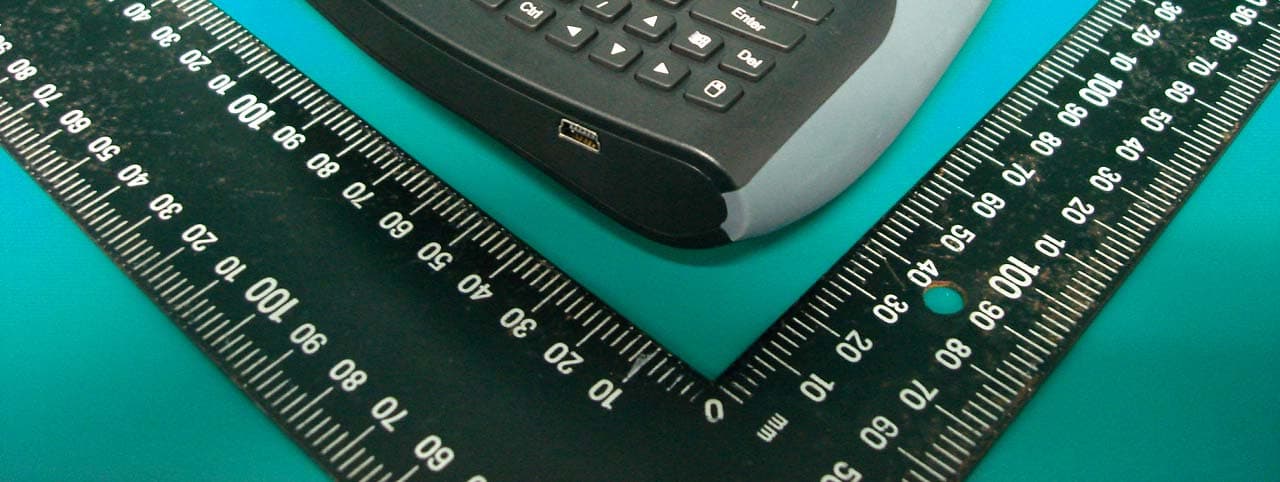
XV3AK08B
Oct 26, 2010Air Keyboard Conqueror
Equipment Class
DXX - Part 15 Low Power Communication Device Transmitter
XV3UD08B
Oct 26, 2010Air Dongle
Equipment Class
DXX - Part 15 Low Power Communication Device Transmitter
XV3AK05B
Oct 10, 2010Air Keyboard Chatting
Equipment Class
DTS - Digital Transmission System