Y35-16306DXPenguin wireless receiver
Posturite LTD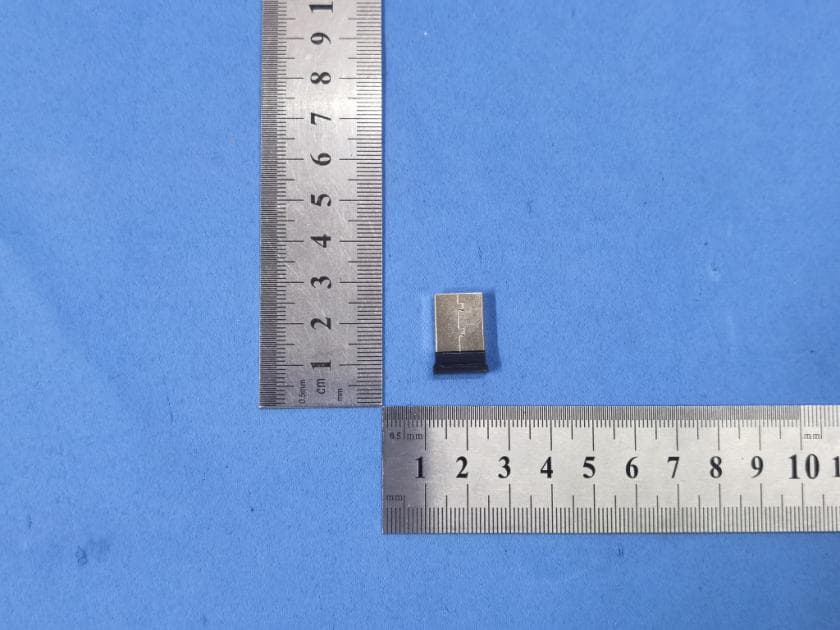
Click to zoom
Application Details
- Equipment Class
- DTS - Digital Transmission System
- Date of Grant
- May 03, 2023
- Application Purpose
- Original Equipment
- Date of Application
- May 03, 2023
- Equipment Note
- Penguin wireless receiver
- Frequency Range
- 2403.00000000 - 2480.00000000
- Company
- Posturite LTD
- Country
- United Kingdom
Documents & Files
Document Text
Text extracted from the exhibit documents filed with the FCC. Open a document above to read the original.
Users Manual
User Guide posturite.co.uk/penguin GBFDJP A. Left Click B. Right Click C. Scroll Wheel D. Rocker Switch - ‘Bow Tie’ (L/R Hand Switch) E. DPI and Bluetooth syncing button F. Bluetooth/OFF/wireless switch G. USB - USB-C Recharging Cable (bluetooth/wireless only) H. 1 x USB Micro Receiver (wireless only) I. Recharging USB-C Port (bluetooth/wireless only) J. Micro Receiver Dongle Housing (bluetooth/wireless only) FrontSide TopBottomAngle Back DPI / OFF PAIR E F J FrontSide TopBottomAngle Back DPI / OFF PAIR A C B I D H G WIRED VERSION 1. Plug the USB cable into any spare USB port. BLUETOOTH ® / WIRELESS VERSION For wireless operation The 2.4 GHz USB micro receiver is located inside the housing on the underneath of the Penguin (J). 1. Remove the micro receiver and insert into a spare USB port of your computer or laptop. Wait for a short time for your PC to recognise the penguin mouse. 2. Move switch (F) on the base from ‘OFF’, downwards to the position. The ‘P’ logo will flash GREEN briefly. For Bluetooth ® operation Make sure that your PC is Bluetooth compatible. To Choose Bluetooth operation. 1. Move switch (F) on the base from ‘OFF’, upwards to Bluetooth. The ‘P’ logo will flash BLUE briefly. 2. On your computer turn on ‘Search for Bluetooth’. 3. Press the DPI/ Bluetooth pair button for 5-10 seconds. 4. On your PC search for “Penguin 3.0 or 5.0 Mouse”. 5. Click on “Penguin 3.0 or 5.0 Mouse” and connect. 6. Your Penguin should now be connected via Bluetooth. If not, press ‘remove ‘Penguin BT 3.0 or 5.0 Mouse’ and repeat same procedure to sync to Bluetooth. Auto power save After approximately 20 seconds inactive - Penguin enters power save mode After approximately 30 minutes - Penguin enters deep sleep mode Inactive - click any button to reawaken Note: It is advised to switch to the ‘OFF’ position if the Penguin is to be transported as this will conserve power. Rechargeable battery The Wireless Penguin has an internal rechargeable battery. There may be a certain amount of charge already in the battery. To fully charge the battery, insert the USB end of the cable (G) into a spare USB port of your computer and the USB-C end of the cable into the front of your mouse (I) see diagram. Refer to the Charging Light Sequence section to indicate the battery level. Rechargeable battery low power level indicator Ice Blue light flashingLow battery (approximately 20% charge remaining) Charging light sequence When the charging cable is connected, a series of coloured lights in the illuminated ‘P’ logo will indicate different battery levels. Penguin in ACTIVE mode: Orange light + flashing Ice Blue lightBattery charging (below 20% charge) Orange light + constant Ice Blue lightBattery charging (above a 20% charge) Ice Blue light onlyBattery fully charged Penguin in INACTIVE mode: Orange ‘P’ lightBattery charging Orange ‘P’ light turns off once fully charged. BOTH VERSIONS Plug & play The Penguin Mouse uses Plug & Play technology. No additional software is required. Right & left handed use The Penguin is set as a Right Handed mouse by default. To use with your left hand, simply depress the raised section of the rocker switch - ‘Bow Tie’ (D) at the front of the Penguin. This will adjust the direction of the scroll wheel. Variable DPI [800-1200-1600-2400] - Pointer Speed The default setting is 800 DPI. To adjust, press and release the DPI button (E) on the base of the Penguin. The illuminated ‘P’ logo will flash to indicate the DPI has been changed. DPI (pointer speed)Number of FlashesSpeed 800 DPI1 ‘P’ FlashSlow 1200 DPI2 ‘PP’ FlashMedium 1600 DPI3 ‘PPP’ FlashFast 2400 DPI4 ‘PPPP’ FlashFastest Precision scroll wheel with auto scroll As well as a soft touch and feel Precision Scroll Wheel (C), the Penguin Mouse has an Auto Scroll feature. To activate this, click the Scroll Wheel inwards or downwards and the auto scroll is activated. Move the Penguin forwards or backwards to start auto scrolling at the desired speed. Click the scroll wheel again and the Auto Scroll is stopped. TROUBLESHOOTING GUIDE Penguin (wired version) • Make sure your Penguin is firmly plugged into your computer’s USB port • Try using a different USB port. If possible plug it directly into the computer i.e. not through any monitors/keyboards/hubs etc. • Although your Penguin is plug & play, make sure your computer is up to date with the latest drivers/operating software for pointing devices • Check that the sensor on the underside of the Penguin isn’t covered and has a clear line of sight to the surface below. Also check that your Penguin has not been dropped which could dislodge the laser. • Try using the Penguin on a mouse mat / non-reflective surface • Close your computer down and reboot Penguin (Bluetooth/wireless version) Note: USB is found inside compartment on Penguin base. • Make sure that the Penguin is charged via the USB-C charging cable. • Make sure the switch on the underside of the base is in ‘ON’ position (rechargeable models only) - either ‘UP’ (BLUE) for Bluetooth or ‘DOWN’ (GREEN) for wireless operation. • If using wireless, make sure your Penguin’s dongle (micro receiver) is firmly plugged in to your computer’s USB port. • If using wireless, try unplugging the Penguin dongle (micro receiver), then plugging it back in again. • If using Bluetooth, on your PC, remove Bluetooth item (Penguin Mouse) and re- add Bluetooth device again. • If using wireless, try holding the Penguin close to the sensor for 30 seconds whilst intermittently clicking the top button – it sometimes takes this to get the dongle to recognise the hardware. • If using wireless, try using a different USB port to connect your Penguin. If possible plug it directly into the computer, i.e. not through any monitors/ keyboards/hubs etc. • If using wireless, remove the USB Dongle and turn ‘OFF’ the Penguin switch. Reboot your computer. Now re-insert USB dongle, wait 10/15 seconds and turn Penguin switch back ‘ON’ - in ‘DOWN’ (GREEN) position. • Although your Penguin…
Text truncated - open the document above for the full version.
Attestation Statements
Posturite LTD Section 2.911(d)(5)(i) Certification – Equipment Type Company name: Posturite LTD Address: The Mill, Berwick, East Sussex, BN26 6SZ,UK Product Name: Penguin wireless receiver FCC ID: Y35-16306DX Model(s): 16306DX 2.911(d)(5)(i) Equipment Type We, [Posturite LTD] certify that the equipment for which authorization is sought through certification is not: Prohibited from receiving an equipment authorization pursuant to § 2.903; of the FCC rules. Identified as an equipment type in the “Covered List” NOTE 1 Yours sincerely, Signature: Name: Petrides R J Date: 2023-02-08 Title and Company name: Manager and Posturite LTD NOTE 1 “Covered List”; is the List of Equipment and Services Covered By Section 2 of The Secure Networks Act, available at https://www.fcc.gov/supplychain/coveredlist References; 1) 986446 D01 Covered Equipment v01 https://apps.fcc.gov/oetcf/kdb/forms/FTSSearchResultPage.cfm?switch=P&id=325672 2) Federal Register document 2022-28263 published on 02/06/23 https://www.federalregister.gov/documents/2023/02/06/2022-28263/protecting-against-national-security-threats-to-the-com munications-supply-chain-through-the
Attestation Statements
Posturite LTD 2.911 (d)(5)(ii) Applicant Attestation v1.2 Section 2.911(d)(5)(ii) Certification – Applicant (Covered List ) Company name: Posturite LTD Address: The Mill, Berwick, East Sussex, BN26 6SZ,UK Product Name: Penguin wireless receiver FCC ID: Y35-16306DX Model(s): 16306DX 2.911(d)(5)(ii) Applicant filing We, [Posturite LTD] certify that, as of the date of the filing of the application, the applicant is not identified NOTE 1 on the “Covered List” NOTE 2 ,established pursuant to §1.50002 of this chapter, as an entity producing covered communications equipment. Yours sincerely, Signature: Name: Petrides R J Date: 2023-02-08 Title and Company name: Manager and Posturite LTD NOTE 1 Delete option not applicable to this application. NOTE 2 “Covered List”; is the List of Equipment and Services Covered By Section 2 of The Secure Networks Act, available at https://www.fcc.gov/supplychain/coveredlist References; 1) 986446 D01 Covered Equipment v01 https://apps.fcc.gov/oetcf/kdb/forms/FTSSearchResultPage.cfm?switch=P&id=325672 2) Federal Register document 2022-28263 published on 02/06/23 https://www.federalregister.gov/documents/2023/02/06/2022-28263/protecting-against-national-security-threats-to-the-com munications-supply-chain-through-the
Attestation Statements
Posturite LTD Section 2.911(d)(7) USA Agent for Service of Process Company name:Posturite LTD Address:The Mill, Berwick, East Sussex, BN26 6SZ,UK Product Name: Penguin wireless receiver FCC ID: Y35-16306DX Model(s): 16306DX 2.911(d)(7) USA Designated Agent for Service of Process We, [Posturite LTD] designate [Fellowes Inc.] NOTE1 for the purpose of accepting service of process on behalf of the applicant. Applicant consent:We Acknowledgeour consent to accept service of process in the United States for matters related to the applicable equipment, and at the physical U.S. address and email address of the designated agent and acknowledgeour acceptance of our obligation to maintain an agent for service of process in the United States for no less than one year after either the grantee has permanently terminated all marketing and importation of the applicable equipment within the U.S., or the conclusion of any Commission-related administrative or judicial proceeding involving the equipment, whichever is later. Agent obligation:We Acknowledgeourobligation to accept service of process in the United States for matters related to the applicable equipment at our physical U.S. address and email addressfor no less than one year after either the grantee has permanently terminated all marketing and importation of the applicable equipment within the U.S., or the conclusion of any Commission-related administrative or judicial proceeding involving the equipment, whichever is later. USA Agent Company name: Fellowes Inc. Address: 1789 Norwood Ave, Itasca, IL 60143 FRN: 0006094130 Contact Name: Michael Kelley Telephone No:+1 630-671-5102 Email: [email protected] Applicant Company name: Posturite LTD Address:The Mill, Berwick, East Sussex, BN26 6SZ,UK FRN: 0020401113 Contact Name:Petrides R J Telephone No:0845 345 0010 Email:[email protected] Signature: Title: Compliance Manager Signature: Title:Manager Date: 2023-04-27 Date: 2023-02-08 Posturite LTD NOTE 1: An applicant located in the United States may designate itself as the agent for service of process. Reference;Federal Register document 2022-28263 published on 02/06/23 https://www.federalregister.gov/documents/2023/02/06/2022-28263/protecting-against-nation al-security-threats-to-the-communications-supply-chain-through-the
Cover Letter(s)
Agent Authorization Company: Posturite LTD Address: The Mill, Berwick, East Sussex, BN26 6SZ,UK Product Name: Penguin wireless receiver Model Number(s): 16306DX Product Description: Penguin wireless receiver We authorize MiCOM Labs Inc., 575 Boulder Court, Pleasanton, California 94566, USA, to act on our behalf on all matters concerning the certification of above named equipment. We declare that MiCOM Labs Inc. is allowed to forward all information related to the approval and certification of equipment to the regulatory agencies as required and to discuss any issues concerning the approval application. Any and all acts carried out by MiCOM Labs on our behalf shall have the same effect as acts of our own. Signature: Date: 2023-02-08 Name: Petrides R J Title: Manager Company: Posturite LTD
Cover Letter(s)
Posturite LTD Office of Engineering Technology Federal Communications Commission 7435 Oakland Mills Road Columbia, MD21046 Date: 2023-02-08 Subject; Request for Confidentiality FCC ID: Y35-16306DX To Whom It May Concern, Pursuant to the provisions of the Commission’s rules Title 47 Sections §0.457 and §0.459, we are requesting the Commission to withhold the following attachment(s) as confidential documents from public disclosure indefinitely. These documents contain detailed system and equipment descriptions and are considered as proprietary information in operation of the equipment. The public disclosure of these documents might be harmful to our company and would give competitors an unfair advantage in the market. Schematic Diagram Block Diagram Operational Description Pursuant to Public Notice DA 04-1705 of the Commission' s policy, in order to comply with the marketing regulations in 47 CFT §2.803 and the importation rules in 47 CFR §2.1204, while ensuring that business sensitive information remains confidential until the actual marketing of newly authorized devices, we request Short Term Confidentiality of the following attachment(s); External Photos Test Setup Photos Internal Photos User Manual For 45 days, pursuant to Public Notice DA 04-1705. OR For 180 days pursuanttoKDB 726920 D01. It is our understanding that all measurement test reports, FCC ID label format and correspondence during the certification review process cannot be granted as confidential documents and this information will be available for public review once the grant of equipment authorization is issued. Sincerely, Signature: Name: Petrides R J Title: Manager
ID Label/Location Info
开发 品质 分发单位 : 制造 文控 资采 LOGO位置图 Part Name: 半成品号:请参照BOM表! Number:L-OEM- Shee t Of Scale: 1:1 Unit: mm 表单编号 REV: FYD-FM-316 A 版 Checked by Drawn by Tolerances: HOLES LINEAR ANGLES ±0.05 .x ±0.02 .xx ±0.01 ± 0.5° 东莞市新贵电子科技有限公司 客户: 刘秋平 2023-4-27 PX-012 放大LOGO内容 MS-540接收器LOGO内容 GAIT FCC ID:Y35-16306DX FCC ID:Y35-16306DX IC:10227A-306DX FCC ID:Y35-16306DX IC:10227A-306DX 10.0 IC:10227A-306DX 7.65 Model No:16306DX Model No:16306DX Model No:16306DX
RF Exposure Info
FCC ID: Y35-16306DX RF Exposure evaluation According to 447498 D04 Interim General RF Exposure Guidance v01 ERP/EIRP = P T +G T −L C ERP/EIRP is the equivalent (or effective) radiated power [in same units as P T , typically dBW, dBm, or power spectral density (psd)], relative to either a dipole antenna (ERP) or an isotropic antenna (EIRP). P T is the transmitter output power, in dBW, dBm, or psd (power over a specified reference bandwidth). G T is the gain of the transmitting antenna, in dBd (ERP) or dBi (EIRP). L C is the signal attenuation in the connecting cable between the transmitter and the antenna, in dB. For 2.4G mode Frequency (MHz) Output power to antenna (dBm) Ant gain(dBi) EIRP(dBm) ERP(dBm) ERP(mw) Distance (cm) P th (mW) 2403 -4.82 -1.66 -6.48 -8.63 0.137 0.5 2.7 ERP = EIRP −2.15 dB WORSE CASE 0.137mW<2.7mW Remark: Then SAR evaluation is not required
Test Report
Antenna Report Specifications Summary ITEM SPEC. Model Name Center Frequency Horizontal Vertical 2403MHz 2441MHz 2480MHz 2403MHz 2441MHz 2480MHz -2.64 -1.89 -1.66 -7.09 -4.70 -3.15 MAX. Gain -1.66 Polarization Horizontal and Vertical Azimuth Beam Pattern Omni-directional Impedance 50 Ohm Antenna Length 32mm Manufacture COMPX Semiconductor Corp Antenna Photo & Length (mm)
Test Report
Report No.: GTS202211000066F01 Global United Technology Services Co., Ltd. No. 123-128, Tower A, Jinyuan Business Building, No.2, Laodong Industrial Zone, Xixiang Road, Baoan District, Shenzhen, Guangdong, China 518102 Telephone: +86 (0) 755 2779 8480 Fax: +86 (0) 755 2779 8960 Page 1 of 21 1. Bandwidth 1.1 OBW 1.1.1 Test Result Mode TX Type Frequency (MHz) ANT 99% Occupied Bandwidth (MHz) Verdict Result GFSK SISO 2403 1 2.765 Pass 2441 1 3.136 Pass 2480 1 3.496 Pass Report No.: GTS202211000066F01 Global United Technology Services Co., Ltd. No. 123-128, Tower A, Jinyuan Business Building, No.2, Laodong Industrial Zone, Xixiang Road, Baoan District, Shenzhen, Guangdong, China 518102 Telephone: +86 (0) 755 2779 8480 Fax: +86 (0) 755 2779 8960 Page 2 of 21 1.1.2 Test Graph GFSK _LCH_2403MHz_Ant1_NTNV GFSK _MCH_2441MHz_Ant1_NTNV Report No.: GTS202211000066F01 Global United Technology Services Co., Ltd. No. 123-128, Tower A, Jinyuan Business Building, No.2, Laodong Industrial Zone, Xixiang Road, Baoan District, Shenzhen, Guangdong, China 518102 Telephone: +86 (0) 755 2779 8480 Fax: +86 (0) 755 2779 8960 Page 3 of 21 GFSK _HCH_2480MHz_Ant1_NTNV Report No.: GTS202211000066F01 Global United Technology Services Co., Ltd. No. 123-128, Tower A, Jinyuan Business Building, No.2, Laodong Industrial Zone, Xixiang Road, Baoan District, Shenzhen, Guangdong, China 518102 Telephone: +86 (0) 755 2779 8480 Fax: +86 (0) 755 2779 8960 Page 4 of 21 1.2 20dB BW 1.2.1 Test Result Mode TX Type Frequency (MHz) ANT 20dB Bandwidth (MHz) Verdict Result GFSK SISO 2403 1 2.323 Pass 2441 1 2.336 Pass 2480 1 2.313 Pass Report No.: GTS202211000066F01 Global United Technology Services Co., Ltd. No. 123-128, Tower A, Jinyuan Business Building, No.2, Laodong Industrial Zone, Xixiang Road, Baoan District, Shenzhen, Guangdong, China 518102 Telephone: +86 (0) 755 2779 8480 Fax: +86 (0) 755 2779 8960 Page 5 of 21 1.2.2 Test Graph GFSK _LCH_2403MHz_Ant1_NTNV GFSK _MCH_2441MHz_Ant1_NTNV Report No.: GTS202211000066F01 Global United Technology Services Co., Ltd. No. 123-128, Tower A, Jinyuan Business Building, No.2, Laodong Industrial Zone, Xixiang Road, Baoan District, Shenzhen, Guangdong, China 518102 Telephone: +86 (0) 755 2779 8480 Fax: +86 (0) 755 2779 8960 Page 6 of 21 GFSK _HCH_2480MHz_Ant1_NTNV Report No.: GTS202211000066F01 Global United Technology Services Co., Ltd. No. 123-128, Tower A, Jinyuan Business Building, No.2, Laodong Industrial Zone, Xixiang Road, Baoan District, Shenzhen, Guangdong, China 518102 Telephone: +86 (0) 755 2779 8480 Fax: +86 (0) 755 2779 8960 Page 7 of 21 2. Maximum Conducted Output Power 2.1 Power 2.1.1 Test Result Mode TX Type Frequency (MHz) Maximum Peak Conducted Output Power (dBm) Verdict ANT1 Limit GFSK SISO 2403 -4.82 <=20.97 Pass 2441 -5.32 <=20.97 Pass 2480 -5.43 <=20.97 Pass Report No.: GTS202211000066F01 Global United Technology Services Co., Ltd. No. 123-128, Tower A, Jinyuan Business Building, No.2, Laodong Industrial Zone, Xixiang Road, Baoan District, Shenzhen, Guangdong, China 518102 Telephone: +86 (0) 755 2779 8480 Fax: +86 (0) 755 2779 8960 Page 8 of 21 2.1.2 Test Graph GFSK _LCH_2403MHz_Ant1_NTNV GFSK _MCH_2441MHz_Ant1_NTNV Report No.: GTS202211000066F01 Global United Technology Services Co., Ltd. No. 123-128, Tower A, Jinyuan Business Building, No.2, Laodong Industrial Zone, Xixiang Road, Baoan District, Shenzhen, Guangdong, China 518102 Telephone: +86 (0) 755 2779 8480 Fax: +86 (0) 755 2779 8960 Page 9 of 21 GFSK _HCH_2480MHz_Ant1_NTNV Report No.: GTS202211000066F01 Global United Technology Services Co., Ltd. No. 123-128, Tower A, Jinyuan Business Building, No.2, Laodong Industrial Zone, Xixiang Road, Baoan District, Shenzhen, Guangdong, China 518102 Telephone: +86 (0) 755 2779 8480 Fax: +86 (0) 755 2779 8960 Page 10 of 21 3. Carrier Frequency Separation 3.1 Ant1 3.1.1 Test Result Ant1 Mode TX Type Frequency (MHz) Channel Separation (MHz) 20dB Bandwidth (MHz) Limit (MHz) Verdict GFSK SISO HOPP 5.652 2.336 >=1.557 Pass 3.1.2 Test Graph GFSK _HOPP_Ant1_NTNV Report No.: GTS202211000066F01 Global United Technology Services Co., Ltd. No. 123-128, Tower A, Jinyuan Business Building, No.2, Laodong Industrial Zone, Xixiang Road, Baoan District, Shenzhen, Guangdong, China 518102 Telephone: +86 (0) 755 2779 8480 Fax: +86 (0) 755 2779 8960 Page 11 of 21 4. Number of Hopping Frequencies 4.1 HoppNum 4.1.1 Test Result Mode TX Type Frequency (MHz) Num of Hopping Frequencies Verdict ANT1 Limit GFSK SISO HOPP 16 >=15 Pass 4.1.2 Test Graph GFSK _HOPP_Ant1_NTNV Report No.: GTS202211000066F01 Global United Technology Services Co., Ltd. No. 123-128, Tower A, Jinyuan Business Building, No.2, Laodong Industrial Zone, Xixiang Road, Baoan District, Shenzhen, Guangdong, China 518102 Telephone: +86 (0) 755 2779 8480 Fax: +86 (0) 755 2779 8960 Page 12 of 21 5. Time of Occupancy (Dwell Time) 5.1 Ant1 5.1.1 Test Result Ant1 Mode TX Type Frequency (MHz) Duration of Single Pulse (ms) Observation Period (s) Num of Pulse in Observation Period Dwell Time (ms) Limit (ms) Verdict GFSK SISO HOPP 0.130 6.400 54 7.020 <=400 Pass Report No.: GTS202211000066F01 Global United Technology Services Co., Ltd. No. 123-128, Tower A, Jinyuan Business Building, No.2, Laodong Industrial Zone, Xixiang Road, Baoan District, Shenzhen, Guangdong, China 518102 Telephone: +86 (0) 755 2779 8480 Fax: +86 (0) 755 2779 8960 Page 13 of 21 5.1.2 Test Graph GFSK _HOPP_Ant1_NTNV GFSK _HOPP_Ant1_NTNV Report No.: GTS202211000066F01 Global United Technology Services Co., Ltd. No. 123-128, Tower A, Jinyuan Business Building, No.2, Laodong Industrial Zone, Xixiang Road, Baoan District, Shenzhen, Guangdong, China 518102 Telephone: +86 (0) 755 2779 8480 Fax: +86 (0) 755 2779 8960 Page 14 of 21 6. Unwanted Emissions In Non-restricted Frequency Bands 6.1 Ref 6.1.1 Test Result Mode TX Type Frequency (MHz) ANT Level of Reference (dBm) GFSK SISO 2403 1 -5.19 2441 1 -5.39 2480 1 -5.85 Note1: Refer to FCC Part 15.247 (d) and ANSI C63.10-2013, the channel con…
Text truncated - open the document above for the full version.
Test Report
Global United Technology Services Co., Ltd. Report No.: GTS202211000066F01 Authorized Signature: Robinson Luo Laboratory Manager This results shown in this test report refer only to the sample(s) tested, this test report cannot be reproduced, except in full, without prior written permission of the company. The report would be invalid without specific stamp of test institute and the signatures of compiler and approver. Page 1 of 25 TEST REPORT Applicant: Posturite LTD Address of Applicant: The Mill, Berwick, East Sussex, BN26 6SZ,UK Manufacturer: Posturite LTD Address of Manufacturer: The Mill, Berwick, East Sussex, BN26 6SZ,UK Equipment Under Test (EUT) Product Name: Penguin wireless receiver Model No.: 16306DX Trade Mark: Posturite, FCC ID: Y35-16306DX Applicable standards: FCC CFR Title 47 Part 15 Subpart C Section 15.247 Date of sample receipt: November 11, 2022 Date of Test: November 12, 2022-January 10, 2023 Date of report issued: January 11, 2023 Test Result : PASS * * In the configuration tested, the EUT complied with the standards specified above. Report No.: GTS202211000066F01 Global United Technology Services Co., Ltd. No. 123- 128, Tower A, Jinyuan Business Building, No.2, Laodong Industrial Zone, Xixiang Road, Baoan District, Shenzhen, Guangdong, China 518102 Telephone: +86 (0) 755 2779 8480 Fax: +86 (0) 755 2779 8960 Page 2 of 25 2 Version Version No. Date Description 00 January 11, 2023 Original Prepared By: Date: January 11, 2023 Project Engineer Check By: Date: January 11, 2023 Reviewer Report No.: GTS202211000066F01 Global United Technology Services Co., Ltd. No. 123- 128, Tower A, Jinyuan Business Building, No.2, Laodong Industrial Zone, Xixiang Road, Baoan District, Shenzhen, Guangdong, China 518102 Telephone: +86 (0) 755 2779 8480 Fax: +86 (0) 755 2779 8960 Page 3 of 25 3 Contents Page 1 COVER PAGE ........................................................................................................................................... 1 2 VERSION .................................................................................................................................................. 2 3 CONTENTS .............................................................................................................................................. 3 4 TEST SUMMARY ..................................................................................................................................... 4 5 GENERAL INFORMATION ...................................................................................................................... 5 5.1 GENERAL DESCRIPTION OF EUT ......................................................................................................... 5 5.2 TEST MODE ........................................................................................................................................ 6 5.3 DESCRIPTION OF SUPPORT UNITS ....................................................................................................... 6 5.4 DEVIATION FROM STANDARDS ............................................................................................................. 6 5.5 ABNORMALITIES FROM STANDARD CONDITIONS ................................................................................... 6 5.6 TEST FACILITY .................................................................................................................................... 6 5.7 TEST LOCATION ................................................................................................................................. 6 5.8 ADDITIONAL INSTRUCTIONS ................................................................................................................. 6 6 TEST INSTRUMENTS LIST ..................................................................................................................... 7 7 TEST RESULTS AND MEASUREMENT DATA ...................................................................................... 9 7.1 ANTENNA REQUIREMENT ..................................................................................................................... 9 7.2 CONDUCTED PEAK OUTPUT POWER .................................................................................................. 10 7.3 20DB EMISSION BANDWIDTH ............................................................................................................ 11 7.4 CARRIER FREQUENCIES SEPARATION ................................................................................................ 12 7.5 HOPPING CHANNEL NUMBER ............................................................................................................ 13 7.6 DWELL TIME ..................................................................................................................................... 14 7.7 SPURIOUS EMISSION IN NON-RESTRICTED & RESTRICTED BANDS ....................................................... 15 7.7.1 Conducted Emission Method ..................................................................................................... 15 7.7.2 Radiated Emission Method ........................................................................................................ 16 8 TEST SETUP PHOTO ............................................................................................................................ 25 9 EUT CONSTRUCTIONAL DETAILS ..................................................................................................... 25 Report No.: GTS202211000066F01 Global United Technology Services Co., Ltd. No. 123- 128, Tower A, Jinyuan Business Building, No.2, Laodong Industrial Zone, Xixiang Road, Baoan District, Shenzhen, Guangdong, China 518102 Telephone: +86 (0) 755 2779 8480 Fax: +86 (0) 755 2779 8960 Page 4 of 25 4 Test Summary Test Item Section in CFR 47 Result Antenna Requirement 15.203/15.247 (c) Pass AC Power Line Conducted Emission 15.207 N/A Conducted Peak Output Power 15.24…
Text truncated - open the document above for the full version.
Test Setup Photos
Radiated Emission
Contact Information
Applicant
Petrides R J
Technical Contact
Test Firm
Global United Technology Services Co. Ltd.Robinson Lo
Technical Specifications
| # | Rule Parts | Frequency Range | Power Output |
|---|---|---|---|
| 1 | 15C | 2.40 GHz - 2.48 GHz | 330.00 µW |
Other Applications from Posturite LTD
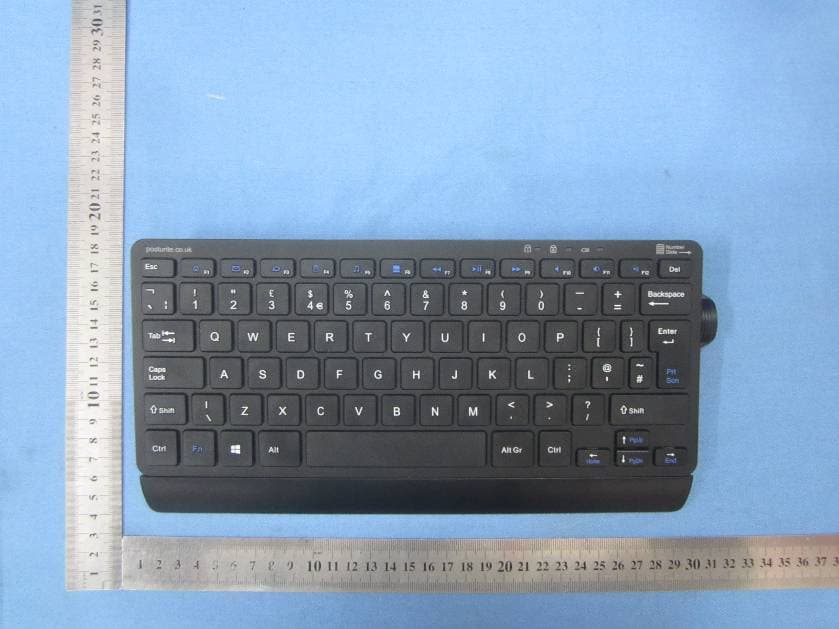
Y35-9820011
Sep 27, 2015Keyboard
Equipment Class
DXX - Part 15 Low Power Communication Device Transmitter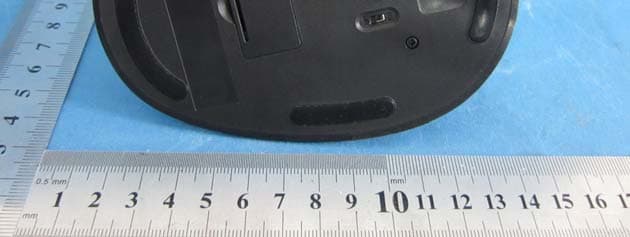
Y35-9820099M
Jul 18, 2012Wireless Mouse
Equipment Class
DSS - Part 15 Spread Spectrum Transmitter
Y35-9820099D
Jul 17, 2012Micro USB receiver for Wireless Mouse
Equipment Class
DSS - Part 15 Spread Spectrum Transmitter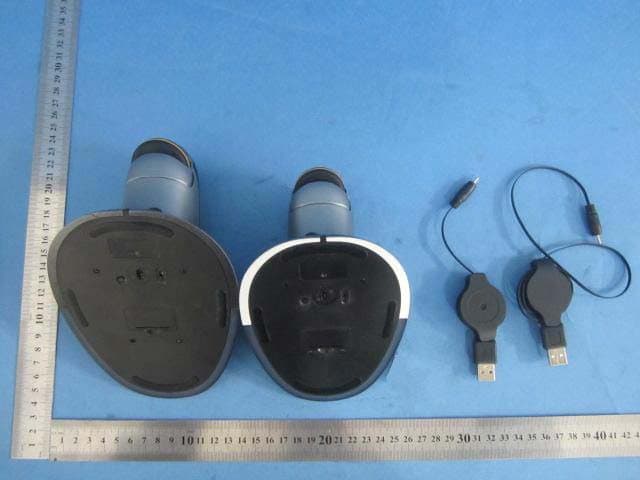
Y35-9820103M
Mar 25, 2012Wireless Mouse
Equipment Class
DXX - Part 15 Low Power Communication Device TransmitterY35-9820103D
Mar 25, 2012Wireless Mouse
Equipment Class
DXX - Part 15 Low Power Communication Device Transmitter