YLZ-C2Blu-ray Disc Player
China Hualu Group Co., Ltd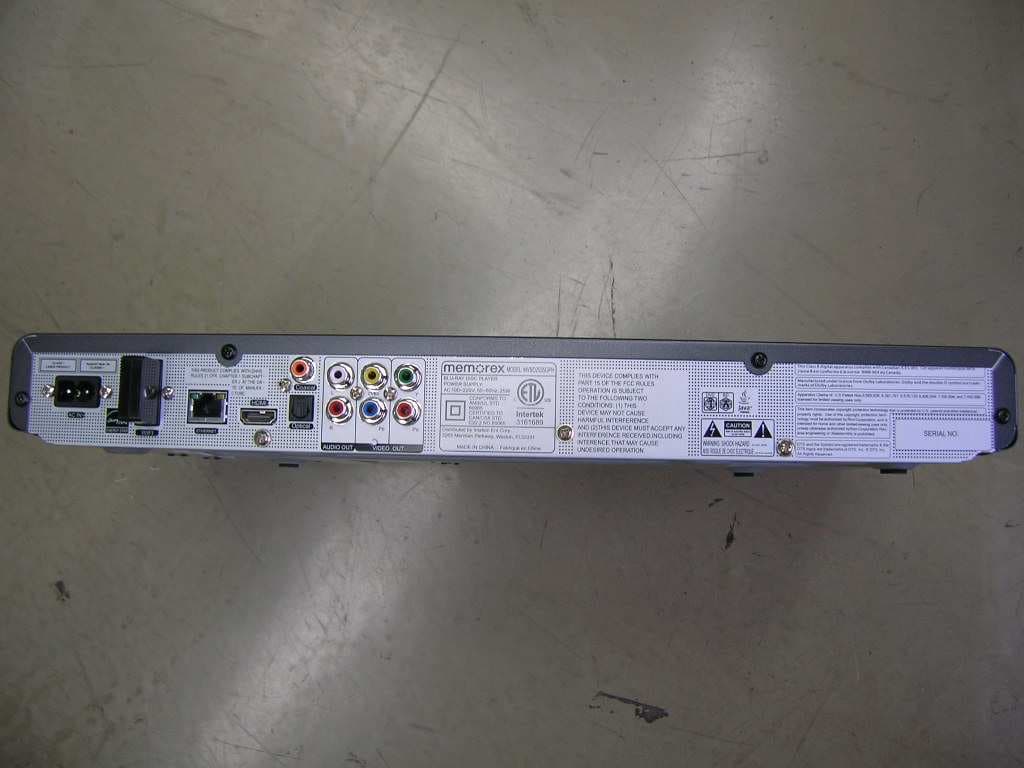
Click to zoom
Application Details
- Equipment Class
- DTS - Digital Transmission System
- Date of Grant
- Sep 01, 2010
- Application Purpose
- Original Equipment
- Date of Application
- Aug 30, 2010
- Equipment Note
- Blu-ray Disc Player
- Frequency Range
- 2422.00000000 - 2452.00000000
- Company
- China Hualu Group Co., Ltd
- Country
- China
Documents & Files
Document Text
Text extracted from the exhibit documents filed with the FCC. Open a document above to read the original.
Users Manual
Contents..................................................................1 Important Safety Instructions...............................2 Precautions.............................................................4 Power Source.........................................................4 Features..................................................................5 Location of Controls..............................................6 •Front....................................................................6 •Rear ....................................................................6 •Remote ...............................................................7 Remote Control......................................................8 •Battery Installation ..............................................8 •Effective Distance of the Remote Control Transmitter .............................................8 Connection..............................................................9 •Connecting the Player to a TV Using the HDMI Output Jack ..............................................9 •Connecting the Player to a TV Using the Y/P B/PRJacks...................................................10 •Progressive (Y, P B, PR) Video Output...............10 •Connecting the Player to a TV Using the Audio/Video Output Jacks.................................11 •Connecting the Player to a TV and Receiver Using the HDMI Output Jack ............................12 •Connecting the Player to a Home Theater System (via Coaxial or Optical Jack)................13 •Connecting the Player to a Network .................14 BD-Live..................................................................15 About Discs..........................................................16 Basic Operation....................................................18 •TV RES Button .................................................18 •Color Buttons ....................................................18 •Network Indicator ..............................................18 •Home/Setup Button...........................................19 •Display ..............................................................19 BD/DVD Operation................................................20 •Playback of a Blu-ray Disc or Standard DVD ...20 •Skip Buttons......................................................21 •Search Buttons .................................................21 •Pause ................................................................21 •Slow Motion ......................................................21 •Step...................................................................21 •Disc Menu Button .............................................22 •Pop-Up Menu Button ........................................22 •Title/Chapter Search .........................................22 •Time Search......................................................22 •Repeat Playback...............................................23 •A-B Repeat Playback........................................23 •Angle .................................................................23 •Subtitle ..............................................................24 •Audio .................................................................24 CD Operation........................................................25 •Playback of a CD ..............................................25 •Selecting Tracks Using the Number Buttons ....26 •Selecting Tracks Using the Skip Buttons..........26 •Forward/Reverse Search ..................................26 •Track Search.....................................................26 •Repeat Playback...............................................27 •A-B Repeat Playback........................................27 •Random ............................................................27 Data CD/USB Operation.......................................28 •Playback of a Data Disc/USB ...........................28 •Audio Files (MP3/WMA) ...................................29 •Video Files (WMV) ............................................30 •Photos (JPG/PNG)............................................31 Setup Menu...........................................................32 •Navigating the Menus .......................................32 •Display Setup Menu..........................................32 •Audio Setup Menu ............................................34 •Language Setup Menu .....................................35 •Parental Setup Menu ........................................36 •System Setup Menu .........................................38 •Network Setup Menu ........................................39 •Information Setup Menu ...................................39 •Quick Setup Menu ............................................39 •BD-Live Setup Menu.........................................40 Using the Applications........................................43 Updating the Firmware........................................44 Troubleshooting Guide........................................45 Care and Maintenance.........................................47 Specifications.......................................................48 1 CONTENTS 2 IMPORTANT SAFETY INSTRUCTIONS CAUTION: TO REDUCE THE RISK OF ELECTRIC SHOCK, DO NOT REMOVE THE COVER (OR BACK). NO USER-SERVICEABLE PARTS ARE INSIDE. REFER SERVICING TO QUALIFIED SERVICE PERSONNEL. This Caution Marking is located at the rear enclosure of the unit. CAUTION RISK OF ELECTRIC SHOCK DO NOT OPEN The lightning flash with arrowhead symbol within an equilateral triangle is intended to alert the user to the presence of uninsulated dangerous voltage within the product’s enclosure that may be of sufficient magnitude to constitute a risk of electric shock to persons. The exclamation point within an equilateral triangle is intended to alert the user to the presence of important operating and maintenance (servicing) instructions in the literature accompanying the appliance. CAUTION: THIS DIGITAL VIDEO DISC PLA…
Text truncated - open the document above for the full version.
External Photos
FCC ID: YLZ-C2 IC: 9088A-C2 Page 1 of 3 External Picture FCC ID: YLZ-C2 IC: 9088A-C2 Page 2 of 3 FCC ID: YLZ-C2 IC: 9088A-C2 Page 3 of 3
ID Label/Location Info
FCC ID & IC Label
Internal Photos
FCC ID: YLZ-C2 IC: 9088A-C2 Page 1 of 5 Internal Picture FCC ID: YLZ-C2 IC: 9088A-C2 Page 2 of 5 FCC ID: YLZ-C2 IC: 9088A-C2 Page 3 of 5 FCC ID: YLZ-C2 IC: 9088A-C2 Page 4 of 5 FCC ID: YLZ-C2 IC: 9088A-C2 Page 5 of 5
RF Exposure Info
FCC ID: YLZ-C2 IC: 9088A-C2 Page 1 of 2 Statement of compliance to Maximum Permissible Exposure (MPE) Equipment : Blu-ray Disc Player Type/Model : MVBD2535GPH Applicant : China Hualu Group Co., Ltd. No.1 Hua Road Qixianling Hi-tech Zone, Dalian, China Here assuming a worst-case prediction of power density (100% reflection), then S = 4PG / (4πR²) = PG / (πR²). Where S = power density in mW/cm² P = transmit power in mW G = numeric gain of transmit antenna R = distance (cm) As we can see from the test report SH10070489-002: The maximum conducted power P = 21.22dBm = 132.43mW G = 2.00dBi = 1.58 Here R is chosen to be 20cm, S = PG / (πR²) = 132.43 * 1.58 / (3.14 * 20 * 20) = 0.17mW/cm² This level is below the 1 mW/cm² MPE for General Population / Uncontrolled Exposure as stated in OET BULLETIN 65 Edition 97-01. Conclusion: this EUT fulfills 47CFR Part 15.247(i) (2007) with the definition outlined in the User’s Manual. (See appendix I) Date of issue: Aug 21, 2010 Prepared by: Reviewed by: Wakeyou Wang (Project engineer) Daniel Zhao (Reviewer) FCC ID: YLZ-C2 IC: 9088A-C2 Page 2 of 2 Appendix I Definition below must be outlined in the User Manual: To satisfy FCC RF exposure requirements, a separation distance of 20 cm or more should be maintained between the antenna of this device and persons during device operation. To ensure compliance, operations at closer than this distance is not recommended. The antenna used for this transmitter must not be co-located in conjunction with any other antenna or transmitter.
Test Report
FCC ID: YLZ-C2 IC: 9088A-C2 Page 1 of 35 EMC TEST REPORT No. SH10070489-002 Applicant : China Hualu Group Co., Ltd. No.1 Hua Road Qixianling Hi-tech Zone, Dalian, China Manufacturer : China Hualu Group Co., Ltd. No.1 Hua Road Qixianling Hi-tech Zone, Dalian, China Product Name : Blu-ray Disc Player Type/Model : MVBD2535GPH SUMMARY The equipment complies with the requirements according to the following standard(s): 47CFR Part 15 (2009): Radio Frequency Devices ANSIC63.4 (2003): American National Standard for Methods of Measurement of Radio-Noise Emissions from Low-Voltage Electrical and Electronic Equipment in the Range of 9 kHz to 40 GHz RSS-210 Issue 7 (June 2007): Low-power Licence-exempt Radiocommunication Devices (All Frequency Bands): Category I Equipment RSS-Gen Issue 2 (June 2007): General Requirements and Information for the Certification of Radiocommunication Equipment Date of issue: Aug 21, 2010 Prepared by: Reviewed by: Wakeyou Wang (Project Engineer) Daniel Zhao (Reviewer) FCC ID: YLZ-C2 IC: 9088A-C2 Page 2 of 35 Description of Test Facility Name: Intertek Testing Services Limited Shanghai Address: Building No.86, 1198 Qinzhou Road(North), Shanghai 200233, P.R. China FCC Registration Number: 236597 IC Assigned Code: 2042B-1 Name of contact: Steve Li Tel: +86 21 64956565 ext. 214 Fax: +86 21 54262335 ext. 214 FCC ID: YLZ-C2 IC: 9088A-C2 Page 3 of 35 Content SUMMARY ..........................................................................................................................................................1 DESCRIPTION OF TEST FACILITY..........................................................................................................................2 1. GENERAL INFORMATION.............................................................................................................................5 1.1 Applicant Information ......................................................................................................5 1.2 Identification of the EUT .................................................................................................5 1.3 Technical specification.....................................................................................................6 1.4 Mode of operation during the test / Test peripherals used ..............................................7 2. TEST SPECIFICATION...................................................................................................................................9 2.1 Instrument list...................................................................................................................9 2.2 Test Standard....................................................................................................................9 3. MAXIMUM PEAK OUTPUT POWER..............................................................................................................12 3.1 Test limit.........................................................................................................................12 3.2 Test Configuration .........................................................................................................12 3.3 Test procedure and test setup .........................................................................................12 3.4 Test protocol...................................................................................................................13 4. MINIMUM 6DB BANDWIDTH......................................................................................................................14 4.1 Limit ...............................................................................................................................14 4.2 Test Configuration .........................................................................................................14 4.3 Test Procedure and test setup.........................................................................................14 4.4 Test Protocol ..................................................................................................................15 5. POWER SPECTRUM DENSITY......................................................................................................................16 5.1 Test limit.........................................................................................................................16 5.2 Test Configuration .........................................................................................................16 5.3 Test procedure and test setup .........................................................................................16 5.4 Test Protocol ..................................................................................................................17 6. RADIATED EMISSION..................................................................................................................................18 6.1 Test limit.........................................................................................................................18 6.2 Test Configuration .........................................................................................................18 6.3 Test procedure and test setup .........................................................................................19 6.4 Test protocol...................................................................................................................20 7. EMISSION OUTSIDE THE FREQUENCY BAND..............................................................................................23 7.1 Limit ...............................................................................................................................23 7.2 Test Configuration .........................................................................................................23 7.3 Test procedure and test setup ..........................................................................…
Text truncated - open the document above for the full version.
Test Report
FCC ID: YLZ-C2 IC: 9088A-C2 Page 1 of 79 Test Data FCC ID: YLZ-C2 IC: 9088A-C2 Page 2 of 79 1. Maximum peak output power 802.11b, Chain 1 26dB Bandwidth Channel L FCC ID: YLZ-C2 IC: 9088A-C2 Page 3 of 79 Channel M Channel H FCC ID: YLZ-C2 IC: 9088A-C2 Page 4 of 79 802.11b, Chain 0 26dB Bandwidth Channel L FCC ID: YLZ-C2 IC: 9088A-C2 Page 5 of 79 Channel M Channel H FCC ID: YLZ-C2 IC: 9088A-C2 Page 6 of 79 802.11g, Chain1 26dB Bandwidth Channel L FCC ID: YLZ-C2 IC: 9088A-C2 Page 7 of 79 Channel M Channel H FCC ID: YLZ-C2 IC: 9088A-C2 Page 8 of 79 802.11g, Chain0 26dB Bandwidth Channel L FCC ID: YLZ-C2 IC: 9088A-C2 Page 9 of 79 Channel M Channel H FCC ID: YLZ-C2 IC: 9088A-C2 Page 10 of 79 802.11n, HT20, Chain1 26dB Bandwidth Channel L FCC ID: YLZ-C2 IC: 9088A-C2 Page 11 of 79 Channel M Channel H FCC ID: YLZ-C2 IC: 9088A-C2 Page 12 of 79 802.11n, HT20, Chain0 26dB Bandwidth Channel L FCC ID: YLZ-C2 IC: 9088A-C2 Page 13 of 79 Channel M Channel H FCC ID: YLZ-C2 IC: 9088A-C2 Page 14 of 79 802.11n, HT20, Chain0 + Chain1 Chain 1, 26dB Bandwidth Chain1, Channel L FCC ID: YLZ-C2 IC: 9088A-C2 Page 15 of 79 Chain 1, Channel M Chain1, Channel H FCC ID: YLZ-C2 IC: 9088A-C2 Page 16 of 79 Chain 0, 26dB Bandwidth Chain 0, Channel L FCC ID: YLZ-C2 IC: 9088A-C2 Page 17 of 79 Chain 0, Channel M Chain 0, Channel H FCC ID: YLZ-C2 IC: 9088A-C2 Page 18 of 79 802.11n, HT40, Chain1 26dB Bandwidth Channel L FCC ID: YLZ-C2 IC: 9088A-C2 Page 19 of 79 Channel M Channel H FCC ID: YLZ-C2 IC: 9088A-C2 Page 20 of 79 802.11n, HT40, Chain0 26dB Bandwidth Channel L FCC ID: YLZ-C2 IC: 9088A-C2 Page 21 of 79 Channel M Channel H FCC ID: YLZ-C2 IC: 9088A-C2 Page 22 of 79 802.11n, HT40, Chain0 + Chain1 Chain1, 26dB Bandwidth Chain1, Channel L FCC ID: YLZ-C2 IC: 9088A-C2 Page 23 of 79 Chain1, Channel M Chain1, Channel H FCC ID: YLZ-C2 IC: 9088A-C2 Page 24 of 79 Chain0, 26dB Bandwidth Chain0, Channel L FCC ID: YLZ-C2 IC: 9088A-C2 Page 25 of 79 Chain0, Channel M Chain0, Channel H FCC ID: YLZ-C2 IC: 9088A-C2 Page 26 of 79 2. Minimum 6dB bandwidth 802.11b Channel L Channel M FCC ID: YLZ-C2 IC: 9088A-C2 Page 27 of 79 Channel H 802.11g Channel L FCC ID: YLZ-C2 IC: 9088A-C2 Page 28 of 79 Channel M Channel H FCC ID: YLZ-C2 IC: 9088A-C2 Page 29 of 79 802.11n, HT20, chain 1 Channel L Channel M FCC ID: YLZ-C2 IC: 9088A-C2 Page 30 of 79 Channel H 802.11n, HT20, chain0 + chain1 Chain1, Channel L FCC ID: YLZ-C2 IC: 9088A-C2 Page 31 of 79 Chain1, Channel M Chain1, Channel H FCC ID: YLZ-C2 IC: 9088A-C2 Page 32 of 79 Chain0, Channel L Chain0, Channel M FCC ID: YLZ-C2 IC: 9088A-C2 Page 33 of 79 Chain0, Channel H 802.11n, HT40, chain 1 Channel L FCC ID: YLZ-C2 IC: 9088A-C2 Page 34 of 79 Channel M Channel H FCC ID: YLZ-C2 IC: 9088A-C2 Page 35 of 79 802.11n, HT40, chain0 + chain1 Chain1, Channel L Chain1, Channel M FCC ID: YLZ-C2 IC: 9088A-C2 Page 36 of 79 Chain1, Channel H Chain0, Channel L FCC ID: YLZ-C2 IC: 9088A-C2 Page 37 of 79 Chain0, Channel M Chain0, Channel H FCC ID: YLZ-C2 IC: 9088A-C2 Page 38 of 79 3. Power spectrum density 802.11b Channel L Channel M FCC ID: YLZ-C2 IC: 9088A-C2 Page 39 of 79 Channel H 802.11g Channel L FCC ID: YLZ-C2 IC: 9088A-C2 Page 40 of 79 Channel M Channel H FCC ID: YLZ-C2 IC: 9088A-C2 Page 41 of 79 802.11n, HT20, chain 1 Channel L Channel M FCC ID: YLZ-C2 IC: 9088A-C2 Page 42 of 79 Channel H 802.11n, HT20, chain 0 + chain1 Chain1, Channel L FCC ID: YLZ-C2 IC: 9088A-C2 Page 43 of 79 Chain1, Channel M Chain1, Channel H FCC ID: YLZ-C2 IC: 9088A-C2 Page 44 of 79 Chain 0, Channel L Chain 0, Channel M FCC ID: YLZ-C2 IC: 9088A-C2 Page 45 of 79 Chain 0, Channel H 802.11n, HT40, chain 1 Channel L FCC ID: YLZ-C2 IC: 9088A-C2 Page 46 of 79 Channel M Channel H FCC ID: YLZ-C2 IC: 9088A-C2 Page 47 of 79 802.11n, HT40, chain 0 + chain1 Chain1, Channel L Chain1,Channel M FCC ID: YLZ-C2 IC: 9088A-C2 Page 48 of 79 Chain1,Channel H Chain0, Channel L FCC ID: YLZ-C2 IC: 9088A-C2 Page 49 of 79 Chain0, Channel M Chain0, Channel H FCC ID: YLZ-C2 IC: 9088A-C2 Page 50 of 79 4. Spurious Emission Horizontal 0 10 20 30 40 50 60 70 80 Level [dBμV/m] 30M 50M 70M 100M 200M 300M 500M 700M 1G Frequency [Hz] x x x x x x x x x x x MES hualu_RF_H1_red MES hualu_RF_H1_pre LIM FCC 15 F 3 QP Field Strength QP
Test Setup Photos
FCC ID: YLZ-C2 IC: 9088A-C2 Page 1 of 5 Test Setup FCC ID: YLZ-C2 IC: 9088A-C2 Page 2 of 5 1. Radiated Emission 30MHz-1000MHz FCC ID: YLZ-C2 IC: 9088A-C2 Page 3 of 5 Higher than 1GHz FCC ID: YLZ-C2 IC: 9088A-C2 Page 4 of 5 2. Minimum 6dB Bandwidth & Maximum peak output power & Power spectrum density & Emission outside the frequency band & Occupied bandwidth RF module RF impedance FCC ID: YLZ-C2 IC: 9088A-C2 Page 5 of 5 3. Conducted Emission
Contact Information
Applicant
Yongjin Che(Certification Engineer)
Technical Contact
Intertek Testing Services Limited ShanghaiWakeyou Wang
[email protected]86 21 61278 448
Building No.86, 1198 Qinzhou Road(North) · Shanghai · China
Test Firm
Intertek Testing Services Limited ShanghaiJonny Jing
Technical Specifications
| # | Rule Parts | Frequency Range | Power Output |
|---|---|---|---|
| 2 | 15C | 2.42 GHz - 2.45 GHz | 132.00 mW |
Other Applications from China Hualu Group Co., Ltd
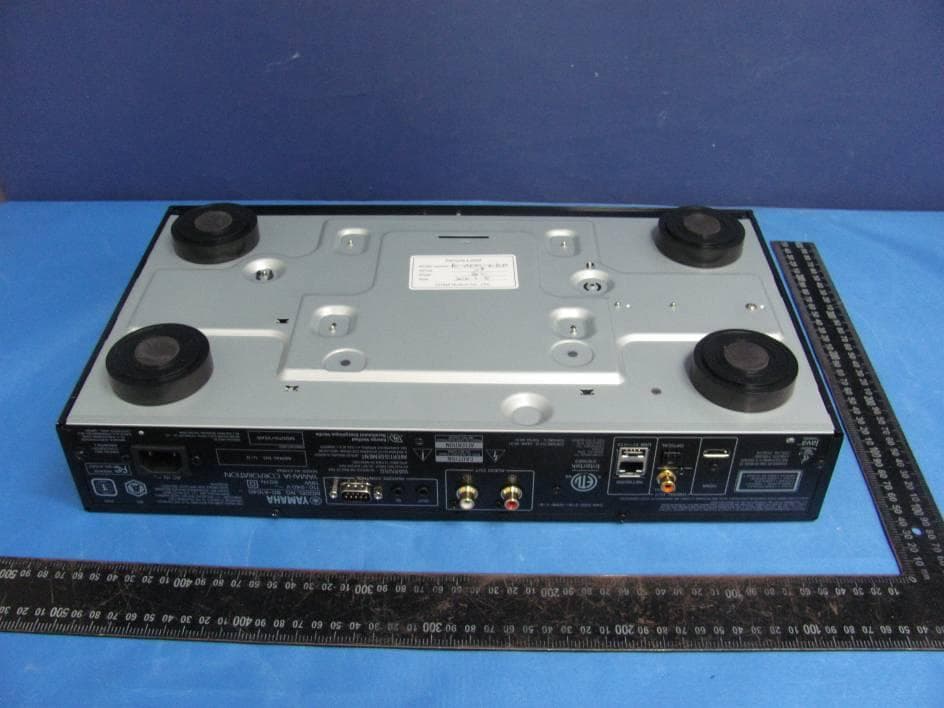
YLZ-W30BT4C
Jul 22, 2014BD-A1040
Equipment Class
DSS - Part 15 Spread Spectrum Transmitter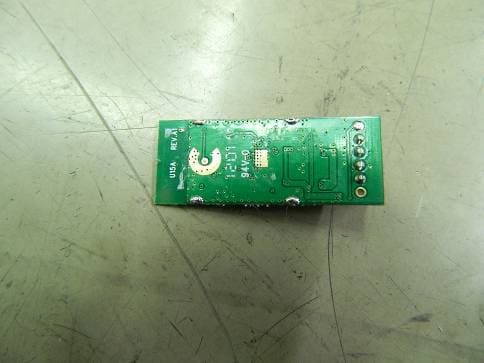
YLZ-U15A
Jul 17, 2012Wi-Fi Module
Equipment Class
DTS - Digital Transmission System