Text extracted from the exhibit documents filed with the FCC. Open a document above to read the original.
(i) European Union Directives Conformance Statement Hereby, CITIZEN WATCH CO., LTD., declares that this H15 is in compliance with the essential requirements and other relevant provisions of Directive 1999/5/EC. You can view your product’s Declaration of Conformity (DoC) to Directive 1999/5/EC (the R&TTE Directive) at www.xxx.xx/xxx. RF Exposure Information according to 2.1091/2.1093/OET bulletin 65 Radio frequency radiation exposure Information: The radiated output power of the device is for below the FCC radio frequency exposure limits. (ii) FCC statements This device complies with part 15 of the FCC Rules and Industry Canada license-exempt RSS standard(s). Operation is subject to the following two conditions: (1) This device may not cause harmful interference, and (2) this device must accept any interference received, including interference that may cause undesired operation. Le présent appareil est conforme aux CNR d’Industrie Canada applicables aux appareils radio exempts de licence. L’exploitation est autorisée aux deux conditions suivantes: (1) l’appareil ne doit pas produire de brouillage, et (2) l’utilisateur de l’appareil doit accepter tout brouillage radioélectrique subi, même si le brouillage est susceptible d'en compromettre le fonctionnement.
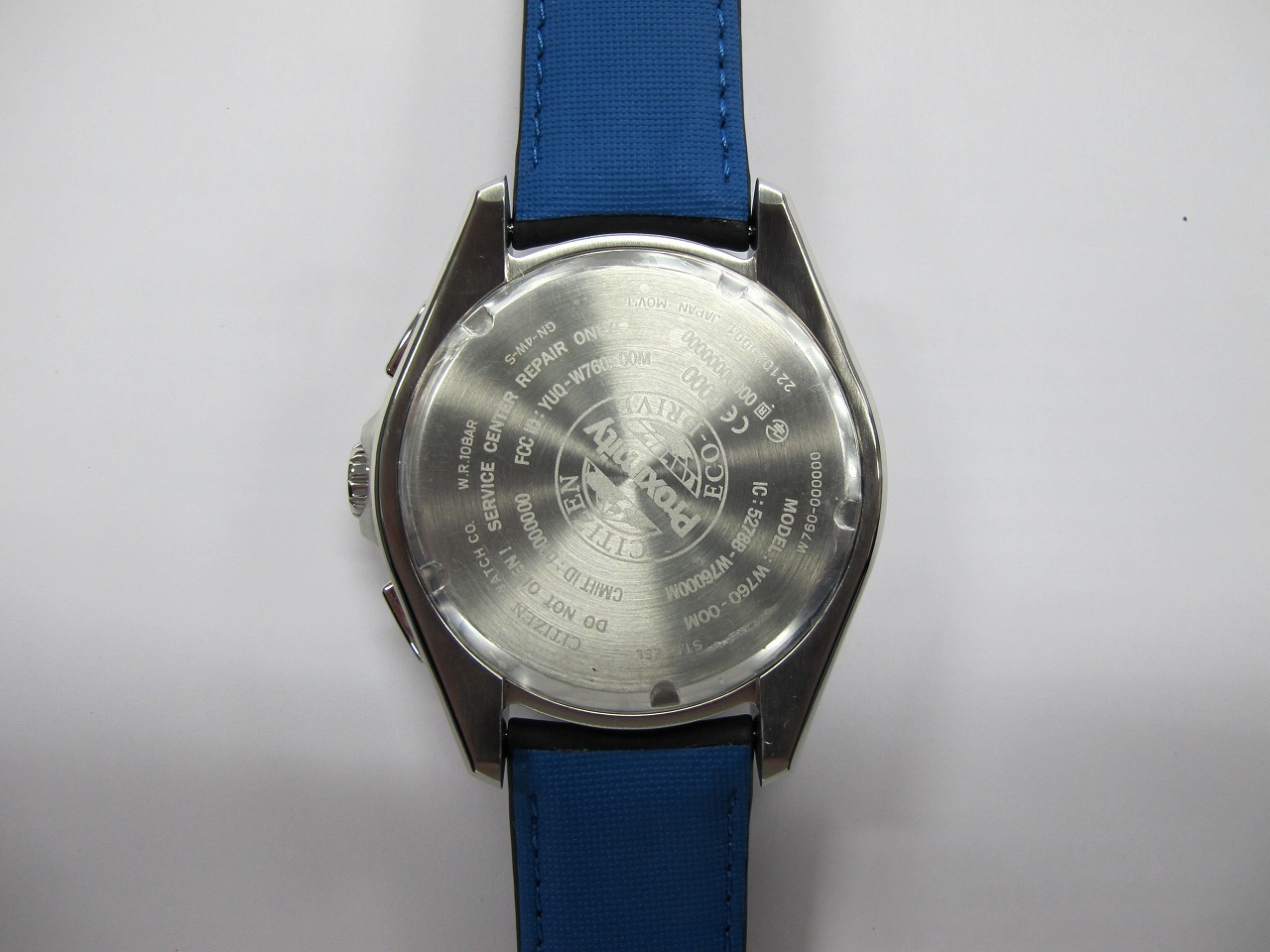
1 Thank you for your purchase of this Citizen watch. Before using the watch, read this instruction manual carefully to ensure correct use. After reading the manual, store it in a safe place for future reference. Be sure to visit the Citizen website at http://www.citizenwatch.jp/srvc_sprt_menu. html . Here you will find a variety of information such as electronic setting guides, answers to frequently asked questions, Eco-Drive recharging information and more. To check the movement number A case number—4 alphanumeric characters and 6 or more alphanumeric characters—is engraved on the case back. (Figure on the right) The first 4 characters of the case number represent the movement number of the watch. In the example on the right, “ ” is the movement number. Engraving position example The engraving position may differ depending on watch model. 23 Safety precautions — IMPORTANT This manual contains instructions that should be strictly followed at all times not only for optimal use, but to prevent any injuries to yourself, other persons or property. We encourage you to read the entire booklet (especially, pages 72 to 84) and understand the meaning of the following symbols: ■Safety advisories are categorized and depicted in this manual as follows: DANGER Highly likely to cause death or serious injury WARNING Can cause serious injury or death CAUTION Can or will cause minor or moderate injury or damage ■Important instructions are categorized and depicted in this manual as follows: Warning (caution) symbol followed by instructions that should be followed or precautions that should be observed. Warning (caution) symbol followed by prohibited matters. Before using this watch After unpacking, the following must be done before using the watch: • Checking the power reserve see page 16 For optimal performance, ensure your watch is fully charged prior to use. Refer to pages 10 to 15 for charging procedures and times. • Setting the correct time and date for your locale The time may be adjusted either manually (see pages 50 to 55 ), or by receiving time information when connected with a smartphone featuring Bluetooth 4.0 (see page 38 ). This watch has a rechargeable cell which is charged by exposing the dial to light. Expose the dial to direct sunlight regularly to charge the watch. For details of charging, see pages 10 to 15 . Before using this watch Before using this watch 45 Screw down crown and screw down push button Unlock the crown prior to operate your watch. UnlockLock Screw down crown Rotate the crown counterclockwise until it releases from the case. Push the crown in to the case. With gentle pressure towards the case, rotate the crown clockwise to secure it to the case. Be sure to tighten firmly. Screw down push button Rotate the locking screw counterclockwise, and loosen until it stops. Rotate the locking screw clockwise, and tighten firmly. Recessed buttons Press the button with a narrow-tipped object such as a wooden toothpick. Band adjustment We do not recommend attempting to adjust the watch band yourself. Special expertise and experience is required for proper adjustment. If not adjusted correctly, the band may become detached leading to loss of your watch. (Some retailers may supply a band adjustment tool with your purchase). For band adjustment, we recommend you consult the retailer from where the watch was purchased or your nearest Authorized Citizen Service Center. Some repair shops may charge a nominal fee for adjustment if the watch was not purchased directly from them. Protective stickers Be sure to remove any protective stickers that may be on your watch (case back, band, clasp, etc.) Otherwise, perspiration or moisture may enter the gaps between the protective stickers and the parts, which may result in a skin rash and/or corrosion of the metal parts. How to use a specially designed crown/push button Some models are equipped with a specially designed crown and/or push button(s) to prevent accidental operation. Please refer to the following chart for use. Table of contents Features....................................8 Component identification..........9 Charging your watch ..............10 Checking the current power reserve ................................16 Changing the mode ................18 Using Bluetooth 4.0 ...............24 Registering your smartphone [ PR] ...................................28 Connecting with the registered smartphone [ CT] ................34 Disconnecting from the smartphone [ DCT] .............36 Receiving time information from the smartphone ..................38 Communication with the smartphone ........................40 Shortcut for pairing ................46 Bluetooth 4.0 wireless technology ..........................47 Adjusting the time and calendar manually [ TME]/[CAL] ....50 Using local time [ L-TM] ........56 Using the chronograph [ CHR]................................58 Checking and correcting the reference position [ 302] ....60 Troubleshooting .....................64 Resetting the watch — All Reset ......................... 69 Eco-Drive (solar powered) watch handling precautions...........72 Water resistance ....................76 Precautionary items and usage limitations ..........................79 Information ...........................85 Specifications.........................86 67 1 2 4 5 6 7 8 3 Component identificationFeatures The illustrations in this instruction manual may differ from the actual appearance of your watch. 1 Hour hand 2 Notification indication of Bluetooth 4.0/ongoing communication processing (see pages 27 ) 3 24-hour hand 4 Second hand/Chronograph second hand 5 Function hand and function indications • Connection status (see page 27 )/ Power reserve level (see pages 16 and 17 ) • Chronograph minute hand • Day of the week 6 Minute hand 7 Date indication 8 Mode hand (see pages 18 to 23 ) Upper right button ( ) Lower right button ( ) Crown * “Eco-Drive” is Citizen’s proprietary technology. Connectable with your smartph…
Text truncated - open the document above for the full version.
1/1 2/1
FinalReporton W760WatchwithBluetoothLowEnergy ODE_MJP_CITIZ_1101 acc.Title47CFRchapterIpart15subpartC ReportReference: February29,2012Date: TestLaboratory: 7LayersAG Borsigstr.11 40880Ratingen Germany Note: Thefollowingtestresultsrelateonlytothedevicesspecifiedinthisdocument.Thisreportshallnotbereproducedinparts withoutthewrittenapprovalofthetestlaboratory. 7LayersAGAufsichtsratsvorsitzender hRegistergerichthregisteredin: Borsigstrasse11ChairmanoftheSupervisoryBoard: Düsseldorf,HRB44096 40880Ratingen,GermanyRalfMertensUStIdNr hVATNo.: Phone:+49(0)21027490VorstandhBoard:DE203159652 Fax:+49(0)2102749350Dr.H.J.MeckelburgTAXNo.147/5869/0385 www.7Layers.com Reference:ODE_MJP_CITIZ_1101 acc.Title47CFRchapterIpart15subpartC 2.2 DetailedDescriptionofOUTSamples Sample:a01 OUT IdentifierW760WatchwithBluetoothLowEnergy Sample Descriptionradiatedsample#1withhousing HW Status1.00 SW Status1.00 Date of Receipt2011/09/23 Low Voltage2.6V High Voltage3.2V Normal Temp.Nominal Voltage3.0V20°C Sample:f01 OUT IdentifierW760WatchwithBluetoothLowEnergy Sample Descriptionconductedsample#1 HW Status1.00 SW Status1.00 Date of Receipt2011/09/23 Low VoltageLow Temp.2.6V10°C High Temp.High Voltage3.2V+55°C Normal Temp.Nominal Voltage2.8V20°C Sample:h01 OUT IdentifierW760WatchwithBluetoothLowEnergy Sample Descriptionconductedsample#3 HW Status1.00 SW Status1.00 Date of Receipt2011/09/23 Low VoltageLow Temp.2.6V10°C High Temp.High Voltage3.2V+55°C Normal Temp.Nominal Voltage2.8V20°C Page4of42 Reference:ODE_MJP_CITIZ_1101 acc.Title47CFRchapterIpart15subpartC 2.3 OUTFeatures FeaturesforOUT: W760-WatchwithBluetoothLowEnergy Allowed ValuesDesignationDescriptionSupported Value(s) Featuresforscope:FCC_v2 BTEUTsupportsBluetoothdatarateof1Mbps withGFSKmodulationintheband2400MHz 2483.5MHz DCTheOUTispoweredbyorconnectedtoDC Mains IantIntegralAntenna:permanentfixedantenna, whichmaybebuiltin,designedasan indispensablepartoftheequipment TantCtemporaryantennaconnector,whichmaybe onlybuiltinfortesting,designedasan examplepartoftheequipment 2.4 SetupsusedforTesting Foreachsetuparelationisgiventodetermineifandwhichsamplesandauxiliaryequipmentisused. TheleftsidelistallOUTsamplesandtherightsidelistsallauxiliaryequipmentforthegivensetup. Sample No.Sample DescriptionAE No.AE Description Setup No. List of OUT samplesList of auxiliary equipment A01(RadiatedTestSetup) a01radiatedsample#1with housing Sample: F01(ConductedTestSetup) f01conductedsample#1Sample: H01 (ConductedTestSetup) h01conductedsample#3Sample: Page5of42 Reference:ODE_MJP_CITIZ_1101 acc.Title47CFRchapterIpart15subpartC 3Results 3.1 General Availableatthetestlaboratory. Theresultsoftheinspectionaredescribedonthefollowing pages,where'Conformity'or'Passed'meansthatthe certificationcriteriawereverifiedandthatthetesteddeviceis conformtotheappliedstandard. Incaseswhere'Declaration'isprinted,therequireddocuments areavailableinthemanufacturersproductdocumentation. Incaseswhere'notapplicable'isprinted,thetestcase requirementsarenotrelevanttothespecificequipment implementation. Documentationoftested devices: Interpretationofthe testresults: 1)SpecialSoftwareusedfortesting: TheOUTwasconnectedtoalaptop.TheSoftware Tool"SmartRFStudio"byTexasInstrumentswasusedtoset thedeviceintospecificBluetoothTransmitModes. 2)TheOUTisaBluetoothLowEnergy(BT4.0)device. FCCclassifiesBluetoothBR/EDRasaFHSSsystem. However,BluetoothLowEnergydoesnotfulfillthese requirements.Instead,FCCclassifiesBluetoothLowEnegry devicesasasystemusingdigitalmodulationtechniques. Note: 3.2 ListoftheApplicableBody (BodyforScope:FCC_v2) DesignationDescription SubpartCIntentionalRadiators;15.247Operationwithinthe bands902928MHz,24002483.5MHz,and57255850MHz. FCC47CFRChIPART15c247RADIO FREQUENCYDEVICES 3.3 ListofTestSpecification Test Specification:FCCpart2and15 Version10110Edition Title:PART2GENERALRULESANDREGULATIONS PART15RADIOFREQUENCYDEVICES Page6of42 Reference:ODE_MJP_CITIZ_1101 acc.Title47CFRchapterIpart15subpartC 3.4 Summary Test Case Identifier / Name SetupDate of TestResultTest (condition)Ref. Lab 15c.10 Powerdensity§15.247(e) 15c.10;Frequency=Highest2012/02/29H01Lab3Passed 15c.10;Frequency=Lowest2012/02/29H01Lab3Passed 15c.10;Frequency=Middle2012/02/29H01Lab3Passed 15c.11 6dBBandwidth§15.247(a)(2) 15c.11;Frequency=Highest2012/02/29H01Lab3Passed 15c.11;Frequency=Lowest2012/02/29H01Lab3Passed 15c.11;Frequency=Middle2012/02/29H01Lab3Passed 15c.2 Spuriousradiatedemissions§15.247(d),§15.35(b),§15.209 15c.2;Frequency=Highest2011/10/04A01Lab2Passed 15c.2;Frequency=Lowest2011/10/04A01Lab2Passed 15c.2;Frequency=Middle2011/10/04A01Lab2Passed 15c.4 Peakpoweroutput§15.247(b)(1) 15c.4;Frequency=Highest2011/12/08F01Lab3Passed 15c.4;Frequency=Lowest2011/12/08F01Lab3Passed 15c.4;Frequency=Middle2011/12/08F01Lab3Passed 15c.5 SpuriousRFconductedemissions§15.247(d) 15c.5;Frequency=Highest2011/12/08F01Lab3Passed Thereferenceplotandreferencevalueforthespurious emissionslimitis listedinthecorresponding"Bandedgecompliance"test case. 15c.5;Frequency=Lowest2011/12/08F01Lab3Passed Thereferenceplotandreferencevalueforthespurious emissionslimitis listedinthecorresponding"Bandedgecompliance"test case. 15c.5;Frequency=Middle2011/12/08F01Lab3Passed 15c.6 Bandedgecompliance§15.247(d) 15c.6;Frequency=Highest2011/12/08F01Lab3Passed 15c.6;Frequency=Lowest2011/12/08F01Lab3Passed 3.5 NotAppli…
Text truncated - open the document above for the full version.
Test Laboratory: Borsigstr. 11 Germany 7Layers AG 40880 Ratingen Note: The following test results relate only to the devices specified in this document. This report shall not be reproduced in parts without the written approval of the test laboratory. 7Layers AG Aufsichtsratsvorsitzender h Registergerichth registered in: Borsigstrasse 11 Chairman of the Supervisory Board: Düsseldorf, HRB 44096 40880 Ratingen, Germany Markus Becker USt-IdNr h VAT No.: Phone: +49 (0) 2102 749 0 Vorstandh Board: DE 203159652 Fax: +49 (0) 2102 749 350 Dr. H.-J. Meckelburg TAX No. 147/5869/0385 www.7Layers.com Photo Report Bluetooth transceiver W760 – Watch with Bluetooth Low Energy Report Reference: ODE_MJP_CITIZ_1101_FCC_Photo Test report Reference: ODE_MJP_CITIZ_1101_FCCa Page 2 of 3 1 Photo Report 1.1 Photos of test setups Photo 1: Test setup for radiated measurements (below 30 MHz) Test report Reference: ODE_MJP_CITIZ_1101_FCCa Page 3 of 3 Photo 2: Test setup for radiated measurements (30 MHz to 1 GHz) Photo 3: Test setup for radiated measurements (above 1 GHz)
| # | Rule Parts | Frequency Range | Power Output |
|---|---|---|---|
| 1 | 15C | 2.40 GHz - 2.48 GHz | 2.90 mW |

CZ Smart
Equipment Class
DTS - Digital Transmission System