YWV000000UHF Band RFID Tag
DH Technology, Inc.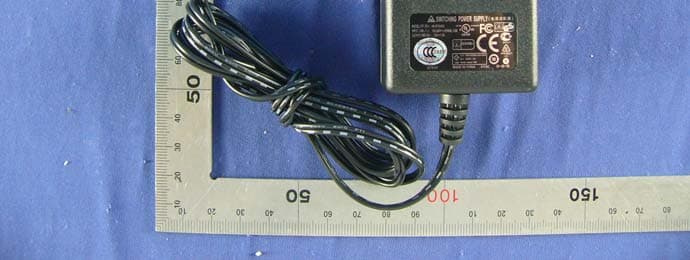
Click to zoom
Application Details
- Equipment Class
- DXT - Part 15 Low Power Transceiver, Rx Verified
- Date of Grant
- May 21, 2012
- Application Purpose
- Original Equipment
- Date of Application
- May 21, 2012
- Equipment Note
- UHF Band RFID Tag
- Frequency Range
- 433.92000000 - 433.92000000
- Company
- DH Technology, Inc.
- Country
- South Korea
Documents & Files
Document Text
Text extracted from the exhibit documents filed with the FCC. Open a document above to read the original.
Users Manual
Audi Entertainment mobile Operating instructions G 2 CONTENTS GENERAL INFORMATION................................ 3 Safety information .......................................... 3 Precautions to be taken when using the portable DVD player........................................ 4 Advice on handling the discs .......................... 4 SCOPE OF SUPPLY........................................... 4 CONTROLS ON THE PLAYER............................ 5 Front face with control panel .......................... 5 Left and right sides ......................................... 6 Reverse side (without battery) ........................ 6 THE REMOTE CONTROL .................................. 7 Remote control buttons .................................. 7 Notes on using the remote control.................. 8 Inserting or replacing the battery.................... 8 TYPICAL PLAYER INSTALLATIONS................... 9 Installing in the car ......................................... 9 Demounting the portable DVD player ............. 9 Playback with two DVD players in the car. ... 10 Free-standing position .................................. 10 Day - night brightness adjustment ................ 10 INITIAL OPERATION ...................................... 11 Connecting to the power supply ................... 11 Switching the player On/Off. ......................... 11 Standby mode ............................................... 11 DISC PLAYBACK ............................................ 12 Inserting disc and playing back ..................... 12 Interrupting /resuming playback ................... 12 Fast forwarding /rewinding ........................... 13 Jumping to previous /next section................. 13 Calling up the DVD menu and navigation ..... 13 Changing the sound playback language ....... 13 Calling up information on the disc ................ 14 Ejecting the disc ............................................ 14 PLAYING BACK AUDIO TITLES, IMAGES AND VIDEOS FROM DATA CDS ..................... 15 Displaying the contents................................. 15 Switching selection ....................................... 15 Playing back content..................................... 16 Characteristics of individual file types........... 16 PLAYING BACK USBS AND MEMORY CARDS ...........................................17 Inserting the memory medium and playing back files ....................................17 Switching between several memory media....17 USING BLUETOOTH HEADPHONES ................18 Establishing a headphone connection ...........18 Severing the bluetooth connection ................18 OTHER SETTINGS IN THE PLAYER MENU.......19 Navigating through the player menu .............19 Screen settings ..............................................19 Settings with connection to an external TV. ..19 Resetting to factory settings ..........................20 Selecting the language ..................................20 CONNECTING TO EXTERNAL EQUIPMENT.....21 Connecting external equipment for playback ...................................................21 Playback from external equipment (e.g. games consoles) ....................................21 Connecting headphones ................................21 USING THE BATTERY .....................................22 The battery ....................................................22 Battery operation of the portable DVD player.....................................................22 Charging the battery......................................23 Notes on using the battery ............................23 PLAYER MENU - OVERVIEW ..........................24 FAULT CORRECTION ......................................25 TECHNICAL DATA ..........................................26 LICENCES AND COPYRIGHT...........................27 3 GENERAL INFORMATION Please familiarise yourself with these installation and operating instructions prior to using the portable DVD player for the first time. Read and adhere closely to following safety information. Non-compliance with the safety information can cause personal injury and/or damage to the player and will nullify any guarantee claims! Keep these operating instructions in a safe place for later reference. Safety information DANGER!There are dangerous electrical voltages present within the player! Do not open the casing under any circumstances! Contact a qualified specialist workshop for any necessary repairs! The player is to be safeguarded from moisture! Use a soft, dry cloth for cleaning the casing surfaces! When setting up the player, make sure there is enough space is available for air to circulate around it! The player should not be operated directly adjacent to heat sources! ATTENTION!Connect the player to the power supply using only the connecting cable supplied! Make sure that the cable is not damaged and that the plugs are seated firmly! Ensure that the supply voltage corresponds to the operating voltage of the player. The operating voltage is stated on the mains voltage adapter. Isolate the player from the power supply during thunderstorms or longer periods of absence! Replace the batteries only with identical or equivalent items! CLASS 1 LASER PRODUCTThis equipment contains a laser unit in the DVD drive. The laser unit is designed in such a way that no health hazards arise when used correctly. Do not open the laser unit under any circumstances! Laser radiation can cause permanent damage to the eyesight! 4 Precautions to be taken when using the portable DVD player DANGER!Only use the player in the car on the mount provided. The player may only be installed and operated in vehicles in such a way that the driver is not distracted. Should smoke or odour possibly accompanied by unusual operating noises develop, switch the player off immediately and isolate it from the voltage supply. Do not continue using the player! Avoid abrupt, jerky movements to the player during disc playback. The discs could otherwise become damaged. Advice on handlin…
Text truncated - open the document above for the full version.
Cover Letter(s)
From: William Graff [mailto:[email protected]] Sent: Tuesday, May 22, 2012 4:46 PM To: EASADMIN Cc: William Graff Subject: TCB // TC380324 / FCC ID: YWV000000 Hi Folks, MiCOM Labs requests dismissal of the following FCC ID. Reason is that incorrect exhibits were uploaded to this filing in a number greater than allowed using supersede. Please dismiss at your earliest convenience. No units under this FCC ID have been produced or sold. Best Regards, Bill Graff <<<<<<<<<<<<<<<<<<< < William Graff < MiCOM Labs < 440 Boulder Court < Suite 200 < Pleasanton, CA 94566 < (925) 462-0304 <<<<<<<<<<<<<<<<<<< Confirmation Number: TC380324 FCC ID: YWV000000
External Photos
Report No: SZ120413B03-RP Page 1 / 6 Report No: SZ120413B03-RP Page 2 / 6 Report No: SZ120413B03-RP Page 3 / 6 Report No: SZ120413B03-RP Page 4 / 6 Report No: SZ120413B03-RP Page 5 / 6 Report No: SZ120413B03-RP Page 6 / 6
ID Label/Location Info
05/22/2012 Bad ID. Dismissal Requested.
Internal Photos
Report No: SZ120413B03-RP Page 1 / 10 Report No: SZ120413B03-RP Page 2 / 10 Report No: SZ120413B03-RP Page 3 / 10 Report No: SZ120413B03-RP Page 4 / 10 Report No: SZ120413B03-RP Page 5 / 10 Report No: SZ120413B03-RP Page 6 / 10 Report No: SZ120413B03-RP Page 7 / 10 Report No: SZ120413B03-RP Page 8 / 10 Report No: SZ120413B03-RP Page 9 / 10 Report No: SZ120413B03-RP Page 10 / 10
Test Report
05/22/2012 Bad ID. Dismissal Requested.
Test Setup Photos
Report No.: SZ120413B03-RP FCC ID: ZJSRSE-II2 Page 1 / 2 PHOTOGRAPHS OF THE TEST CONFIGURATION CONDUCTED EMISSION TEST Report No.: SZ120413B03-RP FCC ID: ZJSRSE-II2 Page 2 / 2 . RADIATED EMISSION TEST Below 1GHz Above 1GHz
Contact Information
Applicant
Kim Hyun Chul(President, CEO)
Technical Contact
TeleconformityMark Koop
[email protected]+31 81 8395876
Rietven 31 · Enschede, Overyssel · Netherlands
Test Firm
CTK Co., Ltd.Young-Joon Park
Technical Specifications
| # | Rule Parts | Frequency Range | Power Output |
|---|---|---|---|
| 1 | 15C | 433.92 MHz - 433.92 MHz | - |
Other Applications from DH Technology, Inc.

YWVDH-ST1
May 21, 2012UHF Band RFID Tag
Equipment Class
DXT - Part 15 Low Power Transceiver, Rx Verified
YWVDH-R1
Nov 10, 2010UHF Band RFID Reader (Low power transceiver - RX verfied)
Equipment Class
DXT - Part 15 Low Power Transceiver, Rx Verified