YXA-WUXXXEC802.11n Wireless USB Adapter
HAOLIYUAN (SHENZHEN) ELECTRONIC CO., LTD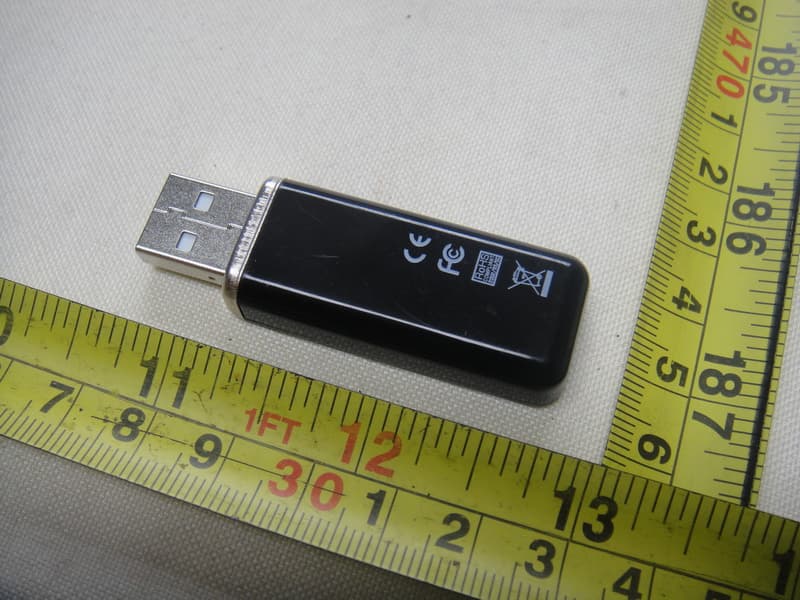
Click to zoom
Application Details
- Equipment Class
- DTS - Digital Transmission System
- Date of Grant
- Mar 20, 2011
- Application Purpose
- Original Equipment
- Date of Application
- Mar 20, 2011
- Equipment Note
- 802.11n Wireless USB Adapter
- Frequency Range
- 2422.00000000 - 2452.00000000
- Country
- China
Documents & Files
Document Text
Text extracted from the exhibit documents filed with the FCC. Open a document above to read the original.
Users Manual
1 / 36 802.11n Wireless USB Adapter Model : WU__EC Series V1.0 User Manual 2 / 36 C hapter 1: Introduction........................................................ 3 1.1 Product Features...................................................................................3 1.2 Pac kage C onte nts..................................................................................3 1.3 Indicator Description............................................................................3 CHAPTER 2 : Quic k Installation Guide.....................................4 2.1 Dr iver Installation..................................................................................4 2.2 Connect to Wireless Access Point.......................................................7 2.2.1 Using Client Utility..............................................................................7 2.2.2 Using Windows Zero Configuration.................................................12 CHAPTER 3: Client Utility........................................................16 3. 1 Connection Profile Management..........................................................16 3.1.1 Add a new profile................................................................................17 3.1.2 Remove an existing profile................................................................19 3.1.3 Edit an existing profile........................................................................20 3.1.4 Make a copy of existing profile........................................................21 3.1.5 Set as default profile..........................................................................21 3.2 View Network Statistics, General Information, and Status..........22 3.2.1 General Information............................................................................22 3.2.2 Status.....................................................................................................23 3.2.3 View Network Statistics......................................................................23 3.3 Miscellaneous Settings............................................................................24 3.4 Establish secure connection with AP by WPS.....................................25 3.4.1 PIN Code.................................................................................................27 3.4.2 Push Button............................................................................................28 CHAPTER 4 Soft AP Function....................................................29 4.1 Switch to AP Mode and Station Mode..................................................29 4.1.1 Configure SSID and Channel.............................................................31 4.1.2 Setup Soft-AP Security.......................................................................32 4.2 Advanced Settings...................................................................................33 4.3 Wireless Statistics.....................................................................................34 4.4 Internet Connection Sharing (ICS).......................................................35 CHAPTER 5: Troubleshooting..................................................35 3 / 36 Chapter 1. Introduction Thank you for purchasing the wireless 802.11b/g/n USB adapter! This adapter is mini size design and you are able to plug it into the USB port. Excepting common wireless standards 802.11b/g, this wireless adapter is also 802.11n compatible - data transfer rate is 150Mbps, and that‟s three times faster than 802.11g wireless network! 1.1 Product Features ◆ Complies with IEEE 802.11n , IEEE 802.11g and IEEE 802.11b standards ◆ Provides USB2.0 port ◆ Provides 150Mbps receiving rate and 150Mbps sending rate ◆ Supports 20MHz/40MHz frequency width ◆ Auto-detects and changes the network transmission rate ◆ Provides two work modes: Infrastructure and Ad-Hoc ◆ Supports Soft AP to establish your wireless LAN networking ◆ Supports 64/128-bit WEP, WPA, WPA2 encryption methods and 802.1x security authentication standard ◆ Supports WPS (Wi-Fi Protected Setup) encryption method to free you from remembering long passwords ◆ Easy-to-install, plug and play ◆ Supports Windows 2000/XP/VISTA/Win7/Linux/Macintosh 1.2 Package contents The following contents should be found in your box: ◆ One Wireless 801.11b/g/n USB adapter ◆ Qui ck Installation Guide ◆ One CD (include driver/utility/user manual) Note: If any of the listed contents are damaged or missing, please contact the retailer from whom you purchased the product for assistance. 1.3 Indicator Description There is a LED indicator blinking when data communication is going on. 4 / 36 CHAPTER 2: Quick Installation Guide This chapter is to assist you how to use the included CD-ROM which comprises the Driver and the Client Utility Interface. 2.1 Driver Installation Please follow the following instructions to install your new wireless USB Adapter: 2.1.1 Insert the USB wireless network card into an empty USB 2.0 port of your computer when computer is switched on. Never use force to insert the card, if you feel it‟s stuck, flip the card over and try again. 2.1.2 The following message will appear on your computer, click „Cancel / Close‟. Under Windows XP Under Windows Vista and Windows 7 5 / 36 2.1.3 Insert the driver CD into your CD-ROM. You can see autorun screen below. if not, you can double click „autorun.exe‟ on CD. Click „Install Driver‟ to start the installation procedure 2.1.4 Please select the language you wish to use, then click „Next‟. 6 / 36 2.1.5 Installation descriptions shown. Click „Next‟ to continue 2.1.6 Once the installation is finished the computer will be asked to reboot. you can click „Finish‟ and reboot the computer to finish the installation of driver files. 7 / 36 2.1.7 A new icon will appear near the clock of system tray: Left-click the icon will launch wireless network configuration utility, and you can right-click the icon to show the quick menu of config…
Text truncated - open the document above for the full version.
External Photos
Project No.: 1103C081 Page 2 of 6 Neutron Engineering Inc. 1103C081 1103C081 Project No.: 1103C081 Page 2 of 6 Neutron Engineering Inc. 1103C081 1103C081 Project No.: 1103C081 Page 3 of 6 Neutron Engineering Inc. 1103C081 1103C081 Project No.: 1103C081 Page 3 of 6 Neutron Engineering Inc. 1103C081 1103C081
Internal Photos
Project No.: 1103C081 Page 4 of 6 Neutron Engineering Inc. 1103C081 1103C081 Project No.: 1103C081 Page 4 of 6 Neutron Engineering Inc. 1103C081 1103C081 Project No.: 1103C081 Page 5 of 6 Neutron Engineering Inc. 1103C081 1103C081 Project No.: 1103C081 Page 5 of 6 Neutron Engineering Inc. 1103C081 1103C081 Project No.: 1103C081 Page 6 of 6 Neutron Engineering Inc. 1103C081 1103C081 Project No.: 1103C081 Page 6 of 6 Neutron Engineering Inc. 1103C081 1103C081
RF Exposure Info
Neutron Engineering Inc. FCC RF EXPOSURE REPORT FCC ID: YXA-WUXXXEC Project No. : 1103C081 Equipment : 802.11n Wireless USB Adapter Model : WU106EC;WU107EC;WU110EC;WU111EC;WU112EC; WU113EC;WU308EC;WU113A Applicant : HAOLIYUAN (SHENZHEN) ELECTRONIC CO., LTD Address : No. 07# LongSha Road, SongGang BaoAn, ShenZhen GuangDong China According: : FCC Guidelines for Human Exposure IEEE C95.1 Neutron Engineering Inc. No.3, Jinshagang 1st Road, ShiXia, Dalang Town, Dong Guan, China. TEL : (0769) 8318-3000 FAX : (0769) 8319-6000 Neutron Engineering Inc. GENERAL CONCULUSION: No evaluation required if power is below this threshold: F(GHz) P(mW) Low 2.412 High 2.462 24.62 Maximum measured transmitter power: Average Output Power (dBm) Average Output Power (mW) Conducted Power12.60 18.1970 EIRP Power 11.90 15.4882 Note: Table for Filed Antenna Ant. Brand Model Name Antenna TypeConnector Gain (dBi) 1 N/A N/A Printed N/A -0.7 Threshold for no SAR evaluation is 24.620mW. Transmitter power is 18.1970 mW. Conclusion: No SAR evaluation required since transmitter power is below FCC threshold
Test Report
Neutron Engineering Inc. Report No.: NEI-FCCP-1-1103C081 Page 2 of 117 Declaration Neutron represents to the client that testing is done in accordance with standard procedures as applicable and that test instruments used has been calibrated with the standards traceable to National Measurement Laboratory (NML) of R.O.C, or National Institute of Standards and Technology (NIST) of U.S.A. Neutron's reports apply only to the specific samples tested under conditions. It is manufacture’s responsibility to ensure that additional production units of this model are manufactured with the identical electrical and mechanical components. Neutron shall have no liability for any declarations, inferences o r generalizations drawn by the client or others from Neutron issued reports. Neutron’s reports must not be used by the client to claim product endorsement by the authorities or any agency of the Government. This report is the confidential property of the client. As a mutual protection to the clients, the public and Neutron-self, extracts from the test report shall not be reproduced except in full with Neutron’s authorized written approval. Neutron’s laboratory quality assurance procedures are in compliance with the ISO Guide 17025 requirements, and accredited by the conformity assessment authorities listed in this test report. Limitation For the use of the authority's logo is limited unless the Test Standard(s)/Scope(s)/Item(s) mentioned in this test report is (are) included in the conformity assessment authorities acceptance respective. Neutron Engineering Inc. Report No.: NEI-FCCP-1-1103C081 Page 3 of 117 Table of Contents Page 1 . CERTIFICATION 5 2 . SUMMARY OF TEST RESULTS 6 2.1 TEST FACILITY 7 2.2 MEASUREMENT UNCERTAINTY 7 3 . GENERAL INFORMATION 8 3.1 GENERAL DESCRIPTION OF EUT 8 3.2 DESCRIPTION OF TEST MODES 10 3.3 TABLE OF PARAMETERS OF TEXT SOFTWARE SETTING 11 3.4 BLOCK DIGRAM SHOWING THE CONFIGURATION OF SYSTEM TESTED 12 3.5 DESCRIPTION OF SUPPORT UNITS (RADIATED MODE) 13 3.6 DESCRIPTION OF SUPPORT UNITS (CONDUCTED MODE) 14 4 . EMC EMISSION TEST 15 4.1 CONDUCTED EMISSION MEASUREMENT 15 4.1.1 POWER LINE CONDUCTED EMISSION LIMITS 15 4.1.2 MEASUREMENT INSTRUMENTS LIST AND SETTING 15 4.1.3 TEST PROCEDURE 16 4.1.4 DEVIATION FROM TEST STANDARD 16 4.1.5 TEST SETUP 16 4.1.6 EUT OPERATING CONDITIONS 16 4.1.7 TEST RESULTS 17 4.2 RADIATED EMISSION MEASUREMENT 19 4.2.1 RADIATED EMISSION LIMITS 19 4.2.2 MEASUREMENT INSTRUMENTS LIST ANS SETTING 20 4.2.3 TEST PROCEDURE 21 4.2.4 DEVIATION FROM TEST STANDARD 21 4.2.5 TEST SETUP 22 4.2.6 EUT OPERATING CONDITIONS 22 4.2.7 TEST RESULTS (BETWEEN 30 – 1000 MHZ) 23 4.2.8 TEST RESULTS (ABOVE 1000 MHZ) 25 5 . BANDWIDTH TEST 73 5.1 APPLIED PROCEDURES / LIMIT 73 5.1.1 MEASUREMENT INSTRUMENTS LIST 73 5.1.2 TEST PROCEDURE 73 5.1.3 DEVIATION FROM STANDARD 73 5.1.4 TEST SETUP 74 Neutron Engineering Inc. Report No.: NEI-FCCP-1-1103C081 Page 4 of 117 Table of Contents Page 5.1.5 EUT OPERATION CONDITIONS 74 5.1.6 TEST RESULTS 75 6 . PEAK OUTPUT POWER TEST 83 6.1 APPLIED PROCEDURES / LIMIT 83 6.1.1 MEASUREMENT INSTRUMENTS LIST 83 6.1.2 TEST PROCEDURE 83 6.1.3 DEVIATION FROM STANDARD 83 6.1.4 TEST SETUP 83 6.1.5 EUT OPERATION CONDITIONS 83 6.1.6 TEST RESULTS 84 7 . ANTENNA CONDUCTED SPURIOUS EMISSION 86 7.1 APPLIED PROCEDURES / LIMIT 86 7.1.1 MEASUREMENT INSTRUMENTS LIST 86 7.1.2 TEST PROCEDURE 86 7.1.3 DEVIATION FROM STANDARD 86 7.1.4 TEST SETUP 86 7.1.5 EUT OPERATION CONDITIONS 86 7.1.6 TEST RESULTS 87 8 . POWER SPECTRAL DENSITY TEST 107 8.1 APPLIED PROCEDURES / LIMIT 107 8.1.1 MEASUREMENT INSTRUMENTS LIST 107 8.1.2 TEST PROCEDURE 107 8.1.3 DEVIATION FROM STANDARD 107 8.1.4 TEST SETUP 107 8.1.5 EUT OPERATION CONDITIONS 107 8.1.6 TEST RESULTS 108 9 . EUT TEST PHOTO 116 Neutron Engineering Inc. Report No.: NEI-FCCP-1-1103C081 Page 5 of 117 1. CERTIFICATION E q u i p m e n t : 802.11n Wireless USB Adapter Brand Name : N/A Model Name : WU106EC;WU107EC;WU110EC;WU111EC;WU112EC;WU113EC; WU308EC;WU113A A p p l i c a n t : HAOLIYUAN (SHENZHEN) ELECTRONIC CO., LTD F a c t o r y : HAOLIYUAN (SHENZHEN) ELECTRONIC CO., LTD A d d r e s s : No. 07# LongSha Road, SongGang BaoAn, ShenZhen GuangDong China Date of Test : Mar. 09, 2011 ~ Mar. 15, 2011 T e s t I t e m : ENGINEERING SAMPLE Standards : FCC Part15, Subpart C(15.247) / ANSI C63.4 : 2003 The above equipment has been tested and found compliance with the requirement of the relative standards by Neutron Engineering Inc. EMC Laboratory. The test data, data evaluation, and equipment configuration contained in our test report (Ref No. NEI-FCCP-1-1103C081) were obtained utilizing the test procedures, test instruments, test sites that has been accredited by the Authority of NVLAP and TAF according to the ISO-17025 quality assessment standard and technical standard(s). Neutron Engineering Inc. Report No.: NEI-FCCP-1-1103C081 Page 6 of 117 2. SUMMARY OF TEST RESULTS Test procedures according to the technical standards: FCC Part15 (15.247) , Subpart C Standard Section Test Item Judgment Remark 15.207 Conducted Emission PASS 15.247(d) Antenna conducted Spurious EmissionPASS 15.247(a)(2) 6dB Bandwidth PASS 15.247(b)(3) Peak Output Power PASS 15.209/15.205 Radiated Spurious Emission PASS 15.247(e) Power Spectral Density PASS 15.203 Antenna Requirement PASS NOTE: (1)” N/A” denotes test is not applicable in this Test Report Neutron Engineering Inc. Report No.: NEI-FCCP-1-1103C081 Page 7 of 117 2.1 TEST FACILITY The test facilities used to collect the test data in this report is DG-CB03/DG-C03 at the location of No.3,Jinshagang 1st Road, ShiXia, Dalang Town, Dong Guan, China.523792 Neutron's test firm number is 319330 2.2 MEASUREMENT UNCERTAINTY Where relevant, the following measurement uncertainty levels have been estimated for tests performed on the EUT as specified in CISPR 16-4-2: The reported uncertainty of measurement y ± U,where expended uncertainty U is based on a standard uncertainty multiplied by a coverage factor of k=2,providing a level of…
Text truncated - open the document above for the full version.
Test Setup Photos
Neutron Engineering Inc. Report No.: NEI-FCCP-1-1103C081 Page 116 of 117 9. EUT TEST PHOTO Conducted Measurement Photos Neutron Engineering Inc. Report No.: NEI-FCCP-1-1103C081 Page 116 of 117 9. EUT TEST PHOTO Conducted Measurement Photos Neutron Engineering Inc. Report No.: NEI-FCCP-1-1103C081 Page 117 of 117 Radiated Measurement Photos Neutron Engineering Inc. Report No.: NEI-FCCP-1-1103C081 Page 117 of 117 Radiated Measurement Photos
Contact Information
Applicant
Joliam Zhong(R&D Manager)
Technical Contact
Neutron Engineering, Inc.Steven Lu
[email protected]+86-769-83183000
No.3,Jinshagang 1st Rd, ShiXia,Dalang · Dongguan City · China
Non-Technical Contact
Neutron Engineering, Inc.Cathy Wang
[email protected]+86-769-83183000
Test Firm
BTL Inc.Daisy Dai
Technical Specifications
| # | Rule Parts | Frequency Range | Power Output |
|---|---|---|---|
| 2 | 15C | 2.42 GHz - 2.45 GHz | 22.00 mW |
Other Applications from HAOLIYUAN (SHENZHEN) ELECTRONIC CO., LTD
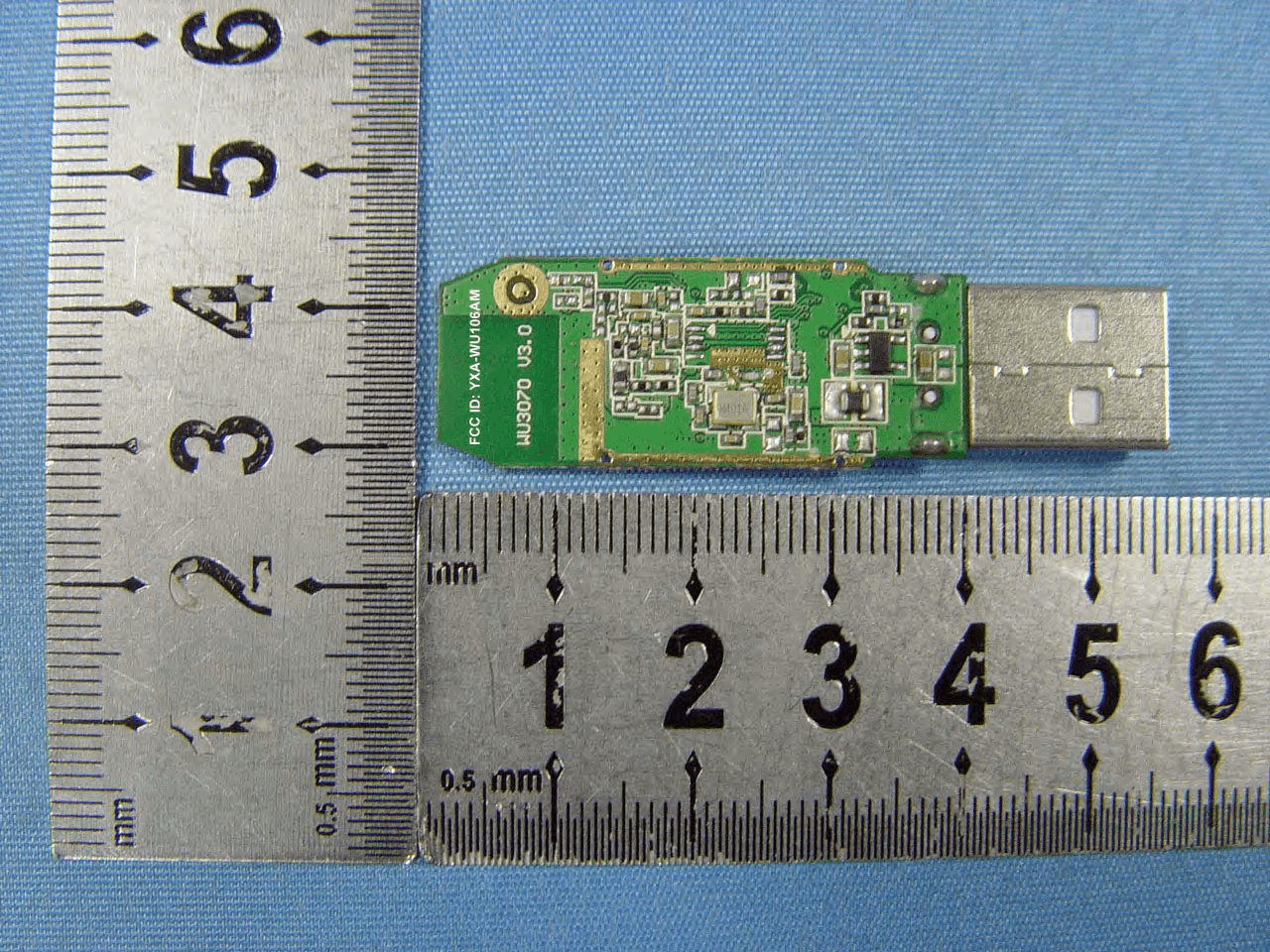
YXA-WU106AM
Jul 21, 2011150M Wireless USB Adapter
Equipment Class
DTS - Digital Transmission System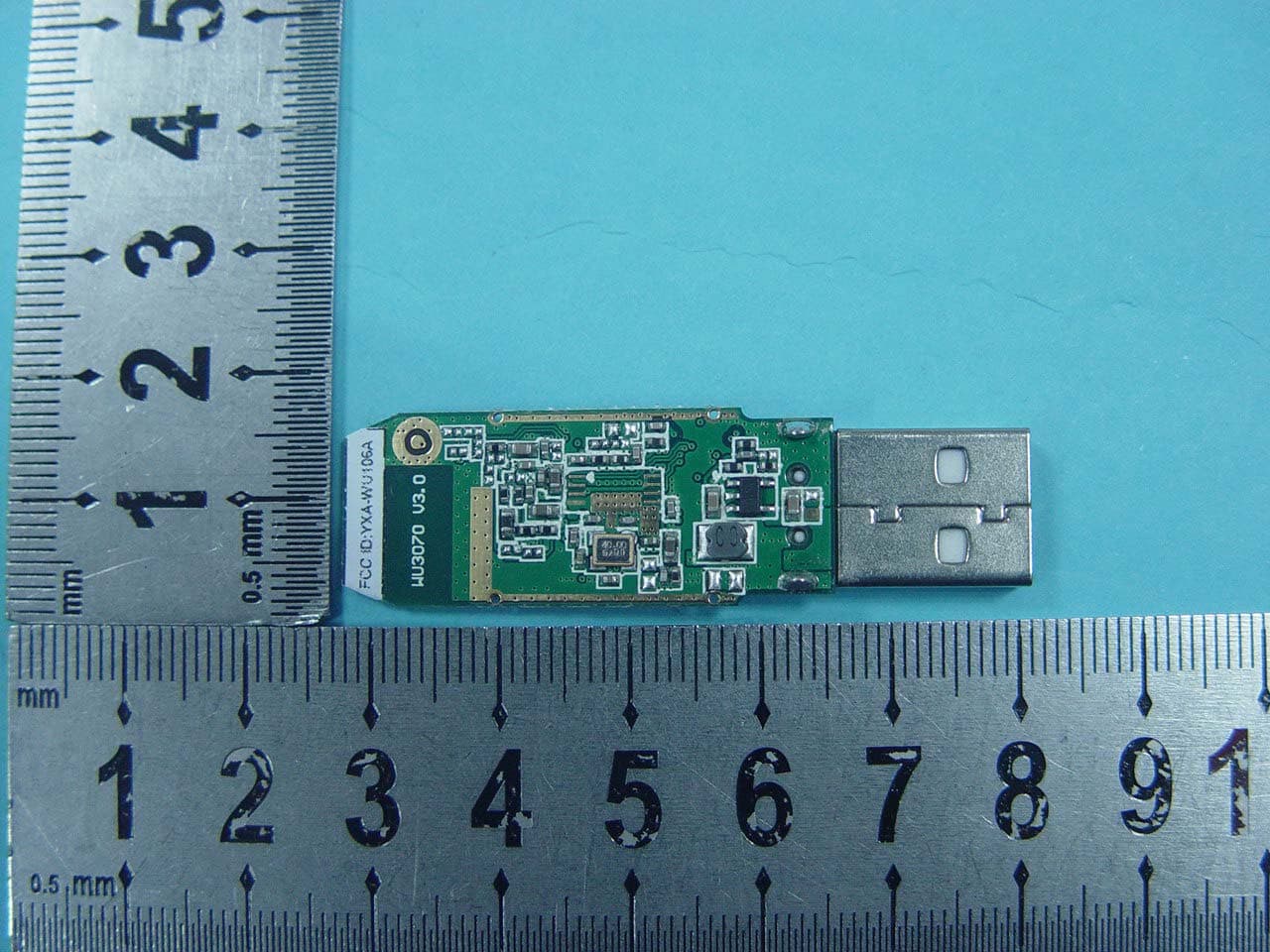
YXA-WU106A
Nov 11, 2010150M Wireless USB Adapter
Equipment Class
DTS - Digital Transmission System