YY9H3635Bretford PowerSync Cart for iPad
Bretford Manufacturing, Inc.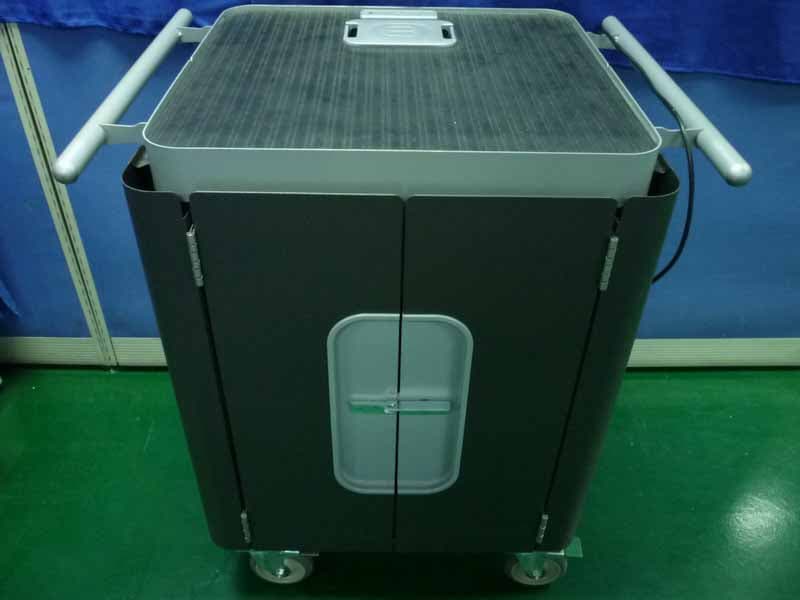
Click to zoom
Application Details
- Equipment Class
- JBP - Part 15 Class B Computing Device Peripheral
- Date of Grant
- Dec 22, 2010
- Application Purpose
- Original Equipment
- Date of Application
- Dec 22, 2010
- Equipment Note
- Bretford PowerSync Cart for iPad
- Company
- Bretford Manufacturing, Inc.
- Country
- United States
Documents & Files
Document Text
Text extracted from the exhibit documents filed with the FCC. Open a document above to read the original.
Users Manual
Top of the cart with Grommet housing outlets for the Mac Power Cord and USB Cable Welcome ... Congratulations on the purchase of your new PowerSync Cart for iPad Use this Owner’s Manual to help you use of your Bretford PowerSync Cart. Additional helpful information can be found on: bretford.com/apple OWNER’S MANUAL PowerSync Cart for iPad H3635LL/A General Use • This cart is designed to allow you to easily store, secure, recharge, sync and transport up to 30 iPad devices and their host MacBook between classrooms. • Please read this Owner’s Manual carefully. It contains important advice concerning the use and safety of your Bretford PowerSync Cart. • Keep this Owner’s Manual in a safe place and pass it on to any subsequent user. • This cart must only be used for its intended purpose in accordance with these operating instructions. 11000 Seymour Avenue Franklin Park, IL 60131 USA 800 521 9614 bretford.com/apple Peace of mind, knowing that the entire cart is UL Listed - not just the electrical. So your students - your real technology investment - are safe and secure. WARRANTY Bretford Furniture Twelve (12) years from date of shipment Electrical Assemblies/Components One (1) year from date of shipment Bretford engineers and manufactures its products to provide dependable operation. Therefore, Bretford Manufacturing, Inc. warrants that all products it manufactures are at date of shipment free from defects in material or workmanship. Any product which under normal use fails to function within the time periods specified below and found defective in material or workmanship by the Company’s inspection will be repaired or replaced without charge to the buyer or, at the election of Bretford Manufacturing, Inc., a credit will be allowed up to the invoice purchase price of the product. This warranty is inapplicable where, in the judgment of Bretford Manufacturing, Inc., the defect is attributable to normal wear, misapplication, abnormal use, misuse, modification or damage after shipment, including damage caused by the buyers failure to properly maintain, or other similar cause. THIS WARRANTY IS EXPRESSLY IN LIEU OF ANY OTHER EXPRESSED OR IMPLIED WARRANTIES, INCLUDING ANY ORDINARY OR PARTICULAR PURPOSE. THERE ARE NO WARRANTIES WHICH EXTEND BEYOND THE DESCRIPTION ON THE FACE HEREOF. Capacity • Holds and charges and syncs up to 30 Apple iPad devices Size & Weight • Overall: 33”W x 24”D x 37”H” • Compartments: 1”W x 9.5”H x 12”D • Top Interior Shelf: 17.5”W x 13”D • Carton Pack: 48”W x 32”D x 42”H • Ship Weight: 200 lbs. • Actual Product Weight: 168 lbs. • Ships by truck in one carton pack Assembly • Ships already assembled in one pack (no assembly required) POWERSYNC CART FOR iPAD Model # H3635LL/A Technical Specifications: Unleash the Power Cord The 9-foot Power Cord is wound around the built-in cord winder on the right side of the cart. To power the cart, simply unwind the Power Cord and plug into a standard 15 amp circuit outlet that is dedicated to the use of this cart. Proper use of the cart is predicated on its being the only appliance on the circuit. Assembly Instructions Always Turn Off the Power to the Cart before Plugging In Or Out! Setting the Combination Locks Part # 031-XXXX JAF 12.22.10 For optimal performance, you must set-up your iPad devices using the configuration on back of this User’s Guide. ATTENTION: Using PowerSync Cart for iPad Devices The PowerSync Cart enables you to take music, videos, podcasts, photos and other content files in your iTunes library on your Mac and sync your selected content across 30 iPad devices at a time. Getting Started ... Step 1 Configure iTunes for use with PowerSync Cart By default, iTunes will automatically check for new software updates, including available updates for iTunes & any attached iPads. This feature, however, can often interfere with syncing multiple iPads. To prevent iTunes from automatically checking for updates, Choose “Preferences...” from the iTunes menu, and on the “General” pane, deselect “Check for new software updates automatically”. iPad Step 2 Configure each iPad Device for use with PowerSync Cart NOTE: iPad devices will not charge and sync at the same time! Each laser-numbered slot comes pre-wired with a 30-pin connector, ready to use Lifting off the Grommet Cover reveals a power outlet for the MacBook and the outlet for the USB Cable Your new PowerSync Cart comes equipped with a re-settable Combination Padlock. The lock starts with 0-0-0-0. Follow the directions with the lock for changing the combination. Remember to depress the shackle before un-engaging it from the lock. Dock & Lock Your new cart comes equipped with a security cable, wall bracket & combination lock for securing the cart to the wall. Anchors and directions included in Plastic Accessory Box. Step 3 Sync iPad devices using the PowerSync Cart 1. Once you have created the content & organized your playlists within iTunes, and set-up each individual iPad device per the instructions on the back of this User’s Guide, please start with the following configuration: • Each iPad Device is connected inside the cart • Mac is “ON” with no applications running • PowerSync Cart is plugged into wall and Switch is in “OFF” position. 2. Connect the USB Cable to the port inside the top grommet of the cart to your Mac. Note: USB 2.0 port on your Mac is required. 3. Turn main Power Switch on back of cart to “ON” position. 4. Launch iTunes & wait until your Mac shows each iPad. Note: This may take a few moments to complete. Each iPad device will automatically appear in iTunes & begin syncing. The spinning wheel to the right of each iPad device indicates that syncing is in progress. Sync is complete when spinning wheel disappears. 5. Once the Sync Process is complete, eject each iPad device or simply close iTunes to eject all at once. 6. Unplug the USB Cable from your Mac. Then the iPad devices will charge. (Step 4 on back) Step 4 Store & Charge iPad devices using the PowerSync Cart .…
Text truncated - open the document above for the full version.
External Photos
R AUDIX Technology (Shenzhen) Co., Ltd. FCC ID:YI9H3635 page Audix Technology (Shenzhen) Co., Ltd. Report No. ACS-F10339 7-7 7. PHOTOGRAPH OF EUT Figure 1 General Appearance of the EUT Figure 2 General Appearance of the EUT R AUDIX Technology (Shenzhen) Co., Ltd. FCC ID:YI9H3635 page Audix Technology (Shenzhen) Co., Ltd. Report No. ACS-F10339 7-8 Figure 3 General Appearance of the EUT Figure 4 General Appearance of the EUT
ID Label/Location Info
FCC ID: YY9H3635 This device complies with Part 15 of the FCC Rules OperaCon is subject to the following two condiCons: (1) This device may not cause harmful interference (2) This device must accept any interference received, including interference that may cause undesired operaCon. WARNING: Chanages or modificaCons not expressly approved by the party responsible for compliance could void the user’s authority to operate the equipment. RXXXXX Model No: H3635LL/A Product Name: PowerSync Cart for iPad devices Power RaCng: 100-‐240V ~ 50/60 Hz (5.5A MAX) #####-### XXXX XXXX BZ02 Label Location
Internal Photos
R AUDIX Technology (Shenzhen) Co., Ltd. FCC ID:YI9H3635 page Audix Technology (Shenzhen) Co., Ltd. Report No. ACS-F10339 7-9 Figure 5 Inside of the EUT Figure 6 Inside of the EUT R AUDIX Technology (Shenzhen) Co., Ltd. FCC ID:YI9H3635 page Audix Technology (Shenzhen) Co., Ltd. Report No. ACS-F10339 7-10 Figure 7 Inside of the EUT Figure 8 Inside of the EUT R AUDIX Technology (Shenzhen) Co., Ltd. FCC ID:YI9H3635 page Audix Technology (Shenzhen) Co., Ltd. Report No. ACS-F10339 7-11 Figure 9 Inside of the EUT Figure 10 Inside of the EUT R AUDIX Technology (Shenzhen) Co., Ltd. FCC ID:YI9H3635 page Audix Technology (Shenzhen) Co., Ltd. Report No. ACS-F10339 7-12 Figure 11 Inside of the EUT Figure 12 Inside of the EUT R AUDIX Technology (Shenzhen) Co., Ltd. FCC ID:YI9H3635 page Audix Technology (Shenzhen) Co., Ltd. Report No. ACS-F10339 7-13 Figure 13 Inside of the EUT Figure 14 Inside of the EUT R AUDIX Technology (Shenzhen) Co., Ltd. FCC ID:YI9H3635 page Audix Technology (Shenzhen) Co., Ltd. Report No. ACS-F10339 7-14 Figure 15 Inside of the EUT Figure 16 Component Side of the PCB R AUDIX Technology (Shenzhen) Co., Ltd. FCC ID:YI9H3635 page Audix Technology (Shenzhen) Co., Ltd. Report No. ACS-F10339 7-15 Figure 17 Component Side of the PCB Figure 18 Component Side of the PCB R AUDIX Technology (Shenzhen) Co., Ltd. FCC ID:YI9H3635 page Audix Technology (Shenzhen) Co., Ltd. Report No. ACS-F10339 7-16 Figure 19 Component Side of the PCB Figure 20 Component Side of the PCB R AUDIX Technology (Shenzhen) Co., Ltd. FCC ID:YI9H3635 page Audix Technology (Shenzhen) Co., Ltd. Report No. ACS-F10339 7-17 Figure 21 Component Side of the PCB Figure 22 Component Side of the PCB R AUDIX Technology (Shenzhen) Co., Ltd. FCC ID:YI9H3635 page Audix Technology (Shenzhen) Co., Ltd. Report No. ACS-F10339 7-18 Figure 23 Component Side of the PCB Figure 24 Component Side of the PCB R AUDIX Technology (Shenzhen) Co., Ltd. FCC ID:YI9H3635 page Audix Technology (Shenzhen) Co., Ltd. Report No. ACS-F10339 7-19 Figure 25 Component Side of the PCB Figure 26 Component Side of the PCB R AUDIX Technology (Shenzhen) Co., Ltd. FCC ID:YI9H3635 page Audix Technology (Shenzhen) Co., Ltd. Report No. ACS-F10339 7-20 Figure 27 Component Side of the PCB Figure 28 Component Side of the PCB R AUDIX Technology (Shenzhen) Co., Ltd. FCC ID:YI9H3635 page Audix Technology (Shenzhen) Co., Ltd. Report No. ACS-F10339 7-21 Figure 29 Component Side of the PCB Figure 30 Component Side of the PCB R AUDIX Technology (Shenzhen) Co., Ltd. FCC ID:YI9H3635 page Audix Technology (Shenzhen) Co., Ltd. Report No. ACS-F10339 7-22 Figure 31 Component Side of the PCB Figure 32 Component Side of the PCB R AUDIX Technology (Shenzhen) Co., Ltd. FCC ID:YI9H3635 page Audix Technology (Shenzhen) Co., Ltd. Report No. ACS-F10339 7-23 Figure 33 Component Side of the PCB Figure 34 Component Side of the PCB R AUDIX Technology (Shenzhen) Co., Ltd. FCC ID:YI9H3635 page Audix Technology (Shenzhen) Co., Ltd. Report No. ACS-F10339 7-24 Figure 35 Component Side of the PCB Figure 36 Component Side of the PCB R AUDIX Technology (Shenzhen) Co., Ltd. FCC ID:YI9H3635 page Audix Technology (Shenzhen) Co., Ltd. Report No. ACS-F10339 7-25 Figure 37 Component Side of the PCB Figure 38 Component Side of the PCB
Test Report
R AUDIX Technology (Shenzhen) Co., Ltd. FCC ID:YY9H3635 Audix Technology (Shenzhen) Co., Ltd. Report No. ACS-F10339 APPLICATION FOR CERTIFICATION On Behalf of Bretford Manfacturing, Inc Bretford PowerSync Cart for iPad Model Number: H3635LL/A-XX, H3635B/A-XX, H3635ZM/A-XX, H3635X/A-XX, H3635J/A-XX, H3635SM/A-XX, H3635BRZ/A-XX, H3635AGT/A-XX, H3635MCA/A-XX, H3635NSA/A-XX, H3635TWN/A-XX, H3635TLY/A-XX FCC ID: YY9H3635 Prepared for : Bretford Manfacturing, Inc 11000 Seymour Ave Franklin Park IL, 60131 USA Prepared By : Audix Technology (Shenzhen) Co., Ltd. No. 6, Ke Feng Rd., 52 Block, Shenzhen Science & Industrial Park, Nantou, Shenzhen, Guangdong, China Tel: (0755) 26639496 Report Number ᧶ ACS-F10339 Date of Test ᧶ Dec.01~07, 2010 Date of Report ᧶ Dec.10, 2010 R AUDIX Technology (Shenzhen) Co., Ltd. FCC ID:YY9H3635 Audix Technology (Shenzhen) Co., Ltd. Report No. ACS-F10339 TABLE OF CONTENTS Description Page 1.SUMMARY OF STANDARDS AND RESULTS .................................................................. 1-1 1.1.Description of Standards and Results.............................................................................................1-1 2.GENERAL INFORMATION .................................................................................................. 2-1 2.1.Description of Device (EUT) .........................................................................................................2-1 2.2.Tested Supporting System Details .................................................................................................2-2 2.3.Block Diagram of connection between EUT and simulators .........................................................2-2 2.4.Test Facility....................................................................................................................................2-3 2.5.Test Uncertainty (95% confidence levels, k=2) .............................................................................2-3 3.POWER LINE CONDUCTED EMISSION TEST................................................................ 3-4 3.1.Test Equipments.............................................................................................................................3-4 3.2.Block Diagram of Test Setup .........................................................................................................3-4 3.3.Power Line Conducted Emission Test Limits ................................................................................3-4 3.4.Configuration of EUT on Test .......................................................................................................3-4 3.5.Operating Condition of EUT..........................................................................................................3-5 3.6.Test Procedure................................................................................................................................3-5 3.7.Power Line Conducted Emission Test Results...............................................................................3-5 4.RADIATED EMISSION TEST ............................................................................................. 4-10 4.1.Test Equipment ............................................................................................................................4-10 4.2.Block Diagram of Test Setup .......................................................................................................4-10 4.3.Radiated Emission Limit ..............................................................................................................4-11 4.4.EUT Configuration on Test..........................................................................................................4-11 4.5.Operating Condition of EUT........................................................................................................4-11 4.6.Test Procedure..............................................................................................................................4-11 4.7.Radiated Emission Test Results ...................................................................................................4-12 5.DEVIATION TO TEST SPECIFICATIONS ...................................................................... 5-17 6.PHOTOGRAPH OF TEST...................................................................................................... 6-1 6.1.Photos of Power Line Conducted Emission Test ...........................................................................6-1 6.2.Photos of Radiated Emission Test for 30~1000MHz.....................................................................6-3 7.PHOTOGRAPH OF EUT........................................................................................................ 7-7 R AUDIX Technology (Shenzhen) Co., Ltd. FCC ID:YY9H3635 Page Audix Technology (Shenzhen) Co., Ltd. Report No. ACS-F10339 1-1 1. SUMMARY OF STANDARDS AND RESULTS 1.1.Description of Standards and Results The EUT have been tested according to the applicable standards as referenced below. EMISSION Description of Test Item StandardLimitsResults Power Line Conducted Emission Test FCC Part 15: 2008 ANSI C63.4: 2009 Class B PASS Radiated Emission Test FCC Part 15: 2008 ANSI C63.4: 2009 Class B PASS R AUDIX Technology (Shenzhen) Co., Ltd. FCC ID:YY9H3635 Page 2-1 Audix Technology (Shenzhen) Co., Ltd. Report No. ACS-F10339 2.GENERAL INFORMATION 2.1.Description of Device (EUT) Product name : Bretford PowerSync Cart for iPad Model Number : H3635LL/A-XX, H3635B/A-XX, H3635ZM/A-XX, H3635X/A-XX, H3635J/A-XX, H3635SM/A-XX, H3635BRZ/A-XX, H3635AGT/A-XX, H3635MCA/A-XX, H3635NSA/A-XX, H3635TWN/A-XX, H3635TLY/A-XX “XX” means different color. Note: Different model numbers are only for different sales areas, and the actual device are same. There are the sales area difference H3635LL/A-XX : US (Canada, Mexico, S.Korea, Phillipines, Thailand) H3635B/A-XX : UK (Singapore, Hong Kong, Malaysia) H3635ZM/A-XX : Eur…
Text truncated - open the document above for the full version.
Test Setup Photos
R AUDIX Technology (Shenzhen) Co., Ltd. FCC ID:YY9H3635 page Audix Technology (Shenzhen) Co., Ltd. Report No. ACS-F10339 6-1 6. PHOTOGRAPH OF TEST 6.1.Photos of Power Line Conducted Emission Test Test Mode: Data Transmitting R AUDIX Technology (Shenzhen) Co., Ltd. FCC ID:YY9H3635 page Audix Technology (Shenzhen) Co., Ltd. Report No. ACS-F10339 6-2 Test Mode: charge R AUDIX Technology (Shenzhen) Co., Ltd. FCC ID:YY9H3635 page Audix Technology (Shenzhen) Co., Ltd. Report No. ACS-F10339 6-3 6.2.Photos of Radiated Emission Test for 30~1000MHz Test Mode: Data Transmitting R AUDIX Technology (Shenzhen) Co., Ltd. FCC ID:YY9H3635 page Audix Technology (Shenzhen) Co., Ltd. Report No. ACS-F10339 6-4 R AUDIX Technology (Shenzhen) Co., Ltd. FCC ID:YY9H3635 page Audix Technology (Shenzhen) Co., Ltd. Report No. ACS-F10339 6-5 Test Mode: charge R AUDIX Technology (Shenzhen) Co., Ltd. FCC ID:YY9H3635 page Audix Technology (Shenzhen) Co., Ltd. Report No. ACS-F10339 6-6
Contact Information
Applicant
Chris Brandel(Product Development)
Technical Contact
AUDIX Technology (Shenzhen) Co., Ltd.Lu Ken
86-755-26639497
52 Block Shenzhen Science&Industry · Shenzhen · China
Test Firm
Audix Technology (Shenzhen) Co.Smart Tsai
Technical Specifications
| # | Rule Parts | Frequency Range | Power Output |
|---|---|---|---|
| 1 | 15B | - | - |
Other Applications from Bretford Manufacturing, Inc.
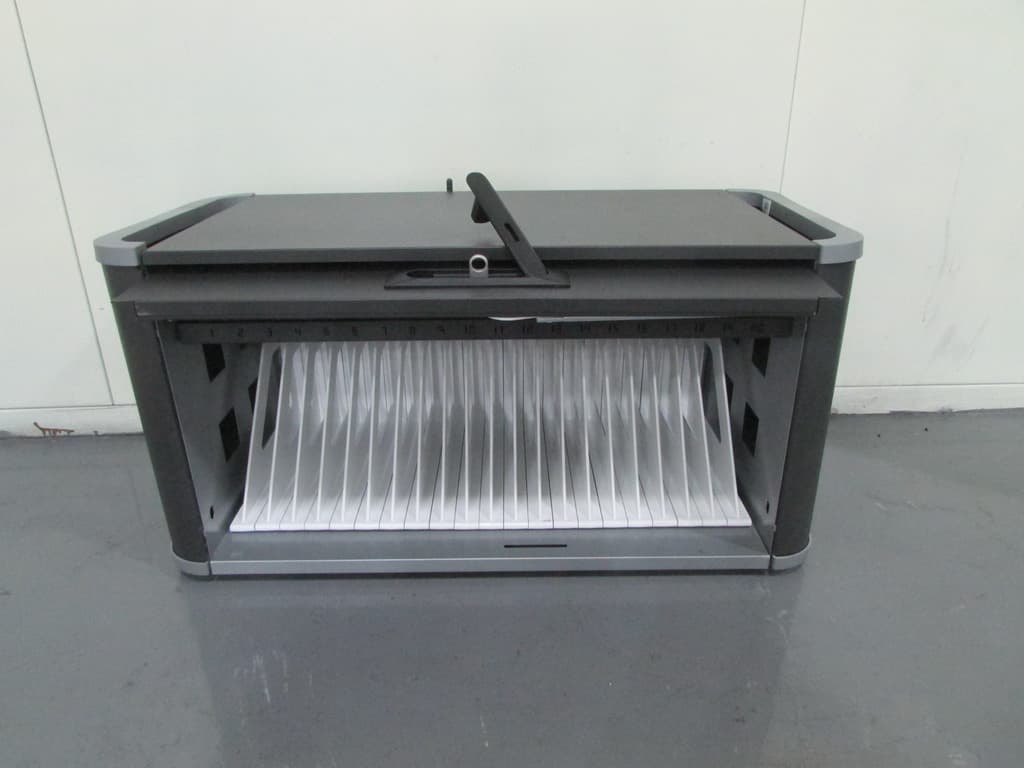
YY9-HE406LLA
Dec 25, 2013POWERSYNC STATION 20 FOR IPAD AND IPAD MINI
Equipment Class
DTS - Digital Transmission System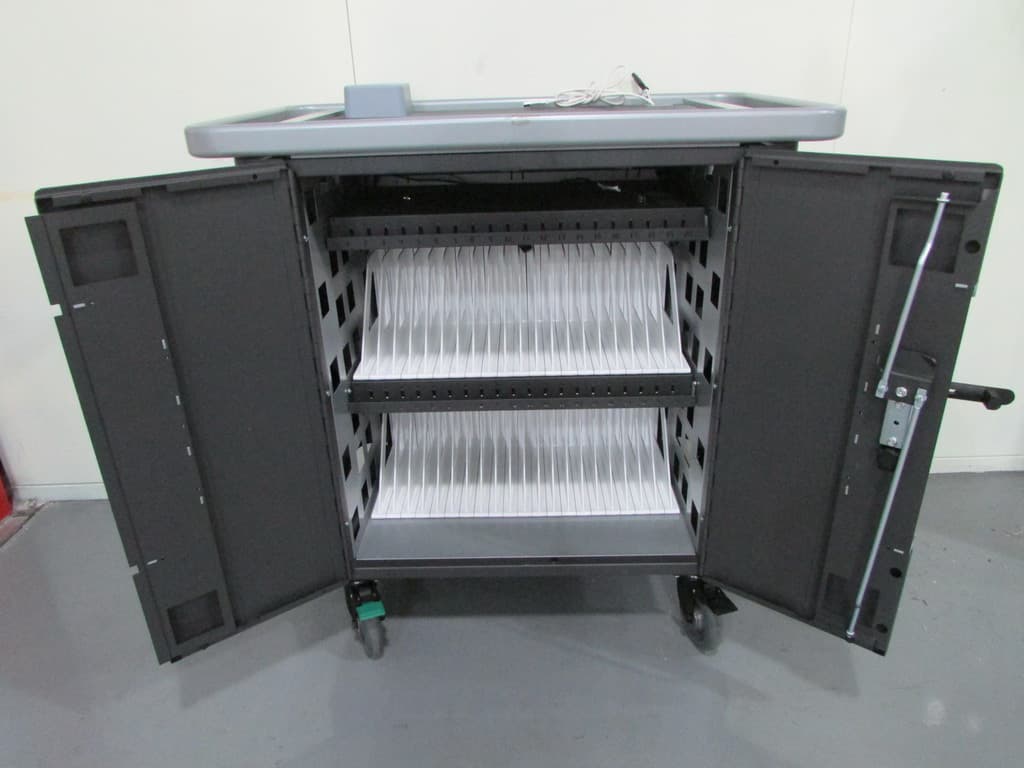
YY9-HE405407
Dec 17, 2013POWERSYNC CART 20 OR 40 FOR IPAD AND IPAD MINI
Equipment Class
DSS - Part 15 Spread Spectrum Transmitter