Z8H89FT00846091HH
Cambium Networks Inc.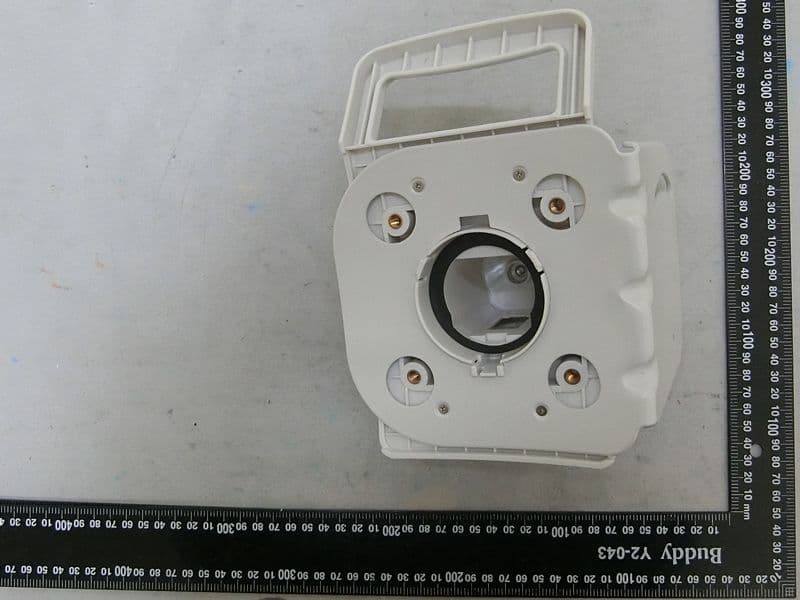
Click to zoom
Application Details
- Equipment Class
- NII - Unlicensed National Information Infrastructure TX
- Date of Grant
- Feb 19, 2024
- Application Purpose
- Original Equipment
- Date of Application
- Feb 11, 2024
- Equipment Note
- 6091HH
- Frequency Range
- 5727.50000000 - 5847.50000000
- Company
- Cambium Networks Inc.
- Country
- United States
Documents & Files
Document Text
Text extracted from the exhibit documents filed with the FCC. Open a document above to read the original.
Users Manual
Chapter 3: Operation497 Table 146: Pass Through Statistics page attributes – AP AttributeMeaning IdentityReqSentThis field indicates the number of EAP Identity requests sent through the AP with respect to an SM. PktsEncapsulated This field indicates no of packets received from the SM which are encapsulated by the AP. PktsDecasulatedThis field indicates no of packets received from the radius server and are decapsulated by the AP with respect to an SM AccessAcceptRcvd This field indicates no of RADIUS Access Accept message received by the AP with respect to an SM. Interpreting SNMPv3 Statistics The Statistics > SNMPv3 Statistics page displays all SNMPv3 related statistics. The page is applicable for all type of ODUs of PMP 450 Platform. The SNMPv3 Statistics page is explained in below table. Chapter 3: Operation498 Table 147: SNMPv3 Statistics page attributes – AP AttributeMeaning Statistics for snmpMPDStats groupSNMP Message Processing and Dispatching RFC 3412 snmpUnknownSecurityModelsThe total number of packets received by the SNMP engine which were dropped because they referenced a securityModel that was not known to or supported by the SNMP engine. snmpInvalidMsgsThe total number of packets received by the SNMP engine which were dropped because there were invalid or inconsistent components in the SNMP message. Chapter 3: Operation499 AttributeMeaning snmpUnknownPDUHandlersThe total number of packets received by the SNMP engine which were dropped because the PDU contained in the packet could not be passed to an application responsible for handling the pduType, e.g. no SNMP application had registered for the proper combination of the contextEngineID and the pduType. usmStatsUnsupportedSecLevelsThe total number of packets received by the SNMP engine which were dropped because they requested a securityLevel that was unknown to the SNMP engine or otherwise unavailable. usmStatsNotInTimeWindowsThe total number of packets received by the SNMP engine which were dropped because they appeared outside of the authoritative SNMP engine's window. usmStatsUnknownUserNamesThe total number of packets received by the SNMP engine which were dropped because they referenced a user that was not known to the SNMP engine. usmStatsUnknownEngineIDsThe total number of packets received by the SNMP engine which were dropped because they referenced a snmpEngineID that was not known to the SNMP engine. usmStatsWrongDigestsThe total number of packets received by the SNMP engine which were dropped because they didn't contain the expected digest value. usmStatsDecryptionErrorsThe total number of packets received by the SNMP engine which were dropped because they could not be decrypted. snmpTargetSpinLockThis object is used to facilitate modification of table entries in the SNMP-TARGET-MIB module by multiple managers. snmpUnavailableContextsThe total number of packets received by the SNMP engine which were dropped because the context contained in the message was unavailable. snmpUnknownContextsThe total number of packets received by the SNMP engine which were dropped because the context contained in the message was unknown. usmUserSpinLockThe use of usmUserSpinlock is to avoid conflicts with another SNMP command generator application which may also be acting on the usmUserTable. Chapter 3: Operation500 AttributeMeaning vacmViewSpinLockAn advisory lock used to allow cooperating SNMP Command Generator applications to coordinate their use of the Set operation in creating or modifying views. snmpEngineBootsIt is a count of the number of times the SNMP engine has re-booted/re-initialized since snmpEngineID was last configured snmpEngineTime time since engine is upwhich is the number of seconds since the snmpEngineBoots counter was last incremented Interpreting syslog statistics The Statistics > Syslog Statistics page displays statistics of syslog messages. The page is applicable for all modules (AP/SM/BHM/BHS). The Syslog Statistics page is explained in below table. Table 148: Syslog statistics page attributes – AP/SM/BH AttributeMeaning Syslog ServerThis displays dotted decimal or DNS name (if the DNS is enabled) of the syslog server address. Syslog Server PortThe syslog server port (default 514) to which syslog messaging is sent. Syslog StatusThis indicates status of syslog messaging. It can be Enable or Disabled based on configuration Syslog Message Transmissions This field indicates the count of syslog messages sent to UDP layer. Syslog Message Dropped This field indicates the count of dropped syslog messages. CBRS Statistics for AP/SM The Statistics > CBRSpage displays CBRS heart beat statistics and CBRS EIRP Change History. This page is visible only on the AP/BHM. Statistics for the SMs can also be seen on this page, viewed on the AP/BHM Radio. The CBRS statistics for AP/SM page is explained inTable1. Chapter 3: Operation501 Figure 116:CBRS statistics for AP Table 149: CBRS statistics for AP AttributeMeaning Select CBSD Current CBSDAllows an operator to select the statistics for a particular AP/BHM. CBSD Statistics ChannelThe low frequency and high frequency range of a CBRS grant. Each row in the CBSD Statistics table represents a channel range for a currently active CBRS grant. Note that the statistics per row represent all the counts for all the grants in a particular channel range since the statistics were last cleared, assuming a grant is currently held for that channel range. TotalThe total count of the heartbeat requests sent, per frequency range, since the statistics were last cleared. MissedThe AP sent a heartbeat request but did not receive a heartbeat response. FailedThe AP received a heartbeat response with a failure code. Grant SuspendThe total number of heartbeat responses received from the SAS, per frequency range, with reason codesuspended grant. Grant Terminate The total number of heartbeat responses received from the SAS with reason code 500 –terminated grant. Note that as of System Release 21.0, termi…
Text truncated - open the document above for the full version.
Users Manual
Chapter 1: Configuration243 Radio page - PMP 450 AP 3.5 GHz Figure 37:PMP 450 AP Radio attributes - 3.5 GHz Chapter 1: Configuration244 AttributeMeaning See PMP/PTP 450i Series – Configuring Radio for all parameters details. Note The PMP 450 AP supports up to 119 Data Channels (instead of 238 Data Channels) when configured for 30 MHz channel bandwidth or 5 ms Frame Period. This limitation is not applicable for PMP 450i/450m Series. Radio page - PMP 450 AP 2.4 GHz Table 58: Table 64 PMP 450 AP Radio attributes - 2.4 GHz Chapter 1: Configuration245 AttributeMeaning See PMP/PTP 450i Series – Configuring Radio for all parameters details. Note The PMP 450 AP supports up to 119 Data Channels (instead of 238 Data Channels) when configured for 30 MHz channel bandwidth or 5 ms Frame Period. This limitation is not applicable for PMP 450i/450m Series. Chapter 1: Configuration246 Radio page - PMP 450 SM 5 GHz Table 59: PMP 450 SM Radio attributes – 5 GHz Chapter 1: Configuration247 AttributeMeaning Custom Radio Frequency Scan Selection List Check the frequencies that SM has to scan for AP transmissions. See Radio Frequency Scan Selection List See PMP 450i SM Radio attributes – 5 GHz Note The frequencies that a user can select are controlled by the country or a region and the Channel Bandwidth selected. There can be a case where a user adds a custom frequency (from the Custom Frequencies page ) and cannot see it in the pull down menu. Chapter 1: Configuration248 Radio page - PMP 450 SM 3.65 GHz Table 60: PMP 450 SM Radio attributes – 3.65 GHz Chapter 1: Configuration249 AttributeMeaning Custom Radio Frequency Scan Selection List Check the frequencies that SM has to scan for AP transmissions. See Radio Frequency Scan Selection List See PMP 450i SM Radio attributes – 5 GHz Note The frequencies that a user can select are controlled by the country or a region and the Channel Bandwidth selected. There can be a case where a user adds a custom frequency (from the Custom Frequencies page ) and cannot see it in the pull down menu. Radio page - PMP 450 SM 3.5 GHz Table 61: PMP 450 SM Radio attributes – 3.5 GHz Chapter 1: Configuration250 AttributeMeaning Custom Radio Frequency Scan Selection List Check the frequencies that SM has to scan for AP transmissions. See Radio Frequency Scan Selection List See PMP 450i SM Radio attributes – 5 GHz Note The frequencies that a user can select are controlled by the country or a region and the Channel Bandwidth selected. There can be a case where a user adds a custom frequency (from the Custom Frequencies page ) and cannot see it in the pull down menu. Chapter 1: Configuration251 Radio page - PMP 450 SM 2.4 GHz Table 62: PMP 450 SM Radio attributes – 2.4 GHz Chapter 1: Configuration252 AttributeMeaning Custom Radio Frequency Scan Selection List Check the frequencies that SM has to scan for AP transmissions. See Radio Frequency Scan Selection List See PMP 450i SM Radio attributes – 5 GHz Radio page - PMP 450 SM 900 MHz Table 63: PMP 450 SM Radio attributes –900 MHz Chapter 1: Configuration253 AttributeMeaning Custom Radio Frequency Scan Selection List See PMP 450i SM Radio attributes – 5 GHz. Channel Bandwidth Scan Cyclic Prefix AP Selection Method Color Code 1 Installation Color Code Large Data Channel data Q Color Code MIMO Rate Adapt Algorithm Downlink Maximum Modulation Rate Uplink Maximum Modulation Rate Nomadic Mode External Gain Enable Max Tx Power Reference Downlink EVM Current Downlink EVM Reference Uplink EVM Current Uplink EVM Access Point MAC Address Channel Frequency Channel Bandwidth Receive Quality Debug Chapter 1: Configuration254 Radio page - PTP 450 BHM 5 GHz Table 64: PTP 450 BHM Radio attributes –5 GHz AttributeMeaning Refer PTP 450i BHM Radio page attributes – 5 GHz for all parameters details. Chapter 1: Configuration255 Radio page - PTP 450 BHS 5 GHz Table 65: PTP 450 BHS Radio attributes –5 GHz Chapter 1: Configuration256 AttributeMeaning Refer PTP 450i BHS Radio attributes – 5 GHz for all parameters details. Note The PMP 450 AP supports up to 119 Data Channels (instead of 238 Data Channels) when configured for 30 MHz channel bandwidth or 5 ms Frame Period. This limitation is not applicable for PMP 450i/450m Series. Radio Frequency Scan Selection List The SM or BHS scans complete spectrum as per Full Spectrum Band Scan feature. SMs or BHS first boot into the smallest selected channel bandwidth (10 MHz, if selected) and scan all selected frequencies across both the 5.4 GHz and 5.7 GHz frequency bands. After this scan, if a wider channel bandwidth is selected (20 MHz), the SM/BHS automatically changes to 20 MHz channel bandwidth and then scans for APs/BHSs. After the SM/BHS finishes this final scan it will evaluate the best AP/BHM with which to register. If required for registration, the SM/BHS changes its channel bandwidth back to 10 MHz to match the best AP/BHM. Chapter 1: Configuration257 The SM/BHS will attempt to connect to an AP/BHM based on power level (which affects the modulation state), channel bandwidth (which affects throughput) and number of SM/BHS registrations to the AP/BHM (which affects system contention performance). If it is desired to prioritize a certain AP/BHM over other available APs/BHMs, operators may use the Color Code Priority feature on the SM/BHS. Utilization of the Color Code feature on the AP/BHM is recommended to further constrain the AP selection. If the SM does not find any suitable APs/BHMs for registration after scanning all channel bandwidths, the SM restarts the scanning process beginning with the smallest configured channel bandwidth. Selecting multiple frequencies and multiple channel bandwidths impacts the SM/BHS scanning time. The biggest consumption of time is in the changing of the SM/BHS channel bandwidth setting. The worst case scanning time is approximately two minutes after boot up (SM/BHS with all frequencies and channel bandwidths selected and registering to an AP/BHM at 10 MHz). If only one channel band…
Text truncated - open the document above for the full version.
Users Manual
333333333 CONFIGURATION GUIDE PMP/PTP 450 Series System Release 23.0 Covers: PMP 450 AP / PMP 450 SM / PTP 450 / PMP 450d PMP 450i / PTP 450i PMP 450b / PTP 450b PMP 450m PMP 450 MicroPoP PMP/PTP 450b Retro PMP 450v pmp-3680_002v000November 2023 Reservation of Rights Cambium reserves the right to make changes to any products described herein to improve reliability, function, or design, and reserves the right to revise this document and to make changes from time to time in content hereof with no obligation to notify any person of revisions or changes. Cambium recommends reviewing the Cambium Networks website for the latest changes and updates to products. Cambium does not assume any liability arising out of the application or use of any product, software, or circuit described herein; neither does it convey license under its patent rights or the rights of others. It is possible that this publication may contain references to, or information about Cambium products (machines and programs), programming, or services that are not announced in your country. Such references or information must not be construed to mean that Cambium intends to announce such Cambium products, programming, or services in your country. Copyrights This document, Cambium products, and 3 rd Party software products described in this document may include or describe copyrighted Cambium and other 3 rd Party supplied computer programs stored in semiconductor memories or other media. Laws in the United States and other countries preserve for Cambium, its licensors, and other 3 rd Party supplied software certain exclusive rights for copyrighted material, including the exclusive right to copy, reproduce in any form, distribute and make derivative works of the copyrighted material. Accordingly, any copyrighted material of Cambium, its licensors, or the 3 rd Party software supplied material contained in the Cambium products described in this document may not be copied, reproduced, reverse engineered, distributed, merged or modified in any manner without the express written permission of Cambium. Furthermore, the purchase of Cambium products shall not be deemed to grant either directly or by implication, estoppel, or otherwise, any license under the copyrights, patents or patent applications of Cambium or other 3rd Party supplied software, except for the normal non-exclusive, royalty free license to use that arises by operation of law in the sale of a product. Restrictions Software and documentation are copyrighted materials. Making unauthorized copies is prohibited by law. No part of the software or documentation may be reproduced, transmitted, transcribed, stored in a retrieval system, or translated into any language or computer language, in any form or by any means, without prior written permission of Cambium. License Agreements The software described in this document is the property of Cambium and its licensors. It is furnished by express license agreement only and may be used only in accordance with the terms of such an agreement. High Risk Materials Cambium and its supplier(s) specifically disclaim any express or implied warranty of fitness for any high- risk activities or uses of its products including, but not limited to, the operation of nuclear facilities, aircraft navigation or aircraft communication systems, air traffic control, life support, or weapons systems (“High Risk Use”). This product is not restricted in the EU. Any High Risk is unauthorized, is made at your own risk and you shall be responsible for any and all losses, damage or claims arising out of any High-Risk Use. © 2023 Cambium Networks Limited. All rights reserved Contents3 Contents Contents3 About This User Guide14 Contacting Cambium Networks14 Purpose14 Product notation conventions in document14 Cross references16 Feedback16 Important regulatory information17 Application software17 USA specific information17 Canada specific information18 Renseignements specifiques au Canada18 EU Declaration of Conformity21 Specific expertise and training for professional installers21 Ethernet networking skills21 Lightning protection21 Training21 Problems and warranty21 Reporting problems21 Repair and service22 Hardware warranty22 Security advice22 Warnings, cautions, and notes22 Warnings22 Cautions23 Notes23 Caring for the environment 23 In EU countries23 Contents4 In non-EU countries23 Chapter 1: Configuration24 Preparing for configuration24 Safety precautions25 Regulatory compliance25 Connecting to the unit25 Configuring the management PC25 Connecting to the PC and powering up27 Using the web interface27 Logging into the web interface27 Web GUI29 Using the menu options30 Quick link setup33 Initiating Quick Start Wizard33 Configuring time settings38 Viewing the Session Status of the AP/BHM to determine test registration40 Configuring IP and Ethernet interfaces44 Configuring the IPv4 interface44 Auxiliary port56 NAT, DHCP Server, DHCP Client and DMZ57 DHCP58 Reconnecting to the management PC74 VLAN configuration for PMP74 VLAN configuration for PTP83 PPPoE page of SM86 IPv4 and IPv689 Upgrading the software version and using CNUT93 Checking the installed software version93 Upgrading to a new software version 94 General configuration97 Contents5 PMP 450m and PMP/PTP 450i Series97 PMP/PTP 450b Series113 PMP/PTP 450 Series122 Configuring Unit Settings page138 Unit Settings page of 450 Platform Family - AP/BHM139 Unit Settings page of PMP/PTP 450i SM/BHS141 Setting up time and date142 Time page of 450 Platform Family - AP/BHM142 Configuring synchronization143 Sync Input144 Free Run Before GPS Sync145 Device Type146 Verify GPS Message Checksum146 Sync Aux Port Config146 Aux Port Power to UGPS147 Configuring security147 Managing module access by password148 Isolating from the internet – APs/BHMs151 Encrypting radio transmissions151 Requiring SM Authentication151 Filtering protocols and ports152 Encrypting downlink broadcasts156 Isolating SMs156 Filtering management through …
Text truncated - open the document above for the full version.
Attestation Statements
Cambium Networks Inc. 3800 Golf Road, Suite 360 Rolling Meadows, IL 60008, USA U.S. Agent for Service of Process Attestation Date: 2023/2/17 Federal Communications Commission Authorization and Evaluation Division 7435 Oakland Mills Road Columbia MD 21046 USA Ref: Attestation Statements Part 2.911(d)(7) Filing Grantee Code: Z8H To Whom It May Concern: Cambium Networks Inc. (“the applicant”) certifies that, as of the date of the filing of the application, we designate ourselves as the U.S. agent for service of process. Designated U.S. Agent Information: Name: Cambium Networks Inc. FRN: 0016216152 Address: 3800 Golf Road, Suite 360 Rolling Meadows, IL 60008, USA Contact Person: Steve M. Payne Te l. : 224-392-5930 Email: [email protected] Sincerely, Company name : Cambium Networks Inc. Company address : 3800 Golf Road, Suite 360 Rolling Meadows, IL 60008, USA Signature : Name : Steve M. Payne E-Mail : [email protected] Te l : 224-392-5930
Attestation Statements
Cambium Networks Inc. 3800 Golf Road, Suite 360 Rolling Meadows, IL 60008, USA Attestation Statements Date: 2023/12/27 Federal Communications Commission 7435 Oakland Mills Road Columbia MD 21046 Subject: Attestation Statements Part 2.911(d)(5)(i)-(ii) Filing FCC ID:Z8H89FT0084 To Whom It May Concern: Statement for 47 CFR section 2.911(d)(5)(i) Cambium Networks Inc. (“the applicant”) certifies that the equipment for which authorization is sought is not “covered” equipment prohibited from receiving an equipment authorization pursuant to section 2.903 of the FCC rules. Statement for 47 CFR section 2.911(d)(5)(ii) Cambium Networks Inc. (“the applicant”) certifies that, as of the date of the filing of the application, the applicant is not identified on the Covered List (as a specifically named entity or any of its subsidiaries or affiliates) as an entity producing “covered” equipment. Respectfully, Applicant’s company name : Cambium Networks Inc. Applicant’s company address : 3800 Golf Road, Suite 360 Rolling Meadows, IL 60008, USA Signature : Name and Job Title : Steve M. Payne / R.F. Principle Staff Engineer E-Mail : [email protected] Te l : 224-392-5930 Fax : 847-576-0801
Cover Letter(s)
Cambium Networks Inc. 3800 Golf Road, Suite 360 Rolling Meadows, IL 60008, USA Professional Installation Declaration Date: 2023/12/27 FCC ID:Z8H89FT0084 To Whom It May Concern: Please be advised that due to the unique Market and function targeted by this product, this product will need special trained professional in configuring and installing the product. We hereby declare that the product will be distributed through controlled distribution channel which has special trained professional to install this product and will not be sold directly to the general public through retail store. Respectfully, Applicant’s company name : Cambium Networks Inc. Applicant’s company address : 3800 Golf Road, Suite 360 Rolling Meadows, IL 60008, USA Signature : Name and Job Title : Steve M. Payne / R.F. Principle Staff Engineer E-Mail : [email protected] Te l : 224-392-5930 Fax : 847-576-0801
Cover Letter(s)
Cambium Networks Inc. 3800 Golf Road, Suite 360 Rolling Meadows, IL 60008, USA Power of Attorney Date: 2023/12/27 Dear Sir, I hereby have entrusted the following person to be a proxy regarding application for Type Certification. Sporton International Inc. Hsinchu Laboratory Address : No.8, Lane 724, Bo-ai St., Jhubei City, HsinChu County 302, Taiwan, R.O.C. Name : Leo Huang Job Title : Manager e-mail : [email protected] I am therefore responsible for the contents of the application. FCC ID: Z8H89FT0084 Respectfully, Applicant’s company name : Cambium Networks Inc. Applicant’s company address : 3800 Golf Road, Suite 360 Rolling Meadows, IL 60008, USA Signature : Name and Job Title : Steve M. Payne / R.F. Principle Staff Engineer E-Mail : [email protected] Te l : 224-392-5930 Fax : 847-576-0801
Cover Letter(s)
Cambium Networks Inc. 3800 Golf Road, Suite 360 Rolling Meadows, IL 60008, USA Confidential Letter Date: 2023/12/27 Federal Communications Commission 7435 Oakland Mills Road Columbia MD 21046 Subject: Request for Confidentiality FCC ID:Z8H89FT0084 To Whom It May Concern: Long Term Confidentiality Pursuant to Sections 0.457 and 0.459 of the Commission’s Rules, we hereby respectfully request confidential treatment of information accompanying this application as outlined below: ● Block Diagrams ● Schematics ● Operational Description The above materials contain trade secrets and proprietary information not customarily released to the public. The public disclosure of these matters might be harmful to the Applicant and provide unjustified benefits to its competitors. We understand that pursuant to Rule 0.457, disclosure of this Application and all accompanying documentation will not be made before the date of the Grant for this application. Short Term Confidentiality Pursuant to Sections 0.457 and 0.459 of the Commission’s Rules, we hereby respectfully request short-term confidential treatment of information accompanying this application as outlined below until 180 days after the Grant Date of Equipment Authorization in order to ensure sensitive business information remains confidential until the actual marketing of the device: ● External Photos ● Internal Photos ● Test Setup photos ● Users Manuals Respectfully, Applicant’s company name : Cambium Networks Inc. Applicant’s company address : 3800 Golf Road, Suite 360 Rolling Meadows, IL 60008, USA Signature : Name and Job Title : Steve M. Payne / R.F. Principle Staff Engineer E-Mail : [email protected] Te l : 224-392-5930 Fax : 847-576-0801
External Photos
PHOTOGRAPHS OF EUT EP3D2102 Sporton International Inc. Page No. : 1 of 7 Report Template No.: SE Ver 1.0_EP Issued Date : Feb. 07, 2024 Report Version : 01 Brand Name: Cambium Networks Model Name: 6091HH PHOTOGRAPHS OF EUT EP3D2102 Sporton International Inc. Page No. : 2 of 7 Report Template No.: SE Ver 1.0_EP Issued Date : Feb. 07, 2024 Report Version : 01 PHOTOGRAPHS OF EUT EP3D2102 Sporton International Inc. Page No. : 3 of 7 Report Template No.: SE Ver 1.0_EP Issued Date : Feb. 07, 2024 Report Version : 01 PHOTOGRAPHS OF EUT EP3D2102 Sporton International Inc. Page No. : 4 of 7 Report Template No.: SE Ver 1.0_EP Issued Date : Feb. 07, 2024 Report Version : 01 PHOTOGRAPHS OF EUT EP3D2102 Sporton International Inc. Page No. : 5 of 7 Report Template No.: SE Ver 1.0_EP Issued Date : Feb. 07, 2024 Report Version : 01 Antenna PHOTOGRAPHS OF EUT EP3D2102 Sporton International Inc. Page No. : 6 of 7 Report Template No.: SE Ver 1.0_EP Issued Date : Feb. 07, 2024 Report Version : 01 PHOTOGRAPHS OF EUT EP3D2102 Sporton International Inc. Page No. : 7 of 7 Report Template No.: SE Ver 1.0_EP Issued Date : Feb. 07, 2024 Report Version : 01
ID Label/Location Info
Label and location
Internal Photos
PHOTOGRAPHS OF EUT EP3D2102 Sporton International Inc. Page No. : 1 of 15 Report Template No.: SE Ver 1.0_EP Issued Date : Feb. 07, 2024 Report Version : 01 Brand Name: Cambium Networks Model Name: 6091HH PHOTOGRAPHS OF EUT EP3D2102 Sporton International Inc. Page No. : 2 of 15 Report Template No.: SE Ver 1.0_EP Issued Date : Feb. 07, 2024 Report Version : 01 PHOTOGRAPHS OF EUT EP3D2102 Sporton International Inc. Page No. : 3 of 15 Report Template No.: SE Ver 1.0_EP Issued Date : Feb. 07, 2024 Report Version : 01 PHOTOGRAPHS OF EUT EP3D2102 Sporton International Inc. Page No. : 4 of 15 Report Template No.: SE Ver 1.0_EP Issued Date : Feb. 07, 2024 Report Version : 01 PHOTOGRAPHS OF EUT EP3D2102 Sporton International Inc. Page No. : 5 of 15 Report Template No.: SE Ver 1.0_EP Issued Date : Feb. 07, 2024 Report Version : 01 PHOTOGRAPHS OF EUT EP3D2102 Sporton International Inc. Page No. : 6 of 15 Report Template No.: SE Ver 1.0_EP Issued Date : Feb. 07, 2024 Report Version : 01 PHOTOGRAPHS OF EUT EP3D2102 Sporton International Inc. Page No. : 7 of 15 Report Template No.: SE Ver 1.0_EP Issued Date : Feb. 07, 2024 Report Version : 01 PHOTOGRAPHS OF EUT EP3D2102 Sporton International Inc. Page No. : 8 of 15 Report Template No.: SE Ver 1.0_EP Issued Date : Feb. 07, 2024 Report Version : 01 PHOTOGRAPHS OF EUT EP3D2102 Sporton International Inc. Page No. : 9 of 15 Report Template No.: SE Ver 1.0_EP Issued Date : Feb. 07, 2024 Report Version : 01 PHOTOGRAPHS OF EUT EP3D2102 Sporton International Inc. Page No. : 10 of 15 Report Template No.: SE Ver 1.0_EP Issued Date : Feb. 07, 2024 Report Version : 01 PHOTOGRAPHS OF EUT EP3D2102 Sporton International Inc. Page No. : 11 of 15 Report Template No.: SE Ver 1.0_EP Issued Date : Feb. 07, 2024 Report Version : 01 PHOTOGRAPHS OF EUT EP3D2102 Sporton International Inc. Page No. : 12 of 15 Report Template No.: SE Ver 1.0_EP Issued Date : Feb. 07, 2024 Report Version : 01 PHOTOGRAPHS OF EUT EP3D2102 Sporton International Inc. Page No. : 13 of 15 Report Template No.: SE Ver 1.0_EP Issued Date : Feb. 07, 2024 Report Version : 01 PHOTOGRAPHS OF EUT EP3D2102 Sporton International Inc. Page No. : 14 of 15 Report Template No.: SE Ver 1.0_EP Issued Date : Feb. 07, 2024 Report Version : 01 PHOTOGRAPHS OF EUT EP3D2102 Sporton International Inc. Page No. : 15 of 15 Report Template No.: SE Ver 1.0_EP Issued Date : Feb. 07, 2024 Report Version : 01
RF Exposure Info
RADIO EXPOSURE TEST REPORT Report No. : FA3D2102 TEL : 886-3-656-9065 Page Number : 2 of 9 FAX : 886-3-656-9085 Issued Date : Feb. 07, 2024 Report Template No.: CB-A1_1 Ver1.1 Report Version : 01 Table of Contents History of this test report ................................................................................................................................. 3 Summary of Test Result................................................................................................................................... 4 1 General Description ............................................................................................................................. 5 1.1 EUT General Information ....................................................................................................................... 5 1.2 Antenna Information ............................................................................................................................... 6 1.3 Accessories ............................................................................................................................................ 6 1.4 Applicable Standards ............................................................................................................................. 6 1.5 Testing Location ..................................................................................................................................... 6 2 Maximum Permissible Exposure ........................................................................................................ 7 2.1 Limit of Maximum Permissible Exposure ............................................................................................... 7 2.2 MPE Calculation Method ........................................................................................................................ 7 2.3 MPE Exemption ...................................................................................................................................... 8 2.4 Calculated Result and Limit .................................................................................................................... 9 Photographs of EUT v01 RADIO EXPOSURE TEST REPORT Report No. : FA3D2102 TEL : 886-3-656-9065 Page Number : 3 of 9 FAX : 886-3-656-9085 Issued Date : Feb. 07, 2024 Report Template No.: CB-A1_1 Ver1.1 Report Version : 01 History of this test report Report No. Version Description Issued Date FA3D2102 01 Initial issue of report Feb. 07, 2024 RADIO EXPOSURE TEST REPORT Report No. : FA3D2102 TEL : 886-3-656-9065 Page Number : 4 of 9 FAX : 886-3-656-9085 Issued Date : Feb. 07, 2024 Report Template No.: CB-A1_1 Ver1.1 Report Version : 01 Summary of Test Result Report Clause Ref Std. Clause Test Items Result (PASS/F…
Text truncated - open the document above for the full version.
Contact Information
Applicant
Steven M. Payne(R.F. Principle Staff Engineer)
Test Firm
Sporton International Inc. Hsinchu LaboratoryAlex Chen
Technical Specifications
| # | Rule Parts | Frequency Range | Power Output |
|---|---|---|---|
| 1 | 15E | 5.73 GHz - 5.85 GHz | 372.00 mW |
Other Applications from Cambium Networks Inc.
Z8H89FT0090
Apr 21, 2026X7-56X Indoor Wi-Fi 7 Tri-band 4x4 AP, 60deg
Equipment Class
6ID - 15E 6 GHz Low Power Indoor Access PointZ8H89FT0083
Sep 17, 20246092HH
Equipment Class
NII - Unlicensed National Information Infrastructure TX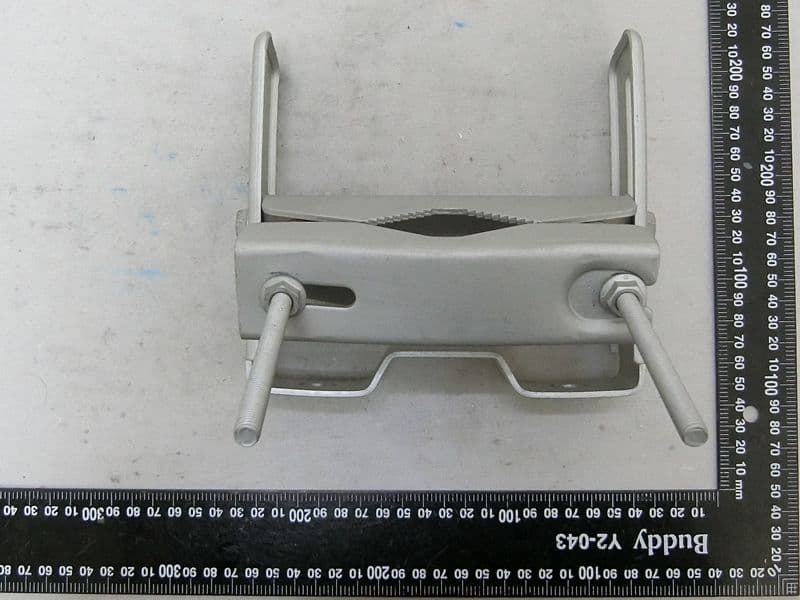
Z8H89FT0081
Dec 14, 20236084HH
Equipment Class
NII - Unlicensed National Information Infrastructure TX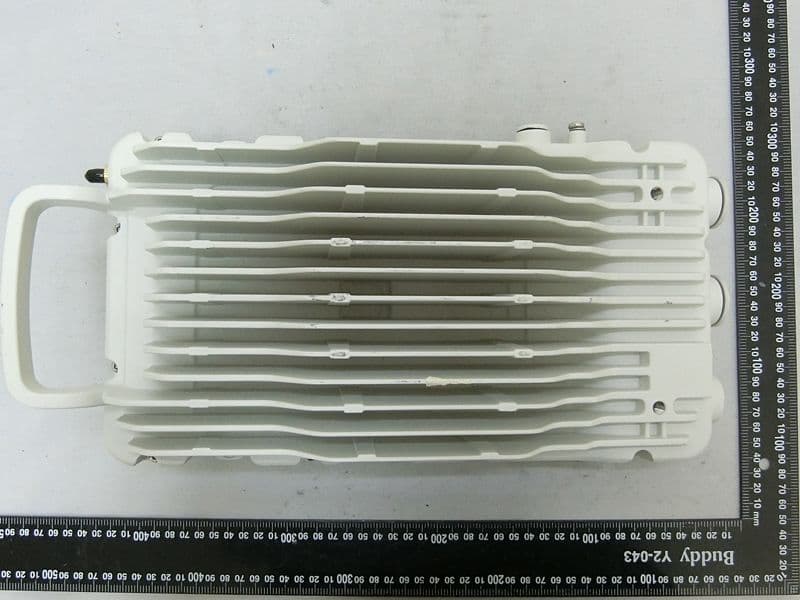
Z8H89FT0082
Dec 03, 20236094HH
Equipment Class
NII - Unlicensed National Information Infrastructure TX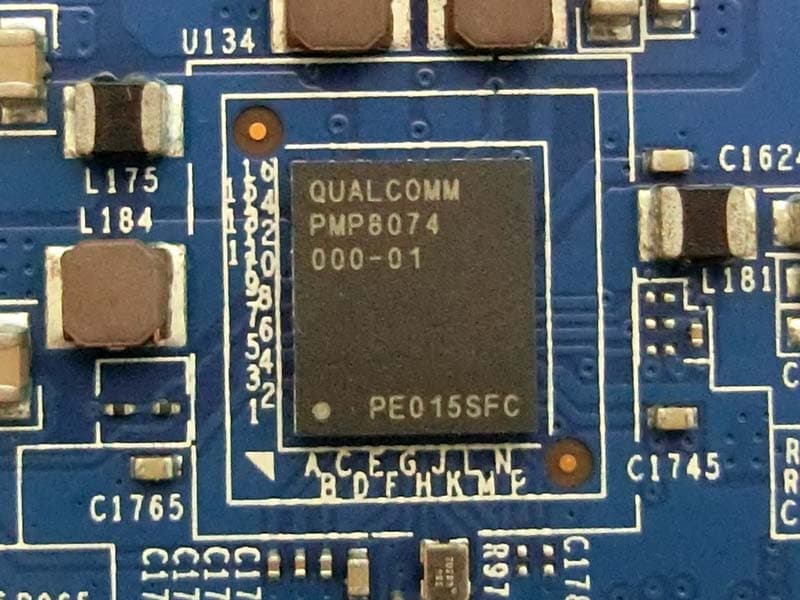
Z8H89FT0065
Apr 16, 2023ePMP 4500 5 GHz 8x8 Integrated Access Point Radio / ePMP 4500C 5GHz Access Point Radio
Equipment Class
TNB - Licensed Non-Broadcast Station Transmitter