ZA4-A128Bluetooth Headset
CARIT INTERNATIONAL LIMITED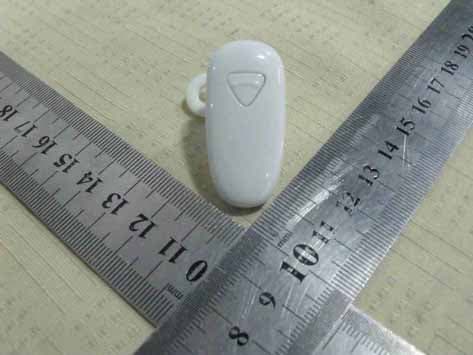
Click to zoom
Application Details
- Equipment Class
- DSS - Part 15 Spread Spectrum Transmitter
- Date of Grant
- Mar 27, 2011
- Application Purpose
- Original Equipment
- Date of Application
- Mar 27, 2011
- Equipment Note
- Bluetooth Headset
- Frequency Range
- 2402.00000000 - 2480.00000000
- Company
- CARIT INTERNATIONAL LIMITED
- Country
- China
Documents & Files
Document Text
Text extracted from the exhibit documents filed with the FCC. Open a document above to read the original.
Users Manual
A128 User Manual Introduction By using Bluetooth headset, you can make a call even when you are travelling outside or having in the office. You can connect the headset to your mobile phone which supports the Bluetooth technology. Before you use the product, you are suggested to read this manual carefully for better understanding about the product functions, our service support and warranty information. Product description Product: Mono Bluetooth Charge: AC adapter DC 5V 150MA USB cable +5V Bluetooth Version: Class 2.1 Support agreement: HFP 1.5, HSP1.0 The Bluetooth headset is fit fo r the 2.1 Bluetooth and the EDR standards. And it also supports the 1.1 and 1.5 hands free modes. Please consult the producer to make sure if this headset is compatible to your devices. Pairing the headset 1. Please make sure to put the two items within 1 M 2. Make sure that the headset is power off, and push the button for a while until the red indicator is flashed alternated with the blue indicator; the headset is in the situation of pairing. 3. Open the “Bluetooth search ing” or “add new device” to select the headset from the list. 4. Input the code”0000” to build the connection. Details on your mobile phone user manual. You don’t have to rebuild the connection the next time you use. Some cell phones can connect automatically without code. When the pairing is completed, the headset will be on the function list of Bluetooth devices, you can check the equipment on the list. *The new function: The new dual-standby function, A128 supports a Bluetooth headset with two phones connected at the same time, in addition to achieving any stand-alone call answer function, but also to meet the two phone calls while selectively answered.A128 Bluetooth headset can completely change connect a mobile phone single mode. Pairing 1: According to the Bluetooth headset pairing in general way, please pairing in the A cell phone, then turn off the headset and paired with the B cell phone connection, and then in A Bluetooth mobile phone, select the Bluetooth headset manually connect the A128 Bluetooth device name. Pairing 2: According to the Bluetooth headset pairing in general way, please pairing in the A cell phone, then turn off A128 Bluetooth headset and then paired with the B cell phone connection, and then later turned off the A128 Bluetooth headset (do not ent er the Pairing), then A128 Bluetooth automatically pairs A and B mobile phone. Warm tips : This feature may appear incompatibility problems when A128 is paired with some mobile phones. Charging the battery The build-in battery of the headset can not be disassembled. Please do not attempt to take the battery out, it may cause damage to the headset. For the first time you use headphones, please charge for the headsets for 5 hours to achieve optimal battery capacity and life time. 1 Connect the charge cable or USB cable to the headset. During charging, the red light will be on, when it goes out, the charging is completed. Normally, the charging time is about 3 hours. 2 Low-power Alarm When the power goes low, the headset will buzz with interval, and please charge for the headset. Warm tips z Before using the headset, please check out if the charger is fit for the headset. z Do not use any other type s of charger, because it may cause broken. z When the charger is not using, please disconnect the link and remove the charger from the power supply. Over charging could shorter the life time of the battery. Without usin g for a long period, the battery could discharge itself. z Extremely cold or hot environment could shorten the capacity and the life time. Please keep the headset ideally in the condition of 15 to 25 . °C°C When the temperature is under 0 , the °C performance of battery would be affected. z Do not put the headset into water or fire. Turn headset on When the headset is power off, press and hold the functional button for a while and then the blue indicator will light. Turn headset off When the headset is power on, press and hold the functional button for a while and then the indicator will off. Answer Phone When the call comes in, the headset and phone will beep or ring, push the functional key to answer the phone. End the Call During the call, push the functional key to hang up or you can wait for the disconnecting performed by your party. Redialing for the Last Call Under the standby condition, quickly push the functional key twice to redial the last call. Refuse the Call When the call comes in, push the functional key for 2 seconds to refu se the call. Voice dial When you push the functional button once, the mobile phone remains you that you can start the voice dialing, say the name saved in your contacts, it will dial automatically. Ps. Make sure that your mobile phone support the voice dialing function. Volume adjustment During call, shortly push volu me (+) to increase the volume During call, shortly push volu me (-) to decrease the volume Note: If Bluetooth headset don’t have the volume button, please adjust your mobile phone the volume. Warm tips : To protect your hearing, please set the volume on the safety level. All the functions above are onl y fit to Bluetooth headset which supports the Bluetooth han ds free function. Different brands or different menus may cause different using methods. Please check your manual of your mobile phone. FAQ: 1. What is the working di stance of the Bluetooth headset? Answer : 30 inches (or 10 meters) 2. Is the Bluetooth headset fit for cordless telephone? Answer : the Bluetooth headset is not fit for cordless telephone. 3. Is the Bluetooth headset fit for PC or PDA? Answer : It only fit for devices which support the Bluetooth function and Bluetooth standard above. 4. Will the Bluetooth headset be disturbed? Answer : Cordless telephone or wireless internet device may cause disturbs with some sound. Put the earphone away from these devices to avoid disturb. 5. Will the Bluetooth headset cause interference to the car devic…
Text truncated - open the document above for the full version.
Block Diagram
Block diagram
Cover Letter(s)
SCS-F18: Project and Product Certification Representative Authorization Letter Page 1 of 2 Rev 2.0 2206 Ringwood Avenue San Jose, CA 95131 Tel: 408-526-1188 Fax: 408-526-1088 Email: [email protected] Project and Product Certification Representative Authorization Letter Revision History Reason for Amendment (current / obsolete) From To Approved Date Initial Release (current) 1.0 1.0 Nov-14-2006 Revised wording (current) 1.0 2.0 Sept–25-2007 SCS-F18: Project and Product Certification Representative Authorization Letter Page 2 of 2 Rev 2.0 CARIT INTERNATIONAL LIMITED 2011-3-15 To: SIEMIC, INC. 2206 Ringwood Avenue, San Jose, CA 95131 USA Dear Sir/Madam, Re: Project and Product Certification Representative Authorization Letter We, CARIT INTERNATIONAL LIMITED hereby authorize SIEMIC, INC. to act as a Certification Body for certifying for the following project(s): (FCC ID: ZA4-A128 ) (Bluetooth Headset, A128, A118, A128F, A128C, A208, A130, A166, A168, A186) We affirm that between SIEMIC and CARIT INTERNATIONAL LIMITED any difference in understanding, including test plan, measurement methods, applicable standards and relevant procedures and processes have been resolved prior to commencement of testing activities. Sincerely, Signature Comon Cai/Manager E-mail: : [email protected] Phone: +86 755 8395 7905 Fax: +86 755 8332 6066 Address : 2/F, Building D, Area E, YingTai Industrial Zone, Dalang village, Baoan District, Shenzhen, Guangdong, China 518109
External Photos
External of EUT
ID Label/Location Info
FCC ID Label FCC ID: ZA4-A128 Model Number: A128 Made in China Label Location Proposed Label Location on EUT
Internal Photos
Internal of EUT Antenna
Operational Description
Operation description This product uses the Bluetooth wireless communication technology, using a CSR BC06 Bluetooth chipset and Bluetooth Specification Ver2.1 + EDR technology to provide you with a fast and reliable voice, pictures, images, data transmission. Work in the ISM 2.4GHZ band, using frequency‐hopping transceiver to achieve the interference and the role of inhibition of signal attenuation, the use of binary frequency modulation (FM) mode can reduce the complexity, the symbol rate is 1Mb/s. Channels 625us. Full‐duplex, time division (TDD) transmission solution to achieve duplex transmission. Maximum output power :0‐6dB Wireless signal using Gaussian Frequency Shift Keying (GFSK) modulation mode, transmit data (Tx) filtered by Gaussian filter, with the filter output of the VCO frequency modulation. Serial input data stream according to the logic level, VCO frequency from its center frequency deviation to the positive and negative. The offset determines the transmitter modulation index, modulation of the signal amplified by the antenna out.
RF Exposure Info
FCC ID : ZA4-A128 BT (Portable device) According to §15.247(e)(i) and §1.1307(b)(1), systems operating under the provisions of this section shall be operated in a manner that ensures that the public is not exposed to radio frequency energy level in excess of the Commission’s guidelines. According to KDB 447498 (2)(a)(i) Frequency Range Low Frequency (MHz) High Frequency(MHz) Center frequency (MHz) 60/f SAR Limitation (mw) 2402 2480 2441 25 Maximum measured transmitter power: Conducted Power (mw) Max Antenna Gain (dBi) EIRP (mw) 2.79 1.0 3.50 Threshold at which no SAR required is 25 mw. Maximum Tx power is 3.50mw EIRP. Conclusion: No SAR is required. SIMULTANEOUS TRANSMISSION EVALUATION N/A Sincerely, Signature Comon Cai/Manager E-mail: : [email protected] Phone: +86 755 8395 7905 Fax: +86 755 8332 6066 Address : 2/F, Building D, Area E, YingTai Industrial Zone, Dalang village, Baoan District, Shenzhen, Guangdong, China 518109
Schematics
1 2 34 ABCD 4 3 2 1 D CBA Title Number Revision Size A4 Date: 27-Jan-2011 Sheet of File: F:\ 吕端阳 \A12 8\HA 12 8sch .DD B Drawn By: SW1ON/OFF C1447n Unbalanced 1 DC 2 NC 3 GND 8 GND 7 Balanced 4 Balanced 6 GND 5 T1 RFB2012 L315nH C1315pTE1 C120R * L4NF A1ANT +1V5 +1V5 +1V5 +1V5 R92R2 R42R2 - 1 + 2 SPK1 C1715P +1V5 C6470n R12K2 C4470n C315p C1822nL115nH MIC1 Q1 3904 +1V8 SCL C515p C104u7 MIC-BIAS Y1 16MHz C226.8p C2318p C2422n +1V8 C162.2UF V_BAT +1V8 PS CSB R5 2R2 C212.2UF +1V5 SDA +1V5 C114u7 BAT1 V_BAT L233uH C154u7 R73.9K LED1RED V_BAT R63.9K LED2BLUE V_BAT WP +1V8 R14220K C9100n C191u PS IN A0 1 A1 2 A2 3 GND 4 SDA 5 SCL 6 WP 7 VCC 8 U2 AT24C32 R352.2K R372.2K R362.2K +1V5 WP SCL SDA V_BAT V_BUS V_BUS C20103 MIC_P 1 MIC_N 2 SPK_N 3 SPK_P 4 AU_REF 5 VDD_RADIO 6 RF_P 7 RF_N 8 VDD_LO 9 VREGENABLE_L 10 VREGIN__H 11 VDD_ANA 12 XIAL_IN 13 XIAL_OUT 14 LO_REF 15 AIO(1) 16 AIO(0) 17 UART_RX 18 UART_TX 19 VDD_PADS(0) 20 PIO[3] 21 PIO(2) 22 PIO(1) 23 PIO(0) 24 TEST_EN 25 RST# 26 PIO(11) 27 LED(1) 28 LED(0) 29 VDD_CORE 30 VREGOUT_H 31 VREGIN_H 32 VREGENABLE_H 33 SMP_SENSE 34 LX 35 BAT_P 36 VDD_CHG 37 SPI_MOSI 38 SPI_CLK 39 SPI_CSB 40 SPI_MISO 41 SPI_DEBUG_EN 42 VDD_PADS[1] 43 PIO[8] 44 PIO[7] 45 PIO[6] 46 MIC_BIAS 47 VDD_AUDIO 48 U1* C82.2UF C747n MIC-BIAS R847K PS CLK PS OUT C2510n R1510K CHA C26 22n C27 10n C28 22n C312.2U PIO_EN
Test Report
SHENZHEN EMTEK CO., LTD. REPORT NO: ES110217042F FCC ID: ZA4-A128 DATE: 3/15/2011 Page 1 of 38 ELECTROMAGNETIC EMISSIONS COMPLIANCE REPORT INTENTIONAL RADIATOR CERTIFICATION TO FCC PART 15 SUBPARTC REQUIREMENT OF Bluetooth Headset MODEL No.: A128, A118, A128F, A128C, A208, A130, A166, A168, A186 BRAND NAME: N/A FCC ID: ZA4-A128 REPORT NO: ES110217042F ISSUE DATE: March 15, 2011 Prepared for CARIT INTERNATIONAL LIMITED 2/F, Building D, Area E, YingTai Industrial Zone, Dalang village, Baoan District, Shenzhen, Guangdong, China 518109 Prepared by SHENZHEN EMTEK CO., LTD Bldg 69, Majialong Industry Zone, Nanshan District, Shenzhen, Guangdong, China TEL: 86-755-26954280 FAX: 86-755-26954282 SHENZHEN EMTEK CO., LTD. REPORT NO: ES110217042F FCC ID: ZA4-A128 DATE: 3/15/2011 Page 2 of 38 VERIFICATION OF COMPLIANCE Applicant: CARIT INTERNATIONAL LIMITED 2/F, Building D, Area E, YingTai Industrial Zone, Dalang village, Baoan District, Shenzhen, Guangdong, China 518109 Product Description: Bluetooth Headset Brand Name: N/A Model Number: A128, A118, A128F, A128C, A208, A130, A166, A168, A186 (Note: all the modes are the same, except their model number and appearance are different. We take A128 for test.) Serial Number: N/A File Number: ES110217042F Date of Test: February 17, 2011 to March 15, 2011 We hereby certify that: The above equipment was tested by SHENZHEN EMTEK CO., LTD. The test data, data evaluation, test procedures, and equipment configurations shown in this report were made in accordance with the procedures given in ANSI C63.4 (2009) and the energy emitted by the sample EUT tested as described in this report is in compliance with conducted and radiated emission limits of FCC Rules Part 15.247 . The test results of this report relate only to the tested sample identified in this report. Approved By David Lee / Q.A. Manager SHENZHEN EMTEK CO., LTD. SHENZHEN EMTEK CO., LTD. REPORT NO: ES110217042F FCC ID: ZA4-A128 DATE: 3/15/2011 Page 3 of 38 Ta b l e o f C o n t e n t s 1. GENERAL INFORMATION ................................................................................................. 5 1.1 PRODUCT DESCRIPTION........................................................................................................................... 5 1.2 RELATED SUBMITTAL(S) / GRANT (S) ..................................................................................................... 5 1.3 TEST METHODOLOGY.............................................................................................................................. 5 1.4 SPECIAL ACCESSORIES............................................................................................................................ 5 1.5 EQUIPMENT MODIFICATIONS.................................................................................................................. 5 1.6 TEST FACILITY........................................................................................................................................ 6 2. SYSTEM TEST CONFIGURATION .................................................................................... 7 2.1 EUT CONFIGURATION............................................................................................................................. 7 2.2 EUT EXERCISE........................................................................................................................................ 7 2.3 TEST PROCEDURE.................................................................................................................................... 7 2.4 LIMITATION............................................................................................................................................. 7 2.5 CONFIGURATION OF TESTED SYSTEM................................................................................................... 11 2.6 EQUIPMENT USED IN TESTED SYSTEM................................................................................................. 11 2.7 DESCRIPTION OF TEST MODES............................................................................................................... 12 3. SUMMARY OF TEST RESULTS ....................................................................................... 13 4. RADIATED EMISSION TEST ............................................................................................ 14 4.1 MEASUREMENT PROCEDURE................................................................................................................. 14 5.2 TEST SET-UP (BLOCK DIAGRAM OF CONFIGURATION) ....................................................................... 15 5.3 MEASUREMENT EQUIPMENT USED: ...................................................................................................... 16 5.4 MEASUREMENT RESULT........................................................................................................................ 16 5.5 RADIATED MEASUREMENT PHOTOS: ..................................................................................................... 22 5. CHANNEL SEPARATION TEST ....................................................................................... 23 6.1 MEASUREMENT PROCEDURE................................................................................................................. 23 6.2 TEST SET-UP (BLOCK DIAGRAM OF CONFIGURATION) ....................................................................... 23 6.3 MEASUREMENT EQUIPMENT USED: ...................................................................................................... 23 6.4 MEASUREMENT RESULTS:..................................................................................................................... 23 6. BANDWIDTH TEST ............................................................................................................. 26 7.1 MEASUREMENT PROCEDURE........................................................................................…
Text truncated - open the document above for the full version.
Test Setup Photos
RADIATED EMISSION TEST EUT EUT
Contact Information
Applicant
Comon Cai(Manager)
Test Firm
EMTEK (Shenzhen) Co., Ltd.David Lee
Technical Specifications
| # | Rule Parts | Frequency Range | Power Output |
|---|---|---|---|
| 1 | 15C | 2.40 GHz - 2.48 GHz | 2.79 mW |
Other Applications from CARIT INTERNATIONAL LIMITED
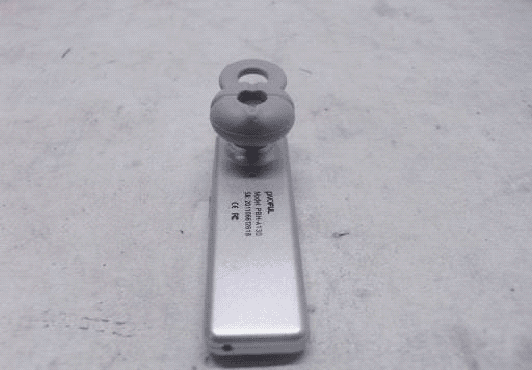
ZA4-A130
Sep 05, 2011BLUETOOTH HEADSET
Equipment Class
DXX - Part 15 Low Power Communication Device Transmitter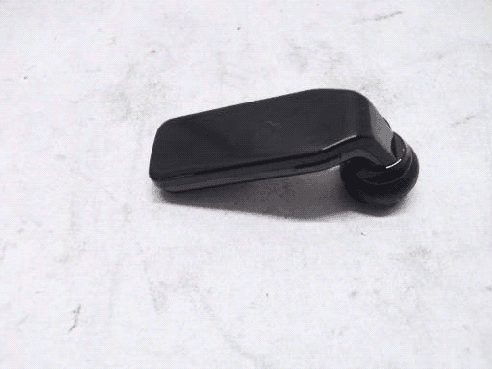
ZA4-A118
Aug 08, 2011BLUETOOTH HEADSET-BLUETOOTH PORTION
Equipment Class
DXX - Part 15 Low Power Communication Device Transmitter