ZC4L1050smartphone
Corporativo Lanix S.A. de C.V.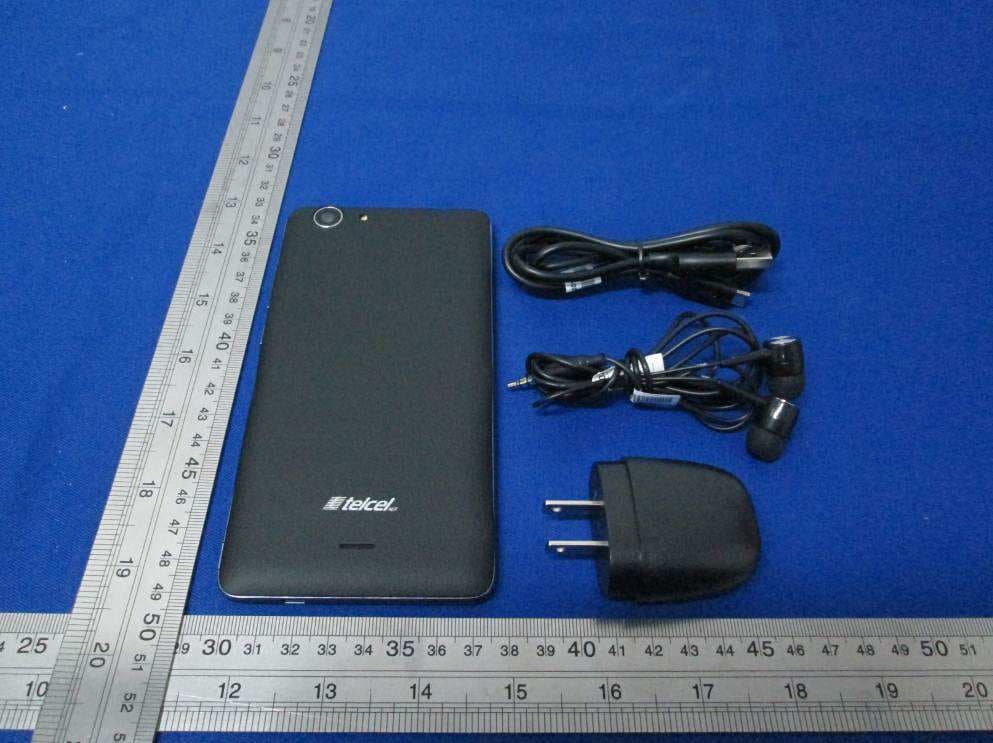
Click to zoom
Application Details
- Equipment Class
- DTS - Digital Transmission System
- Date of Grant
- Jan 26, 2016
- Application Purpose
- Original Equipment
- Date of Application
- Jan 25, 2016
- Equipment Note
- smartphone
- Frequency Range
- 2412.00000000 - 2462.00000000
- Country
- Mexico
Documents & Files
Document Text
Text extracted from the exhibit documents filed with the FCC. Open a document above to read the original.
Users Manual
1 Contents Get Started .................................................. .......... 2 Install SIM Card .................................. ............... 2 Insert Micro SD card .............................. ............ 2 Charge Mobile Phone ............................... ......... 3 PC-Phone File Transfer ............................ .......... 4 Keys and Parts .................................................. ..... 5 Lock and Unlock the Screen ..................................... 7 Notification Panel .................................................. 8 Arranging and Rearranging Widgets and Icons ........... 9 Adding Folders on your Screen .............................. 10 Adjusting Brightness ............................................. 11 Changing your Wallpaper ...................................... 12 Make a Call .................................................. ....... 13 Call Log .................................................. ............. 14 Reject a Call by Sending a Busy Message ................. 15 Add a Contact .................................................. .... 15 Messaging .................................................. ......... 16 Receiving a New Message ........................... .... 16 Editing SMS and MMS ............................... ...... 16 Message conversations ............................. ...... 16 Browse the Web .................................................. 17 Enjoy Music .................................................. ....... 18 Download Applications From Android Market ......... 19 Manage Applications ............................................ 20 Maintenance & Safety .......................................... 21 2 Get Started Install SIM Card You must insert the SIM card before using the phone . -> Steps: 1. Switch off the mobile phone. 2. Insert the SIM card correctly in the card slot(s ) (See figure below) Insert Micro SD card The phone supports Micro SD card, which is a multim edia memory card used to multiply the memory of the devi ce. Please follow the instructions as above mentioned. 3 Charge Mobile Phone Your phone is powered by a rechargeable battery. If your phone comes up a message which notifies you that th e battery power is too low, at that moment, please re charge the battery, if the charge is too low, it may short en the life of the battery. Connect the charger to a power outlet and the micro USB connector to the phone’s USB port. The LED flashlig ht on the top of the phone is red. Once the phone has fin ished charging, the light turns green and you should unpl ug the charger. 4 PC-Phone File Transfer Once the mobile phone is connected to a PC with USB , the PC will charge the mobile phone automatically. In s uch case, Connected as an installer will appear on your screen. 1. Drag the notification panel down and tap Connected as an installer . 2. Select Media device (MTP). 3. The device is recognized as a Removable Disk by the computer. Open the folder and transfer or copy file s from you phone to PC and vice-versa. 5 Keys and Parts The phone gives you marvelous feelings to experienc e on Camera, Video recorder, FM radio, Music and Sound recorder. Let you install various APPs, games, and more (supports APK format) by downloading from Android Market. 2 5 10 12 3 11 1 9 6 7 8 4 6 1.Volume Up/Down Key To adjust the ringer volume, adjust the voice volume during a call and adjust media volume. 2.Headset port To connect an earphone so you can listen to music or radio, etc. 3.Receiver To hear the voice of the other side when calling. 4.Front Camera Allow you to take pictures while facing the screen. 5.Power Key Switch the phone on or off. Press and hold to open phone options menu. 6. Return Go back to the previous screen; Close the on-screen keypad, a dialog box, an options menu, or the notification panel. 7.Home Key Go to home screen; Press and hold to open a window showing you most recently used applications. 8.Menu Switch to recently used applications. 9. USB jack To connect charger or USB data cable for data exchange. 10.Back Camera lens For taking photos. 11.Flashlight To take photos in low-light conditions. 12.Speaker To listen to music, and other sounds offered by your phone. 7 Lock and Unlock the Screen Press power button to enter Sleep mode and meanwhil e the screen will be locked; press power button again to wake up and then drag the lock icon to the upside to unlock . 8 Notification Panel Notification icons on the status bar report the new arrival of messages, calendar events, alarm set and ongoing se ttings such as when call forwarding is on or the current c all status. You can open the Notifications panel to open the me ssage, reminder, or event notification and see the mobile operator’s name. Even you can switch on Data connection, WLAN, Bluetooth, etc. -> Opening the Notifications panel Press and hold the status bar, slide your finger do wnward to open the Notifications panel. If you have several notifications, you can scroll d own the status bar to view more notifications. -> Closing the Notifications panel Do one operation of the following: 1. Press and hold the bottom bar of the Notificatio ns panel, then slide your finger up the screen. 2. Press BACK or Home directly. 9 Arranging and Rearranging Widgets and Icons Rearrange the widgets and icons on your Home screen to give room for adding more items to the Home screen. -> Press and hold the widget or icon you are desire d to move. The phone vibrates and you'll see this icon App inf o on the screen. Don't release your finger. -> Drag the widget or icon to a new location on the screen. Pause at the left or right edge of the screen to dr ag the widget or icon onto another Home screen panel. -> When the widget or icon is where you are desired to put it, release your finger. If you've released your fi nger but a message shows that there's no space to place the wi dget or icon, drag it right or left again to another Home s creen panel. 10 Adding Folders on you…
Text truncated - open the document above for the full version.
Cover Letter(s)
SCS-F18: Project and Product Certification Representative Authorization Letter Page 1 of 2 Rev 5.0 775 Montague Expressway Milpitas, CA 95035 Tel: 408-526-1188 Fax: 408-526-1088 Email: [email protected] Project and Product Certification Representative Authorization Letter Reason for Amendment (current / obsolete) Revision History Approved Date From To Initial Release (obsolete) 1.0 1.0 Nov-14-2006 Revised wording (obsolete) 1.0 2.0 Sept–25-2007 Updated company template (obsolete) 2.0 3.0 Jan-31-2012 Updated letter information (obsolete) 3.0 4.0 May-23-2014 Added FCC ID field (current) 4.0 5.0 Sept 16 2014 SCS-F18: Project and Product Certification Representative Authorization Letter Page 2 of 2 Rev 5.0 January 22, 2016 To: SIEMIC, INC. 775 Montague Expressway, Milpitas, CA 95035 USA Dear Sir/Madam, Re: Product Certification Representative Authorization Letter We, Corporativo Lanix S.A. de C.V., hereby authorize SIEMIC, Inc. to act as a Certification Body for certifying for the following project(s): (Smartphone, Ilium L1050) FCC ID: ZC4L1050 Sincerely, _______________________ Daniel Lee / Vice President Bureau Veritas Consumer Products Services (H.K.) Ltd., Taoyuan Branch Tel: +886 3 318 3232 #1857
External Photos
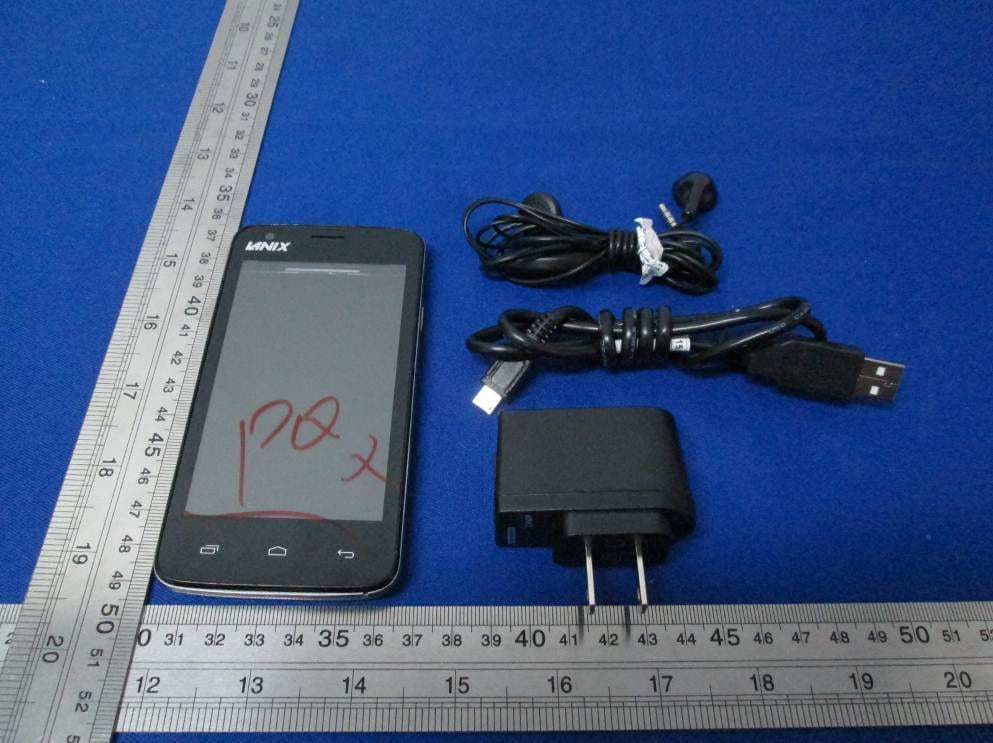
Bureau Veritas Shenzhen Co., Ltd. Dongguan Branch No. 34, Chenwulu Section, Guantai Rd., Houjie Town, Dongguan City, Guangdong 523942, China Tel.: +86 769 8593 5656 Fax: +86 769 8593 1080 Email: [email protected] Page 1 of 4 Report Version 1 Reference No.: 151208W002 PHOTOGRAPHS OF THE EUT Bureau Veritas Shenzhen Co., Ltd. Dongguan Branch No. 34, Chenwulu Section, Guantai Rd., Houjie Town, Dongguan City, Guangdong 523942, China Tel.: +86 769 8593 5656 Fax: +86 769 8593 1080 Email: [email protected] Page 2 of 4 Report Version 1 Reference No.: 151208W002 Bureau Veritas Shenzhen Co., Ltd. Dongguan Branch No. 34, Chenwulu Section, Guantai Rd., Houjie Town, Dongguan City, Guangdong 523942, China Tel.: +86 769 8593 5656 Fax: +86 769 8593 1080 Email: [email protected] Page 3 of 4 Report Version 1 Reference No.: 151208W002 Bureau Veritas Shenzhen Co., Ltd. Dongguan Branch No. 34, Chenwulu Section, Guantai Rd., Houjie Town, Dongguan City, Guangdong 523942, China Tel.: +86 769 8593 5656 Fax: +86 769 8593 1080 Email: [email protected] Page 4 of 4 Report Version 1 Reference No.: 151208W002
ID Label/Location Info
FCC ID: ZC4L1050 Mobile Phone (Back) Battery Compartment Label Location
Internal Photos
Bureau Veritas Shenzhen Co., Ltd. Dongguan Branch No. 34, Chenwulu Section, Guantai Rd., Houjie Town, Dongguan City, Guangdong 523942, China Tel.: +86 769 8593 5656 Fax: +86 769 8593 1080 Email: [email protected] Page 1 of 7 Report Version 1 Reference No.: 151208W002 PHOTOGRAPHS OF THE EUT Bureau Veritas Shenzhen Co., Ltd. Dongguan Branch No. 34, Chenwulu Section, Guantai Rd., Houjie Town, Dongguan City, Guangdong 523942, China Tel.: +86 769 8593 5656 Fax: +86 769 8593 1080 Email: [email protected] Page 2 of 7 Report Version 1 Reference No.: 151208W002 BT/WLAN/GPS Antenna WWAN Diversity Antenna Bureau Veritas Shenzhen Co., Ltd. Dongguan Branch No. 34, Chenwulu Section, Guantai Rd., Houjie Town, Dongguan City, Guangdong 523942, China Tel.: +86 769 8593 5656 Fax: +86 769 8593 1080 Email: [email protected] Page 3 of 7 Report Version 1 Reference No.: 151208W002 WWAN Main Antenna Bureau Veritas Shenzhen Co., Ltd. Dongguan Branch No. 34, Chenwulu Section, Guantai Rd., Houjie Town, Dongguan City, Guangdong 523942, China Tel.: +86 769 8593 5656 Fax: +86 769 8593 1080 Email: [email protected] Page 4 of 7 Report Version 1 Reference No.: 151208W002 Bureau Veritas Shenzhen Co., Ltd. Dongguan Branch No. 34, Chenwulu Section, Guantai Rd., Houjie Town, Dongguan City, Guangdong 523942, China Tel.: +86 769 8593 5656 Fax: +86 769 8593 1080 Email: [email protected] Page 5 of 7 Report Version 1 Reference No.: 151208W002 Bureau Veritas Shenzhen Co., Ltd. Dongguan Branch No. 34, Chenwulu Section, Guantai Rd., Houjie Town, Dongguan City, Guangdong 523942, China Tel.: +86 769 8593 5656 Fax: +86 769 8593 1080 Email: [email protected] Page 6 of 7 Report Version 1 Reference No.: 151208W002 Bureau Veritas Shenzhen Co., Ltd. Dongguan Branch No. 34, Chenwulu Section, Guantai Rd., Houjie Town, Dongguan City, Guangdong 523942, China Tel.: +86 769 8593 5656 Fax: +86 769 8593 1080 Email: [email protected] Page 7 of 7 Report Version 1 Reference No.: 151208W002
RF Exposure Info
FCC SAR Test Report Report Format Version 5.0.0 Page No. : 1 of 56 Report No. : SA151208W002 Issued Date : Jan. 19, 2015 FCC SAR Test Report Report No. : SA151208W002 Applicant : Corporativo Lanix S.A. de C.V. Address : Carretera Internacional Hermosillo-Nogales Km 8.5, Hermosillo Sonora, Mexico Product : smartphone FCC ID : ZC4L1050 Brand : LANIX Model No. : Ilium L1050 Standards : FCC 47 CFR Part 2 (2.1093) / IEEE C95.1:1992 / IEEE 1528:2013 KDB 865664 D01 v01r04 / KDB 865664 D02 v01r02 KDB 248227 D01 v02r02 / KDB 447498 D01 v06 / KDB 648474 D04 v01r03 KDB 941225 D01 v03r01 / KDB 941225 D05 v02r05 / KDB 941225 D06 v02r01 Sample Received Date : Dec. 22, 2015 Date of Testing : Dec. 24, 2015 ~ Jan. 15, 2016 CERTIFICATION: The above equipment have been tested by Bureau Veritas Shenzhen Co., Ltd. Dongguan Branch, and found compliance with the requirement of the above standards. The test record, data evaluation & Equipment Under Test (EUT) configurations represented herein are true and accurate accounts of the measurements of the sample’s SAR characteristics under the conditions specified in this report. It should not be reproduced except in full, without the written approval of our laboratory. The client should not use it to claim product certification, approval, or endorsement by A2LA or any government agencies. Certificate #2951.01 Prepared By : Amyee Qian / Engineer Approved By : William Chung / Manager This report is for your exclusive use. Any copying or replication of this report to or for any other person or entity, or use of our name or trademark, is permitted only with our prior written permission. This report sets forth our findings solely with respect to the test samples identified herein. The results set forth in this report are not indicative or representative of the quality or characteristics of the lot from which a test sample was taken or any similar or identical product unless specifically and expressly noted. Our report includes all of the tests requested by you and the results thereof based upon the information that you provided to us. You have 60 days from date of issuance of this report to notify us of any material error or omission caused by our negligence, provided, however, that such notice shall be in writing and shall specifically address the issue you wish to raise. A failure to raise such issue within the prescribed time shall constitute your unqualified acceptance of the completeness of this report, the tests conducted and the correctness of the report contents. Unless specific mention, the uncertainty of measurement has been explicitly taken into account to declare the compliance or non-compliance to the specification. FCC SAR Test Report Report Format Version 5.0.0 Page No. : 2 of 56 Report No. : SA151208W002 Issued Date : Jan. 19, 2015 Table of Contents Release Control Record ............................................................................................................................................................... 3 1. Summary of Maximum SAR Value ....................................................................................................................................... 4 2. Description of Equipment Under Test ................................................................................................................................. 5 3. SAR Measurement System ................................................................................................................................................... 6 3.1 Definition of Specific Absorption Rate (SAR) ............................................................................................................... 6 3.2 SPEAG DASY System ................................................................................................................................................. 6 3.2.1 Robot.................................................................................................................................................................. 7 3.2.2 Probes ................................................................................................................................................................ 8 3.2.3 Data Acquisition Electronics (DAE) .................................................................................................................... 8 3.2.4 Phantoms ........................................................................................................................................................... 9 3.2.5 Device Holder ................................................................................................................................................... 10 3.2.6 System Validation Dipoles ................................................................................................................................ 10 3.2.7 Tissue Simulating Liquids ................................................................................................................................. 11 3.3 SAR System Verification ............................................................................................................................................ 14 3.4 SAR Measurement Procedure ................................................................................................................................... 15 3.4.1 Area & Zoom Scan Procedure ......................................................................................................................... 15 3.4.2 Volume Scan Procedure................................................................................................................................... 15 3.4.3 Power Drift Monitoring ...................................................................................................................................... 16 3.4.4 Spatial Peak SAR Evaluation .........................................................................................…
Text truncated - open the document above for the full version.
RF Exposure Info
FCC SAR Test Report Report Format Version 5.0.0 Issued Date : Jan. 19, 2015 Report No. : SA151208W002 Appendix C. Calibration Certificate for Probe and Dipole The SPEAG calibration certificates are shown as follows.
Test Report
Bureau Veritas Shenzhen Co., Ltd. Dongguan Branch No. 34, Chenwulu Section, Guantai Rd., Houjie Town, Dongguan City, Guangdong 523942, China Tel: +86 769 8593 5656 Fax: +86 769 8593 1080 Email: [email protected] Page 1 of 68 Test Report No.: RF151208W002-2 FCC TEST REPORT (WIFI + BT LE) Product: smartphone Model Name: Ilium L1050 FCC ID: ZC4L1050 Applicant: Corporativo Lanix S.A. de C.V. Address: Carretera Internacional KM 8.5 Nogales- Hermosillo Manufacturer: Tinno Mobile Technology Corp. Address: 4/F., H-3 Building,OCT Eastern lndustrial Park. NO.1 XiangShan East Road.,Nan Shan District,Shenzhen, P.R.China. Prepared by: Bureau Veritas Shenzhen Co., Ltd. Dongguan Branch Lab Location: No. 34, Chenwulu Section, Guantai Rd., Houjie Town, Dongguan City, Guangdong 523942, China TEL: +86 769 8593 5656 FAX: +86 769 8593 1080 E-MAIL: [email protected] Report No.: RF151208W002-2 Received Date: Dec. 08, 2015 Test Date: Dec. 09, 2015 ~ Jan. 04, 2016 Issued Date: FEB. 19, 2016 Any copying or replication of this report to or for any other person or entity, or use of our name or trademark, is permitted only with our prior written permission. This report sets forth our findings solely with respect to the test samples identified herein. The results set forth in this report are not indicative or representative of the quality or characteristics of the lot from which a test sample was taken or any similar or identical product unless specifically and expressly noted. Our report includes all of the tests requested by you and the results thereof based upon the information that you provided to us. You have 60 days from date of issuance of this report to notify us of any material error or omission caused by our negligence, provided, however, that such notice shall be in writing and shall specifically address the issue you wish to raise. A failure to raise such issue within the prescribed time shall constitute your unqualified acceptance of the completeness of this report, the tests conducted and the correctness of the report contents. Unless specific mention, the uncertainty of measurement has been explicitly taken into account to declare the compliance or non-compliance to the specification. This report should not be used by the client to claim product certification, approval, or endorsement by A2LA or any government agencies. Bureau Veritas Shenzhen Co., Ltd. Dongguan Branch No. 34, Chenwulu Section, Guantai Rd., Houjie Town, Dongguan City, Guangdong 523942, China Tel: +86 769 8593 5656 Fax: +86 769 8593 1080 Email: [email protected] Page 2 of 68 Test Report No.: RF151208W002-2 TABLE OF CONTENTS RELEASE CONTROL RECORD ............................................................................................................ 4 1 CERTIFICATION ............................................................................................................................ 5 2 SUMMARY OF TEST RESULTS .................................................................................................... 6 2.1 MEASUREMENT UNCERTAINTY ............................................................................................... 6 3 GENERAL INFORMATION ............................................................................................................ 7 3.1 GENERAL DESCRIPTION OF EUT............................................................................................. 7 3.2 DESCRIPTION OF TEST MODES............................................................................................... 9 3.2.1 CONFIGURATION OF SYSTEM UNDER TEST ............................................................. 10 3.2.2 TEST MODE APPLICABILITY AND TESTED CHANNEL DETAIL .................................. 10 3.3 GENERAL DESCRIPTION OF APPLIED STANDARDS ............................................................ 13 3.4 DESCRIPTION OF SUPPORT UNITS ....................................................................................... 13 4 TEST TYPES AND RESULTS ...................................................................................................... 14 4.1 CONDUCTED EMISSION MEASUREMENT ............................................................................. 14 4.1.1 LIMITS OF CONDUCTED EMISSION MEASUREMENT ............................................... 14 4.1.2 TEST INSTRUMENTS ..................................................................................................... 14 4.1.3 TEST PROCEDURES ..................................................................................................... 15 4.1.4 DEVIATION FROM TEST STANDARD ........................................................................... 15 4.1.5 TEST SETUP ................................................................................................................... 16 4.1.6 EUT OPERATING CONDITIONS .................................................................................... 16 4.1.7 TEST RESULTS .............................................................................................................. 17 4.2 RADIATED EMISSION MEASUREMENT .................................................................................. 19 4.2.1 LIMITS OF RADIATED EMISSION MEASUREMENT .................................................... 19 4.2.2 TEST INSTRUMENTS ..................................................................................................... 20 4.2.3 TEST PROCEDURES ..................................................................................................... 21 4.2.4 DEVIATION FROM TEST STANDARD ........................................................................... 21 4.2.5 TEST SETUP ................................................................................................................... 22 4.2.6 EUT OPERATING CONDITIONS .................................................................................... 22 4.2.7 TEST RE…
Text truncated - open the document above for the full version.
Test Setup Photos
Bureau Veritas Shenzhen Co., Ltd. Dongguan Branch No. 34, Chenwulu Section, Guantai Rd., Houjie Town, Dongguan City, Guangdong 523942, China Tel.: +86 769 8593 5656 Fax: +86 769 8593 1080 Email: [email protected] Page 1 of 3 Report Version 1 Reference No.: 151208W002 SET-UP FOR CONDUCTED EMISSION TEST Bureau Veritas Shenzhen Co., Ltd. Dongguan Branch No. 34, Chenwulu Section, Guantai Rd., Houjie Town, Dongguan City, Guangdong 523942, China Tel.: +86 769 8593 5656 Fax: +86 769 8593 1080 Email: [email protected] Page 2 of 3 Report Version 1 Reference No.: 151208W002 SET-UP FOR RADIATED EMISSION TEST Frequency Range< 30MHz ~1GHz > Bureau Veritas Shenzhen Co., Ltd. Dongguan Branch No. 34, Chenwulu Section, Guantai Rd., Houjie Town, Dongguan City, Guangdong 523942, China Tel.: +86 769 8593 5656 Fax: +86 769 8593 1080 Email: [email protected] Page 3 of 3 Report Version 1 Reference No.: 151208W002 Frequency Range< Above 1GHz >
Test Setup Photos
FCC SAR Test Report Report Format Version 5.0.0 Issued Date : Jan. 19, 2015 Report No. : SA151208W002 Appendix D. Photographs of EUT and Setup FCC SAR Test Report Report Format Version 5.0.0 Report No. : SA151208W002 <Photographs of EUT> FCC SAR Test Report Report Format Version 5.0.0 Report No. : SA151208W002 <Antenna Location> The separation distance for antenna to edge: Antenna To Left Side (mm) To Right Side (mm) To Top Side (mm) To Bottom Side (mm) WWAN Ant 0 32 141 0 WLAN / BT 23 33 0 146 EUT Top Side EUT Bottom Side EUT Right Side EUT Left Side WLAN / BT Antenna <EUT Front View> WWAN Antenna FCC SAR Test Report Report Format Version 5.0.0 Report No. : SA151208W002 <Photographs of SAR Setup> Right Cheek Right Tilted Left Cheek Left Tilted FCC SAR Test Report Report Format Version 5.0.0 Report No. : SA151208W002 Front Face of EUT with 1.0 cm Gap Rear Face of EUT with 1.0 cm Gap Left Side of EUT with 1.0 cm Gap Top Side of EUT with 1.0 cm Gap Bottom Side of EUT with 1.0 cm Gap FCC SAR Test Report Report Format Version 5.0.0 Report No. : SA151208W002 Front Face of EUT with 0 cm Gap Rear Face of EUT with 0 cm Gap Left Side of EUT with 0 cm Gap Top Side of EUT with 0 cm Gap Bottom Side of EUT with 0 cm Gap
Contact Information
Applicant
Max Gaxiola(Product Manager)
Test Firm
Bureau Veritas Shenzhen Co., Ltd. Dongguan BranchAlec Hu
Technical Specifications
| # | Rule Parts | Frequency Range | Power Output |
|---|---|---|---|
| 2 | 15C | 2.41 GHz - 2.46 GHz | 107.00 mW |
Other Applications from Corporativo Lanix S.A. de C.V.
ZC4X250
Dec 07, 2015Smart Phone
Equipment Class
DSS - Part 15 Spread Spectrum Transmitter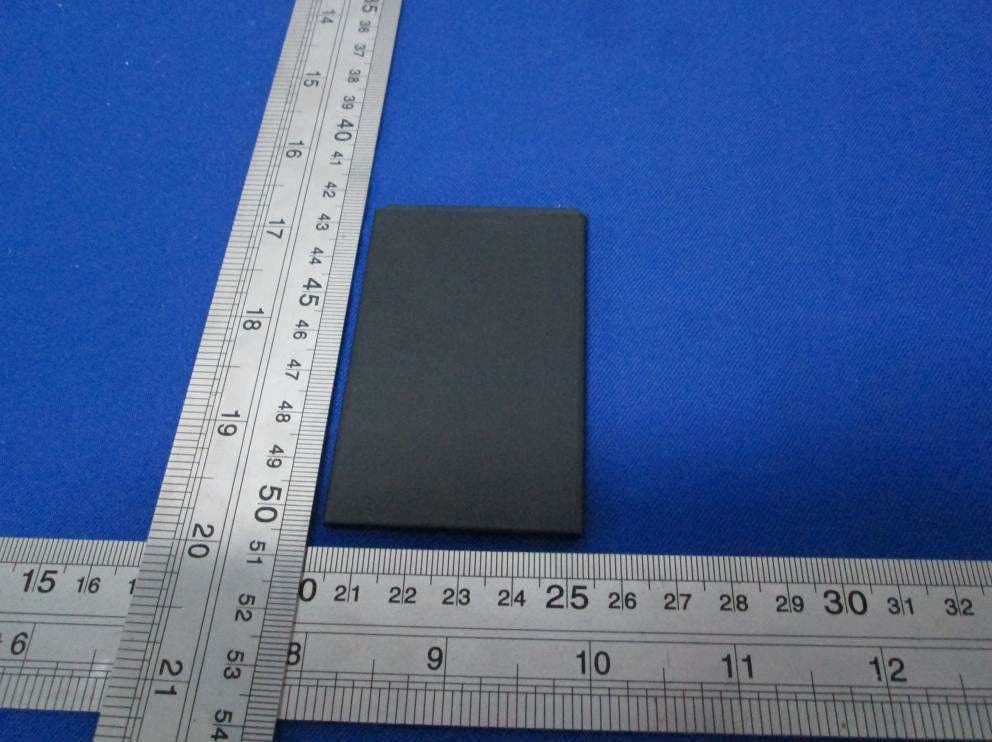
ZC4X500B
Sep 29, 2015Smartphone
Equipment Class
PCE - PCS Licensed Transmitter held to ear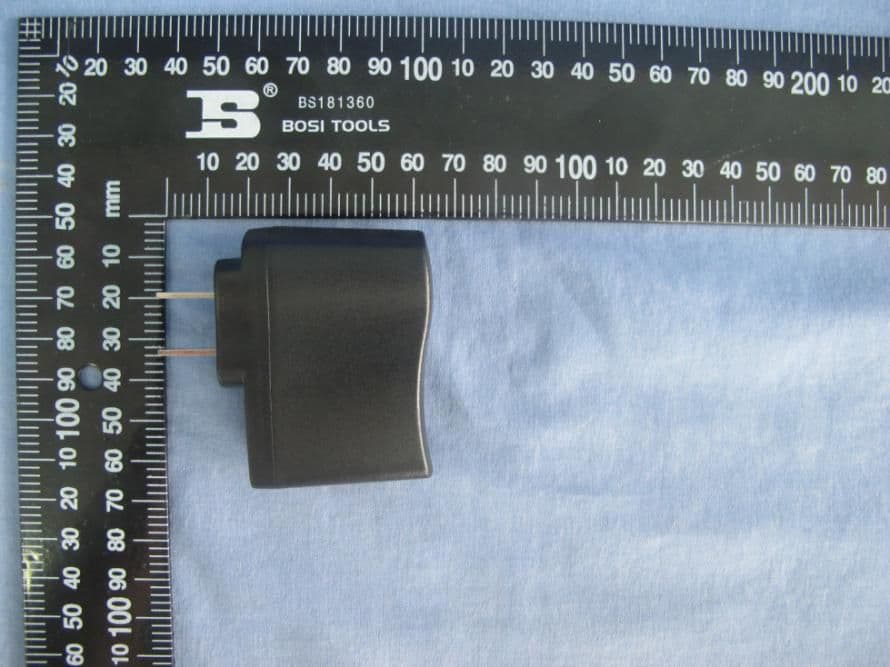
ZC4U100
Jul 25, 2015U100 Mobile Phone
Equipment Class
PCE - PCS Licensed Transmitter held to ear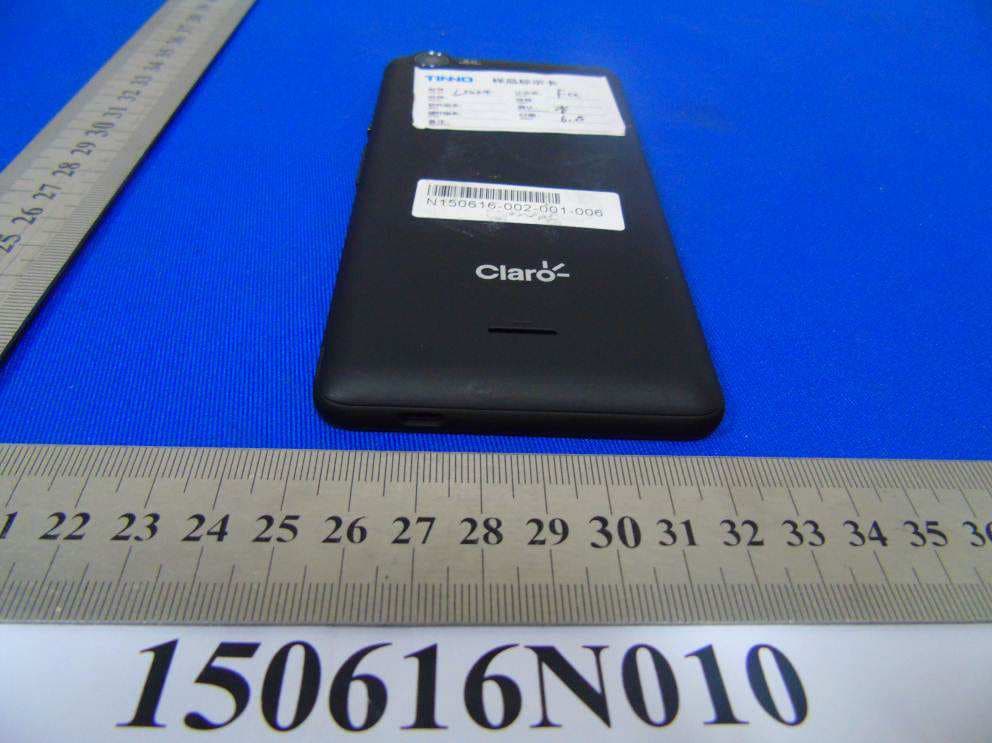
ZC4LT500
Jul 20, 2015Smartphone
Equipment Class
DSS - Part 15 Spread Spectrum Transmitter
ZC4L950
Jul 15, 2015Smartphone
Equipment Class
JBP - Part 15 Class B Computing Device Peripheral