ZCASMA025VMulti-band GSM/WCDMA/LTE phone with Bluetooth, WLAN
SAMSUNG Electronics Co., Ltd.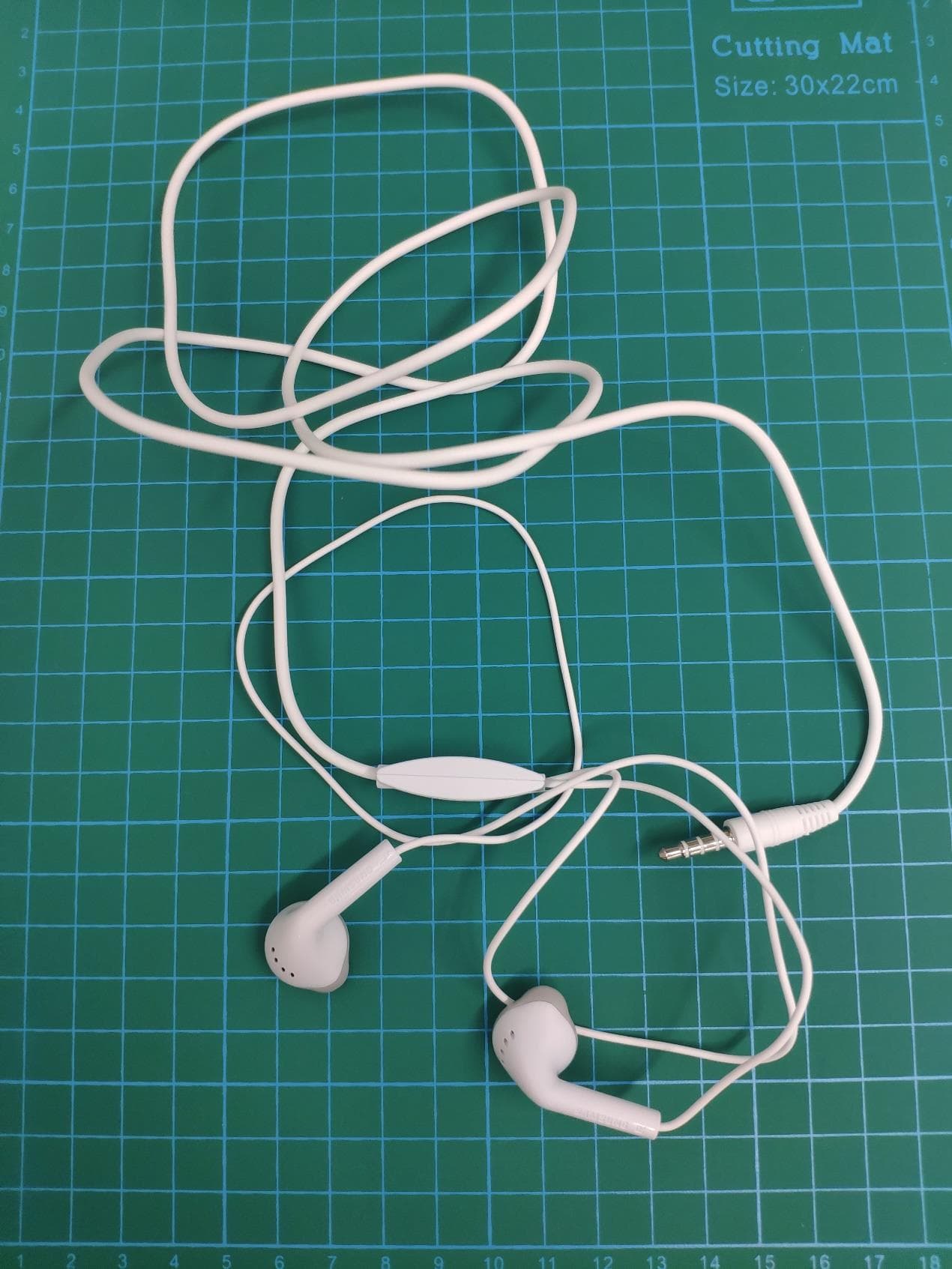
Click to zoom
Application Details
- Equipment Class
- DSS - Part 15 Spread Spectrum Transmitter
- Date of Grant
- Feb 22, 2021
- Application Purpose
- Original Equipment
- Date of Application
- Feb 21, 2021
- Equipment Note
- Multi-band GSM/WCDMA/LTE phone with Bluetooth, WLAN
- Frequency Range
- 2402.00000000 - 2480.00000000
- Country
- United States
Documents & Files
Document Text
Text extracted from the exhibit documents filed with the FCC. Open a document above to read the original.
Users Manual
Package contents • Device • USB cable • Quick start guide • Ejection pin • USB power adapt or The items supplied with the devic e and their images may vary by region. Device layout To turn on the devic e, press and hold the Side key for a few seconds. Multipurpose jack (USB T ype-C) Fr on t camera SIM card / Memory card tray Side key Volume key Rear camera The charger should r emain close to the electric socket and easily accessible while charging. Installing a nano-SIM card • Nano-SIM cards ar e sold separately. • Support for single SIM ► Single SIM models: 231 Nano-SIM card Safety information Read all safet y information before using the device to ensure safe and proper use. You can view more safety information in the safety information menu of the Settings app. Warning F ollo w the w arnings below to prevent incidents, such as fires or explosions, injuries, or damage to the device • Do not expose the devic e to physical impact or damage. • Use only Samsung-appr oved batteries, chargers, and cables specifically designed for your device. • Pr ev ent the multipurpose jack and battery terminals from coming into contact with foreign materials such as metal, liquids, or dust. • If any par t of the device, such as the glass or acrylic body, is broken, smokes, or emits a burning odor, stop using the device immediately. Use the device again only after it has been repaired at a Samsung Service Center. • Do not turn on or use the devic e when the battery compartment is exposed. • Do not disassemble or reuse the ba ttery. • Do not allow childr en or animals to chew or suck the device. • The device can be used in loca tions with an ambient temperature of 0 °C to 35 °C. You can store the device at an ambient temperature of -20 °C to 50 °C. Using or storing the device outside of the recommended temperature ranges may damage the device or reduce the battery’s lifespan. • Do not use your devic e in a hot environment or near fire. • Comply with all safet y warnings and regulations regarding mobile device usage while operating a vehicle. You can download and install the fir mware update to upgrade your device’s software with the firmware over-the-air (FOTA) service. To check for the firmware update, launch the Settings app and tap Software update → Download and install. Specific Absorption Rate (SAR) certification information Your device c onforms to U.S. Federal Communications Commission (FCC) standards that limit human exposure to radio frequency (RF) energy emitted by radio and telecommunications equipment. These standards prevent the sale of mobile devices that exceed a maximum exposure level (known as the Specific Absorption Rate, or SAR) of 1.6 W/kg. In normal use, the actual SAR is likely to be much lower, as the device has been designed to emit only the RF energy necessary to transmit a signal to the nearest base station. By automatically emitting lower levels when possible, your device reduces your overall exposure to RF energy. This device complies with part 15 of the FCC Rules. Operation is subject to the following two conditions: (1) This device may not cause harmful interference, and (2) this device must accept any interference received, including interference that may cause undesired operation. The FCC has granted an Equipment Authorization for this model device based on the compliance of all reported SAR levels with the FCC RF exposure guidelines. Some devices are required to receive approval from the FCC. If your device required FCC approval, you can view the FCC certification by opening Settings → About phone → S ta tus . SAR information for this and other devices can be found on the FCC website at: www .fcc.gov/oet/ea/ . Follow the instruc tions on the website to use the FCC ID to find SAR values for the device. SAR information for this device can also be found on Samsung’s website: www .samsung.com/sar . Some con tent may differ from your device depending on the region, service provider, or software version, and is subject to change without prior notice. Copyright © 2020 Samsung Electronics Co., Ltd. If your devic e is frozen and unresponsive, press and hold the Side key and the Volume Down key simultaneously for more than 7 seconds to restart it. T he ac tual a vailable capacity of the internal memory is less than the specified capacity because the operating system and default apps occupy part of the memory. The available capacity may change when you upgrade the device. It is recommended not to use fixed graphics on part or all of the touchscreen for extended periods. Doing so may result in afterimages (screen burn-in) or ghosting. To prevent possible hearing damage when using a headset, do not listen to sound at high volume for long periods. QUICK S TART GUIDE SM-A025V Visit www.samsung.com to view device information, the user manual, and more. You may incur additional charges for accessing the Internet. Printed in Korea JM20-A025-B001 Rev.1.0 English (LTN). 10/2020 Note: This equipment has been tested and found to comply with the limits for a Class B digital device, pursuant to Part 15 of the FCC Rules. These limits are designed to provide reasonable protection against harmful interference in a residential installation. This equipment generates, uses and can radiate radio frequency energy and, if not installed and used in accordance with the instructions, may cause harmful interference to radio communications. However, there is no guarantee that interference will not occur in a particular installation. If this equipment does cause harmful interference to radio or television reception, which can be determined by turning the equipment off and on, the user is encouraged to try to correct the interference by one or more of the following measures: •Reorient or relocate the receiving antenna. •Increase the separation between the equipment and receiver. •Connect the equipment into an outlet on a circuit different from that to which the receiver is connected. •Consult the dealer or an expe…
Text truncated - open the document above for the full version.
Users Manual
Terms and Conditions Important legal information Arbitration Agreement - This Product is subject to a binding arbitration agreement between you and SAMSUNG ELECTRONICS AMERICA, INC. (“Samsung”). You can opt out of the agreement within 30 calendar days of the first consumer purchase by emailing [email protected] or calling 1-800-SAMSUNG (726-7864) and providing the applicable information. The full Arbitration Agreement, Standard One-year Limited Warranty, End User License Agreement (EULA), and Health & Safety Information for your device are available online: • English: www.samsung.com/us/Legal/Phone-HSGuide • Spanish: www.samsung.com/us/Legal/Phone-HSGuide-SP This information can also be found on the device in the “About device” or “About phone” or “About tablet” section, for example: • Settings > About phone or About device or About tablet > Legal information > Samsung legal • Or,Search “Legal” If your device required Federal Communications Commission (FCC) approval, you can view the FCC certification by opening Settings > About phone or About device or About tablet> Status. Read this document before operating the mobile device, accessories, or software (defined collectively and individually as the “Product”) and keep it for future reference. This document con- tains important Terms and Conditions. Electronic acceptance, opening the packaging, use, or reten- tion of the Product constitutes acceptance of these Terms and Conditions. Revised 06/2019 Health and Safety WARNING! To avoid electric shock and damage to your device, do not charge device while it is wet or in an area where it could get wet. Do not handle device, charger or cords with wet hands while charging. Samsung Knox Samsung Knox is Samsung’s security platform. Additional licensing fees may be required for enterprise use. For more information about Knox, please refer to: www.samsung.com/us/knox Specific Absorption Rate (SAR) certification information For information about SAR, visit : • https://www.fcc.gov/general/radio-frequency-safety-0 • www.fcc.gov/encyclopedia/ specific-absorption-rate-sar-cellular-telephones • www.samsung.com/sar Samsung mobile products and recycling WARNING! Never dispose of batteries in a fire because they may explode. Do not disassemble, crush, puncture, heat, burn or reuse. For battery and cell phone recycling, go to call2recycle.org or call 1-800-822-8837. For more recycling information, go to our website: www.samsung.com/recycling or call 1-800-SAMSUNG. Your location Location-based information on that can be used to determine the approximate location of a mobile device. If you use applications that require location-based information (e.g., driving directions), such information may be shared with third-parties, including your wireless service provider, applications providers, Samsung, and other third-parties providing services. FCC Hearing Aid Compatibility (HAC) regulations for wireless devices M3 + M2 = M5 T3 + T2 = 5 The FCC established requirements for devices to be compatible with hearing aids and other hearing devices. For more information, visit https://www.fcc.gov/consumers/guides/hearing-aid-compatibility- wireline-and-wireless-telephones Device temperature Caution! Some applications or prolonged usage may increase device temperature. If the device feels hot to the touch, discontinue use and close all applications or turn off the device until it cools. Always ensure that the device has adequate ventilation and air flow. Covering the device can trap any dissipating heat and redirect it back to the device while it is active. Samsung Electronics America, Inc. 85 Challenger Road Ridgefield Park, NJ 07660 Phone: 1-800-SAMSUNG (726-7864) Internet: www.samsung.com ©2019 Samsung Electronics America, Inc. Samsung is a registered trademark of Samsung Electronics Co., Ltd. Navigation Maps, directions, and other navigation data, including data relating to your current location, may contain inaccurate or incomplete data. Therefore, you should always pay attention to road conditions, closures, traffic, and all other factors that may impact safe driving or walking. FCC Part 15 Information and Notices This device complies with part 15 of the FCC Rules. Operation is subject to conditions: (1) This device may not cause harmful interference, and (2) this device must accept any interference received, including interference that may cause undesired operation. GPS & AGPS Certain Samsung Mobile Devices can use a Global Positioning System (GPS) signal for location-based applications. Changes may affect the performance of location-based technology on your mobile device. Certain Samsung Mobile Devices can also use an Assisted Global Positioning System (AGPS), which obtains information from the cellular network to improve GPS performance. Contact your wireless service provider for details. Use of AGPS in emergency calls When you make an emergency call, the cellular network may activate AGPS technology in your mobile device to tell the emergency responders your approximate location. AGPS has limitations and might not work in your area. Commercial Mobile Alerting System (CMAS) This device is designed to receive Wireless Emergency Alerts from CMAS. Check with your carrier for CMAS participation and coverage. Emergency calls Emergency calls may not be possible on all wireless mobile device networks or when certain network services and/or mobile device features are in use. Check with local service providers. If certain features are in use (e.g. call blocking) you may first need to deactivate those features before you can make an emergency call. CST_A705U.indd All Pages10/14/2019 4:00:48 PM
Users Manual
www.samsung.com USER MANUAL SM-A025V English. 09/2020 Rev.1.0 2 Table of Contents Basics 4 Read me first 6 D evice overheating situations and solutions 9 Device layout and functions 13 Battery 15 SIM or USIM card (nano-SIM card) 18 M emory card (microSD card) 20 Turning the device on and off 21 Initial setup 22 S amsung account 23 T ransferring data from your previous device (Smart Switch) 25 Understanding the screen 37 Notification panel 39 Entering text Apps and features 41 Installing or uninstalling apps 43 Finder 43 Phone 48 Contacts 52 Messages 55 Internet 57 Email 58 Camera 65 Gallery 70 Multi window 73 S amsung Members 73 Samsung Notes 74 Calendar 75 Radio 77 Voice Recorder 78 My Files 78 Clock 80 Calculator 80 Shar ing content 81 Google apps Table of Contents 3 108 Device care 109 Optimising your device 109 Battery 110 Storage 110 Memory 110 Security 111 Apps 111 G eneral management 112 Accessibility 113 Software update 113 User manual 114 A bout phone Appendix 115 Troubleshooting Settings 83 Introduction 83 Connections 84 Wi-Fi 86 Bluetooth 87 Data saver 88 M obile data only apps 88 SIM card manager (dual SIM models) 89 Mobile Hotspot and Tethering 90 More connection settings 91 S ounds and vibration 92 D olby Atmos (surround sound) 92 Notifications 93 Display 94 Dar k mode 94 Screensaver 95 Wallpapers 95 Themes 95 Lock screen 96 Smart Lock 97 Biometr ics and security 97 F ace recognition 100 Privacy 100 Location 101 A ccounts and backup 102 S amsung Cloud 103 Google 104 Advanced features 105 M otions and gestures 105 D ual Messenger 106 Digital wellbeing and parental controls 107 Dig ital wellbeing 4 Basics Read me first Please read this manual before using the device to ensure safe and proper use. • Descriptions are based on the device’s default settings. • Some content may differ from your device depending on the region, service provider, model specifications, or device’s software. • Content (high quality content) that requires high CPU and RAM usage will affect the overall performance of the device. Apps related to the content may not work properly depending on the device’s specifications and the environment that it is used in. • Samsung is not liable for performance issues caused by apps supplied by providers other than Samsung. • Samsung is not liable for performance issues or incompatibilities caused by edited registry settings or modified operating system software. Attempting to customise the operating system may cause the device or apps to work improperly. • Software, sound sources, wallpapers, images, and other media provided with this device are licensed for limited use. Extracting and using these materials for commercial or other purposes is an infringement of copyright laws. Users are entirely responsible for illegal use of media. • You may incur additional charges for data services, such as messaging, uploading and downloading, auto-syncing, or using location services depending on your data plan. For large data transfers, it is recommended to use the Wi-Fi feature. • Default apps that come with the device are subject to updates and may no longer be supported without prior notice. If you have questions about an app provided with the device, contact a Samsung Service Centre. For user-installed apps, contact service providers. • Modifying the device’s operating system or installing softwares from unofficial sources may result in device malfunctions and data corruption or loss. These actions are violations of your Samsung licence agreement and will void your warranty. Basics 5 • Depending on the region or service provider, a screen protector is attached for protection during production and distribution. Damage to the attached screen protector is not covered by the warranty. • You can see the touchscreen clearly even in strong outdoor sunlight by automatically adjusting the contrast range based on the surrounding environment. Due to the nature of the product, displaying fixed graphics for extended periods may result in afterimages (screen burn-in) or ghosting. – It is recommended not to use fixed graphics on part or all of the touchscreen for extended periods and turn off the touchscreen when not using the device. – You can set the touchscreen to turn off automatically when you are not using it. Launch the Settings app, tap Display → Screen timeout, and then select the length of time you want the device to wait before turning off the touchscreen. – To set the touchscreen to automatically adjust its brightness based on the surrounding environment, launch the Settings app, tap Display, and then tap the Adaptive brightness switch to activate it. • Depending on the region or model, some devices are required to receive approval from the Federal Communications Commission (FCC). If your device is approved by the FCC, you can view the FCC ID of the device. To view the FCC ID, launch the Settings app and tap About phone → Status. If your device does not have an FCC ID, it means that the device has not been authorised for sale in the U.S. or its territories and may only be brought to the U.S. for the owner’s personal use. • Depending on the region, you can view the regulatory information on the device. To view the information, launch the Settings app and tap About phone → Regulatory information . Instructional icons Warning: situations that could cause injury to yourself or others Caution: situations that could cause damage to your device or other equipment Notice: notes, usage tips, or additional information Basics 6 Device overheating situations and solutions When the device heats up while charging the battery While charging, the device and the charger may become hot. During wireless charging or fast charging, the device may feel hotter to the touch. This does not affect the device’s lifespan or performance and is in the device’s normal range of operation. If the battery becomes too hot, the charger may stop charging. Do the following when the device heats up: • Disconnect the …
Text truncated - open the document above for the full version.
Cover Letter(s)
Samsung Electronics Co., Ltd. 19 Chapin Rd.,Building D Pine Brook, NJ 07058 Tel: +1-201-937-4203 Authority to Act as Agent Date: __0202,2021_____ American Certification Body, Inc. 6731 Whittier Avenue Suite C110 McLean, VA 22101 To Whom It May Concern: __ ____(CTTL,Telecommunication Technology Labs,CAICT)_ _____ is authorized to act on our behalf, until otherwise notified, for applications to American Certification Body, Inc. (ACB). We certify that we are not subject to denial of federal benefits, that includes FCC benefits, pursuant to Section 5301 of the Anti-Drug Abuse Act of 1988, 21 U.S.C. 862. Further, no party, as defined in 47 CFR 1.2002 (b) , to the application is subject t o denial of federal benefits, that includes FCC benefits. Thank you, Agency Agreement Expiration Date: _____12 months_____ By: ____________ _____Jenni Chun_________ (Signature 1 ) (Print name) Title: ______Ge neral Manager________ On behalf of: __Samsung Electronics Co., Ltd. ___ (Comp any Name) Telephone: ___973 -808-6375____ 022818 – 11 1 - Must be signed by applicant contact given for applicant on the FCC site, or by the authorized agent if an appropriate authorized agent letter has been provided. Letters should be placed on appropriate letterhead. Samsung Electronics Co., Ltd. 19 Chapin Rd.,Building D Pine Brook, NJ 07058 Tel: +1-201-937-4203 Request for Confidentiality Date: _0202,2021__ Subject: Confidentiality Request for: ____ZCASMA025V____ Pursuant to FCC 47 CFR 0.457(d) and 0.459 and IC RSP-100, Section 9.4, the applicant requests that a part of the subject FCC application be held confidential. Type of Confidentiality Requested Exhibit ☐Short Term☒Permanent Block Diagrams ☒Short Term External Photos ☒Short Term☐Permanent * 2 Internal Photos ☐Short Term☒Permanent Operation Description/Theory of Operation ☐Short Term☒Permanent Parts List & Placement/BOM ☐Short Term☒Permanent Tune-Up Procedure ☐Short Term☒Permanent Schematics ☒Short Term Test Setup Photos ☒Short Term☐Permanent * 3 User’s Manual _____SAMSUNG Electronics______ has spent substantial effort in developing this product and it is one of the first of its kind in industry. Having the subject information easily available to "competition" would negate the advantage they have achieved by developing this product. Not protecting the details of the design will result in financial hardship. Permanent Confidentiality: The applicant requests the exhibits listed above as permanently confidential be permanently withheld from public review due to materials that contain trade secrets and proprietary information not customarily released to the public. Short-Term Confidentiality: The applicant requests the exhibits selected above as short term confidential be withheld from public view for a period of __180___ days from the date of the Grant of Equipment Authorization and prior to marketing. This is to avoid premature release of sensitive information prior to marketing or release of the product to the public. Applicant is also aware that they are responsible to notify ACB in the event information regarding the product or the product is made available to the public before the requested period has expired. ACB will then release the The asterisked items (*) require further information to be provided to ACB before permanent confidentiality will be extended to these exhibits. Please refer to FCC KDB 726920 and the specific Document link for D01 found at: https://apps.fcc.gov/oetcf/kdb/forms/FTSSearchResultPage.cfm?switch=P&id=41731 and review section II, 3) regarding specific information that must accompany these requests. documents listed above for public disclosure pursuant to FCC Public Notice DA 04-1705. NOTE for Industry Canada Applications: regarding specific information that must accompany these requests. 022818 – 11 Samsung Electronics Co., Ltd. 19 Chapin Rd.,Building D Pine Brook, NJ 07058 Tel: +1-201-937-4203 IC currently only distinguishes Permanent Confidentiality exhibits as shown above. Short Term confidentiality is not considered applicable to IC applications. Sincerely, By: ______ /General Manager______ ___Jenni Chun____ (Signature/Title 3 ) (Print name) 3 - Must be signed by applicant contact given for applicant on the FCC site, or by the authorized agent if an appropriate authorized agent letter has been provided. Letters should be placed on appropriate letterhead. 022818 – 11
Cover Letter(s)
Company letterhead Declaration of pre-install of OTT voice service We, [Samsung Electronics. Co., Ltd.], as the manufacturer of FCC ID: ZCASMA025V(Model: SM-A025V), declares that this model supports Wi-Fi Calling and only pre-installs Google DUO of OTT service with Android OS,and doesn’t support any other OTT services. We tested DUO using the software from Google according to KDB 285076 D02v03 Guidance for performing T-Coil tests for air interfaces supporting VOIP to support CMRS based telephone services. APPROVED BY: Projects Manager: JP KIM Signature: Company letterhead Company name: Samsung Electronics. Co., Ltd. Date: 2021-02-21
Cover Letter(s)
Date: Feb. 23, 21 To: Federal Communications Commission Authorization and Evaluation Division 7435 Oakland Mills Road Columbia, MD 21046 Subject: Request permission to use Wi-Fi/BT/USB/GSM/WCDMA/LTE parital test results from model SM-A025U in our applications for model SM-A025V. FCC ID: ZCASMA025V To whom it may concern: We request permission to use Wi-Fi/BT/USB/GSM/WCDMA/LTE (partial bands) test results from model SM- A025U (FCC ID: ZCASMA025U) in our applications for model SM- A025V (FCC ID: ZCASMA025V). The detail information of changes are as below. ➢ Band changes: - CMDA BC0/ BC1/ BC10 have been removed. - LTE FDD Band 7 Band 25 band 26 band66 band71 have been removed. - LTE TDD band41 have been removed. SM-A025V:GSM 850/900/1800/1900 &. UMTS B1/B2/B4/B5/B8 &. LTE B2/B4/B5/ B12/B13 SM-A025U:GSM 850/900/1800/1900 &. UMTS B1/B2/B4/B5 &. LTE B2/ B4/ B5/ B7/ B12/ B13/ B25/ B26/ B41/ B66/ B71 &. CDMA BC0/BC1/BC10 ➢ PCB Layout changes: No changes ➢ Main components changes: No changes ➢ SW changes: -The difference of the name of SW versions by software. - Adding or removing some frequency bands by software control. 1) CMDA BC0/ BC1/ BC10 have been removed. 2) LTE FDD Band 7 Band 25 band 26 band66 band71 have been removed. 3) LTE TDD band41 have been removed. ➢ Other changes detailed: - No changes -For the above, we performed the test which is as below for the required bands of all. The rest test results all come from the initial model SM-A025U. The detail information of Retest: Retest or not 1、SAR Full test 2、part 15C BT/BLE/WIFI (2.4g/ 5g/5.8G) Partial test WIFI power was spot checked on the worse cases. BT power test. 4、Part 22/24/27/90 Partial test LTE B2/4/5 is full tested. Radiated power and RSE are spot checked on GSM1900, WCDMA B4 and LTE B12/13. 5、HAC、T-coil Full test 6、DFS Full test Sincerely yours, Yin Feng
Cover Letter(s)
PRODUCT EQUALITY DECLARATION We, Samsung Electronics Co., Ltd., declare that the “SM-A115F/DSN” is the parent product of the “SM- A025V And declare on our sole responsibility that the product (variant) SM- A025V HW version : REV1.0 SW version : A025V.001 And declare on our sole responsibility that the product (variant) SM- A025U HW version : REV1.0 SW version : A025U.001 is in all relevant parts identical to the product SM- A025F/DS HW version : REV1.0 SW version : A025F.001 is in all relevant parts identical to the product SM-A115F/DSN HW version : REV1.0 SW version : A115F.001 The only difference between the SM-A025F/DS and the SM-A115F/DSN is: 1. H/W - PCB circuit change。Main RF component changes: There are differences in related peripheral devices in frequency band increase and decrease. - UTRA Band II have been removed. - LTE FDD B2 have been removed. - NFC have been removed. 2. S/W - Not change The only difference between the SM-A025U and the SM-A025F/DS is: 1. H/W - PCB circuit change。Main RF component changes: There are differences in related peripheral devices in frequency band increase and decrease. - UTRA Band II Band VI have been added.. - CMDA BC0/ BC1/ BC10 have been added. - LTE FDD B1 B3 B8 B20 B28 have been removed. - LTE FDD B2 B4 B12 B13 B25 B26 B66 B71 have been added. - LTE TDD B38 B40 have been removed. 2. S/W - Not change The only difference between the SM-A025V and the SM-A025U is: 1. H/W - No change 2. S/W - The difference of the name of SW versions by software. - Adding or removing some frequency bands by software control. 1) CMDA BC0/ BC1/ BC10 have been removed. 2) LTE FDD Band 7 Band 25 band 26 band66 band71 have been removed. 3) LTE TDD band41 have been removed. Author Information Signature Name Shreya Matta Place of Duty SRI-N Protocol Certification Part Tel +91-9015-662-883 E-mail [email protected]
External Photos
Sample01 Sample02 Sample03 Sample04 Sample05 Sample06 Single SIM tray: HS01: WATA(EHS61ASFWE) HS02: DONGGUAN YOUNGBO(EHS61ASFWE) Data Cable1:Samsung Electronics Co., Ltd. (EP-DR140AWE) CH01: R.F.Tech (EP-TA50JWE) CH02: HEAM (EP-TA50JWE) CH03: R.F.Tech (EP-TA200) CH04: HAEM (EP-TA200) CH05: Solu-M (EP-TA200)
Internal Photos
PCB01 PCB02 PCB03 PCB04 PCB05 PCB06 PCB07 Battery:
Test Report
©Copyright. All rights reserved by CTTL. FCC PART 15C TEST REPORT No. I20Z70402-IOT01 for Samsung Electronics Co., Ltd. Smart Phone Model Name: SM-A025V FCC ID: ZCASMA025V with Hardware Version: REV1.0 Software Version: A025V.001 Issued Date: 2021-2-4 Note: The test results in this test report relate only to the devices specified in this report.This report shall not be reproduced except in full without the written approval of CTTL. The report must not be used by the client to claim product certification, approval, or endorsement by NVLAP, NIST, or any agency of the U.S.Government. Test Laboratory: CTTL, Telecommunication Technology Labs, CAICT No.52, HuayuanNorth Road, Haidian District, Beijing, P. R. China 100191. Tel:+86(0)10-62304633-2512,Fax:+86(0)10-62304633-2504 Email:[email protected], website: www.chinattl.com No. I20Z70402-IOT01 ©Copyright. All rights reserved by CTTL. Page 2 of 95. REPORT HISTORY Report Number Revision Description Issue Date I20Z70402-IOT01 Rev.0 1st edition 2021-2-4 No. I20Z70402-IOT01 ©Copyright. All rights reserved by CTTL. Page 3 of 95. CONTENTS 1. TEST LABORATORY ......................................................................................................................... 5 1.1. INTRODUCTION &ACCREDITATION .................................................................................................. 5 1.2. TESTING LOCATION ......................................................................................................................... 5 1.3. TESTING ENVIRONMENT .................................................................................................................. 6 1.4. PROJECT DATA ................................................................................................................................. 6 1.5. SIGNATURE ...................................................................................................................................... 6 2. CLIENT INFORMATION ................................................................................................................... 7 2.1. APPLICANT INFORMATION ............................................................................................................... 7 2.2. MANUFACTURER INFORMATION ...................................................................................................... 7 3. EQUIPMENT UNDER TEST (EUT) AND ANCILLARY EQUIPMENT (AE) ............................. 8 3.1. ABOUT EUT .................................................................................................................................... 8 3.2. INTERNAL IDENTIFICATION OF EUT ................................................................................................ 8 3.3. INTERNAL IDENTIFICATION OF AE ................................................................................................... 8 3.4. NORMAL ACCESSORY SETTING ........................................................................................................ 9 3.5. GENERAL DESCRIPTION ................................................................................................................... 9 4. REFERENCE DOCUMENTS .......................…
Text truncated - open the document above for the full version.
Contact Information
Applicant
Jenni Chun(Senior Engineer)
Technical Contact
CTTLFeng Yin
[email protected]86-62304633
No. 52, Huayuan Bei Road, Haidian District, · Beijing · China
Test Firm
Telecommunication Technology Labs, CAICTYaqin Shen
Technical Specifications
| # | Rule Parts | Frequency Range | Power Output |
|---|---|---|---|
| 1 | 15C | 2.40 GHz - 2.48 GHz | 7.70 mW |
Other Applications from SAMSUNG Electronics Co., Ltd.
ZCASMR391
Aug 04, 2026Wearable Device
Equipment Class
JBP - Part 15 Class B Computing Device PeripheralZCASMA085M
Jul 10, 2026Multi-band GSM/WCDMA/LTE Mobile Phone with Bluetooth, WLAN
Equipment Class
JBP - Part 15 Class B Computing Device PeripheralZCASMA076M
Nov 26, 2025Multi-band GSM/WCDMA/LTE/5GNR Mobile Phone with Bluetooth,WLAN
Equipment Class
JBP - Part 15 Class B Computing Device PeripheralZCASMA065M
Jul 03, 2024Multi-band GSM/WCDMA/LTE Mobile Phone with Bluetooth,WLAN
Equipment Class
CXX - Communications Rcvr for use w/ licensed Tx and CBsZCASMA065F
Jun 30, 2024Multi-band GSM/WCDMA/LTE Phone with Bluetooth,WLAN
Equipment Class
DSS - Part 15 Spread Spectrum Transmitter