ZCASMA055MMulti-band GSM/WCDMA/LTE Phone with Bluetooth,WLAN
SAMSUNG Electronics Co., Ltd.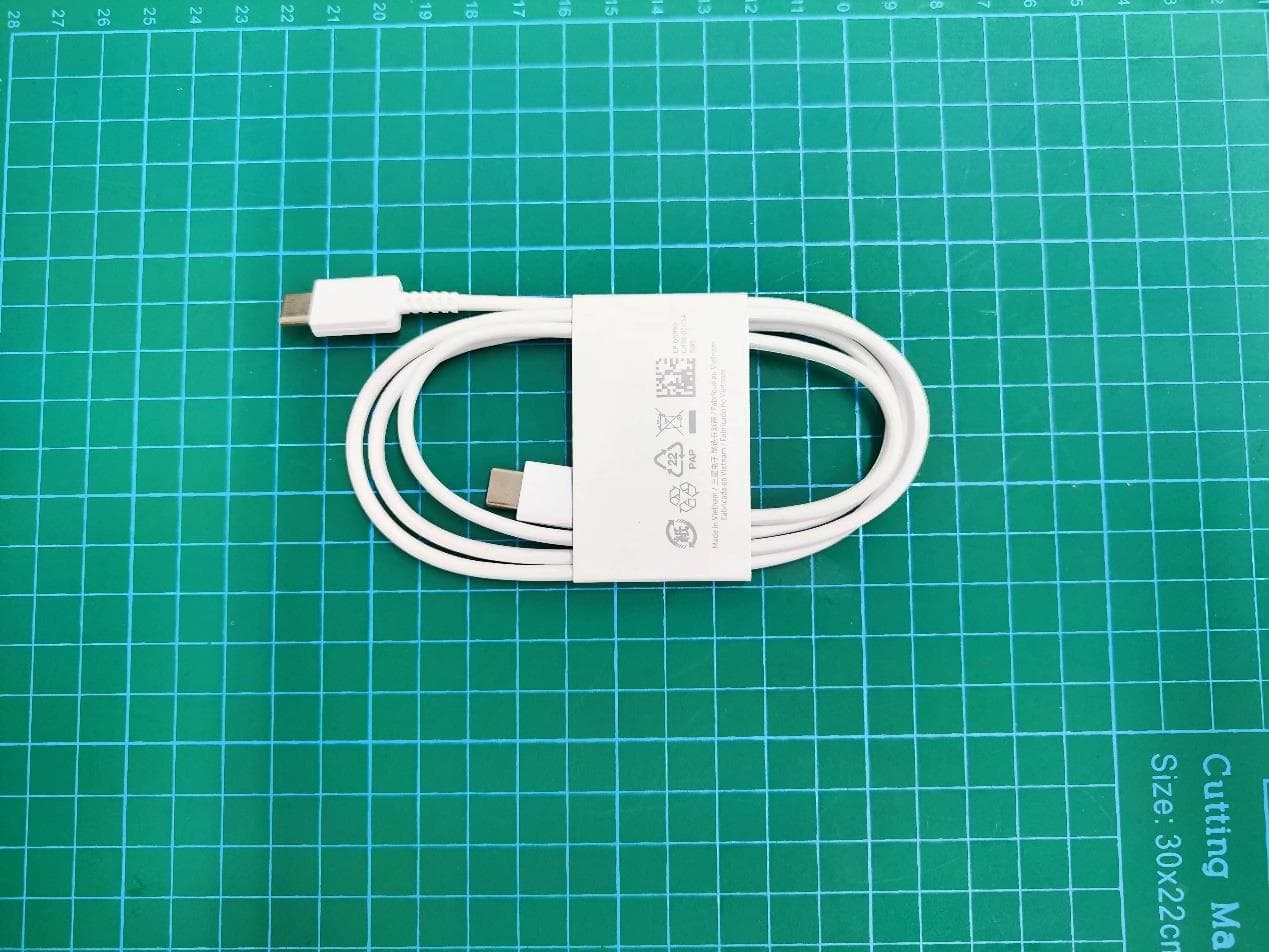
Click to zoom
Application Details
- Equipment Class
- JBP - Part 15 Class B Computing Device Peripheral
- Date of Grant
- Aug 03, 2023
- Application Purpose
- Original Equipment
- Date of Application
- Jul 30, 2023
- Equipment Note
- Multi-band GSM/WCDMA/LTE Phone with Bluetooth,WLAN
- Country
- United States
Documents & Files
Document Text
Text extracted from the exhibit documents filed with the FCC. Open a document above to read the original.
Users Manual
www.samsung.com USER MANUAL SM-A055M SM-A055M/DS English. 07/2022. Rev.1.0 2 Table of Contents Getting started 4 Device layout and functions 7 Charg ing the battery 10 SIM or USIM card (nano-SIM card) 12 Memory card (microSD card) 14 Tur ning the device on and off 15 Initial setup 15 Samsung account 16 Transferring data from your previous device (Smart Switch) 18 Understanding the screen 26 Notification panel 28 Entering text Apps and features 30 Installing or uninstalling apps 31 Phone 34 Contacts 36 Messages 37 Internet 38 C amera 47 Gallery 51 Multi window 53 Samsung Health 54 Samsung Not es 54 Samsung Members 55 Samsung K ids 55 Samsung Global Goals 56 Galaxy Shop 56 Calendar 57 Reminder 58 Radio 59 Voice Recorder 59 My Files 59 Clock 59 Calculator 60 SmartThings 60 Sharing content 62 Google apps Table of Contents 3 83 Battery and device care 83 Optimising your device 84 Ba ttery 84 Storage 85 Memory 85 Devic e protection 85 Software update 85 Diag nostics 85 Ultra da ta saving 86 Apps 86 General management 87 A ccessibility 88 Software update 88 Remot e support 89 About phone Usage notices 90 Precautions for using the device 92 Notes on package contents and accessories 93 Device overheating situations and solutions Appendix 96 Troubleshooting Settings 63 Introduction 63 Samsung account 63 C onnections 65 Wi-Fi 66 Bluetooth 67 Data sa ver 68 Mobile data only apps 68 Mobile Hotspot 69 Mor e connection settings 70 Sounds and vibration 70 Sound quality and effects 71 Separ ate app sound 71 Notifica tions 72 Displa y 73 Wallpaper and st yle 73 T hemes 73 Home screen 74 Lock screen 75 Smart L ock 75 Biometrics and secur ity 76 Face recognition 78 P rivacy 78 L ocation 79 Saf ety and emergency 79 Ac counts and backup 80 Samsung Cloud 81 G oogle 81 Adv anced features 82 Motions and gestur es 82 Dual M essenger 83 Digital Wellbeing and parental controls 4 Getting started Device layout and functions Speaker Side key Volume key Touchscreen Front camera Multipurpose jack (USB Type-C) Earphone jack SIM card / Memory card tray Getting started 5 Rear camera Flash Microphone Main antenna Speaker Microphone GPS antenna • When using the speakers, such as when playing media files or using speakerphone, do not place the device close to your ears. • Be careful not to expose the camera lens to a strong light source, such as direct sunlight. If the camera lens is exposed to a strong light source, such as direct sunlight, the camera image sensor may be damaged. A damaged image sensor is irreparable and will cause dots or spots in pictures. • If you use the device with its glass or acrylic body broken, there may be a risk of injury. Use the device only after it has been repaired at a Samsung Service Centre. • If dust or foreign materials enter the microphone, speaker, or receiver, the device’s sound may become quiet or certain features may not work. If you attempt to remove the dust or foreign materials with a sharp object, the device may be damaged and its appearance may be affected. Getting started 6 • Connectivity problems and battery drain may occur in the following situations: – If you attach metallic stickers on the antenna area of the device – If you attach a device cover made with metallic material to the device – If you cover the device’s antenna area with your hands or other objects while using certain features, such as calls or the mobile data connection • Do not allow water to contact the touchscreen. The touchscreen may malfunction in humid conditions or when exposed to water. Hard keys KeyFunction Side key • Press and hold to turn the device on or off. • Press to turn on or lock the screen. • Press twice to launch the app or feature you set. Side key + Volume Down key • Press simultaneously to capture a screenshot. • Press and hold simultaneously to turn off the device. Setting the Side key Select an app or feature to launch by pressing the Side key twice. Launch the Settings app, tap Advanced features → Side key, and then select an option you want. Getting started 7 Soft buttons Back button Home button Recents button When you turn on the screen, the soft buttons will appear at the bottom of the screen. Refer to Navigation bar (soft buttons) for more information. Charging the battery Charge the battery before using it for the first time or when it has been unused for extended periods. Wired charging Connect the USB cable to the USB power adaptor and plug the cable into the device’s multipurpose jack to charge the battery. After fully charging, disconnect the charger from the device. Getting started 8 Quick charging Launch the Settings app, tap Battery and device care → Battery → More battery settings, and then activate the feature you want. • Fast charging: To use the fast charging feature, use a battery charger that supports Adaptive fast charging. You can charge the battery more quickly while the device or its screen is turned off. Reducing the battery consumption Your device provides various options that help you conserve battery power. • Optimise the device using the device care feature. • When you are not using the device, turn off the screen by pressing the Side key. • Activate power saving mode. • Close unnecessary apps. • Deactivate the Bluetooth feature when not in use. • Deactivate auto-syncing of apps that need to be synced. • Decrease the backlight time. • Decrease the screen brightness. Getting started 9 Battery charging tips and precautions Use only Samsung-approved battery, charger, and cable specifically designed for your device. Incompatible battery, charger, and cable can cause serious injuries or damage to your device. • Connecting the charger improperly may cause serious damage to the device. Any damage caused by misuse is not covered by the warranty. • Use only USB Type-C cable supplied with the device. The device may be damaged if you use Micro USB cable. • If you charge the device while the multipurpose jack is wet, the device may be damaged. Thoroughly dry the multipurp…
Text truncated - open the document above for the full version.
Users Manual
Package contents • Device • USB cable • Quick start guide • Ejection pin • USB power adaptor The items supplied with the device and their images may vary by region. Device layout To turn on the device, press and hold the Side key for a few seconds. Multipurpose jack (USB Type-C) Front camera SIM card / Memory card tray Side key Volume key Rear camera The charger should remain close to the electric socket and easily accessible while charging. Installing a nano-SIM card • Nano-SIM cards are sold separately. • Support for single SIM and dual SIM models may vary by region. ► Single SIM models: 231 Nano-SIM card ► Dual SIM models: 231 Nano-SIM card 2 Nano-SIM card 1 Safety information Read all safety information before using the device to ensure safe and proper use. You can view more safety information in the safety information menu of the Settings app. Warning Follow the warnings below to prevent incidents, such as fires or explosions, injuries, or damage to the device • Do not expose the device to physical impact or damage. • Use only Samsung-approved batteries, chargers, and cables specifically designed for your device. • Prevent the multipurpose jack and battery terminals from coming into contact with foreign materials such as metal, liquids, or dust. • If any part of the device, such as the glass or acrylic body, is broken, smokes, or emits a burning odor, stop using the device immediately. Use the device again only after it has been repaired at a Samsung Service Center. • Do not turn on or use the device when the battery compartment is exposed. • Do not disassemble or reuse the battery. • Do not allow children or animals to chew or suck the device. • The device can be used in locations with an ambient temperature of 0 °C to 35 °C. You can store the device at an ambient temperature of -20 °C to 50 °C. Using or storing the device outside of the recommended temperature ranges may damage the device or reduce the battery’s lifespan. • Do not use your device in a hot environment or near fire. • Comply with all safety warnings and regulations regarding mobile device usage while operating a vehicle. You can download and install the firmware update to upgrade your device’s software with the firmware over-the-air (FOTA) service. To check for the firmware update, launch the Settings app and tap Software update → Download and install. Specific Absorption Rate (SAR) certification information Your device conforms to U.S. Federal Communications Commission (FCC) standards that limit human exposure to radio frequency (RF) energy emitted by radio and telecommunications equipment. These standards prevent the sale of mobile devices that exceed a maximum exposure level (known as the Specific Absorption Rate, or SAR) of 1.6 W/kg. In normal use, the actual SAR is likely to be much lower, as the device has been designed to emit only the RF energy necessary to transmit a signal to the nearest base station. By automatically emitting lower levels when possible, your device reduces your overall exposure to RF energy. This device complies with part 15 of the FCC Rules. Operation is subject to the following two conditions: (1) This device may not cause harmful interference, and (2) this device must accept any interference received, including interference that may cause undesired operation. The FCC has granted an Equipment Authorization for this model device based on the compliance of all reported SAR levels with the FCC RF exposure guidelines. Some devices are required to receive approval from the FCC. If your device required FCC approval, you can view the FCC certification by opening Settings → About phone → Status. SAR information for this and other devices can be found on the FCC website at: www.fcc.gov/oet/ea/. Follow the instructions on the website to use the FCC ID to find SAR values for the device. SAR information for this device can also be found on Samsung’s website: www.samsung.com/sar. Some content may differ from your device depending on the region, service provider, or software version, and is subject to change without prior notice. Copyright © 2020 Samsung Electronics Co., Ltd. If your device is frozen and unresponsive, press and hold the Side key and the Volume Down key simultaneously for more than 7 seconds to restart it. The actual available capacity of the internal memory is less than the specified capacity because the operating system and default apps occupy part of the memory. The available capacity may change when you upgrade the device. It is recommended not to use fixed graphics on part or all of the touchscreen for extended periods. Doing so may result in afterimages (screen burn-in) or ghosting. To prevent possible hearing damage when using a headset, do not listen to sound at high volume for long periods. QUICK START GUIDE Visit www.samsung.com to view device information, the user manual, and more. You may incur additional charges for accessing the SM-A055M SM-A055M/DS Internet. Printed in Korea JM20-A055-B001 Rev.1.0 Note: This equipment has been tested and found to comply with the limits for a Class B digital device, pursuant to Part 15 of the FCC English (LTN). 07/2023 Rules. These limits are designed to provide reasonable protection against harmful interference in a residential installation. This equipment generates, uses and can radiate radio frequency energy and, if not installed and used in accordance with the instructions, may cause harmful interference to radio communications. However, there is no guarantee that interference will not occur in a particular installation. If this equipment does cause harmful interference to radio or television reception, which can be determined by turning the equipment off and on, the user is encouraged to try to correct the interference by one or more of the following measures: •Reorient or relocate the receiving antenna. •Increase the separation between the equipment and receiver. •Connect the equipment into an outlet on a circuit different from tha…
Text truncated - open the document above for the full version.
Attestation Statements
47 CFR §2.903 and §2.911 (d)(5) Attestation Date: 30-07-2023 FCC ID: ZCASMA055M To: Federal Communications Commission 7435 Oakland Mills Road Columbia, MD 21046 USA 1. Samsung Electronics Co., Ltd. (“the applicant”) certifies that the equipment for which authorization is sought is not “covered” equipment prohibited from receiving an equipment authorization pursuant to section 2.903 of the FCC rules. 2. Samsung Electronics Co., Ltd. (“the applicant”) certifies that, as of the date of the filing of the application, the applicant is not identified on the Covered List as an entity producing “covered” equipment and is not an affiliate or subsidiary of an entity identified on the Covered List. Sincerely yours, Name: Ms. Jenni Chun Job Title: Head of Regulatory & Environmental Affairs Company Name: Samsung Electronics Co., Ltd.
Attestation Statements
47 CFR §2.911 (d)(7) Agent Designation Attestation Date: 30-07-2023 FCC ID: ZCASMA055M To: Federal Communications Commission 7435 Oakland Mills Road Columbia, MD 21046 USA Samsung Electronics Co., Ltd. (“the applicant”) as required by section 2.911(d)(7), designates the following agent, located in the United States, for purposes of acting as the applicant’s agent for service of process. The applicant acknowledges that they will maintain an agent for no less than one year after the grantee has terminated all marketing and importation or the conclusion of any Commission-related proceeding involving the equipment. The applicant further acknowledges their responsibility to inform the FCC whenever the agent information changes. U. S. Agent Information: Contact Person : Ms. Jenni Chun Company Name : Samsung Electronics America, Inc. Company Address : 19 Chapin Rd., Building D, Pine Brook, NJ 07058 Email : [email protected] Grantee Code: ZCA FRN #: 0027908797 Telephone No: 1-973-808-6375 Sincerely yours, Name: Ms. Jenni Chun Job Title: Head of Regulatory & Environmental Affairs Company Name: Samsung Electronics Co., Ltd.
Cover Letter(s)
Samsung Electronics Co., Ltd. 19 Chapin Rd.,Building D Pine Brook, NJ 07058 Tel: +1-201-937-4203 Authority to Act as Agent Date: __0728,2023_____ American Certification Body, Inc. 6731 Whittier Avenue Suite C110 McLean, VA 22101 To Whom It May Concern: ______(CTTL,Telecommunication Technology Labs,CAICT)______ is authorized to act on our behalf, until otherwise notified, for applications to American Certification Body, Inc. (ACB). We certify that we are not subject to denial of federal benefits, that includes FCC benefits, pursuant to Section 5301 of the Anti-Drug Abuse Act of 1988, 21 U.S.C. 862. Further, no party, as defined in 47 CFR 1.2002 (b) , to the application is subject t o denial of federal benefits, that includes FCC benefits. Thank you, Agency Agreement Expiration Date: _____12 months_____ By: ____________ _____Jenni Chun_________ (Signature 1 ) (Print name) Title: ______General Ma nager________ On behalf of: __Samsung Electronics Co., Ltd. ___ (Company Nam e) Telephone: ___973-808-6375____ 022818 – 11 1 - Must be signed by applicant contact given for applicant on the FCC site, or by the authorized agent if an appropriate authorized agent letter has been provided. Letters should be placed on appropriate letterhead. Samsung Electronics Co., Ltd. 19 Chapin Rd.,Building D Pine Brook, NJ 07058 Tel: +1-201-937-4203 Request for Confidentiality Date: _0728,2023__ Subject: Confidentiality Request for: ____ZCASMA055M____ Pursuant to FCC 47 CFR 0.457(d) and 0.459 and IC RSP-100, Section 9.4, the applicant requests that a part of the subject FCC application be held confidential. Type of Confidentiality Requested Exhibit ☐Short Term☒Permanent Block Diagrams ☒Short Term External Photos ☒Short Term☐Permanent * 2 Internal Photos ☐Short Term☒Permanent Operation Description/Theory of Operation ☐Short Term☒Permanent Parts List & Placement/BOM ☐Short Term☒Permanent Tune-Up Procedure ☐Short Term☒Permanent Schematics ☒Short Term Test Setup Photos ☒Short Term☐Permanent * 3 User’s Manual _____SAMSUNG Electronics______ has spent substantial effort in developing this product and it is one of the first of its kind in industry. Having the subject information easily available to "competition" would negate the advantage they have achieved by developing this product. Not protecting the details of the design will result in financial hardship. Permanent Confidentiality: The applicant requests the exhibits listed above as permanently confidential be permanently withheld from public review due to materials that contain trade secrets and proprietary information not customarily released to the public. Short-Term Confidentiality: The applicant requests the exhibits selected above as short term confidential be withheld from public view for a period of __180___ days from the date of the Grant of Equipment Authorization and prior to marketing. This is to avoid premature release of sensitive information prior to marketing or release of the product to the public. Applicant is also aware that they are responsible to notify ACB in the event information regarding the product or the product is made available to the public before the requested period has expired. ACB will then release the The asterisked items (*) require further information to be provided to ACB before permanent confidentiality will be extended to these exhibits. Please refer to FCC KDB 726920 and the specific Document link for D01 found at: https://apps.fcc.gov/oetcf/kdb/forms/FTSSearchResultPage.cfm?switch=P&id=41731 and review section II, 3) regarding specific information that must accompany these requests. documents listed above for public disclosure pursuant to FCC Public Notice DA 04-1705. NOTE for Industry Canada Applications: regarding specific information that must accompany these requests. 022818 – 11 Samsung Electronics Co., Ltd. 19 Chapin Rd.,Building D Pine Brook, NJ 07058 Tel: +1-201-937-4203 IC currently only distinguishes Permanent Confidentiality exhibits as shown above. Short Term confidentiality is not considered applicable to IC applications. Sincerely, By: ______ /General Manager______ ___Jenni Chun____ (Signature/Title 3 ) (Print name) 3 - Must be signed by applicant contact given for applicant on the FCC site, or by the authorized agent if an appropriate authorized agent letter has been provided. Letters should be placed on appropriate letterhead. 022818 – 11
Cover Letter(s)
PRODUCT EQUALITY DECLARATION We, Samsung Electronics Co., Ltd., declare that the “SM-A055M/DS” is the parent product of the “SM- A055M And declare on our sole responsibility that the product (variant) SM-A055M HW version : REV1.0 SW version : A055M.001 is in all relevant parts identical to the product SM-A055M/DS HW version : REV1.0 SW version : A055M.001 The only difference between the SM-A055M/DS and the SM-A055M is: 1. H/W - Not change 2. S/W - Not change 3. Others SM-A055M/DS :dual SIM card SM-A055M:Single SIM card Author Information Signature Name Dragon Li Place of Duty Certification Managerr Tel +86-21-53529900 E-mail [email protected]
External Photos
Sample01 Sample02 Sample03 Sample04 Sample05 Sample06 SimTray Dual: SimTray Single: Data Cable 1:RFT. (EP-DN980BWE) Data Cable 2:CRESYN. (EP-DN980BWE) Data Cable 3:Broad. (EP-DN980BWE)
Internal Photos
PCB01 PCB02 PCB03 PCB04 PCB05 PCB06 PCB07 Battery1: Battery1:
Test Report
©Copyright. All rights reserved by CTTL. TEST REPORT No. I23Z70127-EMC01 for Samsung Electronics Co., Ltd. Multi-band GSM/WCDMA/LTE Phone with Bluetooth, WLAN Model Name: SM-A055M/DS, SM-A055M with FCC ID: ZCASMA055M Hardware Version: REV1.0 Software Version: A055M.001 Issued Date: 2023-07-24 Note: The test results in this test report relate only to the devices specified in this report. This report shall not be reproduced except in full without the written approval of CTTL. The report must not be used by the client to claim product certification, approval, or endorsement by NVLAP, NIST, or any agency of the U.S.Government. Test Laboratory: CTTL-Telecommunication Technology Labs, CAICT No. 52, Huayuan North Road, Haidian District, Beijing, P. R. China 100191. Tel:+86(0)10-62304633-2512, Fax:+86(0)10-62304633-2504 Email: [email protected], website: www.caict.ac.cn No.I23Z70127-EMC01 ©Copyright. All rights reserved by CTTL. Page 2 of 39 REPORT HISTORY Report Number Revision Description Issue Date I23Z70127-EMC01 Rev.0 1 st edition 2023-07-24 Note: the latest revision of the test report supersedes all previous versions. No.I23Z70127-EMC01 ©Copyright. All rights reserved by CTTL. Page 3 of 39 CONTENTS 1. TEST LABORATORY ................................................................................................................... 4 1.1. INTRODUCTION & ACCREDITATION .................................................................................... 4 1.2. TESTING LOCATION ............................................................................................................... 4 1.3. TESTING ENVIRONMENT ....................................................................................................... 4 1.4. PROJECT DATA ....................................................................................................................... 4 1.5. SIGNATURE ............................................................................................................................. 4 2. CLIENT INFORMATION ............................................................................................................... 5 2.1. APPLICANT INFORMATION ................................................................................................... 5 2.2. MANUFACTURER INFORMATION ......................................................................................... 5 3. EQUIPMENT UNDER TEST (EUT) AND ANCILLARY EQUIPMENT (AE) ................................ 6 3.1. ABOUT EUT ............................................................................................................................. 6 3.2. INTERNAL IDENTIFICATION OF EUT USED DURING THE TEST ....................................... 6 3.3. INTERNAL IDENTIFICATION OF AE USED DURING THE TEST ......................................... 6 3.4. GENERAL DESCRIPTION ....................................................................................................... 7 3.5. EUT SET-UPS ........................................................................................................................... 8 4. REFERENCE DOCUMENTS ....................................................................................................... 9 4.1. DOCUMENTS SUPPLIED BY APPLICANT ............................................................................ 9 4.2. REFERENCE DOCUMENTS FOR TESTING .......................................................................... 9 5. LABORATORY ENVIRONMENT ............................................................................................... 10 6. SUMMARY OF TEST RESULTS ............................................................................................... 11 6.1. SUMMARY OF TEST RESULTS ............................................................................................ 11 6.2. STATEMENTS ........................................................................................................................ 11 7. TEST EQUIPMENTS UTILIZED ................................................................................................ 12 ANNEX A: MEASUREMENT RESULTS ........................................................................................... 13 ANNEX B: PERSONS INVOLVED IN THIS TESTING ..................................................................... 39 No.I23Z70127-EMC01 ©Copyright. All rights reserved by CTTL. Page 4 of 39 1. Test Laboratory 1.1. Introduction & Accreditation Telecommunication Technology Labs, CAICT is an ISO/IEC 17025:2017 accredited test laboratory under NATIONAL VOLUNTARY LABORATORY ACCREDITATION PROGRAM (NVLAP) with lab code 600118-0, and is also an FCC accredited test laboratory (CN5017), and ISED accredited test laboratory (ISED#: 24849). The detail accreditation scope can be found on NVLAP website. 1.2. Testing Location CTTL (BDA) Address: No. 18A, Kangding Street, Beijing Economic-Technology Development Area, Beijing, 100176, P.R. China 1.3. Testing Environment Normal Temperature: 15-35°C Relative Humidity: 20-75% 1.4. Project data Testing Start Date: 2023-06-17 Testing End Date: 2023-07-17 1.5. Signature Li Yan (Prepared this test report) Zhang Ying (Reviewed this test report) Zhang Xia Deputy Director of the laboratory (Approved this test report) No.I23Z70127-EMC01 ©Copyright. All rights reserved by CTTL. Page 5 of 39 2. Client Information 2.1. Applicant Information Company Name: Samsung Electronics Co., Ltd. Address: 19 Chapin Rd.,Building D Pine Brook, NJ 07058 City: / Postal Code: / Country: / Contact Person: Jenni Chun Contact Email [email protected] Telephone: +1-201-937-4203 Fax / 2.2. Manufacturer Information Company Name: Samsung Electronics. Co., Ltd. Address: Samsung R5, Maetan dong 129, Samsung ro Youngtong gu, Suwon city 443 742, Korea City: / Postal Code: / Country: / Contact Person: Sunghoon Cho Contact Email [email protected] Telephone: +82-10-2722-4159 Fax / No.I23Z70127-EMC01 ©Copyright. All rights r…
Text truncated - open the document above for the full version.
Test Report
Type and shape of antenna IFA Antenna/LOOP Antenna Directional characteristics Omni-directional Deflection Characteristics of Antenna Linear Type of connection with transmitter antenna shrapnel Manufacturer Huizhou Speed Wireless Technology Co.Limited Kunshan Innowave Communication Technology Co., LTD Measuring Organization Huizhou Speed Wireless Technology Co.Limited Kunshan Innowave Communication Technology Co., LTD 1.EUT Reference Setup Tester Zhangkanning/Hufabo Actual date of testing 2023-07-05 Test description Use an anechoic chamber to measure the radiation pattern and antenna gain. The GTS laboratory operates at 0.6-5.9GHz. The chamber's reflection level in the range of 0.6GHz to 5.9 GHz is typically ≤ 25 dB. Standard dipoles are used to calibrate for path loss and magnetic ring lines are used to suppress feeder emissions, so we can measure antenna gain. Test Equipment List Name of test equipment Model Manufacturer Cal.Due Date Calibtation Interval Pattern Measurement Software General Test Ray Zone 1800 NA NA Network Analyzer Agilent E5071B 2023-07-05 One year 2.Antenna distribution 3.Antenna Pattern MAIN Front Back DIV Front Back GPS/WIFI/BT Front Back Antenna Gain: MAIN Frequency (MHz) Gain (dBi) Frequency (MHz) Gain (dBi) Frequency (MHz) Gain (dBi) 700 -3.51 1700 -1.36 2120 -1.48 710 -3.09 1720 -1.31 2140 -1.36 720 -3.12 1740 -1.22 2160 -1.01 730 -3.51 1760 -1.01 2180 -0.53 740 -3.79 1780 -1.01 2300 -1.97 750 -3.41 1800 -1.24 2320 -1.94 760 -3.23 1820 -1.06 2340 -1.92 770 -3.32 1840 -1.04 2360 -2.11 780 -3.36 1860 -1.34 2380 -2.16 790 -3.38 1880 -1.13 2400 -2.15 800 -3.39 1900 -1.17 2500 -1.95 810 -3.83 1920 -1.19 2520 -1.19 820 -4.07 1940 -1.28 2540 -1.26 830 -3.88 1960 -1.19 2560 -1.21 840 -3.85 1980 -1.37 2580 -1.22 850 -3.88 2000 -1.74 2600 -1.19 860 -3.65 2020 -1.81 2620 -1.33 870 -3.8 2040 -1.82 2640 -1.37 880 -3.44 2060 -1.75 2660 -1.29 890 -3.25 2080 -1.45 2680 -1.24 900 -3.11 2100 -1.43 2700 -1.45 910 -3.58 920 -1.77 930 -1.89 940 -2.27 950 -3.19 960 -4.22 DIV GPS/WIFI/BT Frequency (MHz) Gain(dBi) Frequency (MHz) Gain(dBi) 1560 -0.6 5150 -2.75 1570 -0.5 5200 -2.73 1580 -0.6 5250 -2.64 1590 -0.7 5300 -3.1 1600 -0.8 5350 -3.2 1610 -1.3 5400 -3.2 1620 -0.7 5450 -3.3 2400 -1.91 5500 -3.3 2410 -1.96 5550 -3.1 2420 -1.9 5600 -2.86 2430 -2.4 5650 -2.92 2440 -2.4 5700 -2.91 2450 -2.1 5750 -2.81 2460 -1.89 5800 -2.77 2470 -1.96 5850 -2.86 2480 -1.93 2490 -2.15 2500 -2.16 5.3D map MAIN 750MHz 790MH Total Resp o n se (d B) -22 -2 -20 -18 -16 -14 -12 -10 -8 -6 -4 X Y Z Azi m uth = 0.0 El evati on = 0.0 Rol l = 0.0 z 850MHz 920MH z Total Resp o n se (d B) -24 -2 -22 -20 -18 -16 -14 -12 -10 -8 -6 -4 Y X Z Azi m uth = 0.0 El evati on = 0.0 Rol l = 0.0 Total Resp o n se (d B) -20 -4 -18 -16 -14 -12 -10 -8 -6 X Y Z Azi m uth = 0.0 El evati on = 0.0 Rol l = 0.0 Total Resp o n se (d B) -30 0 -25 -20 -15 -10 -5 Y XZ Azi m uth = 0.0 El evati on = 0.0 Rol l = 0.0 1750MHz 1900MHz 2140MHz Total Resp o n se (d B) -12 2 -10 -8 -6 -4 -2 0 X Y Z Azi m uth = 0.0 El evati on = 0.0 Rol l = 0.0 Total Resp o n se (d B) -14 0 -12 -10 -8 -6 -4 -2 Y X Z Azi m uth = 0.0 El evati on = 0.0 Rol l = 0.0 Total Resp o n se (d B) -18 0 -16 -14 -12 -10 -8 -6 -4 -2 X Y Z Azi m uth = 0.0 El evati on = 0.0 Rol l = 0.0 2300MHz 2500MHz 2600MHz Total Resp o n se (d B) -16 -2 -14 -12 -10 -8 -6 -4 X Y Z Azi m uth = 0.0 El evati on = 0.0 Rol l = 0.0 Total Resp o n se (d B) -14 2 -12 -10 -8 -6 -4 -2 0 X Y Z Azi m uth = 0.0 El evati on = 0.0 Rol l = 0.0 DIV 750MHz 790MHz Total Resp o n se (d B) -16 2 -14 -12 -10 -8 -6 -4 -2 0 X Y Z Azi m uth = 0.0 El evati on = 0.0 Rol l = 0.0 Total Resp o n se (d B) -17 -6 -16 -15 -14 -13 -12 -11 -10 -9 -8 -7 X Y Z Azi m uth = 0.0 El evati on = 0.0 Rol l = 0.0 850MHz 920MHz Total Resp o n se (d B) -17 -6 -16 -15 -14 -13 -12 -11 -10 -9 -8 -7 X Y Z Azi m uth = 0.0 El evati on = 0.0 Rol l = 0.0 Total Resp o n se (d B) -18 -6 -16 -14 -12 -10 -8 X Y Z Azi m uth = 0.0 El evati on = 0.0 Rol l = 0.0 Total Resp o n se (d B) -16 -4 -14 -12 -10 -8 -6 Y XZ Azi m uth = 0.0 El evati on = 0.0 Rol l = 0.0 1750MHz 1900MHz 2140MHz Total Resp o n se (d B) -13 -3 -12 -11 -10 -9 -8 -7 -6 -5 -4 X Y Z Azi m uth = 0.0 El evati on = 0.0 Rol l = 0.0 Total Resp o n se (d B) -12 0 -10 -8 -6 -4 -2 X Y Z Azi m uth = 0.0 El evati on = 0.0 Rol l = 0.0 Total Resp o n se (d B) -16 0 -14 -12 -10 -8 -6 -4 -2 X Y Z Azi m uth = 0.0 El evati on = 0.0 Rol l = 0.0 2300MHz 2500MHz 2600MHz Total Resp o n se (d B) -16 0 -14 -12 -10 -8 -6 -4 -2 X Y Z Azi m uth = 0.0 El evati on = 0.0 Rol l = 0.0 Total Resp o n se (d B) -25 5 -20 -15 -10 -5 0 Y X Z Azi m uth = 0.0 El evati on = 0.0 Rol l = 0.0 Total Resp o n se (d B) -25 5 -20 -15 -10 -5 0 Y XZ Azi m uth = 0.0 El evati on = 0.0 Rol l = 0.0 GPS/WI…
Text truncated - open the document above for the full version.
Contact Information
Applicant
Jenni Chun(Senior Engineer)
Technical Contact
CTTL, Telecommunication Technology Labs, CAICTYin Feng
[email protected]86-10-62304633
No. 52, Huayuan Bei Road, Haidian District · China
Test Firm
Telecommunication Technology Labs, CAICTYaqin Shen
Technical Specifications
| # | Rule Parts | Frequency Range | Power Output |
|---|---|---|---|
| 1 | 15B | - | - |
Other Applications from SAMSUNG Electronics Co., Ltd.
ZCASMR391
Aug 04, 2026Wearable Device
Equipment Class
JBP - Part 15 Class B Computing Device PeripheralZCASMA085M
Jul 10, 2026Multi-band GSM/WCDMA/LTE Mobile Phone with Bluetooth, WLAN
Equipment Class
JBP - Part 15 Class B Computing Device PeripheralZCASMA076M
Nov 26, 2025Multi-band GSM/WCDMA/LTE/5GNR Mobile Phone with Bluetooth,WLAN
Equipment Class
JBP - Part 15 Class B Computing Device PeripheralZCASMA065M
Jul 03, 2024Multi-band GSM/WCDMA/LTE Mobile Phone with Bluetooth,WLAN
Equipment Class
CXX - Communications Rcvr for use w/ licensed Tx and CBsZCASMA065F
Jun 30, 2024Multi-band GSM/WCDMA/LTE Phone with Bluetooth,WLAN
Equipment Class
DSS - Part 15 Spread Spectrum Transmitter