ZIEG9001Remote Control
Shenzhen Shenchuang Electronics Co., Ltd.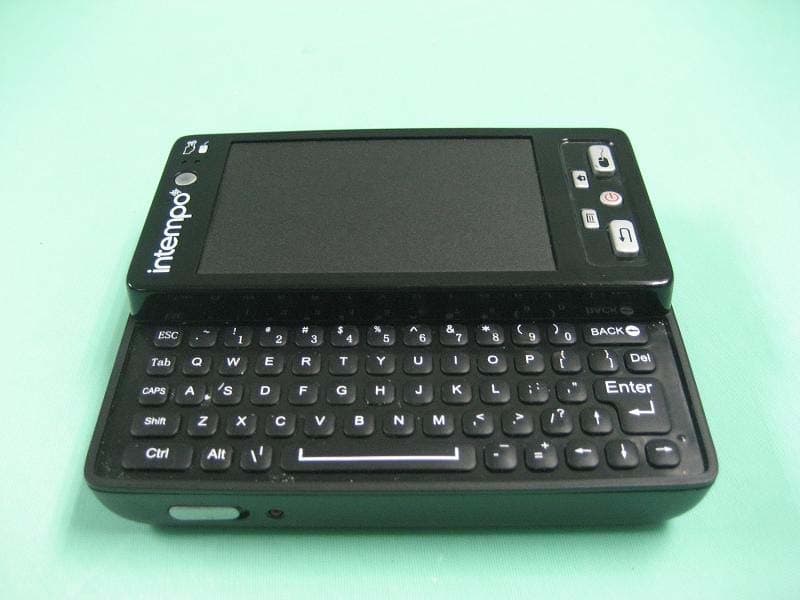
Click to zoom
Application Details
- Equipment Class
- DXT - Part 15 Low Power Transceiver, Rx Verified
- Date of Grant
- Nov 22, 2011
- Application Purpose
- Original Equipment
- Date of Application
- Nov 22, 2011
- Equipment Note
- Remote Control
- Frequency Range
- 2402.00000000 - 2480.00000000
- Country
- China
Documents & Files
Document Text
Text extracted from the exhibit documents filed with the FCC. Open a document above to read the original.
Users Manual
Quick Start Guide Home Media Center Description of Parts 4.Ethernet Home Media Center (Console) RemoteControl 13. Mode Indicator 1.SD Card Slot 2 .Reset Button 1.SD Card Slot 5.On/Off Switch 7.HDMI Output Socket 6.DC Socket 7.Touch Pad Navigation Button 6.Touch PAD 4.Menu Button 3.Back Button 1.Sleep Button 2.Select Button 5.Home Button 10.Slide Panel 12.Battery Compartment 11.Keyboard 9.LED Indicator 8.On/off Switch Home Media Center (Console) Decsription of Parts 1. SD Card Slot – Insert SD/MMC Card here (SD/MMC not included). 2. Reset Button – One Press will reset the Home Media Center 3. USB Ports – Insert USB Flash Drive / connect hardware peripherals like external mouse etc. 4. Ethernet Port – Insert Ethernet cable here for a wired Internet Connection. 5. On/Off – Switches the Home Media Center On. 6. DC Socket – Insert the Power adaptor here 7. HDMI Port – Insert the HDMI cable here Remote Control 1. Sleep Button – A three second press on the remote will get the Home Media Center into sleep mode. Please Note: the remote remains active during sleep mode. To completely turn off the remote use the on/off switch (8) 2. Select Button – Use this button to click and select. 3. Back Button – Press to return to the previous screen. 4. Menu Button – When using an application such as the browser or gallery, press this button to access additional options (is applicable). 5. Home Button – Press to return to home screen. 6. Touch Pad – Slide your finger across the pad to naviagte round the screen. 7. Touch Pad Navigation Button – A press on this button enables you to switch between the “Cursor” mode and “Multi-touch” mode. Multi-touch mode enables you to pinch zoom your pictures and scroll web pages with ease. LED will illuminate to indicate the selected mode. 8. On/Off Switch – Turns the remote control on and off. 9. LED Indicator – Illuminates when the remote is switched on. 10. Slide Panel – Slide the remote in the direction indicated in the diagram to reveal the keyboard. 11. Keyboard – Use the keyboard to input text. 12. Battery Compartment – the remote control requires 3 AAA batteries (not included). To insert the batteries, push the tab in and follow the + and – polarity markings inside the battery compartment. 13. Mode Indicator – this LED indicates the selected mode (Cursor or Multi-touch mode). Setting Up the Home Media Center 1. Connect the included HDMI cable to the HDMI input on the back of the Home Media Center console. Connect the other end to the HDMI input on your TV. 2. Connect the power adapter to the DC socket on the back of the Home Media Center console and plug the adapter into an power outlet. 3. Switch the On/Off switch at the back of the Home Media Center console to on position. 4. Switch the On/Off switch on the front of the remote to the right to turn the controller on. Pairing the Controller The controller has already been paired with the Home Media Center. However, if you find that the remote has not been paired with the unit, follow these steps: 1. Ensure the console is switched off. 2. Turn on the controller using the on/off switch. 3. Simultaneously press and hold the sleep and home buttons for 3 seconds. 4. Switch on the console. Once the unit is on, the controller will pair with it. If you find the home screen does not fill your TV screen or is too big, this can be adjusted by following the below mentioned steps: 1. On the home screen select the “Settings” icon. 2. Select “Display” followed by screen scale settings. 3. The screen scale settings scroll bar will appear. Use the bar to adjust the size of the home screen until it fills your entire screen. Connecting to the Internet via Wi-Fi 1. On the home screen, select the “Settings” icon. 2. Select “Wireless and Networks”. 3. Select the “Turn On Wi-Fi” option and after a few moments a green check mark will appear next to this option. 4. Select Wi-Fi settings to show the list of available Wi-Fi networks. 5. Select the Wi-Fi network you wish to join. If the network is password protected, please enter the password when prompted. 6. Once connected, the following Wi-Fi symbol will display on the top bar of the home screen Connecting to the Internet via Ethernet 1. Connect a Ethernet cable (not included) to the Ethernet port at the back of the Home Media Center console. Connect the other end to a Ethernet (LAN) server/modem, as applicable. 2. Select “Settings” on the home screen. 3. Select “Wireless and Networks”. 4. Select “Ethernet settings”. 5. Select the LAN connection option. If the network is password protected, please enter the password when prompted. 6. Once connected, the following Ethernet symbol will display on the top bar of the home screen Overview of Functions B rowser – Select the browser icon on the home screen. Use the scroll pad to navigate around the screen. Use the keyboard on the remote control to input web addresses in the browser address bar. TV – Select the TV icon on the home screen. Here you will find link to a popular TV catch up site www.tv.com and a an interesting weather update app. You can access these links by simply connecting to internet and clicking these links. Video – Select the Video icon on the home screen. Here you will find You Tube app, that gives you access huge set of videos available on You Tube for you to view. You can access this app by simply connecting to internet and clicking the app. For detailed instructions on the Home Media Center, please select the Help icon on the home screen. Here you will find a file with detailed instructions on how to operate the unit. Please note: The Home Media Center should be plugged into an easily accessible power port. Battery Replacement Caution RISK OF EXPLOSION IF BATTERY IS REPLACED WITH AN INCORRECT TYPE. DISPOSE OF USED BATTERIES ACCORDING TO THE INSTRUCTIONS Battery Removal at End of Product Life • Disconnect the power adapter from power port. • Disconnect the Home Media Center from the power adapter. • Switch off the remote cont…
Text truncated - open the document above for the full version.
Cover Letter(s)
2206 Ringwood Avenue San Jose, CA 95131 Tel: 408-526-1188 Fax: 408-526-1088 Email: [email protected] Project and Product Certification Representative Authorization Letter Revision History Reason for Amendment (current / obsolete) From To Approved Date Initial Release (current) 1.0 1.0 Nov-14-2006 Revised wording (current) 1.0 2.0 Sept–25-2007 SCS-F18: Project and Product Certification Representative Authorization Letter Page 1 of 2 Rev 2.0 SCS-F18: Project and Product Certification Representative Authorization Letter Page 2 of 2 Rev 2.0 Shenzhen Shenchuang Electronics Co., Ltd. 7th Floor, West Tower, Hengfang Laobing Industrial Park, Xingye Road, Xixiang Town, Baoan District, shenzhen, China ------------------------------------------------------------------------------------------------------------ To: SIEMIC, INC. 2206 Ringwood Avenue, San Jose, CA 95131 USA Dear Sir/Madam, Re: Project and Product Certification Representative Authorization Letter We, _ Shenzhen Shenchuang Electronics Co., Ltd. hereby authorize SIEMIC, INC. to act as a Certification Body for certifying for the following project(s): (Product description: Remote control model name: G9001 FCC ID:) ZIEG9001 We affirm that between SIEMIC and _ Shenzhen Shenchuang Electronics Co., Ltd. , any difference in understanding, including test plan, measurement methods, applicable standards and relevant procedures and processes have been resolved prior to commencement of testing activities. Sincerely, Client’s signature Client’s name / title: Sunny Wong /Sales Manager Contact information / address Shenzhen Shenchuang Electronics Co., Ltd. 7th Floor, West Tower, Hengfanglaobing Industrial Park, Xingye Road, Xixiang T own, Bao An District, Shenzhen, China
Cover Letter(s)
2206 Ringwood Avenue San Jose, CA 95131 Tel: 408-526-1188 Fax: 408-526-1088 Email: [email protected] Confidentiality Request Letter Revision History Reason for Amendment (current / obsolete) From To Approved Date Initial Release (current) 1.0 1.0 Nov-14-2006 Adding CFR 2.459 1.0 2.0 August – 11 - 2008 SCS-F19: Confidentiality Request Letter Page 1 of 2 Rev 2.0 SCS-F19: Confidentiality Request Letter Page 2 of 2 Rev 2.0 Shenzhen Shenchuang Electronics Co., Ltd. 7th Floor, West Tower, Hengfang Laobing Industrial Park, Xingye Road, Xixiang Town, Baoan District, shenzhen, China ------------------------------------------------------------------------------------------------------------ 2011/10/31 To: Federal Communications Commission Authorization and Evaluation Division 7435 Oakland Mills Road Columbia, MD Confidentiality Request regarding application for certification of FCC ID: ZIEG9001 We hereby request confidential treatment of information accompanying this application as outlined below: - detailed circuit schematic of unit under test - block diagram - Circuit Description The above materials contain trade secrets and proprietary information not customarily released to the public. The public disclosure of these materials may be harmful to the applicant and provide unjustified benefits to its competitors. The applicant understands that pursuant to Section 0.457 & 0.459 of the Rules, disclosure of this application and all accompanying documentation will not be made before the date of the Grant for this application. Sincerely, Client’s signature Client’s name / title: Sunny Wong/sales manager Contact information / address: Shenzhen Shenchuang Electronics Co., Ltd. 7th Floor, West Tower, Hengfanglaobing Industrial Park, Xingye Road, Xixiang Town, Bao An District, Shenzhen, China
Cover Letter(s)
Shenzhen Shenchuang Electronics Co., Ltd. 7th Floor, West Tower, Hengfang Laobing Industrial Park, Xingye Road, Xixiang Town, Baoan District, shenzhen, China ------------------------------------------------------------------------------------------------------------ Date:2011-11-10 To: Federal Communications Commission 7435 Oakland Mills Road Columbia, MD FCC ID:ZIEG9001 To Whom It May Concern: This letter is to ascertain that SCM Microsystems, Inc. Product Remote control has been the units used for conducting FCC compliance testing, the DoC part will be tested by FCC recognized test lab. If you have any question or concerns, pls. contact us. Sincerely, Client’s signature Client’s name / title: Sunny Wong /Sales Manager Contact information / address Shenzhen Shenchuang Electronics Co., Ltd. 7th Floor, West Tower, Hengfanglaobing Industrial Park, Xingye Road, Xixiang Town, Bao An District, Shenzhen, China
External Photos
Front View of the product Rear View of the product
ID Label/Location Info
FCC ID label: FCC ID: ZIEG9001 This device complies with part 15 of the FCC Rules. Operation is subject to the following two conditions: (1) this device may not cause harmful interference, and (2) this device must accept any interference received, including interference that may cause undesired operation. Labe l location: FCC ID: ZIEG9001 This device complies with part 15 of the FCC Rules. Operation is subject to the following two conditions: (1) this device may not cause harmful interference, and (2) this device must accept any interference received, including interference that may cause undesired operation.
Internal Photos
Internal Photo Inner Circuit Top View Inner Circuit Bottom View
Test Report
STC Test Report The Hong Kong Standards and Testing Centre Ltd. 10 Dai Wang Street, Taipo Industrial Estate, N.T., Hong Kong Tel: (852) 2666 1888 Fax: (852) 2664 4353 E-mail: [email protected] Homepage: www.stc-group.org This report shall not be reproduced unless with prior written approval from The Hong Kong Standards and Testing Centre Ltd. For Conditions of Issuance of this test report, please refer to the overleaf or Homepage Please refer to the original test report as this e-report is for reference only! Date: 2011-08-19 Page 1 of 22 No.: MH185441 Applicant (C00676): Shenzhen Shenchuang Electronics Co., Ltd. 7th Floor, West Tower, Hengfang Laobing Industrial Park, Xingye Road, Xixiang Town, Baoan District, shenzhen, China Manufacturer: Shenzhen Shenchuang Electronics Co., Ltd. 7th Floor, West Tower, Hengfang Laobing Industrial Park, Xingye Road, Xixiang Town, Baoan District, shenzhen, China Description of Sample(s): Product: Remote control Brand Name: N/A Model Number: G9001 FCC ID: ZIEG9001 Date Sample(s) Received: 2011-07-05 Date Tested: 2011-07-30 Investigation Requested: Perform ElectroMagnetic Interference measurement in accordance with FCC 47CFR [Codes of Federal Regulations] Part 15: 2010 and ANSI C63.4:2009 for FCC Certification. Conclusion(s): The submitted product COMPLIED with the requirements of Federal Communications Commission [FCC] Rules and Regulations Part 15. The tests were performed in accordance with the standards described above and on Section 2.2 in this Test Report. Remark(s): --- Dr. LEE Kam Chuen Authorized Signatory ElectroMagnetic Compatibility Department For and on behalf of The Hong Kong Standards and Testing Centre Ltd. STC Test Report The Hong Kong Standards and Testing Centre Ltd. 10 Dai Wang Street, Taipo Industrial Estate, N.T., Hong Kong Tel: (852) 2666 1888 Fax: (852) 2664 4353 E-mail: [email protected] Homepage: www.stc-group.org This report shall not be reproduced unless with prior written approval from The Hong Kong Standards and Testing Centre Ltd. For Conditions of Issuance of this test report, please refer to the overleaf or Homepage Please refer to the original test report as this e-report is for reference only! Date: 2011-08-19 Page 2 of 22 No.: MH185441 CONTENT: Cover Page 1 of 22 Content Page 2-3 of 22 1.0 General Details 1.1 Equipment Under Test [EUT] Page 4 of 22 Description of EUT operation 1.2 Date of Order Page 4 of 22 1.3 Submitted Sample Page 4 of 22 1.4 Test Duration Page 4 of 22 1.5 Country of Origin Page 4 of 22 2.0 Technical Details 2.1 Investigations Requested Page 5 of 22 2.2 Test Standards and Results Summary Page 5 of 22 3.0 Test Results 3.1 Radiated Emission Page 6-16 of 22 STC Test Report The Hong Kong Standards and Testing Centre Ltd. 10 Dai Wang Street, Taipo Industrial Estate, N.T., Hong Kong Tel: (852) 2666 1888 Fax: (852) 2664 4353 E-mail: [email protected] Homepage: www.stc-group.org This report shall not be reproduced unless with prior written approval from The Hong Kong Standards and Testing Centre Ltd. For Conditions of Issuance of this test report, please refer to the overleaf or Homepage Please refer to the original test report as this e-report is for reference only! Date: 2011-08-19 Page 3 of 22 No.: MH185441 Appendix A List of Measurement Equipment Page 17 of 22 Appendix B Duty Cycle Correction During 100 msec Page 18-20 of 22 Appendix C Photographs Page 21-22 of 22 STC Test Report The Hong Kong Standards and Testing Centre Ltd. 10 Dai Wang Street, Taipo Industrial Estate, N.T., Hong Kong Tel: (852) 2666 1888 Fax: (852) 2664 4353 E-mail: [email protected] Homepage: www.stc-group.org This report shall not be reproduced unless with prior written approval from The Hong Kong Standards and Testing Centre Ltd. For Conditions of Issuance of this test report, please refer to the overleaf or Homepage Please refer to the original test report as this e-report is for reference only! Date: 2011-08-19 Page 4 of 22 No.: MH185441 1.0 General Details 1.1 Equipment Under Test [EUT] Description of Sample(s) Product: Remote control Manufacturer: Shenzhen Shenchuang Electronics Co., Ltd. Brand Name: N/A Model Number: G9001 Input Voltage: 4.5Vd.c. (“AAA” size battery × 3) 1.1.1 Description of EUT Operation The Equipment Under Test (EUT) is a Shenzhen Shenchuang Electronics Co., Ltd., Remote control. The transmission signal is frequency hopping with channel frequency range 2402.0.- 2480.0MHz during normal use. The EUT was set to fixed frequency test mode by application. 1.2 Date of Order 2011-07-05 1.3 Submitted Sample(s): 1 Sample 1.4 Test Duration 2011-07-30 1.5 Country of Origin China STC Test Report The Hong Kong Standards and Testing Centre Ltd. 10 Dai Wang Street, Taipo Industrial Estate, N.T., Hong Kong Tel: (852) 2666 1888 Fax: (852) 2664 4353 E-mail: [email protected] Homepage: www.stc-group.org This report shall not be reproduced unless with prior written approval from The Hong Kong Standards and Testing Centre Ltd. For Conditions of Issuance of this test report, please refer to the overleaf or Homepage Please refer to the original test report as this e-report is for reference only! Date: 2011-08-19 Page 5 of 22 No.: MH185441 2.0 Technical Details 2.1 Investigations Requested Perform Electromagnetic Interference measurements in accordance with FCC 47CFR [Codes of Federal Regulations] Part 15: 2010 Regulations and ANSI C63.4:2009 for FCC Certification. 2.2 Test Standards and Results Summary Tables EMISSION Results Summary Test Condition Test Requirement Test Method Class / Test Result Severity Pass Fail N/A Field Strength of Fundamental & Harmonics Emissions FCC 47CFR 15.249 ANSI C63.4:2009 N/A Radiated Emissions FCC 47CFR 15.209 ANSI C63.4:2009 N/A Note: N/A - Not Applicable STC Test Report The Hong Kong Standards and Testing Centre Ltd. 10 Dai Wang Street, Taipo Industrial Estate, N.T., Hong Kong Tel: (852) 2666 1888 Fax: (852) 2664 4353 E-mail: [email protected] Homepage: www.stc-group.org This report shall not be reproduced unles…
Text truncated - open the document above for the full version.
Test Setup Photos
Measurement of Radiated Emission Test Set Up Measurement of Radiated Emission Test Set Up
Contact Information
Applicant
Sunny Wong(Sales Manager)
Test Firm
STC (Dongguan) Company Ltd.Wilson Wong
Technical Specifications
| # | Rule Parts | Frequency Range | Power Output |
|---|---|---|---|
| 1 | 15C | 2.40 GHz - 2.48 GHz | - |
Other Applications from Shenzhen Shenchuang Electronics Co., Ltd.
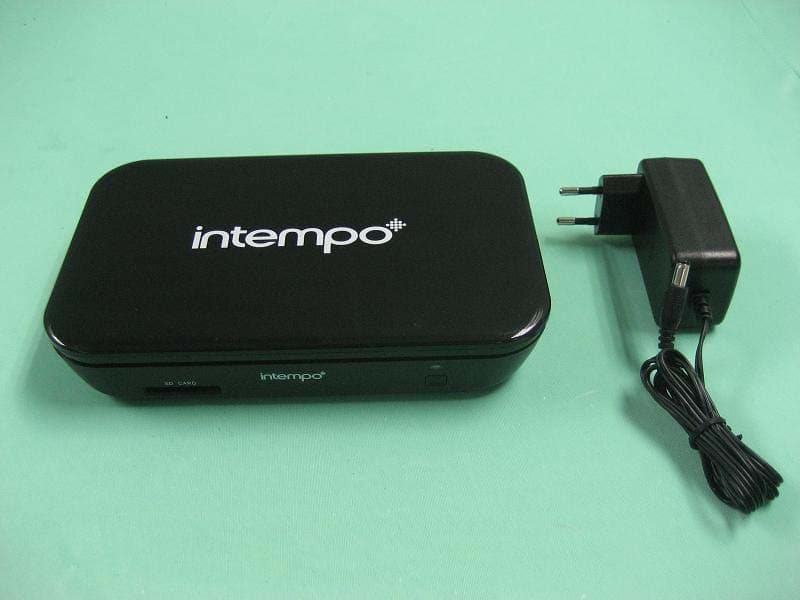
ZIET10
Nov 22, 2011TV Box
Equipment Class
DXT - Part 15 Low Power Transceiver, Rx Verified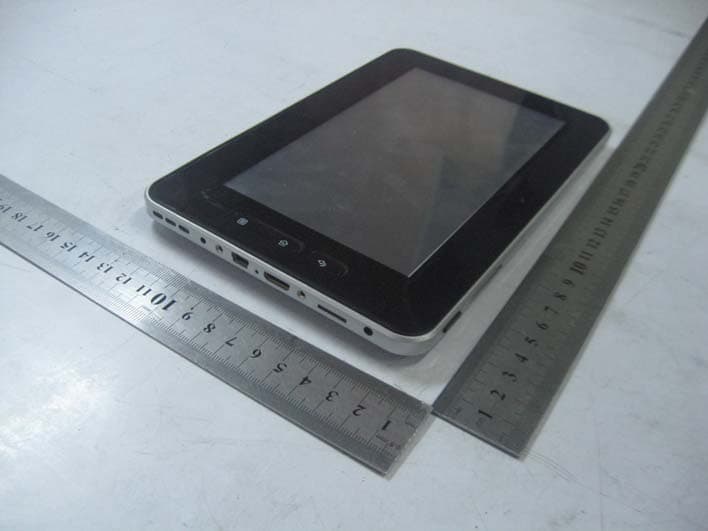
ZIEM709
May 15, 2011MID TOUCH PAD
Equipment Class
DTS - Digital Transmission System