ZIEM709MID TOUCH PAD
Shenzhen Shenchuang Electronics Co., Ltd.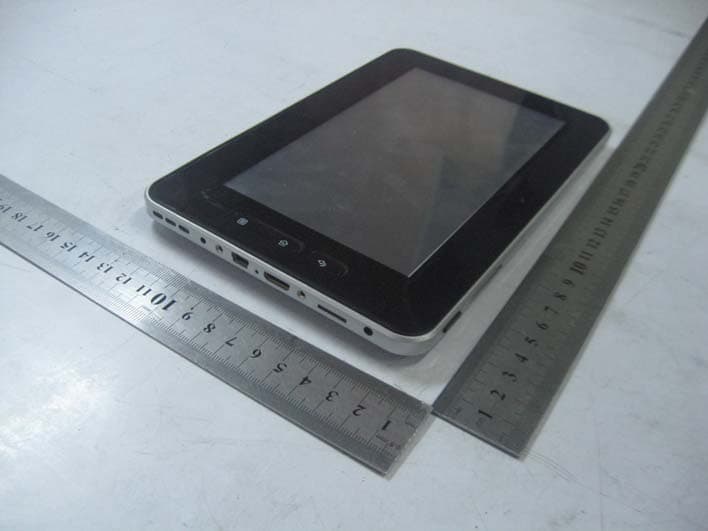
Click to zoom
Application Details
- Equipment Class
- DTS - Digital Transmission System
- Date of Grant
- May 15, 2011
- Application Purpose
- Original Equipment
- Date of Application
- May 12, 2011
- Equipment Note
- MID TOUCH PAD
- Frequency Range
- 2412.00000000 - 2462.00000000
- Country
- China
Documents & Files
Document Text
Text extracted from the exhibit documents filed with the FCC. Open a document above to read the original.
Users Manual
Content 1 Getting started2 In the Box3 Safety Instruction 17 Basic Settings Sound and Display 3 Safety Instruction 4 Specification5 Keys’ definitions6 Key features A djust the Screen Timeout Micro SD cardsRestore factory settings Date and Time 7 Access Application8 Charging your device9 Connect to PC Date and Time Set language 18 Install/Uninstall application19 Troubleshooting 10 Connecting to the Internet11 Email12 Music13 Video13 Video 14 Photo Gallery15 Internet Browser16 Other Applications Alarm ClockFile BrowserRecorder 1 1 Getting started Remove the device from the box. ● Do not use chemicals or abrasive cleaning agents. ● DO NOT leave the device on your lap or any part of the body for prolonged periods of time as the unit may become warm during use Remove packaging from the product.Place the packaging inside the box and either store or dispose off safely. 2 IthB prolonged periods of time as the unit may become warm during use . ● DO NOT use excessive force on the touch screen and do not use implements that may cause damage to the screen. ● DO NOT expose to strong magnetic or electrical fields. ● DO NOT expose to or use near liquids, rain, or excessive moisture. 2 I n th e B ox Epad touch unitEarphonesUSB cable Power supply ● DO NOT expose to or use near liquids, rain, or excessive moisture. SAFE TEMPERATURE: This device should only be used in environments with ambient temperatures between -23 °F ~ 104 °F . ● ONLY USE the power supply provided with this device Power supply Micro SD Card adaptorStylus Pen 3 Safet y Instruction Transportation PrecautionsWhen travelling with your device always switch off the unit. If you are packing your device along with other items always ensure that it is packed away from anything that coul d cause damage to the unit, sharp y ● Keep the player clean and never store it next to a heat source or in dirt, humid or wet places. Keep it out of direct sunlight. ● Do not put the player in high temperature places (over 104 °F ),especially not in a car with the windows closed in summer. edges, liquids etc.Airplane PrecautionsPlease refer to specific Airline guidance and instruction before using thi di b d i ft ● Press the player’s buttons gently. Pr essing them or the screen too hard can damage the player. ● Do not drop the appliance. This may result in damage to the product. ● Do not attempt to dismantle or repai r this unit yourself, Repairs should thi s d ev i ce on b oar d any a i rcra ft 4 Specification LCD Dis p la y Size 7.0” TFT touch p anel be performed by qualified personnel only. ● Use a slightly damp, lint-free cloth to clean this appliance. Do not dismantle the player or use alcohol, thinner or benzene to clean the surface of the player. Always disconnect the device from the power supply before cleaning py p Resolution 800*480 USB port USB 2.0 High Speed CPU processor ARM 1Ghz ● Always disconnect the device from the power supply before cleaning . ● Wipe the touch screen using only a clean cellulose sponge or chamois cloth. 2 Built-in Flash 4GB Standard Memory 256MB System RAM DDR2-800 1. Power Button: press and hold to power on/off, press to change to sleep mode to save power . 2. Vol+/-: increase /decrease the volume. Capacity Expansion Support SD /TF Card, capacity 128MB~32GB Power Supply Built-in 3400mAH Lithium rechargeable battery DC 5V@2A OS Andriod 2.1 Working temperature -23 °F ~ 104 °F 3. Back Button: return to previous menu.4. Home Button: shortcut key to return to the home page during any interface, press and hold to view recent programs. 5. Menu Button: popup submenus. 6 Headphone jack: connect to headphones Languages Multiple languages Dimensions 203x 132 x 12 mm Others G-sensor support Charging time 4-6 hours 6 . Headphone jack: connect to headphones . 7. TF Card slot: supports up to 32GB (Micro SD card)8. HDMI slot: connect to HDMI cable to play video on television9. Reset button: to restart the device. 10 OTG slot: connect to computer via USB using the supplied USB 5 Keys definitions 10 . OTG slot: connect to computer via USB , using the supplied USB Cable , you can also use this port to connect the unit to a penpheraldevice. 11. DC jack: connect to power supply (power supply included) to charge. 12. Speaker: audio output6 Key Features Power Button Pbtttithit ● P ress power b u tt on t o sw it c h on un it . ● When the product is switched on, press power button once for “sleep” mode. ● In “sleep” mode press power button once to end sleep mode Menu Button ● Press this key to open the menu of the current applications. Back Button Pthiktttth i th i ● P ress thi s k ey t o re t urn t o th e prev i ous screen, or th e prev i ous menu page. 3 Home Button ● Press this key to return to the home screen. ● A lon g p ress on this button will o p en the recentl y p erformed a pp lications Press and holdOn the home screen, long pressing a blank area of the screen will create a pop up menu where you will be able to select applications to add to gp p yp pp menu bar.Shutdown ● A long press on the power button, will bring up the shutdown menu. a pop up menu where you will be able to select applications to add to home screen. When you press a file, a song, a photo, it will turn up more functions to make next operation. Drag ● Click “OK” to shut down. Unlocking and Locking the Screen ● After a period of inactivity the screen will automatically move to “Sleep” DragSelect the item you wish to move and keep your finger pressed on the application, drag it to the selected area. When in the desired location release move your finger away from the screen to “drop” the application mode to prolong battery life ● Press and push the icon up to the new emerging green point to unlock. HDMI SlotConnect one end of HDMI cable (not provided in our kit) to this slot and other end to HDMI input of your TV. This enables to play video from device to television .Home ScreenThe Main Menu screen will display the device’s main applications. You can customize your Home Screen…
Text truncated - open the document above for the full version.
External Photos
Shenzhen Shenchuang Electronics Co., Ltd. Model: M709 REPORT NO.: STR11048071I-1 FCC PART 15.247 EXHIBIT 2 - EUT EXTERNAL PHOTOGRAPHS EUT View 1 EUT View 2 Shenzhen Shenchuang Electronics Co., Ltd. Model: M709 REPORT NO.: STR11048071I-1 FCC PART 15.247 EUT View 3
ID Label/Location Info
Shenzhen Shenchuang Electronics Co., Ltd. Model: M709 REPORT NO.: STR11048071I-1 FCC PART 15.247 EXHIBIT 1- PRODUCT LABELING Proposed FCC ID Label Format FCC ID: ZIEM709 This device complies with Part 15 of the FCC Rules. Operation is subject to the following two conditions: (1) This device may not cause harmful interference, and (2) This device must accept any interference received, including interference that may cause undesired operation. Specifications : Text is Black in color and justified. Labels are printed in indelible ink on permanent adhesive silk-screened onto the EUT or shall be affixed at a conspicuous location on the EUT. Proposed Label Location on EUT FCC ID Label Location
ID Label/Location Info
Shenzhen Shenchuang Electronics Co., Ltd. Model: M709 REPORT NO.: STR11048071I-1 FCC PART 15.247 EXHIBIT 1- PRODUCT LABELING Proposed FCC ID Label Format FCC ID: ZIEM709 This device complies with Part 15 of the FCC Rules. Operation is subject to the following two conditions: (1) This device may not cause harmful interference, and (2) This device must accept any interference received, including interference that may cause undesired operation. Specifications : Text is Black in color and justified. Labels are printed in indelible ink on permanent adhesive silk-screened onto the EUT or shall be affixed at a conspicuous location on the EUT. Proposed Label Location on EUT FCC ID Label Location
Internal Photos
Shenzhen Shenchuang Electronics Co., Ltd. Model: M709 REPORT NO.: STR11048071I-1 FCC PART 15.247 EXHIBIT 3 - EUT INTERNAL PHOTOGRAPHS EUT Housing and Board View Solder Board-Component View 1 Shenzhen Shenchuang Electronics Co., Ltd. Model: M709 REPORT NO.: STR11048071I-1 FCC PART 15.247 Solder Board-Component View 2 Solder Board-Component View 3 Shenzhen Shenchuang Electronics Co., Ltd. Model: M709 REPORT NO.: STR11048071I-1 FCC PART 15.247 Solder Board-Component View 4
RF Exposure Info
RF Exposure Requirements Product Description: MID Touch Pad Model No.: M709 FCC ID: ZIEM709 Acorrding to the KDB-447498, the following RF exposure evaluation shall to demonstrate RF exposure compliance. Tx frequency range: 2412~2462MHz Antenna-to-tissue separation: <20 cm Maximum Output Power: 21.42mW (at the 2462MHz channel of 802.11g mode) Maximum Duty Factor: 100% 60/f(GHz) mW = 24.37 mW Source-based time-averaged conducted output power is 21.42 mW =< 60/f Therefore, the transmitter comply with the RF exposure requirements and the SAR is not required.
Test Report
Shenzhen Shenchuang Electronics Co., Ltd. Model: M709 REPORT NO.: STR11048071I-1 PAGE 1 OF 45 FCC PART 15.247 FCC Part 15C Measurement and Test Report For Shenzhen Shenchuang Electronics Co., Ltd. 7th Floor, West Tower, Hengfanglaobing Industrial Park, Xingye Road, Xixiang Town, Bao An District, Shenzhen, China FCC ID: ZIEM709 Report Concerns: Original Report Equipment Type: MID Touch Pad Model: M709 Report No.: STR11048071I-1 Test Date: 2011-04-08 to 2011-05-10 Issue Date: 2011-05-11 Tested By: Jason Chen / Engineer Reviewed By: Lahm Peng / EMC Manager Approved & Authorized By: Jandy so / PSQ Manager Prepared By: Shenzhen SEM.Test Electronic Service Co., Ltd 3/F, Jinbao Commerce Building, Xin'an Fanshen Road, Bao'an District, Shenzhen, P.R.C.(518101) Tel.: +86-755-33663308 Fax.: +86-755-33663309 Website: www.semtest.com.cn Note: This test report is limited to the above client company and the product model only. It may not be duplicated without prior permitted by SEM.Test Compliance Service Co., Ltd . Shenzhen Shenchuang Electronics Co., Ltd. Model: M709 REPORT NO.: STR11048071I-1 PAGE 2 OF 45 FCC PART 15.247 TABLE OF CONTENTS 1. GENERAL INFORMATION ...................................................................................................................................3 1.1 PRODUCT DESCRIPTION FOR EQUIPMENT UNDER TEST (EUT)...............................................................................3 1.2 TEST STANDARDS...................................................................................................................................................3 1.3 TEST METHODOLOGY.............................................................................................................................................4 1.4 TEST FACILITY.......................................................................................................................................................4 1.5 EUT EXERCISE SOFTWARE....................................................................................................................................4 1.6 ACCESSORIES EQUIPMENT LIST AND DETAILS.......................................................................................................4 1.7 EUT CABLE LIST AND DETAILS.............................................................................................................................4 2. SUMMARY OF TEST RESULTS ...........................................................................................................................5 3. CONDUCTED EMISSIONS ....................................................................................................................................6 3.1 MEASUREMENT UNCERTAINTY..............................................................................................................................6 3.2 TEST EQUIPMENT LIST AND DETAILS.....................................................................................................................6 3.3 TEST PROCEDURE...................................................................................................................................................6 3.4 BASIC TEST SETUP BLOCK DIAGRAM.....................................................................................................................6 3.5 ENVIRONMENTAL CONDITIONS..............................................................................................................................7 3.6 SUMMARY OF TEST RESULTS/PLOTS......................................................................................................................7 3.7 CONDUCTED EMISSIONS TEST DATA......................................................................................................................7 4. §15.203 - ANTENNA REQUIREMENT................................................................................................................10 4.1 STANDARD APPLICABLE.......................................................................................................................................10 4.2 TEST RESULT........................................................................................................................................................10 5. POWER SPECTRAL DENSITY ...........................................................................................................................11 5.1 STANDARD APPLICABLE.......................................................................................................................................11 5.2 TEST EQUIPMENT LIST AND DETAILS...................................................................................................................11 5.3 TEST PROCEDURE.................................................................................................................................................11 5.4 ENVIRONMENTAL CONDITIONS............................................................................................................................11 5.5 SUMMARY OF TEST RESULTS/PLOTS....................................................................................................................12 6. 6-DB BANDWIDTH ................................................................................................................................................16 6.1 STANDARD APPLICABLE.......................................................................................................................................16 6.2 TEST EQUIPMENT LIST AND DETAILS...................................................................................................................16 6.3 TEST PROCEDURE.................................................................................................................................................16 6.4 ENVIRONMENTAL CONDITIONS...............................................................................................................…
Text truncated - open the document above for the full version.
Test Setup Photos
Shenzhen Shenchuang Electronics Co., Ltd. Model: M709 REPORT NO.: STR11048071I-1 FCC PART 15.247 EXHIBIT 4 - TEST SETUP PHOTOGRAPHS Conduction Emission View Radiation Emission Test Setup (30MHz to 1GHz) Shenzhen Shenchuang Electronics Co., Ltd. Model: M709 REPORT NO.: STR11048071I-1 FCC PART 15.247 Radiation Emission Test Setup (Above 1GHz)
Contact Information
Applicant
Sunny Wong(Sales Manager)
Test Firm
SEM.Test Compliance Service Co., Ltd.Jandy So
Technical Specifications
| # | Rule Parts | Frequency Range | Power Output |
|---|---|---|---|
| 1 | 15C | 2.41 GHz - 2.46 GHz | 22.00 mW |
Other Applications from Shenzhen Shenchuang Electronics Co., Ltd.
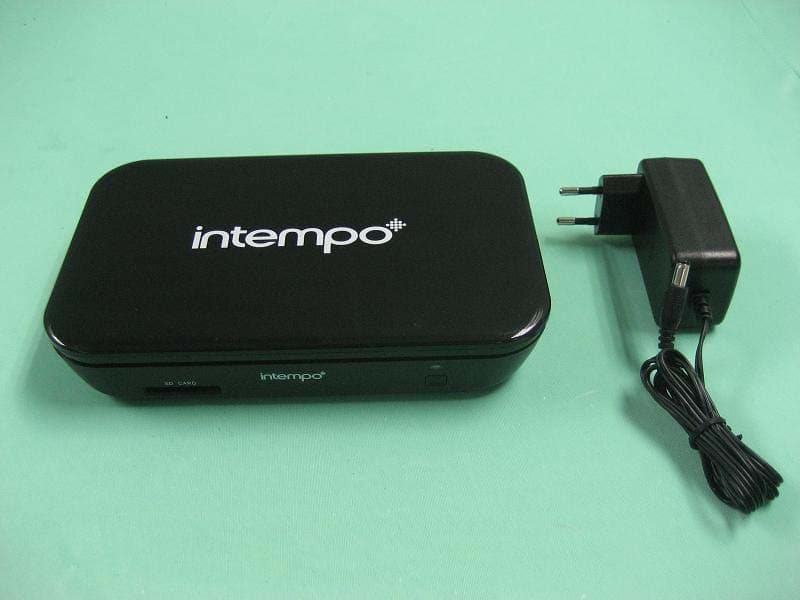
ZIET10
Nov 22, 2011TV Box
Equipment Class
DXT - Part 15 Low Power Transceiver, Rx Verified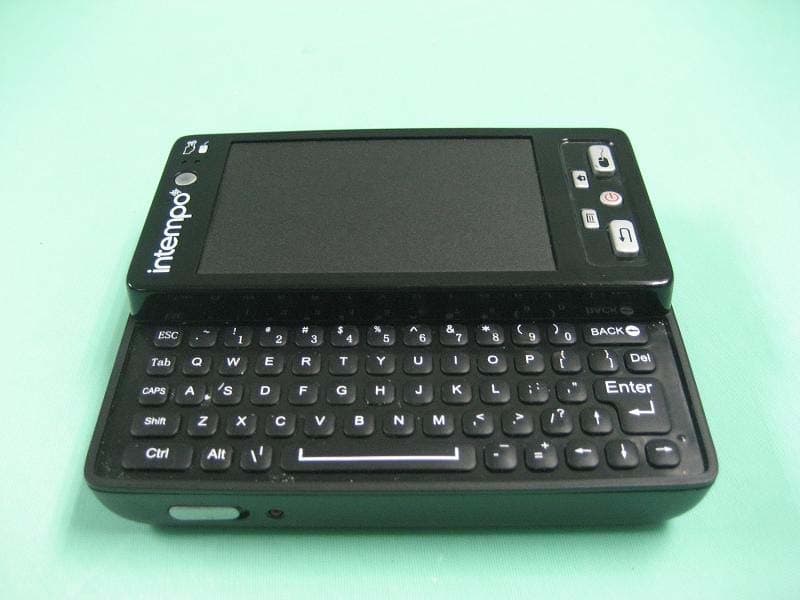
ZIEG9001
Nov 22, 2011Remote Control
Equipment Class
DXT - Part 15 Low Power Transceiver, Rx Verified