ZNY-LINSAYTABLET PC
Amelia World Corporation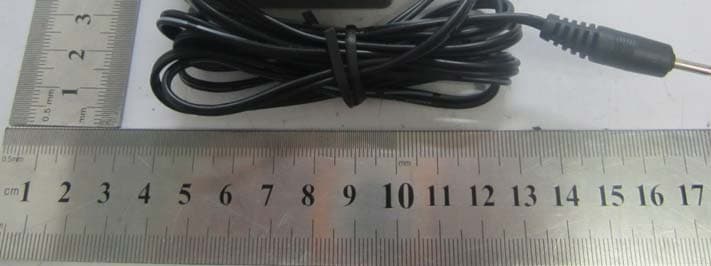
Click to zoom
Application Details
- Equipment Class
- DTS - Digital Transmission System
- Date of Grant
- May 14, 2012
- Application Purpose
- Original Equipment
- Date of Application
- May 14, 2012
- Equipment Note
- TABLET PC
- Frequency Range
- 2422.00000000 - 2452.00000000
- Company
- Amelia World Corporation
- Country
- United States
Documents & Files
Document Text
Text extracted from the exhibit documents filed with the FCC. Open a document above to read the original.
Users Manual
1 User’s Guide Contents Get started 3 Get around 3 Touch & type 4 Use the lock screen 5 Make yourself at home 6 Change the wallpaper 6 Arrange & work with apps 7 Use folders 8 Add widgets 9 Try some apps 9 Find People 10 Manage your Calendar 12 Use your Camera 13 Manage downloads 13 Tune performance 14 Optimize battery life 14 Optimize data usage 14 Optimize memory usage 19 Use the Apps screen 20 Enter & edit text 21 Use the keyboard 22 Basic editing 22 Tips & shortcuts 23 2 Connect to Wi-Fi networks 24 Connect to keyboards, mice, and other devices 28 Connect to a Windows computer via USB 29 Manage accounts 30 Add or remove accounts 30 Configure account sync options 32 Configure general sync settings 32 Change an account’s sync settings 33 Secure your tablet 33 3 Get Started Get around After you enter into the systems, at the bottom of the screen, you'll find three Navigation buttons. They're always available. No matter what you're doing with your tablet, you can always get back to the main Home screen or return to previous screens: Icon Name Description Back Open the previous screen you were working in, even if it was in a different app. Once you back up to the Home screen, you can’t go back any further in your history. Home Open Home. If you’re viewing a left or right Home screen, opens the central home screen. Recent Apps Opens a list of thumbnail images of apps you’ve worked with recently. Top open an app, touch it. To remove a thumbnail from the list, swipe it left or right. 4 After a short time without getting used, these buttons may shrink to dots or fade away, depending on the current app. To bring them back, touch their location. The All Apps icon in the right upper corner is permanent. Touch it to see all your apps and widgets. The middle of your Home screen can hold app and widget icons, plus folders. To open an app, folder, or widget, touch its icon. To see additional Home screens, swipe your finger quickly left or right. At the bottom of the screen, you'll see something like this: Status icons on the left tell you which apps have sent you notifications; for example, that a message has arrived, or it's time for a meeting. System icons on the right display the current wireless and network connection strength, battery level, time, and more. Touch & type Use your fingers to manipulate icons, buttons, menus, the onscreen 5 keyboard, and other items on the touchscreen. You can also change the screen's orientation. To select or activate something, touch it. To type something, such as a name, password, or search terms, just touch where you want to type. A keyboard pops up that lets you type into the field. Other common gestures include: Touch & hold: Touch & hold an item on the screen by touching it and not lifting your finger until an action occurs. Drag: Touch & hold an item for a moment and then, without lifting your finger, move your finger on the screen until you reach the target position. For example, you can drag to reposition shortcuts on the Home screen. Swipe or slide: Quickly move your finger across the surface of the screen, without pausing when you first touch (so you don't drag something instead). For example, you can slide a Home screen left or right to view the other Home screens. Pinch: In some apps (such as Maps, Browser, and Gallery), you can zoom in and out by placing two fingers on the screen at once and pinching them together (to zoom out) or spreading them apart (to zoom in). Rotate the screen: On most screens, the orientation of the screen rotates with your device as you turn it. You can change this Display setting. Related settings Settings > Device > Sound Settings > Device > Display 6 Use the lock screen To protect personal information, you can adjust your phone's lock settings: 1. From the Home or All Apps screen, touch the Settings icon 2. Scroll down and touch Security. 3. Touch Screen lock. 4. Touch the type of lock you'd like to use. After you set a lock here, a lock screen displays whenever your screen wakes up, requesting the pattern, PIN, or other specified key. Important Screen lock options are listed in the approximate order of the strength of their security, starting with None and Slide, which provide no security. Face Unlock and Pattern provide minimal security, although they can be more convenient than the stronger options. If your tablet's playing music when the screen locks, you can continue listening or pause the selection without unlocking. Make yourself at home Change the wallpaper Wallpapers are images from Super-HD Player (pictures you shot with Camera, synced from Picasa, and so on), still images included with the system, and live images (such as an animation or a map 7 that centers on your location). They take the place of the default background for your Home screens. 1. Touch & hold anywhere on a Home screen that's not occupied. A list of options appears. 2. Touch a wallpaper source: Super-HD Player. Choose from pictures that you've taken with Camera or downloaded to your device. Live Wallpapers. Choose from a scrolling list of animated wallpapers. Wallpapers. Choose from thumbnails of default images, or touch a thumbnail for a larger version. You can download additional wallpapers from Android Market. 3. To set a wallpaper, touch “set wallpaper” under the Gallery images or Set wallpaper. Related settings Settings > Device > Display > Wallpaper Arrange & work with apps To see all your apps, touch the All Apps icon on any Home screen. The main All Apps screen opens. This is where you can see all your apps, including those downloaded from Android Market. You can move app icons to any of your Home screens. From All Apps, you can Move between screens: Swipe left or right. Launch an app: Touch its icon. Place an app icon on a Home screen: Touch & hold the app 8 icon, slide your finger, and lift your finger to drop the icon in place. Place an app icon in the Favorites tray: Touch, hold, & slide to move one of the Favo…
Text truncated - open the document above for the full version.
Cover Letter(s)
AmeliaWorldCorporation 11601BiscayneBlvdUnit200A,Miami,FloridaUSA FederalCommunicationsCommission AuthorizationandEvaluationDivision ConfidentialityRequestregardingapplicationforcertificationofFCCID:ZNY-LINSAY PursuanttoSections0.457and0.459oftheCommission'sRules,weherebyrequestconfidential treatmentofinformationaccompanyingthisapplicationasoutlinedbelow: ExhibitType Schematics BlockDiagram OperationalDescription FileName CONF_ ZNY-LINSAY_FCC_ Schematics.pdf CONF_ZNY-LINSAY_FCC_BlockDiagram.pdf CONF_ ZNY-LINSAY_FCC_ OperationalDescription.pdf Theabovematerialscontaintradesecretsandproprietaryinformationnotcustomarilyreleasedto thepublic.Thepublicdisclosureofthesematerialsmaybeharmfultotheapplicantandprovide unjustifiedbenefitstoitscompetitors. TheapplicantunderstandsthatpursuanttoSection0.457oftheRules,disclosureofthis applicationandallaccompanyingdocumentationwillnotbemadebeforethedateoftheGrant forthisapplication. Sincerely, AmeliaWorldCornoration -."-
Cover Letter(s)
AmeliaWorldCorporation 11601BiscayneBlvdUnit200A,Miami,FloridaUSA (FCCID: ZNY-LINSAY) POWEROF ATTORNEY .DATE:2012-04-14 FederalCommunicationsCommission AuthorizationandEvaluationDivision 7435OaklandMillsRoad Columbia,MD 21046 To WhomIt MayConcern: We,theundersigned,herebyauthorizeSEM.TestComplianceServiceCo.,Ltd. JandySo on ourbehalf,to applyto theFederalCommunicationsCommissionon our equipment.Anyandallactscarriedoutby SEM.TestComplianceServiceCo.,Ltd. JandySo on ourbehalfshallhavethesameeffectas actsof ourown. Thisis to advisethatwe arein fullcompliancewiththeAnti-DrugAbuseAct. We,AmeliaWorldCorporation,arenotsubjectto a denialof federalbenefits pursuantto Section5301of theAnti-DrugActof 1988,21 USC853a,andno party to theapplicationis subjectto a denialof federalbenefitspursuantto that section. Sincerely, AmeliaWorldCorporatioR
External Photos
Amelia World Corporation Model: COSMOS F-10HD REPORT NO.: STR12048090I-1 FCC PART 15.247 EXHIBIT 2 - EUT EXTERNAL PHOTOGRAPHS EUT View 1 EUT View 2 Amelia World Corporation Model: COSMOS F-10HD REPORT NO.: STR12048090I-1 FCC PART 15.247 EUT View 3 EUT View 4 Amelia World Corporation Model: COSMOS F-10HD REPORT NO.: STR12048090I-1 FCC PART 15.247 EUT View 5 EUT View 6 Amelia World Corporation Model: COSMOS F-10HD REPORT NO.: STR12048090I-1 FCC PART 15.247 EUT View 7 Adapter View 1 Amelia World Corporation Model: COSMOS F-10HD REPORT NO.: STR12048090I-1 FCC PART 15.247 Adapter View 2
ID Label/Location Info
Amelia World Corporation Model: COSMOS F-10HD REPORT NO.: STR12048090I-1 FCC PART 15.247 EXHIBIT 1- PRODUCT LABELING Proposed FCC ID Label Format FCC ID: ZNY-LINSAY This device complies with Part 15 of the FCC Rules. Operation is subject to the following two conditions: (1) This device may not cause harmful interference, and (2) this device must accept any interference received, including interference that may cause undesired operation. Specifications : Text is Black in color and justified. Labels are printed in indelible ink on permanent adhesive silk-screened onto the EUT or shall be affixed at a conspicuous location on the EUT. Proposed Label Location on EUT FCC ID Label Location
ID Label/Location Info
Amelia World Corporation Model: COSMOS F-10HD REPORT NO.: STR12048090I-1 FCC PART 15.247 EXHIBIT 1- PRODUCT LABELING Proposed FCC ID Label Format FCC ID: ZNY-LINSAY This device complies with Part 15 of the FCC Rules. Operation is subject to the following two conditions: (1) This device may not cause harmful interference, and (2) this device must accept any interference received, including interference that may cause undesired operation. Specifications : Text is Black in color and justified. Labels are printed in indelible ink on permanent adhesive silk-screened onto the EUT or shall be affixed at a conspicuous location on the EUT. Proposed Label Location on EUT FCC ID Label Location
Internal Photos
Amelia World Corporation Model: COSMOS F-10HD REPORT NO.: STR12048090I-1 FCC PART 15.247 EXHIBIT 3 - EUT INTERNAL PHOTOGRAPHS EUT Housing and Board View 1 Solder Board-Component View 1 Amelia World Corporation Model: COSMOS F-10HD REPORT NO.: STR12048090I-1 FCC PART 15.247 Solder Board-Component View 2 Solder Board-Component View 3 Amelia World Corporation Model: COSMOS F-10HD REPORT NO.: STR12048090I-1 FCC PART 15.247 Solder Board-Component View 4
RF Exposure Info
RF Exposure Requirements Product Description: Tablet PC Model No.: COSMOS F-10HD FCC ID: ZNY-LINSAY Acorrding to the KDB-447498, the following RF exposure evaluation shall to demonstrate RF exposure compliance. Tx frequency range: 2412~2462MHz Antenna-to-tissue separation: <20 cm Maximum Conducted Output Power: 11.5 dBm (at the 2412MHz channel of 802.11b mode) Antenna Gain: 2 dBi Maximum Output Power: 22.3872 mW (EIRP) Maximum Duty Factor: 100% 60/f(GHz) mW = 24.87 mW Source-based time-averaged conducted output power is 22.3872 mW =< 60/f Therefore, the transmitter complied with the RF exposure requirements and the SAR is not required.
Test Report
Amelia World Corporation Model: COSMOS F-10HD REPORT NO.: STR12048090I-1 PAGE 1 OF 83 FCC PART 15.247 FCC Part 15C Measurement and Test Report For Amelia World Corporation 11601 Biscayne Blvd Unit 200A, Miami, Florida USA FCC ID: ZNY-LINSAY FCC Rules: FCC Part 15.247 Product Description: Tablet PC Tested Model: COSMOS F-10HD Report No.: STR12048090I-1 Tested Date: 2012-04-11 to 2012-05-07 Issued Date: 2012-05-08 Tested By: Vigoss Xiong / Engineer Reviewed By: Lahm Peng / EMC Manager Approved & Authorized By: Jandy so / PSQ Manager Prepared By: SEM.Test Compliance Service Co., Ltd 3/F, Jinbao Commerce Building, Xin'an Fanshen Road, Bao'an District, Shenzhen, P.R.C.(518101) Tel.: +86-755-33663308 Fax.: +86-755-33663309 Website: www.semtest.com.cn Note: This test report is limited to the above client company and the product model only. It may not be duplicated without prior permitted by SEM.Test Compliance Service Co., Ltd Amelia World Corporation Model: COSMOS F-10HD REPORT NO.: STR12048090I-1 PAGE 2 OF 83 FCC PART 15.247 TABLE OF CONTENTS 1. GENERAL INFORMATION ...................................................................................................................................3 1.1 PRODUCT DESCRIPTION FOR EQUIPMENT UNDER TEST (EUT)...............................................................................3 1.2 TEST STANDARDS...................................................................................................................................................4 1.3 TEST METHODOLOGY.............................................................................................................................................4 1.4 TEST FACILITY.......................................................................................................................................................4 1.5 EUT SETUP AND TEST MODE.................................................................................................................................5 2. SUMMARY OF TEST RESULTS ...........................................................................................................................6 3. ANTENNA REQUIREMENT ..................................................................................................................................7 3.1 STANDARD APPLICABLE.........................................................................................................................................7 3.2 TEST RESULT..........................................................................................................................................................7 4. POWER SPECTRAL DENSITY .............................................................................................................................8 4.1 STANDARD APPLICABLE.........................................................................................................................................8 4.2 TEST EQUIPMENT LIST AND DETAILS.....................................................................................................................8 4.3 TEST PROCEDURE...................................................................................................................................................8 4.4 ENVIRONMENTAL CONDITIONS..............................................................................................................................8 4.5 SUMMARY OF TEST RESULTS/PLOTS......................................................................................................................9 5. 6DB BANDWIDTH .................................................................................................................................................16 5.1 STANDARD APPLICABLE.......................................................................................................................................16 5.2 TEST EQUIPMENT LIST AND DETAILS...................................................................................................................16 5.3 TEST PROCEDURE.................................................................................................................................................16 5.4 ENVIRONMENTAL CONDITIONS............................................................................................................................16 5.5 SUMMARY OF TEST RESULTS/PLOTS....................................................................................................................16 6. RF OUTPUT POWER ............................................................................................................................................23 6.1 STANDARD APPLICABLE.......................................................................................................................................23 6.2 TEST EQUIPMENT LIST AND DETAILS...................................................................................................................23 6.3 TEST PROCEDURE.................................................................................................................................................23 6.4 ENVIRONMENTAL CONDITIONS............................................................................................................................23 6.5 SUMMARY OF TEST RESULTS/PLOTS....................................................................................................................23 7. FIELD STRENGTH OF SPURIOUS EMISSIONS .............................................................................................40 7.1 MEASUREMENT UNCERTAINTY............................................................................................................................40 7.2 STANDARD APPLICABLE.......................................................................................................................................40 7.3 TEST EQUIPMENT LIST AND DETAILS.........................…
Text truncated - open the document above for the full version.
Test Setup Photos
Amelia World Corporation Model: COSMOS F-10HD REPORT NO.: STR12048090I-1 FCC PART 15.247 EXHIBIT 4 - TEST SETUP PHOTOGRAPHS Conduction Emission View Radiation Emission Test Setup (Below 30MHz) Amelia World Corporation Model: COSMOS F-10HD REPORT NO.: STR12048090I-1 FCC PART 15.247 Radiation Emission Test Setup (30MHz to 1GHz) Radiation Emission Test Setup (Above 1GHz)
Contact Information
Applicant
Victor Montero(Director)
Test Firm
SEM.Test Compliance Service Co., Ltd.Jandy So
Technical Specifications
| # | Rule Parts | Frequency Range | Power Output |
|---|---|---|---|
| 2 | 15C | 2.42 GHz - 2.45 GHz | 10.00 mW |
Other Applications from Amelia World Corporation
ZNYV-5HD
Nov 17, 2011MID
Equipment Class
DTS - Digital Transmission System
ZNY0610LSYT
Jun 27, 2011MID
Equipment Class
DTS - Digital Transmission System