2AA7XKBJ-225NFOLDABLE BLUETOOTH HEADPHONE
Shenzhen Compoka Electronic Technology Co., Ltd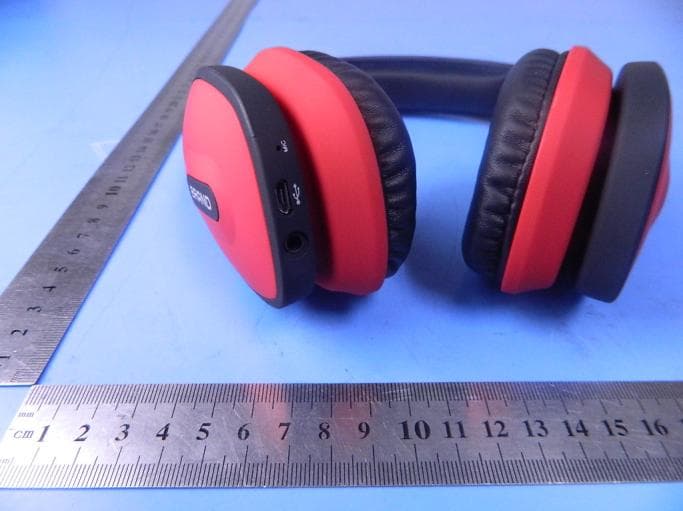
Click to zoom
Application Details
- Equipment Class
- DSS - Part 15 Spread Spectrum Transmitter
- Date of Grant
- Jan 16, 2015
- Application Purpose
- Original Equipment
- Date of Application
- Jan 16, 2015
- Equipment Note
- FOLDABLE BLUETOOTH HEADPHONE
- Frequency Range
- 2402.00000000 - 2480.00000000
- Country
- China
Documents & Files
Document Text
Text extracted from the exhibit documents filed with the FCC. Open a document above to read the original.
Users Manual
02010304 Thank you for selecting our latest Bluetooth headphone, please read this User's Manual carefully before you operate this headphone, and please save this Manual for further reference. Before operating, please read all the Safety notice to make sure the safe and appropriate use. Safety Notice: Please observe the rules of the Country or Region which you are in while driving. Do not disassemble or modify the headphone at any reason, otherwise, It may damage or burn the headphone. If there is any quality problem, please send the headphone to authorized service center for repairing. Please keep the equipment along with all the accessories out of the reach of children and pets. It will cause suffocation and serious injury. Do not put the device under the environment which the temperature is too low or too high ( Below 0°C or over 45°C). Extreme temperatures will cause the device deformation, reduce the charging capacity and shorten the working life. Please do not wet the device, for the liquid can cause serious damage to the device. Please do not touch the device by wet hands. It is out of the maintenance range for the damage caused by water. Please avoid closing to the eyes of children and pets when using the flash indicator of the device. Please do not operate the device in thunderstorm weather. It will damage your hearing if you listen with high volume for a long time. It is recommended that only use the lowest volume which is necessary for speaking and listening to music. 1. Guide ■ Heaphone introduction 2.Instruction ■ Key Function User's Manual KBJ-225N 立体声蓝牙耳机 使用说明书 Bluetooth 4.0 Stereo Headphone ■ How to connect with two Bluetooth mobile phones: Play/Pause Receive Hang up phone call Re-dial the last phone No Previous song Volume Increase Next Song Volume Decrease head pad Ear cushion D3.5mm Plug port Foldable Microphone USB Charging Port Power switch Pairing LED indicator Contents: Bluetooth Headphone, USB Charging Cable, 3.5mm Audio Cable, User’s Manual USB Charging Cable: 3.5mm Audio Cable: Switch on : Press 2 seconds to switch on , the Blue indicator will be in (It will appear voice prompts in English). Press 2 seconds again to enter into pairing mode, meanwhile the red and blue indicators take turns to flash. It will turn off automatically when no device to connect in 5 mins ) . Switch off : Press 4 seconds to switch off , the Red indicator flashes one time means the device is switched off. Press “Function Key” to receive phone call, press it again to end the phone call. Press the key by twice continuously to re-dial the last phone number. Press the key for 2 seconds to reject the phone call. In Music Mode, press it for 1 time to pause, and press it again to play. (when phone call comes, the music will be off. When phone call is off, the music will continue) In Music Mode, press it to play previous song. In Music Mode, press it to play next song. Long press to increase volume all the time. The voice prompts will appear when the volume up to Maximum. Previous song Next Song Volume Increase Volume Decrease Play/Pause Receive Hang up phone call Re-dial the last phone No Power switch Pairing Long press to decrease volume all the time. ■ Voice Prompt Function Battery low warning Bluetooth is turned on Bluetooth enter pairing mode Volume max Bluetooth is turned off VOICE PROMPT STATUS When you turn the headphone off When you turn the headphone on When entering into paring mode When you connect the second mobile phone When the volume up to the maximum When you connect the first mobile phone Bluetooth is connected Bluetooth is connected Battery low (1) Turn on the bluetooth function of mobile phone 1. (2) Press the” ” for 4 seconds of the bluetooth headset, switch on and enter into pairing mode, blue and red indicators take turns to flash, make connection with phone 1 (3) press the ” ” again for 2.5 seconds, the red and blue indicators take turns to flash and searching connections automatically; meanwhile, phone 1 is disconnected. (4) Turn on the bluetooth function of the mobile phone 2 and search KBJ-225N from the list, make connection.(Input the password 0000 if needed and the connection will be made) (5) Turn off the bluetooth headset and return on, the headset will connect with both mobile phones automatically. The voice “Bluetooth is connected, bluetooth is connected” will appear in English. www.compoka.com 立体声蓝牙耳机 Bluetooth 4.0 Stereo Headphone 06070805 7.Project Specification and Instruction - Bluetooth Version : V4.0 - Supported devices: Bluetooth mobile phones, Bluetooth speakers Bluetooth PC and other Bluetooth devices - Maximum work range: 33 Feet (10 Meters) - Standby time: 100 Hours - Talk time: 12 Hours - Music play: 10 Hours - Charging time: 3 Hours - Charging Voltage: DC 5V - Work Voltage: 3.7V - Sensitivity: 100±3dB - Frequency Response: 20Hz~20KHz The actual time may vary from mobile phone types and functions. 3. Battery power of bluetooth headphone displayed on Iphone After connected with Iphone, the battery power of the headphone will be displayed on the phone. 4.Bluetooth Indicator Status 5.Headphone Charging This headphone is equipped with built-in non-detachable and rechargeable battery. Please make sure that the battery is charged full for the first time use. ■ Connect the charger to the charging port. When the headphone is connected with two mobile phones, some functions of the mobile phones cannot work normally. 10:30 90% KBJ-101N 蓝牙 现为可被发现状态 设备 已连接 ON/OFF 蓝牙通用 90% 6Audio cable connection ■ Insert the charger into the standard power outlet. During the charging, indicator will turn to Red. If without charging, please plug out the travel charger first, then connect it again. ■ After full charging, red indicator will be off. Please plug out the travel charger from the power outlet and headset. ■ It will reduce the battery performance after long time / repeatable charge and dis-charge. ■ And it is normal phenomenon for all the rechargeable battery. Please do n…
Text truncated - open the document above for the full version.
Cover Letter(s)
January 13, 2015 Equipment Autorisation Division Federal Communications Commission 7435 Oakland Mills Road Columbia, MD 21046 FCC ID: 2AA7XKBJ-225N ____ Product Name: FOLDABLE BLUETOOTH HEADPHONE _ Request for Confidentiality Pursuant to Sections 0.457 and 0.459 of the commissions rules, we hereby request that the following documents be held confidential: Schematics Long-term confidential Block diagram Long-term confidential Operation description Long-term confidential These materials contain trade secrets and proprietary information and are not customarily released to the public. The public disclosure of this information might be harmful to the company and provide unjustified benefits to our competitors. Dated this January 13, 2015 Agency agreement expiration date: Usually Give 8 - 12 Months By: Ting He Signature Printed Title: Manager On behalf of : (Company Name) Shenzhen Compoka Electronic Technology Co., Ltd Telephone: 86-755-28089215
Cover Letter(s)
January 13, 2015 Nemko Canada Inc 303 River Road Ottawa, Ontario, Canada K1V 1H2 Attn: Director of Certification Authority to Act as Agent On our behalf, I appoint Shenzhen Certification Technology Service Co.,Ltd, Address: 2F, Building B, East Area of Nanchang Second Industrial Zone, Gushu 2nd Road, Bao'an District, Shenzhen 518126, P.R. China Person: Mark Zhu (Name and address,person). to act as our agent in the preparation of this application for equipment certification. I certify that submitted documents properly describe the device or system for which equipment certification is sought. I also certify that each unit manufactured, imported or marketed, as defined in the Federal Communications Commission’s regulations will have affixed to it a label identical to that submitted for approval with this application. For instances where our authorized agent signs the application for certification on our behalf, I acknowledge that all responsibility for complying with the terms and conditions for certification, as specified by Nemko Canada Inc, still resides with Shenzhen Compoka Electronic Technology Co., Ltd . Address: 4F, Building B, Yishida Industrial Park, Xintang Village, Guanlan Town, Shenzhen China ( applicant name and address). Signature: Name Ting He Position Manager Company Name Shenzhen Compoka Electronic Technology Co., Ltd Address 4F, Building B, Yishida Industrial Park, Xintang Village, Guanlan Town, Shenzhen China Tel 86-755-28089215 Fax 86-755-28089215 Email [email protected]
ID Label/Location Info
10mm 10mm FCC ID: 2AA7XKBJ-225N Shenzhen Compoka Electronic Technology Co., Ltd Model name: FOLDABLE BLUETOOTH HEADPHONE Model No.: KBJ-225N Label Location
RF Exposure Info
RF Exposure evaluation According to 447498 D01 General RF Exposure Guidance v05 The 1-g and 10-g SAR test exclusion thresholds for 100 MHz to 6 GHz at test separation distances ≤ 50 mm are determined by: [(max. power of channel, including tune- up tolerance, mW)/(min. test separation distance, mm)] ·[√f(GHz)] ≤ 3.0 for 1-g SAR and ≤ 7.5 for 10-g extremity SAR, where f(GHz) is the RF channel transmit frequency in GHz Power and distance are rounded to the nearest mW and mm before calculation The result is rounded to one decimal place for comparison Worse case is as below: [2402MHz 1.53dBm(1.42mW) output power] (1.42mW /5mm) ·[√2.402(GHz)]= 0.44 <3.0 for 1-g SAR Then SAR evaluation is not required
Test Report
Shenzhen Certification Technology Service Co., Ltd. 2F, Building B, East Area of Nanchang Second Industrial Zone, Gushu 2 nd Road, Bao'an District, Shenzhen 518126, P.R. China FCC ID: 2AA7XKBJ-225N Page 1 of 83 TEST REPORT FCC ID: 2AA7XKBJ-225N Applicant : Shenzhen Compoka Electronic Technology Co., Ltd Address : 4F, Building B, Yishida Industrial Park, Xintang Village, Guanlan Town, Shenzhen China Equipment Under Test (EUT): Name : FOLDABLE BLUETOOTH HEADPHONE Model : KBJ-225N In Accordance with: FCC PART 15, SUBPART C : 2014 (Section 15.247) Report No : CST-TCB141225062 Date of Test : December 25, 2014- January 06, 2015 Date of Issue : January 07, 2015 Test Result: PASS In the configuration tested, the EUT complied with the standards specified above Authorized Signature ___________________________ (Mark Zhu) General Manager The manufacture should ensure that all the products in series production are in conformity with the product sample detailed in this report. If the product in this report is used in any configuration other than that detailed in the report, the manufacturer must ensure the new system complies with all relevant standards. Any mention of Shenzhen Certification Technology Service Co., Ltd. Or test done by Shenzhen Certification Technology Service Co., Ltd. Approvals in connection with, distribution or use of the product described in this report must be approved by Shenzhen Certification Technology Service Co., Ltd. Approvals in writing. Report No.: CST-TCB141105061 FCC ID: 2AA7XKBJ-225N Page 2 of 83 Contents 1. General Information ............................................................................................................... 4 1.1. Description of Device (EUT) ...............................................................................4 1.2. Accessories of device (EUT) ...............................................................................5 1.3. Test Lab information ............................................................................................5 2. Summary of test ...................................................................................................................... 6 2.1. Summary of test result .........................................................................................6 2.2. Assistant equipment used for test .........................................................................6 2.3. Block Diagram .....................................................................................................7 2.4. Test mode .............................................................................................................7 2.5. Test Conditions .....................................................................................................8 2.6. Measurement Uncertainty (95% confidence levels, k=2) ....................................8 2.7. Test Equipment .....................................................................................................9 3. Maximum Peak Output power ............................................................................................ 10 3.1. Limit ...................................................................................................................10 3.2. Test Procedure ....................................................................................................10 3.3. Test Setup ...........................................................................................................10 3.4. Test Result ..........................................................................................................10 4. Bandwidth ............................................................................................................................. 11 4.1. Limit ................................................................................................................... 11 4.2. Test Procedure .................................................................................................... 11 4.3. Test Result .......................................................................................................... 11 5. Carrier Frequency Separation ............................................................................................. 17 5.1. Limit ...................................................................................................................17 5.2. Test Procedure ....................................................................................................17 5.3. Test Result ..........................................................................................................17 6. Number Of Hopping Channel ............................................................................................. 20 6.1. Limit ...................................................................................................................20 6.2. Test Procedure ....................................................................................................20 6.3. Test Result ..........................................................................................................20 7. Dwell Time ............................................................................................................................. 23 7.1. Test limit ............................................................................................................23 7.2. Test Procedure ....................................................................................................23 7.3. Test Results ........................................................................................................23 8. Radiated emissions ................................................................................................................ 29 8.1. Limit ...................................................................................................................29 8.2. Block Diagram of Test setup ...................…
Text truncated - open the document above for the full version.
Contact Information
Applicant
Ting He
Test Firm
Shenzhen Alpha Product Testing Co., Ltd.Mark Zhu
Technical Specifications
| # | Rule Parts | Frequency Range | Power Output |
|---|---|---|---|
| 1 | 15C | 2.40 GHz - 2.48 GHz | 1.42 mW |
Other Applications from Shenzhen Compoka Electronic Technology Co., Ltd
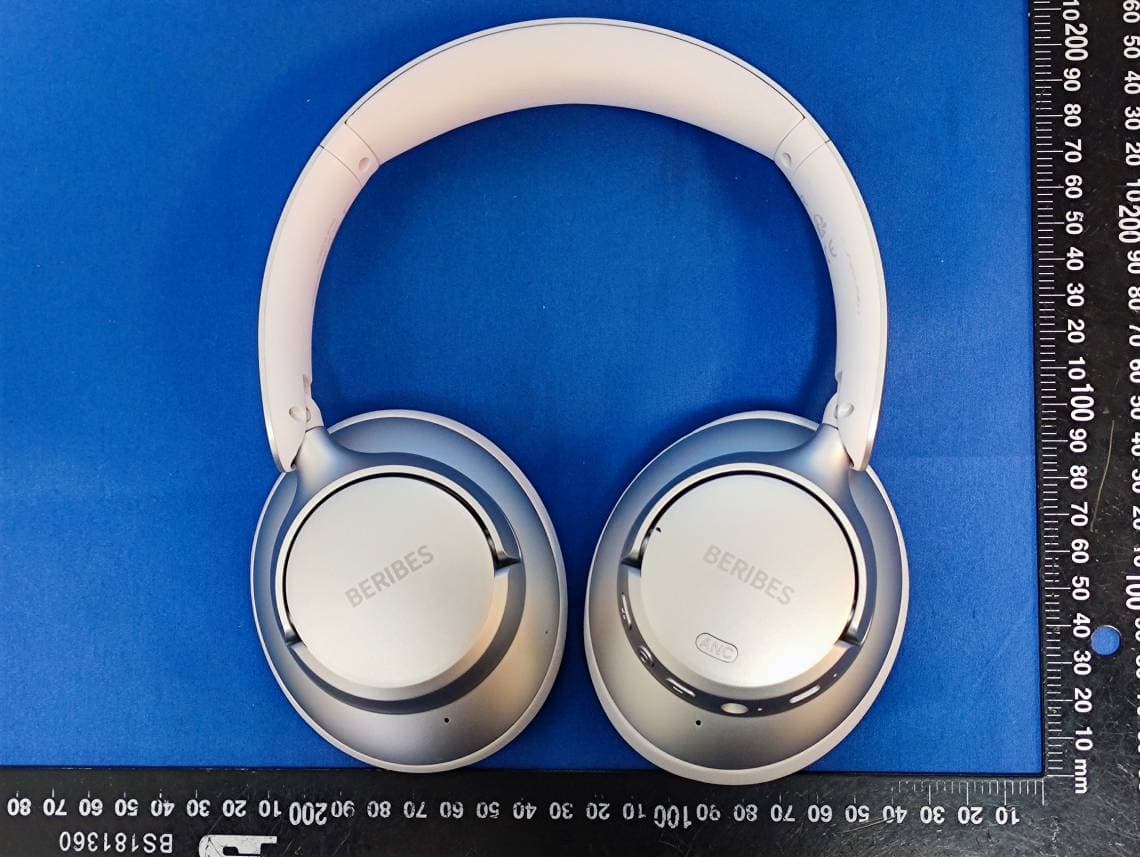
2AA7X-WH305B
Oct 26, 2023Wireless Headphones
Equipment Class
DSS - Part 15 Spread Spectrum Transmitter
2AA7X-WH210A
Oct 25, 2023Wireless Headphones
Equipment Class
DSS - Part 15 Spread Spectrum Transmitter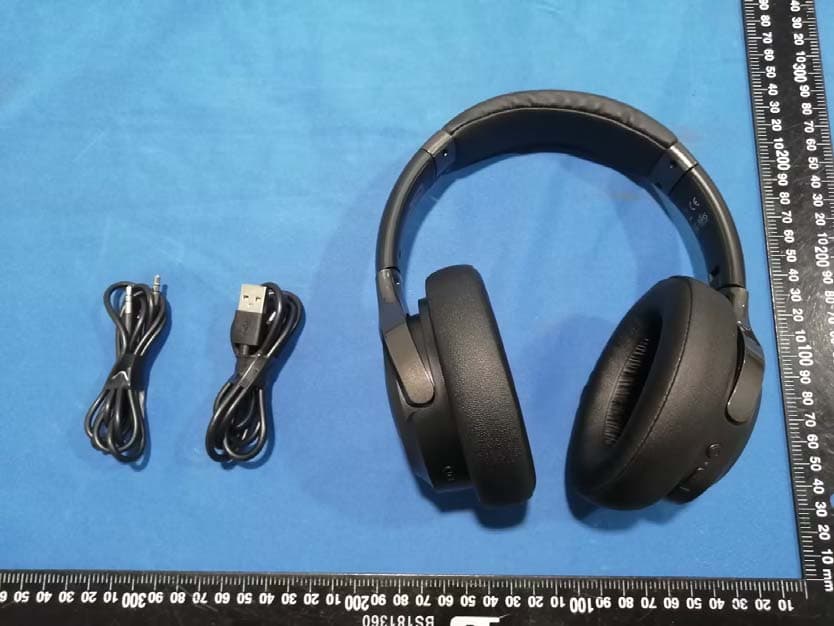
2AA7X-WH202A
May 09, 2023Wireless Headphones
Equipment Class
DSS - Part 15 Spread Spectrum Transmitter
2AA7XKBJ-108N
Nov 21, 2015Bluetooth headset
Equipment Class
DTS - Digital Transmission System
2AA7XKBJ-152N
Oct 29, 2015Bluetooth headset
Equipment Class
DTS - Digital Transmission System