2AA8WOCAM-M1WiFi Vedio Camera
AHOKU ELECTRONIC COMPANY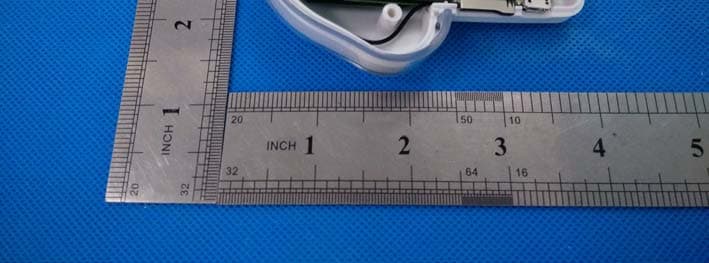
Click to zoom
Application Details
- Equipment Class
- DTS - Digital Transmission System
- Date of Grant
- Jan 27, 2015
- Application Purpose
- Original Equipment
- Date of Application
- Jan 27, 2015
- Equipment Note
- WiFi Vedio Camera
- Frequency Range
- 2412.00000000 - 2462.00000000
- Company
- AHOKU ELECTRONIC COMPANY
- Country
- Taiwan
Documents & Files
Document Text
Text extracted from the exhibit documents filed with the FCC. Open a document above to read the original.
Users Manual
1 OCam M1 HD WiFi Security Camera User's manual 2 Directory DirectoryDirectory Directory 1. Download APP “Yes iCam...... ...... .3 2. Power-on .....................................3 3. First WIFI setup................... ...... ....4 4. View real time video...................... ..6 5. Restore camera factory setting ........10 6. Living view instruction....................11 7. Camera setting..................... ........ 12 8. FAQ.............................................19 9. Care and maintenance............ ...... ..19 3 Before use, please prepare: Smart phone / Tablet Smart phone / Tablet Smart phone / Tablet Smart phone / Tablet Camera CameraCamera Camera R RR Router outerouter outer 1. Download APP “Yes iCam”: Download "Yes iCAM" Application software from “Google Play” / ” Apple Store”. Search keywords “Yes iCam”, download and install it on your Smartphone/Pad. 2. Power on 1. The power supply is connected to the power outlet (1) and power supply DC-side connected to camera power connector. Then Led on camera will be red color. 4 3. First Wi First WiFirst Wi First Wi- -- -Fi Setup Fi SetupFi Setup Fi Setup 1. The led flashes between red and green color. 2. Open Mobile phone / Tablet setting in the WiFi option to find and even "sbt-ipcam-XX:XX:XX:XX:XX:XX" , default factory password " 12345678". 5 3. Run APP "Yes iCam" . APP will go into "Wireless Configuration", Choice the WiFi APP name to connect to router, and enter the router's password, and complete the connection. Welcome surface choose WiFi SSID Notice: 6 1: WiFi SSID is the wireless network AP name. 2: If you can't find what you want to connect your camcorder WiFi Network , Make sure that the camera WiFi within the range of the router. 3: If you enter the wrong SSID Password according to camera “Beep beep " Rang three times. Please close the application software and reconnect again. 4: Make sure your Smartphone or Tablet PC with camera is connected to the same WiFi Router. Connected 4. View real time video 1. In Camera list, please click on the camera icon to view a live video camera. 7 2. Add a camera in the sa Add a camera in the saAdd a camera in the sa Add a camera in the same WiFi Router. me WiFi Router.me WiFi Router. me WiFi Router. Run “Yes iCam” APP. Please choice “Add New Camera” under Camera List page. Then APP will scan the nework to find the available camera and display all APP could find Please choice the camera list APP found. Then, please input password. And press “confirm” or “V”. APP will add this camera. <** Default password is “admin”. Please always change your password.**> a. click ”add camera” 8 b. choose the camera c. key-in password “admin” 9 d. connected N NN Notice oticeotice otice : If you input the wrong If you input the wrong If you input the wrong If you input the wrong password. Please click this camera. Then, APP password. Please click this camera. Then, APP password. Please click this camera. Then, APP password. Please click this camera. Then, APP 10 will willwill will ask to input password again. ask to input password again.ask to input password again. ask to input password again. 3 33 3. Add a remote camera Add a remote cameraAdd a remote camera Add a remote camera Click on the camera list interface " Add cameras ", then click on the " join the remote cameras " . In "adding remote cameras” ,Please fill 20 characters and password into " camera UID" , “password”. (First-time installation is all lower case Admin). a. a.a. a. click click click click “add addadd add a remote camera a remote camera a remote camera a remote camera” b. fill fill fill fill UID( UID(UID( UID(20 character 20 character20 character 20 characters ss s), ), ), ), 及 及及 及 password password password password ”admin adminadmin admin” 11 c. QR Code to add remote camera QR Code to add remote cameraQR Code to add remote camera QR Code to add remote camera 12 d. connected connectedconnected connected 5. Restore camera factory setting Restore camera factory settingRestore camera factory setting Restore camera factory setting If you forget the camera password, it will take you about 1 minute to reset to factory setting. Please follow the procedure: 1. Turn on camera power by plugging power cable. 2. After 20 seconds, please press 5 seconds “reset to default button”. And, Hear 3 Beep sound, 3. Then, the system will reboot and back to factory setting.\ Notice: if you didn’t hear the “beep sound”, please restart it and do again. 13 6. Living View Instruction: 1. Camera Name 2. Snapshot:Press this button to capture a snapshot from living view. 14 3. Snapshot folder: You could get all snapshot pictures from this folder. 4. Video Record ON/OFF (Need to have TF card. And plug in TF card into camera TF card slot.) 5. Two way audio switch: Listen, mute or speak. 6. Switch to 1280*720 resolution living view. 7. Switch to 640*360 resolution living view. 8. Switch to 320*180 resolution living view. 9. Flip for living view. 10. Mirror for living view. 11. Return:Return to camera list 12. Camera status: Online/Offline, P2P/Relay/LAN 13. Message for resolution, frame rate, and video bit rate. 14. Online number to watch living view. 7. Camera setting: In Camera list, please click symbol to into camera setting. 1. camera name Modify the camera name 15 2. Delete camera Confirm delete this camera 3. Event review Check all events from motion detection and voice detection. 4. Motion Detection When motion detection was happened, camera will get snapshot to send to your email or send out push message into your smartphone/Pad. Please 16 configure motion detection. Then, you could turn on all features. 1. Turn on motion detection。 2. Using your figure to set the area of motion detection.。 3. configure email。 <Please check your email setting in SMTP function.> Click “Email setup” SMTP setup instruction: 17 notice : put in the memory card before setup motion detection。 6. Voice detection When camera microphone receive all sound, the system will check wheth…
Text truncated - open the document above for the full version.
Cover Letter(s)
AHOKU ELECTRONIC COMPANY FCC Confidentiality Request To the FCC and FCC TCB handling this application for certification Pursuant to 47 CFR Section 0.459(a) & (b), we, (the applicant / grantee) Company name AHOKU ELECTRONIC COMPANY Addresss 5F, NO.88, Sec.1 Nei-Hu Road, City Taipei Country Taiwan request non-disclosure and confidential treatment for our certification under: Grantee Code Product Number FCC ID: 2AA8W OCAM-M1 of the following materials submitted within this certification application: (please cross what is applicable, or add other documents) x Operational Description x Block Diagrams x Schematics Diagrams Bill of Materials Above materials contain secrets, proprietary and technical information, which would customarily be guarded from competitors under 47 CFR, section 0.457(d)(2). Disclosure or publication or any portion of this company confidential material to other parties could cause substantial competitive harm and provide unjustified benefits for competitors. We understand that pursuant to 47 CFR section 0.457(d)(1)(ii) disclosure of the applicant and all accompanying documentation will not be made before the date of the grant. Attestation: City and Country: Date: Name: (this must be a person) Function:Signature: (or official company stamp) Taipei 2015/1/10 PAUL CHANGR&D Manager
Cover Letter(s)
AHOKU ELECTRONIC COMPANY Authorization Letter We, (the approval holder) Company name AHOKU ELECTRONIC COMPANY Addresss 5F, NO.88, Sec.1 Nei-Hu Road, City Taipei Country Taiwan declare that the following representative (agent): Name (person) James.Zhang Company name Shenzhen BCTC Technology Co., Ltd Addresss No.101,Youshong Road,Longhua New District City Shenzhen Country China to act on our behalf on all matters concerning the application and documents submitted to PHOENIX TEST-LAB for product certification below Product Description WiFi Video Camera Type or Model(s) OCam-M1, OCam-M2, OCam-M3, OCam-M5 Tradename or Brand(s) AHOKU Attestation: City and Country: Date:Name: (this must be a person) Function:Signature: (or official company stamp) Taipei 2015/1/10 PAUL CHANGR&D Manager
Cover Letter(s)
Date:2015-1-17 FCC ID: 2AA8WOCAM-M1 Subject: Ad Hoc Mode Function Declaration To Whom it may concern, This device is acting as slave and operating in the 2.4 GHz (2412 – 2462 MHz) band. Ad Hoc function is supported but not able to operate on non-US frequencies. Please contact the one signed below or the authorized agent for this filing. Thank you. Regards, Yours sincerely, Signatory Signature Name: PAUL CHANG Title: R&D Manager
External Photos
Shenzhen BCTC Technology Co., Ltd. Report No.: BCTC-150100130 FCC Report Tel: 400-788-9558 0755-33019988 Web:Http//www.bctc-lab.com Page 1 of 8 APPENDIX-PHOTOGRAPHS OF EUT CONSTRUCTIONAL DETAILS Photo 1 Photo 2 Shenzhen BCTC Technology Co., Ltd. Report No.: BCTC-150100130 FCC Report Tel: 400-788-9558 0755-33019988 Web:Http//www.bctc-lab.com Page 2 of 8 Photo 3 Photo 4 Shenzhen BCTC Technology Co., Ltd. Report No.: BCTC-150100130 FCC Report Tel: 400-788-9558 0755-33019988 Web:Http//www.bctc-lab.com Page 3 of 8 Photo 5 Photo 6
ID Label/Location Info
1.9*1.1cm
Internal Photos
Shenzhen BCTC Technology Co., Ltd. Report No.: BCTC-150100130 FCC Report Tel: 400-788-9558 0755-33019988 Web:Http//www.bctc-lab.com Page 4 of 9 Photo 7 Photo 8 FPCB ANT Shenzhen BCTC Technology Co., Ltd. Report No.: BCTC-150100130 FCC Report Tel: 400-788-9558 0755-33019988 Web:Http//www.bctc-lab.com Page 5 of 9 Photo 9 Photo 10 Shenzhen BCTC Technology Co., Ltd. Report No.: BCTC-150100130 FCC Report Tel: 400-788-9558 0755-33019988 Web:Http//www.bctc-lab.com Page 6 of 9 Photo 11 Photo 12 Shenzhen BCTC Technology Co., Ltd. Report No.: BCTC-150100130 FCC Report Tel: 400-788-9558 0755-33019988 Web:Http//www.bctc-lab.com Page 7 of 9 Photo 13 Photo 14 Shenzhen BCTC Technology Co., Ltd. Report No.: BCTC-150100130 FCC Report Tel: 400-788-9558 0755-33019988 Web:Http//www.bctc-lab.com Page 8 of 9 Photo 15 Photo 16 Shenzhen BCTC Technology Co., Ltd. Report No.: BCTC-150100130 FCC Report Tel: 400-788-9558 0755-33019988 Web:Http//www.bctc-lab.com Page 9 of 9 Photo 17
RF Exposure Info
RF EXPOSURE TEST FCC ID: 2AA8WOCAM-M1 Applied procedures / limit These devices are not exempted from compliance does not exceed the Commission’s RF exposure guidelines.Unless a device operates at substantially low power levels,with a low gain antenna(s),supporting information is generally needed to establish the various potential operating configurations and exposure conditions of a transmitter and its antenna(s) in order to determine compliance with the RF exposure guidelines. In order to demonstrate compliance with MPE requirement(see Section 2.1091),the following information is typically needed: Calculation that estimates the minimum separation distance(20 cm or more)between an antenna and persons required to satisfy power density limits defined for free space. Antenna installation and device operating instructions for installers(professional/unskilled users),and the parties responsible for ensuring compliance with the RF exposure requirement Any caution statements and/or warming labels that are necessary in order to comply with the exposure limits Any other RF exposure related issues that may affect MPE compliance. FCC 1.1310: The criteria listed in the following table shall be used to evaluate the environmental impact of human exposure to radio-frequency(RF) radiation as specified in 1.1307(b). (A) Limits for Occupational / Controlled Exposure Frequency Range (MHz) Electric Field Strength (E) (V/m) Magnetic Field Strength (H) (A/m) Power Density (S) (mW/ cm 2 ) Averaging Time |E| 2 ,|H| 2 or S (minutes) 0.3-3.0 614 1.63 (100)* 6 3.0-30 1842 / f 4.89 / f (900 / f)* 6 30-300 61.4 0.163 1.0 6 300-1500 F/300 6 1500-100,000 5 6 (B) Limits for General Population / Uncontrolled Exposure Frequency Range (MHz) Electric Field Strength (E) (V/m) Magnetic Field Strength (H) (A/m) Power Density (S) (mW/ cm 2 ) Averaging Time |E| 2 ,|H| 2 or S (minutes) 0.3-1.34 614 1.63 (100)* 30 1.34-30 824/f 2.19/f (180/f)* 30 30-300 27.5 0.073 0.2 30 300-1500 F/1500 30 1500-100,000 1.0 30 Note: f = frequency in MHz ; *Plane-wave equivalent power density MPE CALCULATION METHOD Calculation Method of RF Safety Distance: P :power input to the antenna in Mw EIRP :Equivalent(effective) isotropic radiated power. S :power density mW/ cm 2 G ;numeric gain of antenna relative to isotropic radiator R :distance to centre of radiation in cm FCC radio frequency exposure limits may be exceeded at distances closer than r cm from the antenna of this device EIRP=10 ( Antenna Gain+Peak Output Power/10) Note: 1. s=1.0 mW /cm 2 for limits for General Population/Uncontrolled Exposures. 2. The time averaged power over 30 minutes will be equaled Output Power. 3. The Power Density at a distance of 20cm calculated from the formula is far below the limit of 1MW/ cm 2 TEST RESULTS R=20cm NOTE: (For mobile or fixed location transmitters, the maximum power density is 1.0mW/cm 2 even if the calculation indicates that the power density would be larger) PK output power (MAX) (dBm) Output power to antenna (mW) Antenna Gain (numeric) Power Density (S) (mW/ cm 2 ) Limit of Power Density (S) (mW/ cm 2 ) Result 17.24 52.96 1.58(2dbi) 0.0167 1 Pass
Test Report
Shenzhen BCTC Technology Co., Ltd. Report No.: BCTC-150100130 FCC Report Tel: 400-788-9558 0755-33019988 Web:Http//www.bctc-lab.com Page1 of 72 FCC Part 15C Test Report FCC ID: 2AA8WOCAM-M1 Product Name: WiFi Video Camera Trademark: AHOKU Model Name : OCam-M1,OCam-M2, OCam-M3, OCam-M5 Prepared For : AHOKU ELECTRONIC COMPANY Address : 5F, NO.88, Sec.1 Nei-Hu Road, Taipei, Taiwan Prepared By : Shenzhen BCTC Technology Co., Ltd. Address : No.101,Yousong Road,Longhua New District, Shenzhen,China Test Date: Jan. 04 - Jan. 12, 2015 Date of Report : Jan. 12, 2015 Report No.: BCTC-150100130 Shenzhen BCTC Technology Co., Ltd. Report No.: BCTC-150100130 FCC Report Tel: 400-788-9558 0755-33019988 Web:Http//www.bctc-lab.com Page2 of 72 VERIFICATION OF COMPLIANCE Applicant’s name ................. : AHOKU ELECTRONIC COMPANY Address ................................. : 5F, NO.88, Sec.1 Nei-Hu Road, Taipei, Taiwan Manufacture's Name ............ : Ahoku Techland Electronics LTD. Address ................................. : No.5, DaBanDi 1st Rd., XiaBian, ChangAn, DongGuan City, GuangDong, China. Product description Product name ........................... : WiFi Video Camera Trademark: AHOKU Model Name: OCam-M1,OCam-M2, OCam-M3, OCam-M5 Test procedure FCC Part15.247 Standards ANSI C63.4-2003 This device described above has been tested by BCTC, and the test results show that the equipment under test (EUT) is in compliance with the FCC requirements. And it is applicable only to the tested sample identified in the report. This report shall not be reproduced except in full, without the written approval of BCTC, this document may be altered or revised by BCTC, personal only, and shall be noted in the revision of the document. Prepared by(Engineer): Reviewer(Quality Manager): Approved & Authorized Signer(Manager): Shenzhen BCTC Technology Co., Ltd. Report No.: BCTC-150100130 FCC Report Tel: 400-788-9558 0755-33019988 Web:Http//www.bctc-lab.com Page3 of 72 Table of Contents Page 1 . SUMMARY OF TEST RESULTS 5 1.1 TEST FACILITY 6 1.2 MEASUREMENT UNCERTAINTY 6 2 . GENERAL INFORMATION 7 2.1 GENERAL DESCRIPTION OF EUT 7 2.2 DESCRIPTION OF TEST MODES 9 2.3 BLOCK DIGRAM SHOWING THE CONFIGURATION OF SYSTEM TESTED 10 2.4 DESCRIPTION OF SUPPORT UNITS(CONDUCTED MODE) 11 2.5 EQUIPMENTS LIST FOR ALL TEST ITEMS 12 3 . EMC EMISSION TEST 13 3.1 CONDUCTED EMISSION MEASUREMENT 13 3.1.1 POWER LINE CONDUCTED EMISSION LIMITS 13 3.1.2 TEST PROCEDURE 14 3.1.3 DEVIATION FROM TEST STANDARD 14 3.1.4 TEST SETUP 14 3.1.5 EUT OPERATING CONDITIONS 14 3.1.6 TEST RESULTS 15 3.2 RADIATED EMISSION MEASUREMENT 17 3.2.1 RADIATED EMISSION LIMITS 17 3.2.2 TEST PROCEDURE 18 3.2.3 DEVIATION FROM TEST STANDARD 18 3.2.4 TEST SETUP 19 3.2.5 EUT OPERATING CONDITIONS 20 3.2.6 TEST RESULTS (BETWEEN 9KHZ – 30 MHZ) 21 3.2.7 TEST RESULTS (BETWEEN 30MHZ – 1GHZ) 22 3.2.8 TEST RESULTS (ABOVE 1000 MHZ) 24 4 . POWER SPECTRAL DENSITY TEST 54 4.1 APPLIED PROCEDURES / LIMIT 54 4.1.1 TEST PROCEDURE 54 4.1.2 DEVIATION FROM STANDARD 54 4.1.3 TEST SETUP 54 4.1.4 EUT OPERATION CONDITIONS 54 Shenzhen BCTC Technology Co., Ltd. Report No.: BCTC-150100130 FCC Report Tel: 400-788-9558 0755-33019988 Web:Http//www.bctc-lab.com Page4 of 72 Table of Contents Page 4.1.5 TEST RESULTS 55 5 . BANDWIDTH TEST 61 5.1 APPLIED PROCEDURES / LIMIT 61 5.1.1 TEST PROCEDURE 61 5.1.2 DEVIATION FROM STANDARD 61 5.1.3 TEST SETUP 61 5.1.4 EUT OPERATION CONDITIONS 61 5.1.5 TEST RESULTS 62 6 . PEAK OUTPUT POWER TEST 68 6.1 APPLIED PROCEDURES / LIMIT 68 6.1.1 TEST PROCEDURE 68 6.1.2 DEVIATION FROM STANDARD 68 6.1.3 TEST SETUP 68 6.1.4 EUT OPERATION CONDITIONS 68 6.1.5 TEST RESULTS 69 7 . ANTENNA REQUIREMENT 70 7.1 STANDARD REQUIREMENT 70 7.2 EUT ANTENNA 70 8 . EUT TEST PHOTO 71 APPENDIX-PHOTOGRAPHS OF EUT CONSTRUCTIONAL DETAILS Shenzhen BCTC Technology Co., Ltd. Report No.: BCTC-150100130 FCC Report Tel: 400-788-9558 0755-33019988 Web:Http//www.bctc-lab.com Page5 of 72 1. SUMMARY OF TEST RESULTS Test procedures according to the technical standards: FCC Part15 (15.247) , Subpart C Standard Section Test Item Judgment Remark 15.207 Conducted Emission PASS 15.247 (a)(2) 6dB Bandwidth PASS 15.247 (b) Peak Output Power PASS 15.247 (c) Radiated Spurious Emission PASS 15.247 (d) Power Spectral Density PASS 15.205 Band Edge Emission PASS 15.203 Antenna Requirement PASS NOTE: (1)” N/A” denotes test is not applicable in this Test Report Shenzhen BCTC Technology Co., Ltd. Report No.: BCTC-150100130 FCC Report Tel: 400-788-9558 0755-33019988 Web:Http//www.bctc-lab.com Page6 of 72 1.1 TEST FACILITY Shenzhen BCTC Technology Co., Ltd. Add.:No.101,Yousong Road,Longhua New District, Shenzhen,China FCC Registration No.:187086 1.2 MEASUREMENT UNCERTAINTY The reported uncertainty of measurement y ± U,where expended uncertainty U is based on a standard uncertainty multiplied by a coverage factor of k=2,providing a level of confidence of approximately 95 %。 No. Item Uncertainty 1 Conducted Emission Test ±1.38dB 2 RF power,conducted ±0.16dB 3 Spurious emissions,conducted ±0.21dB 4 All emissions,radiated(<1G) ±4.68dB 5 All emissions,radiated(>1G) ±4.89dB 6 Temperature ±0.5°C 7 Humidity ±2% Shenzhen BCTC Technology Co., Ltd. Report No.: BCTC-150100130 FCC Report Tel: 400-788-9558 0755-33019988 Web:Http//www.bctc-lab.com Page7 of 72 2. GENERAL INFORMATION 2.1 GENERAL DESCRIPTION OF EUT Equipment WIFI VIDEO CAMERA Trademark AHOKU Model Name OCam-M1 Serial Model OCam-M2, OCam-M3, OCam-M5 Model Difference All the same,Only model name is different Product Description The EUT is a WiFi Video Camera Operation Frequency: 2412~2462 MHz Modulation Type: CCK/OFDM/DBPSK/DAPSK Bit Rate of Transmitter 802.11b:11/5.5/2/1 Mbps 802.11g:54/48/36/24/18/12/9/6Mbps 802.11n:65/52/6.5 Mbps Number Of Channel 11 CH, Please see Note 2. Antenna Designation: Please see Note 3. Output Power(Conducted): 802.11b: 17.24 dBm (Max.) 802.11g: 15.46 dBm (Max.) 802.11n: 14.56 dBm (Max.) Based on the application, features, or specification exhibited in User's Manu…
Text truncated - open the document above for the full version.
Test Setup Photos
Shenzhen BCTC Technology Co., Ltd. Report No.: BCTC-150100130 FCC Report Tel: 400-788-9558 0755-33019988 Web:Http//www.bctc-lab.com Page71 of 72 8. EUT TEST PHOTO Radiated Measurement Photos Shenzhen BCTC Technology Co., Ltd. Report No.: BCTC-150100130 FCC Report Tel: 400-788-9558 0755-33019988 Web:Http//www.bctc-lab.com Page72 of 72 Conducted Measurement Photos
Contact Information
Applicant
Leo cheng(Project Manager)
Test Firm
Shenzhen BCTC Technology Co., Ltd.James Zhang
Technical Specifications
| # | Rule Parts | Frequency Range | Power Output |
|---|---|---|---|
| 1 | 15C | 2.41 GHz - 2.46 GHz | 53.00 mW |
Other Applications from AHOKU ELECTRONIC COMPANY
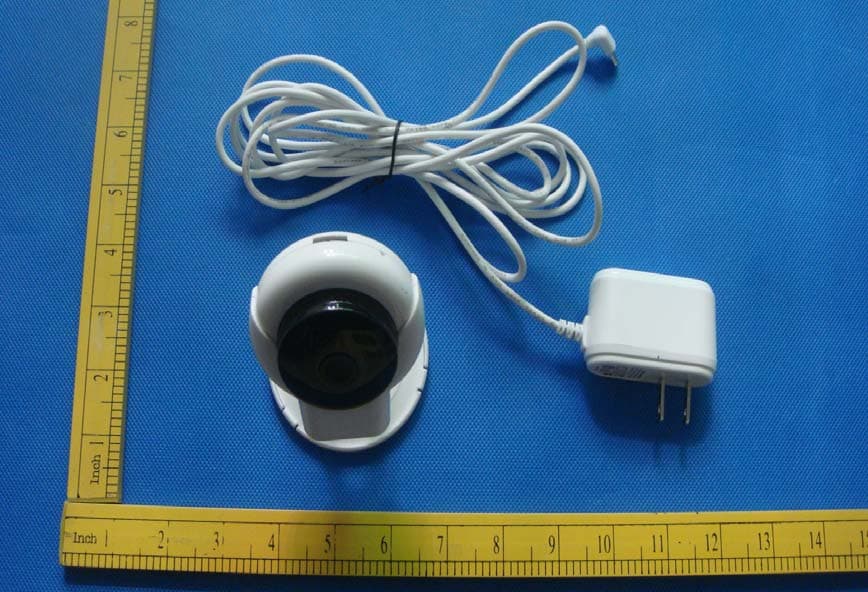
2AA8W-OCAMS1
Dec 16, 2015IP Cam
Equipment Class
DTS - Digital Transmission System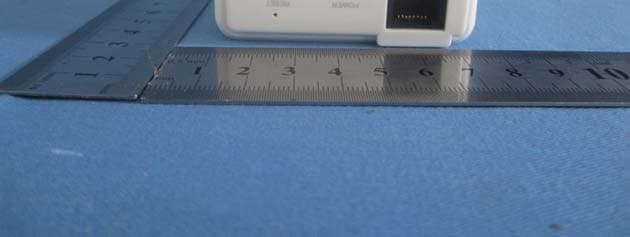
2AA8WEEC230WIFI
Nov 08, 2013WiFi Travel Router
Equipment Class
DTS - Digital Transmission System