2AACAAM-100Air mouse
Syabas Technology Hong Kong, Limited
Click to zoom
Application Details
- Equipment Class
- DXX - Part 15 Low Power Communication Device Transmitter
- Date of Grant
- Dec 01, 2014
- Application Purpose
- Original Equipment
- Date of Application
- Dec 01, 2014
- Equipment Note
- Air mouse
- Frequency Range
- 2402.00000000 - 2481.00000000
- Country
- China
Documents & Files
Document Text
Text extracted from the exhibit documents filed with the FCC. Open a document above to read the original.
Users Manual
Product Specification Product: Air mouse Model No: AM-100 Date: 2014-09-10 Version: V1.0 1. General Description This product is a remote controller with the multi-function of Air Mouse, keyboard, Multimedia Android Control, microphone and Motion Sense Support. 2. Features a). Elegant ID design, with air mouse keyboard on one side, and remote-control on the other side ; b). Adopting low power consumption 2.4G wireless connection, with strong anti-disturbance ability, also with LED indicators to indicate the connection status; c). Working under low voltage: 3.3-4.5V; d). With Anti-shake algorithm to make sure the mouse cursor stable and smooth; 3. Function 4. Specification Acceleration Sensor 3 axes g-sensor Gyro-sensor 3 axes gyroscope Communication 2.4 GHz Working Distance 10-20m Frequency 2.400-2.483GHz Working Current <20mA Standby Current <20uA Battery Rechargeable lithium battery Indicator 1 LED indicator Product Size 151*45*14mm (L*B*H) No. Function Code 1 Turn off Mouse/Mic Turn on/off the TV/Turn on/off the mouse and microphone. 2 Volume - Multimedia Volume - 3 Volume + Multimedia Volume + 4 Up Keyboard Up 5 Down Keyboard Down 6 Left Keyboard Left 7 Right Keyboard Right 8 Mouse_L Mouse Left Click Enter(when mouse mode is off) 9 Mouse_R, Back(Android System) Mouse Right Click 10 Menu Left Windows Key 11 Home Multimedia Home 12 Turn off mouse Turn on/off the mouse, Default is On 13 Page Up Keyboard Page UP 14 Page Down Keyboard Page Down 15 Mute Multimedia Mute Receiver Size 18.58*14.59*6.7mm (L*B*H) mini receiver Weight 65g USB USB2.0 System Compatible for Windows, Mac OS, Linux, Android 5. Pairing Warning: This operation may disconnect the original paired connection, please operate with cautions. 1). Plug in the USB dongle receiver, keep the distance between the remote control and the pc within 1m. 2). Press the “OK” and “Return” keys for 3 seconds, then the green indicator starts blinking quickly and then leave your hands from the keys. 3). When the green indicator stops blinking and turns on, pairing succeeds. 6. Hibernation The remote controller will turn into hibernation mode when it stays still for 20 seconds. Press any key to wake up the remote controller. 7. Notice 1. Battery: Keep the battery with enough power. When the voltage is low, the stability of mouse cursor will be affected. 2. Working Distance: The actual working distance of this remote controller will be affected by electromagnetic field. Please make sure the receiver has not been covered by metal items. 3. Pairing: The pairing has been finished before the remote control leaves the factory. This function can only be used by distributors. 4. Mouse Sensitivity Adjustment: Please change new battery first. If the mouse cursor is still unstable, then you can use this function. 5. Indicator: There are 1 double color indicator on the remote controller, that is, the green indicator and the red indicator. Green Indicator: When the remote controller is well connected, the green indicator will keep turning on; once the green indicator starts blinking, it shows that the remote controller is not well connected, please check whether the receiver is well connected to the host or not, or the receiver is covered by some metal objects. Red Indicator: When the red indicator turns on, it means that the remote controller is charging . FCC Statement Changes or modifications not expressly approved by the party responsible for compliance could void the user's authority to operate the equipment. This equipment has been tested and found to comply with the limits for a Class B digital device, pursuant to Part 15 of the FCC Rules. These limits are designed to provide reasonable protection against harmful interference in a residential installation. This equipment generates uses and can radiate radio frequency energy and, if not installed and used in accordance with the instructions, may cause harmful interference to radio communications. However, there is no guarantee that interference will not occur in a particular installation. If this equipment does cause harmful interference to radio or television reception, which can be determined by turning the equipment off and on, the user is encouraged to try to correct the interference by one or more of the following measures: -- Reorient or relocate the receiving antenna. -- Increase the separation between the equipment and receiver. -- Connect the equipment into an outlet on a circuit different from that to which the receiver is connected. -- Consult the dealer or an experienced radio/TV technician for help This device complies with part 15 of the FCC rules. Operation is subject to the following two conditions (1)this device may not cause harmful interference, and (2) this device must accept any interference received, including interference that may cause undesired operation
Cover Letter(s)
Syabas Technology HongKong Limited Letter of Authorization Company: Syabas Technology HongKong Limited Address: Unit 316A of the 3rd floor, Enterprise Place, Phase One Hong Kong Science Park Pak ShekKok, Tai Po, New Territories, Hong Kong Product Name: Air mouse Model Number: AM-100 We authorize MiCOM Labs Inc, 575 Boulder Court, Pleasanton, CA 94566, USA, to act on our behalf on all matters concerning the above named equipment. Any individual within MiCOM Labs is authorized to act on our behalf and take action on the application. This shall include the following: • Testing • Approval applications (includes complete product documentation package, including Confidential information) and procedures • Payment of approval fees We declare that MiCOM Labs Inc, 575 Boulder Court, Pleasanton, CA 94566, USA, is allowed to forward all information related to the approval project to the applied notified body and to the notification entities and to discuss any issues concerning the approval application. Any and all acts carried out by MiCOM Labs on our behalf shall have the same effect as acts of our own. Name: Donyli Date: 2014.12.01 Title: Manager Signature of applicant:
Cover Letter(s)
< Syabas Technology HongKong Limited > Office of Engineering Technology Federal Communications Commission 7435 Oakland Mills Road Columbia, MD 21046 Date:2014.12.01 Subject; Request for Confidentiality FCC ID: 2AACAAM-100 To Whom It May Concern, Pursuant to the provisions of Sections 0.457 and 0.459 of Commission's rules (47CFR0.457, 0.459), we are requesting the Commission to withhold the following attachment(s) as confidential document from public disclosure indefinitely. • Schematic Diagram • Block Diagram • Operational Description Above mentioned document contains detailed system and equipment description are considered as proprietary information in operation of the equipment. The public disclosure of above documents might be harmful to our company and would give competitor an unfair advantage in the market. In additional to above mentioned documents, pursuant to Public Notice DA 04-1705 of the Commission' s policy, in order to comply with the marketing regulations in 47 CFT §2.803 and the importation rules in 47 CFR §2.1204, while ensuring that business sensitive information remains confidential until the actual marketing of newly authorized devices. We are requesting the commission to grant shot-term confidentiality request on the following attachment(s) for 180 days after the grant as outlined in Public Notice DA 04-1705. • External Photos • Internal Photos • Test Setup Photos • User Manual It is our understanding that all measurement test reports, FCC ID label format and correspondent during certification review process cannot be granted as confidential documents and those information will be available for public review once the grant of equipment authorization is issued. Sincerely, Signature: Name: Donyli Title: Manager
ID Label/Location Info
FCC ID Label Location FCC ID: 2AACAAM-100 Model: AM-100 This device complies with part 15 of the FCC rules. Operation is subject to the following two conditions (1)this device may not cause harmful interference, and (2) this device must accept any interference received, including interference that may cause undesired operation 3CM 2CM 3cm X 2cm
Test Report
FCC ID TEST REPORT for Air mouse Model: AM-100 FCC ID: 2AACAAM-100 Prepared for: Syabas Technology HongKong Limited Unit 316A of the 3rd floor, Enterprise Place, Phase One Hong Kong Science Park Pak ShekKok, Tai Po, New Territories, Hong Kong Prepared by: Shenzhen TCT Testing Technology Co.,Ltd 1F, Building 1, Yibaolai Industrial Park, Qiaotou Village, Fuyong Town, Baoan District, Shenzhen, Guangdong, China TEL: +86-0755-27673339 FAX: +86-0755-27673332 Report Number:TCT141103E019 Date of Test: November 07~ November 26, 2014 Date of Report:November 27, 2014 The results detailed in this test report relate only to the specific sample(s) tested. It is the Application’s responsibility to ensure that all production units are manufactured with equivalent EMC characteristics. This report is not to be reproduced except in full, without written approval from TCT Testing Technology. FCC ID: 2AACAAM-100 Report Number: TCT141103E019 Page 2 of 23 Table of Contents 1.0 General Details................................................................................................................................................... 3 1.1 Test Lab Details ........................................................................................................................................... 3 1.2 Applicant Details ......................................................................................................................................... 3 1.3 Description of EUT...................................................................................................................................... 4 1.4 Statement ..................................................................................................................................................... 4 1.5 Test Engineer ............................................................................................................................................... 4 2.0 Test equipments and Associated Equipment used during the test................................................................. 5 2.1 Test Equipments........................................................................................................................................... 5 2.2 AE used during the test ................................................................................................................................ 5 3.0 Technical Details................................................................................................................................................ 6 3.1 Summary of test results ............................................................................................................................... 6 3.2 Test Standards .............................................................................................................................................. 6 4.0 EUT Modification.............................................................................................................................................. 6 5.0 Measurement Uncertainty................................................................................................................................6 6.0 Power Line Conducted Emission Test.............................................................................................................. 7 6.1 Schematics of the test .................................................................................................................................. 7 6.2 Test Method and test Procedure ................................................................................................................... 7 6.3 EUT Operating Condition............................................................................................................................ 7 6.4 Test Equipment ............................................................................................................................................ 7 6.5 Conducted Emission Limit .......................................................................................................................... 8 6.7 Test result..................................................................................................................................................... 8 7.0 Radiated Emission Test................................................................................................................................... 11 7.1 Test Method and test Procedure:................................................................................................................ 11 7.2 Block diagram of Test setup ...................................................................................................................... 11 7.3 Limit .......................................................................................................................................................... 13 7.4 Test Equipment .......................................................................................................................................... 14 7.5 Test specification: ...................................................................................................................................... 14 8. Band Edge.......................................................................................................................................................... 19 8.1 Band Edge Limit........................................................................................................................................ 19 8.2 Test Equipment .......................................................................................................................................... 19 9.0 Occupied Bandwidth....................................................................................................................................... 21 9.1 Test Equipment ...........................................................…
Text truncated - open the document above for the full version.
Test Setup Photos
Conducted Emission Radiated Emission
Contact Information
Applicant
Dony Li
Technical Contact
Shenzhen Tongce Testing LabJoe Zhou
[email protected](86)075536638142
1F, Leinuo Watch Building, Fuyong Town · Shenzhen · China
Test Firm
Shenzhen Tongce Testing LabJoe Zhou
[email protected]860755-36638142
Technical Specifications
| # | Rule Parts | Frequency Range | Power Output |
|---|---|---|---|
| 1 | 15C | 2.40 GHz - 2.48 GHz | - |
Other Applications from Syabas Technology Hong Kong, Limited
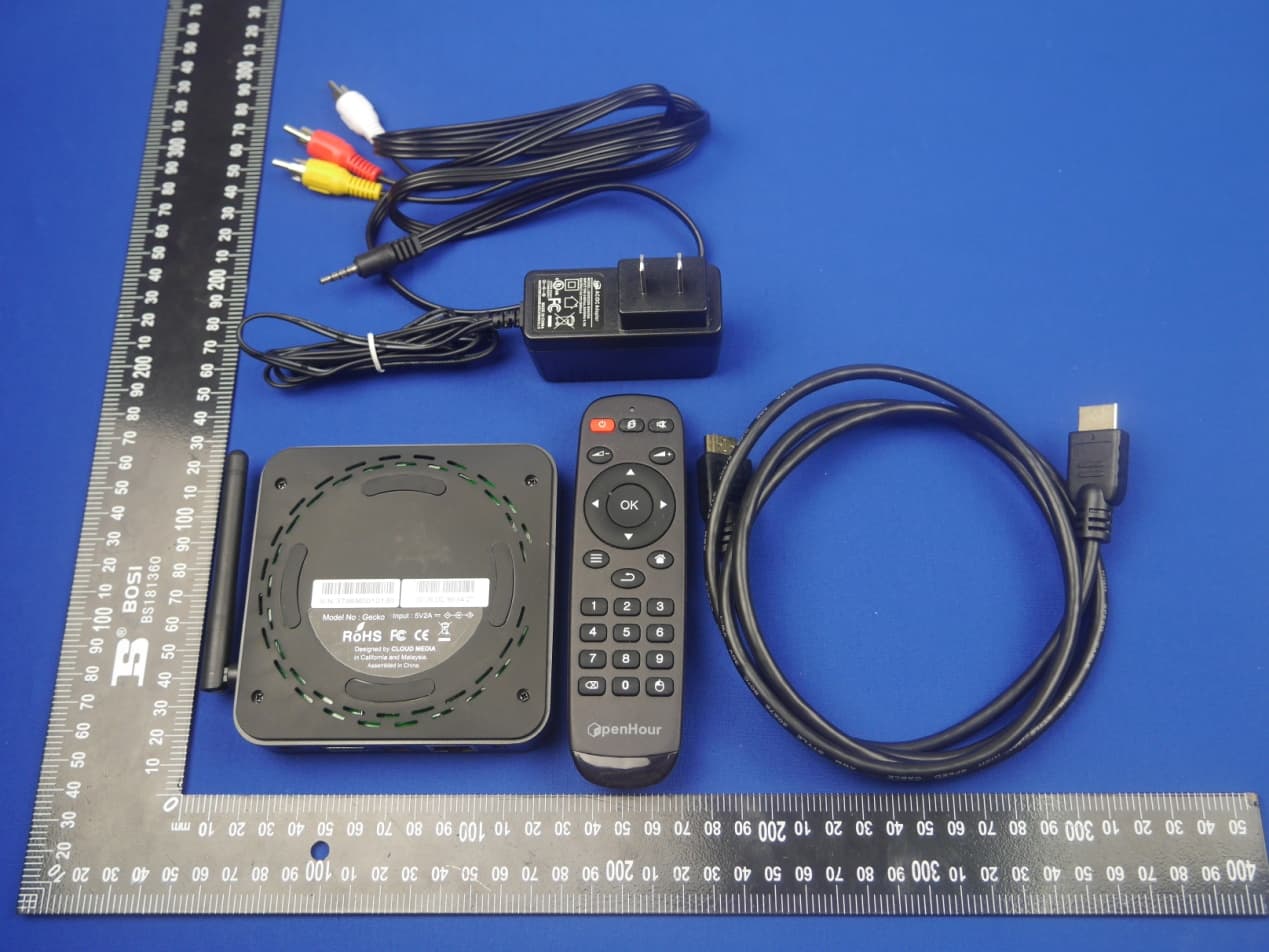
2AACA-GECKO
Nov 04, 2015OpenHour Gecko
Equipment Class
DTS - Digital Transmission System
2AACA-OTT
Nov 06, 2014OTT
Equipment Class
DTS - Digital Transmission System
2AACA1OTT
Jan 23, 2014OTT
Equipment Class
DTS - Digital Transmission System