2AACS-TAD10151821Advertising Displayer
Glory Star Technics(Shen Zhen)Co.,Ltd.
Click to zoom
Application Details
- Equipment Class
- DTS - Digital Transmission System
- Date of Grant
- Aug 07, 2013
- Application Purpose
- Original Equipment
- Date of Application
- Aug 07, 2013
- Equipment Note
- Advertising Displayer
- Frequency Range
- 2412.00000000 - 2462.00000000
- Country
- China
Documents & Files
Document Text
Text extracted from the exhibit documents filed with the FCC. Open a document above to read the original.
Users Manual
Advertising Displayer User Manual Applies to:TAD101-A/TAD151-A/TAD181-A/ TAD215-A/ TAD151-G 1. Turning on / off your Advertising Displayer Turn on: Connect the power plug and turn on the power button to be condition “1”. Turn off: Select the button to be condition “0” in order to cut off the power or directly to disconnect with the power plug. 2. Getting started The first time you turn on your Advertising Displayer, you will be presented with a welcome screen. 1)There will be a “ok” button on the top left of the screen with the following instructions: Make yourself at home You can put your favorite apps here. OK 2)There will be a circle icon on the top right of the screen with the following instruction: To see all your apps, please click the circle. If you are the first time to enter the applications list, a “OK” button and following instructions will be showed: Choose some apps To add an app to your Home screen,touch & hold it. Please click the“Play store”icon,a series of screens will guide you through the set-up process. When prompted, sign in using the email address and password associated with your Google account. If you do not have a Google account, go ahead and create one. You are now ready to use your Tablet. 3. Introduction to Advertising Displayer operating system 3.1 The Desktop The main area of interest for you will likely be the desktop itself. Here you will be able to place shortcuts to your favourite Apps or widgets. You may find a number of pre-installed icons and widgets on your Tablet desktop screen. To change the desktop background image of your Advertising Displayer, you will need to return to the Home screen by pressing the ‘Home’ icon. Press and hold an open space on the desktop (don’t press an icon); until a popup appears named ‘Select wallpaper from’. In the list, there may be multiple options to select an image or animated image of your choice. The option ‘Live Wallpapers’ will show the pre-installed animated desktop images. Other options such as a ‘Super-HD’ player, ‘Gallery’ or ‘Wallpapers’ allow you to select (widescreen) photos, downloaded images or other images, depending on the features of that specific application. To place a widget or app shortcut on the desktop, touch and hold the icon until the App drawer fades and the desktop screen appears. Move your finger to the location where you want to place the icon and release your finger to place the icon. To move or delete icons or widgets from your desktop, touch and hold the icon until a grid appears. Move the icon the new location or drag it to the ‘Remove’ bar on the top of the screen to remove it. Releasing the touch screen will confirm your action. 3.2 The App Drawer (top right hand corner) Press the icon on the top right hand corner of the screen to open the App Drawer. Here you will have access to two tabs: Apps and Widgets. The Apps tab will display all applications that are currently available / installed on the Advertising Displayer. The Widgets tab contains all of the optional widgets that can be added to the Desktop. To place a widget or app shortcut onto the desktop, touch and hold the icon, until the App Drawer fades and the desktop appears. Move your finger to the location on the screen where you want to place the icon and release your finger to confirm. When you use an app or other parts of the Android operating system, you will often see an ‘Extra Options’ icon. Pressing this icon will open up a secondary menu with further options. Functions like opening an advanced settings menu, switching to a different account or refreshing the displayed information are often hidden behind this icon. 3.3 Google / Voice search (top left hand corner) By clicking on the ‘Google search’ button on the top left hand corner of the screen, you can quickly type to carry out a search. The search application will automatically determine to an application or a web search. In the latter case, a web browser will be opened and the results of your query will be displayed on the Google search engine. Please note, that in order for the ‘Google Search’ to function properly, your Advertising Displayer must be connected to the Internet via Wi-Fi. 3.4 Navigation icons (bottom left hand corner) At the bottom of the screen, you will find three navigation icons. These icons will be available at all times. Regardless of what you are doing with the Advertising Displayer, you will always be able to revert back to the home screen via or previous screens by using these. Recent activity tab Back This button will open the previous screen that you were working in. Note, once you revert back to the Home screen, you will be unable to go back any further. Home Opens up the Home screen. If you are viewing the Left or Right Home screen, it will open the central Home screen. Recent Apps Opens a list of thumbnail images of recent apps you have been working with. To open an app, touch it. To remove a thumbnail from this list, swipe it either left or right. If these buttons are not used for a period of time, they may shrink to dots or fade away, depending on the app. To bring them back, simply touch the bottom left corner of the screen. 3.5 Status Information (bottom right corner) The bottom right hand corner of the screen will display system information such as the system date/time. The contents of this area can change if newly installed applications place additional information here. Pressing this icon bar will display a small overlay menu displaying the date/time information, current network status, battery status and a shortcut menu to another quick menu where options such as ‘Airplane Mode’, ‘Wifi On/Off’, screen brightness and other options can be set or toggled. Also, this quick menu contains a shortcut to the ‘Settings’ menu. Simply clicking elsewhere on the screen will close this menu. 4. General use 4.1 Charging the Tablet / checking battery status The current battery status will always be visible on the bottom right hand corner of the s…
Text truncated - open the document above for the full version.
Cover Letter(s)
DATE : July 10, 2013 Nemko Canada Inc 303 River Road Ottawa, Ontario, Canada K1V 1H2 Attn: Director of Certification Authority to Act as Agent On our behalf, I appoint _ Shenzhen Timeway Technology Consulting Co., Ltd. East 5/Block 4, Anhua Industrial Zone, No.8,Tairan Rd. CheGongMiao, FuTian District, Shenzhen City, Guangdong Province, China_, to act as our agent in the preparation of this application for equipment certification. I certify that submitted documents properly describe the device or system for which equipment certification is sought. I also certify that each unit manufactured, imported or marketed, as defined in the Federal Communications Commission’s regulations will have affixed to it a label identical to that submitted for approval with this application. For instances where our authorized agent signs the application for certification on our behalf, I acknowledge that all responsibility for complying with the terms and conditions for certification, as specified by Nemko Canada Inc, still resides with Glory Star Technics(Shen Zhen)Co.,Ltd. / 4/Floor, West Block, Longzhu Road, Xinwu Cun Industry Building, NanShan District, Shen Zhen, China Dated this July 10 , 2013 By: Hei Man Cheung Signature Printed Title: Manager On behalf of : Glory Star Technics(Shen Zhen)Co.,Ltd. Telephone: 0755-26001808-336
Cover Letter(s)
DATE : July 10, 2013 Equipment Autorisation Division Federal Communications Commission 7435 Oakland Mills Road Columbia, MD 21046 FCC ID: 2AACS-TAD10151821 Product Name: Advertising Displayer Request for Confidentiality Pursuant to Sections 0.457 and 0.459 of the commissions rules, we hereby request that the following documents be held confidential: (List here the documents for which you are seeking confidentiality – for example ...) • Schematics • Block diagram • Operational Description These materials contain trade secrets and proprietary information and are not customarily released to the public. The public disclosure of this information might be harmful to the company and provide unjustified benefits to our competitors. Dated this July 10 , 2013 By: Hei Man Cheung Signature Printed Title: Manager On behalf of : Glory Star Technics(Shen Zhen)Co.,Ltd. Telephone: 0755-26001808-336
Cover Letter(s)
Statement We Glory Star Technics(Shen Zhen)Co.,Ltd. Are applying for FCC DOC for Advertising Displayer with model number: TAD101-A, TAD151-A, TAD181-A, TAD215-A, TAD151-G The FCC DOC application will be completed before sell. Your assistance on this matter is highly appreciated. Yours sincerely, Signature: Company Name: Glory Star Technics(Shen Zhen)Co., Ltd.
Cover Letter(s)
Model Difference Statement We Glory Star Technics(Shen Zhen)Co., Ltd. Hereby that The product Advertising Displayer with models no. TAD101-A, TAD151-A, TAD181-A, TAD215-A, TAD151-G are all identical in main board, RF Modular and antenna. Model TAD101-A uses power supply with mode SUN-1200200. And the other models use power supply with mode SMS-00120500-S01 The size and schematics of panels are different. TAD101-A uses 10.1 size panel with model FS10106B1-V2; TAD151-A and TAD151-G use 15 size panels with model TMPI-GU0150-FX3; TAD181-A uses18.5 size panel with model M185BGE-L10; TAD215-A uses21.5 size panel with model M215HW03 V1. Your assistance on this matter is highly appreciated. Yours sincerely, Signature: Company Name: Glory Star Technics(Shen Zhen)Co., Ltd.
External Photos
Model No.: TAD215-A Model No.: TAD215-A Model No.: TAD215-A Note: Power Supply for TAD151-A, TAD181-A, TAD215-A, TAD151-G Model No.: TAD101-A Model No.: TAD101-A Model No.: TAD101-A Model No.: TAD101-A Note: Power Supply for TAD101-A Model No.: TAD151-A Model No.: TAD151-A Model No.: TAD151-A Model No.: TAD181-A Model No.: TAD181-A Model No.: TAD181-A Photographs - EUT Model No.: TAD151-G Model No.: TAD151-G Model No.: TAD151-G
ID Label/Location Info
FCC ID: 2AACS-TAD10151821 Model: TAD215-A This device complies with part 15 of the FCC rules. Operation is subject to the following two conditions (1) this device may not cause harmful interference, and (2) this device must accept any interference received, including interference that may cause undesired operation. Glory Star Technics(Shen Zhen)Co., Ltd.
ID Label/Location Info
Mark Location: FCC ID Label Location
Internal Photos
Model No.: TAD215-A Model No.: TAD215-A Model No.: TAD215-A Model No.: TAD101-A Model No.: TAD101-A Model No.: TAD151-A Model No.: TAD151-A Model No.: TAD151-A Model No.: TAD181-A Model No.: TAD181-A Model No.: TAD181-A Model No.: TAD151-G Model No.: TAD151-G Model No.: TAD151-G Model No.: TAD151-G Model No.: TAD151-G Model No.: TAD151-G Model No.: TAD151-G Model No.: TAD151-G Model No.: TAD151-G Model No.: TAD151-G Model No.: TAD151-G Model No.: TAD151-G Main board Schematics Main board Schematics Speaker
RF Exposure Info
Maximum Permissible Exposure Applicable Standard Systems operating under the provisions of this section shall be operated in a manner that ensures that the public is not exposed to radio frequency energy level in excess limit for maximum permissible exposure. In accordance with 47 CFR FCC Part 2 Subpart J, section 2.1091 this device has been defined as a mobile device whereby a distance of 0.2m normally can be maintained between the user and the device. (a) Limits for Occupational / Controlled Exposure Frequency Range (MHz) Electric Field Strength (E) (V/m) Magnetic Field Strength (H) (A/m) Power Density (S) (mW/cm 2 ) Averaging Times ︱E︱ 2 , ︱H︱ 2 or S (minutes) 0.3-3.0 614 1.63 (100)* 6 3.0-30 1842/f 4.89/f (900/f)* 6 30-300 61.4 0.163 1.0 6 300-1500 F/300 6 1500-100000 5 6 (b) Limits for General Population / Uncontrolled Exposure Frequency Range (MHz) Electric Field Strength (E) (V/m) Magnetic Field Strength (H) (A/m) Power Density (S) (mW/cm 2 ) Averaging Times ︱E︱ 2 , ︱H︱ 2 or S (minutes) 0.3-1.34 614 1.63 (100)* 30 1.34-30 824/f 2.19/f (180/f)* 30 30-300 27.5 0.073 0.2 30 300-1500 F/1500 30 1500-100000 1.0 30 Note: f=frequency in MHz; *Plane-wave equivalent power density MPE Calculation Method E (V/m) = (30*P*G) 0.5 /d Power Density: Pd (W/m 2 ) = E 2 /377 E = Electric Field (V/m) P = Peak RF output Power (W) G = EUT Antenna numeric gain (numeric) d = Separation distance between radiator and human body (m) The formula can be changed to Pd = (30*P*G) / (377*d 2 ) From the peak EUT RF output power, the minimum mobile separation distance, d=0.2m, as well as the gain of the used antenna, the RF power density can be obtained. Calculated Result and Limit Antenna Gain: 3.0dBi Antenna Gain (Numeric) Peak Output Power (dBm) Peak Output Power (mW) Power Density (S) (mW/cm 2 ) Limit of Power Density (S) (mW/cm 2 ) Test Result 1.995 13.26 21.18 0.0084 1 Compiles Note: the worse case was recorded.
Test Report
ISO/IEC17025Accredited Lab. Report No: FCC 1305068 File reference No: 2013-06-06 Applicant: Glory Star Technics(Shen Zhen)Co., Ltd. Product: Advertising Displayer Model No: TAD101-A, TAD151-A, TAD181-A, TAD215-A, TAD151-G Trademark: N/A Test Standards: FCC Part 15 Subpart C, Paragraph 15.247 Test result: It is herewith confirmed and found to comply with the requirements set up by ANSI C63.4 and FCC Part 15 Subpart C, Paragraph 15.247 regulations for the evaluation of electromagnetic compatibility Approved By Jack Chung Manager Dated: June 06, 2013 Results appearing herein relate only to the sample tested The technical reports is issued errors and omissions exempt and is subject to withdrawal at SHENZHEN TIMEWAY TECHNOLOGY CONSULTING CO., LTD 5/F,Block 4, Anhua Industrial Zone.,No.8 TaiRan Rd.CheGongMiao,FuTian District, Shenzhen,CHINA. Tel (755) 83448688 Fax (755) 83442996 Report No: 1305068 Page 2 of 140 Date: 2013-06-06 The report refers only to the sample tested and does not apply to the bulk. This report is issued in confidence to the client and it will be strictly treated as such by the Shenzhen Timeway Technology Consulting Co .,Ltd. It may not be reproduced rather in its entirety or in part and it may not be used for adverting. The client to whom the report is issued may, however, show or send it . or a certified copy there of prepared by the Shenzhen Timeway Technology Consulting co .,Ltd to his customer. Supplier or others persons directly concerned. Shenzhen Timeway Technology Consulting co .,Ltd will not, without the consent of the client enter into any discussion of correspondence with any third party concerning the contents of the report. In the event of the improper use of the report. The Shenzhen Timeway Technology Consulting co .,Ltd reserves the rights to withdraw it and to adopt any other remedies which may be appropriate. Special Statement: The testing quality ability of our laboratory meet with "Quality Law of People's Republic of China" Clause 19. The testing quality system of our laboratory meet with ISO/IEC-17025 requirements, which is approved by CNAL. This approval result is accepted by MRA of APLAC. Our test facility is recognized, certified, or accredited by the following organizations: CNAL-LAB Code: L2292 The EMC Laboratory has been assessed and in compliance with CNAL/AC01:2002 accreditation criteria for testing Laboratories (identical to ISO/IEC 17025:1999 General Requirements) for the Competence of testing Laboratories. FCC-Registration No.: 899988 The EMC Laboratory has been registered and fully described in a report filed with the (FCC) Federal Communications commission. The acceptance letter from the FCC is maintained in our files. Registration No.: 899988. IC- Registration No.: IC5205A-02 The EMC Laboratory has been registered and fully described in a report filed with the (IC) Industry Canada. The acceptance letter from the IC is maintained in our files. Registration IC No.: 5205A-02. Report No: 1305068 Page 3 of 140 Date: 2013-06-06 The report refers only to the sample tested and does not apply to the bulk. This report is issued in confidence to the client and it will be strictly treated as such by the Shenzhen Timeway Technology Consulting Co .,Ltd. It may not be reproduced rather in its entirety or in part and it may not be used for adverting. The client to whom the report is issued may, however, show or send it . or a certified copy there of prepared by the Shenzhen Timeway Technology Consulting co .,Ltd to his customer. Supplier or others persons directly concerned. Shenzhen Timeway Technology Consulting co .,Ltd will not, without the consent of the client enter into any discussion of correspondence with any third party concerning the contents of the report. In the event of the improper use of the report. The Shenzhen Timeway Technology Consulting co .,Ltd reserves the rights to withdraw it and to adopt any other remedies which may be appropriate. Test Report Conclusion Content 1.0 General Details ................................................................................................ 4 1.1 Test Lab Details................................................................................................ 4 1.2 Applicant Details.............................................................................................. 4 1.3 Description of EUT .......................................................................................... 4 1.4 Submitted Sample............................................................................................. 5 1.5 Test Duration.................................................................................................... 5 1.6 Test Uncertainty.................................................................................................5 1.7 Test By.......................................................................................................... 5 2.0 List of Measurement Equipment......................................................................... 6 3.0 Technical Details............................................................................................. 9 3.1 Summary of Test Results..................................................................................... 9 3.2 Test Standards.................................................................................................. 9 4.0 EUT Modification............................................................................................. 9 5.0 Power Line Conducted Emission Test...................................................................... 10 5.1 Schematics of the Test........................................................................................ 10 5.2 Test Method and Test Procedure............................................................................ 10 5.3 Configuration of the EUT.................................................................................... 10 5.4 EUT Operating Condit…
Text truncated - open the document above for the full version.
Test Setup Photos
Conducted Emission Test Setup: Radiated Emission Test Setup:
Contact Information
Applicant
Hei Man Cheung
Test Firm
Shenzhen Timeway Testing LaboratoriesJack Chung
Technical Specifications
| # | Rule Parts | Frequency Range | Power Output |
|---|---|---|---|
| 1 | 15C | 2.41 GHz - 2.46 GHz | 21.18 mW |
Other Applications from Glory Star Technics(Shen Zhen)Co.,Ltd.

2AACS-INF321
Jul 17, 2024Commercial Kiosk Tablet
Equipment Class
NII - Unlicensed National Information Infrastructure TX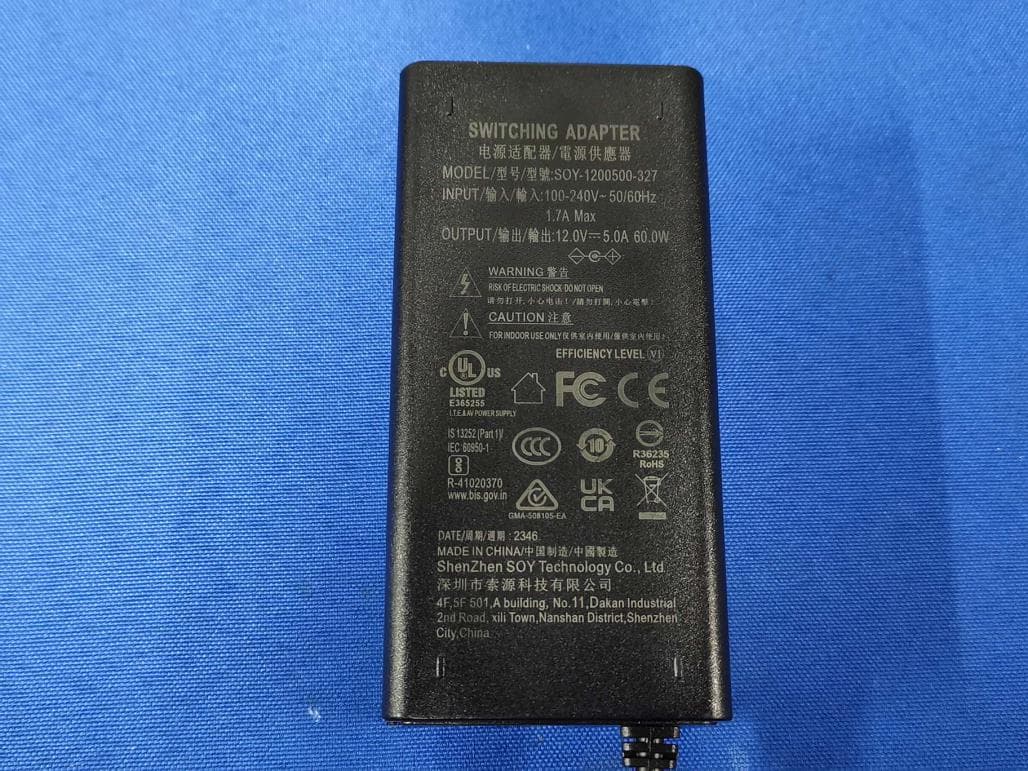
2AACS-ALU100-150
Apr 25, 2024Commercial Kiosk Tablet
Equipment Class
NII - Unlicensed National Information Infrastructure TX
2AACS-NEB15-21FOR99
Dec 24, 2020Commercial Kiosk Tablet
Equipment Class
NII - Unlicensed National Information Infrastructure TX
2AACS-ADD041
Sep 09, 20204 inch HOT DESK
Equipment Class
DSS - Part 15 Spread Spectrum Transmitter
2AACS-TAD185-215
Jun 20, 2015Advertising Displayer
Equipment Class
DTS - Digital Transmission System