2AAEM-HXHP610Jam Fusion
Cosonic Acoustic Technology Co., Ltd.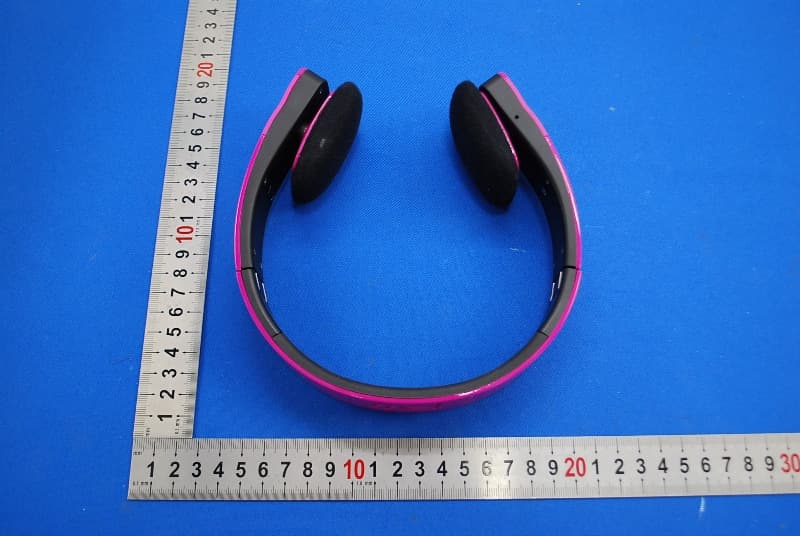
Click to zoom
Application Details
- Equipment Class
- DSS - Part 15 Spread Spectrum Transmitter
- Date of Grant
- Sep 11, 2013
- Application Purpose
- Original Equipment
- Date of Application
- Sep 11, 2013
- Equipment Note
- Jam Fusion
- Frequency Range
- 2402.00000000 - 2480.00000000
- Country
- China
Documents & Files
Document Text
Text extracted from the exhibit documents filed with the FCC. Open a document above to read the original.
Users Manual
WIRELESS STEREO HEADPHONES USER GUIDE AND WARRANTY INFORMATION For detailed Warranty Instructions and Information visit: http://www.hmdxaudio.com/ products/jam-wireless-portable-speaker.html. To obtain warranty service on your HMDX product, contact a Consumer Relations Representative by telephone at 1-800-753-3000 or email [email protected] for assistance. Please make sure to have the model number of the product available. Representatives are available 8:30am–7:00pm EST Monday–Friday. Por manual de instrucciones e Información de garantía en español visítenos en www.hmdxaudio.com HMDX Jam and HMDX are trademarks of HMDX. ©2013 HMDX. All Rights Reserved. IB-HXHP610 PLEASE TAKE A MOMENT NOW AND REGISTER YOUR PRODUCT AT: www.hmdxaudio.com Your valuable input will help us create even better products in the future. Battery Indicator Status Solid RED Solid BLUE Charging Fully Charged Quickly Flashes BLUE Slowly Flashes BLUE Pairing Mode Paired Bluetooth ® Indicator Status Thank you for spreading the Jam and purchasing the HMDX Jam Fusion Wireless Headphones. Be sure to check out the entire JAM product line on our website: www.hmdxaudio.com — Where there’s a Jam there’s a party! Package Contents Jam Fusion User Manual Pouch Charging the Unit Allow approximately 3 hours for a full charge. Can be charged by using the USB to Micro USB cord (included) through computer or AC adapter with USB jack (not included). NOTE: • Battery will last up to 6 hours when connected wirelessly. • If battery is depleted you can still listen to music through the AUX line-in jack. • 3 tones will sound every 40 seconds when less than 10% battery life remains. Indicators 3.5MM AUX Cable USB Cord Controls 1. Line-In Audio Jack 2. Jam 2 Pairing Switch 3. Forward 4. Volume Up 5. Power Button 6. Play/Pause 7. Volume Down 8. Reverse 9. Battery Status & Bluetooth ® Indicator 10. USB Charging Port 10 9 2 8 7 Pairing a Single Jam Fusion Headphone 1. Make sure your device has Bluetooth ® capability. 2. Make sure Jam 2 pairing switch is in single position (see Fig. 2). 3. Press and hold power button for 5 seconds; indicator will begin to flash. 4. Pair your device with the unit by selecting Jam Fusion from your Bluetooth ® listings. 5. Press play and use controls on the unit to adjust desired volume, forward to next track or repeat track. NOTE: • Once you have successfully paired your device, you may not need to repeat the above steps. Please ensure the AUX cable is unplugged and your device has been Bluetooth ® enabled. • When pairing with a computer, please consult your computer manufacturer for Bluetooth ® pairing instructions and/or the latest Bluetooth ® Drivers. • A pairing code is not required. 2 6 5 1 4 3 2 FIG. 1 FIG. 2 Pairing 2 Jam Fusion Headphones 1. Pair one headphone to your device by following the single pairing instructions. 2. Move the Jam 2 pairing switch to the Jam 2 position on first headphone (see Fig. 3). 3. On the second headphone, move Jam 2 switch to the Jam 2 position and power on. 4. The Bluetooth ® indicator light will flash quickly until the units are paired. Once paired you will hear a hint tone and the Bluetooth ® indicator will slowly flash blue. NOTE: Jam 2 indicator will flash white when successfully paired. Listening to your device through Auxiliary Line-In Audio Jack 1. Connect AUX cable to the headphone or line-out jack of an audio device and plug the other end of the cable into the line-in audio jack on the unit. 2. Press PLAY on device and use device controls to adjust volume or FWD/RVS tracks. NOTE: • Auxiliary line-in is a passive feature and does not require the power to be on. • When listening through auxiliary line-in, the controls on the Fusion are disabled, always use the controls on your device. Built-In Speakerphone The Jam Fusion is equipped with a built-in speakerphone, for easy hands free talking: 1. Make sure the Jam Fusion has been successfully paired with your device. 2. To answer a call, simply press any button when you hear a ringtone. 3. To end call, press any button except +/- Volume buttons. NOTE: • When an incoming or outgoing call is detected, the Fusion will pause the music and a ringtone will sound. After the call is terminated, the music will resume to play automatically where it left off. • When making a call, use your phone to dial. • To refuse an incoming call press and hold any button for 3 seconds. • If the Jam Fusion is connected to the AUX cable when an incoming call is detected, use your phone to answer or refuse the call 2 FIG. 3 does cause harmful interference to radio or television reception, which can be determined by turning the equipment off and on, the user is encouraged to try to correct the interference by one or more of the following measures: • Reorient or relocate the receiving antenna. • Increase the separation between the equipment and receiver. • Connect the equipment into an outlet on a circuit different from that to which the receiver is connected. • Consult the dealer or an experienced radio/TV technician for help. Changes or modifications not expressly approved by HMDX could void the user's authority to operate the equipment. Maintenance Only use a soft dry cloth to clean the enclosure of the unit. NEVER use liquids or abrasive cleaner to clean. FCC Warning NOTE: This device complies with part 15 of the FCC Rules. Operation is subject to the following two conditions: (1) This device may not cause harmful interference, and (2) this device must accept any interference received, including interference that may cause undesired operation. NOTE: This equipment has been tested and found to comply with the limits for a Class B digital device, pursuant to part 15 of the FCC Rules. These limits are designed to provide reasonable protection against harmful interference in a residential installation. This equipment generates, uses and can radiate radio frequency energy and, if not installed and used in accordance with the instructions, may cause ha…
Text truncated - open the document above for the full version.
External Photos
1 Photographs - EUT Constructional Details Test model No.: HM-HP610
ID Label/Location Info
Label location:
Internal Photos
1 Photographs - EUT Constructional Details Test model No.: HM-HP610
Test Report
SGS-CSTC Standards Technical Services Ltd. No. 1 W orkshop, M-10, Middle section, Science & Technology Park, Nanshan District, Shenzhen, Guangdong, China 518057 Telephone: +86 (0) 755 2601 2053 Fax: +86 (0) 755 2671 0594 Email: [email protected] Report No.: SZEM130600322701 Page: 1 of 76 Authorized Signature: Jack Zhang EMC Laboratory Manager The manufacturer should ensure that all products in series production are in conformity with the product sample detailed in this report. If the product in this report is used in any configuration other than that detailed in the report, the manufacturer must ensure the new system complies with all relevant standards. Any mention of SGS International Electrical Approvals or testing done by SGS International Electrical Approvals in connection with, distribution or use of the product described in this report must be approved by SGS International Electrical Approvals in writing. The report must not be used by the client to claim product certification, approval, or endorsement by NVLAP, NIST, or any agency of the federal government. All test results in this report can be traceable to National or International Standards. “This document is issued by the Company subject to its General Conditions of Service printed overleaf, available on request or accessible at www.sgs.com/terms_and_conditions.htm and, for electronic format documents, subject to Terms and Conditions for Electronic Documents at www.sgs.com/terms_e-document.htm. Attention is drawn to the limitation of liability, indemnification and jurisdiction issues defined therein. Any holder of this document is advised that information contained hereon reflects the Company’s findings at the time of its intervention only and within the limits of Client’s instructions, if any. The Company’s sole responsibility is to its Client and this document does not exonerate parties to a transaction from exercising all their rights and obligations under the transaction documents. This document cannot be reproduced except in full, without prior written approval of the Company. Any unauthorized alteration, forgery or falsification of the content or appearance of this document is unlawful and offenders may be prosecuted to the fullest extent of the law. Unless otherwise stated the results shown in this test report refer only to the sample(s) tested and such sample(s) are retained for 90 days only.” 1 Cover page FCC REPORT Application No: SZEM1306003227RF Applicant: Cosonic Electronic Co., Ltd Manufacturer: Cosonic Electronic Co., Ltd Product Name: Jam Fusion Model No.(EUT): HX-HP610 FCC ID: 2AAEM-HXHP610 Standards: 47 CFR Part 15, Subpart C (2012) Date of Receipt: 2013-06-21 Date of Test: 2013-06-25 to 2013-06-28 Date of Issue: 2013-08-30 Test Result: PASS * * In the configuration tested, the EUT complied with the standards specified above. SGS-CSTC Standards Technical Services Ltd. Report No.: SZEM130600322701 Page: 2 of 76 “This document is issued by the Company subject to its General Conditions of Service printed overleaf, available on request or accessible at www.sgs.com/terms_and_conditions.htm and, for electronic format documents, subject to Terms and Conditions for Electronic Documents at www.sgs.com/terms_e-document.htm. Attention is drawn to the limitation of liability, indemnification and jurisdiction issues defined therein. Any holder of this document is advised that information contained hereon reflects the Company’s findings at the time of its intervention only and within the limits of Client’s instructions, if any. The Company’s sole responsibility is to its Client and this document does not exonerate parties to a transaction from exercising all their rights and obligations under the transaction documents. This document cannot be reproduced except in full, without prior written approval of the Company. Any unauthorized alteration, forgery or falsification of the content or appearance of this document is unlawful and offenders may be prosecuted to the fullest extent of the law. Unless otherwise stated the results shown in this test report refer only to the sample(s) tested and such sample(s) are retained for 90 days only.” 2 Test Summary Test Item Test Requirement Test method Result Antenna Requirement 47 CFR Part 15, Subpart C Section 15.203/15.247 (c) ANSI C63.10 (2009) PASS AC Power Line Conducted Emission 47 CFR Part 15, Subpart C Section 15.207 ANSI C63.10 (2009) PASS Conducted Peak Output Power 47 CFR Part 15, Subpart C Section 15.247 (b)(1) ANSI C63.10 (2009) PASS 20dB Occupied Bandwidth 47 CFR Part 15, Subpart C Section 15.247 (a)(1) ANSI C63.10 (2009) PASS Carrier Frequencies Separation 47 CFR Part 15, Subpart C Section 15.247 (a)(1) ANSI C63.10 (2009) PASS Hopping Channel Number 47 CFR Part 15, Subpart C Section 15.247 (b) ANSI C63.10 (2009) PASS Dwell Time 47 CFR Part 15, Subpart C Section 15.247 (a)(1) ANSI C63.10 (2009) PASS Pseudorandom Frequency Hopping Sequence 47 CFR Part 15, Subpart C Section 15.247(b)(4)&TCB Exclusion List (7 July 2002) ANSI C63.10 (2009) PASS Band-edge for RF Conducted Emissions 47 CFR Part 15, Subpart C Section 15.247(d) ANSI C63.10 (2009) PASS RF Conducted Spurious Emissions 47 CFR Part 15, Subpart C Section 15.247(d) ANSI C63.10 (2009) PASS Radiated Spurious emissions 47 CFR Part 15, Subpart C Section 15.205/15.209 ANSI C63.10 (2009) PASS Band Edge (Radiated Emission) 47 CFR Part 15, Subpart C Section 15.205/15.209 ANSI C63.10 (2009) PASS Remark: There is only one Model No.: HX-HP610. Since the electrical circuit design, layout, components used and internal wiring were identical. Only different color. SGS-CSTC Standards Technical Services Ltd. Report No.: SZEM130600322701 Page: 3 of 76 “This document is issued by the Company subject to its General Conditions of Service printed overleaf, available on request or accessible at www.sgs.com/terms_and_conditions.htm and, for electronic format documents, subject to Terms and Conditions for Electronic Documents at www.sgs.com/…
Text truncated - open the document above for the full version.
Test Setup Photos
1 Photographs - EUT Test Setup(Test Model No.: HM-HP610) 1.1 Conducted Emission 1.2 Radiated Emission
Contact Information
Applicant
KAI YAN(Manager)
Test Firm
SGS-CSTC Standards Technical Services Co.,Ltd.June Zhang
Technical Specifications
| # | Rule Parts | Frequency Range | Power Output |
|---|---|---|---|
| 1 | 15C | 2.40 GHz - 2.48 GHz | 2.00 mW |
Other Applications from Cosonic Acoustic Technology Co., Ltd.
2AAEMNS-CAHBTEB01
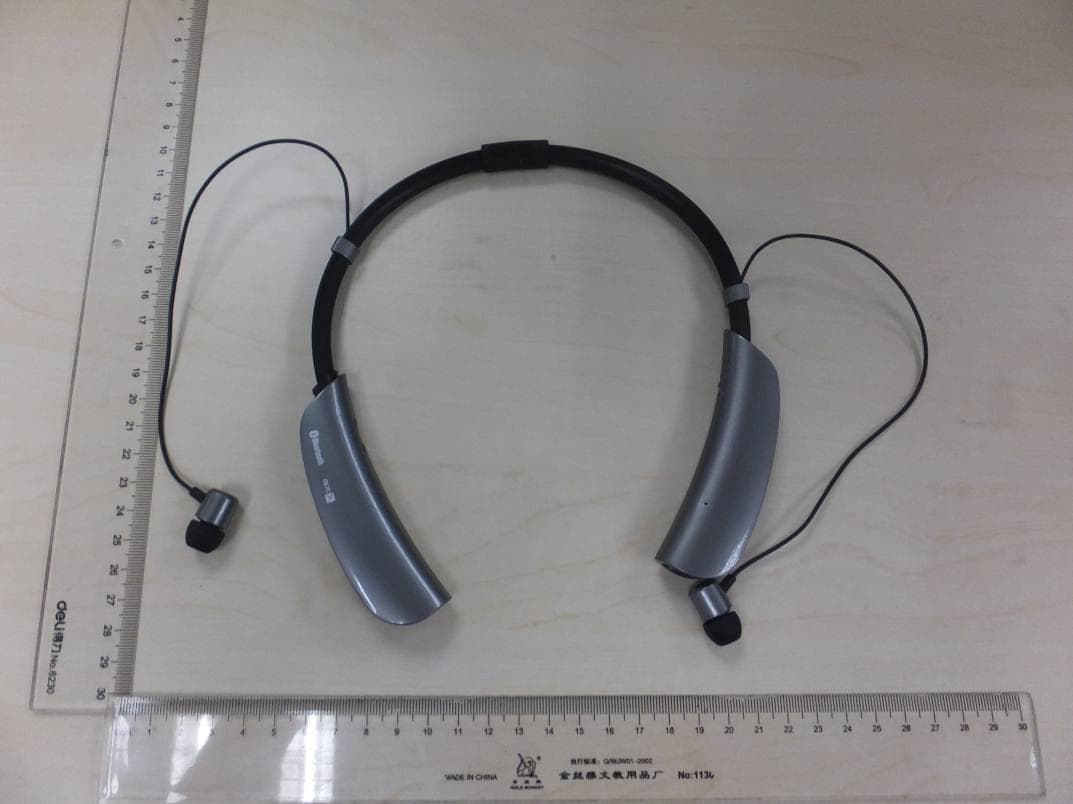
May 07, 2015Bluetooth in-ear Headset
Equipment Class
DSS - Part 15 Spread Spectrum Transmitter
2AAEM-HXEP315
Feb 11, 2015Bluetooth Stereo Headphone
Equipment Class
DXX - Part 15 Low Power Communication Device Transmitter
2AAEMCE-1177B
Jan 22, 2015RHYTHMATIC WIRELESS EARBUDS
Equipment Class
DSS - Part 15 Spread Spectrum Transmitter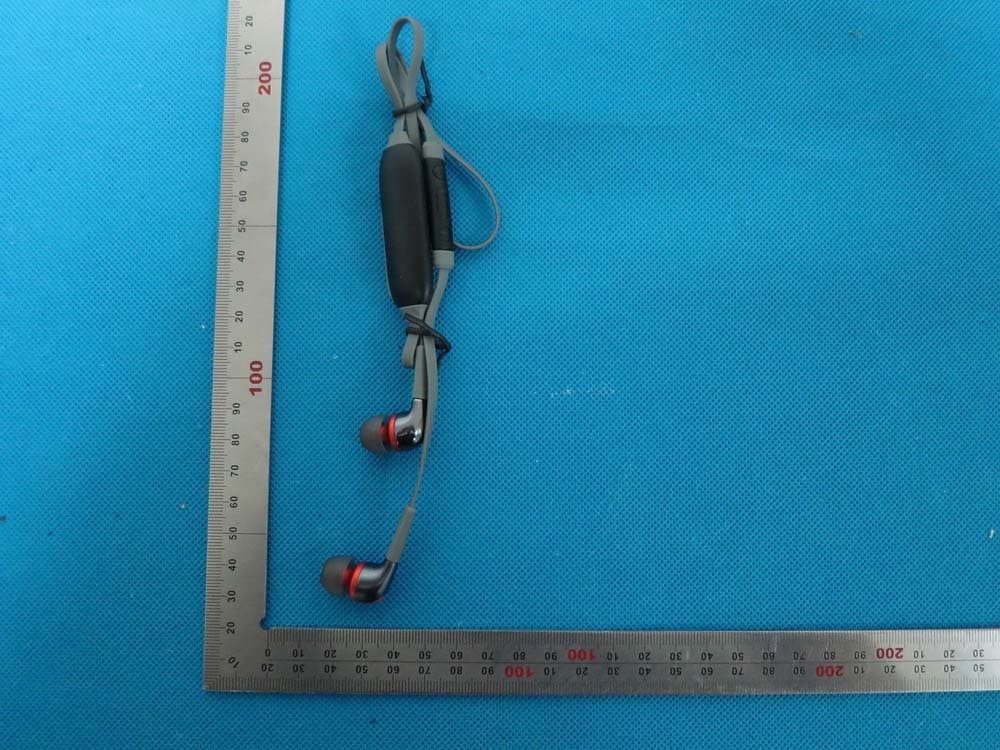
2AAEMSTAYEARBUDB
Aug 17, 2014Stereo Bluetooth Earphone
Equipment Class
DSS - Part 15 Spread Spectrum Transmitter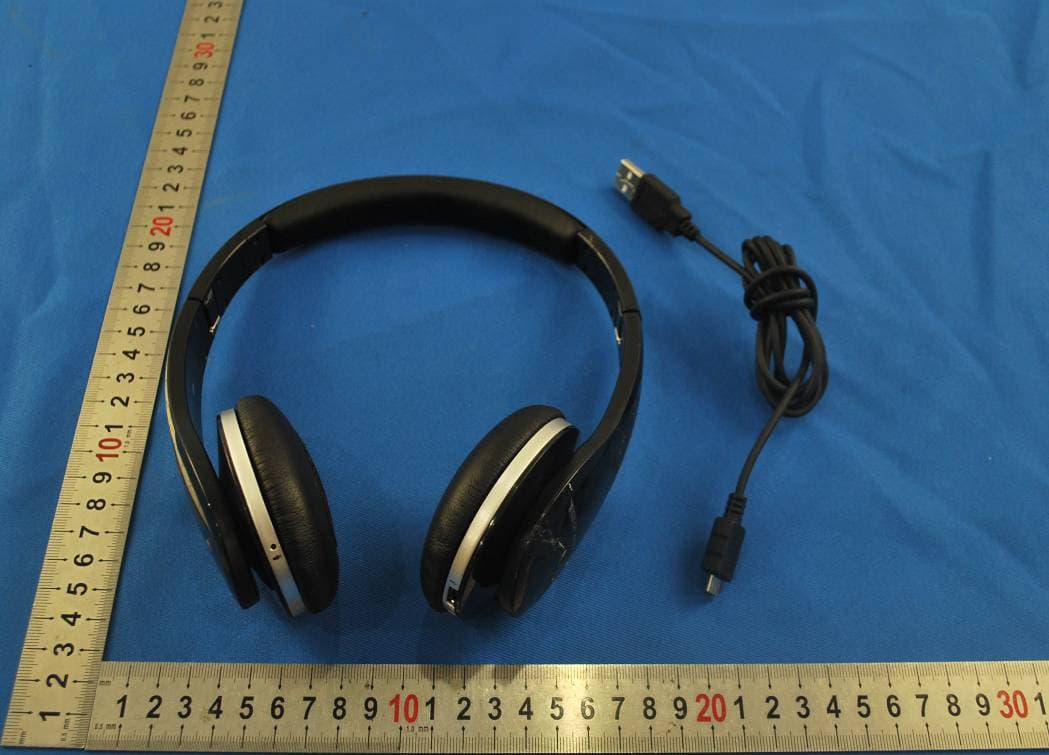
2AAEM-HXBTH5000
Jul 21, 2014Bluetooth Headphone
Equipment Class
DSS - Part 15 Spread Spectrum Transmitter