2AAM3SYRENI500MOBILE PHONE
Bulltech Electronic Products S.L.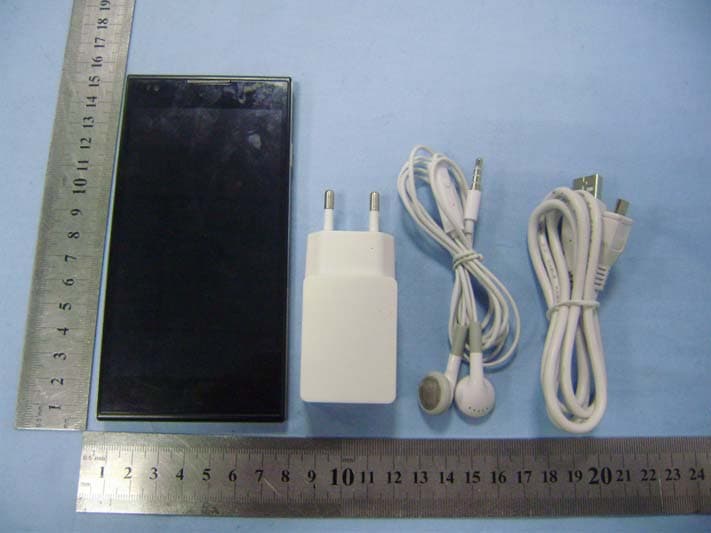
Click to zoom
Application Details
- Equipment Class
- PCE - PCS Licensed Transmitter held to ear
- Date of Grant
- Jan 14, 2014
- Application Purpose
- Original Equipment
- Date of Application
- Jan 14, 2014
- Equipment Note
- MOBILE PHONE
- Frequency Range
- 826.40000000 - 846.60000000
- Country
- Spain
Documents & Files
Document Text
Text extracted from the exhibit documents filed with the FCC. Open a document above to read the original.
Users Manual
User Manual 1 User Manual User Manual 2 Contents 1.APPEARANCE AND KEYPAD OPERATIONS ............................ 3 2.USING MEMORY CARD AS U DISK ............................. 4/5/6 3.WIFI ........................................................ 7 4.BLUETOOTH ................................................... 8 5.MAIL ........................................................ 9 5.1 GMAIL ...................................................................................................................... 9 5.2 EMAIL .......................................................................................................................... 10 6.DIALLING ........................................... 11/12/13/14 7.MESSAGING ............................................ 15/16/17 8. CONTACTS ............................................. 18/19/20 9. INTERNET EXPLORE ........................................... 21 10.RECORDER .................................................. 22 11.CLOCK ..................................................... 23 12. CALCULATOR ................................................ 24 13.CAMERA ................................................. 25/26 13.1 IMAGE MODE .................................................................................................................. 25 13.2 VIDEO MODE ................................................................................................................. 26 14.IMAGES .............................................. 27/28/29 15.MUSIC .................................................. 30/31 16. CALENDER .................................................. 32 17. FM RADIO .................................................. 33 18. SETTINGS ......................................... 34/35/36/37 19. NOTICES FOR THE USE OF PHONE .............................. 38 User Manual 3 1 . Appearance and Keypad Operations Keys Functions home z Press this button to return home from any application or interface. z Press it to open recently opened application window. menu z Press it to start the menu,which allows you to perform actions in the current interface or options menu. back z Press it to return to the previous interface,or to close dialog box 、 options’ menu、notification panel or the keypad. power z Press it to open the phone’s menu,then you can choose to lock the screen、 turn off the phone,or set it to the silent mode . up z Press it to increase the volume z Press it to turn the phone to vibration mode from the silent mode. down z Press it to decrease the volume. P‐Serson z Cover it, and then the phone’s backlight will turn off front camera z Entering the camera interface, switched to the front camera can take photo for yourself. 2. Using Memory Card as U Disk If you want to send music, pictures or other files to the phone’s memory card from computer,you should set memory card as the u disk first. Set memory card as u disk 1) Please connect the phone to the computer with USB cable. The notification icon will appear in the status box. 2) Using USB mobile transmission line will connected to the computer 3) In the notification panel, touch USB is connected ,then touch“Open the USB Storage Device” 2)After the connection can be directly in the PC check images captured on camera。 User Manual 4 • Notice: different PC operating system how to operate to normal use the U disk. 1) WIN7 Can directly use 2) XP update windows media player to 11 3) Install wpdmtp.inf driver 4) Vista Unconfirmed • Notice :On the PC operation assistant tool such as mobile phone, must be open the USB debugging. 3.WIFI Wi‐Fi provides as far as 300feet (100M) range of wireless network access. If you use cell phone to connect wifi, you should connect to the wireless access point or 「hot spots」. • Notices:The availability and coverage of Wi‐Fi signal depend on the number, infrastructure and other objects penetrated by the signal. Open Wi‐fi and connect to the wireless network 1) Press home>menu,then touch settings>wifi and internet 2) Select the wi‐fi box,to open Wi‐Fi. Phone will automatically scan for available wireless networks. 3) Touch Wi‐Fi settings. Then a list of Wi‐Fi network will show the founded network name and security settings. (open network or WEP、WPA/WPA2 with password).If you enable the notification in Wi‐Fi settings, The status box will show this icon ( ) when open available wireless network founded. 4) Touch one of the Wi‐Fi choices to connect the network. When you choose open network, mobile phone will connect to it automatically. If you choose WEP、WPA/WPA2 with password, you should type the password first, then touch to connect it. • Notices:when the phone is connected to the wireless network, The status box will show this Wi‐Fi icon( ), and the approximate signal strengthen (the number of lit bars).If touch the connected User Manual 5 network,will display the name of Wi‐Fi network, status, speed, signal, strength, security, information and IP address. If you want to delete the wireless settings, please touch “not reserve” as in the right picture. If you want to connect to this network, you should re‐enter these settings. • Notices: Unless you choose not to reserve the network, otherwise, there is no need to re‐enter the corresponding password when next time connecting to the previously encrypted wireless network. Wi‐Fi will search automatically, that is, phone needn’t to perform additional steps to connect Wi‐Fi networks. • Notices: Unless you choose not to reserve the network with password, otherwise, there is no need to re‐enter the corresponding password when next time connecting to the previously encrypted wireless network. Wi‐Fi will search automatically, that is, phone needn’t to perform additional steps to connect Wi‐Fi networks. • Connect to other Wi‐Fi networks 1) In the interface of wireless and network, touch Wi‐Fi settings. The founded Wi‐Fi networks will show on the Wi‐Fi network list. 2) Touch other Wi‐Fi networks, and then you can con…
Text truncated - open the document above for the full version.
Cover Letter(s)
Bulltech Electronic Products S.L Gran Via, 64, 2-1, 28013 Madrid, Spain. (FCC ID: 2AAM3SYRENI500) Date: 2014-01-15 Label Justification Letter Gentlemen: We, Bulltech Electronic Products S.L declare the device of FCC ID: 2AAM3SYRENI500, Model Name: Syreni 500. According to FCC Rule Part 2.925, the Lable is placed in the battery compartment. When packing, mobile phone and battery are separate, so it will easy to be readily viewable at the time of the purchase. Sincerely, Bulltech Electronic Products S.L
External Photos
Bulltech Electronic Products S.L Model: Syreni 500 REPORT NO.: STR13128307I -1 FCC PART 22H&24E&27 EXHIBIT 2 - EUT EXTERNAL PHOTOGRAPHS EUT View 1 EUT View 2 Bulltech Electronic Products S.L Model: Syreni 500 REPORT NO.: STR13128307I -1 FCC PART 22H&24E&27 EUT View 3 EUT View 4 Bulltech Electronic Products S.L Model: Syreni 500 REPORT NO.: STR13128307I -1 FCC PART 22H&24E&27 EUT View 5 EUT View 6 Bulltech Electronic Products S.L Model: Syreni 500 REPORT NO.: STR13128307I -1 FCC PART 22H&24E&27 EUT View 7
ID Label/Location Info
Bulltech Electronic Products S.L Model: Syreni 500 REPORT NO.: STR13128307I -1 FCC PART 22H&24E&27 EXHIBIT 1- PRODUCT LABELING Proposed FCC ID Label Format FCC ID: 2AAM3SYRENI500 This device complies with Part 15 of the FCC Rules. Operation is subject to the following two conditions: (1) This device may not cause harmful interference, and (2) this device must accept any interference received, including interference that may cause undesired operation. Specifications: Text is Black in color and justified. Labels are printed in indelible ink on permanent adhesive silk-screened onto the EUT or shall be affixed at a conspicuous location on the EUT. FCC ID Label Location
ID Label/Location Info
Bulltech Electronic Products S.L Model: Syreni 500 REPORT NO.: STR13128307I -1 FCC PART 22H&24E&27 EXHIBIT 1- PRODUCT LABELING Proposed FCC ID Label Format FCC ID: 2AAM3SYRENI500 This device complies with Part 15 of the FCC Rules. Operation is subject to the following two conditions: (1) This device may not cause harmful interference, and (2) this device must accept any interference received, including interference that may cause undesired operation. Specifications: Text is Black in color and justified. Labels are printed in indelible ink on permanent adhesive silk-screened onto the EUT or shall be affixed at a conspicuous location on the EUT. FCC ID Label Location
Internal Photos
Bulltech Electronic Products S.L Model: Syreni 500 REPORT NO.: STR13128307I -1 FCC PART 22H&24E&27 EXHIBIT 3 - EUT INTERNAL PHOTOGRAPHS EUT Housing and Board View 1 EUT Housing and Board View 2 Bulltech Electronic Products S.L Model: Syreni 500 REPORT NO.: STR13128307I -1 FCC PART 22H&24E&27 Solder Board-Component View 1 Solder Board-Component View 2 Bulltech Electronic Products S.L Model: Syreni 500 REPORT NO.: STR13128307I -1 FCC PART 22H&24E&27 Solder Board-Component View 3 Antenna View WIFI/BT Antenna GSM/WCDMA Antenna
Parts List/Tune Up Info
Tune up procedure Tune up procedure shall be over the power range or at specific operating power levels. 1. It must provide an operational voltage (3.4 ~ 4.2V DC) to turn on the device and on one certain channel in service mode by means of company proprietary software. 2. Base station simulator (CMU 200) measures the Mobile phone device specific RF characteristics. 3. The maximum gains of each individual device are adjusted until the target value met. z For GSM850 824-849MHz: PWR = 31.0dBm± 1dBm z For GSM1900 1850-1910MHz: PWR = 28.5dBm± 1dBm z For WCDMA850 824-849MHz: PWR = 22.0dBm± 1dBm z For WIFI 2412-2472MHz: PWR = 17dBm± 1dBm z For BT 2402-2480MHz: PWR = 3.8dBm± 0.5dBm Then these appropriate gain settings are stored in each device individually. The user has no possibility to change these settings later on, and during manufacturing each device will be individual calibrated. The measurement is done in fully calibrated setup, which is based on a CMU 200 base station simulator. Furthermore, the highest power level is verified afterwards in a call measurement on three channels (low, middle and high).
RF Exposure Info
Ref : ACR.88.1.13.SATU.A Shenzhen SEM.Test Technology Co., Ltd. 1/F, Building A, Hongwei Industrial Park, Liuxian 2nd Road, Bao'an District, Shenzhen, P.R.C. (518101), CHINA SATIMO COMOSAR DOSIMETRIC E-FIELD PROBE SERIAL NO.: SN 09/13 EP168 Calibrated at SATIMO US 2105 Barrett Park Dr. - Kennesaw, GA 30144 03/21/2013 Summary: This document presents the method and results from an accredited COMOSAR Dosimetric E-Field Probe calibration performed in SATIMO USA using the CALISAR / CALIBAIR test bench, for use with a SATIMO COMOSAR system only. All calibration results are traceable to national metrology institutions. COMOSAR E-Field Probe Calibration Report COMOSAR E-FIELD PROBE CALIBRATION REPORT Ref: ACR.88.1.13.SATU.A Page: 2/10 This document shall not be reproduced, except in full or in part, without the written approval of SATIMO. The information contained herein is to be used only for the purpose for which it is submitted and is not to be released in whole or part without written approval of SATIMO. Name Function Date Signature Prepared by : Jérôme LUC Product Manager 3/28/2013 Checked by : Jérôme LUC Product Manager 3/28/2013 Approved by : Kim RUTKOWSKI Quality Manager 3/28/2013 Customer Name Distribution : Shenzhen SEM.Test Technology Co., Ltd. Issue Date Modifications A 3/28/2013 Initial release COMOSAR E-FIELD PROBE CALIBRATION REPORT Ref: ACR.88.1.13.SATU.A Page: 3/10 This document shall not be reproduced, except in full or in part, without the written approval of SATIMO. The information contained herein is to be used only for the purpose for which it is submitted and is not to be released in whole or part without written approval of SATIMO. TABLE OF CONTENTS 1 Device Under Test ................................................................................................. 4 2 Product Description ................................................................................................ 4 2.1 General Information _______________________________________________________ 4 3 Measurement Method ............................................................................................. 4 3.1 Linearity ________________________________________________________________ 4 3.2 Sensitivity _______________________________________________________________ 5 3.3 Lower Detection Limit _____________________________________________________ 5 3.4 Isotropy _________________________________________________________________ 5 3.5 Boundary Effect __________________________________________________________ 5 4 Measurement Uncertainty ...................................................................................... 5 5 Calibration Measurement Results ........................................................................... 6 5.1 Sensitivity in air __________________________________________________________ 6 5.2 Linearity ________________________________________________________________ 7 5.3 Sensitivity in liquid ________________________________________________________ 7 5.4 Isotropy _________________________________________________________________ 8 6 List of Equipment ................................................................................................ 10 COMOSAR E-FIELD PROBE CALIBRATION REPORT Ref: ACR.88.1.13.SATU.A Page: 4/10 This document shall not be reproduced, except in full or in part, without the written approval of SATIMO. The information contained herein is to be used only for the purpose for which it is submitted and is not to be released in whole or part without written approval of SATIMO. 1 DEVICE UNDER TEST Device Under Test Device Type COMOSAR DOSIMETRIC E FIELD PROBE Manufacturer Satimo Model SSE5 Serial Number SN 09/13 EP168 Product Condition (new / used) new Frequency Range of Probe 0.7 GHz-3GHz Resistance of Three Dipoles at Connector Dipole 1: R1=0.225 M Dipole 2: R2=0.235 M Dipole 3: R3=0.229 M A yearly calibration interval is recommended. 2 PRODUCT DESCRIPTION 2.1 GENERAL INFORMATION Satimo’s COMOSAR E field Probes are built in accordance to the IEEE 1528, OET 65 Bulletin C and CEI/IEC 62209 standards. Figure 1 – Satimo COMOSAR Dosimetric E field Dipole Probe Length 330 mm Length of Individual Dipoles 4.5 mm Maximum external diameter 8 mm Probe Tip External Diameter 5 mm Distance between dipoles / probe extremity 2.7 mm 3 MEASUREMENT METHOD The IEEE 1528, OET 65 Bulletin C, CENELEC EN50361 and CEI/IEC 62209 standards provide recommended practices for the probe calibrations, including the performance characteristics of interest and methods by which to assess their affect. All calibrations / measurements performed meet the fore mentioned standards. 3.1 LINEARITY The evaluation of the linearity was done in free space using the waveguide, performing a power sweep to cover the SAR range 0.01W/kg to 100W/kg. COMOSAR E-FIELD PROBE CALIBRATION REPORT Ref: ACR.88.1.13.SATU.A Page: 5/10 This document shall not be reproduced, except in full or in part, without the written approval of SATIMO. The information contained herein is to be used only for the purpose for which it is submitted and is not to be released in whole or part without written approval of SATIMO. 3.2 SENSITIVITY The sensitivity factors of the three dipoles were determined using a two step calibration method (air and tissue simulating liquid) using waveguides as outlined in the standards. 3.3 LOWER DETECTION LIMIT The lower detection limit was assessed using the same measurement set up as used for the linearity measurement. The required lower detection limit is 10 mW/kg. 3.4 ISOTROPY The axial isotropy was evaluated by exposing the probe to a reference wave from a standard dipole with the dipole mounted under the flat phantom in the test configuration suggested for system validations and checks. The probe was rotated along its main axis from 0 - 360 degrees in 15 degree steps. The hemispherical isotropy is determined by inserting the probe in a thin plastic box filled with tissue-equivalent liquid, with…
Text truncated - open the document above for the full version.
RF Exposure Info
Bulltech Electronic Products S.L Model: Syreni 500 Report No.: STR13128307H Page 1 of 139 SAR Report FCC SAR Measurement and Test Report For Bulltech Electronic Products S.L Gran Via, 64, 2-1, 28013 Madrid, Spain. FCC ID: 2AAM3SYRENI500 FCC Rules: FCC 47 CFR Part 2 (2.1093) ANSI/IEEE C95.1-1992 IEEE 1528-2003 FCC OET Bulletin 65C (Edition 01-01) Product Description: Mobile phone Tested Model: Syreni 500 Report No.: STR13128307H Max. SAR Values: Head: 0.2940 W/kg(1g) Body: 0.7924 W/kg(1g) Tested Date: 2014-01-02 to 2014-01-04 Issued Date: 2014-01-10 Tested By: Silin Chen / Engineer Reviewed By: Lahm Peng / EMC Manager Approved & Authorized By: Jandy so / PSQ Manager Prepared By: Shenzhen SEM.Test Technology Co., Ltd. 1/F, Building A, Hongwei Industrial Park, Liuxian 2nd Road, Bao'an District, Shenzhen, P.R.C.(518101) Tel.: +86-755-33663308 Fax.: +86-755-33663309 Website: www.semtest.com.cn Note: This test report is limited to the above client company and the product model only. It may not be duplicated without prior permitted by Shenzhen SEM. Test Technology Co., Ltd. Bulltech Electronic Products S.L Model: Syreni 500 Report No.: STR13128307H Page 2 of 139 SAR Report TABLE OF CONTENTS 1. General Information ................................................................................................................................................... 3 1.1 Product Description for Equipment Under Test (EUT) ......................................................................................... 3 1.2 Test Standards .................................................................................................................................................... 5 1.3 Test Methodology ................................................................................................................................................ 5 1.4 Test Facility ......................................................................................................................................................... 5 2. Summary of Test Results .......................................................................................................................................... 6 3. Specific Absorption Rate (SAR) ................................................................................................................................ 7 3.1 Introduction .......................................................................................................................................................... 7 3.2 SAR Definition ..................................................................................................................................................... 7 4. SAR Measurement System ........................................................................................................................................ 8 4.1 The Measurement System .................................................................................................................................. 8 4.2 Probe ................................................................................................................................................................... 8 4.3 Probe Calibration Process ................................................................................................................................. 10 4.4 Phantom ............................................................................................................................................................ 11 4.5 Device Holder .................................................................................................................................................... 11 4.6 Test Equipment List ........................................................................................................................................... 12 5. Tissue Simulating Liquids ....................................................................................................................................... 13 5.1 Composition of Tissue Simulating Liquid ........................................................................................................... 13 5.2 Tissue Dielectric Parameters for Head and Body Phantoms ............................................................................. 14 5.3 Tissue Calibration Result ................................................................................................................................... 15 6. SAR Measurement Evaluation ................................................................................................................................ 16 6.1 Purpose of System Performance Check ............................................................................................................ 16 6.2 System Setup .................................................................................................................................................... 16 6.3 Validation Results .............................................................................................................................................. 17 7. EUT Testing Position ............................................................................................................................................... 18 7.1 Define Two Imaginary Lines on The Handset .................................................................................................... 18 7.2 Cheek Position .................................................................................................................................................. 19 7.3 Tilted Position .................................................................................................................................................... 19 7.4 Body Worn Position ........................................................................................................................................... 20 7.5 E…
Text truncated - open the document above for the full version.
RF Exposure Info
Bulltech Electronic Products S.L Model: Syreni 500 Report No.: STR13128307H Page 71 of 139 SAR Report MEASUREMENT 11 Type: Phone measurement (Complete) Date of measurement: 01/02/2014 Measurement duration: 12 minutes 3 seconds E-field Probe: SSE5 - SN 09/13 EP168; ConvF: 6.16; Calibrated: 03/21/2013 A. Experimental conditions Area Scan sam_direct_droit2_surf8mm.txt Phantom Right head Device Position Cheek Band GSM1900 Channels Low Signal TDMA (Crest factor: 8.0) B. SAR Measurement Results Frequency (MHz) 1850.200000 Relative Permittivity (real part) 39.400200 Conductivity (S/m) 1.431000 Power Variation (%) -0.523000 Ambient Temperature 21.1 Liquid Temperature 21.3 SURFACE SAR VOLUME SAR Bulltech Electronic Products S.L Model: Syreni 500 Report No.: STR13128307H Page 72 of 139 SAR Report Maximum location: X=-55.00, Y=-56.00 SAR 10g (W/Kg) 0.046082 SAR 1g (W/Kg) 0.084398 Z (mm) 0.00 4.00 9.00 14.00 19.00 SAR (W/Kg) 0.0000 0.0741 0.0394 0.0210 0.0118 3D screen shot Hot spot position Bulltech Electronic Products S.L Model: Syreni 500 Report No.: STR13128307H Page 73 of 139 SAR Report MEASUREMENT 12 Type: Phone measurement (Complete) Date of measurement: 01/02/2014 Measurement duration: 12 minutes 3 seconds E-field Probe: SSE5 - SN 09/13 EP168; ConvF: 6.16; Calibrated: 03/21/2013 A. Experimental conditions Area Scan sam_direct_droit2_surf8mm.txt Phantom Right head Device Position Tilt Band GSM1900 Channels Low Signal TDMA (Crest factor: 8.0) B. SAR Measurement Results Frequency (MHz) 1850.200000 Relative Permittivity (real part) 39.400200 Conductivity (S/m) 1.431000 Power Variation (%) -0.523000 Ambient Temperature 21.1 Liquid Temperature 21.3 SURFACE SAR VOLUME SAR Bulltech Electronic Products S.L Model: Syreni 500 Report No.: STR13128307H Page 74 of 139 SAR Report Maximum location: X=-38.00, Y=-46.00 SAR 10g (W/Kg) 0.015065 SAR 1g (W/Kg) 0.025186 Z (mm) 0.00 4.00 9.00 14.00 19.00 SAR (W/Kg) 0.0000 0.0218 0.0131 0.0078 0.0047 3D screen shot Hot spot position Bulltech Electronic Products S.L Model: Syreni 500 Report No.: STR13128307H Page 75 of 139 SAR Report MEASUREMENT 13 Type: Phone measurement (Complete) Date of measurement: 01/02/2014 Measurement duration: 11 minutes 48 seconds E-field Probe: SSE5 - SN 09/13 EP168; ConvF: 6.16; Calibrated: 03/21/2013 A. Experimental conditions Area Scan sam_direct_droit2_surf8mm.txt Phantom Left head Device Position Cheek Band GSM1900 Channels Low Signal TDMA (Crest factor: 8.0) B. SAR Measurement Results Frequency (MHz) 1850.200000 Relative Permittivity (real part) 39.400200 Conductivity (S/m) 1.431000 Power Variation (%) -0.523000 Ambient Temperature 21.1 Liquid Temperature 21.3 SURFACE SAR VOLUME SAR Bulltech Electronic Products S.L Model: Syreni 500 Report No.: STR13128307H Page 76 of 139 SAR Report Maximum location: X=-49.00, Y=-62.00 SAR 10g (W/Kg) 0.073928 SAR 1g (W/Kg) 0.141107 Z (mm) 0.00 4.00 9.00 14.00 19.00 SAR (W/Kg) 0.0000 0.1207 0.0604 0.0304 0.0166 3D screen shot Hot spot position Bulltech Electronic Products S.L Model: Syreni 500 Report No.: STR13128307H Page 77 of 139 SAR Report MEASUREMENT 14 Type: Phone measurement (Complete) Date of measurement: 01/02/2014 Measurement duration: 12 minutes 3 seconds E-field Probe: SSE5 - SN 09/13 EP168; ConvF: 6.16; Calibrated: 03/21/2013 A. Experimental conditions Area Scan sam_direct_droit2_surf8mm.txt Phantom Left head Device Position Tilt Band GSM1900 Channels Low Signal TDMA (Crest factor: 8.0) B. SAR Measurement Results Frequency (MHz) 1850.200000 Relative Permittivity (real part) 39.400200 Conductivity (S/m) 1.431000 Power Variation (%) -0.523000 Ambient Temperature 21.1 Liquid Temperature 21.3 SURFACE SAR VOLUME SAR Bulltech Electronic Products S.L Model: Syreni 500 Report No.: STR13128307H Page 78 of 139 SAR Report Maximum location: X=-9.00, Y=-8.00 SAR 10g (W/Kg) 0.023248 SAR 1g (W/Kg) 0.045783 Z (mm) 0.00 4.00 9.00 14.00 19.00 SAR (W/Kg) 0.0000 0.0406 0.0190 0.0090 0.0049 3D screen shot Hot spot position Bulltech Electronic Products S.L Model: Syreni 500 Report No.: STR13128307H Page 79 of 139 SAR Report MEASUREMENT 15 Type: Phone measurement (Complete) Date of measurement: 01/02/2014 Measurement duration: 12 minutes 3 seconds E-field Probe: SSE5 - SN 09/13 EP168; ConvF: 6.30; Calibrated: 03/21/2013 A. Experimental conditions Area Scan sam_direct_droit2_surf8mm.txt Phantom Flat Plane Device Position Body-worn Band GSM1900 Channels Low Signal TDMA (Crest factor: 8.0) B. SAR Measurement Results Frequency (MHz) 1850.200000 Relative Permittivity (real part) 51.202000 Conductivity (S/m) 1.510200 Power Variation (%) 0.752100 Ambient Temperature 21.1 Liquid Temperature 21.3 SURFACE SAR VOLUME SAR Bulltech Electronic Products S.L Model: Syreni 500 Report No.: STR13128307H Page 80 of 139 SAR Report Maximum location: X=11.00, Y=3.00 SAR 10g (W/Kg) 0.149378 SAR 1g (W/Kg) 0.275488 Z (mm) 0.00 4.00 9.00 14.00 19.00 SAR (W/Kg) 0.0000 0.2323 0.1187 0.0597 0.0310 3D screen shot Hot spot position Bulltech Electronic Products S.L Model: Syreni 500 Report No.: STR13128307H Page 81 of 139 SAR Report MEASUREMENT 16 Type: Phone measurement (Complete) Date of measurement: 01/02/2014 Measurement duration: 12 minutes 3 seconds E-field Probe: SSE5 - SN 09/13 EP168; ConvF: 6.30; Calibrated: 03/21/2013 A. Experimental conditions Area Scan sam_direct_droit2_surf8mm.txt Phantom Flat plane Device Position Front Band GPRS1900_4TX Channels Low Signal Duty Cycle: 3.00 (Crest factor: 3.00) B. SAR Measurement Results Frequency (MHz) 1850.200000 Relative Permittivity (real part) 51.202000 Conductivity (S/m) 1.510200 Power Variation (%) 0.752100 Ambient Temperature 21.1 Liquid Temperature 21.3 SURFACE SAR VOLUME SAR Bulltech Electronic Products S.L Model: Syreni 500 Report No.: STR13128307H Page 82 of 139 SAR Report Maximum location: X=-22.00, Y=15.00 SAR 10g (W/Kg) 0.254649 SAR 1g (W/Kg) 0.529734 Z (mm) 0.00 4.00 9.00 14.00 19.00 SAR (W/Kg) 0.0000 0.5717 0.2544 0.1095 0.0504 3D screen shot Hot spot position Bulltech Electronic…
Text truncated - open the document above for the full version.
Test Report
Bulltech Electronic Products S.L Model: Syreni 500 REPORT NO.: STR13128307I-1 PAGE 1 OF 80 FCC PART 22H&24E&27 FCC Part 22H & 24E & 27 Measurement and Test Report For Bulltech Electronic Products S.L Gran Via, 64, 2-1, 28013 Madrid, Spain. FCC ID: 2AAM3SYRENI500 FCC Rules: FCC Part 22H, FCC Part 24E, FCC Part 27 Product Description: Mobile phone Tested Model: Syreni 500 Report No.: STR13128307I-1 Tested Date: 2014-01-02 to 2014-01-04 Issued Date: 2014-01-10 Tested By: Silin Chen / Engineer Reviewed By: Lahm Peng / EMC Manager Approved & Authorized By: Jandy so / PSQ Manager Prepared By: Shenzhen SEM.Test Technology Co., Ltd. 1/F, Building A, Hongwei Industrial Park, Liuxian 2nd Road, Bao'an District, Shenzhen, P.R.C.(518101) Tel.: +86-755-33663308 Fax.: +86-755-33663309 Website: www.semtest.com.cn Note: This test report is limited to the above client company and the product model only. It may not be duplicated without prior permitted by Shenzhen SEM. Test Technology Co., Ltd. Bulltech Electronic Products S.L Model: Syreni 500 REPORT NO.: STR13128307I-1 PAGE 2 OF 80 FCC PART 22H&24E&27 TABLE OF CONTENTS 1. GENERAL INFORMATION ................................................................................................................................... 3 1.1 PRODUCT DESCRIPTION FOR EQUIPMENT UNDER TEST (EUT) ............................................................................... 3 1.2 TEST STANDARDS ................................................................................................................................................... 5 1.3 TEST METHODOLOGY ............................................................................................................................................. 5 1.4 TEST FACILITY ....................................................................................................................................................... 5 1.5 EUT SETUP AND TEST MODE ..............................................…
Text truncated - open the document above for the full version.
Contact Information
Applicant
Sonia Alvarez
Test Firm
SEM.Test Compliance Service Co., Ltd.Jandy So
Technical Specifications
| # | Rule Parts | Frequency Range | Power Output | Emission | Tolerance |
|---|---|---|---|---|---|
| 5 | 22H | 826.4 MHz - 846.6 MHz | 175.00 mW | 4M16F9W | 0.093 ppm |
Other Applications from Bulltech Electronic Products S.L.
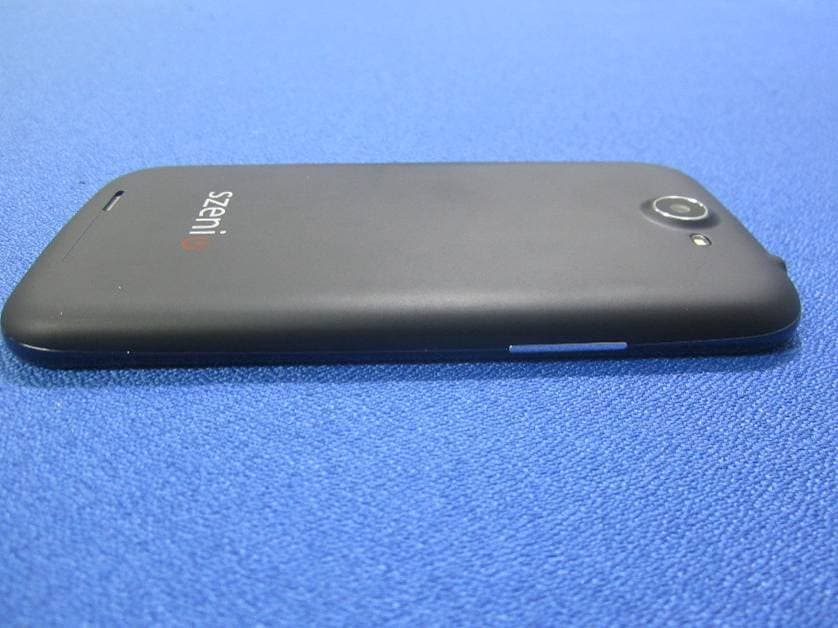
2AAM3SYRENI50DCII
Apr 20, 2014WCDMA+GSM SMART PHONE
Equipment Class
PCE - PCS Licensed Transmitter held to ear
2AAM3MP40DC
Dec 29, 2013Smart Phone
Equipment Class
DSS - Part 15 Spread Spectrum Transmitter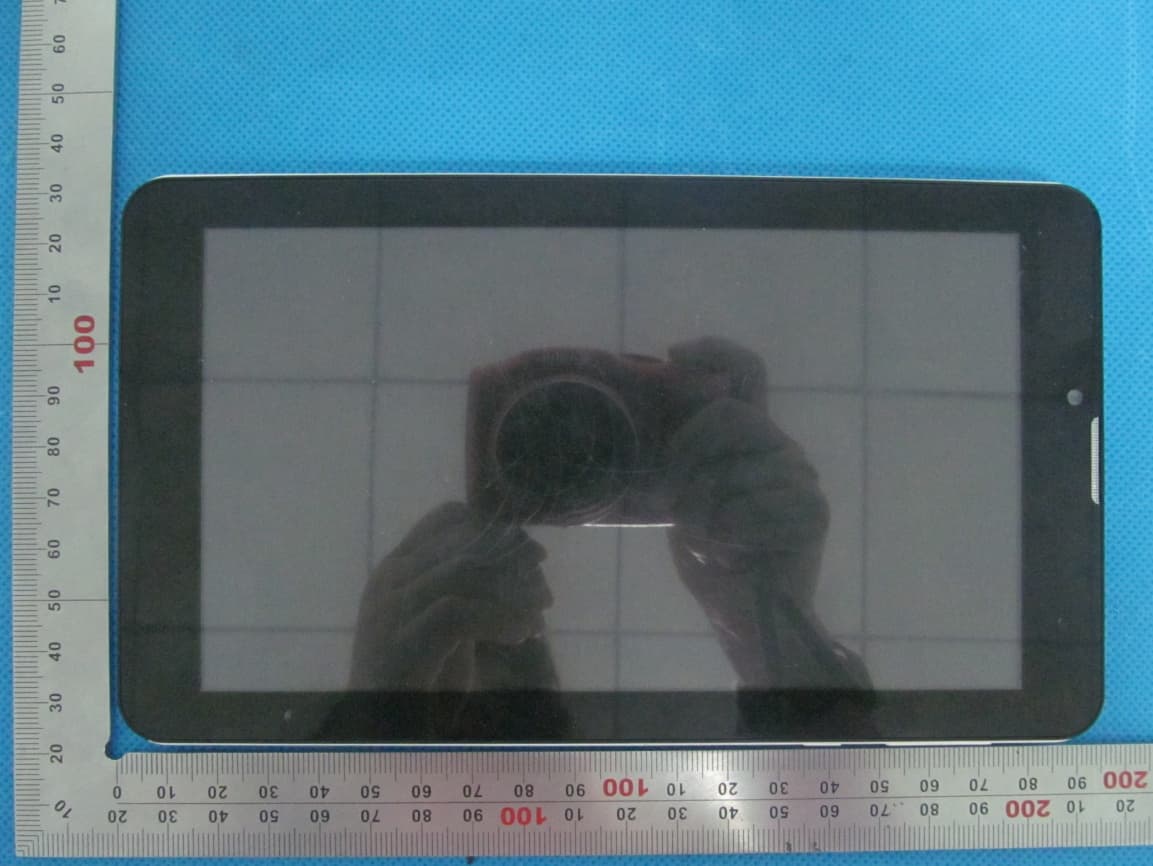
2AAM3TAB70DC
Dec 21, 2013TABLET PC
Equipment Class
DTS - Digital Transmission System