2AAOE13BW05003Bluetooth Keyboard
Shenzhen B&W Electronics Development Limited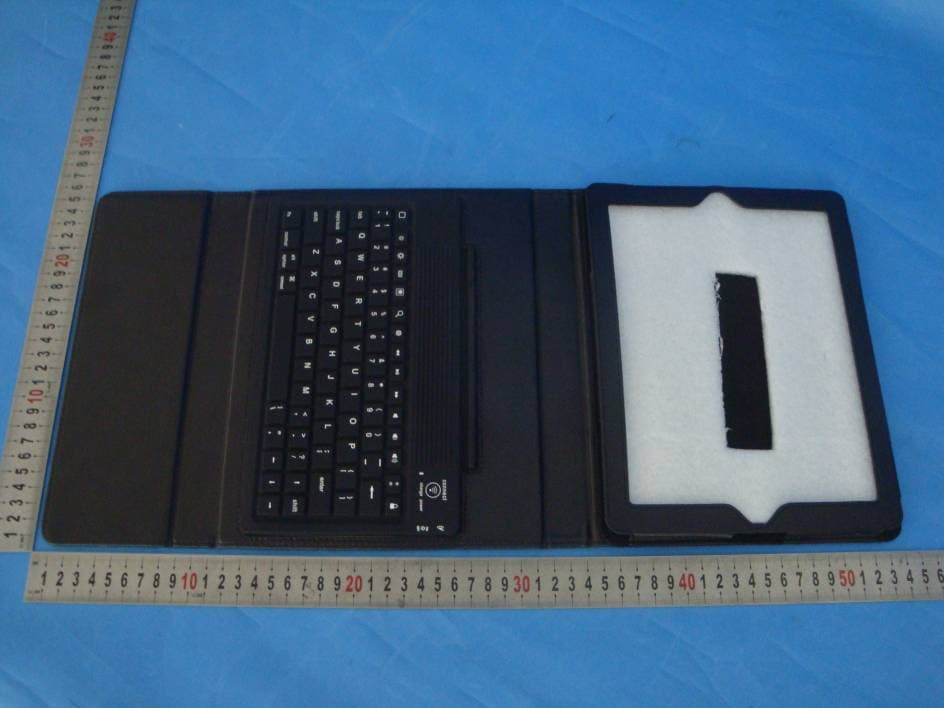
Click to zoom
Application Details
- Equipment Class
- DSS - Part 15 Spread Spectrum Transmitter
- Date of Grant
- Aug 11, 2013
- Application Purpose
- Original Equipment
- Date of Application
- Aug 11, 2013
- Equipment Note
- Bluetooth Keyboard
- Frequency Range
- 2402.00000000 - 2480.00000000
- Country
- China
Documents & Files
Document Text
Text extracted from the exhibit documents filed with the FCC. Open a document above to read the original.
Users Manual
INSTRUCTION MANUAL Model Number: BW05003-3 Tablet Bluetooth Keyboard and Case for iPad After Sales Support Telephone: 1 866 235 5029 Email: [email protected] 2 After Sales Support Telephone: 1 866 235 5029 Email: [email protected] Welcome3 General Safety Instructions4 Parts List5 Features6 Getting Started7 Instructions8 Other Useful Information10 Repair and Refurbished Goods or Parts Notice12 Contents 3 After Sales Support Telephone: 1 866 235 5029 Email: [email protected] Welcome Congratulations on choosing to buy a BAUHN ® product. All products brought to you by BAUHN ® are manufactured to the highest standards of performance and safety and, as part of our philosophy of customer service and satisfaction, are backed by our comprehensive 2 Year Warranty. We hope you will enjoy using your purchase for many years to come. 4 After Sales Support Telephone: 1 866 235 5029 Email: [email protected] General Safety Instructions Read this manual thoroughly before first use, even if you are familiar with this type of product. Keep the manual in a safe place for future reference, along with the completed warranty card, purchase receipt and carton. If applicable, pass these instructions on to the next owner of the appliance. • In order to prevent environmental factors (dampness, dust, food, liquid etc.) harming the Tablet Case and Bluetooth Keyboard (short: the product), only use it in a well ventilated, clean and dry environment, away from excessive heat or moisture. • Keep the product away from direct sunlight or heat sources. • Only charge the product via the supplied USB cable. Do not charge it any other way. • In case of damage, do not disassemble, repair or modify the product yourself. Contact the after sales support line for advice on repair or replacement, or refer servicing to qualified personnel only. • This product is not intended for use by persons (including children) with reduced physical, sensory or mental capabilities, or lack of experience and knowledge, unless they have been given supervision or instruction concerning use of the product by a person responsible for their safety. • Children should be supervised to ensure they do not play with the product. • Keep the product away from sharp objects. • Do not put any object on top of the product. • Do not expose the product to microwaves. • Do not twist or distort the keyboard. • Keep the product away from oils, chemicals or any other organic liquids. • Use water or alcohol based disinfectants for cleaning the silicone keyboard. This device complies with Part 15 of the FCC Rules. Operation is subject to the following two conditions: (1) This device may not cause harmful interference, and (2) This device must accept any interference received, including interference that may cause undesired operation NOTE: This equipment has been tested and found to comply with the limits for a Class B digital device. These limits are designed to provide reasonable protection against harmful interference in a residential installation. This equipment generates, uses and can radiate radio frequency energy, and if not installed and used in accordance with the instructions, may cause harmful interference to radio or television reception, which can be determined by turning the equipment off and on. In case of interference, try to correct the interference by one of the following measures: • Reorient or relocate the receiving antenna. • Increase the separation between the equipment and receiver. • Connect the equipment into an outlet on a circuit different from that to which the receiver is connected. • Consult an experienced radio/TV technician, or contact our after sales support line for help. Modifications not expressly approved by the manufacturer could void the user’s authority to operate the equipment under FCC rules. 5 After Sales Support Telephone: 1 866 235 5029 Email: [email protected] Parts List 1 2 3 1 Holding frame for tablet 2 USB Charging cable 3 Keyboard 4 Bluetooth indicator light 5 Bluetooth connect button 6 Power indicator light 7 Power on/off switch 8 Charging interface 645 7 8 6 After Sales Support Telephone: 1 866 235 5029 Email: [email protected] Features Compatibility The Bluetooth Keyboard can be connected to iPad 2, 3, 4 iPhone 3G, 3GS, 4, 4S, 5 and iPod Touch, iOS4.0 or later, Mobile Internet Devices (MID), Smartphones, PCs and other bluetooth enabled devices. For other bluetooth enabled devices, please verify the bluetooth standard and compatibility before attempting to connect to the keyboard. NOTE: Depending on the operating system and version of the connected device, some function keys may not work. Features * Bluetooth 3.0 interface with BROADCOM 20730 as main control chip * WIDCOMM BTW Bluetooth technology, officially approved by Microsoft * Stylish protective PU leather case with tablet display stand for easy viewing * Lightweight, quiet keystroke design, dust-proof and spill-proof * Energy saving keyboard with sleep mode 7 After Sales Support Telephone: 1 866 235 5029 Email: [email protected] Getting Started Before first use • Unpack the product but keep all packaging materials until you have made sure your new Tablet Bluetooth Keyboard and case is undamaged and in good working order. Plastic wrapping can be a suffocation hazard for babies and young children, so ensure all packaging materials are out of their reach. • Inspect the USB cable for damage. Do not use the product if the product or the USB cable have been damaged or are not working properly. Charging Before first use, the Bluetooth Keyboard needs to be charged. During use, a flashing ‘power’ light indicates that the battery power is low and the device needs recharging. To charge/recharge the device: Step 1: Connect the USB cable’s micro connection to the keyboard charging interface. Step 2: Connect the USB cable’s regular connection to the computer’s USB interface. Step 3: The green ‘charge’ indicator light will stay on when the keyboard is…
Text truncated - open the document above for the full version.
Cover Letter(s)
Shenzhen B&W Electronics Development Limited July 22, 2013 To: Federal Communications Commission Office of Engineering and Technology Equipment Authorization Division 7345 Oakland Mills Road Columbia, Maryland 21046 Subject: Permanent Confidentiality Request for FCC ID: 2AAOE13BW05003 We hereby request confidential treatment of information accompanying this application as outlined below: - Block diagram - Operation description - Schematic The above materials contain trade secrets and proprietary information not customarily released to the public. The public disclosure of these materials may be harmful to the applicant and provide unjustified benefits to its competitors. The applicant understands that pursuant to Section 0.457 & 0.459 of the Rules, disclosure of this application and all accompanying documentation will not be made before the date of the Grant for this application. Sincerely, Eddie Zhang Title: Manager Telephone: 0086-755-8418 3383 Fax : 0086-755-8179 6937 E-mail: [email protected] Address : 4/F, No.2 Building, Guangxi Industrial Park, West of Jianshe Road, Longhua Town, Shenzhen City, China
External Photos
External photos:
Internal Photos
Internal photos:
Test Report
NINGBO EMTEK CO., LTD. REPORT NO: EN130716060F FCC ID: 2AAOE13BW05003 DATE: 08/03/2013 Page 1 of 57 ELECTROMAGNETIC EMISSIONS COMPLIANCE REPORT INTENTIONAL RADIATOR CERTIFICATION TO FCC PART 15 SUBPARTC REQUIREMENT OF Bluetooth Keyboard MODEL No.: 44041 FCC ID: 2AAOE13BW05003 REPORT NO: EN130716060F ISSUE DATE: August 03, 2013 Prepared for Shenzhen B&W Electronics Development Limited 4/F, No.2 Building, Guangxi Industrial Park, West of Jianshe Road, Longhua Town, Shenzhen City, China Prepared by NINGBO EMTEK CO., LTD. 1F Building 4, 1177#, Lingyun Road, National Hi-Tech Zone, Ningbo, Zhejiang, China TEL: 0086-574-27907998 FAX:0086-574-27721538 NINGBO EMTEK CO., LTD. REPORT NO: EN130716060F FCC ID: 2AAOE13BW05003 DATE: 08/03/2013 Page 2 of 57 VERIFICATION OF COMPLIANCE Applicant: Shenzhen B&W Electronics Development Limited 4/F, No.2 Building, Guangxi Industrial Park, West of Jianshe Road, Longhua Town, Shenzhen City, China Manufacturer: Shenzhen B&W Electronics Development Limited 4/F, No.2 Building, Guangxi Industrial Park, West of Jianshe Road, Longhua Town, Shenzhen City, China Product Description: Bluetooth Keyboard Brand Name: N/A Model Number: 44041 File Number: EN130603007F Date of Test: July 25, 2013 to J August 02, 2013 We hereby certify that: The above equipment was tested by NINGBO EMTEK CO., LTD. The test data, data evaluation, test procedures, and equipment configurations shown in this report were made in accordance with the procedures given in ANSI C63.4 (2009) and the energy emitted by the sample EUT tested as described in this report is in compliance with conducted and radiated emission limits of FCC Rules Part 15.247. The test results of this report relate only to the tested sample identified in this report. Approved By Andy.wang/Manager NINGBO EMTEK CO., LTD. NINGBO EMTEK CO., LTD. REPORT NO: EN130716060F FCC ID: 2AAOE13BW05003 DATE: 08/03/2013 Page 3 of 57 Ta b l e o f C o n t e n t s 1. GENERAL INFORMATION ....................................................................................................... 5 1.1 PRODUCT DESCRIPTION ............................................................................................................................. 5 1.2 RELATED SUBMITTAL(S) / GRANT (S) ....................................................................................................... 5 1.3 TEST METHODOLOGY ................................................................................................................................ 5 1.4 SPECIAL ACCESSORIES .............................................................................................................................. 5 1.5 EQUIPMENT MODIFICATIONS .................................................................................................................... 5 1.6 TEST FACILITY .......................................................................................................................................... 6 2. SYSTEM TEST CONFIGURATION .......................................................................................... 7 2.1 EUT CONFIGURATION ............................................................................................................................... 7 2.2 EUT EXERCISE .......................................................................................................................................... 7 2.3 TEST PROCEDURE ...................................................................................................................................... 7 2.4 LIMITATION ............................................................................................................................................... 8 2.5 CONFIGURATION OF TESTED SYSTEM ..................................................................................................... 10 2.6 EQUIPMENT USED IN TESTED SYSTEM .................................................................................................... 11 2.7 DESCRIPTION OF TEST MODES ................................................................................................................ 11 3. SUMMARY OF TEST RESULTS ............................................................................................. 12 4. CONDUCTED EMISSIONS TEST ........................................................................................... 13 4.1 MEASUREMENT PROCEDURE ................................................................................................................... 13 4.2 TEST SET-UP (BLOCK DIAGRAM OF CONFIGURATION) ......................................................................... 13 4.3 MEASUREMENT EQUIPMENT USED ......................................................................................................... 13 4.4 MEASUREMENT EQUIPMENT USED ......................................................................................................... 13 5. RADIATED EMISSION TEST .................................................................................................. 16 5.1 MEASUREMENT PROCEDURE ................................................................................................................... 16 5.2 TEST SET-UP (BLOCK DIAGRAM OF CONFIGURATION) ......................................................................... 16 5.3 MEASUREMENT EQUIPMENT USED ......................................................................................................... 17 5.4 MEASUREMENT RESULT .......................................................................................................................... 17 6. CHANNEL SEPARATION TEST ............................................................................................. 28 6.1 MEASUREMENT PROCEDURE ................................................................................................................... 28 6.2 TEST SET-UP (BLOCK DIAGRAM OF CONFIGURATION) .................................................…
Text truncated - open the document above for the full version.
Test Setup Photos
Radiated: 9KHz~30MHz 30M~1000MHz: Above 1000MHz: Conducted:
Contact Information
Applicant
Eddie Zhang
Test Firm
EMTEK (NINGBO) CO.,LTD.Andy Wang
Technical Specifications
| # | Rule Parts | Frequency Range | Power Output |
|---|---|---|---|
| 1 | 15C | 2.40 GHz - 2.48 GHz | 1.00 mW |
Other Applications from Shenzhen B&W Electronics Development Limited
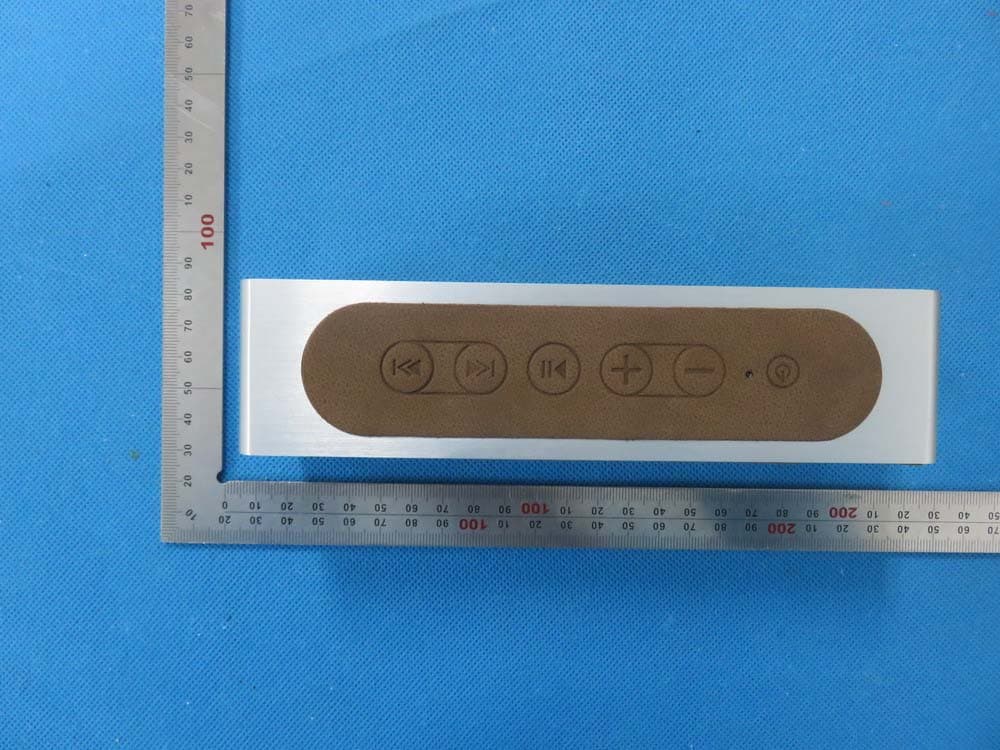
2AAOE15P3
Nov 24, 2015Bluetooth Speaker
Equipment Class
DXX - Part 15 Low Power Communication Device Transmitter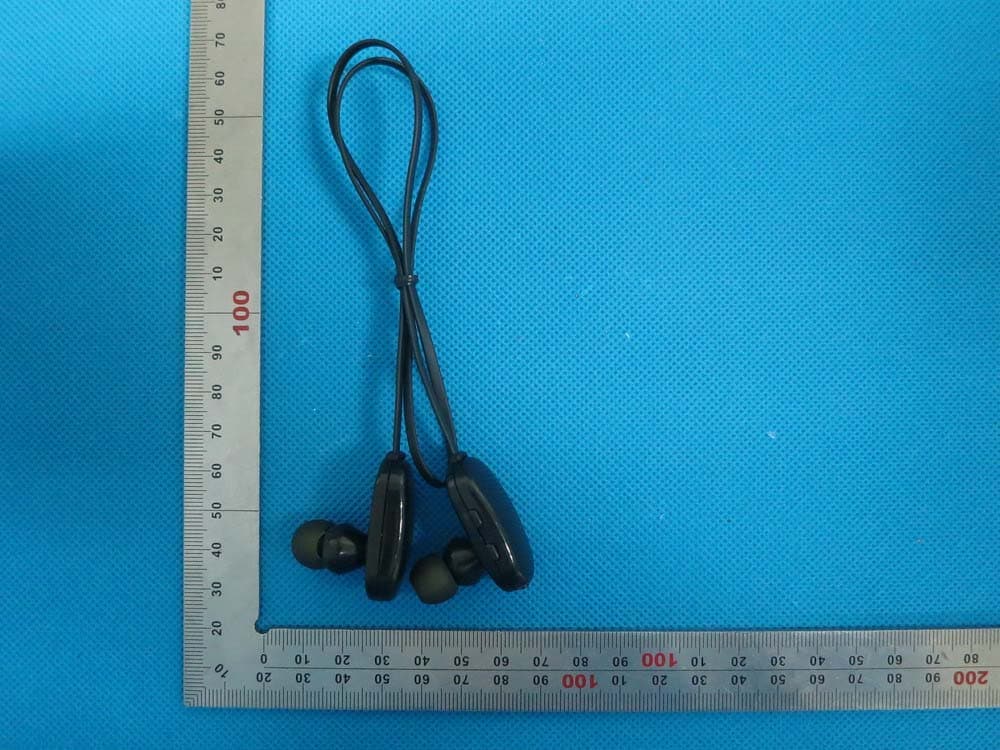
2AAOE14BWSH1
Oct 28, 2014Sports Bluetooth Headset
Equipment Class
DSS - Part 15 Spread Spectrum Transmitter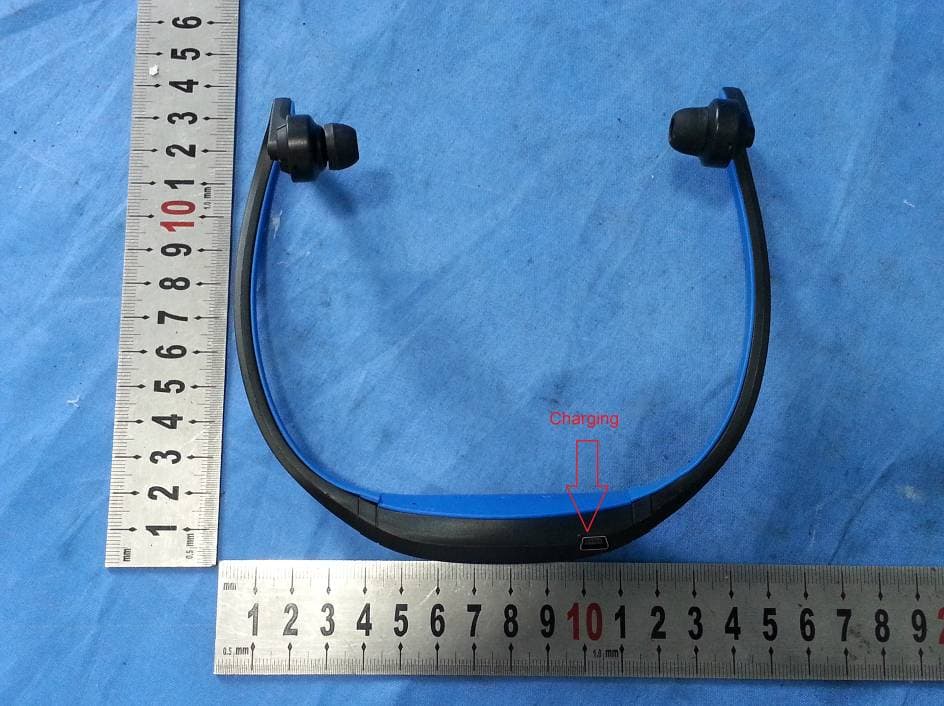
2AAOE14BTH450
Aug 05, 2014SPORTS BLUETOOTH HEADSET
Equipment Class
DSS - Part 15 Spread Spectrum Transmitter