2AAOE14BTH450SPORTS BLUETOOTH HEADSET
Shenzhen B&W Electronics Development Limited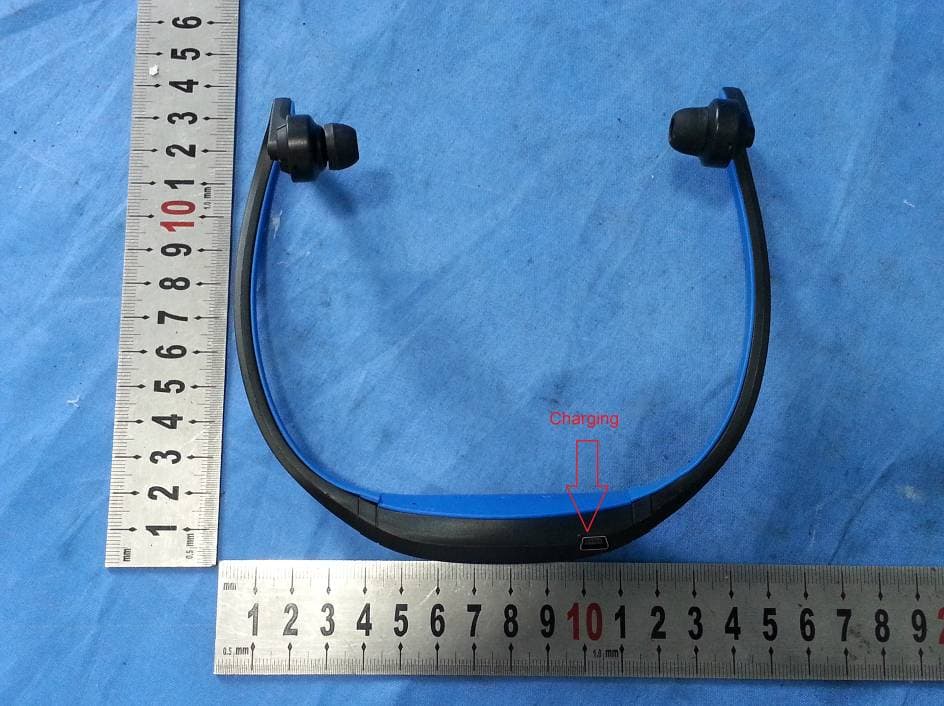
Click to zoom
Application Details
- Equipment Class
- DSS - Part 15 Spread Spectrum Transmitter
- Date of Grant
- Aug 05, 2014
- Application Purpose
- Original Equipment
- Date of Application
- Aug 05, 2014
- Equipment Note
- SPORTS BLUETOOTH HEADSET
- Frequency Range
- 2402.00000000 - 2480.00000000
- Country
- China
Documents & Files
Document Text
Text extracted from the exhibit documents filed with the FCC. Open a document above to read the original.
Users Manual
Sports Bluetooth Headset User Manual Thank you for choosing and buying our Sports Bluetooth Headset! Please browse all details of this manual before using it to get best playing effect. Product Introduction Sports Bluetooth Headset , is able to play music stored in mobile phone or other Bluetooth devices through Bluetooth connection between Sports Bluetooth Headset and Bluetooth devices. It also works as Hands Free when you have a call comes in, if your mobile phone supports Bluetooth. And after end the call it can convert back to play music automatically. Sketch Picture 1. USB Charging Port 2. Next Track/Volume Up 3. Multi-Function Button(MFB) 4. Previous Track/Volume Down 5. Headset(R/L) 6. Microphone Function Description 1. Bluetooth V3.0 + EDR 2. Stereo Bluetooth Headset 3. Talking in Hands Free ; 4. Support A2DP, AVRCP and HSP 5. Lithium rechargeable battery; Operation Guide Preparation Please charge your device before your 1 st time use it. Use the USB charging cable provided to connect any computer/notebook or USB power adapter. When charging, red light indicator will appear , When fully charged. Red indicator light will turn off , Charging time : Estimated 2~3 hours. Pairing Before using Sports Bluetooth Headset ,please pair it with your smartphone , MP3 Player. computer or any Bluetooth devices. Step -1 Press the MFB button 4s to turn on the Sport Bluetooth Headset, you can see the red and blue LED flash alternative, Step-2. Follow the operating instruction of your Bluetooth mobile phone or any other Bluetooth device to start the pairing process. Typically, this is done by going to a ”Connect” or “Setup” menu and then selecting the option to search the BT music Headset that is still in the pairing mode Step-3. When your device detect the “BTH450”, initiate and pair it. Step-4. Should device request for password, enter default password “0000”, If the connection is successful, the blue LED of the headset will stop continuously flashing and become slow flash twice every 4 seconds. If the pairing is unsuccessful, please turn off the Headset and turn it on again. Then, return to Step-1 and do the pairing procedure again. Play/Pause music In idle state, press MFB button one time to play or pause music. Previous/Next song When playing music, you can press “Volume Down” button to play previous song and “Volume Up” button to play next song. Make a Call Step-1 Use the mobile phone’s keypad to dial the phone number. Step- 2 Press mobile phone’s “Send” or “OK” key. The mobile phone initiates the call and transfer the call from the mobile phone to the headset Answer a Call Step-1 If there is an incoming call while you are listening to the streaming music, the music will temporary stop and short beep instead. Step-2 Just press MFB button one time to pick up the call. End a Call Use either of the following methods to end a call. Method-1 Press MFB button one time to end a call from the Headset. Method-2 End a call from the mobile phone’s keypad. If you are listening to music when there is incoming call or you are making a call, the Headset will switch the connection from the music player (A2DP) to the mobile phone (HSP or HFP); the streaming music will be paused temporarily. After you end the call, the music will be played and streamed to the Headset again. Notes:When you press MFB button to answer or end a call, please just press one time. Do not press and hold. ⑥ ① ⑤ ④ ③ ② Refuse a Call When there is incoming call, press and hold MFB button for about 2 second until you hear prompt from the Headset. Release the button and the call is refused. Redial the last dialed number Press and hold MFB button for 2 second to redial the last dialed number. Adjust volume In call mode or music mode, long press volume up or volume down key to adjust volume. When the volume reaches max or min, when you press, the Headset will prompt “du-du”. Troubleshooting Fail to pair BT Headset Make sure the Headsets is in pairing mode , if blue light indicators is not in flashing mode , it indicates Headsets not in pairing mode , Please long press the MFB button 4s till the red and blue LED flash alternative.. FCC STATEMENT : This device complies with Part 15 of the FCC Rules. Operation is subject to the following two conditions: (1) This device may not cause harmful interference, and (2) This device must accept any interference received, including interference that may cause undesired operation. Warning: Changes or modifications not expressly approved by the party responsible for compliance could void the user's authority to operate the equipment. NOTE: This equipment has been tested and found to comply with the limits for a Class B digital device, pursuant to Part 15 of the FCC Rules. These limits are designed to provide reasonable protection against harmful interference in a residential installation. Fail to locate BT Headsets ·Check that the Headsets is in pairing mode. ·Ensure your device is within Bluetooth use range (About 10M) ·Reset/restart your device to activate Bluetooth. ·Ensure that your device is not connected/paired to any other Bluetooth devices at one time Caution/Note ·Prolong not charging of the battery may affect the performance of the battery .Hence it is recommended to charge them occasionally ·Battery Saver—Headset’s built in battery will move into sleep mode when there is no sound output for more than 1 minute. This equipment generates uses and can radiate radio frequency energy and, if not installed and used in accordance with the instructions, may cause harmful interference to radio communications. However, there is no guarantee that interference will not occur in a particular installation. If this equipment does cause harmful interference to radio or television reception, which can be determined by turning the equipment off and on, the user is encouraged to try to correct the interference by one or more of the following measures: Reorient or relocate the receiving antenna. Increase the separati…
Text truncated - open the document above for the full version.
Cover Letter(s)
SCS-F19: Confidentiality Request Letter Page 1 of 2 Rev 3.0 775 Montague Expressway Milpitas, CA 95035 Tel: 408-526-1188 Fax: 408-526-1088 Email: [email protected] Confidentiality Request Letter Reason for Amendment (current / obsolete) Revision History Approved Date From To Initial Release (obsolete) 1.0 1.0 Nov-14-2006 Adding CFR 2.459 (obsolete) 1.0 2.0 August – 11 - 2008 Updated company template & Added text box (current) 2.0 3.0 Jan-31-2012 SCS-F19: Confidentiality Request Letter Page 2 of 2 Rev 3.0 Shenzhen B&W Electronics Development Limited July 25, 2014 To: Federal Communications Commission Authorization and Evaluation Division 7435 Oakland Mills Road Columbia, MD Subject: Permanent Confidentiality Request for FCC ID: 2AAOE14BTH450 We hereby request confidential treatment of information accompanying this application as outlined below: - e.g. Block Diagram - e.g. Schematics - e.g. Operational Description The above materials contain trade secrets and proprietary information not customarily released to the public. The public disclosure of these materials may be harmful to the applicant and provide unjustified benefits to its competitors. The applicant understands that pursuant to Section 0.457 & 0.459 of the Rules, disclosure of this application and all accompanying documentation will not be made before the date of the Grant for this application. Sincerely, Eddie Zhang/Manager Shenzhen B&W Electronics Development Limited Address: 4/F, No.2 Building, Guangxi Industrial Park, West of Jianshe Road, Longhua Town, Shenzhen City, China Telephone: 0086-755-8418 3383 Fax : 0086-755-8179 6937 E-mail: [email protected]
Cover Letter(s)
July 25, 2014 To: SIEMIC, INC. 775 Montague Expressway, Milpitas, CA 95035 USA We, Shenzhen B&W Electronics Development Limited hereby declare: The model : S9 is the same as the model : BTH450 in hardware aspect. The models are difference in packaging and marketing purpose only. Eddie Zhang/Manager Shenzhen B&W Electronics Development Limited Address: 4/F, No.2 Building, Guangxi Industrial Park, West of Jianshe Road, Longhua Town, Shenzhen City, China Telephone: 0086-755-8418 3383 Fax : 0086-755-8179 6937 E-mail: [email protected]
External Photos
External photos:
Internal Photos
Internal photos:
RF Exposure Info
FCC ID: 2AAOE14BTH450 Portable device According to §15.247(e)(i) and §1.1307(b)(1), systems operating under the provisions of this section shall be operated in a manner that ensures that the public is not exposed to radio frequency energy level in excess of the Commission’s guidelines. According to KDB447498 D01 General RF Exposure Guidance V05 The 1-g and 10-g SAR test exclusion thresholds for 100 MHz to 6 GHz at test separation distances ≤ 50 mm are determined by: [(max. power of channel, including tune-up tolerance, mW)/(min. test separation distance, mm)] * [√f(GHz)] ≤ 3.0 for 1-g SAR and ≤ 7.5 for 10-g extremity SAR, where f(GHz) is the RF channel transmit frequency in GHz; Power and distance are rounded to the nearest mW and mm before calculation; The result is rounded to one decimal place for comparison; The test exclusions are applicable only when the minimum test separation distance is ≤ 50 mm and for transmission frequencies between 100 MHz and 6 GHz. When the minimum test separation distance is < 5 mm, a distance of 5 mm is applied to determine SAR test exclusion. We use 5mm as separation distance to calculate. Maximum measured transmitter power: Transmit Frequency (GHz) Modulation Mode Max Conducted Power (mW) Result calculation 1-g SAR 2.402 GFSK 1.94 0.60 3.0 2.441 GFSK 1.82 0.57 3.0 2.480 GFSK 1.67 0.53 3.0 2.402 π/4-DQPSK 1.37 0.42 3.0 2.441 π/4-DQPSK 1.29 0.40 3.0 2.480 π/4-DQPSK 1.17 0.37 3.0 2.402 8DPSK 1.51 0.47 3.0 2.441 8DPSK 1.41 0.44 3.0 2.480 8DPSK 1.29 0.41 3.0 Conclusion: For the max result : 0.60≤ 3.0 for 1-g SAR extremity SAR, No SAR is required. Signature Company Name: NINGBO EMTEK CO., LTD. 1F Building 4, 1177#, Lingyun Road, National Hi-Tech Zone, Ningbo, Zhejiang, China
Test Report
NINGBO EMTEK CO., LTD. REPORT NO: EN140620090E FCC ID: 2AAOE14BTH450 DATE: 08/01/2014 Page 1 of 93 ELECTROMAGNETIC EMISSIONS COMPLIANCE REPORT INTENTIONAL RADIATOR CERTIFICATION TO FCC PART 15 SUBPARTC REQUIREMENT OF SPORTS BLUETOOTH HEADSET MODEL No.: BTH450 Serial Model: S9 FCC ID: 2AAOE14BTH450 REPORT NO: EN140620090E ISSUE DATE: August 01, 2014 Prepared for Shenzhen B&W Electronics Development Limited 4/F, No.2 Building, Guangxi Industrial Park, West of Jianshe Road, Longhua Town, Shenzhen City, China Prepared by NINGBO EMTEK CO., LTD. 1F Building 4, 1177#, Lingyun Road, National Hi-Tech Zone, Ningbo, Zhejiang, China TEL: 0086-574-27907998 FAX: 0086-574-27721538 NINGBO EMTEK CO., LTD. REPORT NO: EN140620090E FCC ID: 2AAOE14BTH450 DATE: 08/01/2014 Page 2 of 93 VERIFICATION OF COMPLIANCE Applicant: Shenzhen B&W Electronics Development Limited 4/F, No.2 Building, Guangxi Industrial Park, West of Jianshe Road, Longhua Town, Shenzhen City, China Manufacturer: Shenzhen B&W Electronics Development Limited 4/F, No.2 Building, Guangxi Industrial Park, West of Jianshe Road, Longhua Town, Shenzhen City, China Product Description: SPORTS BLUETOOTH HEADSET Brand Name: N/A Model Number: BTH450 Serial Model: S9 (The model : S9 is the same as the model : BTH450 in hardware aspect. The models are difference in packaging and marketing purpose only.) File Number: EN140620090E Date of Test: June 21, 2014 to August 01, 2014 We hereby certify that: The above equipment was tested by NINGBO EMTEK CO., LTD. The test data, data evaluation, test procedures, and equipment configurations shown in this report were made in accordance with the procedures given in ANSI C63.4 (2009) and the energy emitted by the sample EUT tested as described in this report is in compliance with conducted and radiated emission limits of FCC Rules Part 15.247. The test results of this report relate only to the tested sample identified in this report. Approved By Andy.wang/Manager NINGBO EMTEK CO., LTD. NINGBO EMTEK CO., LTD. REPORT NO: EN140620090E FCC ID: 2AAOE14BTH450 DATE: 08/01/2014 Page 3 of 93 Ta b l e o f C o n t e n t s 1. GENERAL INFORMATION ....................................................................................................... 5 1.1 PRODUCT DESCRIPTION ............................................................................................................................. 5 1.2 RELATED SUBMITTAL(S) / GRANT (S) ....................................................................................................... 5 1.3 TEST METHODOLOGY ................................................................................................................................ 5 1.4 SPECIAL ACCESSORIES .............................................................................................................................. 5 1.5 EQUIPMENT MODIFICATIONS .................................................................................................................... 5 1.6 TEST FACILITY .......................................................................................................................................... 6 2. SYSTEM TEST CONFIGURATION .......................................................................................... 7 2.1 EUT CONFIGURATION ............................................................................................................................... 7 2.2 EUT EXERCISE .......................................................................................................................................... 7 2.3 TEST PROCEDURE ...................................................................................................................................... 7 2.4 LIMITATION ............................................................................................................................................... 8 2.5 CONFIGURATION OF TESTED SYSTEM ..................................................................................................... 10 2.6 EQUIPMENT USED IN TESTED SYSTEM .................................................................................................... 11 2.7 DESCRIPTION OF TEST MODES ................................................................................................................ 11 3. SUMMARY OF TEST RESULTS ............................................................................................. 12 4. CONDUCTED EMISSIONS TEST ........................................................................................... 13 4.1 MEASUREMENT PROCEDURE ................................................................................................................... 13 4.2 TEST SET-UP (BLOCK DIAGRAM OF CONFIGURATION) ......................................................................... 13 4.3 MEASUREMENT EQUIPMENT USED ......................................................................................................... 13 4.4 MEASUREMENT EQUIPMENT USED ......................................................................................................... 13 5. RADIATED EMISSION TEST .................................................................................................. 16 5.1 MEASUREMENT PROCEDURE ................................................................................................................... 16 5.2 TEST SET-UP (BLOCK DIAGRAM OF CONFIGURATION) ......................................................................... 16 5.3 MEASUREMENT EQUIPMENT USED ......................................................................................................... 17 5.4 MEASUREMENT RESULT .......................................................................................................................... 17 6. CHANNEL SEPARATION TEST ............................................................................................. 27 6.1 MEASUREMENT PROCEDURE ....................................…
Text truncated - open the document above for the full version.
Test Setup Photos
Radiated 30M~1000MHz: Above 1000MHz: Conducted:
Contact Information
Applicant
Eddie Zhang
Test Firm
EMTEK (NINGBO) CO.,LTD.Andy Wang
Technical Specifications
| # | Rule Parts | Frequency Range | Power Output |
|---|---|---|---|
| 1 | 15C | 2.40 GHz - 2.48 GHz | 1.94 mW |
Other Applications from Shenzhen B&W Electronics Development Limited
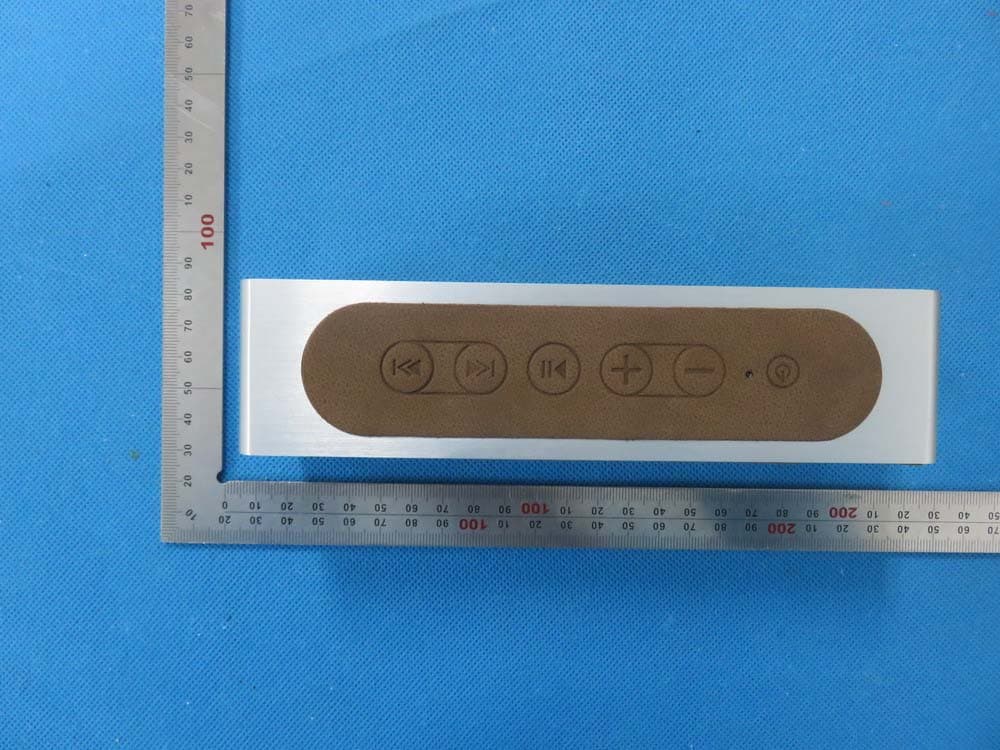
2AAOE15P3
Nov 24, 2015Bluetooth Speaker
Equipment Class
DXX - Part 15 Low Power Communication Device Transmitter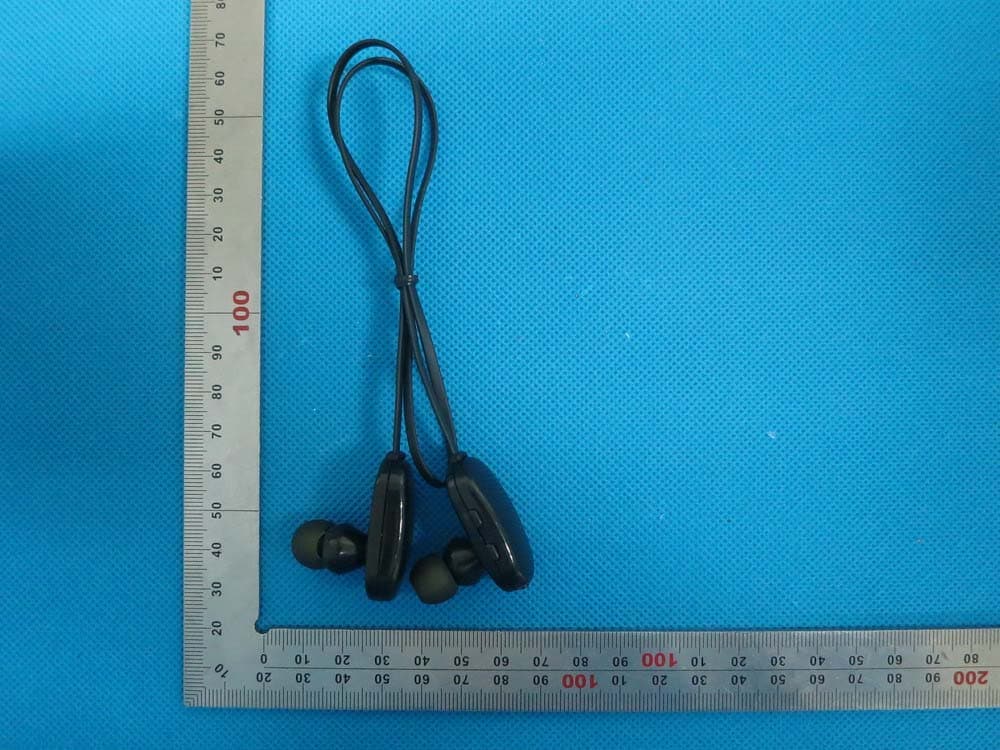
2AAOE14BWSH1
Oct 28, 2014Sports Bluetooth Headset
Equipment Class
DSS - Part 15 Spread Spectrum Transmitter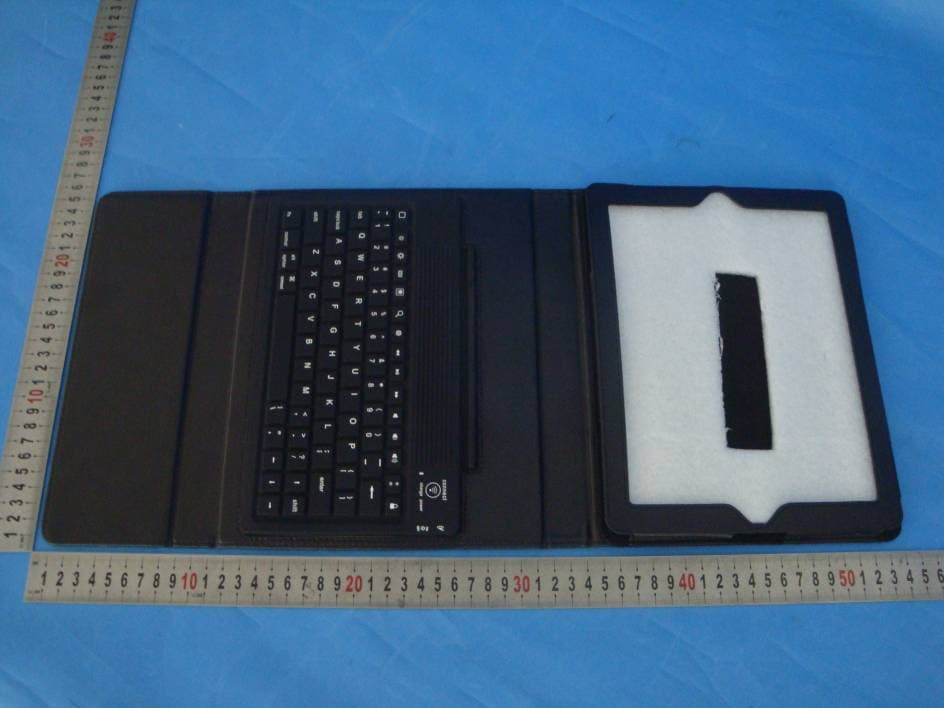
2AAOE13BW05003
Aug 11, 2013Bluetooth Keyboard
Equipment Class
DSS - Part 15 Spread Spectrum Transmitter