2AAQQ44424832303030USB dongle
TAIWAN BIOTRONIC TECHNOLOGY INC.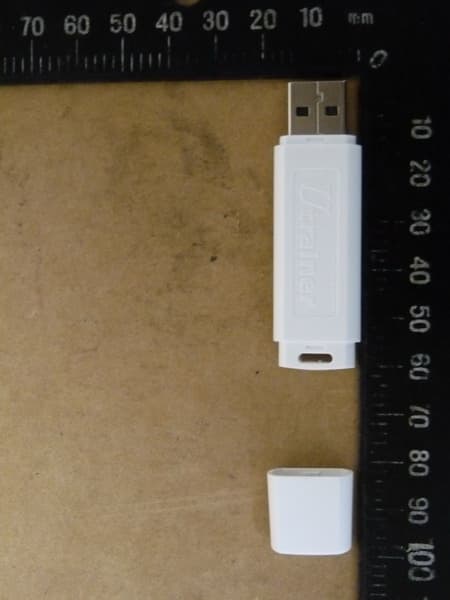
Click to zoom
Application Details
- Equipment Class
- DXX - Part 15 Low Power Communication Device Transmitter
- Date of Grant
- Sep 01, 2013
- Application Purpose
- Original Equipment
- Date of Application
- Sep 01, 2013
- Equipment Note
- USB dongle
- Frequency Range
- 2402.00000000 - 2466.00000000
- Country
- Taiwan
Documents & Files
Document Text
Text extracted from the exhibit documents filed with the FCC. Open a document above to read the original.
Users Manual
Step 3: Taiwan Biotronic Technology Inc. No. 69, Gong Jiao St., DaLi Dist., Taichung City 412, Taiwan (R.O.C) Tel: 886 4 2275 0988 Fax: 886 4 2276 6449 http://www.biotronic.com.tw Email: [email protected] Welcome to LifeVisa Club~ http www biotronic com tw :// . . . Meet your great life here ! We care so we create . U trainer Personal Exercise Cruiser User Manual and more ... Taiwan Biotronic Technology Inc . ※ Functions Ste p 1: Ste p 2: Ste p 5: 2. Press "Device Login" button to choose device types and set up your exercise targets. Double-click the icoach program to open it. (Fig. 01)Thank you for purchasing LifeVisa products. This manual contains informationrequired to manipulate icoach program. Please follow below steps and enjoythe workout! After inserting USB dongle, the status column will show "USB dongle is ready".(Fig. 03) There are 3 simple steps in the main menu. Please start from"Personal Information Setup". 1. Please start with this step for the first time use. You can always update your personal information.4. Press "Change Screen Size" button to fit your computer's monitor. There are 6 sizes to choose. (Fig. 04) After the screen size has been chosen, press "Confirm" and then press "Back" to return to the main menu for next step. a. Press "Device Login" button in the main menu and it will go to below 5. Press "Exit" button to leave and close the program. 6. Status column shows if USB dongle is ready. After opening the program, please insert the USB dongle into a USB port or thestatus column will show "Error: Could not open COM port! Checking COM port..." to remind you. (Fig. 02) 3. After all settings have been done, press "Run Program" button to start your workout. Fig. 02 Fig. 03 1 2 3 6 45 1 2 Lifevisa U trainer Lifevisa U trainer Lif i U ※ Functions Ste p 4: Ste p 6: Cadence ( Cadence Sensor ) Press "Back" button to go back to the main menu. Press the button of "Personal Information Setup" and it will go to belowwindow. (Fig. 05) Please enter your personal information, including name,height, weight, gender, age, waist and hips. Other indexes, such as MPL, BMIand WHR will be calculated accordingly and automatically. After filling in alldata, press "Save" button to save the data; then press "Back" button to returnto the main menu (Fig. 03) for next step.Note:(i) Maximum length for name column should be within 10 characters, including spaces.(ii) Information of height, waist and hips should be given in centimeter (cm) while it's kilogram (kg) for weight. (1 inch = 2.54cm; 1 lbs = 0.4536 kg) window (Fig. 06). In the drop-down list, there are 3 types of device to choose, including HRM (Heart Rate Transmitter), Speed and Cadence. (Fig. 07)b. Please choose the device type and press "Login" button to login the device. The program will wait for 60 seconds to search available device. Now the status column will show "Waiting for new device login....(Timeout= 60 Sec.)". If the login failed, it will show "Wait for Device login timeout", and now you should login again. (Fig. 08)c. After the login has been completed, the status column will show "New device login ok; Device ID = XXxxxx". If you have purchased all devices, please login each by each. The device(s) that has been logged in will be shown after "Login Device List". Press "Clear Login Device"button, the logged device(s)will be clear. Login again tocontinue to the next step.This line will display whichdevice(s) has been logged in. Note:If the program could not find availabledevice for login within 1 minute, thestatus column will show "Wait fordevice login timeout.". Please repeatstep 5 and login the device again. Choose Cadence in the drop-down list and enter the wheel's circumference of After login has been completed, please choose the device type in the drop- 3 4 Fig. 04 Fig. 05 Fig. 07 Fig. 06 Fig. 08 Lifevisa U trainer Lifevisa U trainer Lifevisa U trainer HRM ( Heart Rate Transmitter ) S p eed ( S p eed Sensor ) Ste p 7: ※ Functions Speed Panel Choose Speed in the drop-down list and enter the wheel's circumference ofyour bike. The program will convert to diameter automatically and vice versa(Fig. 10). Please note the unit is centimeter (cm). Then, enter your expectedspeed target per hour and distance target in kilometer (km) of every workout.Finally, press "Save". After all settings have been done, press "Back" button to return to the mainmenu for the next step.Press "Run Program" button in the main menu and it will go to below window.(Fig. 12) Heart rate data will be shown on the left panel, Speed data in themiddle (Fig. 13) and Cadence data is on the right panel (Fig. 14). Choose HRM in the drop-down list and enter your expected heart rate targetper minute (Fig. 09). Then, press "Save". p your bike. The program will convert to diameter automatically and vice versa(Fig. 11). Please note the unit is centimeter (cm). Then, enter your expectedrevolutions per minute (RPM) and distance target in kilometer of everyworkout. Finally, press "Save". g p , p yp p down list one at a time and enter your exercise targets. 5 6 Fig. 09 Fig. 10 Fig. 11 Lifevisa U trainer Lifevisa U trainer Lifevisa U trainer Heart Rate Panel Showin g the maximum s p eed. Showin g the p ercenta g e of reachin g the Li g hts Cadence Panel Red light shows you are reaching85% of your target or above.Showing the average of heart beat. Showing the completionpercentage of targetdistance. Showing the percentage of your maximum heartrate.Showing the maximum heart beat. Showing the target heart beat. Showing the current heart beat. Showing the average ofspeed.Showing the target speed. Showing the distance target. Showing the current speedper hour. Yellow light shows you are reaching50%-85% of your target.Green light shows the current BPMvalue is below 50% of your target. Fig. 12 Target100% 85%50% 0% Fig. 13 7 8 Lifevisa U trainer Lifevisa U trainer ※ Other Functions Showin g the maximum RPM. Showin g the com p letion p ercenta g e of RPM tar g et. Showin g the …
Text truncated - open the document above for the full version.
Cover Letter(s)
Taiwan Biotronic Technology Inc. 20 Lane 53 Hua Cheng Street, Da Li Dist., Taichung Hsien 41247 Taiwan Federal Communications Commission Authorization and Evaluation Division Equipment Authorization Branch 7435 Oakland Mills Road Columbia, MD 21046 Date: 15.08.2013 To whom it may concern: We, the undersigned, hereby authorize Worldwide Testing Services (Taiwan) Co., Ltd to act on our behalf in all matters relating to applications for equipment authorization FCC ID: 2AAQQ44424832303030 including the signing of all documents related to these matters. Any and all acts carried out by Worldwide Testing Services (Taiwan) Co., Ltd on our behalf shall have the same effect as acts of our own. We also hereby certify that no party to this application is subject to a denial of benefits, including FCC benefits, pursuant to Section 5301 of the Anti-Drug Abuse Act of 1988, 21 U.S.C. 862. Sincerely, Signature Name: Keven Su Title: Manager Company: Taiwan Biotronic Technology Inc.
Cover Letter(s)
Taiwan Biotronic Technology Inc. 20 Lane 53 Hua Cheng Street, Da Li Dist., Taichung Hsien 41247 Taiwan Federal Communications Commission Equipment Authorization Branch 7435 Oakland Mills Road Columbia, MD 21046 Date: 15.08.2013 Request for Confidentiality Company name: Taiwan Biotronic Technology Inc. FCC ID: 2AAQQ44424832303030 FCC Part 15 Certification To whom it may concern: In accordance with 0.459 of CFR 47, Taiwan Biotronic Technology Inc. hereby requests confidentiality of all Block Diagrams, Schematics, Operational Description attachments for the subject application. These documents contain detailed system and equipment description and related information about the product which Taiwan Biotronic Technology Inc. considers to be proprietary, confidential and a custom design and otherwise would not release to the general public. Since the design is a basis from which future technological products will evolve, Taiwan Biotronic Technology Inc. considers that this information would be of benefit to its competitors and that the disclosure of the information in these documents would give competitors an unfair advantage in the market. Sincerely, Signature Name: Keven Su Title: Manager Company: Taiwan Biotronic Technology Inc.
External Photos
Registration number: W6M21307-13368-FCC FCC ID: 2AAQQ44424832303030 Worldwide Testing Services(Taiwan) Co., Ltd. Appendix page 2 of 11 External Photos Registration number: W6M21307-13368-FCC FCC ID: 2AAQQ44424832303030 Worldwide Testing Services(Taiwan) Co., Ltd. Appendix page 3 of 11 Registration number: W6M21307-13368-FCC FCC ID: 2AAQQ44424832303030 Worldwide Testing Services(Taiwan) Co., Ltd. Appendix page 4 of 11
ID Label/Location Info
Model: BDH-2000 FCC ID: 2AAQQ44424832303030
Internal Photos
Registration number: W6M21307-13368-FCC FCC ID: 2AAQQ44424832303030 Worldwide Testing Services(Taiwan) Co., Ltd. Appendix page 5 of 11 Internal Photos Registration number: W6M21307-13368-FCC FCC ID: 2AAQQ44424832303030 Worldwide Testing Services(Taiwan) Co., Ltd. Appendix page 6 of 11 Registration number: W6M21307-13368-FCC FCC ID: 2AAQQ44424832303030 Worldwide Testing Services(Taiwan) Co., Ltd. Appendix page 7 of 11
Test Report
of Applicant: Taiwan Biotronic Technology Inc. Address: 20 Lane 53 Hua Cheng Street, Da Li Dist., Taichung Hsien 41247 Taiwan Tested and Prepared by Worldwide Testing Services (Taiwan) Co., Ltd. FCC Registration No.: 930600 Industry Canada filed test laboratory Reg. No. IC 5679A-1 A2LA Accredited No.: 2732.01 Report No.: W6M21307-13368-C-1 6F, NO. 58, LANE 188, RUEY-KUANG RD., NEIHU TAIPEI 114, TAIWAN, R.O.C. TEL: 886-2-66068877 FAX: 886-2-66068879 E-mail: [email protected] FCC PART 15 SUBPART C TEST REPORT for USB dongle Model No.: BDH-2000 FCC ID: 2AAQQ44424832303030 Registration number: W6M21307-13368-C-1 FCC ID: 2AAQQ44424832303030 Worldwide Testing Services(Taiwan) Co., Ltd. Page 1 of 23 TABLE OF CONTENTS 1 GENERAL INFORMATION ..........................................................................................................2 1.1 NOTES..........................................................................................................................................2 1.2 TESTING LABORATORY................................................................................................................3 1.2.1 Location ..............................................................................................................................3 1.2.2 Details of accreditation status ............................................................................................3 1.3 DETAILS OF APPROVAL HOLDER...................................................................................................3 1.4 APPLICATION DETAILS.................................................................................................................4 1.5 GENERAL INFORMATION OF TEST ITEM........................................................................................4 1.6 T EST STANDARDS.........................................................................................................................4 2 TECHNICAL TEST .........................................................................................................................5 2.1 SUMMARY OF TEST RESULTS........................................................................................................5 2.2 T EST ENVIRONMENT....................................................................................................................5 2.3 TEST EQUIPMENT LIST.................................................................................................................6 2.4 GENERAL TEST PROCEDURE........................................................................................................8 3 TEST RESULTS (ENCLOSURE) ..................................................................................................9 3.1 P EAK OUTPUT POWER (TRANSMITTER) ......................................................................................10 3.2 EQUIVALENT ISOTROPIC RADIATED POWER................................................................................11 3.3 RF EXPOSURE COMPLIANCE REQUIREMENTS............................................................................11 3.4 O UT OF BAND RADIATED EMISSIONS.........................................................................................12 3.5 SPURIOUS EMISSION (TX) ...........................................................................................................13 3.6 R ADIATED EMISSIONS FROM DIGITAL PART..............................................................................16 3.7 RADIATED EMISSION ON THE BAND EDGE..................................................................................17 3.8 P OWER LINE CONDUCTED EMISSION.........................................................................................21 A PPENDIX..................................................................................................................................................23 Registration number: W6M21307-13368-C-1 FCC ID: 2AAQQ44424832303030 Worldwide Testing Services(Taiwan) Co., Ltd. Page 2 of 23 1 General Information 1.1 Notes The purpose of conformity testing is to increase the probability of adherence to the essential requirements or conformity specifications, as appropriate. The complexity of the technical specifications, however, means that full and thorough testing is impractical for both technical and economic reasons. Furthermore, there is no guarantee that a test sample which has passed all the relevant tests conforms to a specification. Neither is there any guarantee that such a test sample will interwork with other genuinely open systems. The existence of the tests nevertheless provides the confidence that the test sample possesses the qualities as maintained and that is performance generally conforms to representative cases of communications equipment. The test results of this test report relate exclusively to the item tested as specified in 1.5. The test report may only be reproduced or published in full. Reproduction or publication of extracts from the report requires the prior written approval of the Worldwide Testing Services(Taiwan) Co., Ltd. Tester: August 26, 2013 Rick Chen Date WTS-Lab. Name Signature Technical responsibility for area of testing: August 26, 2013 Kevin Wang Date WTS Name Signature Registration number: W6M21307-13368-C-1 FCC ID: 2AAQQ44424832303030 Worldwide Testing Services(Taiwan) Co., Ltd. Page 3 of 23 1.2 Testing laboratory 1.2.1 Location OATS No.5-1, Lishui, Shuang Sing Village, Wanli Dist., New Taipei City 207, Taiwan (R.O.C.) 3 meter semi-anechoic chamber No.35, Aly. 21, Ln. 228, Ankang Rd., Neihu Dist., Taipei City 114, Taiwan (R.O.C.) TEL:886-2-6613-0228 FAX:886-2-2791-5046 Company Worldwide Testing Services(Taiwan) Co., Ltd. 6F, NO. 58, LANE 188, RUEY-KUANG RD. NEIHU, TAIPEI 114, TAIWAN R.O.C. Tel : 886-2-66068877 Fax : 886-2-66068879 1.2.2 Details of accreditation status Accredited testing laboratory A2LA accredited number: 2730.01 FCC filed test laboratory Reg. No. 930600 I…
Text truncated - open the document above for the full version.
Test Setup Photos
Registration number: W6M21307-13368-FCC FCC ID: 2AAQQ44424832303030 Worldwide Testing Services(Taiwan) Co., Ltd. Appendix page 8 of 11 Set Up Photo of Radiated Emission Below 1GHz Registration number: W6M21307-13368-FCC FCC ID: 2AAQQ44424832303030 Worldwide Testing Services(Taiwan) Co., Ltd. Appendix page 9 of 11 Above 1GHz Registration number: W6M21307-13368-FCC FCC ID: 2AAQQ44424832303030 Worldwide Testing Services(Taiwan) Co., Ltd. Appendix page 10 of 11 RF Registration number: W6M21307-13368-FCC FCC ID: 2AAQQ44424832303030 Worldwide Testing Services(Taiwan) Co., Ltd. Appendix page 11 of 11 Set Up Photo of Conducted Emission
Contact Information
Applicant
Keven Su(Manager)
Technical Contact
Worldwide Testing Services (Taiwan) Co., Ltd.Tse-Ming Chang
[email protected]+886-2-6606-8877
6F., No. 58, Lane 188, Ruey Kuand Rd. · Taipei · Taiwan
Test Firm
Worldwide Testing Services (Taiwan) Co., Ltd.Rex Kao
Technical Specifications
| # | Rule Parts | Frequency Range | Power Output |
|---|---|---|---|
| 1 | 15C | 2.40 GHz - 2.47 GHz | - |
Other Applications from TAIWAN BIOTRONIC TECHNOLOGY INC.
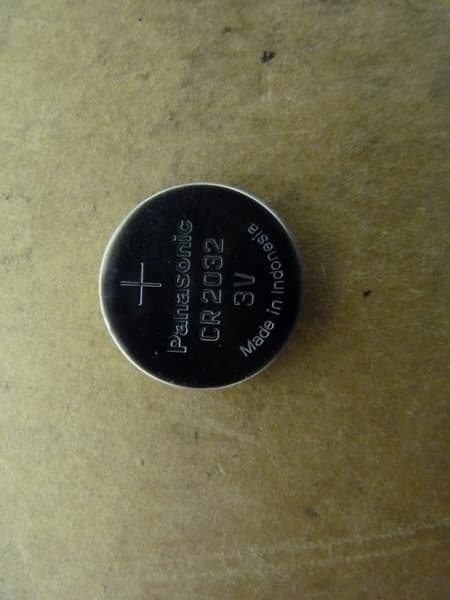
2AAQQ52505332333030
Sep 04, 2013WIRELESS BIKE CADENCE SENSOR
Equipment Class
DXX - Part 15 Low Power Communication Device Transmitter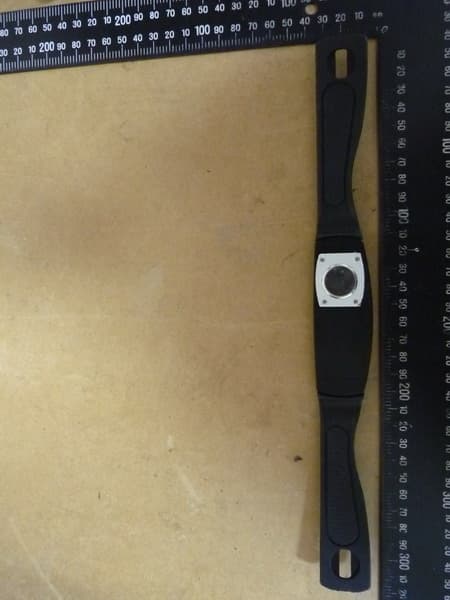
2AAQQ48525332323030
Sep 02, 2013WIRELESS HEART RATE TRANSMITTER
Equipment Class
DXX - Part 15 Low Power Communication Device Transmitter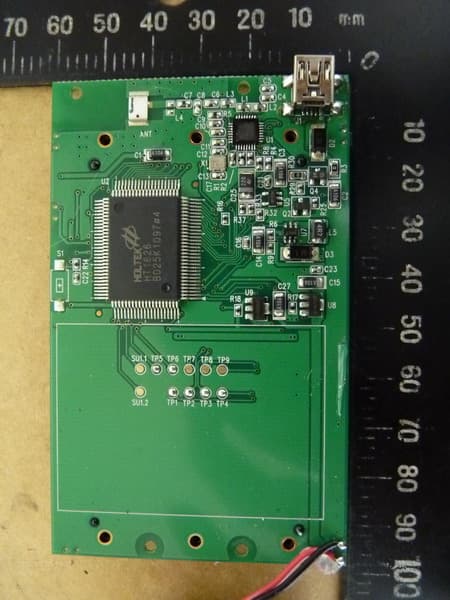
2AAQQ4C563230303041
Sep 01, 2013WIRELESS CYCLE COMPUTER
Equipment Class
DXX - Part 15 Low Power Communication Device Transmitter