2AAZR8020AITWIST Bluetooth Speaker
SHENZHEN HIGHSTAR ELECTRICAL CO.,LTD
Click to zoom
Application Details
- Equipment Class
- DXX - Part 15 Low Power Communication Device Transmitter
- Date of Grant
- Sep 09, 2014
- Application Purpose
- Original Equipment
- Date of Application
- Sep 09, 2014
- Equipment Note
- ITWIST Bluetooth Speaker
- Frequency Range
- 2402.00000000 - 2480.00000000
- Country
- China
Documents & Files
Document Text
Text extracted from the exhibit documents filed with the FCC. Open a document above to read the original.
Users Manual
Instruction manual Welcome to choose our product ---iTwist Bluetooth speaker. The product is a portable audio with Bluetooth receiver. You can store the songs in mobile phone or device with Bluetooth playback, and then transmit to this product for music playback via Bluetooth. Read the instruction manual quickly before use. A. Main features and Technical Parameters 1. Bluetooth audio player 2. Hand free function 3. Φ3.5mm audio input interface 4. Touch sensor keys 5. Audio Max power:4W*1 6. Frequency response: 20Hz-20kHz 7. Power supplied: built-in rechargeable lithium battery 8. Connect external USB DC 5V power source to charge the unit 9. Charging time: around 3-4 hours 10.Continue playing music about 4-5 hours when built-in lithium attery is fully charged. 11.LED Bluetooth indicator & power charge indicator B. Product Illustration C. Key functions No Current mode Function operating ButtonOperation Indicator 1 Power off Power on ON/OFF Switch the key“ON/OFF" to “ON" blue lights flashing rapidly 2 Power on Power off ON/OFF Switch the key “ON/OFF" to “OFF" blue light are off 3 Power on Bluetooth pairing Automatically paired blue lights flashing rapidly 4 Power on Bluetooth pair successfully Automatically paired blue lights flashing slowly 5 Power on Bluetooth reconnect Hands free Long touch for 3 seconds blue lights flashing rapidly 6 Power on Call back Hands free Double click twice 7 Call mode Answer calls Hands free Short touch once 8 Talk mode End calls Hands free Short touch once 9 Any mode Volume up Volume + key Short touch or long touch 10 Any mode Volume down Volume - key Short touch or long touch 11 Bluetooth mode Previous song Previous song key Short touch once 12 Bluetooth mode Next song Next song key Short touch once 13 Bluetooth mode pause/play Hands free Short press circle 14 AUX mode Mute, ON/OFF Handa free Short press circle 15 Any mode Charging Red LED is ON 16 Any mode Battery is full Red light is Off Green light is on 17 Bluetooth mode Low battery alarm Blue light flash rapidly continuously 18 Bluetooth mode Audio input Audio cable is plug on audio input Blue light is ON 19 Audio mode Bluetooth mode Unplug audio cable blue light is flashing slowly D. Bluetooth playback 1. Switch the power to“ON”,Bluetooth indicator is on, producing a start-up sound, Bluetooth indicator is flashing rapidly. 2. Turn on your cell phone or Bluetooth device on the Bluetooth function, search for devices in the Bluetooth menu. 3. When "Hiting" appears on the Bluetooth devices list, select "Hiting" establish pairing and connection (if asked for a passkey, enter 0000). When the pairing and connection is successful, it produces a connected tone, and Bluetooth indicator changes to slow flash, the speaker is ready for playing music. 4. When the connection is successful pairing, long touch the key “Play/Pause” three seconds, you can disconnect the current Bluetooth devices, and the indicator is flashing alternately again, the Bluetooth speaker is ready for pairing with the other device. 5. When the connection between the mobile and the speaker is successful, and the speaker is playing music, the music will be stopped when incoming call is reaching and the speaker will play incoming call alert, short touch ‘Play/Pause’ switch to answer the call, others’ speech will be broadcast via the speaker, Short touch ‘volume +/-’ switch to adjust desire volume for conversation. Short touch ‘Play/Pause’ switch to hang up the phone. The speaker is automatically restored before playback music. To reject the incoming call, long touch ‘Play/Pause’ switch for 2 seconds to reject the incoming call. To redial the previous call number, short touch ‘Play/Pause’ switch 2 times for redial. 6. If the pairing is overtime or no flash for indicator light, please repeat step 1 to 3 for re-connection. E. Audio input mode 1. Please insert 3.5mm audio cable into the audio input port of the product , with MP3, IPOD, cell phone or other audio connections, audio music playback, adjust the audio output volume to achieve the best sound , and the blue indicator is on (instead of flashing). 2. Pls pull out the audio cable to disconnect the devices, the speaker will switch back to the Bluetooth mode, the indicator is flashing again, and the product will automatically pair back with the last device. F. Power supply 1. Connect DC 5V adapter with the product for power supply and charging the built-in rechargeable lithium battery synchronously, the red power indicator is on. After the full charge, the red indicator is off, and the green indicator is on. Disconnect the adapter, all the power charging indicators are off. 2. The speaker is powered by the built-in rechargeable battery, without an adapter. G. Troubleshooting Failure ManifestSolutions Bluetooth playback interrupt and produce a sound Lower battery, please charge Try to move the bluetooth device close to the product or change the audio or equipment location Music intermittent in Bluetooth playback Repair Lower battery , please charge Try to move the Bluetooth device closer to the speaker Turn off & restart Device of the computer has Bluetooth function or not Try repeating this product Bluetooth playback and set up steps You can play the music in one device , cancel Equipment and unused pairs (see the documents for help), in accordance with the procedure set pairing new devices Equipment cannot pair with Bluetooth audio connection It makes sure“Hiting” if the item is pairing with computer to be a multimedia speaker. Re-pair No call function Check the setting of the phone(see the phone manual) Lower battery, please charge Turn off & restart Key failure Please use the original adapter for this item. Weak sound Touch “Volume+" key to the suitable level H. Packing Accessories 1. One audio cable 2. An adapter (optional) 3. Instruction manual 4. USB cable Caution: 1. The product avoids rain and damp, in order to avoid damage. 2. The product should be kept away from fire, high temperature en…
Text truncated - open the document above for the full version.
Cover Letter(s)
Shenzhen Highstar Electrical Co., Ltd Building 6,Highstar Industrial zone,Gangtou,Bantian Street,Longgang District, Shenzhen,China Confidentiality Request Letter Page 1 of 1 Rev 2.0 September 3, 2014 To: Federal Communications Commission Authorization and Evaluation Division 7435 Oakland Mills Road Columbia, MD Permanent Confidentiality Request Confidentiality Request regarding application for certification of FCC ID: 2AAZR8020A We hereby request confidential treatment of information accompanying this application as outlined below: - Block Diagram - Operational Description - Schematic The above materials contain trade secrets and proprietary information not customarily released to the public. The public disclosure of these materials may be harmful to the applicant and provide unjustified benefits to its competitors. The applicant understands that pursuant to Section 0.457 & 0.459 of the Rules, disclosure of this application and all accompanying documentation will not be made before the date of the Grant for this application. Sincerely, Client’s signature: Client’s name / title: Tracy Huang/ Manager Contact information / address: Building 6,Highstar Industrial zone,Gangtou,Bantian Street,Longgang District,Shenzhen,China TEL: 0755-28130269 FAX: 0755-28130306 E-mail: [email protected]
External Photos
External Photo
ID Label/Location Info
FCC Certification Label FCC ID: 2AAZR8020A Label Location on EUT EUT Bottom View/ FCC ID Label Location label size:high:2cm,Wide:4cm
Internal Photos
Internal Photo Antenna
Test Report
FCC PART 15.249 EMI MEASUREMENT AND TEST REPORT For Shenzhen Highstar Electrical Co., Ltd Building 6,Highstar Industrial zone,Gangtou,Bantian Street,Longgang District, Shenzhen,China FCC ID: 2AAZR8020A September 3, 2014 This Report Concerns: Original Report Equipment Type: 'ITWIST'Bluetooth Speaker Test Engineer: Lisa Chen Report No.: BSL14060143B Receive EUT Date/Test Date: August 26, 2014 / August 26-September 3, 2014 Reviewed By: Sky Zhang Prepared By: BSL Testing Co.,LTD. NO. 24, ZH Park, Nantou, Shenzhen, 518000 China Tel: 86- 755-26508703 Fax: 86- 755-26508703 Note: The test report is specially limited to the above company and this particular sample only. It may not be duplicated without prior written consent of BSL Testing Co.,LTD. This report must not be used by the client to claim product certification,approval,or endorsement by NVLAP, NIST or any agency of the US Government. FCC ID: 2AAZR8020A Page 2/25 TABLE OF CONTENTS 1. GENERAL INFORMATION ....................................................................................................3 1.1. Report information ............................................................................................................3 1.2. Measurement Uncertainty .................................................................................................3 2. PRODUCT DESCRIPTION ......................................................................................................4 2.1. EUT Description ...............................................................................................................4 2.2. Block Diagram of EUT Configuration..............................................................................5 2.3. Support Equipment List ....................................................................................................5 2.4. Test Conditions .................................................................................................................5 3. TEST RESULTS SUMMARY ...................................................................................................6 Modifications ................................................................................................................................6 4. TEST EQUIPMENT USED .......................................................................................................7 5. ANTENNA REQUIREMENT ...................................................................................................8 5.1. Standard Applicable..........................................................................................................8 5.2. Antenna Connected Construction .....................................................................................8 5.3. Result ................................................................................................................................8 6. CONDUCTED POWER LINE TEST .......................................................................................9 6.1. Test Equipment .................................................................................................................9 6.2. Test Procedure ..................................................................................................................9 6.3. Test Setup..........................................................................................................................9 6.4. Conducted Power line Emission Limits............................................................................9 6.5. Conducted Power Line Test Result.................................................................................10 7. RADIATED EMISSION TEST ...............................................................................................12 7.1. Test Equipment ...............................................................................................................12 7.2. Test Procedure ................................................................................................................12 7.3. Radiated Test Setup ........................................................................................................12 7.4. Radiated Emission Limit.................................................................................................14 7.5. Radiated Emission Test Result .......................................................................................15 8. BAND EDGE .............................................................................................................................20 8.1. Test Equipment ...............................................................................................................20 8.2. Test Procedure ................................................................................................................20 8.3. Band Edge FCC 15.249(d) Limit ....................................................................................20 8.4. Band Edge Test Result ....................................................................................................21 9. 20-DB BANDWIDTH ...............................................................................................................22 9.1. Test Equipment ...............................................................................................................22 9.2. Test Procedure ................................................................................................................22 9.3. Limit................................................................................................................................22 9.4. Test Result /Plots ............................................................................................................22 FCC ID: 2AAZR8020A Page 3/25 1. GENERAL INFORMATION 1.1. Report information 1.1.1.This report is not a certificate of quality; it only applies to the sample of the specific product/equipment given at the time of its te…
Text truncated - open the document above for the full version.
Test Setup Photos
Conducted emissions test Radiated emissions test
Contact Information
Applicant
CHENG PING TAN(Manager)
Test Firm
BSL Testing Co.,LTD.Boss Deng
Technical Specifications
| # | Rule Parts | Frequency Range | Power Output |
|---|---|---|---|
| 1 | 15C | 2.40 GHz - 2.48 GHz | - |
Other Applications from SHENZHEN HIGHSTAR ELECTRICAL CO.,LTD

2AAZRHSD9051E-5
May 12, 2020JOINT LED TABLE LAMP WITH WIRELESS CHARGING
Equipment Class
DCD - Part 15 Low Power Transmitter Below 1705 kHz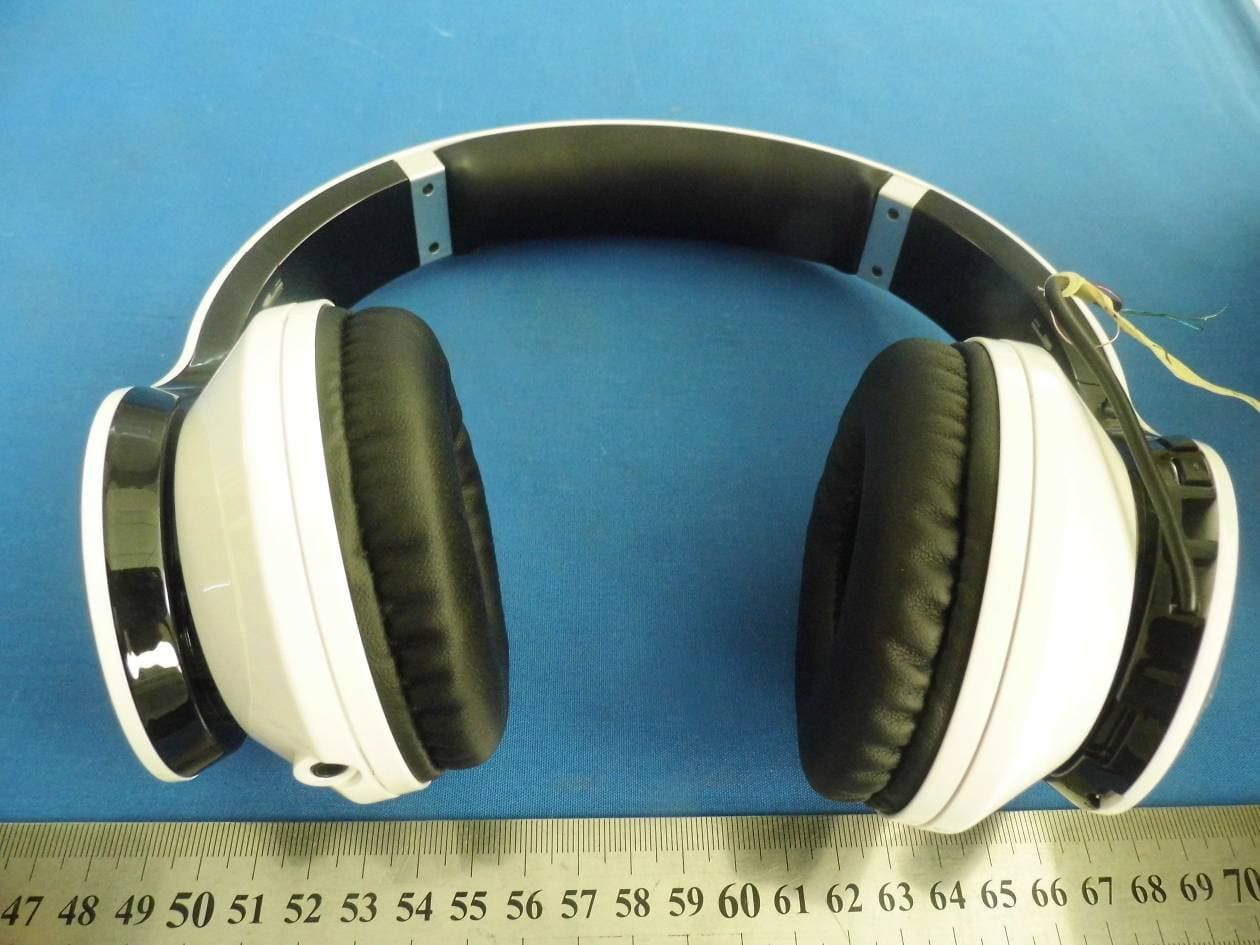
2AAZR8801B
Sep 10, 2014Bluetooth Stereo Headphones
Equipment Class
DXX - Part 15 Low Power Communication Device Transmitter
2AAZRHSD8012D
Sep 29, 2013ICUBE BLUETOOTH SPEAKER
Equipment Class
DXX - Part 15 Low Power Communication Device Transmitter