2ABWOCMP791TOUCH SCREEN DISPLAY
Everex Electronics Ltd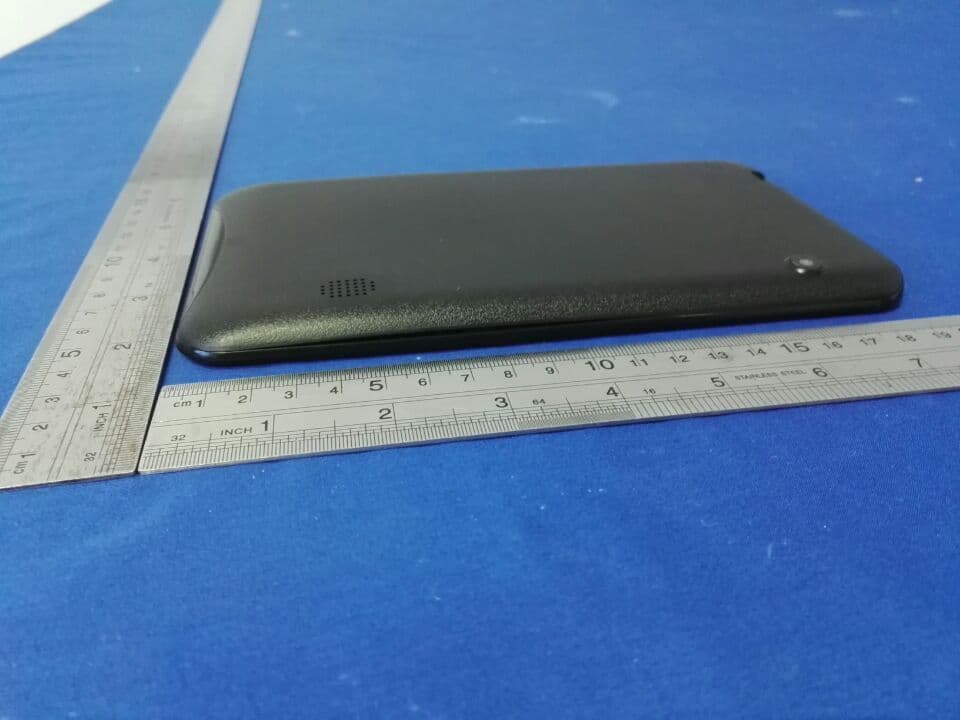
Click to zoom
Application Details
- Equipment Class
- DTS - Digital Transmission System
- Date of Grant
- Sep 07, 2015
- Application Purpose
- Original Equipment
- Date of Application
- Sep 07, 2015
- Equipment Note
- TOUCH SCREEN DISPLAY
- Frequency Range
- 2412.00000000 - 2462.00000000
- Company
- Everex Electronics Ltd
- Country
- Hong Kong
Documents & Files
Document Text
Text extracted from the exhibit documents filed with the FCC. Open a document above to read the original.
Users Manual
2 Please setup Gmail™ account during initial device setup. If you are going to use a password or a pattern unlock you must have a valid Gmail™ account setup in the event you forget either. Forgot lock pattern? Here's a way to reset it. Enter wrong pattern 5 times and wait for 30 seconds. Select “Forgot pattern” and enter your Gmail™ account username and password. Make sure you use the same account that was used to activate the device and double check the password by logging in to that Google ™ account in a browser on laptop or PC. If you don't have access to the original Gmail™ account, you will need to do a hard reset and lose your settings and apps on the device. Data on the memory card will not be erased. 3 4 5 6 This manual contains important safety precautions and information for correct usage. Please be sure to read this manual carefully before use to avoid any damage to the device. Do not place the product in hot, wet or dusty environments. Do not place the product in hot environments. Especially in summer, do not place it in a car with all the windows closed or in the sun. Avoid dropping or smashing the product and do not shake the TFT screen excessively as it may cause damage or abnormal display screen. Select a suitable volume and avoid loud sound while using headphone/earphones. Turn down the volume or stop using the product if your ears start hurting or ringing. In the following situations, please charge the product: A. The device shows on the top of the screen. B. System automatically shuts down, and it turns off soon after restart. C. Operation buttons do not work properly. D. The unit will not turn on. Note: Chargers of other models cannot be used for this device because they may cause damage to the device that will void the warranty. Please contact our customer service department if you need a replacement charger. Do not disconnect the device while formatting, downloading and/or uploading; otherwise, application errors may occur. We are not responsible for any memory erasure or loss caused by damage or product maintenance, or other personal reasons. Do not disassemble the product, and avoid cleaning the product with ethyl alcohol, thinner, or benzene. Do not use this product in areas which prohibit the use of electronic devices, for example, in an airplane. Do not use this product while driving or walking in the street, as it may cause a car accident. Notes: This device is not waterproof. All images in this manual are for reference only. Specifications and appearance of the product and the screens are subject to change without prior notice. 7 IMPORTANT NOTE If the device becomes abnormal, halts, freezes. You can do either one of below two options to recover the device Restart This option will restart your unit (reboot the system) to resume as normal 1. Press and hold “Power On/Off” button more than 12 seconds, follow screen will appear: 2. Select “Restart” and unit will turn off automatically. 3. Then unit restart and load the software as below: 8 4. Now unit becomes normal Reboot to Recovery This option will reload the firmware to resume as “First purchased unit” WARNING: Reboot to recovery will ERASE all installed data and restore your tablet to when you first purchased unit. It becomes a “NEW TABLET”. 1. Press and hold “Power On/Off” button more than 12 seconds, follow screen will appear: 2. Select “Reboot to Recovery”, unit will turn off and turn on automatically. 9 3.) Following screen will appear, select the option “wipe data/factory reset” 4.) Then enter the following screen which shows the message “Confirm wipe of all user data? THIS CANNOT BE UNDONE.” Select “Yes – delete all user data” 5.) Device will start to reinstall the firmware and wipe out all user data 6.) It takes approximate 5 minutes to finish reinstall process. After finish, it shows below screen, select “reboot system now” 10 7.) System recovery is finished. Your tablet will reboot and load the firmware 8.) Now, reinstall process is finish, your tablet resume as “First purchased unit” NOTE: During reinstall process has the unit plugged into wall outlet; otherwise, firmware will be “corrupted” if lose battery power during updating. CAUTION: Reboot to recovery will ERASE all installed data and restore your tablet to when you first purchased unit. It becomes a “NEW TABLET”. 11 UPOWER SOURCE:U Battery Recharge The device has Recharging a built-in DC3.7V rechargeable Lithium-ion batteries. Recharge as follows: Insert the micro USB plug from the supplied USB connection cable to the Micro USB jack on the device. Plug the full size USB jack of connection cable to supplied AC/USB Adaptor to wall outlet having AC 100-240V~, 50/60 Hz. During charging, the on screen charging icon will turn on. When finished, it will show fully charged icon. This power unit is intended to be in a vertical or floor mount position. Notes: Your battery will last longer if you follow these simple guidelines for caring for and storing it. 1. Using the supplied AC/USB Adaptor for charging only. Other models charger may damage the device. 2. For charging first time, charge it approximately 10 hours. For normal charging, it needs approximately 4 hours. 3. Recharge and store the device within the temperature range of 5°C~35°C (40°F~95°F). 4. Do not overcharge (longer than 24 hours). Excessive charging or running the unit until battery goes empty will damage battery. Battery life will be extended if you keep the battery fully charged. 5. Battery life naturally shortens slowly over time. 6. The rechargeable battery incorporated in this product is not user replaceable. Using the touch screen Touch the corresponding button on the touch screen with your finger. Touch the screen and swipe from Right to Left; Left to Right to scroll the pages. Notes: A: Do not use force when touching the touch screen, as it may damage to the screen. B: To avoid damaging the touch screen, do not use any object other than yo…
Text truncated - open the document above for the full version.
Attestation Statements
Everex Electronics Ltd Unit 03,16F .,Block A,Kailey Industrial Centre,12 Fung Yip Street,Chai Wan ,HONGKONG FCC ID: 2ABWOCMP791 To Whom It May Concern: We, the undersigned, hereby attest to the fact that we will apply the Declaration of Conformity procedure to the class B computer peripheral portion of this composite device. We understand that devices subject to the DoC procedure are required to be tested to show compliance with the FCC technical regulations by a recognized accredited testing laboratory. The testing laboratory must be accredited by a Commission approved accreditation body or designated under the terms of a government-to-government Mutual Recognition Agreement (MRA). A listing of those accredited testing laboratories that have been recognized by the Commission is published on the FCC Test facilities located in countries, where the U.S. does not have an operational Telcom MRA are not recognized by the FCC to test for the DoC procedure. Sincerely, signature : name / title : Manager information / address: Everex Electronics Ltd (Unit 03,16F .,Block A,Kailey Industrial Centre,12 Fung Yip Street,Chai Wan ,HONGKONG)
Cover Letter(s)
SCS-F18: Project and Product Certification Representative Authorization Letter Page 1 of 2 Rev 5.0 775 Montague Expressway Milpitas, CA 95035 Tel: 408-526-1188 Fax: 408-526-1088 Email: [email protected] Project and Product Certification Representative Authorization Letter Revision History Reason for Amendment (current / obsolete) From To Approved Date Initial Release (obsolete) 1.0 1.0 Nov-14-2006 Revised wording (obsolete) 1.0 2.0 Sept–25-2007 Updated company template (obsolete) 2.0 3.0 Jan-31-2012 Updated letter information (obsolete) 3.0 4.0 May-23-2014 Added FCC ID field (current) 4.0 5.0 Sept 16 2014 SCS-F18: Project and Product Certification Representative Authorization Letter Page 2 of 2 Rev 5.0 Everex Electronics Ltd Unit 03,16F .,Block A,Kailey Industrial Centre,12 Fung Yip Street,Chai Wan ,HONGKONG 2015-8-10 To: SIEMIC, INC. 775 Montague Expressway, Milpitas, CA 95035 USA Dear Sir/Madam, Re: Product Certification Representative Authorization Letter We, Everex Electronics Ltd hereby authorize SIEMIC, INC. to act as a Certification Body for certifying for the following project(s): FCC ID: 2ABWOCMP791 Product: TOUCH SCREEN DISPLAY Model No.: CMP791; CMP792;CMP793;CMP794;CMP795;CMP796; CMP797;CMP798;CMP799, EX791;EX792;EX793;EX794;EX795;EX796;EX797;EX798;EX799 Sincerely, signature : name / title : Manager information / address: Everex Electronics Ltd (Unit 03,16F .,Block A,Kailey Industrial Centre,12 Fung Yip Street, Chai Wan ,HONGKONG)
Cover Letter(s)
SCS-F19: Confidentiality Request Letter Page 1 of 1 Rev 3.0 Everex Electronics Ltd Unit 03,16F .,Block A,Kailey Industrial Centre,12 Fung Yip Street, Chai Wan ,HONGKONG Confidentiality Letter To: Federal Communications Commission Authorization and Evaluation Division 7435 Oakland Mills Road Columbia, MD Subject: Permanent Confidentiality Request for FCC ID: 2ABWOCMP791 We hereby request confidential treatment of information accompanying this application as outlined below: Block Diagram Schematics Operational Description The above materials contain trade secrets and proprietary information not customarily released to the public. The public disclosure of these materials may be harmful to the applicant and provide unjustified benefits to its competitors. The applicant understands that pursuant to Section 0.457 & 0.459 of the Rules, disclosure of this application and all accompanying documentation will not be made before the date of the Grant for this application. Sincerely, signature : name / title : Manager information / address: Everex Electronics Ltd (Unit 03,16F .,Block A,Kailey Industrial Centre,12 Fung Yip Street,Chai Wan ,HONGKONG)
Cover Letter(s)
Updated on 2005/02/07 by Kally Chan Everex Electronics Ltd Unit 03,16F .,Block A,Kailey Industrial Centre,12 Fung Yip Street,Chai Wan ,HONGKONG FCC ID:2ABWOCMP791 Hereby we: Everex Electronics Ltd (Name of Manufacturer) Basic Model Number: CMP791 Basic Brand Name: / Basic Product Name: TOUCH SCREEN DISPLAY Declare the Circuit, PCB Layout, shape of enclosure and Electrical Parts of the following product(s) are identical to the basic model: New / Additional Model Number(s): CMP791;CMP792;CMP793;CMP794;CMP795;CMP796; CMP797;CMP798;CMP799, EX791;EX792;EX793;EX794;EX795;EX796;EX797; EX798;EX799 New / Additional Brand Name(s): / Except the following(s) : Model numbers Signature with Company Chop : Printed Name : Fanhua Woo DATE: 2015-8-10
Cover Letter(s)
Everex Electronics Ltd Unit 03,16F .,Block A,Kailey Industrial Centre,12 Fung Yip Street, Chai Wan ,HONGKONG WIFI Channel 12 & 13 Declaration Letter To whom it may concern : We have declared below featured for FCC equipment authorization in regard to 802.11b/g/n channel 12 & 13 operating capability for FCC ID : 2ABWOCMP791 Please check ■ Product hardware does not have the capability to operate on channel 12 & 13 Product hardware has the capability to operate on channel 12 & 13. However , these 2 channels will be disabled via software and user will not able to enable these 2 channels Product hardware has the capability to operate on channel 12 & 13. And meeting KDB 594280 D01 requirement. Pls explain detail here. Others Pls explain detail here. Company Name:Everex Electronics Ltd Address : (Unit 03,16F .,Block A,Kailey Industrial Centre,12 Fung Yip Street,Chai Wan ,HONGKONG) Name / Title :FanhuaWoo/ Manager Signature : Phone : 18675257587 Email : [email protected] Date : 2015-8-10
ID Label/Location Info
Mod el:CMP791 FCC ID: 2ABWOCMP791 This device complies with part 15 of the FCC Rules. Operation is subject to the following two conditions:(1) This device may not cause harmful interference, and (2) this device must accept any interference received, including interference that may cause undesired operation. Label location
Internal Photos
WIFI Antenna
RF Exposure Info
FCC ID: 2ABWOCMP791 1. RF EXPOSURE EVALUATION Test Result of RF Exposure Evaluation According to the KDB-447498 D01 V05, FCC 47CFR§2.1093 the following RF exposure evaluation shall to demonstrate RF exposure compliance. [(max. power of channel, including tune-up tolerance, mW) / (min. test separation distance,mm)] * [√f(GHz)] Frequency (MHz) Target pow er W/ tolerance (dBm) Max tune up power tolerance (dBm) Maximum Output Power: mW Separation distance mm RF exposure 2412 8.6 ±1.0 9.6 9.12 5 2.83 2437 8.6 ±1.0 9.6 9.12 5 2.85 802.11b 2462 8.6 ±1.0 9.6 9.12 5 2.86 2412 8 ±1.0 9 7.94 5 2.47 2437 8 ±1.0 9 7.94 5 2.48 802.11g 2462 8 ±1.0 9 7.94 5 2.49 2412 7 ±1.0 8 6.31 5 1.96 2437 7 ±1.0 8 6.31 5 1.97 802.11n(HT20) 2462 7 ±1.0 8 6.31 5 1.98 2422 6 ±1.0 7 5.01 5 1.56 2437 6 ±1.0 7 5.01 5 1.56 802.11n(HT40) 2452 6 ±1.0 7 5.01 5 1.57 The Max RF exposure is 2.86. Threshold at which no SAR required is≤ 3.0 for 1-g SAR, Separation distance is 5mm. Conclusion: So no SAR is required.
Test Report
FCC ID: 2ABWOCMP791 Keyway Testing Technology Co., Ltd. Report No. 15KWE082895F Page 1 of 39 FCC TEST REPORT for Everex Electronics Ltd TOUCH SCREEN DISPLAY Model Number: CMP791;CMP792;CMP793;CMP794; CMP795;CMP796;CMP797;CMP798;CMP799,EX791;EX792; EX793;EX794;EX795;EX796; EX797;EX798;EX799 FCC ID: 2ABWOCMP791 Prepared for : Everex Electronics Ltd Address : Unit 03,16F.,Block A,Kailey Industrial Centre, 12 Fung Yip Street,Chai Wan ,HONGKONG Prepared by : Keyway Testing Technology Co., Ltd. Address : Building 1, Baishun Industrial Zone, Zhangmutou Town, Dongguan, Guangdong, China Tel: 86-769-8718 2258 Fax: 86-769-8718 1058 Report No. : 15KWE082895F Date of Test : Aug 5~9, 2015 Date of Report : Aug 10, 2015 FCC ID: 2ABWOCMP791 Keyway Testing Technology Co., Ltd. Report No. 15KWE082895F Page 2 of 39 TABLE OF CONTENTS Test Report Declaration Page 1. TEST SUMMARY...............................................................................................................................4 2. GENERAL PRODUCT INFORMATION.........................................................................................5 2.1. Product Function................................................................................................................................... 5 2.2. Description of Device (EUT)................................................................................................................ 5 2.3 Independent Operation Modes............................................................................................................... 6 2.4 Product Version......................................................................................................................................... 6 2.5 TEST SITES.............................................................................................................................................. 6 2.6 List of Test and Measurement Instruments........................................................................................... 7 3. TEST SET-UP AND OPERATION MODES..................................................................................8 3.1. Principle of Configuration Selection...................................................................................................... 8 3.2. Block Diagram of Test Set-up................................................................................................................ 8 3.3. Test Operation Mode and Test Software............................................................................................. 8 3.4. Special Accessories and Auxiliary Equipment.................................................................................... 8 3.5. Countermeasures to Achieve EMC Compliance................................................................................. 8 4. EMISSION TEST RESULTS............................................................................................................9 4.1.Conducted Emission at the Mains Terminals Test.............................................................................. 9 4.2 Radiated Emission Test......................................................................................................................... 14 5. BAND EDGE COMPLIANCE TEST.............................................................................................27 5.1. Limits........................................................................................................................................................ 27 5.2. Test setup................................................................................................................................................ 27 6. 6DB OCCUPY BANDWIDTH.........................................................................................................29 6.1. Limits........................................................................................................................................................ 29 7. OUTPUT POWER TEST.................................................................................................................32 7.1. Limits........................................................................................................................................................ 32 7.2. Test setup................................................................................................................................................ 32 7.3. Test result................................................................................................................................................ 32 8. POWER SPECTRAL DENSITY TEST.........................................................................................33 8.1. Limits........................................................................................................................................................ 33 8.2. Test setup................................................................................................................................................ 33 8.3. Test result................................................................................................................................................ 33 9. ANTENNA REQUIREMENTS........................................................................................................38 9.1 Limits......................................................................................................................................................... 38 9.2 Result........................................................................................................................................................ 38 10. PHOTOGRAPHS OF THE EUT..................................................................................................39 FCC ID: 2ABWOCMP791 Keyway Testing Technology Co., Ltd. Report No. 15KWE082895F Page 3 of 39 Keyway Testing Technology Co., Ltd. Applicant: Address: Everex Ele…
Text truncated - open the document above for the full version.
Test Setup Photos
Set-up for Conducted Emission Test Set-up for Radiated Emission Test
Contact Information
Applicant
Fanhua Woo
Test Firm
Keyway Testing Technology Co., Ltd.Jade Yang
Technical Specifications
| # | Rule Parts | Frequency Range | Power Output |
|---|---|---|---|
| 1 | 15C | 2.41 GHz - 2.46 GHz | 8.90 mW |
Other Applications from Everex Electronics Ltd
2ABWOMD6972
Jun 27, 2021CD BOOMBOX WITH BLUETOOTH WIRELESS TECHNOLOGY
Equipment Class
DSS - Part 15 Spread Spectrum Transmitter
2ABWOHH2001
May 12, 2020IOEX BOX
Equipment Class
DTS - Digital Transmission System2ABWOCMP771
Jan 29, 20157 INCH TOUCH SCREEN DISPLAY
Equipment Class
DTS - Digital Transmission System
2ABWOCMP765
Aug 28, 2014TOUCH SCREEN TABLET_7 inch touch screen display
Equipment Class
DTS - Digital Transmission System
2ABWOCMP770
Jun 25, 20149 INCH TOUCH SCREEN DISPLAY WITH KEYBOARD AND CASE
Equipment Class
DTS - Digital Transmission System