2ABWOMD6972CD BOOMBOX WITH BLUETOOTH WIRELESS TECHNOLOGY
Everex Electronics Ltd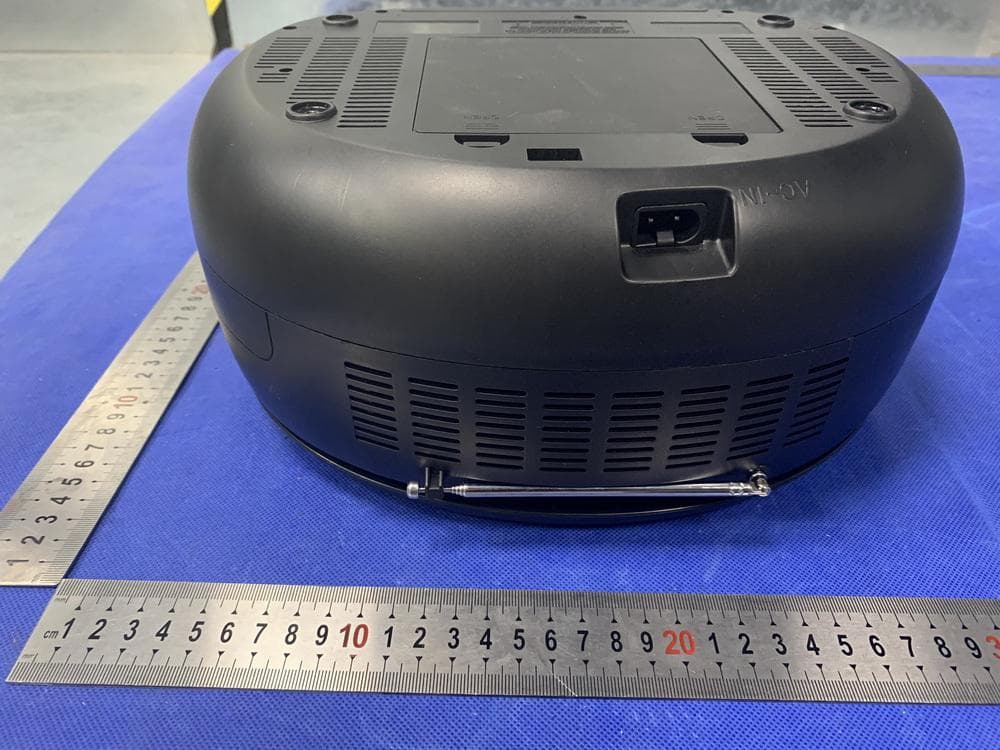
Click to zoom
Application Details
- Equipment Class
- DSS - Part 15 Spread Spectrum Transmitter
- Date of Grant
- Jun 27, 2021
- Application Purpose
- Original Equipment
- Date of Application
- Jun 27, 2021
- Equipment Note
- CD BOOMBOX WITH BLUETOOTH WIRELESS TECHNOLOGY
- Frequency Range
- 2402.00000000 - 2480.00000000
- Company
- Everex Electronics Ltd
- Country
- Hong Kong
Documents & Files
Document Text
Text extracted from the exhibit documents filed with the FCC. Open a document above to read the original.
Users Manual
2 This equipment should be installed and operated with a minumum distance of 20 cm between the radiator and your body. 3 4 5 6 PREPARATION FOR USE 7 CARE AND MAINTENANCE 8 LOCATION OF CONTROLS 1. FM Telescope Antenna 2. Carry Handle 3. VOLUME Control Knob 4. Decorative LED Blinking Mode Selection (Turn Off) Button 5. M (Memory) Button 6. ■/BAND (Stop/Radio Band Selection) Button 7. (Skip/Fast Search Backward) Button 8. (Skip/Fast Search Forward) Button 9. /SCAN (Play - Pause/Radio Scan) Button 10. BT/CD (Bluetooth/CD Mode Selection) Button 11. CD Door 12. FINE TUNE (Radio Fine Tune) Knob 13. CD Door OPEN/CLOSE Area 14. POWER Indicator 15. LCD Display 16. (Bluetooth) Indicator 17. Function Selector (Radio–BT/CD/AUX – Power Off) 18. AUX (In) Jack 19. (Headphone/Earphone) Jack 20. AC~ Socket 21. Battery Compartment 9 OPERATION RADIO: 1. Slide the Function Selector to RADIO position to turn on the radio. 2. Press the ■/BAND Button repeatedly to select AM or FM band as desire. The correspondence indicator AM or FM and the radio frequency will appear on the LCD Display. 3. Press and hold the /SCAN button until the radio frequency on the LCD Display starts running to automatically search and will store the channel in PROG. 4. Press and hold the or Buttons play the previous/next available radio station. Repeat the same procedures until the desired radio station is searched and play. 5. If the reception is not good, turn the FINE TUNE Knob for better reception. 6. Turn the VOLUME Control Knob to adjust volume level as desired. 7. When finished listening, slide the Function Selector to OFF position to power off the unit. Radio stations preset: 1. Power on the radio and receive the desired radio station as the previous procedure. 2. Press the M Button, "P XX" will appear on the LCD Display. Press the or Buttons repeatedly to select the program number you want stored to. Then press the M Button again to store it. 3. Repeat the same procedures until all the desired radio stations are stored into the program list. (Up to 20 AM stations and 30 FM stations can be stored.) 4. After programming, press the or Buttons repeatedly in radio mode to select and play the desired stored radio station. Antennas: AM: This unit has a built-in ferrite rod antenna, which provides adequate reception in most areas. If reception is weak, turn the unit to improve reception. FM: The FM Telescopic Antenna is for FM reception only. If reception is weak, adjust the length and the angle of the antenna. 10 CD: 1.Slide the Function Selector to BT/CD/AUX position to turn on the CD. The LCD Display will illuminate and indicator “CD” will appear. 2.Press the OPEN/CLOSE Area on the CD Door to open it then place a CD disc on the center spindle, with the printed side face up. 3.Close the CD door by pressing the OPEN/CLOSE area. Wait a few seconds; the number of the total tracks will appear on the LCD Display. 4.Press the /SCAN Button to start playing the first track on the disc. 5.During playback: •Turn the VOLUME Control Knob to adjust volume level as desire. •Press the /SCAN Button to pause; press again to resume normal playback •Press the or Buttons repeatedly to skip the tracks. •Press and hold the or Buttons to fast searching the specific section. 6.To stop CD playback, press the ■/BAND Button. The total number of tracks will appear on the display. 7.When finished listening, slide the Function Selector to OFF position to power off the unit. Programmed Playback: Up to 20 tracks can be programmed playback as follows: 1. In CD STOP playback mode, press the M Button. "PROG 1 --” will appear on the display and blink. 2. Select the first specific track to be programmed by pressing the or buttons repeatedly. 3. Press the M Button to store the selected track into the memory. 4. Repeat steps 2 and 3 until all the specific tracks are stored into the memory. 5. Press the /SCAN Button to start program playback. The program indicator "PROG" will stop blinking. 6. To stop playback, press the ■/BAND Button. 7. To erase the program, press the ■/BAND Button again in stop mode. The program indicator will disappear on the display. Repeat/Random Playback: 1. During playback (or program playback), press the M Button once. The repeat one indicator “REP” will appear on the LCD Display. The current track will playback repeatedly. 2. During playback, press the M Button twice. The repeat all indicator “REP ALL” will appear on the 11 LCD Display. All the tracks on the current disc (or program) will be playback repeatedly. 3. During playback, press the M Button three times, the random indicator "RAND" will appear on the LCD Display. The unit will play the tracks randomly. 4. To cancel the repeat and random play functions, press the M Button repeatedly until all repeat/random playback indicators disappear on the LCD Display or press the ■/BAND Button to stop playback. Note: Random playback is not available in program playback mode. BT (BLUETOOTH): BT pairing and play: First time use or re-pairing the unit to a new BT Device, pair as follows: 1. Slide the Function Selector to BT/CD/AUX position to turn on the CD. The LCD Display will illuminate and indicator “CD” will appear. 2. Press the BT/CD Button on the top of the unit to switch the unit from CD mode to BT mode: • The Indicator on the front of unit will illuminate and blink. • Indicate “bt” will appear on the LCD Display and blink. 3. Power on the external BT Device and enter to BT searching mode. Start pairing following the on screen instructions from the external BT Device. After paired, the indicate “bt” on the LCD Display and Indicator on the front of unit will stop blinking. 4. If pairing is complete you may now play music with your external BT Device. 5. During playback: Turn the VOLUME Control Knob to adjust volume level as desire. Press the /SCAN Button to pause; press again to resume normal playback. Press the or Buttons repeatedly to skip the tracks. 6. When finished listening, slide the Functio…
Text truncated - open the document above for the full version.
Cover Letter(s)
SCS-F019:ConfidentialityRequestLetterPage 1 of 3 Rev7.0 775MontagueExpressway Milpitas,CA95035 Tel:408-526-1188 Fax:408-526-1088 Email:[email protected] Website:https://www.cps.bureauveritas.com/ Confidentiality RequestLetter ReasonforAmendment(current/obsolete) RevisionHistory ApprovedDate FromTo InitialRelease(obsolete)1.01.0Nov-14-2006 AddingCFR2.459(obsolete)1.02.0August–11-2008 Updatedcompanytemplate&Addedtext box(obsolete) 2.03.0Jan-31-2012 AddedICconfidentialityletterform (obsolete) 3.04.0March-26-2015 CorrectionstoSTCform.Addedreference toKDB(obsolete) 4.05.0Nov-19-2015 Updatedcompanylogo(current)5.06.0Jun-26-2019 UpdatedReferencesandContactInfo6.07.0Aug-30-2020 SCS-F019:ConfidentialityRequestLetterPage 2 of 3 Rev7.0 EverexElectronicsLtd (2021-06-23) To: FederalCommunicationsCommission AuthorizationandEvaluationDivision 7435OaklandMillsRoad Columbia,MD21046-1609 Cc: BureauVeritasConsumerProductsServicesInc. 775MontagueExpressway Milpitas,CA95035 Subject:ConfidentialityRequestforFCCID:2ABWOMD6972 PursuanttoCFR47sections0.457and0.459,werespectfullyrequestpermanentconfidentialtreatmentofthe followingExhibitsaccompanyingthisapplicationbeheldconfidential: TypeofConfidentialityRequestedExhibit ShortTermPermanentBlockDiagram ShortTermExternalPhotos ShortTermPermanent i InternalPhotos ShortTermPermanentOperationalDescription/TheoryofOperation ShortTermPermanentPartsList ShortTermPermanentTune-UpProcedure ShortTermPermanentSchematics ShortTermTestSetupPhotos ShortTermPermanent i User’sManual Theabovematerialscontaintradesecretsandproprietaryinformationnotcustomarilyreleasedtothepublic. Thepublicdisclosureofthesematerialsmaybeharmfultotheapplicantandprovideunjustifiedbenefitstoits competitors. PermanentConfidentiality: Theapplicantrequeststheexhibitslistedaboveaspermanentlyconfidentialbepermanentlywithheldfrom publicreviewduetomaterialsthatcontaintradesecretsandproprietaryinformationnotcustomarilyreleasedto thepublic. Short-TermConfidentiality: Toavoidprematurereleaseofsensitiveinformationpriortomarketingorreleaseoftheproducttothepublic,the applicantrequeststhefollowingdocumentscontainedinthiscertificationapplicationbetemporarilywithheld frompublicdisclosureforaninitialperiodof45or180days;orforaspecifieddateofnottoexceed 180daysfromtheGrantDate Theapplicantunderstandsthatdisclosureofthisapplicationandallaccompanyingdocumentationwillnotbe madebeforethedateoftheGrantforthisapplication. Sincerely, SCS-F019:ConfidentialityRequestLetterPage 3 of 3 Rev7.0 FanhuaWoo EverexElectronicsLtd Unit01,19/FblockA,KaileyIndustrialCentre,12FungYipStreet,ChaiWan,Hongkong i PermanentconfidentialitymayberequestedinaccordancewithFCCKDB726920
External Photos
FMANT
ID Label/Location Info
MD6972 FCC ID: 2ABWOMD6972 CD BOOMBOX with Bluetooth ® Wireless Technology Power Source: AC 120V~, 60Hz, 16W or 8 x “C” size batteries BT Version: 5.0 Radio Frequency: AM: 520-1710 kHz FM: 87.5-108 MHz Craig Electronics Inc. P.O. Box 694650 Miami, Florida 33269, U.S.A. MADE IN CHINA 5021015 For customer service e-mail: For customer service e-mail: For customer service e-mail: For customer service e-mail: [email protected] For customer service e-mail: [email protected] MANUFACTURED DATE: JUN 2021 M21 06 000001
Internal Photos
BTANT AMANT
RF Exposure Info
RFEXPOSUREEVALUATION EUTSpecification EUTCDBOOMBOXWITHBLUETOOTHWIRELESS TECHNOLOGY ModelNumberMD6972 FCCID2ABWOMD6972 Antennagain(Max)-0.58dBi OperationFrequency2402-2480MHz InputRatingAC120V~,60Hz16W; DC12V,8x“C”sizebatteries Modulation GFSK,π/4-DQPSK,8DPSK Max.outputpower-0.57dBm(0.0009W) TestRequirement: AccordingtoFCC1.1310:Thecriterialistedinthefollowingtableshallbeusedto evaluatetheenvironmentimpactofhumanexposuretoradiofrequency(RF) Radiationasspecifiedin§1.1307(b) LimitsforMaximumPermissibleExposure(MPE) Frequency Range(MHz) ElectricField Strength(V/m) Magnetic Field Strength(A/m) Power Density(mW/cm 2 ) Average Time (A)LimitsforOccupational/ControlExposures 300-1500----F/3006 1500-100000----56 (B)LimitsforGeneralPopulation/UncontrolExposures 300-1500----F/15006 1500-100000----130 11.1Friistransmissionformula:Pd=(Pout*G)\(4*pi*R 2 ) Where Pd=PowerdensityinmW/cm 2 Pout=outputpowertoantennainmW G=Numericgainoftheantennarelativetoisotropicantenna Pi=3.1416 R=distancebetweenobservationpointandcenteroftheradiatorincm PdthelimitofMPE,1mW/cm 2 .Ifweknowthemaximumgainofthendtotal powerinputtotheantenna,throughthecalculation,wewillknowthedistance wheretheMPElimitisreached. 11.2MeasurementResult Antennagain:-0.58dBi BR+EDR: Mode Channe lFreq. (MHz) Measu red power (dBm) Tune- up power (dBm) Max tune-up power (dBm) Antenn a Gain Numeri c Evaluation result (mW/cm2) Power density Limits (mW/c m2) GFSK2402-2.86-3±1-20.8750.0001101 GFSK2441-2.09-2±1-10.8750.0001381 GFSK2480-1.16-1±100.8750.0001741 π/4- DQPSK 2402-2.08-2±1-10.8750.0001381 π/4- DQPSK 2441-1.41-1±100.8750.0001741 π/4- DQPSK 2480-0.57-1±100.8750.0001741 8DPSK2402-1.88-2±1-10.8750.0001381 8DPSK2441-1.1-1±100.8750.0001741 8DPSK2480-4.78-5±1-40.8750.0000691 Signature: AlanHe Date:2021-06-23
Test Report
Report No.: EA21050267F02001 1 of 82 TRF No. FCC Part 15.247/A Ver.1.0 ELECTROMAGNETIC EMISSIONS COMPLIANCE REPORT INTENTIONAL RADIATOR CERTIFICATION TO FCC PART 15 SUBPART C REQUIREMENT OF CD BOOMBOX WITH BLUETOOTH WIRELESS TECHNOLOGY Model No.: MD6972 Trademark: MAGNAVOX FCC ID: 2ABWOMD6972 Report No.: EA21050267F02001 Issue Date: June 22, 2021 Prepared for Everex Electronics Ltd Unit 01, 19/F block A, Kailey Industrial Centre, 12 Fung Yip Street, Chai Wan, Hongkong Prepared by Dong Guan Anci Electronic Technology Co., Ltd. 1-2 Floor, Building A, No.11, Headquarters 2 Road, Songshan, Lake Hi-tech Industrial Development Zone, Dongguan City, evelopment Zone, Dongguan City, Guangdong Pr., China. This report shall not be reproduced, except in full, without the written approval of Dong Guan Anci Electronic Technology Co., Ltd. Report No.: EA21050267F02001 2 of 82 TRF No.: FCC 15.247/A Rev. 1.0 VERIFICATION OF COMPLIANCE Applicant: Everex Electronics Ltd Unit 01, 19/F block A, Kailey Industrial Centre, 12 Fung Yip Street, Chai Wan, Hongkong Manufacturer: Dongguan Ruixun Electronic Technology Co,Ltd Room 201 No.4, Qiantan Second Street, Shipai Town, Dongguan City, Guangdong Province, China Product Description: CD BOOMBOX WITH BLUETOOTH WIRELESS TECHNOLOGY Trade Mark: MAGNAVOX Model Number: MD6972 We hereby certify that: The above equipment was tested by Dong Guan Anci Electronic Technology Co., Ltd.The test data, data evaluation, test procedures, and equipment configurations shown in this report were made in accordance with the procedures given in ANSI C63.10-2013 and the energy emitted by the sample EUT tested as described in this report is in compliance with conducted and radiated emission limits of FCC Rules Part 15.247(2020). Date of Test : June 12, 2021 to June 21, 2021 Prepared by : Tomas Yang/Supervisor Reviewer & Authorized Signer : Alan He/Manager Report No.: EA21050267F02001 3 of 82 TRF No.: FCC 15.247/A Rev. 1.0 Modified Information Version Summary Revision Date Report No. Ver.1.0 Original Report / EA21050267F02001 Report No.: EA21050267F02001 4 of 82 TRF No.: FCC 15.247/A Rev. 1.0 Table of Contents 1. GENERAL INFORMATION ......................................................................................................... 6 1.1 PRODUCT DESCRIPTION ............................................................................................................................. 6 1.2 TEST METHODOLOGY ................................................................................................................................. 6 1.3 TEST FACILITY ............................................................................................................................................. 7 2. SYSTEM TEST CONFIGURATION............................................................................................... 8 2.1EUT CONFIGURATION ................................................................................................................................. 8 2.2 EUT EXERCISE..................................................................................................................................... 8 2.3 TEST PROCEDURE..................................................................................................................................... 8 2.4CONFIGURATION OF TESTED SYSTEM ........................................................................................................ 9 3. SUMMARY OF TEST RESULTS ................................................................................................. 10 4. DESCRIPTION OF TEST MODES .............................................................................................. 11 5. TEST SYSTEM UNCERTAINTY .................................................................................................. 12 6. CONDUCTED EMISSIONS TEST ............................................................................................... 13 6.1MEASUREMENT PROCEDURE: ................................................................................................................... 13 6.2 TEST SET-UP (BLOCK DIAGRAM OF CONFIGURATION) ......................................................................... 13 6.3MEASUREMENT EQUIPMENT USED: .......................................................................................................... 13 6.4 MEASUREMENT RESULT: .......................................................................................................................... 14 6.5 CONDUCTED MEASUREMENT PHOTOS: ................................................................................................... 17 7. RADIATED EMISSION TEST ....................................................................................................... 18 7.1MEASUREMENT PROCEDURE .................................................................................................................... 18 7.2TEST SET-UP (BLOCK DIAGRAM OF CONFIGURATION) .......................................................................... 20 7.3 MEASUREMENT EQUIPMENT USED: ......................................................................................................... 21 7.4 RADIATED EMISSION LIMIT ....................................................................................................................... 22 7.5 MEASUREMENT RESULT ......................................................................................................................... 23 7.5 RADIATED MEASUREMENT PHOTOS: ....................................................................................................... 31 8. CHANNEL SEPARATION TEST ................................................................................................. 32 8.1MEASUREMENT PROCEDURE .................................................................................................................... 32 8.2TEST SET-UP (BLOCK DIAGRAM OF CONFIGURATION) ..................…
Text truncated - open the document above for the full version.
Contact Information
Applicant
Fanhua Woo
Test Firm
Guangdong GTG Testing Technology Co., Ltd.Kingbo Hu
[email protected]86-769- 8507 5888
Technical Specifications
| # | Rule Parts | Frequency Range | Power Output |
|---|---|---|---|
| 1 | 15C | 2.40 GHz - 2.48 GHz | 900.00 µW |
Other Applications from Everex Electronics Ltd

2ABWOHH2001
May 12, 2020IOEX BOX
Equipment Class
DTS - Digital Transmission System
2ABWOCMP791
Sep 07, 2015TOUCH SCREEN DISPLAY
Equipment Class
DTS - Digital Transmission System2ABWOCMP771
Jan 29, 20157 INCH TOUCH SCREEN DISPLAY
Equipment Class
DTS - Digital Transmission System
2ABWOCMP765
Aug 28, 2014TOUCH SCREEN TABLET_7 inch touch screen display
Equipment Class
DTS - Digital Transmission System
2ABWOCMP770
Jun 25, 20149 INCH TOUCH SCREEN DISPLAY WITH KEYBOARD AND CASE
Equipment Class
DTS - Digital Transmission System