2ABZV-SG-3000Access Controlled Security System with zigbee&RFID
CHANG SHIN INFOTEL CO.,LTD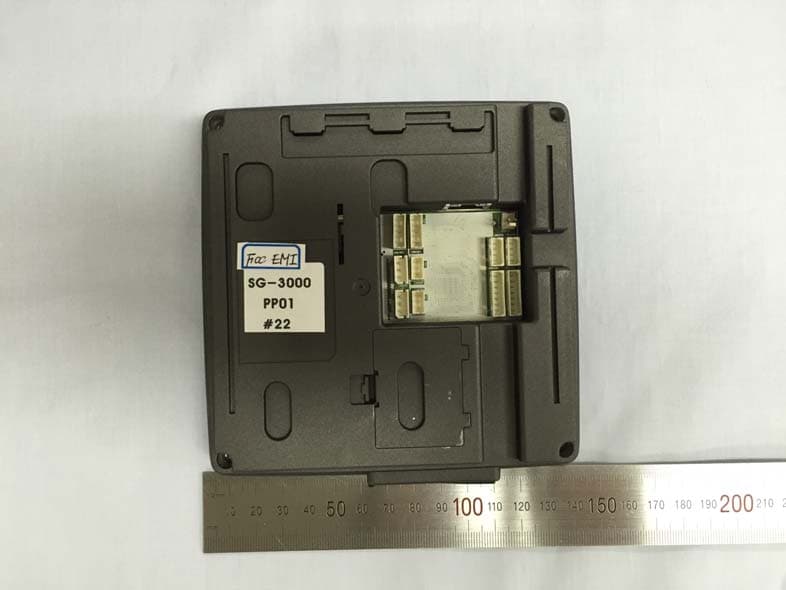
Click to zoom
Application Details
- Equipment Class
- DXX - Part 15 Low Power Communication Device Transmitter
- Date of Grant
- Dec 22, 2014
- Application Purpose
- Original Equipment
- Date of Application
- Dec 22, 2014
- Equipment Note
- Access Controlled Security System with zigbee&RFID
- Frequency Range
- 13.56000000 - 13.56000000
- Company
- CHANG SHIN INFOTEL CO.,LTD
- Country
- South Korea
Documents & Files
Document Text
Text extracted from the exhibit documents filed with the FCC. Open a document above to read the original.
Users Manual
SG-3000 User Manual http://www.csinfotel.com/ Page 1 SG-3000 User Manual SG-3000 User Manual http://www.csinfotel.com/ Page 2 Table of Contents 1. Screen Description...................................................3 1.1. Stand-by Screen............................................................................3 1.2. Administrator Login Screen.............................................................4 1.3. Setting Screen.................................................................................5 1.4. Authentication Success Screen...........................................................6 1.5. Authentication Failure Screen...........................................................7 2. Administrator Functions........................................8 2.1. User Registration............................................................................8 2.2. User Management.........................................................................10 2.3. Mixed uthentication.........................................................................12 2.4. Log Management..........................................................................14 2.5. Administrator Management.............................................................15 2.6. IR/Brightness/Language..................................................................16 2.7. Sound..........................................................................................17 2.8. Image............................................................................................18 2.9. Device Setting.................................................................................19 3. User Authentication Process...................................20 3.1. ID/PW authentication process...........................................................20 3.2. W-KEY authentication process.........................................................20 3.3. Fingerprint authentication process......................................................20 3.4. RFID authentication process .........................................................20 SG-3000 User Manual http://www.csinfotel.com/ Page 3 1. Screen Description 1.1. Stand-by Screen ‘Stand-by Screen’ is the default screen. This page displays information such as time and date, and the types of authentication turned-on. Click-on the setting page icon to proceed to the administrator login page. A slide-show will be displayed if this page remain idle for 30 seconds. If there is no activity during the slide-show display for 30 seconds, the screen will turn-off. The IR sensor (proximity sensor) will turn-on the screen if someone approaches, and that person will need to touch the screen to access the ‘Stand-by Screen’. Setting page icon Various types of authentication SG-3000 User Manual http://www.csinfotel.com/ Page 4 1.2. Administrator Login Screen ‘Administrator Login Screen’ allows you to insert the administrator’s ID and password to access the setting page. The default administrator ID and password are ‘1234’ and ‘4321’, respectively. SG-3000 User Manual http://www.csinfotel.com/ Page 5 1.3. Setting Screen The ‘Setting Screen’ allows you to configure various features of the device, by clicking on the respective button. SG-3000 User Manual http://www.csinfotel.com/ Page 6 1.4. Authentication Success Screen ‘Authentication Success Screen’ is displayed when an authentication attempted by a user is successful. The screen is displayed for 1 second. SG-3000 User Manual http://www.csinfotel.com/ Page 7 1.5. Authentication Failure Screen ‘Authentication Failure Screen’ is displayed when an authentication attempted by a user is not successful. The screen is displayed for 1 second. SG-3000 User Manual http://www.csinfotel.com/ Page 8 2. Administrative Functions 2.1. User Registration You can register a new user by accessing the ‘User Registration Screen’ from setting. By default, User ID and Password are mandatory and need to be inserted to register a new user. Currently, the device supports the registration of up to 3 fingerprints for a single user. By clicking on the white square on the ‘User Registration Screen’, a screen such as the screen below will be invoked. Here, you can scan your fingerprint and click ‘OK’. Fingerprint registration SG-3000 User Manual http://www.csinfotel.com/ Page 9 Once the scanned fingerprint appears on the screen as shown in the image above, you can click ‘OK’ to save the captured fingerprint. The ‘Check’ button will ensure there is no duplication of information in the device. Once all the information for a single user has been inserted, click-on the ‘Insert’ button to store the user information into the local database. SG-3000 User Manual http://www.csinfotel.com/ Page 10 2.2. User Management You can search/modify/update a user via the ‘User Management Screen’. Insert the user ID on the User ID box and click-on the ‘Search’ button. ‘Backup’ and ‘Restore’ allow you to back-up the local database to a location, and then restore it in the future. Double-click on the ‘StaffID’ to proceed to another page which you can modify the information of a registered user. SG-3000 User Manual http://www.csinfotel.com/ Page 11 In this screen, you can modify or delete the various information of a user. You can choose the individual information to be included or excluded for a user. In the case where you would like to erase a user entirely, click-on the ‘Delete all’ button. Update Delete Clear SG-3000 User Manual http://www.csinfotel.com/ Page 12 2.3. Mixed Authentication The purpose of ‘Mixed Authentication’ is to provide enhanced security for the SG-3000 device. There are four colors currently available for choosing as shown in the image above. If a combination like the image above is chosen, users must provide all four methods of authentication (regardless of sequence) to achieve a successful authentication. SG-3000 User Manual http://www.csinfotel.com/ Page 13 Any same color chosen for the authenticat…
Text truncated - open the document above for the full version.
Cover Letter(s)
Head office & Test Lab: 180-254, Annyeong-dong, Hwaseong-si, Gyeonggi-do, South korea 445-380 Tel: +82-31-222-4251 / Fax: +82-31-222-4252 TIMCO ENGINEERING INC. TCB & FCB 849 NW State Road 45 FCC Approvals Newberry, Florida 32669 Industry Canada Approvals http://www.timcoengr.com Notified Body for Europe 888.472.2424 F 352.472.2030 email: [email protected] SUBJECT: UPLOAD FILES TO WEBSITE Applicant: CHANG SHIN INFOTEL CO.,LTD. Product: Access Controlled Security System with zigbee&RFID Model: SG-3000 Dear Sir/Madam As appointed agent for CHANG SHIN INFOTEL CO.,LTD., we submit the application to Timco Engineering Inc, for certification of the above product. Please review all files uploaded to Timco web site. If you have any queries, please do not hesitate to contact us Best regards, KOSTEC Co., Ltd. Mi Young Lee / Test Engineer e-mail: [email protected]
Cover Letter(s)
Federal Communications Commission Authorization and Evaluation Division Applicant: CHANG SHIN INFOTEL CO.,LTD. Product: Access Controlled Security System with zigbee&RFID Model: SG-3000 Address: 3F, Yonhap News Bldg, 64, Deadeok-Daero, 168beon-gil, seo-gu, Deajeon, South Korea SUBJECT: DoC for Access Controlled Security System To Whom It May Concern: We, the undersigned, hereby attest to the fact that we has been apply the Declaration of Conformity procedure to the class A, according to this product is a digital device (FCC ID: 2ABZV-SG-3000) of this composite filing. Sincerely, Date: 2014.12.17 Head Researcher: Han, Dong Soo
Cover Letter(s)
Federal Communications Commission Authorization and Evaluation Division Confidentiality Request regarding application for certification of FCC ID: 2ABZV-SG-3000 Pursuant to Sections 0.457 and 0.459 of the Commission’s Rules, we hereby request confidential treatment of information accompanying this application as outlined below: Exhibit Type Block diagram Schematic diagram PCB Layout Part List Operation description The above materials contain trade secrets and proprietary information not customarily released to the public. The public disclosure of these materials may be harmful to the applicant and provide unjustified benefits to its competitors. The applicant understands that pursuant to Section 0.457 and 0.459 of the Rules, disclosure of this application and all accompanying documentation will not be made before the date of the Grant for this application. Sincerely, Date: 2014.12.17 Head Researcher: Han, Dong Soo
External Photos
Head office & Test Lab: 180-254, Annyeong-dong, Hwaseong-si, Gyeonggi-do, South korea 445-380 Tel: +82-31-222-4251 / Fax: +82-31-222-4252 Report No: KST-FCR-140009 Page: 1 / 3 Appendix 2. Photographs of EUT [External View] Front Rear Head office & Test Lab: 180-254, Annyeong-dong, Hwaseong-si, Gyeonggi-do, South korea 445-380 Tel: +82-31-222-4251 / Fax: +82-31-222-4252 Report No: KST-FCR-140009 Page: 2 / 3 [ Right View ] [ Left View ] Head office & Test Lab: 180-254, Annyeong-dong, Hwaseong-si, Gyeonggi-do, South korea 445-380 Tel: +82-31-222-4251 / Fax: +82-31-222-4252 Report No: KST-FCR-140009 Page: 3 / 3 [ Top View ] [ Bottom View ]
ID Label/Location Info
Head office & Test Lab: 180-254, Annyeong-dong, Hwaseong-si, Gyeonggi-do, South korea 445-380 Tel: +82-31-222-4251 / Fax: +82-31-222-4252 Report No: KST-FCR-140009 Page: 1 / 1 Appendix 4. Sample Label & Location Label Information The following is a sample copy of the label that will be placed on Bottom side of the product. The FCC ID is marked in the product label with model No. and below information is visible printed on the label. Label location The label shown above shall be permanently affixed at a conspicuous location on the device and be readily visible to the user at the time purchase. The label is located here.
Internal Photos
Head office & Test Lab: 180-254, Annyeong-dong, Hwaseong-si, Gyeonggi-do, South korea 445-380 Tel: +82-31-222-4251 / Fax: +82-31-222-4252 Report No: KST-FCR-140009 Page: 1 / 4 Appendix 3. Photographs of EUT [Internal View] [ Inside View ] Zigbee Antenna Head office & Test Lab: 180-254, Annyeong-dong, Hwaseong-si, Gyeonggi-do, South korea 445-380 Tel: +82-31-222-4251 / Fax: +82-31-222-4252 Report No: KST-FCR-140009 Page: 2 / 4 [Main board Front] [Main board Rear] Head office & Test Lab: 180-254, Annyeong-dong, Hwaseong-si, Gyeonggi-do, South korea 445-380 Tel: +82-31-222-4251 / Fax: +82-31-222-4252 Report No: KST-FCR-140009 Page: 3 / 4 [NFC board Front] [NFC board Rear] Head office & Test Lab: 180-254, Annyeong-dong, Hwaseong-si, Gyeonggi-do, South korea 445-380 Tel: +82-31-222-4251 / Fax: +82-31-222-4252 Report No: KST-FCR-140009 Page: 4 / 4 [CPU board Front] [CPU board Rear]
Operational Description
1. Main antenna : 2405 MHz (green line: horizontal power) (red line: vertical power) 1.1 Horizontal Frequency(MHZ): 2405 Antenna Polarity: Horizontal Ma ximum Value(dBi): 2. 04 Average Gain(dBi) : -2.48 Minimum Gain(dBi): -55.18 1.2 Vertical Frequency(MHZ): 240 5 Antenna Polarity: Vertical M aximum Value(dBi): -4.51 Average Gain(dBi) : -8.98 Minimum Gain(dBi): -62.3 2. Main antenna : 244 0 MHz 2.1 Horizontal Frequency(MHZ): 244 0 Antenna Polarity: Horiz ontal Ma ximum Value(dBi): 1.94 Average Gain(dBi) : -2.44 Minimum Gain(dBi): -64.78 2.2 Vertical Frequency(MHZ): 244 0 Antenna Polarity: Vertical Maximum Value(dBi): -4.29 Average Gain(dBi) : -8.41 Minimum Gain(dBi): -47.4 2. Main antenna : 24 80 MHz 2.1 Horizontal Frequency(MHZ): 24 80 Antenna Polarity: Horiz ontal M a ximum Value(dBi): 1.53 Average Gain(dBi) : -4.34 Minimum Gain(dBi): -55.4 2.2 Vertical Frequency(MHZ): 24 80 Antenna Polarity: Ve rtical M a ximum Value(dBi): -4.95 Average Gain(dBi) : -14.06 Minimum Gain(dBi): -64.00
RF Exposure Info
MPE Calculation / RF Exposure Applicant: CHANG SHIN INFOTEL CO.,LTD. Product: Access Controlled Security System with zigbee&RFID Model: SG-3000 FCC ID : 2ABZV-SG-3000 The FCC requires that the calculated MPE be equal to or less than a given limit dependent on frequency at a distance of 20 cm from the device to the body of the user. The equation for the calculation is given in 47 CFR FCC Part 2 Subpart J, section2.1091 as, S = EIRP/4 π R 2 Where S = Power density EIRP = Effective Isotropically Radiated Power R = distance to the centre of radiation of the antenna Values S = 1.0 mW/cm 2 for General population uncontrolled exposure (FCC Part 1.1310 Radiofrequency radiation exposure limits) S = 1.0 mW/cm 2 PT = -6.89 dBm (0.2046 mW) : measured maximum peak output power G = Antenna gain = 2.04 dBi (1.599 in linear terms) EIRP = PT x G R = 20 cm Calculation EIRP = 0.2046 x 1.599 = 0.327 mW S = 0.327/12.56 x (20) 2 S =0.327/5024 S =6.51 x 10- 5 mW/cm 2 Conclusion This confirms compliance to the required FCC Part 1.1310 Radiofrequency radiation exposure limit of 1.0m W/cm 2 at 20 cm operation.
Test Report
Head office & Test Lab: 180-254, Annyeong-dong, Hwaseong-si, Gyeonggi-do, South korea 445-380 Tel: +82-31-222-4251 / Fax: +82-31-222-4252 Report No: KST-FCR-140009 Page: 2 / 22 KST-FCR-RFS-Rev.0.2 This report shall not be reproduced except in full without the written approval of KOSTEC Co., Ltd. Table of Contents 1. GENERAL INFORMATION .............................................................................................................. 3 1.1 Test Facility ............................................................................................................................................... 3 1.2 Location .................................................................................................................................................... 3 2. EQUIPMENT DESCRIPTION ........................................................................................................... 4 3. SYSTEM CONFIGURATION FOR TEST ......................................................................................... 5 3.1 Characteristics of equipment .................................................................................................................... 5 3.2 Used peripherals list ................................................................................................................................. 5 3.3 Product Modification ................................................................................................................................. 5 3.4 Operating Mode ........................................................................................................................................ 5 3.5 Test Setup of EUT .................................................................................................................................... 5 3.6 Used Test Equipment List ......................................................................................................................... 6 4. SUMMARY TEST RESULTS ............................................................................................................ 8 5. MEASUREMENT RESULTS ............................................................................................................ 9 5.1 Carrier Frequency tolerance ..................................................................................................................... 9 5.2 Field strength of radiated emissions ...................................................................................................... 10 5.3 AC Power Conducted emissions ............................................................................................................ 16 5.4 Antenna requirement .............................................................................................................................. 21 5.5 20 ㏈ bandwidth measurement ............................................................................................................. 22 Head office & Test Lab: 180-254, Annyeong-dong, Hwaseong-si, Gyeonggi-do, South korea 445-380 Tel: +82-31-222-4251 / Fax: +82-31-222-4252 Report No: KST-FCR-140009 Page: 3 / 22 KST-FCR-RFS-Rev.0.2 This report shall not be reproduced except in full without the written approval of KOSTEC Co., Ltd. 1. GENERAL INFORMATION 1.1 Test Facility Test laboratory and address KOSTEC Co., Ltd. 128(175-20,Annyeong-dong)406-gil sejaro, Hwaseong-si Gyeonggi-do, Korea The open area field test site and conducted measurement facility are used for these testing. This site at was fully described in a reports submitted to the Federal Communications Commission (FCC). The details of these reports have been found to be in complies with the requirements of Section 2.948 of the FCC Rules on November 14, 2002. The facility also complies with the radiated and conducted test site criteria set forth in ANSI C 63.10-2009. The Federal Communications Commission (FCC) has the reports on file and KOSTEC Co., Ltd. is listed under FCC Registration No.525762. The test site has been approved by the FCC for public use and is List in the FCC Public Access Link CORES (Commission Registration System) Registration information KCC (Korea Communications Commission) Number : KR0041 KOLAS(Korea Laboratory Accreditation Scheme) Number : 232 FCC Registration Number(FRN) : 525762 VCCI Registration Number : R-1657 / C –1763 IC Registration Site Number : 8305A-1 1.2 Location KOSTEC Co., Ltd. Head office & Test Lab: 180-254, Annyeong-dong, Hwaseong-si, Gyeonggi-do, South korea 445-380 Tel: +82-31-222-4251 / Fax: +82-31-222-4252 Report No: KST-FCR-140009 Page: 4 / 22 KST-FCR-RFS-Rev.0.2 This report shall not be reproduced except in full without the written approval of KOSTEC Co., Ltd. 2. EQUIPMENT DESCRIPTION The product specification described herein was declared by manufacturer. And refer to user’s manual for the details. 1) Equipment Name Access Controlled Security System with zigbee&RFID 2) Model No SG-3000 3) Brand Name huinu 4) Usage Access Controlled Security System with zigbee&RFID 5) Serial Number Proto type 6) ITU emission Code Not required (because it is unlicensed devices) 7) Oscillation Type X-tal 8) Data connection Type RFID (Radio Frequency Identification) 9) Modulation type ASK 10) Field Strength 7.87 ㏈㎶/m @ 30 meter** 11) Operated Frequency 13.560 ㎒ 12) Channel Number 1 ea 13) Communication Type Half duplex 15) Final Amplifier U1201 16) Operation temperature - 20°C~ + 55 °C 17) Power Source AC/DC Adaptor, output: DC 12 V 18) Antenna Description PCB Antenna 19) FCC ID 2ABZV-SG-3000 ** it is maximum peak power in band Head office & Test Lab: 180-254, Annyeong-dong, Hwaseong-si, Gyeonggi-do, South korea 445-380 Tel: +82-31-222-4251 / Fax: +82-31-222-4252 Report No: KST-FCR-140009 Page: 5 / 22 KST-FCR-RFS-Rev.0.2 This report shall not be reproduced except in full without the written approval of KOSTEC Co., Ltd. 3. SYSTEM CONFIGURATION FOR TEST 3.1 Characteristics of equipment This equipment is a wireless…
Text truncated - open the document above for the full version.
Test Setup Photos
Head office & Test Lab: 180-254, Annyeong-dong, Hwaseong-si, Gyeonggi-do, South korea 445-380 Tel: +82-31-222-4251 / Fax: +82-31-222-4252 Report No: KST-FCR-140009 Page: 1 / 3 Appendix 1. Photographs of test setup Radiated RF measurement (Below 30 ㎒) Radiated RF measurement (Above 30 ㎒) Head office & Test Lab: 180-254, Annyeong-dong, Hwaseong-si, Gyeonggi-do, South korea 445-380 Tel: +82-31-222-4251 / Fax: +82-31-222-4252 Report No: KST-FCR-140009 Page: 2 / 3 Radiated RF measurement (Above 1 ㎓) H&T chamber setup Head office & Test Lab: 180-254, Annyeong-dong, Hwaseong-si, Gyeonggi-do, South korea 445-380 Tel: +82-31-222-4251 / Fax: +82-31-222-4252 Report No: KST-FCR-140009 Page: 3 / 3 Conducted Emission (Front) Conducted Emission (Rear)
Contact Information
Applicant
Han Dong Soo(Head Researcher)
Test Firm
KOSTEC Co., LtdLee Chang-Ho
Technical Specifications
| # | Rule Parts | Frequency Range | Power Output | Tolerance |
|---|---|---|---|---|
| 1 | 15C | 13.56 MHz - 13.56 MHz | - | 0.0100000000 % |
Other Applications from CHANG SHIN INFOTEL CO.,LTD
2ABZV-SG-2100
Dec 13, 2015Access Controlled security system with Zigbee & RFID
Equipment Class
DTS - Digital Transmission System
2ABZV-SG-2200
Dec 13, 2015Access Controlled security system with Zigbee & RFID
Equipment Class
DTS - Digital Transmission System
2ABZV-SG-7000
Mar 20, 2014Access Controlled Security System with zigbee&RFID
Equipment Class
DTS - Digital Transmission System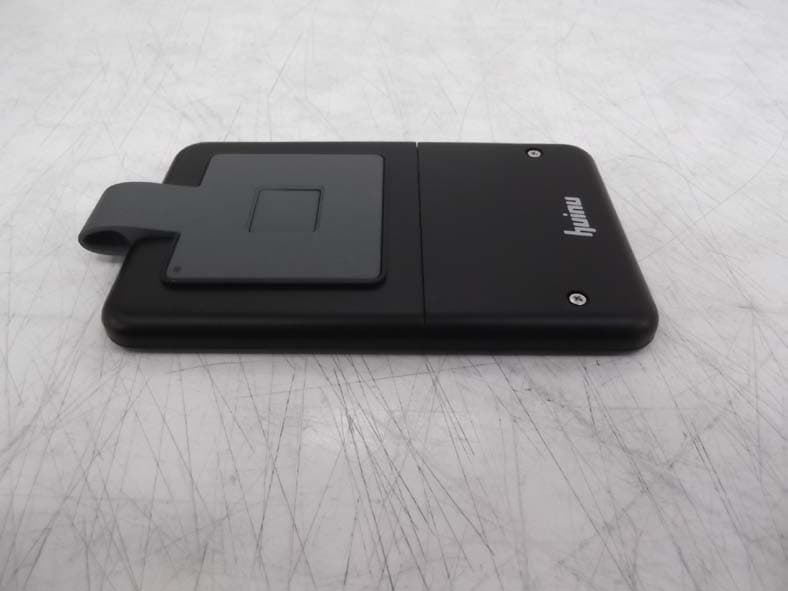
2ABZV-WKEY-2000
Mar 19, 2014WIRELESS IDENTIFICATION KEY SYSTEM WITH ZIGBEE
Equipment Class
DTS - Digital Transmission System