2ACCBMS3391MINI bluetooth barcode reader
Shenzhen Unique Electronic Int'l Limited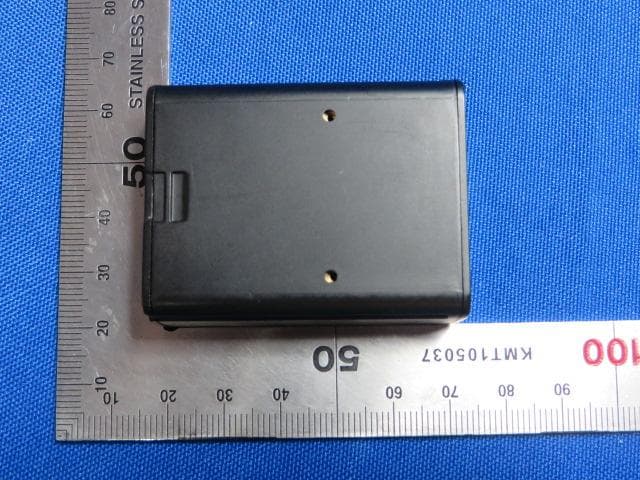
Click to zoom
Application Details
- Equipment Class
- DSS - Part 15 Spread Spectrum Transmitter
- Date of Grant
- May 07, 2014
- Application Purpose
- Original Equipment
- Date of Application
- May 07, 2014
- Equipment Note
- MINI bluetooth barcode reader
- Frequency Range
- 2402.00000000 - 2480.00000000
- Country
- China
Documents & Files
Document Text
Text extracted from the exhibit documents filed with the FCC. Open a document above to read the original.
Users Manual
1 Thank you for using Unique-e scanning bar code products! Please be sure to read the following methods, When you use our products for the first time. Optimal scanning distance: MS3391 series products are divided into high density and low density models, where low density model of optimal scanning distance is 10~24cm.You scan a bar code to get this range bar code scanner is the best performance. High density model’s scanning distance is 3~7cm.It can read higher-density bar codes。 Scanning distance of MS3391-B series products is 7~10cm. Please scan in this range, the best performance can be obtained. Scanning techniques Please aim at the middle part of the barcode through the red light to scan the barcode. Please scan properly in accordance with the following diagram: connect the scanner angle appropriate to read the bar code, press a button, makes the Centre Red (blue) light coverage for all bar code decoding read. Please do not use the following image error scan, otherwise will not be able to correctly read a bar code. Reset function When you need to restore the original default settings, please press scan button more than 10 seconds.Then the scanner will automatically revert to the original settings. The default of Initially set is Bluetooth connection. Please visit the following connection to learn more about the product looks and s canning skills: Barcode ScanJacket 2 Charging function MS3391 MS3391-B Interface Standard MicroUSB Standard MicroUSB Requirements of Charging adapter DC 5 v 0.15 A DC 5 v 0.50 A Time of Scanner Charging 3 - 5 hours 3 - 5 hours Time of Handle Charging 3 - 5 hours 3 - 5 hours ① Bar code reading window: for reading bar codes; ② Buzzer sound holes: The beeper process has different instructions: (1)Connect the USB cable, buzzer will beep "b ....b.b."; (2)Properly decoded: flashing green light and buzzer synchronization/rings。 ③ Decode button: in level triggering and decode edge trigger, press the button to decode; ④ Status display window: LED indicator descriptions As shown in the table: the scanner light is red, green, and blue color transform, indicates a different scenario. 3 ⑤ Strap hole: scanner may hang hanging by ropes in any place where you need, easy to carry and manage; ⑥ MicroUSB interface through USB cable you can connect the scanner in the device with USB interface; ⑦ Power switch: when you are not using the scanner, turn off the power, to save power are not exhausted; ⑧ Fixed bayonet: used to clip the back of scanner and card collection. Data transfer When you first use the MS3391 Bluetooth barcode scanners, data transfer interface is default Bluetooth interface. Pairing you can directly connect a variety of smart-phones and computers with Bluetooth function. Bluetooth output If you need to return to the Bluetooth output, you only need to press the scan button for 10 seconds to reset the Bluetooth output mode.Also can scan the bar code sets the output Bluetooth output mode. Led descriptions Meaning of representative Scan green light flashing (with buzzer ringing) Decode success Scanner light flashes continuously (scan standby) Low battery alarm The scanner red light solid In charge Scanners often turn bright red light goes out Charging is complete Scanner light flashes continuously Scanning built-in battery anomaly Scanner continuously flashing blue Enter the Bluetooth pairing mode Scanner is changed from continuous flashing blue light goes out Bluetooth link successful Handle the red light solid In charge Handle the red light flashes continuously Handle exception internal battery Handle the green light solid Charging is complete 4 If you need quick access to scan the device Bluetooth pairing mode, use the scanning equipment to scan read the following illustration of "Bluetooth pairing mode" bar code. Scanning devices in the pairing process will continue flashing blue, blue light goes out after the pairing is successful. General process scanner to connect to other Bluetooth devices: connect devices having entered pairing mode → Bluetooth → search → paired Blue tooth device in the vicinity Bluetooth 3.0 Barcode Scanner → connections → scan data. USB output If you need to use a USB cable to connect the scanner, you need to set the output mode. Please scan the following barcodes: Serial output If you need to use a serial cable connection to the scanner, you need to set the output mode. Please scan the following barcodes: 5 Mobile phone adapter This apater can stick on the back of your mobile phone protection case with 3M adhesive tape.You can attach MS3391 barcode scanner on the adpater. So ,you can handle with barcode scanner with mobile phone with one hand. Please fix Mobile phone adapter in the clip on the back of the scanner. The steps is shown in the following figure: 6 Due to the internal cloud scanner comes with mass storage, can store up to 13,000 15 bits of data messages.Cloud scanner can scan a bar code on its own and stored in the built-in mass memory. And you can use offline upload functionality, barcode data storage via Bluetooth or USB upload to your smart phone or computer. Concrete implementation steps: This note an offline scan stored procedure, for example, details the specific steps for implementation of offline scan feature: (1) Scan "offline scan status open" bar codes as shown in Figure 1to enter the offline scanning. The data you scanned will be stored in the scanning device. (2) The customer can connect to the computer through USB or Bluetooth interface or data terminal to upload the data. If customers need to save the data stored in the file, open Notepad or similar software to enter the data. If the customer wants to store data in a custom application, (such as submitted the bar code data into a application), refer the customer to the insertion point where you want to enter the data in the dialog box. Then bar code data entry and online scanning are in the same way. Customers can choose different speed to uploa…
Text truncated - open the document above for the full version.
Cover Letter(s)
Shenzhen Unique Electronic Int’l Limited Rm 1608, Bld B Zhantao science and Technology, Rd Minzhi Longhua Av., Bao'an, Shenzhen 518131, China ----------------------------------------------------------------------------------------------------------------------------------- Declaration of Authorization We Name: Shenzhen Unique Electronic Int’l Limited Address: Rm 1608, Bld B Zhantao science and Technology, Rd Minzhi Longhua Av., Bao'an, Shenzhen 518131, China Declare that: Name Representative of agent: Wu Jian Agent Company name: MRT Technology (Suzhou) Co., Ltd Address: D8 Building, Youxin Industrial Park, No.2 Tian'edang Rd., Wuzhong Economic Development Zone, City: Suzhou Country China is authorized to apply for Certification of the following product(s): Product description:MINI bluetooth barcode reader FCC ID:2ACCBMS3391 Model:MS3391, MS3391-C Brand Name:Postech on our behalf. --------------------------------------------------- Signature: Yihua Yu / Manager Date: 2014-05-04
Cover Letter(s)
Shenzhen Unique Electronic Int’l Limited Rm 1608, Bld B Zhantao science and Technology, Rd Minzhi Longhua Av., Bao'an, Shenzhen 518131, China Date: May 04, 2014 Federal Communications Commission Authorization and Evaluation Division FCC ID: 2ACCBMS3391 To Whom It May Concerm: This letter is to ascertain that the following information of applicant, product with model(s) have been the units used for conducting FCC compliance testing, the DoC part will be tested by FCC recognized test lab. Applicant: Shenzhen Unique Electronic Int’l Limited Product: MINI bluetooth barcode reader Model: MS3391, MS3391-C If you have any question or concerns, pls. contact us. Sincerely,
External Photos
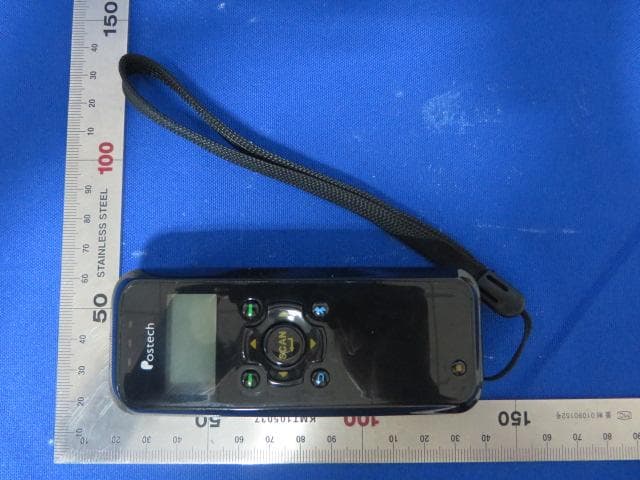
1 of 3 External Photo (1) EUT Photo (2) EUT Photo (3) EUT Photo (4) EUT Photo (5) EUT Photo (6) EUT Photo
ID Label/Location Info
Label Label Location Shenzhen Unique Electronic Int’l Limited MS3391 Made in china FCC ID: 2ACCBMS3391
Internal Photos
1 of 5 Internal Photo (1) EUT Photo (2) EUT Photo (3) EUT Photo (4) EUT Photo (5) EUT Photo (6) EUT Photo (7) EUT Photo (8) EUT Photo (9) EUT Photo (10) EUT Photo
RF Exposure Info
MRT Technology (Suzhou) Co., Ltd Report No.: 1404RSU03402 Phone: +86-512-66308358 Report Version: V01 Fax: +86-512-66308368 Issue Date: 05-07-2014 Web: www.mrt-cert.com FCC ID: 2ACCBMS3391 Page Number: 1 of 5 RF Exposure Evaluation Declaration FCC ID: 2ACCBMS3391 APPLICANT: Shenzhen Unique Electronic Int’l Limited Application Type: Certification Product: MINI bluetooth barcode reader Model No.: MS3391, MS3391-C FCC Classification: FCC Part 15 Spread Spectrum Transmitter(DSS) Test Date: April 30 ~ May 06, 2014 Reviewed By : ( Robin Wu ) Approved By : ( Marlin Chen ) The test results relate only to the samples tested. The test results shown in the test report are traceable to the national/international standards through the calibration of the equipment and evaluated measurement uncertainty herein. The test report shall not be reproduced except in full without the written approval of MRT Technology (Suzhou) Co., Ltd. Report No.: 1404RSU03402 FCC ID: 2ACCBMS3391 Page Number: 2 of 5 Revision History Report No. Version Description Issue Date 1404RSU03402 Rev. 01 Initial report 05-07-2014 Report No.: 1404RSU03402 FCC ID: 2ACCBMS3391 Page Number: 3 of 5 1. RF Exposure Evaluation 1.1. Limits SAR Test Exclusion Thresholds for 100 MHz – 6 GHz and ≤ 50 mm Approximate SAR Test Exclusion Power Thresholds at Selected Frequencies and Test Separation Distances are illustrated in the following Table. The equation and threshold in Note 1 must be applied to determine SAR test exclusion. MHz 5 10 15 20 25 mm 150 39 77 116 155 194 SAR Test Exclusion Threshold (mW) 300 27 55 82 110 137 450 22 45 67 89 112 835 16 33 49 66 82 900 16 32 47 63 79 1500 12 24 37 49 61 1900 11 22 33 44 54 2450 10 19 29 38 48 3600 8 16 24 32 40 5200 7 13 20 26 33 5400 6 13 19 26 32 5800 6 12 19 25 31 MHz 30 35 40 45 50 mm 150 232 271 310 349 387 SAR Test Exclusion Threshold (mW) 300 164 192 219 246 274 450 134 157 179 201 224 835 98 115 131 148 164 900 95 111 126 142 158 1500 73 86 98 110 122 1900 65 76 87 98 109 2450 57 67 77 86 96 3600 47 55 63 71 79 5200 39 46 53 59 66 5400 39 45 52 58 65 5800 37 44 50 56 62 Note 1: The 1-g and 10-g SAR test exclusion thresholds for 100 MHz to 6 GHz at test separation Report No.: 1404RSU03402 FCC ID: 2ACCBMS3391 Page Number: 4 of 5 distances ≤ 50 mm are determined by: [(max. power of channel, including tune-up tolerance, mW)/(min. test separation distance, mm)] * [√f(GHz)] ≤ 3.0 for 1-g SAR and ≤ 7.5 for 10-g extremity SAR, where f(GHz) is the RF channel transmit frequency in GHz Power and distance are rounded to the nearest mW and mm before calculation The result is rounded to one decimal place for comparison 3.0 and 7.5 are referred to as the numeric thresholds in the step 2 below The test exclusions are applicable only when the minimum test separation distance is ≤ 50 mm and for transmission frequencies between 100 MHz and 6 GHz. When the minimum test separation distance is < 5 mm, a distance of 5 mm according to 5) in section 4.1 is applied to determine SAR test exclusion. Report No.: 1404RSU03402 FCC ID: 2ACCBMS3391 Page Number: 5 of 5 1.2. Test Procedure Software provided by client enabled the EUT to transmit and receive data at lowest, middle and highest channel individually. The temperature and related humidity: 18°C and 78% RH. 1.3. Test Result of RF Exposure Evaluation Product MINI bluetooth barcode reader Test Item RF Exposure Evaluation Antenna Gain: The maximum Gain measured in fully anechoic chamber is 1.87dBi for 2.4GHz in logarithm scale. Output Power into Antenna: Test Mode Frequency Band (MHz) Maximum output power to antenna (mW) SAR Test Exclusion Threshold (mW) Bluetooth 2402~2480 3.27 10 Per FCC KDB 447498 D01v05r02, the SAR exclusion threshold for distances<50mm is defined by the following equation: Based on the maximum conducted power of Bluetooth and the antenna to use separation distance, Bluetooth SAR was not required; [(3.27mW/5)* √2.480] = 1.03 < 3.0. Note: When the minimum test separation distance is < 5 mm, a distance of 5 mm is applied to determine SAR test exclusion. The End
Test Report
MRT Technology (Suzhou) Co., Ltd Report No.: 1404RSU03401 Phone: +86-512-66308358 Report Version: V01 Fax: +86-512-66308368 Issue Date: 05-07-2014 Web: www.mrt-cert.com FCC ID: 2ACCBMS3391 Page Number: 1 of 69 FCC ID: 2ACCBMS3391 APPLICANT: Shenzhen Unique Electronic Int’l Limited Application Type: Certification Product: MINI bluetooth barcode reader Model No.: MS3391, MS3391-C Brand Name: Postech FCC Classification: FCC Part 15 Spread Spectrum Transmitter(DSS) FCC Rule Part(s): Part 15.247 Test Procedure(s): ANSI C63.10-2009, DA 00-705 Test Date: April 30 ~ May 06, 2014 MEASUREMENT REPORT FCC PART 15.247 Bluetooth Reviewed By : ( Robin Wu ) Approved By : ( Marlin Chen ) The test results relate only to the samples tested. This equipment has been shown to be capable of compliance with the applicable technical standards as indicated in the measurement report and was tested in accordance with the measurement procedures specified in ANSI C63.10-2009 and DA 00-705. Test results reported herein relate only to the item(s) tested. The test report shall not be reproduced except in full without the written approval of MRT Technology (Suzhou) Co., Ltd. Report No.: 1404RSU03401 FCC ID: 2ACCBMS3391 Page Number: 2 of 69 Revision History Report No. Version Description Issue Date 1404RSU03401 Rev. 01 Initial report 05-07-2014 Report No.: 1404RSU03401 FCC ID: 2ACCBMS3391 Page Number: 3 of 69 CONTENTS Description Page 1. INTRODUCTION ..................................................................................................................... 7 1.1. Scope ........................................................................................................................... 7 1.2. MRT Test Location ....................................................................................................... 7 2. PRODUCT INFORMATION ..................................................................................................... 8 2.1. Equipment Description .................................................................................................. 8 2.2. Frequency / Channel Opreation .................................................................................... 9 2.3. Pseudorandom Frequency Hopping Sequence ........................................................... 10 2.4. Device Capabilities ..................................................................................................... 10 2.5. Test Configuration ...................................................................................................... 10 2.6. Test Software ............................................................................................................. 10 2.7. EMI Suppression Device(s)/Modifications .................................................................... 11 2.8. Labeling Requirements ................................................................................................ 11 3. DESCRIPTION OF TEST ...................................................................................................... 12 3.1. Evaluation Procedure ................................................................................................. 12 3.2. AC Line Conducted Emissions ................................................................................... 12 3.3. Radiated Emissions .................................................................................................... 13 4. ANTENNA REQUIREMENTS ................................................................................................ 14 5. TEST EQUIPMENT CALIBRATION DATA ............................................................................ 15 6. MEASUREMENT UNCERTAINTY ......................................................................................... 16 7. TEST RESULT ...................................................................................................................... 17 7.1. Summary .................................................................................................................... 17 7.2. 20dB Bandwidth Measurement ................................................................................... 18 7.2.1. Test Limit ................................................................................................................ 18 7.2.2. Test Procedure used ............................................................................................... 18 7.2.3. Test Setting ............................................................................................................. 18 7.2.4. Test Setup ............................................................................................................... 19 7.2.5. Test Result .............................................................................................................. 20 7.3. Output Power Measurement ....................................................................................... 23 7.3.1. Test Limit ................................................................................................................ 23 7.3.2. Test Procedure Used .............................................................................................. 23 7.3.3. Test Setting ............................................................................................................. 23 7.3.4. Test Setup ............................................................................................................... 23 7.3.5. Test Result .............................................................................................................. 24 Report No.: 1404RSU03401 FCC ID: 2ACCBMS3391 Page Number: 4 of 69 7.4. Carrier Frequency Separation Measurement .............................................................. 27 7.4.1. Test Limit ................................................................................................................ 27 7.4.2. Test Procedure Used ........................…
Text truncated - open the document above for the full version.
Contact Information
Applicant
Yihua Yu(Manager)
Test Firm
MRT Technology (Suzhou) Co., LtdWu Jian
[email protected]86-512-66308358
Technical Specifications
| # | Rule Parts | Frequency Range | Power Output |
|---|---|---|---|
| 1 | 15C | 2.40 GHz - 2.48 GHz | 3.27 mW |
Other Applications from Shenzhen Unique Electronic Int'l Limited
2ACCBMS3398
Aug 28, 2014Bluetooth Barcode Reader
Equipment Class
DSS - Part 15 Spread Spectrum Transmitter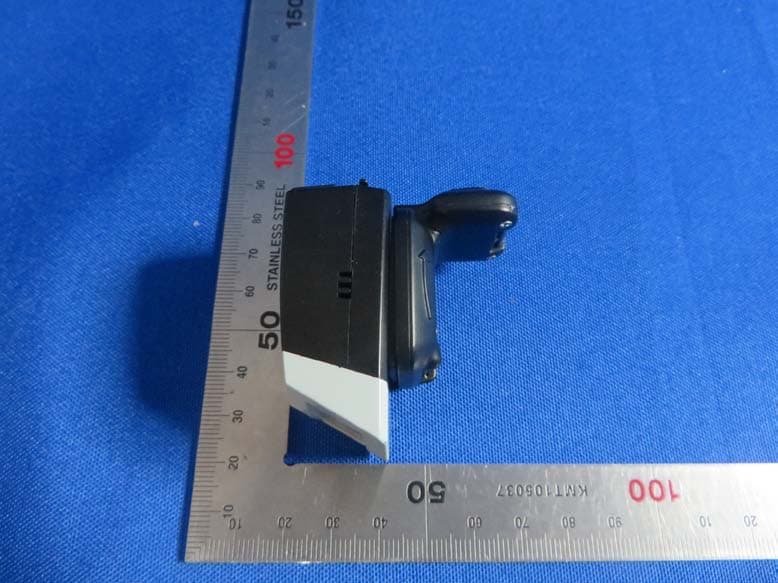
2ACCBFS01
Jul 24, 2014MINI bluetooth barcode reader
Equipment Class
DSS - Part 15 Spread Spectrum Transmitter