2ACF3BUZZIBUZZI
Blackloud Inc.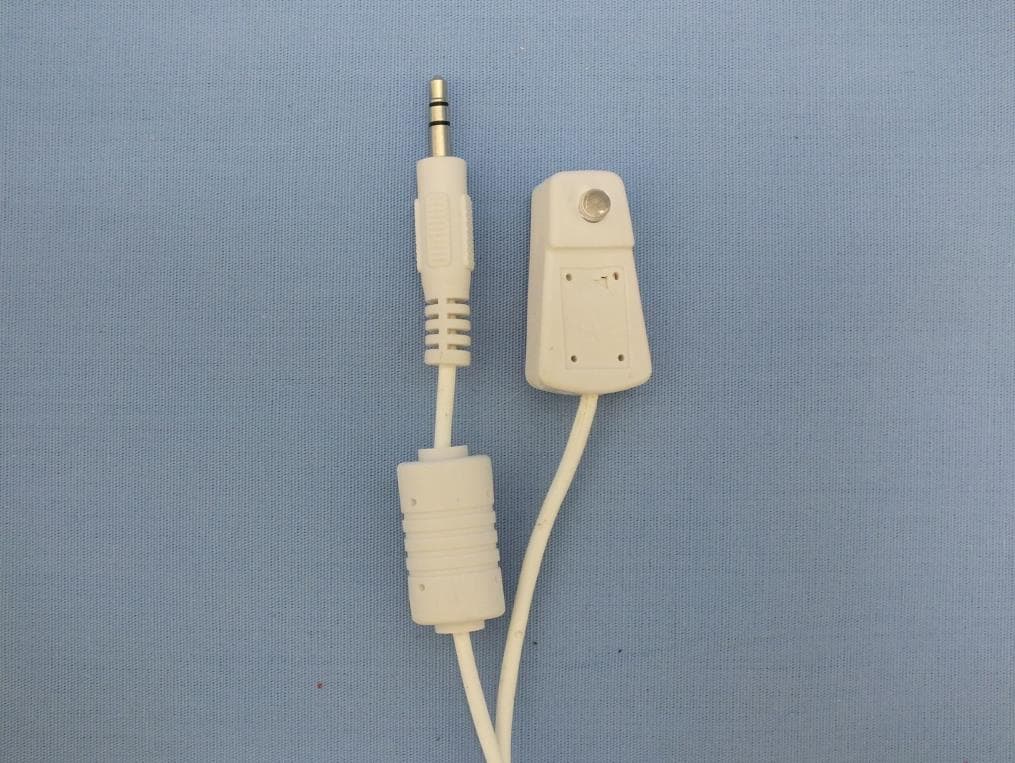
Click to zoom
Application Details
- Equipment Class
- DTS - Digital Transmission System
- Date of Grant
- Aug 24, 2014
- Application Purpose
- Original Equipment
- Date of Application
- Aug 21, 2014
- Equipment Note
- BUZZI
- Frequency Range
- 2412.00000000 - 2462.00000000
- Company
- Blackloud Inc.
- Country
- United States
Documents & Files
Document Text
Text extracted from the exhibit documents filed with the FCC. Open a document above to read the original.
Users Manual
Quick Guide - 2Quick Guide - 3Quick Guide - 4Quick Guide - 5Quick Guide - 6 Quick Guide Quick Guide Quick Guide Package ContentsYour BUZZIGetting Started IR (Infrared) Cable BUZZI Smart PlugQuick Guide 7 3 1 5 4 2 6 Quick Guide 1 Power / Reset Button: Click this button to turn the power outlet on/off. Press and hold for at least 10 seconds to reset. 2 MicroUSB Port: For USB power supply or data transmission. 3 Wi-Fi/Status LED: Displays device and wireless connection statuses as described below: LED Color and Status Definition BlueAmber BlinkingOffSystem rebooting BlinkingBlinkingWi-Fi router setup mode OffBlinking Connecting to the specified Wi-Fi router in client mode OffOffConnected to the Wi-Fi router OffFast BlinkingResetting to the factory default settings 4 IR (infrared) LED: Controls appliances that feature an IR remote control sensor (LED not visible). 5 Standby LED: Displays current power standby status. LED Color and Status Definition Blue OnStandby mode (power off) OffPower delivery mode (power on) 6 IR (infrared) Cable Port: Connects to the IR cable. 7 Controlled Power Outlet: For plugging in the appliance that you want to control. Setting Up Hardware 1 Prepare a router. Have an internet-enabled Wi-Fi router available. This router will be the wireless communication bridge between your mobile device and your BUZZI. 2 Plug your BUZZI to a power outlet. Plug your BUZZI to a power outlet within the coverage area of your Wi-Fi router. 3 Plug your appliance to your BUZZI’s power outlet. Plug your appliance to your BUZZI’s power outlet*. You can press the power/ reset button to turn your device on or off without further setup. To control your device wirelessly via the BUZZI app, follow the steps in the next sections. *Your BUZZI works with any appliance whose power is directly controlled via a physical power switch. Setting Up Wi-Fi Connection 1 Install the BUZZI app. On your mobile device, download and install the BUZZI app from either the Google Play Store or the iOS App Store. 2 Wirelessly connect both your BUZZI and your mobile device to the same Wi-Fi router. a) Make sure that Wi-Fi is enabled on your mobile device, then launch the BUZZI app. Navigate through the app tour by swiping left. At the end of the app tour, select Get Started. b) Select New Configuration. Quick Guide - 8Quick Guide - 7Quick Guide - 9 Quick Guide - 10Quick Guide - 11Quick Guide - 12 c) The app will automatically discover your BUZZI. NOTE: If you are using an iPad or an iPhone, you may need to first connect to your BUZZI manually via Wi-Fi. d) Select your Wi-Fi router. Enter a password if needed. Tap to continue. e) The app will connect both your BUZZI and your mobile device to the router that you have selected. f) When the control tab of your BUZZI device appears in the BUZZI app main interface, your BUZZI is now wirelessly connected. Using and Configuring Your BUZZI Most of your BUZZI’s control features can be accessed in the main interface. 1 Options button: Tap to access various BUZZI options, such as IR remote controller setup, purchase another BUZZI*, the link to the user manual, and BLACKLOUD account management*. 2 Power status: Shows current power status of the associated BUZZI device – OFF or ON. 3 Device name and device edit button: Displays the current device name. Tap for device settings and advanced features for your BUZZI*. 4 Group edit button: Tap to edit and use group power control features for your BUZZI*. 5 Add BUZZI button: Tap if you need to setup Wi-Fi connection for another BUZZI. The app will direct you to start from Step 2b (Select New Configuration) of this quick guide’s Setting Up Wi-Fi Connection section. 6 Power button: Tap to turn your device on or off. 7 Home button: Tap to return to the main interface. 8 Scene edit button: Tap to edit and use power scene control features for your BUZZI*. *Please refer to the user manual for more details. Setting Up the IR Controller Your BUZZI can also function as an IR remote controller for your IR-controlled appliance. 1 Set up the IR connection. Your BUZZI features an internal IR LED (see Your BUZZI) which allows you to control appliances that feature an IR remote control sensor. To ensure a more consistent control you can also use the IR cable. To use the IR cable, connect the IR cable to the IR port of your BUZZI and aim the IR LED at the IR sensor of your appliance. 2 Set up the IR remote controller in the BUZZI app. a) Tap and select Add IR Remote Controller. b) Select the BUZZI device that you want to use as the IR transmitter. Tap to continue. c) Slide the appliance icon to select the manufacturer of your appliance, then tap . If the manufacturer cannot be found, tap to bring forth the complete manufacturer list. Select a manufacturer from the list, then tap to continue. d) After you have selected your appliance’s manufacturer, the app will guide you to test the remote-controller’s functionality. Press the power , mute , or input- change button and see if your appliance properly follows the command. If the test is successful, tap Ye s to continue to the next test. If the test has failed, tap No to go back to the previous test or change the IR control code. To abort the test, tap . e) After successfully completing all three tests shown above, a new remote control tab will appear. Tap the remote control tab to bring forth the remote control panel. You can then control your appliance anywhere within the coverage area of your router. TroubleshootingFor More Information Q: The BUZZI app cannot find my BUZZI during Wi-Fi setup. A: Please make sure that Wi-Fi is enabled on your mobile device. If your BUZZI is already connected to a router, please reset your BUZZI to the initialization mode by pressing the power/reset button for at least 10 seconds. Q: The BUZZI app’s main interface does not display the control tab of my BUZZI. A: Wi-Fi connection to your BUZZI is not yet set. Please tap the Wi-Fi setup button in the main interface and st…
Text truncated - open the document above for the full version.
External Photos
Project No.: EP471101 Page No. : 1 of 20 Photographs of EUT Project No.: EP471101 Page No. : 2 of 20 Project No.: EP471101 Page No. : 3 of 20 Project No.: EP471101 Page No. : 4 of 20 Project No.: EP471101 Page No. : 5 of 20 Project No.: EP471101 Page No. : 6 of 20 Project No.: EP471101 Page No. : 7 of 20 Project No.: EP471101 Page No. : 8 of 20 Project No.: EP471101 Page No. : 9 of 20 Project No.: EP471101 Page No. : 10 of 20
Internal Photos
Project No.: EP471101 Page No. : 11 of 20 Project No.: EP471101 Page No. : 12 of 20 Project No.: EP471101 Page No. : 13 of 20 Project No.: EP471101 Page No. : 14 of 20 Project No.: EP471101 Page No. : 15 of 20 Project No.: EP471101 Page No. : 16 of 20 Project No.: EP471101 Page No. : 17 of 20 Project No.: EP471101 Page No. : 18 of 20 Project No.: EP471101 Page No. : 19 of 20 Project No.: EP471101 Page No. : 20 of 20
RF Exposure Info
Report No.: FA471101 Page : 1 of 5 Report Version: Rev. 01 FCC RF Exposure Report FCC ID : 2ACF3BUZZI Equipment : BUZZI Model No. : WSMM-109, WSMM-109X Brand Name : BLACKLOUD Applicant : Blackloud Inc. Address : 42 Corporate Park #250 Irvine, CA 92606 USA Standard : 47 CFR FCC Part 2.1091 Received Date : Jun. 19, 2014 Tested Date : Jun. 19 ~ Aug. 11, 2014 We, International Certification Corp., would like to declare that the tested sample has been evaluated and in compliance with the requirement of the above standards. The test results contained in this report refer exclusively to the product. It may be duplicated completely for legal use with the approval of the applicant. It shall not be reproduced except in full without the written approval of our laboratory. Approved & Reviewed by: Gary Chang / Manager Ty: XXX Report No.: FA471101 Page : 2 of 5 Report Version: Rev. 01 Table of Contents 1 MPE EVALUATION OF MOBILE DEVICES ......................................................................................... 4 1.1 LIMITS FOR GENERAL POPULATION/UNCONTROLLED EXPOSURE............................................. 4 1.2 MPE EVALUATION FORMULA ............................................................................................................. 4 1.3 MPE EVALUATION RESULTS .............................................................................................................. 4 2 TEST LABORATORY INFORMATION ................................................................................................. 5 Report No.: FA471101 Page : 3 of 5 Report Version: Rev. 01 Release Record Report No. Version Description Issued Date FA471101 Rev. 01 Initial issue Aug. 21, 2014 Report No.: FA471101 Page : 4 of 5 Report Version: Rev. 01 1 MPE EVALUATION OF MOBILE DEVICES Human exposure to RF emissions from mobile devices (47 CFR §2.1091) may be evaluated based on the MPE limits adopted by the FCC for electric and magnetic field strength and/or power density, as appropriate, since exposures are assumed to occur at distances of 20 cm or more from persons. 1.1 LIMITS FOR GENERAL POPULATION/UNCONTROLLED EXPOSURE Frequency Range (MHz) Power Density (mW /cm 2 ) Averaging Time (minutes) 300~1500 F/1500 30 1500~100000 1.0 30 1.2 MPE EVALUATION FORMULA Pd = 2 **4RPi Pt Where Pd= Power density in mW/cm 2 Pt= EIRP in mW Pi= 3.1416 R= Measurement distance 1.3 MPE EVALUATION RESULTS Frequency Range (MHz) Maximum Conducted Power (dBm) Antenna Gain (dBi) Distance (cm) Power Density (mW/cm 2 ) Limit (mW/cm 2 ) 2412~2462 17.44 3.71 20 0.026 1 Report No.: FA471101 Page : 5 of 5 Report Version: Rev. 01 2 Test laboratory information Established in 2012, ICC provides foremost EMC & RF Testing and advisory consultation services by our skilled engineers and technicians. Our services employ a wide variety of advanced edge test equipment and one of the widest certification extents in the business. International Certification Corp, it is our definitive objective is to institute long term, trust-based associations with our clients. The expectation we set up with our clients is based on outstanding service, practical expertise and devotion to a certified value structure. Our passion is to grant our clients with best EMC / RF services by oriented knowledgeable and accommodating staff. Our Test sites are located at Linkou District and Kwei Shan Hsiang. Location map can be found on our website http://www.icertifi.com.tw. Linkou Kwei Shan Kwei Shan Site II Tel: 886-2-2601-1640 Tel: 886-3-271-8666 Tel: 886-3-271-8640 No. 30-2, Ding Fwu Tsuen, Lin Kou District, New Taipei City, Taiwan, R.O.C. No. 3-1, Lane 6, Wen San 3rd St., Kwei Shan Hsiang, Tao Yuan Hsien 333, Taiwan, R.O.C. No. 14-1, Lane 19, Wen San 3rd St., Kwei Shan Hsiang, Tao Yuan Hsien 333, Taiwan, R.O.C. If you have any suggestion, please feel free to contact us as below information Tel: 886-3-271-8666 Fax: 886-3-318-0155 Email: [email protected] ══END══
Test Report
Report No.: FR471101 Page : 1 of 53 Report Version: Rev. 01 FCC Test Report FCC ID : 2ACF3BUZZI Equipment : BUZZI Model No. : WSMM-109, WSMM-109X Brand Name : BLACKLOUD Applicant : Blackloud Inc. Address : 42 Corporate Park #250 Irvine, CA 92606 USA Standard : 47 CFR FCC Part 15.247 Received Date : Jun. 19, 2014 Tested Date : Jun. 19 ~ Aug. 11, 2014 We, International Certification Corp., would like to declare that the tested sample has been evaluated and in compliance with the requirement of the above standards. The test results contained in this report refer exclusively to the product. It may be duplicated completely for legal use with the approval of the applicant. It shall not be reproduced except in full without the written approval of our laboratory. Approved & Reviewed by: Gary Chang / Manager Ty: XXX Report No.: FR471101 Page : 2 of 53 Report Version: Rev. 01 Table of Contents 1 GENERAL DESCRIPTION .................................................................................................................... 5 1.1 Information .............................................................................................................................................. 5 1.2 Local Support Equipment List ................................................................................................................ 7 1.3 Test Setup Chart .................................................................................................................................... 7 1.4 The Equipment List ................................................................................................................................ 8 1.5 Test Standards ....................................................................................................................................... 9 1.6 Measurement Uncertainty ...................................................................................................................... 9 2 TEST CONFIGURATION ....................................................................................................................... 9 2.1 Testing Condition ................................................................................................................................. 10 2.2 The Worst Test Modes and Channel Details ....................................................................................... 10 3 TRANSMITTER TEST RESULTS ........................................................................................................ 11 3.1 Conducted Emissions ........................................................................................................................... 11 3.2 6dB and Occupied Bandwidth .............................................................................................................. 14 3.3 RF Output Power .................................................................................................................................. 17 3.4 Power Spectral Density ........................................................................................................................ 19 3.5 Unwanted Emissions into Restricted Frequency Bands ...................................................................... 21 3.6 Emissions in non-restricted frequency bands ...................................................................................... 43 4 TEST LABORATORY INFORMATION ............................................................................................... 53 Report No.: FR471101 Page : 3 of 53 Report Version: Rev. 01 Release Record Report No. Version Description Issued Date FR471101 Rev. 01 Initial issue Aug. 21, 2014 Report No.: FR471101 Page : 4 of 53 Report Version: Rev. 01 Summary of Test Results FCC Rules Test Items Measured Result 15.207 Conducted Emissions [dBuV]: 0.459MHz 45.68 (Margin -1.03dB) - AV Pass 15.247(d) 15.209 Radiated Emissions [dBuV/m at 3m]: 4924.00MHz 53.00 (Margin -1.00dB) - AV Pass 15.247(b)(3) Fundamental Emission Output Power Max Power [dBm]: 25.13 Pass 15.247(a)(2) 6dB Bandwidth Meet the requirement of limit Pass 15.247(e) Power Spectral Density Meet the requirement of limit Pass 15.203 Antenna Requirement Meet the requirement of limit Pass Report No.: FR471101 Page : 5 of 53 Report Version: Rev. 01 1 General Description 1.1 Information 1.1.1 Product Details The following models are provided to this EUT. Brand Name Model Name Product Name Description BLACKLOUD WSMM-109 BUZZI Housing color: White, Black WSMM-109X Housing color: White All models are electrically identical, different model names are for marketing purpose. The above models, model WSMM-109 with white color was selected as a representative one for final test and only its data was recorded in this report. 1.1.2 Specification of the Equipment under Test (EUT) RF General Information Frequency Range (MHz) IEEE Std. 802.11 Ch. Freq. (MHz) Channel Number Transmit Chains (N TX ) Data Rate / MCS 2400-2483.5 b 2412-2462 1-11 [11] 1 1-11 Mbps 2400-2483.5 g 2412-2462 1-11 [11] 1 6-54 Mbps 2400-2483.5 n (HT20) 2412-2462 1-11 [11] 1 MCS 0-7 Note 1: RF output power specifies that Maximum Peak Conducted Output Power. Note 2: 802.11b uses a combination of DSSS-DBPSK, DQPSK, CCK modulation. Note 3: 802.11g/n uses a combination of OFDM-BPSK, QPSK, 16QAM, 64QAM modulation. 1.1.3 Antenna Details Ant. No. Type Gain (dBi) Connector Remark 1 Printed 3.71 N/A --- 1.1.4 Power Supply Type of Equipment under Test (EUT) Power Supply Type Input: 100-120Vac, 50/60Hz, 15A Max Output: 100-120Vac, 50/60Hz, 15A Report No.: FR471101 Page : 6 of 53 Report Version: Rev. 01 1.1.5 Accessories Accessories No. Equipment Description 1 IR extender for White (HUIZHOU) 1m non-shielded cable with one core 2 IR extender for Black (HUIZHOU) 1m non-shielded cable with one core 3 IR extender for White (WINPOINT) 1m non-shielded cable with one core 4 IR extender for Black (WINPOINT) 1m non-shielded cable with one core 1.1.6 Channel List Fr…
Text truncated - open the document above for the full version.
Test Setup Photos
Report No.: FR471101 Page: : 1 of 2 Report Version: Rev. 01 Photographs of the Test Configuration Conducted Emission Test Report No.: FR471101 Page: : 2 of 2 Report Version: Rev. 01 Radiated Emission Test
Contact Information
Applicant
Frank Chao(Project & Account Manager)
Technical Contact
International Certification Corp.Gary Chang
886-3-271-8628
Taiwan
Non-Technical Contact
International Certification Corp.Wendy Liao
886-3-271-8629
Test Firm
International Certification Corp.Fu-Cheng Chuang
Technical Specifications
| # | Rule Parts | Frequency Range | Power Output |
|---|---|---|---|
| 1 | 15C | 2.41 GHz - 2.46 GHz | 326.00 mW |
Other Applications from Blackloud Inc.
2ACF3BUZZISPRINKLER
Oct 22, 2015BUZZISPRINKLER
Equipment Class
DTS - Digital Transmission System
2ACF3BUZZILIGHT
Oct 22, 2015Buzzi Light
Equipment Class
DTS - Digital Transmission System
2ACF3NETTI
Sep 09, 2014Blackloud NETTI
Equipment Class
DTS - Digital Transmission System
2ACF3-SOUNDOT
Jun 26, 2014SOUNDOT
Equipment Class
DSS - Part 15 Spread Spectrum Transmitter