2AD2XSH09Bluetooth Stereo Headset V4.0-ANTS
Hamee Corp.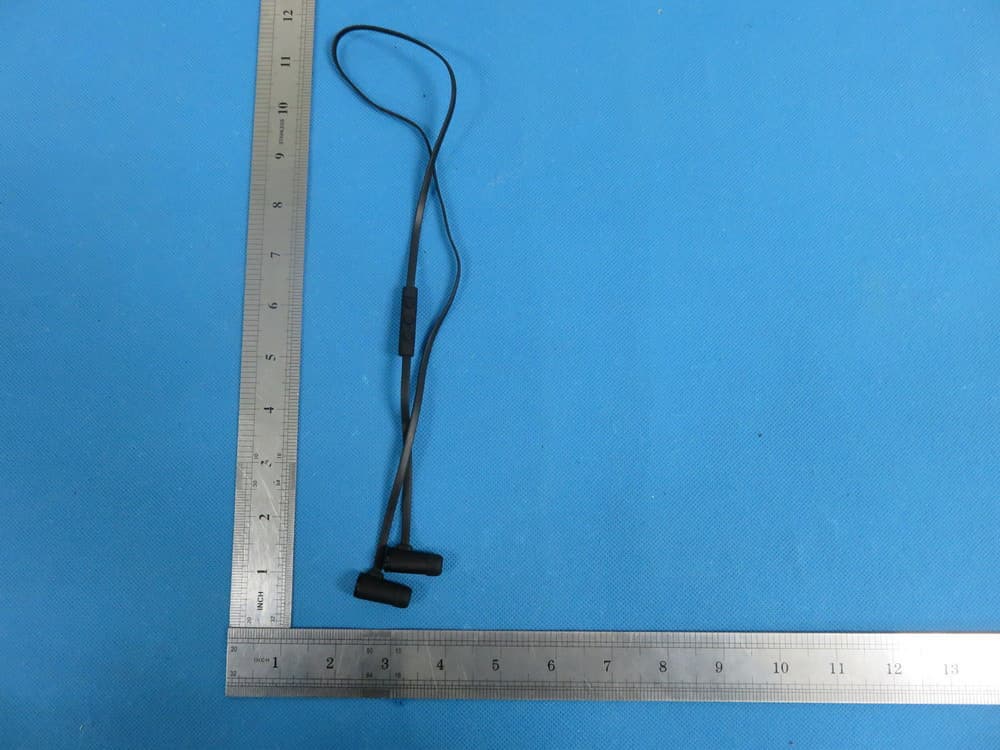
Click to zoom
Application Details
- Equipment Class
- DTS - Digital Transmission System
- Date of Grant
- Mar 06, 2015
- Application Purpose
- Original Equipment
- Date of Application
- Mar 06, 2015
- Equipment Note
- Bluetooth Stereo Headset V4.0-ANTS
- Frequency Range
- 2402.00000000 - 2480.00000000
- Company
- Hamee Corp.
- Country
- Japan
Documents & Files
Document Text
Text extracted from the exhibit documents filed with the FCC. Open a document above to read the original.
Users Manual
SH09 Stereo Bluetooth Headset User Manul Operating Instructions Power On When the headset is off, press and hold the Multi-Function Button (MFB) for 2 seconds. The LED indicator will flash slowly in blue. You will hear the word “Hello” from the speaker of the headset. The headset will be paired with the last connected bluetooth device or mobile phone automatically when turned on. Power Off When the headset is on, press and hold the MFB for 4 seconds. The LED indicator will flash slowly in red. You will hear the word “Goodbye” from the speaker of the headset. The headset will disconnect from your phone devices when turned off. Pairing Mode When the headset is off, press and hold the MFB for 5 seconds until the LED indicator flashes red and blue in alternating colors. You will hear the word “Pairing” from the speaker of the headset. Note: If you release the MFB before the headset goes into pairing mode, it will power on and connect with the last paired device. If you want to pair the headset with a new phone device, please power off the headset and enter into pairing mode. Easy Connect Function If the headset doesn’t connect with any phone when it’s on, you will need to enter the headset into pairing mode by pressing volume- and volume+ concurrently. Answering Calls If a call comes in when listening to music or headset is standing by, press the MFB to answer the incoming call. You will hear the words “Call Answered” from the speaker of the headset. If the music is playing, it will pause automatically during the call. After finishing your call, the music will start playing automatically. Reject Calls If a call comes in when listening to music or headset is standing by, press and hold the MFB for 2 seconds to reject the incoming call. You will hear the words “Call Rejected” from the speaker. End Calls Press the MFB to terminate when you finished your call, you will hear the words “Call Terminated”. Volume To adjust the volume when talking on the phone, press the volume+ or volume- to make volume go up or down. When you reach the max/min volume, you will hear a warning tone. Last Number Redial When listening to music or headset is standing by, double click the MFB to redial the last number. You will hear the words “Last Number Redial” from the speaker of the headset. If you are listening to music, it will pause automatically during the call. Mute When talking on the phone, press and hold volume+ or volume- for 2 seconds to mute your microphone. You will hear the caller, but the caller will not to hear you. Note: There will be a warning tone every 3 seconds, reminding you that you are in mute mode. Quit Mute Hold volume+ or volume- for 2 seconds to exit mute mode. Switching Between Your Mobile Phone and Headset When talking on the phone, double-click the MFB to switch the voice from your headset to your mobile phone. By double clicking the MFB again, the voice will switch back to the headset. You will hear the words “Transfer Audio” from the speaker of the headset. Reconnect When the headset is disconnected from your mobile phone, you will hear the words “Your Device is Disconnected”. If you press the MFB, it will reconnect. You will hear the words “Your Device is Connected” from the speaker of the headset. Note: Some devices may have a prompt screen, that will ask you if you would like to pair your device. Voice-Command Dial If your mobile phones supports this function, press and hold MFB for 2 seconds to activate voice command. You will hear “voice dial” from the speaker of the headset. By re-pressing and re-holding MFB for 2 seconds during the voice dial mode, voice dial will be canceled. Note: Please refer to the manual of your mobile phone for voice-command dial support. Pause and Restart Music When listening to music, click MFB to pause music and click MFB again to restart music. Play Previous Song Press volume- for 2 seconds to play previous song. Play Next Song Press volume+ for 2 seconds to play next song. Connect with 2 Mobile Phones A. First disconnect the Bluetooth device from your phone if it is already connected. B. Press volume+ and volume- concurrently to put the headset in pairing mode. C. Turn on and search Bluetooth device on your second phone until your find“SH09” and select to begin pairing. D. Please pair again with your first mobile phone device. E. Now you should have two mobile phones connected with the headset. Transfer Calls When you’re talking on the phone and receive another incoming call, press the MFB for 2 seconds to reject the incoming call. If you click V+ and V- concurrently, you will receive the incoming call. Your first call will be placed on hold. When you click V+ and V- concurrently again, you will switch back to your first call. You should hear a beep. During this time your second call will be placed on hold. You can also end the call by clicking the MFB. Note: This operation requires that your mobile phone supports the call waiting feature. Specifications V4.0 Bluetooth Technology Profile supports: HSP, HFP, A2DP, AVRCP Transmission Distance: 10 meters Transmission range: 2.4GHz~2.48GHz Size: 11 x 11 x 25.5 mm Net Weight: 11.4 grams Music Time: 4 hours Talk Time: 5 hours Standby Time: 100 hours Operating Temperature: -10~50 °C Device ID: SH09 Pin Code: 0000 LED Indicator Status Charging Red LED Light Charging Complete Blue LED Light Power On (Connected) Blue LED light flashes once every 3 seconds Power On (Talking) Blue LED light flashes twice every 4 seconds Power On (Incoming Call) Blue LED light flashes continuously Music Playing Blue LED light flashes twice every 4 seconds Power On (Not Connected) Blue LED light flashes once every 5 seconds Battery Low Red LED light flashes twice every 4 seconds with the words “Battery Low” Pairing Mode LED light flashes in red and blue alternately FCC Warning: Changes or modifications not expressly approved by the party responsible for compliance could void the user's authority to operate the equipment. This devic…
Text truncated - open the document above for the full version.
Cover Letter(s)
Hamee Corp. Jan19, 2015 Equipment Autorisation Division Federal Communications Commission 7435 Oakland Mills Road Columbia, MD 21046 FCC ID:_____ 2AD2XSH09_______ Product Name:___ Bluetooth Stereo Headset V4.0-ANTS_______ Request for Confidentiality Pursuant to Sections 0.457 and 0.459 of the commissions rules, we hereby request that the following documents be held confidential: (List here the documents for which you are seeking confidentiality Schematics Block diagram Operation description These materials contain trade secrets and proprietary information and are not customarily released to the public. The public disclosure of this information might be harmful to the company and provide unjustified benefits to our competitors. Dated this Jan.19, 2015 By: Signature Printed Title: Manager On behalf of : Hamee Corp. Telephone: +81-465-22-8044 Atsushi Yamashita 2AD2XSH09 Bluetooth Stereo Headset V4.0-ANTS
External Photos
External Photos TOP VIEW OF EUT BOTTOM VIEW OF EUT FRONT VIEW OF EUT BACK VIEW OF EUT LEFT VIEW OF EUT RIGHT VIEW OF EUT
ID Label/Location Info
FCC ID Label Location FCC ID: 2AD2XSH09
Internal Photos
Internal Photos OPEN VIEW OF EUT-1 OPEN VIEW OF EUT-2 OPEN VIEW OF EUT-3 INTERNAL VIEW OF EUT-1 INTERNAL VIEW OF EUT-2 INTERNAL VIEW OF EUT-3 Antenna INTERNAL VIEW OF EUT-4 INTERNAL VIEW OF EUT-5 INTERNAL VIEW OF EUT-6
Test Report
Any reproduction of this document must be done in full. No single part of this document may be reproduced without permission from STS, All Test Data Presented in this report is only applicable to presented Test sample. Shenzhen STS Test Services Co., Ltd. 1/F, Building B, Zhuoke Science Park, Chongqing Road, Fuyong, Baoan District, Shenzhen, China TEL: +86-755 3688 6288FAX: +86-755 3688 6277E-mail:[email protected] FCC TESTREPORT Report No: STS00625150102FE08 Issued for Hamee Corp. 5F, 2-9-39, Sakae-cho, Odawara, Kanagawa, 250-0011, Japan Product Name: Bluetooth Stereo Headset V4.0-ANTS Brand Name: Hamee Model No.: SH09 FCC ID: 2AD2XSH09 Test Standard: FCC Part 15.247 S T L A B S Page 2 of 53 Report No.: STS00625150102FE08 TEST RESULT CERTIFICATION Applicant’s name .................. : Hamee Corp. Address .................................. : 5F, 2-9-39, Sakae-cho, Odawara, Kanagawa, 250-0011, Japan Manufacture's Name ............. : Shenzhen mees technology co., Ltd. Address .................................. : Rm.511, Block C, Huafeng Headquarters Bldg, Xixing Avenue No.288, Baoan, Shenzhen Product description Product name ........................... : Bluetooth Stereo Headset V4.0-ANTS Band name ................................ : Hamee Model and/or type reference ............................... : SH09 Ratings .................................... DC 3.7V by Battery Standards .............................. : FCC Part15.247 Test procedure ............................... : ANSI C63.4-2009 This device described above has been tested by STS, and the test results show that the equipment under test (EUT) is in compliance with the FCC requirements. And it is applicable only to the tested sample identified in the report. This report shall not be reproduced except in full, without the written approval of STS, this document may be altered or revised by STS, personal only, and shall be noted in the revision of the document. Date of Test ............................................ : Date (s) of performance of tests ............. : Jan.12,2015 to Jan.13,2015 Date of Issue ........................................... : Jan.14,2015 Test Result ............................................... : Pass Testing Engineer : (Tony Liu) Technical Manager : (Vita Li) Authorized Signatory : (Bovey Yang) Page 3 of 53 Report No.: STS00625150102FE08 Table of Contents Page 1. SUMMARY OF TEST RESULTS 5 1.1 TEST FACILITY 6 1.2 MEASUREMENT UNCERTAINTY 6 2. GENERAL INFORMATION 7 2.1 GENERAL DESCRIPTION OF EUT 7 2.1 DESCRIPTION OF TEST MODES 9 2.2 TABLE OF PARAMETE RS OF TEXT SOFTWARE SETTING 9 2.3BLOCK DIGRAM SHOWING THE CONFIGURATION OF SYSTEM TESTED 10 2.4 DESCRIPTION OF SUPPORT UNITS 11 2.5EQUIPMENTS LIST FOR ALL TEST ITEMS 12 3.EMC EMISSION TEST 13 3.1 CONDUCTED EMISSION MEASUREMENT 13 3.1.1 POWER LINE CONDUCTED EMISSION LIMITS 13 3.1.2 TEST PROCEDURE 14 3.1.3 TEST SETUP 14 3.1.4EUT OPERATING CONDITIONS 14 3.1.5TEST RESULTS 15 3.2 RADIATED EMISSION MEASUREMENT 17 3.2.1RADIATED EMISSION LIMITS 17 3.2.2 TEST PROCEDURE 18 3.2.3 DEVIATION FROM TEST STANDARD 18 3.2.4 TESTSETUP 19 3.2.5EUT OPERATING CONDITIONS 20 3.2.6 TEST RESULTS 21 4. MAXIMUM CONDUCTED OUTPUT POWER SPECTRAL DENSITY 38 4.1 MEASUREMENT PROCEDURE 38 4.2 TEST SET-UP (BLOCK DIAGRAM OF CONFIGURATION) 38 4.3 LIMITS AND MEASUREMENT RESULT 38 5. BANDWIDTH TEST 40 5.1APPLIED PROCEDURES / LIMIT 40 5.2 TEST PROCEDURE 40 5.3 TEST SETUP 40 5.4 EUT OPERATION CONDITIONS 40 5.5TEST RESULTS 41 6. OUTPUT POWER TEST 43 Page 4 of 53 Report No.: STS00625150102FE08 Table of Contents Page 6.1 APPLIED PROCEDURES / LIMIT 43 6.2 TEST PROCEDURE 43 6.3 TEST SETUP 43 6.4 EUT OPERATION CONDITIONS 43 6.5TEST RESULTS 44 7. CONDUCTED SPURIOUS EMISSIONS 46 7.1 REQUIREMENT 46 7.2TEST PROCEDURE 46 7.3 TEST SETUP 46 7.4 EUT OPERATION CONDITIONS 46 7.5 TEST RESULTS 47 8. ANTENNA REQUIREMENT 51 8.1 STANDARD REQUIREMENT 51 8.2 EUT ANTENNA 51 APPENDIX-PHOTOS OF TEST SETUP 52 Page 5 of 53 Report No.: STS00625150102FE08 1. SUMMARY OF TEST RESULTS Test procedures according to the technical standards: FCC Part15 (15.247) , Subpart C Standard Section Test Item Judgment Remark §15.203 Antenna Requirement Compliant §15.209 §15.247(d) Radiated Emission Compliant §15.247(d) Band Edges Compliant §15.247 Bandwidth Compliant §15.247(b) Conducted Power Compliant §15.247(e) Maximum Conducted Output Power SPECTRAL Density Compliant §15.207 Line Conduction Emission Compliant §15.247(d) Conducted Spurious Emissions Compliant Page 6 of 53 Report No.: STS00625150102FE08 1.1 TEST FACILITY Shenzhen STS Test Services Co., Ltd. Add. : 1/F, Building 2, Zhuoke Science Park, Chongqing Road, Fuyong, Baoan District, Shenzhen, China. FCC Registration No.: 842334; IC Registration No.: 12108A-1 1.2 MEASUREMENT UNCERTAINTY The reported uncertainty of measurement y ±U,where expended uncertainty U is based on a standard uncertainty multiplied by a coverage factor of k=2,providing a level of confidence of approximately 95 %。 No. Item Uncertainty 1 Conducted Emission Test ±3.18dB 2 RF power,conducted ±0.16dB 3 Spurious emissions,conducted ±0.21dB 4 All emissions,radiated(<1G) ±4.68dB 5 All emissions,radiated(>1G) ±4.71dB 6 Temperature ±0.5°C 7 Humidity ±2% Page 7 of 53 Report No.: STS00625150102FE08 2. GENERAL INFORMATION 2.1 GENERAL DESCRIPTION OF EUT Equipment Bluetooth Stereo Headset V4.0-ANTS Trade Name Hamee Model Name SH09 Channel List Please refer to the Note 2. Bluetooth Frequency:2402 – 2480 MHz Modulation: GFSK Battery Rated Voltage: 3.7V Charge Limit: 4.2V Hardware version number ZXCJSH09HWV1.0 Software versioningnumber ZXCJSH09SFV1.0 Connecting I/O Port(s) Please refer to the User's Manual Note: 1. For a more detailed features description, please refer to the manufacturer’s specifications or the User's Manual. Page 8 of 53 Report No.: STS00625150102FE08 2. Channel List Channel Frequency (MHz) Channel Frequency (MHz) Channel Frequency (MHz) 0 2.402 MHZ 14 2.430MHZ 28 2.458 MHZ 1 2.404MHZ 15 2.432 MHZ 29 2.460 MHZ 2 2.406 M…
Text truncated - open the document above for the full version.
Test Setup Photos
APPENDIX IV PHOTOGRAPHS OF TEST SETUP Radiated Measurement Photos Conducted Measurement Photos
Contact Information
Applicant
Atsushi Yamashita
Test Firm
Shenzhen STS Test Services Co., Ltd.Bovey Yang
Technical Specifications
| # | Rule Parts | Frequency Range | Power Output |
|---|---|---|---|
| 1 | 15C | 2.40 GHz - 2.48 GHz | 1.25 mW |
Other Applications from Hamee Corp.
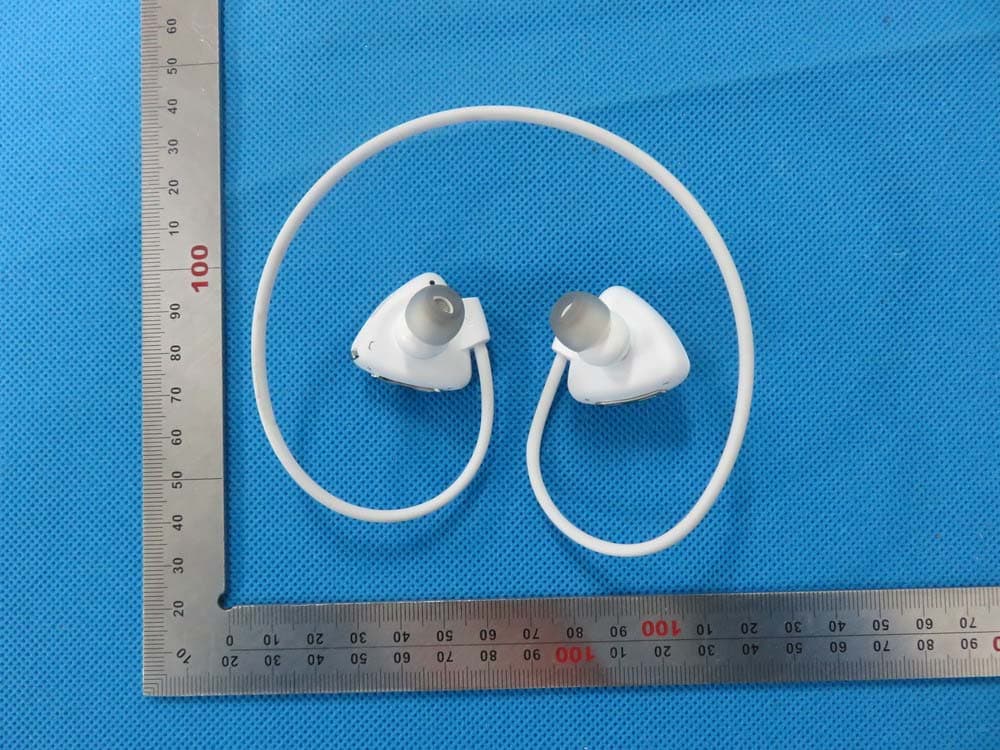
2AD2XSH03B
Aug 31, 2015Bluetooth Stereo Headset
Equipment Class
DXX - Part 15 Low Power Communication Device Transmitter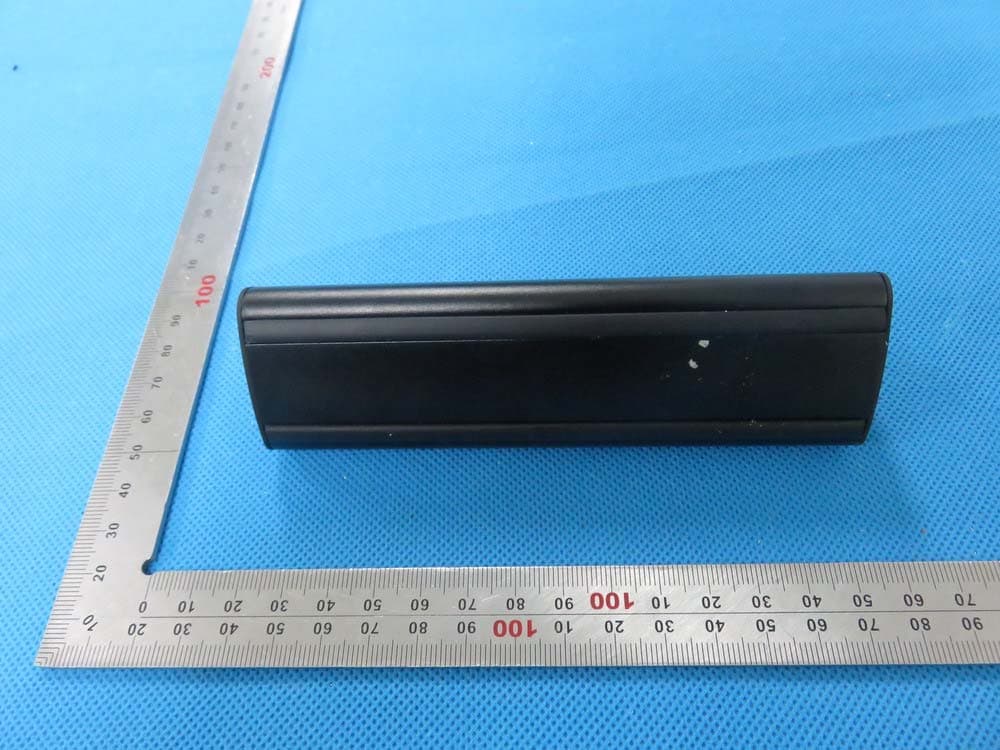
2AD2XSP02
Aug 24, 2015Bluetooth Stereo Speaker
Equipment Class
DXX - Part 15 Low Power Communication Device Transmitter