2AD33-B6002SPEAKER SYTEM
FLYBALL ELECTRONIC (SHENZHEN) CO. LTD
Click to zoom
Application Details
- Equipment Class
- DSS - Part 15 Spread Spectrum Transmitter
- Date of Grant
- Aug 15, 2022
- Application Purpose
- Original Equipment
- Date of Application
- Aug 15, 2022
- Equipment Note
- SPEAKER SYTEM
- Frequency Range
- 2402.00000000 - 2480.00000000
- Country
- China
Documents & Files
Document Text
Text extracted from the exhibit documents filed with the FCC. Open a document above to read the original.
Users Manual
A4大小105g铜版纸黑色印刷,客户型号:AAT50 USER’S MANUAL Specifications: Power: 1000 Watts Total System Power Frequency Response: 20-20Khz Power Supply: ~120V 60HZ Subwoofer Dimensions (HxWxD): 14.45” x 9.09” x 13.58” Satellite Speaker Dimensions (HxWxD): 41.34” x 4.09” x 2.28” CEN Speaker Dimensions (HxWxD): 4.25” x 16.14” x 2.28” Package Contents: 1- Subwoofer Speaker 4- Satelltie Speakers 1- Center Channel Speaker 1- Remote Control 1- User’s Manual 1- 3.5mm to RCA Cable 1- RCA to RCA cable Features: - High quality 5.1 bluetooth multimedia speaker system - Full Audio Spectrum Performance ideal for TV, Laptop, Gaming,Smart Phone or Tablet - Specially designed woofer for bass and resolution Page 3Page 4 Front Panel: ST-BY/Play/Pause: Press to turn on system, press and hold to standby. Play/ Pause in USB/ SD/ BT mode. NEXT: Press once in USB/ SD/BT mode to play next song. VOLUME +/- : Volume Down and Up SOURCE: Press to change the input mode PREVIOUS: Press once in USB/SD/BT mode to play previous song. 1. ST-BY/ PLAY PAUSE 2. NEXT 3. - VOL + 4. SOURCE 5. PREVIOUS Remote Control Function: 1. ST-BY: Turn on/ Standby the Speaker 2. SOURCE: Select your input mode - AUX/DVD/USB/SD/BT 3. BLUETOOTH: When you enter BT mode the digital display will flash while searching for your bluetooth device. find the “BT Speaker” and pair your device to the speaker. When connected, digital display will stop flashing. Volume, Previous, Next, Play and Pause will function on the front panel in BT mode. Force disconnect by pressing play/pause. 4. AUX: press to to go to AUX mode 5. VOLUME +: Increase the volume 6. PREVIOUS: Press to play the previous song 7. VOLUME - : Decrease the volume 8. NUMBERS 0-9: Use numbers to choose your desired track 9. MUTE: Suspend all sound 10. 2.1/5.1: Press once to utilize 2 front speakers, press twice to utilize all 5 satellite speakers 11. USB/SD: Press to go to USB or SD card input mode 12. DVD: Press to go to DVD input mode 13. PLAY/PAUSE: Play or pause the track 14. NEXT: press to go to the next song (1) (4) (3) (2) (3) (5) Page 2 PLEASE NOTE: This unit is set on 2.1 mode upon startup, please press the 2.1/5.1 button on the remote control for 5.1 surround sound . SPEAKER SYTEM FCC ID:2AD33-B6002 AAT50 www.goldwood.com Page 6Page 5Page 2 Rear Panel:System Connections: 1. AUX INPUT 2. FL/FR INPUT 3. C/SW INPUT 4. SL/SR INPUT 5. C OUTPUT 6. FR OUTPUT 7. SR OUTPUT 8. SL OUTPUT 9. FL OUTPUT 10. AC POWER SUPPLY CORD 11. POWER ON/OFF 1. Insert all satellite speaker cables into their respective outputs on the rear panel of the subwoofer speaker. FR- front right, FL Front left, SR- surround right, SL- surround left, and CEN - center speaker. 2. Please use RCA Inputs to connect to your DVD player and gaming console. 3. Please use included 3.5mm- RCA cable and insert into the AUX input to connect your phone, tablet or computer. 4. After making all connections, plug subwoofer speaker power cable into the wall outlet of ~120V 60Hz. (2) (1) (3) (4) (5) (6) (7) (9) (8) (11) (10) Page 8Page 7 Assembly of Tower Speakers Satellite tower speakers come unassembled to avoid damage while shipping. Please read the following instructions carefully to assemble the tower speakers. Troubleshooting System is not powering on? - Switch power button on and verify if the LED indicator is illuminated - Confirm that the AC plug is plugged in and that there is power to that outlet. FCC Caution Speaker(s) do (es) not produce sound? - Verify the system is getting power and check above steps - Make sure the volume is turned up to an audible listening level and your device is not on mute. - Verify that all cables are plugged into the correct jacks - Try connecting your system to another device. If the system works correctly with the other device, then your first device is most likely the cause of the problem. Sound is distorted or not clear? - Low quality compressed music files will increase the distortion and noise that are easily noticed with amplified speakers. Recheck the sound quality with a non compressed music file. - Check the device level and decrease the volume if necessary. You should never have your audio source volume above 90% volume level to minimize distortion. This device complies with part 15 of the FCC Rules. Operation is subject to the following two conditions: (1) this device may not cause harmful interference, and (2) this device must accept any interference received, including interference that may cause undesired operation. Any changes or modifications not expressly approved by the party responsible for compliance could void the user's authority to operate the equipment. NOTE: This equipment has been tested and found to comply with the limits for a Class B digital device, pursuant to Part 15 of the FCC Rules. These limits are designed to provide reasonable protection against harmful interference in a residential installation. This equipment generates, uses and can radiate radio frequency energy and, if not installed and used in accordance with the instructions, may cause harmful interference to radio communications. However, there is no guarantee that interference will not occur in a particular installation. If this equipment does cause harmful interference to radio or television reception, which can be determined by turning the equipment off and on, the user is encouraged to try to correct the interference by one or more of the following measures: -- Reorient or relocate the receiving antenna. -- Increase the separation between the equipment and receiver. -- Connect the equipment into an outlet on a circuit different from that to which the receiver is connected. -- Consult the dealer or an experienced radio/TV technician for help. To maintain compliance with FCCs RF Exposure guidelines, This equipment should be installed and operated with minimum distance between 20cm the radiator your body: Use only the supplied antenna. Package Includes: - (4) tower speakers - (1) center speaker - (4) black tower speaker…
Text truncated - open the document above for the full version.
External Photos
ExternalPhotographs Photo1 Photo2 Photo3 Photo4 Photo5 Photo6 Photo7 Photo8 Photo9 Photo10 Photo11
ID Label/Location Info
FCC ID: 2AD33-B6002 Label Label position
Internal Photos
InternalPhotographs Photo 1 Photo 2 Photo 3 Photo 4 Photo 5 Photo 6 Photo 7 Photo 8 Photo 9 Photo 10 Photo 11 Photo 12 Photo 13 Photo 14 Photo 15
RF Exposure Info
KSIGN(Guangdong)TestingCo.,Ltd. WestSideof1/F.,BuildingC,ZoneA,FuyuanNewFactory,JiujiuIndustrialPark, Minzhu,Shatou,Shajing,Bao'anDistrict,Shenzhen,Guangdong,People’sRepublicofChina Tel.:+(86)755-29852678Fax:+(86)755-29852397E-mail:[email protected]: www.gdksign.com RFEXPOSUREEVALUATION 1.PRODUCTINFORMATION ProductDescription 5.1CHSOUNDBARSPEAKERSYSTEM ModelNameB6002BU-HQ FCCID2AD33-B6002 2.EVALUATIONMETHODANDLIMIT HumanexposuretoRFemissionsfrommobiledevices(47CFR§2.1091)maybeevaluated basedontheMPElimitsadoptedbytheFCCforelectricandmagneticfieldstrengthand/or powerdensity,asappropriate,sinceexposuresareassumedtooccuratdistancesof20cmor morefrompersons. LIMITSFORGENERALPOPULATION/UNCONTROLLEDEXPOSURE Frequency Range (MHz) E-fieldStrength (E) (V/m) MagneticField Strength(H) (A/m) PowerDensity (S) (mW/cm 2 ) AveragingTime |E| 2 ,|H| 2 orS (Minutes) 0.3--1.346141.63(100)*30 1.34--30824/f2.19/f(180/f 2 )*30 30--30027.50.0730.230 300--1500----f/150030 1500--100,000----1.030 *Note: 1.f=FrequencyinMHz*Plane-waveEquivalentPowerDensity 2.TheaveragingtimeforGeneralPopulation/Uncontrolledexposuretofixedtransmittersis notapplicableformobileandportabletransmitters.See47CFR§§2.1091and2.1093on source-basedtime-averagingrequirementformobileandportabletransmitters. S=PG/4πR² Where: S=powerdensity P=powerinputtoantenna G=powergainoftheantennainthedirectionofinterestrelativetoanisotropicradiator R=distancetothecenterofradiationoftheantenna KSIGN(Guangdong)TestingCo.,Ltd. WestSideof1/F.,BuildingC,ZoneA,FuyuanNewFactory,JiujiuIndustrialPark, Minzhu,Shatou,Shajing,Bao'anDistrict,Shenzhen,Guangdong,People’sRepublicofChina Tel.:+(86)755-29852678Fax:+(86)755-29852397E-mail:[email protected]: www.gdksign.com 3.CALCULATION Aminimumtestseparationdistance≥20cmisrequiredbetweentheantennaandradiating structuresofthedeviceandnearbypersonstoapplymobiledeviceexposurelimits.The distancemustbeatleast20cmandfullysupportedbytheoperatingandinstallation configurationsofthetransmitteranditsantenna(s),accordingtothesource-based time-averagedmaximumpowerrequirementsof§2.1091(d)(2).Incaseswherecablelosses orotherattenuationsareappliedtodeterminecompliance,themostconservativeoperating configurationsandexposureconditionsmustbeevaluated. WIFIPART(Cannottransmitatdifferentbandsimultaneously) AntennaGain=1.9dBi(Numeric1.55),π=3.14 Mode Frequency (MHz) Output Power (dBm) Tune-up power (dBm) Output Power (mW) Power Density (mW/cm2) Power DensityLimit (mW/cm2) Result DH5 2402-0.110±11.2590.00041Pass 24411.091±11.5850.00051Pass 24801.361±11.5850.00051Pass 2DH5 24020.171±11.5850.00051Pass 24411.271±11.5850.00051Pass 24801.631±11.5850.00051Pass 3DH5 24020.251±11.5850.00051Pass 24411.351±11.5850.00051Pass 24801.721±11.5850.00051Pass --THEEND--
Test Report
TRF No. FCC Part 15.247_R1 Add : WestSide of 1/F., BuildingC, ZoneA, FuyuanNew Factory,JiujiuIndustrialPark,Minzhu,Shatou,Shajing, Bao'anDistrict,Shenzhen,Guangdong,China Tel : +(86)0755-29852678Fax: +(86)0755-29852397E-m ail : [email protected]:www.gdksign.com Page1 of 79ReportNo.: KS2205S1873E01 TESTREPORT ReportNo . ···························:KS2205S1873E01 FCCID·································:2AD33-B6002 Applicant····························:FLYBALLELECTRONIC(SHENZHEN)CO. LTD Address······························· :5-6 Building,Zhiji IndustrialPark,Shenzhen,China Manufacturer························· :FlyballElectronic(Shenzhen)Co., Ltd Address······························· : 5-6 Building,ZhijiIndustrialPark,JinyeRoad,KuichongStreet,LongGang District,Shenzhen,China. Factory································ :HuizhouOp pen ElectronicTechnologyCo., Ltd Address······························· : Floor7/ 8/ 9 of Building1/ 2/ 3, NO 19, BinheAvenue,Lilin Town, ZhongkaiHigh-techDistrict,Huizhou,China ProductName······················:SPEAKERSYTEM TradeMark ···························: N/A Model/Typereference·············:AAT50 List ed Model(s) ·····················: AAT05,AA5210,AAT5005,B6002BU-HQ Standard·····························: FCC15.247 Dateof receiptof test sample...:May 12,2022 Dateof testing.......................:May 12,2022~May27,2022 Dateof issue.........................:May 27,2022 Test Result.......................... : Pass Supervisedby: ( Printedname+ Signature)Sky Dong Approvedby: ( Printedname+ Signature)Neil Wan TestingLaboratoryName·······:KSIGN(Guangdong)TestingCo., Ltd. Address.................................: WestSide of 1/F., BuildingC, ZoneA, FuyuanNew Factory,Jiujiu IndustrialPark,Minzhu,Shatou,Shajing,Bao'anDistrict,Shenzhen, Guangdong,China This test reportmay be duplicatedcompletelyfor legaluse with the approvalof the applicant.It shouldnot be reproduced exceptin full, withoutthe writtenapprovalof our laboratory.The clientshouldnot use it to claimproductendorsementby KSIGN. The test resultsin the reportonly applyto the testedsample.The test reportshallbe invalidwithoutall the signaturesof testingengineers,reviewerand approver.Any objectionsmustbe raisedto KSIGNwithin15 dayssincethe date whenthe reportis received.It will not be takeninto considerationbeyondthis limit . The test reportmerelycorrespondto the test sample. Page2 of 78ReportNo.:KS2110S3459E TRF No. FCC Part 15.247_R1 Add : WestSide of 1/F., BuildingC, ZoneA, FuyuanNew Factory,JiujiuIndustrialPark,Minzhu,Shatou,Shajing, Bao'anDistrict,Shenzhen,Guangdong,China Tel : +(86)0755-29852678Fax: +(86)0755-29852397E-m ail : [email protected]:www.gdksign.com TABLEOF CONTENTSPage 1. TESTSUMMARY................................................................................................................................................................3 1.1. TESTSTANDARDS...................................................................................................................................................................3 1.2. REPORTVERSION...................................................................................................................................................................3 1.3. TESTDESCRIPTION.................................................................................................................................................................4 1.4. TESTFACILITY........................................................................................................................................................................5 1.5. MEASUREMENTUNCERTAINTY.................................................................................................................................................6 1.6. ENVIRONMENTALCONDITIONS.................................................................................................................................................6 2. GENERALINFORMATION...................................................................................................................................................7 2.1. GENERALDESCRIPTIONOFEUT ...............................................................................................................................................7 2.2. OPERATIONSTATE..................................................................................................................................................................8 2.3. MEASUREMENTINSTRUMENTSLIST..........................................................................................................................................9 2.4. TESTSOFTWARE..................................................................................................................................................................10 3. TESTITEMANDRESULTS.................................................................................................................................................11 3.1. ANTENNAREQUIREMENT......................................................................................................................................................11 3.2. PEAKOUTPUTPOWER..........................................................................................................................................................12 3.3. 20DB BANDWIDTH..............................................................................................................................................................19 3.4. CARRIERFREQUENCIESSEPARATION........................................................................................................................................32 3.5. NUMBEROFHOPPINGCHANNEL............................................................................................................................................35 3.6. DWELLTIME...........................................................................................…
Text truncated - open the document above for the full version.
Test Setup Photos
RadiatedMeasurement(Below1GHz) RadiatedMeasurement(Above1GHz) ConductedEmission
Contact Information
Applicant
Josie Zhang(Sales Manager)
Technical Contact
Test Firm
KSIGN (Guangdong) Testing Co., Ltd.Neil Wan
[email protected]+(86) 0755-2985 2678
Technical Specifications
| # | Rule Parts | Frequency Range | Power Output |
|---|---|---|---|
| 1 | 15C | 2.40 GHz - 2.48 GHz | 1.50 mW |
Other Applications from FLYBALL ELECTRONIC (SHENZHEN) CO. LTD
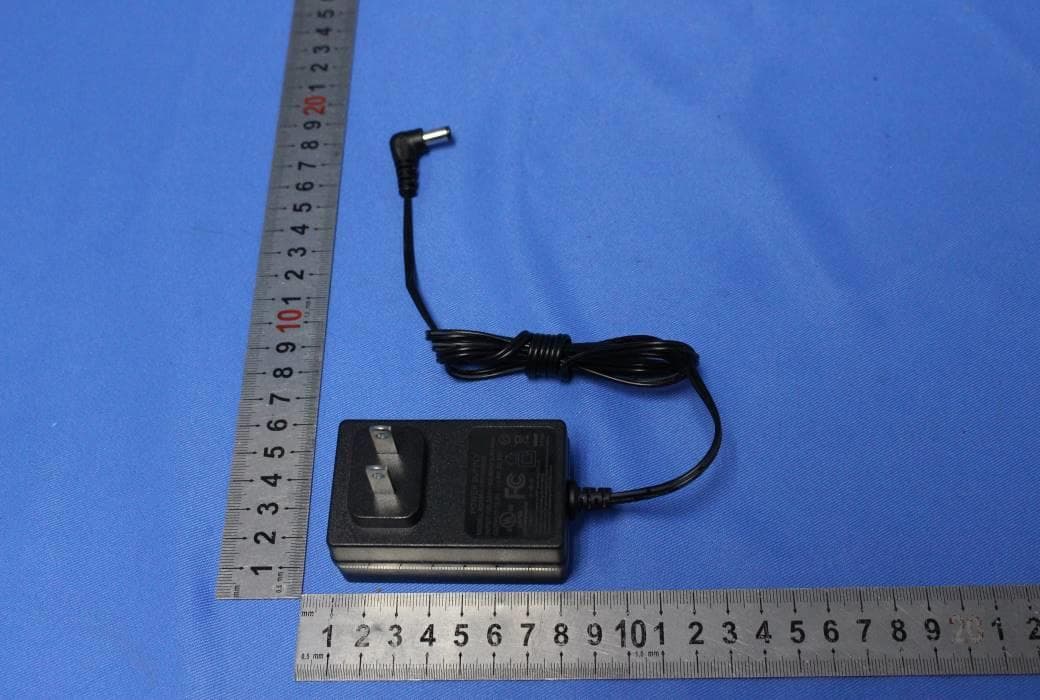
2AD33S113C
Jul 26, 2020Shockwave 100 Wireless Party Speaker
Equipment Class
DSS - Part 15 Spread Spectrum Transmitter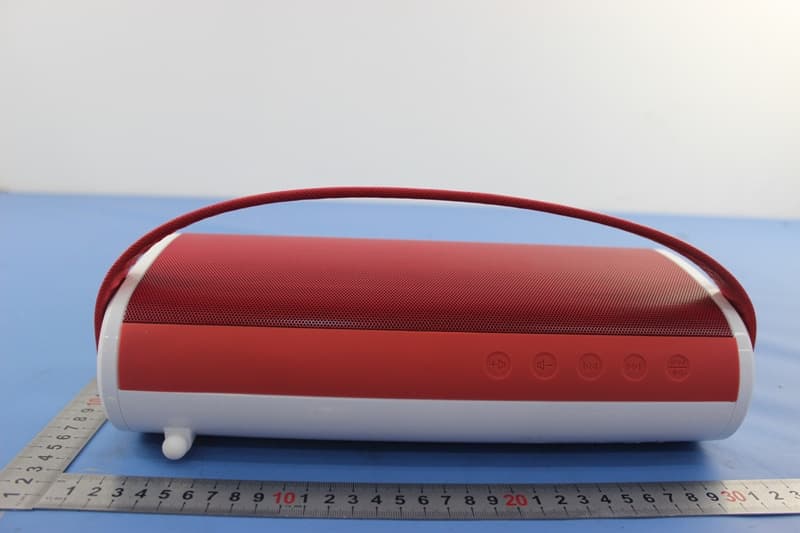
2AD33S34B
Feb 05, 2015Outdoor Bluetooth Speaker
Equipment Class
DSS - Part 15 Spread Spectrum Transmitter