2AD42BTEH-24BLUETOOTH EXECUTIVE HEADSET
CLEVER BRIGHT INTERNATIONAL (H.K.) LTD.Application Details
- Equipment Class
- DSS - Part 15 Spread Spectrum Transmitter
- Date of Grant
- Feb 04, 2015
- Application Purpose
- Original Equipment
- Date of Application
- Feb 04, 2015
- Equipment Note
- BLUETOOTH EXECUTIVE HEADSET
- Frequency Range
- 2402.00000000 - 2480.00000000
- Country
- China
Documents & Files
Document Text
Text extracted from the exhibit documents filed with the FCC. Open a document above to read the original.
Users Manual
Introduction Thank you for using Series 9 bluetooth stereo headset, fashionable style, powerful and excellent compatibility. It makes you achieve the wonderful experience of using wireless which is your best choice while in office, driving and outdoor activities. Bluetooth wireless technology Bluetooth wireless technology allows you to connect compatible communication device without cables. The bluetooth connection does not need the phone and the headset to be in line of sight, but both devices should be within 10 meters(30 feet) from each other. Connections can be subjected to interference from obstructions, such as walls or other electronic devices. The headset supports bluetooth V3.0 version and also supports below bluetooth mode: HSPV1.2 mode and HFP V1.6 hands‐free mode, and it complies with A2DP V1.2/AVRCP V1.0 agreement. Voice dialing、three‐party services、echo & noise cancelling and IOS battery display function are also available. Consult to other devices’ manufacturer to make sure if their devices are compatible with the headset. There may be restrictions on using bluetooth technology in some locations, check with your local authorites or service providers. Turn on: When in the off working mode, keep pressing MFB key (phone mark) until blue indicator light flashed and you will hear “turn on” tone. Turn off: When in any mode, keep pressing MFB until red indicator turns on for 2 seconds and you will hear “turn off ” tone. Pairing: Keep pressing MFB for 3 seconds until the red and blue indicator lights turn on alternately and you will hear “pairing” tone. Pairing time will last for 3 minutes, when paired, you will hear “connected” tone and if failed the red indicator lights flashes three times with a buzzer tone. Standby in no connection: Blue lights keep flashing and it will turn off automatically in 5 minutes if no connection. Connected: Blue lights flash once per 8 seconds. Coming calls: Blue lights flash quickly, broadcast the incoming number by voice intelligently. Mute: While talking, double‐click MFB then you hear “mute on”, repeat it then you will hear “mute off ”voice alert. Talking: Blue lights flash once per 8 seconds. Music: Blue lights flash once per 8 seconds. Disconnect: Every 12 seconds purple lights flash for three times and it have “away from” tone. Answering: Press MFB once when there is a call and you will hear a buzzer tone. Hang up: Press MFB once when talking an you will hear a buzzer tone. Reject Calls: Keep pressing MFB for one second and you will hear a buzzer tone. Volume “+”: Short press volume key “+” once then volume turns up a level. When turns up to the most you will hear a buzzer tone. Volume “‐”: Short press volume “‐” once then the volume turns down a level. When turns down to the lowest you will hear a buzzer tone. Redial the Last Call: Double‐click the MFB key and you will hear a buzzer tone. Voice Control: Press MFB key for one second and you will hear a buzzer tone. Cancel the Voice Control: Keep pressing MFB for one second to cancel the voice control in the control mode. Transfer Calls: Press MFB for one second in talking mode and you will hear a long buzzer mode. Play Music: Short press MFB key once. Pause Playing Music: Short press MFB key once. PREV: Press volume key “‐” for one second. Next Song: Press volume key “+” for one second. Three‐ Party Services: While talking, if you have a new incoming call, short press MFB once, hang up your current call (A party) and connect call from B party; Keep pressing MFB for three seconds you can reject B call and continue with A. When talking, if you have new incoming calls, double‐click MFB again and switch to talk with A/B. In three‐party talking, short press MFB once, hang up the current talking and continue to the kept call. Reconnection: Reconnect the paired phone once when turns on. Multi‐point Function Operating: In the off working mode, long press MFB to turn on the headset. When red and blue indicator lights flash alternately it gets into pairing mode. Use phone A to connect the headset, when connected turn off the headset; Turn on the headset again to get into pairing mode and use phone B to connect headset, once paired turn off the headset again. Turn on the headset power and when blue light flashes for three time then let go, no need to get into pairing mode this time, headset will connect to phone AB automaticly. Then you can use headset to get the incoming calls or play music from both A and B. Charge the battery: The battery power is low and red light flashes, you need to charge with the original charger/USB cable, insert the charger/USB cable, red light turns up. When fully charged, red lights turn to blue lights. Restore factory settings: In charging mode, keep pressing MFB key for around 6 seconds, red indicator lights flash for three times and it is restored. Often problems and solutions Problems description Cause solution Can not start The power used up Charge the battery fully before use Press MFB button too shortPress the MFB button for 3 seconds to re‐start the headset Can not charge Plug is not placed well Check the Plug well Can not close Operate a wrongly made of the headset/software error Plug to charger to reset The headset is not in searching status Set the headset in a searching status Can not find the headset when searching paring devices Mobile phone Bluetooth software error Close the mobile phones and re‐start. After sales service Our company provides the guarantees in strict accordance with state regulations: the warranty period of Series 9 products are two years. Our company do not provide unsalable goods refund, replaement services above the warranty perion. When met problems when using, please contact localsales agent to deal with it, for the following circumstances we can not guaranteed free of charge. Fragile label altered, tore; Touched by liquid, damaged by water Deformed seriously by outside force Damage caused by Accident or carelessness Damage caused by comme…
Text truncated - open the document above for the full version.
Cover Letter(s)
CLEVER BRIGHT INTERNATIONAL (H.K.) LTD Statement Model name: BTEH-24/6359, CB-BE014, SL Headset FCC ID: 2AD42BTEH-24 We hereby state that these models are identical in interior structure, electrical circuits and components, and just model names and appearance colors are different for the marketing requirement. Your assistance on this matter is highly appreciated. Sincerely, Client’s signature : Client’s name / title:Ling zheng / Manager Contact information / address :Rm 1701, Zhuoyue Building, Fuhua Yi Rd., Futian Central Zone, Shenzhen, China.
Cover Letter(s)
SCS-F18: Project and Product Certification Representative Authorization Letter Page 1 of 2 Rev 5.0 775 Montague Expressway Milpitas, CA 95035 Tel: 408-526-1188 Fax: 408-526-1088 Email: [email protected] Project and Product Certification Representative Authorization Letter Revision History Reason for Amendment (current / obsolete) From To Approved Date Initial Release (obsolete) 1.0 1.0 Nov-14-2006 Revised wording (obsolete) 1.0 2.0 Sept–25-2007 Updated company template (obsolete) 2.0 3.0 Jan-31-2012 Updated letter information (obsolete) 3.0 4.0 May-23-2014 Added FCC ID field (current) 4.0 5.0 Sept 16 2014 SCS-F18: Project and Product Certification Representative Authorization Letter Page 2 of 2 Rev 5.0 CLEVER BRIGHT INTERNATIONAL (H.K.) LTD 2015-01-29 To: SIEMIC, INC. 775 Montague Expressway, Milpitas, CA 95035 USA Dear Sir/Madam, Re: Product Certification Representative Authorization Letter We, CLEVER BRIGHT INTERNATIONAL (H.K.) LTD hereby authorize SIEMIC, Inc. to act as a Certification Body for certifying for the following project(s): Product Description: BLUETOOTH EXECUTIVE HEADSET Model name: BTEH-24/6359, CB-BE014, SL Headset FCC ID: 2AD42BTEH-24 Sincerely, Client’s signature : Client’s name / title:Ling zheng / Manager Contact information / address :Rm 1701, Zhuoyue Building, Fuhua Yi Rd., Futian Central Zone, Shenzhen, China.
Cover Letter(s)
SCS-F19: Confidentiality Request Letter Page 1 of 2 Rev 3.0 775 Montague Expressway Milpitas, CA 95035 Tel: 408-526-1188 Fax: 408-526-1088 Email: [email protected] Confidentiality Request Letter Revision History Reason for Amendment (current / obsolete) From To Approved Date Initial Release (obsolete) 1.0 1.0 Nov-14-2006 Adding CFR 2.459 (obsolete) 1.0 2.0 August – 11 - 2008 Updated company template & Added text box (current) 2.0 3.0 Jan-31-2012 SCS-F19: Confidentiality Request Letter Page 2 of 2 Rev 3.0 CLEVER BRIGHT INTERNATIONAL (H.K.) LTD 2015-01-29 To: Federal Communications Commission Authorization and Evaluation Division 7435 Oakland Mills Road Columbia, MD Subject: Permanent Confidentiality Request for FCC ID: 2AD42BTEH-24 We hereby request confidential treatment of information accompanying this application as outlined below: - Block Diagram - Operational Description - Schematic The above materials contain trade secrets and proprietary information not customarily released to the public. The public disclosure of these materials may be harmful to the applicant and provide unjustified benefits to its competitors. The applicant understands that pursuant to Section 0.457 & 0.459 of the Rules, disclosure of this application and all accompanying documentation will not be made before the date of the Grant for this application. Sincerely, Client’s signature : Client’s name / title:Ling zheng / Manager Contact information / address :Rm 1701, Zhuoyue Building, Fuhua Yi Rd., Futian Central Zone, Shenzhen, China.
ID Label/Location Info
FCC ID: 2AD42BTEH-24
Internal Photos
Antenna
RF Exposure Info
FCC ID : 2AD42BTEH-24 Portable device According to §15.247(e)(i) and §1.1307(b)(1), systems operating under the provisions of this section shall be operated in a manner that ensures that the public is not exposed to radio frequency energy level in excess of the Commission’s guidelines. According to KDB 447498 D01 General RF Exposure Guidance v05, section 4.3.1 The 1-g and 10-g SAR test exclusion thresholds for 100 MHz to 6 GHz at test separation distances ≤ 50 mm are determined by: [(max. power of channel, including tune-up tolerance, mW)/(min. test separation distance, mm)] · [√f(GHz)] ≤ 3.0 for 1-g SAR and ≤ 7.5 for 10-g extremity SAR, 16 where f(GHz) is the RF channel transmit frequency in GHz Power and distance are rounded to the nearest mW and mm before calculation 17 The result is rounded to one decimal place for comparison The test exclusions are applicable only when the minimum test separation distance is ≤ 50 mm and for transmission frequencies between 100 MHz and 6 GHz. When the minimum test separation distance is < 5 mm, a distance of 5 mm is applied to determine SAR test exclusion. GFSK Frequency (MHz) Output Power(dBm) Output Power(mW) Target power (dBm) Calculation Value Threshold Value 2402 -2.24 0.60 -1.5 ± 1 0.28 3.0 2440 -1.59 0.69 -1.5 ± 1 0.28 3.0 2480 -1.66 0.68 -1.5 ± 1 0.28 3.0 Threshold at which no SAR required is ≤ 3.0 for 1-g SAR, Separation distance is 5mm. Conclusion: No SAR is required. SIMULTANEOUS TRANSMISSION EVALUATION N/A
Test Report
REPORT NO. ATE20150150 Page 1 of 57 FCC ID: 2AD42BTEH-24 ACCURATE TECHNOLOGY CO. LTD APPLICATION CERTIFICATION On Behalf of CLEVER BRIGHT INTERNATIONAL (H.K.) LTD BLUETOOTH EXECUTIVE HEADSET Model No.: BTEH-24/6359, CB-BE014, SL Headset FCC ID: 2AD42BTEH-24 Prepared for : CLEVER BRIGHT INTERNATIONAL (H.K.) LTD Address : Rm 1701, Zhuoyue Building, Fuhua Yi Rd., Futian Central Zone, Shenzhen, P.R. China. Prepared by : ACCURATE TECHNOLOGY CO. LTD Address : F1, Bldg. A, Changyuan New Material Port, Keyuan Rd. Science & Industry Park, Nanshan, Shenzhen, Guangdong P.R. China Tel: (0755) 26503290 Fax: (0755) 26503396 Report Number : ATE20150150 Date of Test : Jan 19-27,2015 Date of Report : Jan 28,2015 REPORT NO. ATE20150150 Page 2 of 57 FCC ID: 2AD42BTEH-24 ACCURATE TECHNOLOGY CO. LTD TABLE OF CONTENTS Description Page Test Report Certification 1. GENERAL INFORMATION .......................................................................................................... 5 1.1. Description of Device (EUT)....................................................................................................................5 1.2. Description of Test Facility ......................................................................................................................6 1.3. Measurement Uncertainty.........................................................................................................................6 2. MEASURING DEVICE AND TEST EQUIPMENT ..................................................................... 7 3. OPERATION OF EUT DURING TESTING ................................................................................. 8 3.1. Operating Mode ........................................................................................................................................8 3.2. Configuration and peripherals ..................................................................................................................8 4. TEST PROCEDURES AND RESULTS ......................................................................................... 9 5. 20DB BANDWIDTH TEST............................................................................................................ 10 5.1. Block Diagram of Test Setup..................................................................................................................10 5.2. The Requirement For Section 15.247(a)(1) ............................................................................................10 5.3. EUT Configuration on Measurement .....................................................................................................10 5.4. Operating Condition of EUT ..................................................................................................................10 5.5. Test Procedure ........................................................................................................................................11 5.6. Test Result ..............................................................................................................................................11 6. CARRIER FREQUENCY SEPARATION TEST........................................................................ 13 6.1. Block Diagram of Test Setup..................................................................................................................13 6.2. The Requirement For Section 15.247(a)(1) ............................................................................................13 6.3. EUT Configuration on Measurement .....................................................................................................13 6.4. Operating Condition of EUT ..................................................................................................................13 6.5. Test Procedure ........................................................................................................................................14 6.6. Test Result ..............................................................................................................................................14 7. NUMBER OF HOPPING FREQUENCY TEST ......................................................................... 17 7.1. Block Diagram of Test Setup..................................................................................................................17 7.2. The Requirement For Section 15.247(a)(1)(iii) ......................................................................................17 7.3. EUT Configuration on Measurement .....................................................................................................17 7.4. Operating Condition of EUT ..................................................................................................................17 7.5. Test Procedure ........................................................................................................................................18 7.6. Test Result ..............................................................................................................................................18 8. DWELL TIME TEST ..................................................................................................................... 19 8.1. Block Diagram of Test Setup..................................................................................................................19 8.2. The Requirement For Section 15.247(a)(1)(iii) ......................................................................................19 8.3. EUT Configuration on Measurement .....................................................................................................19 8.4. Operating Condition of EUT ..................................................................................................................19 8.5. Test Procedure ................................................................................................…
Text truncated - open the document above for the full version.
Contact Information
Applicant
Ling Zheng(Manager)
Test Firm
Accurate Technology Co., Ltd.Sean Liu
Technical Specifications
| # | Rule Parts | Frequency Range | Power Output |
|---|---|---|---|
| 1 | 15C | 2.40 GHz - 2.48 GHz | 690.00 µW |
Other Applications from CLEVER BRIGHT INTERNATIONAL (H.K.) LTD.
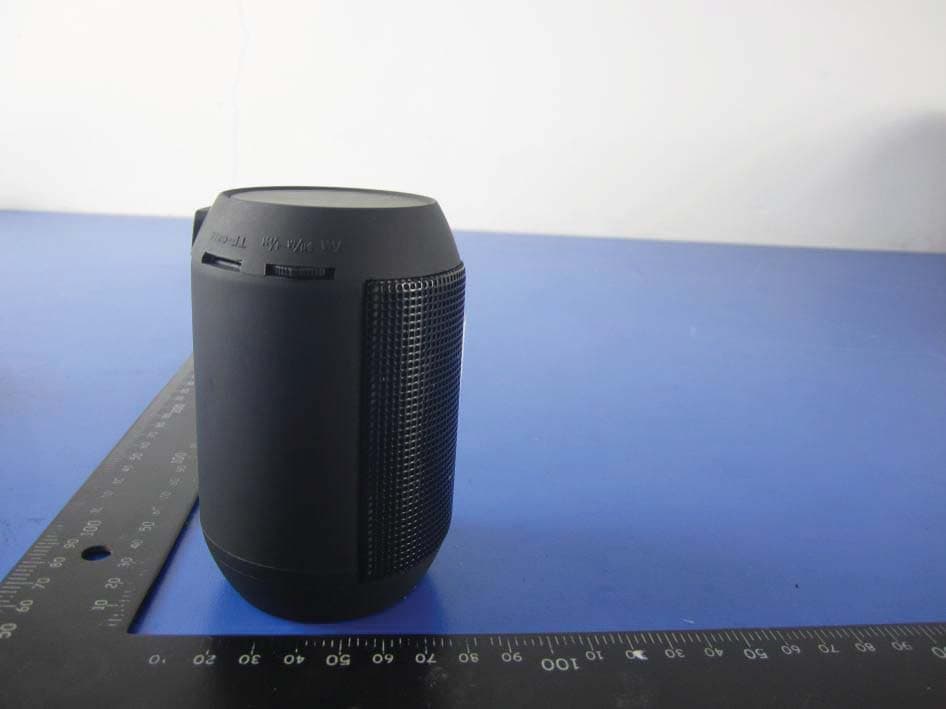
2AD42BCL-122907
Jul 28, 2015Bluetooth Color Changing LED Speaker(Small)
Equipment Class
DSS - Part 15 Spread Spectrum Transmitter2AD42BTSH-12
Apr 13, 2015Bluetooth Stereo Headphone with built-mic
Equipment Class
DSS - Part 15 Spread Spectrum Transmitter2AD42BSEM-12
Feb 04, 2015BLUETOOTH STEREO EARBUDS WITH BUILT-IN MIC
Equipment Class
DSS - Part 15 Spread Spectrum Transmitter