2AD42BTSH-12Bluetooth Stereo Headphone with built-mic
CLEVER BRIGHT INTERNATIONAL (H.K.) LTD.Application Details
- Equipment Class
- DSS - Part 15 Spread Spectrum Transmitter
- Date of Grant
- Apr 13, 2015
- Application Purpose
- Original Equipment
- Date of Application
- Apr 13, 2015
- Equipment Note
- Bluetooth Stereo Headphone with built-mic
- Frequency Range
- 2402.00000000 - 2480.00000000
- Country
- China
Documents & Files
Document Text
Text extracted from the exhibit documents filed with the FCC. Open a document above to read the original.
Users Manual
1 BTSH-12/6335 BluetoothStereoHeadphone withbuilt-inMic INSTRUCTIONMANUAL PLEASEREADALLINSTRUCTIONSCAREFULLY ANDRETAINFORFUTUREUSE 2 Gettingstarted Removetheproductfromthebox. Removeanypackagingfromtheproduct. Pleaseretainallpackagingafteryouhavecheckedandcountedallthepartsandthecontents againstthelist. PackageContents BluetoothHeadphone USBchargingcable 3.5mmauxiliarycable InstructionManual KeyFeatures Bluetoothstereoheadset Built-inmicrophoneforhands-freeusewithBluetoothenableddevices Comfortableadjustabledesign Connectsautomaticallytopreviouslyconnecteddevices SafetyInstructions Keeptheunitawayfromheatsources,directsunlight,humidity,waterandanyotherliquids. Donotoperatetheunitifithasbeenexposedtowater,moistureoranyotherliquidstoprevent againstelectricshock,explosionand/orinjurytoyourselfanddamagetotheunit. Donotusetheunitifithasbeendroppedordamagedinanyway. Repairstoelectricalequipmentshouldonlybeperformedbyaqualifiedelectrician.Improperrepairs mayplacetheuseratseriousrisk. Donotusetheunitwithwethands. Donotputobjectsintoanyoftheopenings. Keeptheunitfreefromdust,lintetc. Donotusethisunitforanythingotherthanitsintendeduse. Keeptheunitoutofreachofchildren. Thisproductisnotatoy. Donotusethehandsetatexcessivevolumelevels,asdamagetohearingmayoccur. 3 DescriptionofParts: 1Adjustableheadband 2Speakers 3Built-InMicrophone 4LEDLightIndicator 5Auxiliaryinput 6Chargingport 7MF(Multi-Function)/Phonebutton 8VolumeDecrease(V-) 9NextTrack 10VolumeIncrease(V+) 11PreviousTrack 4 INSTRUCTIONSFORUSE ChargingInstructions TheBluetoothHeadphonecomeswithabuiltinrechargeablebattery.Beforeusingitforthefirst timewerecommendyouchargethebatteryfully.OnlyusethesuppliedUSBCordtochargethe BluetoothHeadphone.Pleasechargeforabout2-3hours. ConnecttheUSBchargingcabletoacomputerUSBportandtheMicroUSBplugtothecharging portofthedevice.TheRedLEDlightturnsonwhilethedeviceischarging.Ittakes2-3hoursfor theunittofullycharge.Whenthebatteryisfullycharged,itwillchangetoBlueLEDlight. Turningon/offthedevice PressandholdtheMFbuttonfor2-4secondstoturnONorOFFthedevicewithindicationtone. PairingthedevicewithBluetoothdevices(phoneormusicdevice) Ensurethedeviceisturnedoff,andthenpressandholdtheMFbuttonfor2-4secondstoturnon withindicationtone,andtheLEDflashesbluerapidly.PlacetheBluetoothHeadphoneand Bluetoothdevice(phoneormusicdevice)sothattheyarenofurtherthan3feetapart; ActivatetheBluetoothfunctiononyourBluetoothdevice(phoneormusicdevice).Pleasereferto themanufacturer’sinstructionsforinstructionsonenablingBluetoothonyourdevice. OnceyouhaveactivatedBluetoothonyourdevice,selectthe“SLBTHDSET”fromthelistof availableBluetoothdevices. Ifrequired,enterthepassword‘0000’toconfirm&finalizepairing. Oncepairedsuccessful,beepsoundwillbeheardandtheLEDflashesblueslowly. Youcannowstarttousethedevice. Pleasenotepairingmodeonthedevicewilllastforaround10minutes.Ifnodevicesarepaired withinaround10minutesthedevicewillpoweroffautomatically. Ifpairingisunsuccessful,turnoffthedevicefirstandthenre-pairfollowingtheabovesteps. OnceyouhavepairedtheBluetoothHeadphonewithadevice,theHeadphonewillremember thisdeviceandwillpairautomaticallywhenthedevice’sBluetoothisactivatedandinrange.You donotneedtore-pairanypreviouslyconnecteddevices. TheBluetoothHeadphonewillattempttoautomaticallyconnecttothelastdeviceitwaspaired withwhenswitchedon.Ifyouwanttopairitwithanewdevice,pleasefollowthestepsoutlined above. OncetheBluetoothHeadphoneispairedwithyourdevicethemusicwilltransmitthroughthe BluetoothHeadphone.Pleaserefertoyourdevice’susermanualforfurtherinformation. 5 FunctionSummary ListeningtoMusic OncetheHeadphoneispairedwithyourdeviceyoucanstreammusicwirelesslythroughthe BluetoothHeadphone.Shouldyouencounteranyproblemswhilestreamingpleasereferyour device’susermanualforfurtherinformation. ControlFunction FunctionOperationButton IncreaseVolumePlayingmusicAlongpressontheV+buttononcewillincreasethevolume DecreaseVolumePlayingmusicAlongpressontheV-buttononcewilldecreasethevolume PausePlayingmusicAshortpressontheMFbuttonwillpausethemusic PlayPausingAshortpressontheMFbuttonwillrestartthemusic PrevioustrackPlayingmusicAshortpressonthebuttonwillreturnyoutotheprevious track NexttrackPlayingmusicAshortpressonthebuttonwilltakeyoutothenexttrack MakingacallwiththeBluetoothHeadphoneinBluetoothmode Basicoperation FunctionOperationButton AnsweracallIncomingCallPresstheMFbuttononcetoansweranincoming call EndacallIncomingCallAfteryourphoneconversation,shortpressthe MFbutton. IncreaseVolumeDuringacallAlongpressontheV+buttononcewillincrease thevolume DecreaseVolumeDuringacallAlongpressontheV-buttononcewilldecrease thevolume RediallastnumberStandbymodeand connectedtoadevice ShortpresstheMFbuttontwice PleaseNote Notallmobilephonessupportallthefunctionslistedabove.Pleaserefertoyourcellphone’s user’smanualforfurtherinformation. Certainfunctionsandindicationtonemaybevarydependingonyourmobilephone. 6 LEDindicator PleaserefertothebelowtablesforalistoftheLEDstatuseswhilstusingtheBluetoothHeadphone. ChargingIndication LEDindicatorStatusoftheBTHeadphone RedLEDCharging BlueLEDChargingCompleted LEDIndication LEDindicatorStatusoftheBTHeadphone LEDflashesbluerapidlyPairingmode ListeningtoMusicusingAUX-InMode 1.Insertthe3.5mmauxiliarycable(provided)totheAuxinputofthespeaker.And,theother endofthecableconnectstotheaudiodevice(suchascomputer/tabletetc.). 2.Selectyourfavoritesongatthesourcedeviceandplay. (Note:UsingthisAux-inmode,youdonotneedtoturnontheHeadphone,andyouneedtocontrol thevolumeincrease/decrease,play/pause,next/previoustrackthroughyoursourcedeviceonly.) Do’sandDon’ts Donotplaymusicatexcessivelevels.Damagetohearingand/orequipmentmayresult. Donotuseoutdoorsinwetorindampsurroundings. CareandMaintenance ReadthefollowingrecommendationsbeforeusingtheBluetoothHeadphone.Followingtheseyouwill beabletoenjoytheproductformanyyears. DonotexposetheBluetoothHeadphonetoliquid,moistureorhumiditytoavoidtheproduct’s internalcircuitbeingaffected. Don’tuseabrasivecleaningsolventstocleanthedevice. …
Text truncated - open the document above for the full version.
Cover Letter(s)
SCS-F18: Project and Product Certification Representative Authorization Letter Page 1 of 2 Rev 5.0 775 Montague Expressway Milpitas, CA 95035 Tel: 408-526-1188 Fax: 408-526-1088 Email: [email protected] Project and Product Certification Representative Authorization Letter Revision History Reason for Amendment (current / obsolete) From To Approved Date Initial Release (obsolete) 1.0 1.0 Nov-14-2006 Revised wording (obsolete) 1.0 2.0 Sept–25-2007 Updated company template (obsolete) 2.0 3.0 Jan-31-2012 Updated letter information (obsolete) 3.0 4.0 May-23-2014 Added FCC ID field (current) 4.0 5.0 Sept 16 2014 SCS-F18: Project and Product Certification Representative Authorization Letter Page 2 of 2 Rev 5.0 CLEVER BRIGHT INTERNATIONAL (H.K.) LTD 2015-04-13 To: SIEMIC, INC. 775 Montague Expressway, Milpitas, CA 95035 USA Dear Sir/Madam, Re: Product Certification Representative Authorization Letter We, CLEVER BRIGHT INTERNATIONAL (H.K.) LTD hereby authorize SIEMIC, Inc. to act as a Certification Body for certifying for the following project(s): Product Description: Bluetooth Stereo Headphone with built-mic Model name: BTSH-12/6335,CB-BH027,SL BT HDSET FCC ID: 2AD42BTSH-12 Sincerely, Client’s signature : Client’s name / title:Ling zheng / Manager Contact information / address :Rm 1701, Zhuoyue Building, Fuhua Yi Rd., Futian Central Zone, Shenzhen, China.
Cover Letter(s)
SCS-F19: Confidentiality Request Letter Page 1 of 2 Rev 3.0 775 Montague Expressway Milpitas, CA 95035 Tel: 408-526-1188 Fax: 408-526-1088 Email: [email protected] Confidentiality Request Letter Revision History Reason for Amendment (current / obsolete) From To Approved Date Initial Release (obsolete) 1.0 1.0 Nov-14-2006 Adding CFR 2.459 (obsolete) 1.0 2.0 August – 11 - 2008 Updated company template & Added text box (current) 2.0 3.0 Jan-31-2012 SCS-F19: Confidentiality Request Letter Page 2 of 2 Rev 3.0 CLEVER BRIGHT INTERNATIONAL (H.K.) LTD 2015-04-13 To: Federal Communications Commission Authorization and Evaluation Division 7435 Oakland Mills Road Columbia, MD Subject: Permanent Confidentiality Request for FCC ID: 2AD42BTSH-12 We hereby request confidential treatment of information accompanying this application as outlined below: - Block Diagram - Operational Description - Schematic The above materials contain trade secrets and proprietary information not customarily released to the public. The public disclosure of these materials may be harmful to the applicant and provide unjustified benefits to its competitors. The applicant understands that pursuant to Section 0.457 & 0.459 of the Rules, disclosure of this application and all accompanying documentation will not be made before the date of the Grant for this application. Sincerely, Client’s signature : Client’s name / title:Ling zheng / Manager Contact information / address :Rm 1701, Zhuoyue Building, Fuhua Yi Rd., Futian Central Zone, Shenzhen, China.
Cover Letter(s)
CLEVER BRIGHT INTERNATIONAL (H.K.) LTD Statement Model name: BTSH-12/6335,CB-BH027,SL BT HDSET FCC ID: 2AD42BTSH-12 We hereby state that these models are identical in interior structure, electrical circuits and components, and just model names and appearance colors are different for the marketing requirement. Your assistance on this matter is highly appreciated. Sincerely, Client’s signature : Client’s name / title:Ling zheng / Manager Contact information / address : Rm 1701, Zhuoyue Building, Fuhua Yi Rd., Futian Central Zone, Shenzhen, China.
ID Label/Location Info
FCC ID: 2AD42BTSH-12
Internal Photos
ANTENNA
RF Exposure Info
FCC ID : 2AD42BTSH-12 Portable device According to §15.247(e)(i) and §1.1307(b)(1), systems operating under the provisions of this section shall be operated in a manner that ensures that the public is not exposed to radio frequency energy level in excess of the Commission’s guidelines. According to KDB 447498 D01 General RF Exposure Guidance v05, section 4.3.1 The 1-g and 10-g SAR test exclusion thresholds for 100 MHz to 6 GHz at test separation distances ≤ 50 mm are determined by: [(max. power of channel, including tune-up tolerance, mW)/(min. test separation distance, mm)] · [√f(GHz)] ≤ 3.0 for 1-g SAR and ≤ 7.5 for 10-g extremity SAR, 16 where f(GHz) is the RF channel transmit frequency in GHz Power and distance are rounded to the nearest mW and mm before calculation 17 The result is rounded to one decimal place for comparison The test exclusions are applicable only when the minimum test separation distance is ≤ 50 mm and for transmission frequencies between 100 MHz and 6 GHz. When the minimum test separation distance is < 5 mm, a distance of 5 mm is applied to determine SAR test exclusion. GFSK Frequency (MHz) Output Power(dBm) Output Power(mW) Target power (dBm) Calculation Value Threshold Value 2402 2.42 1.75 2 ± 1 0.62 3.0 2441 1.64 1.46 2 ± 1 0.62 3.0 2480 2.43 1.75 2 ± 1 0.63 3.0 Threshold at which no SAR required is ≤ 3.0 for 1-g SAR, Separation distance is 5mm. Conclusion: No SAR is required. SIMULTANEOUS TRANSMISSION EVALUATION N/A
Test Report
REPORT NO. ATE20150291 Page 1 of 57 FCC ID: 2AD42BTSH-12 ACCURATE TECHNOLOGY CO. LTD APPLICATION CERTIFICATION On Behalf of CLEVER BRIGHT INTERNATIONAL (H.K.) LTD Bluetooth Stereo Headphone with built-mic Model No.: BTSH-12/6335,CB-BH027,SL BT HDSET FCC ID: 2AD42BTSH-12 Prepared for : CLEVER BRIGHT INTERNATIONAL (H.K.) LTD Address : Rm 1701, Zhuoyue Building, Fuhua Yi Rd., Futian Central Zone, Shenzhen, P.R. China. Prepared by : ACCURATE TECHNOLOGY CO. LTD Address : F1, Bldg. A, Changyuan New Material Port, Keyuan Rd. Science & Industry Park, Nanshan, Shenzhen, Guangdong P.R. China Tel: (0755) 26503290 Fax: (0755) 26503396 Report Number : ATE20150291 Date of Test : Feb 05-Mar 13,2015 Date of Report : Mar 13,2015 REPORT NO. ATE20150291 Page 2 of 57 FCC ID: 2AD42BTSH-12 ACCURATE TECHNOLOGY CO. LTD TABLE OF CONTENTS Description Page Test Report Certification 1. GENERAL INFORMATION .......................................................................................................... 5 1.1. Description of Device (EUT)....................................................................................................................5 1.2. Description of Test Facility ......................................................................................................................6 1.3. Measurement Uncertainty.........................................................................................................................6 2. MEASURING DEVICE AND TEST EQUIPMENT ..................................................................... 7 3. OPERATION OF EUT DURING TESTING ................................................................................. 8 3.1. Operating Mode ........................................................................................................................................8 3.2. Configuration and peripherals ..................................................................................................................8 4. TEST PROCEDURES AND RESULTS ......................................................................................... 9 5. 20DB BANDWIDTH TEST............................................................................................................10 5.1. Block Diagram of Test Setup..................................................................................................................10 5.2. The Requirement For Section 15.247(a)(1) ............................................................................................10 5.3. EUT Configuration on Measurement .....................................................................................................10 5.4. Operating Condition of EUT ..................................................................................................................10 5.5. Test Procedure ........................................................................................................................................11 5.6. Test Result ..............................................................................................................................................11 6. CARRIER FREQUENCY SEPARATION TEST........................................................................ 11 6.1. Block Diagram of Test Setup..................................................................................................................13 6.2. The Requirement For Section 15.247(a)(1) ............................................................................................13 6.3. EUT Configuration on Measurement .....................................................................................................13 6.4. Operating Condition of EUT ..................................................................................................................13 6.5. Test Procedure ........................................................................................................................................14 6.6. Test Result ..............................................................................................................................................14 7. NUMBER OF HOPPING FREQUENCY TEST ......................................................................... 15 7.1. Block Diagram of Test Setup..................................................................................................................17 7.2. The Requirement For Section 15.247(a)(1)(iii) ......................................................................................17 7.3. EUT Configuration on Measurement .....................................................................................................17 7.4. Operating Condition of EUT ..................................................................................................................17 7.5. Test Procedure ........................................................................................................................................18 7.6. Test Result ..............................................................................................................................................18 8. DWELL TIME TEST ..................................................................................................................... 19 8.1. Block Diagram of Test Setup..................................................................................................................19 8.2. The Requirement For Section 15.247(a)(1)(iii) ......................................................................................19 8.3. EUT Configuration on Measurement .....................................................................................................19 8.4. Operating Condition of EUT ..................................................................................................................19 8.5. Test Procedure ................................................................................…
Text truncated - open the document above for the full version.
Contact Information
Applicant
Ling Zheng(Manager)
Test Firm
Accurate Technology Co., Ltd.Sean Liu
Technical Specifications
| # | Rule Parts | Frequency Range | Power Output |
|---|---|---|---|
| 1 | 15C | 2.40 GHz - 2.48 GHz | 1.75 mW |
Other Applications from CLEVER BRIGHT INTERNATIONAL (H.K.) LTD.
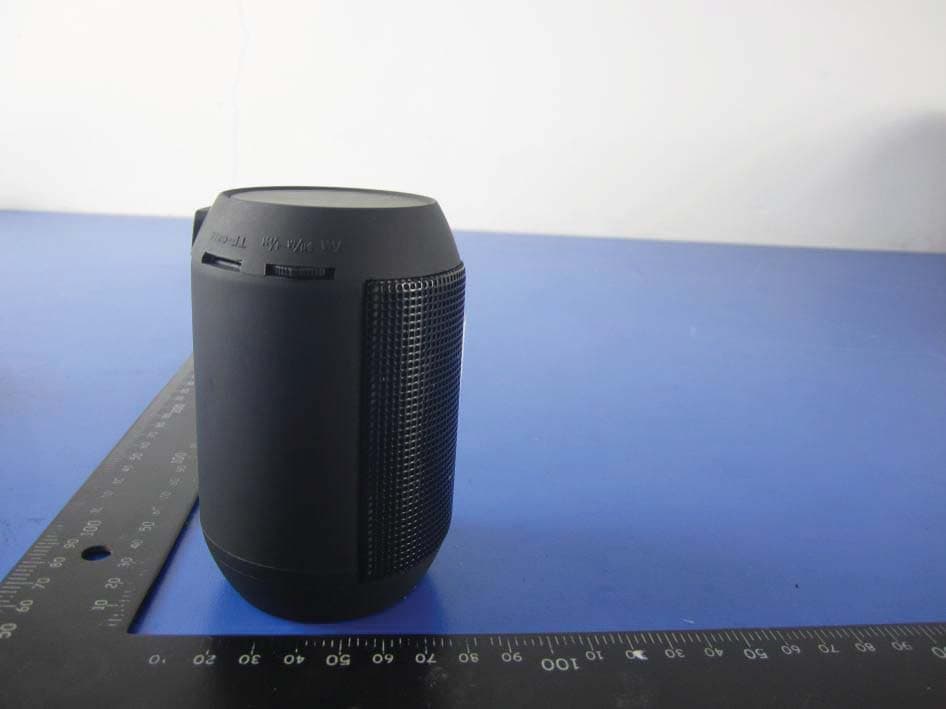
2AD42BCL-122907
Jul 28, 2015Bluetooth Color Changing LED Speaker(Small)
Equipment Class
DSS - Part 15 Spread Spectrum Transmitter2AD42BTEH-24
Feb 04, 2015BLUETOOTH EXECUTIVE HEADSET
Equipment Class
DSS - Part 15 Spread Spectrum Transmitter2AD42BSEM-12
Feb 04, 2015BLUETOOTH STEREO EARBUDS WITH BUILT-IN MIC
Equipment Class
DSS - Part 15 Spread Spectrum Transmitter