2AEBD-ANYWHEREScanner
Kenxen Electronic (SZ) Limited.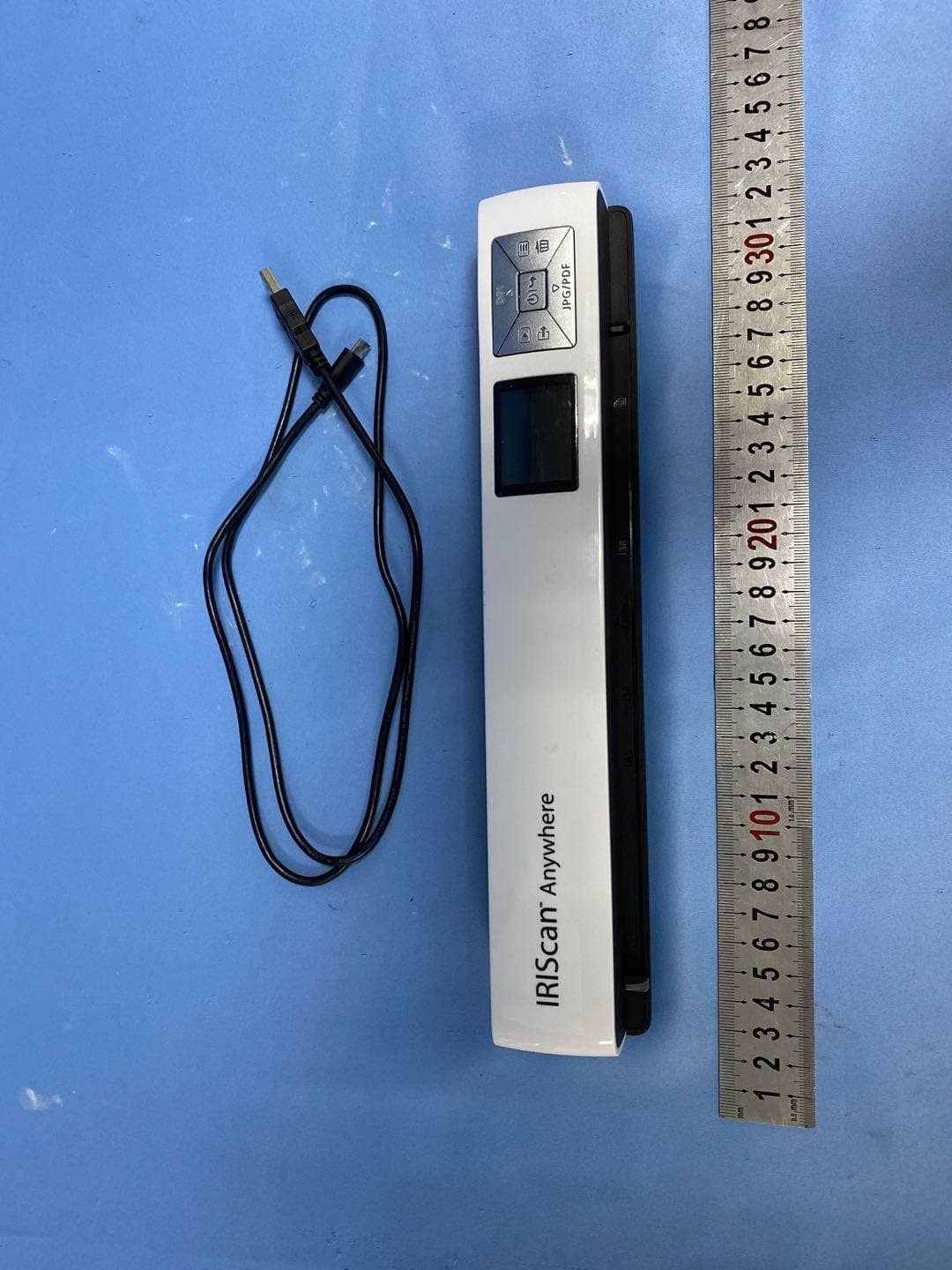
Click to zoom
Application Details
- Equipment Class
- DTS - Digital Transmission System
- Date of Grant
- May 09, 2021
- Application Purpose
- Original Equipment
- Date of Application
- May 09, 2021
- Equipment Note
- Scanner
- Frequency Range
- 2412.00000000 - 2462.00000000
- Country
- China
Documents & Files
Document Text
Text extracted from the exhibit documents filed with the FCC. Open a document above to read the original.
Users Manual
Getting Started This Quick User Guide helps you get started with the IRIScan ™ Anywhere 6. Please read this guide before operating this scanner and its software. All information is subject to change without prior notice. Software delivered with this scanner are: Readiris ™ and Cardiris ™ (PC and Mac), and InstantResult™ (PC only). For detailed information about the full range of features of Readiris ™ and Cardiris ™ , consult the help file provided with the software, or the latest User Guides on http://www.irislink.com. Table of Contents Getting Started ............................................................................................................................................................................................. 2 1. Introduction ............................................................................................................................................................................................. 4 2. Software installation ................................................................................................................................................................................ 4 2.1 Added value ....................................................................................................................................................................................... 4 2.3 Activation ........................................................................................................................................................................................... 5 2.2 Installation ......................................................................................................................................................................................... 4 3. Prepare the Scanner................................................................................................................................................................................. 6 3.1 Charge the Battery ............................................................................................................................................................................. 6 3.2 Insert the microSD Memory Card ...................................................................................................................................................... 6 4. Buttons and Settings ................................................................................................................................................................................ 7 4.1 The Scanner Buttons .......................................................................................................................................................................... 7 4.2 The Scanner Settings .......................................................................................................................................................................... 8 4.3 How to modify the Settings? .............................................................................................................................................................. 9 4.3.1 Modify the resolution and the output file format by using the buttons .................................................................................... 9 4.3.2 Modify the settings within the menu .......................................................................................................................................... 9 5. Scan Documents ..................................................................................................................................................................................... 10 5.1 How to Scan Documents .................................................................................................................................................................. 10 5.2 Check your scanned documents ...................................................................................................................................................... 11 5.3 Scan documents while using the micro USB cable ........................................................................................................................... 11 5.4 Deleting Files .................................................................................................................................................................................... 11 6. Transfer Scanned Documents to your Computer .............................................................................................................................. 12 7.1 Using the provided micro USB cable (Windows® and macOS®) ...................................................................................................... 12 7.2 Using the microSD card adapter (Windows®, macOS® and Tablet) ................................................................................................. 12 7. Scan, Edit and Convert Images into Editable Text with InstantResult™................................................................................................. 20 7.1 Using InstantResult™ to scan ........................................................................................................................................................... 20 7.2 Using InstantResult™ to convert your scanned files into editable text ........................................................................................... 21 7.3 Using InstantResult™ to edit your scanned files .............................................................................................................................. 21 7.4 Using InstantResult™ to save your (recognized) scanned files ........................................................................................................ 22 8. Troubleshooting ......................................................................................................................…
Text truncated - open the document above for the full version.
Cover Letter(s)
Kenxen Electronic (SZ)Limited 13/October/2020 Federal Communications Commission 445 12 th Street SW Washington, DC 20554 Subject: Limited Agency Agreement Kenxen Electronic(SZ)L imited FCC ID: 2AEBD-ANYWHERE To Whom It May Concern: We, (Kenxen Electronic (SZ)Limited), hereby authorized Intertek Testing Services to act as our Agent for the purpose of preparing application for FCC ID number (2AEBD-ANYWHERE ) under all applicable parts of the FCC rules and regulations. The effective date of this limited agency agreement is (13.0ctober.2020 ). The Limited Agency Agreement expires on (1.July.2021), unless sooner terminated or extended by written notice to Intertek Testing Services and the Federal Communications Commission. This is to advise that we are in full compliance with the Anti-Drug Abuse Act. The applicant is not subject to a denial of federal benefits pursuant to Section 5301 of the Anti-Drug Act of 1988, 21 U.S.C. 862, and no party to the application is subject to a denial of federal benefits pursuant to that section. If you have any questions or comments, please do not hesitate to contact me. Sincerely, ______________ Jason Lim Chief Operation Officer
Cover Letter(s)
1(2) Kenxen Electronic (SZ)Limited Attention: Certification reviewer RE: Request for Confidentiality FCC ID: 2AEBD-ANYWHERE To Whom It May Concern: Permanent Confidentiality [Complete this section if permanent confidentiality is requested] Request to withhold permanently from public review certain portions of the application for equipment certification for the referenced FCC identifiers. This request for confidentiality is made pursuant to 47 CFR 0.457(d) and 0.459 of the FCC Rules. In particular, the following sections of the application are to be kept permanently confidential: [Select one or more of items below, as appropriate] Schematics Block Diagrams Operational Description Tune-up Procedure Parts List Internal Photos (see note) Users Manual (see note) Note 1: Internal Photos may be held confidential 1) if the circuit board or internal components are not accessible to users. For example, it is acceptable if the circuit board is enclosed in epoxy. 2) Also, it is acceptable if the device is not accessible to the public, for example, a device mounted on the top of a large tower (or in a fenced enclosure) such that it is only serviceable by professional designated technicians under a Non-Disclosure Agreement (NDA). All sales for these devices must be under a NDA restricting the disclosure of the propriety information, including internal photos. Users Manual may be held confidential only when the manual contains proprietary technical information intended for professional technicians obligated under a NDA. All sales and distribution of the user’s manual must be under a NDA that restricts the disclosure of the information. In the application cover letter requesting permanent confidentiality the following additional description and the NDA exhibit is required: 1. Describe in detail how internal photos and/or users manual information are controlled to prevent them from becoming public or disclosed to unauthorized persons. 2. Describe how public access is restricted for products serviceable by professional designated technicians. 3. A statement that all sales of the non-consumer device will be under a NDA to include third party sales and that the final user of the device is subject to the NDA. 4. Provide an example of the NDA between the grantee and a purchaser. The request for confidentiality must Note 2: For scanning receiver, the schematics, block diagrams, operational description, tune-up procedure, parts list and internal photos are always held permanently confidential. Short-term Confidentiality [Complete this section if short-term confidentiality is requested] Request to withhold from public review for a period of 120 days from the date of the Grant of Equipment Authorization and prior to marketing, certain portions of the application for equipment certification for the referenced FCC identifiers. This request for confidentiality is made pursuant to 47 CFR 0.457(d) and 0.459 of the FCC Rules. In particular, the following sections of the application are to be kept short-term confidential for a period above from the date of the grant [Select one or more of items below that are not selected in the list above, as appropriate] Schematics Block diagrams Operational Description Tune-up Procedure Parts List 2(2) Test Setup Photos External Photos Internal Photos Users Manual Rationale for request for confidentiality: We have invested considerable time and materials in research and development to produce the referenced product. Permanent confidentiality: Disclosure of the permanently confidential portions of this application to competitors would not only give them significant competitive advantages in developing similar products, but would also disclose successful implementation of unpublished, leading edge technology developed by us. Short-term confidentiality: Disclosure of the short-term confidential portions of this application during the period of importation and/or distribution would reveal key aspects of proprietary technology to competitors and diminish the value of our investment in research and development. If you have questions or need further information, please contact the undersigned. Sincerely, _________________ Jason Lim Chief Operation Officer Kenxen Electronic (SZ)Limited 13.October.2020
External Photos
External photos
Internal Photos
Internal photos WIFI Antenna
RF Exposure Info
INTERTEK TESTING SERVICES RF Exposure The Equipment Under Test (EUT) is a Scanner with Wi-Fi function operating at 2412-2462MHz. 11 channels with 5MHz channel spacing for 802.11b/g/n-HT20, 7 channels with 5MHz channel spacing for 802.11n-HT40. The EUT is powered by DC 3.7V by lithium battery which can be charged by DC 5V though micro USB port. For more detailed features description, please refer to the user’s manual. WIFI Function: Modulation Type: CCK, BPSK, QPSK, 16QAM, 64QAM, DQPSK, DBPSK Antenna Type: Internal antenna Antenna Gain: 2.2 dBi The conducted average output power specified: 7.5dBm (Tolerance: +/- 2dB) IEEE 802.11b (CCK, 1Mbps) Frequency (MHz) Output in dBm (Average Reading) Low Channel: 2412 8.10 Middle Channel: 2437 9.00 High Channel: 2462 9.30 IEEE 802.11g (16QAM, 6Mbps) Frequency (MHz) Output in dBm (Average Reading) Low Channel: 2412 7.84 Middle Channel: 2437 8.64 High Channel: 2462 9.12 IEEE 802.11n-HT20 (64QAM, MCS0) Frequency (MHz) Output in dBm (Average Reading) Low Channel: 2412 7.69 Middle Channel: 2437 8.51 High Channel: 2462 9.03 IEEE 802.11n-HT40 (64QAM, MCS0) Frequency (MHz) Output in dBm (Average Reading) Low Channel: 2422 7.49 Middle Channel: 2437 7.91 High Channel: 2452 8.41 FCC ID: 2AEBD-ANYWHERE INTERTEK TESTING SERVICES The maximun conducted average output power for the EUT is 9.30dBm in the frequency 2462MHz at IEEE 802.11b which is within the production variation. The minimun conducted average output power for the EUT is 7.49dBm in the frequency 2422MHz at IEEE 802.11n-HT40 which is within the production variation. The maximun conducted output power specified is 9.5dBm = 8.91mW The source- based time-averaging conducted output power = 8.91 * Duty factor mW (where Duty Factor≤1) = 8.91 mW The SAR Exclusion Threshold Level: = 3.0 * (min. test separation distance, mm) / sqrt(freq. in GHz) = 3.0 * 5 / sqrt (2.462) mW = 9.56 mW Since the source-based time-averaging conducted output power is well below the SAR exclusion threshold level, so the EUT is considered to comply with SAR requirement without testing. FCC ID: 2AEBD-ANYWHERE
Test Report
Kenxen Electronic(SZ) Limited TEST REPORT SCOPE OF WORK FCC TESTING–IRIScan™ Anywhere 6 WIFI REPORT NUMBER 201009041SZN-001 ISSUE DATE [REVISED DATE] 3 November 2020 [---------------------] PAGES 69 DOCUMENT CONTROL NUMBER FCC ID 247_b © 2017 INTERTEK Intertek Report No.: 201009041SZN-001 This report is for the exclusive use of Intertek's Client and is provided pursuant to the agreement between Intertek and its Client. Intertek's responsibility and liability are limited to the terms and conditions of the agreement. Intertek assumes no liability to any party, other than to the Client in accordance with the agreement, for any loss, expense or damage occasioned by the use of this report. Only the Client is authorized to permit copying or distribution of this report and then only in its entirety. Any use of the Intertek name or one of its marks for the sale or advertisement of the tested material, product or service must first be approved in writing by Intertek. The observations and test results in this report are relevant only to the sample tested. This report by itself does not imply that the material, product, or service is or has ever been under an Intertek certification program. Intertek Testing Services Shenzhen Ltd. Longhua Branch 101, 201, Building B, No. 308 Wuhe Avenue, Zhangkengjing Community, GuanHu Subdistrict, LongHua District, Shenzhen, P.R. China. Tel: (86 755) 8601 6288 Fax: (86 755) 8601 6751 Version: 01-November-2017 Page: 1 of 69 FCC ID 247_b TEST REPORT 101, 201, Building B, No. 308 Wuhe Avenue, Zhangkengjing Community, GuanHu Subdistrict, LongHua District, Shenzhen, P.R. China. Tel: (86 755) 8601 6288 Fax: (86 755) 8601 6751 www.intertek.com Kenxen Electronic ( SZ ) Limited Application For Certification FCC ID: 2AEBD-ANYWHERE Scanner Model: IRIScan™ Anywhere 6 WIFI 2.4GHz Wi-Fi Transceiver Report No.: 201009041SZN-001 We hereby certify that the sample of the above item is considered to comply with the requirements of FCC Part 15, Subpart C for Intentional Radiator, mention 47 CFR [ 10-1-19] Prepared and Checked by: Approved by: Allen Qin Kidd Yang Engineer Technical Supervisor Date: 3 November 2020 Intertek Report No.: 201009041SZN-001 Version: 01-November-2017 Page: 2 of 69 FCC ID 247_b TEST REPORT MEASUREMENT/TECHNICAL REPORT This report concerns (check one) Original Grant X Class II Change Equipment Type: DTS - Part 15 Digital Transmission Systems (Wi-Fi transmitter portion) Deferred grant requested per 47 CFR 0.457(d)(1)(ii)? Yes No X If yes, defer until : date Company Name agrees to notify the Commission by: date of the intended date of announcement of the product so that the grant can be issued on that date. Transition Rules Request per 15.37? Yes No X If no, assumed Part 15, Subpart C for intentional radiator - the new 47 CFR [10-01- 19] Edition] provision. Report prepared by: Allen Qin Intertek Testing Services Shenzhen Ltd. Longhua Branch 101, 201, Building B, No. 308 Wuhe Avenue, Zhangkengjing Community, GuanHu Subdistrict, LongHua District, Shenzhen, P.R. China. Tel: (86 755) 8614 0743 Fax: (86 755) 8601 6661 Intertek Report No.: 201009041SZN-001 Version: 01-November-2017 Page: 3 of 69 FCC ID 247_b TEST REPORT Table of Contents 1.0 Summary of Test results ............................................................................................... 4 2.0 General Description ...................................................................................................... 5 2.1 Product Description ........................................................................................................... 5 2.2 Related Submittal(s) Grants ............................................................................................... 5 2.3 Test Methodology .............................................................................................................. 5 2.4 Test Facility ........................................................................................................................ 5 3.0 System Test Configuration ............................................................................................ 6 3.1 Justification ........................................................................................................................ 6 3.2 EUT Exercising Software ..................................................................................................... 6 3.3 Special Accessories ............................................................................................................ 6 3.4 Measurement Uncertainty ................................................................................................. 7 3.5 Equipment Modification .................................................................................................... 7 3.6 Support Equipment List and Description .......................................................................... 7 4.0 Measurement Results ................................................................................................... 8 4.1 Maximum Conducted Output Power at Antenna Terminals ................................................. 8 4.2 Minimum 6 dB RF Bandwidth .......................................................................................... 10 4.3 Maximum Power Density Reading ................................................................................... 17 4.4 Out of Band Conducted Emissions ................................................................................... 24 4.5 Out of Band Radiated Emissions ...................................................................................... 45 4.6 Transmitter Radiated Emissions in Restricted Bands ........................................................ 46 4.7 Field Strength Calculation ................................................................................................ 47 4.8 Radiated Spurious Emission ............................................................................…
Text truncated - open the document above for the full version.
Test Setup Photos
Radiated photos The EUT was placed at the center of turntable The EUT was placed at the center of turntable
Test Setup Photos
Conducted photos
Contact Information
Applicant
Jason Lim(General Manager)
Technical Contact
Intertek Testing Services Shenzhen Ltd. Longhua BrWilliam Chen
[email protected]86-755-8601 6288
101, 201, Building B, No. 308 Wuhe Avenue, Zhangke · Shenzhen · China
Non-Technical Contact
Intertek Testing Services Shenzhen Ltd. Longhua BrWilliam Chen
[email protected]86-755-8601 6288
Test Firm
Intertek Testing Services Shenzhen Ltd. Longhua BrHolly Ou
[email protected]+86 755 86140691
Technical Specifications
| # | Rule Parts | Frequency Range | Power Output |
|---|---|---|---|
| 1 | 15C | 2.41 GHz - 2.46 GHz | 71.61 mW |
Other Applications from Kenxen Electronic (SZ) Limited.
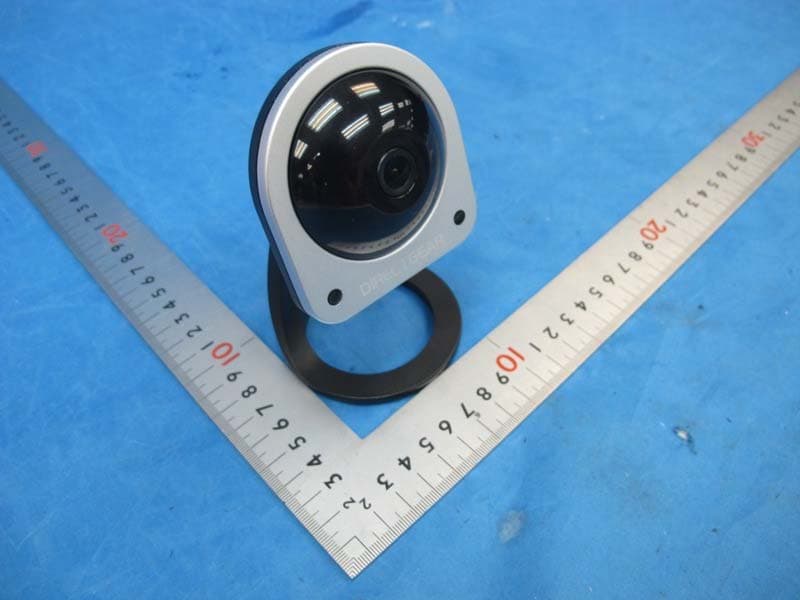
2AEBDIP01
Apr 18, 2015IP-CAM
Equipment Class
DTS - Digital Transmission System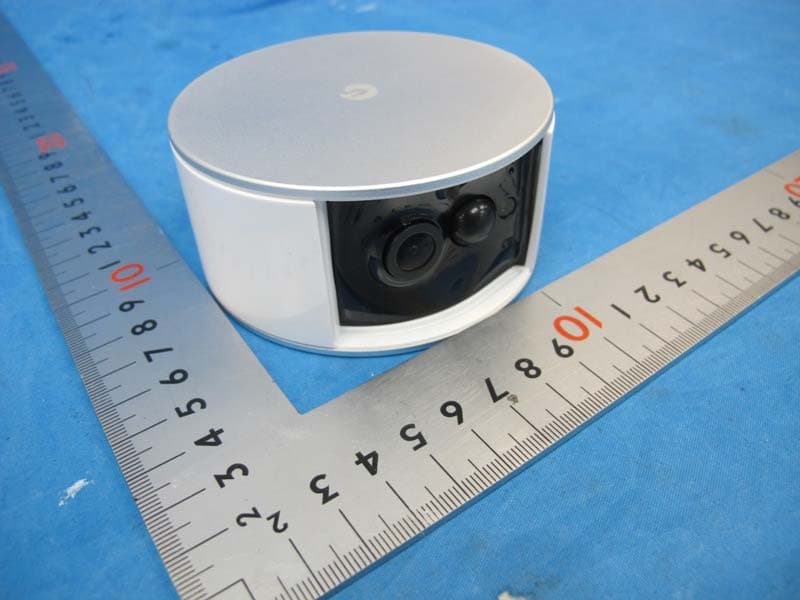
2AEBDBU4001
Apr 14, 2015IP-CAM
Equipment Class
DTS - Digital Transmission System