2AFD9NETADVANCESMART PHONE
MOVEON TECHNOLOGY LIMITED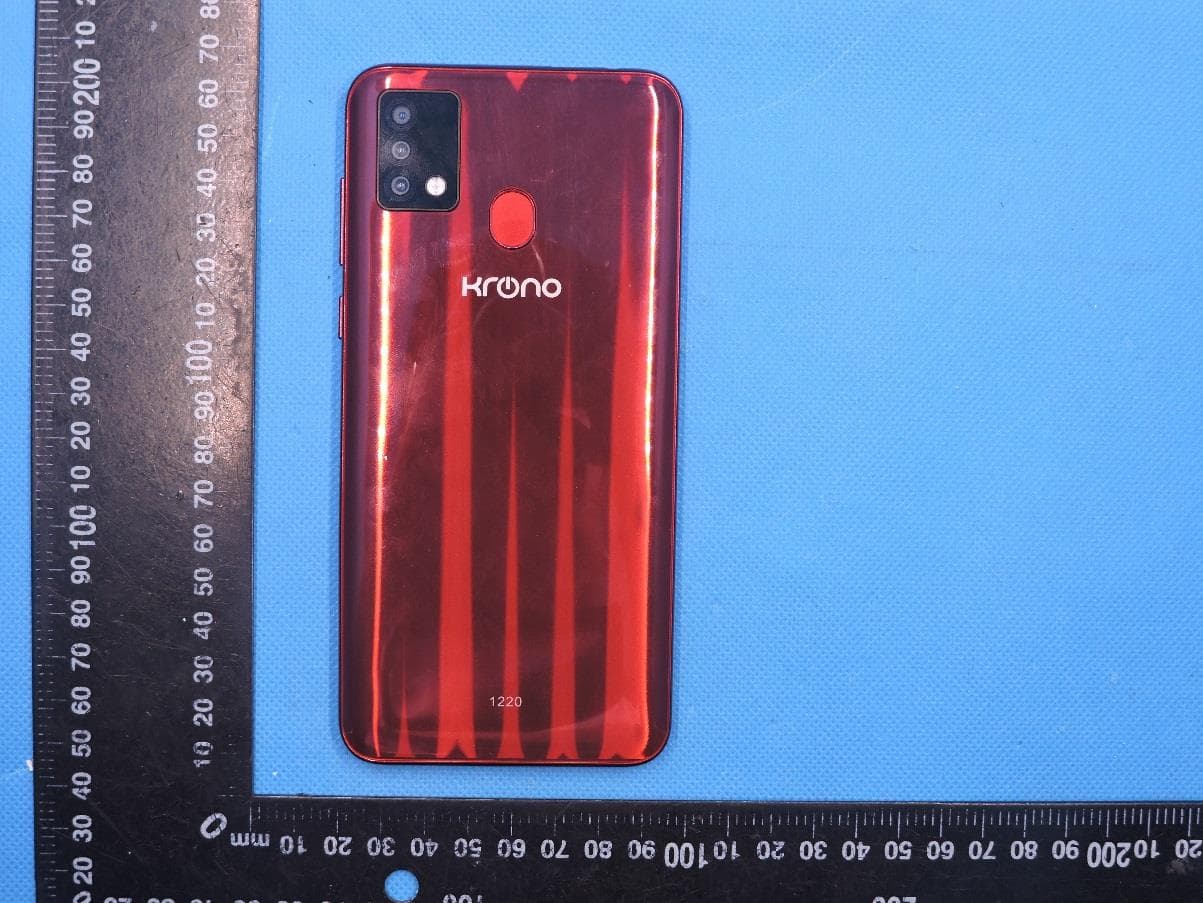
Click to zoom
Application Details
- Equipment Class
- PCE - PCS Licensed Transmitter held to ear
- Date of Grant
- Nov 09, 2020
- Application Purpose
- Original Equipment
- Date of Application
- Nov 09, 2020
- Equipment Note
- SMART PHONE
- Frequency Range
- 1852.40000000 - 1907.60000000
- Company
- MOVEON TECHNOLOGY LIMITED
- Country
- China
Documents & Files
Document Text
Text extracted from the exhibit documents filed with the FCC. Open a document above to read the original.
Users Manual
Basic Operations Switch on Touch and hold the Power button until the phone switches on. Note: If you have enabled USIM/SIM locking in the Settings menu, enter the correct PIN number upon power-on before you use the phone. Caution: Three consecutive attempts of entering an incorrect PIN will lock the SIM card. If it is locked, use a PUK provided by the operator to unlock it. Switch off Touch and hold the “Power button” until the Phone Options screen displays. Tap " Power off ” to switch off the phone. Unlock Short press the “Power button” light up the screen, according to the clues of the screen interface can be unlocked. Touchscreen Usage Use your fingers to perform operations directly on icons, buttons, and the on-screen keypad. Tap/Touch/Click Tap the icon of an App to start it. Touch & Hold Touch and hold an item to display a pop-up menu of options. For example, go to Address Book, touch and hold a contact on the Address Book page, and a menu of options pops up. Drag Tap an item on the screen and drag it to another place. Slide/Sweep To sweep vertically or horizontally across the screen, you can view apps, pictures, and webpages in a convenient manner. Scroll Similar to sweeping, but faster. Pinch Put two fingers on the screen to pinch in or out an item, such as a webpage or picture. Home Screen 1. Status bar: allows you to view status icons and notices, such as signal, battery, current time and data service. 2. Notification bar: On the Home screen, tap the status bar and drag it down to display the notification bar. Tap this bar. Then you can view the notices. Touch the return button to switch back to the previous page. 3. App icon: Tap an app to open it. 4. Main menu: Tap the arrow and drag it up to enter the app main menu. Phone Settings To display the Settings menu, tap the Settings icon directly. 1.SIM card: In the Settings menu, choose SIM Card. You can then manage your SIM cards on the pop-up page. 2. Network: In the Settings menu, select WLAN to configure your radio network; or select Traffic usage to configure your mobile date services; or select Mobile Network under More to configure data services of your phone. 3. Sound: In the Settings menu, choose Sound. The allows you to set the volume, enable/disable vibration during ringing, and select ringtones for incoming calls and messages, as well as enable/disable keypad touch sound effect, touch alert tone, and screen lock tone 4. Display: allows you to configure the brightness, wallpaper, automatic device rotation, sleep duration, and font size. 5. Security: In the Settings menu, choose Security. The Security page allows you to set the screen locking mode and USIM/SIM locking mode. App Permission: allows you to configure certain permissions for an App and monitor their usage. 6. Anti-theft: allows you to remotely lock the phone or clear all data of it. 7. Manage apps: In the Settings menu, choose Apps. Then you can view or manage your apps. Note: Disable or unload certain apps if available space is less than 100MB. 8. Message: On the Message page, tap the Menu button and choose Settings. On the Message Settings page, you can enable/disable report sending, create or select a message template, and configure a message alert tone for each short or multimedia message. 9. Call: To display the Call Settings page, choose Settings on the Call page. Shortcuts On the Home screen, lightly drag down the Status bar. On the screen top, a group of shortcuts are displayed, such as Settings, WLAN, Bluetooth, Brightness, Auto-rotate, flashlight Airplane mode and so on. Tap any of them to open it quickly. Shortcut menu Android™ 10 (Go edition) provides several easy-to-use shortcut menus on the home screen. On this screen, long press on the screen, the selection menu of the shortcut function menu will pop up. Click the menu of the desired settings and complete the function settings according to the prompts. Move/Uninstall apps 1. Access the App main menu from the Home screen. On the ALL App page, tap and hold an app to be put on the Home screen, and drag it left or right to locate it at a proper place. In this way, a desktop app is created. 2. On the All App page, tap and hold an app, and drag it to Uninstall on the desktop. In this way, the app is removed from the phone. Note: You are not allowed to uninstall basic apps of the phone. 3. On the All App page, tap and hold an app, and drag it to APP Info. on the desktop. In this way, details about the app is displayed. Call This phone allows you to make or answer a call, initiate an emergency call, and launch a multi-party call. On the bottom left of the Home screen, tap the Dial-up icon. The Dial-up page is displayed. Enter a phone number and choose between card 1 and card 2 to make the call. When you enter the number, the phone will automatically search among all contacts a number that best matches the entered numerals, to facilitate your operation. During a call, tap Add a Call, and this call automatically switches to Silent mode. Enter the number of another contact, tap Dial-up, and the previous call automatically switches to On-hold mode. After the second call is answered, tap Join. In this way, a teleconference is established to achieve a multi-party talk. Note: You need to subscribe to this service from your carrier before you use it. You are also allowed to initiate a call by selecting a phone number from the list of contacts or the Message page. Contacts Tap Contacts to open it. The Contacts page offers management functions. It allows you to view the list of contacts and related details, make a call or send an SMS to a certain contact, and share the contact. Contact import: On the Contacts page, tap the Menu button, and choose Import/Export to select a mode for importing or exporting a contact. Add a contact: On the lower right of the Contacts page, tap the Add button to add a contact to your phone or USIM/SIM. Enter the name and number, and tap Finish. In this way, a contact is created. Con…
Text truncated - open the document above for the full version.
Cover Letter(s)
MOVEON TECHNOLOGY LIMITED TCBJ FORM-4 Issued by: TCB Administrator Revision 6 12/06/10 2020.10.27 MET Laboratories, Inc. 914 West Patapsco Avenue Baltimore, MD 21230 RE: LETTER OF AGENT AUTHORIZATION To Whom It May Concern: We, MOVEON TECHNOLOGY LIMITED hereby authorize (Shenzhen STS Test Services Co., Ltd.) to act on our behalf in all matters relating to application for equipment authorization, including the signing of all documents relating to these matters. We also hereby certify that no party to the application authorized hereunder is subject to the denial of benefits, including FCC benefits, pursuant to Section 5301 of the Anti-Drug Abuse Act of 1988, 21 U.S.C.853(a). This agreement expires one year from the current date. Sincerely, Name: Apple chen Signature:
Cover Letter(s)
MOVEON TECHNOLOGY LIMITED TCBJ FORM-4 Issued by: TCB Administrator Revision 6 12/06/10 2020.10.27 MET Laboratories, Inc. 914 West Patapsco Avenue Baltimore, MD 21230 RE: CONFIDENTIALITY REQUEST FOR (SMART PHONE / NET_ADVANCE /FCC ID: 2AFD9NETADVANCE) To Whom It May Concern: This letter serves as an official request for confidentiality under sections 0.457 and 0.459 of CFR 47. We have requested that the • Schematics • Block diagram • Operation description • Tune up Procedure • Part List These materials contain trade secrets and proprietary information and are not customarily released to the public. The public disclosure of this information might be harmful to the company and provide unjustified benefits to our competitors. required to be submitted with this application be permanently withheld from public review. Please contact me if there is any information you may need. Sincerely, Name: Apple chen Signature:
External Photos
Page 1 of 4 Report No.: STS2009291 APPENDIX-PHOTOGRAPHS OF EUT CONSTRUCTIONAL DETAILS Photo 1 Photo 2 Page 2 of 4 Report No.: STS2009291 Photo 3 Photo 4 Page 3 of 4 Report No.: STS2009291 Photo 5 Photo 6 FM Antenna Page 4 of 4 Report No.: STS2009291 Photo 7
ID Label/Location Info
Label
Internal Photos
Page 1 of 8 Report No.: STS2009291 APPENDIX-PHOTOGRAPHS OF EUT CONSTRUCTIONAL DETAILS Photo 1 Photo 2 GSM/WCDMA Antenna BT/WIFI/GPS Antenna Page 2 of 8 Report No.: STS2009291 Photo 3 Photo 4 Page 3 of 8 Report No.: STS2009291 Photo 5 Photo 6 Page 4 of 8 Report No.: STS2009291 Photo 7 Photo 8 Page 5 of 8 Report No.: STS2009291 Photo 9 Photo 10 Page 6 of 8 Report No.: STS2009291 Photo 11 Photo 12 Page 7 of 8 Report No.: STS2009291 Photo 13 Photo 14 Page 8 of 8 Report No.: STS2009291 Photo 15
RF Exposure Info
NET_ADVANCE_SAR Setup photo Right Touch Right Tilt Left Touch Left Tilt Body Front side(separation distance is 10mm) Body Back side(separation distance is 10mm) Body left side(separation distance is 10mm) Body right side(separation distance is 10mm) Body top side(separation distance is 10mm) Body Bottom side(separation distance is 10mm)
RF Exposure Info
Ref : A CR.262.5.20.MVGB.A SHENZHEN STS TEST SERVICES CO., LTD. 1/F., BUILDING B, ZHUOKE SCIENCE PARK,No.190, CHONGQING ROAD,FUYONG STREET, BAO’ AN DISTRICT, SHENZHEN,GUANGDONGCHINA MVG COMOSAR REFERENCE DIPOLE FREQUENCY: 835 MHZ SERIAL NO.: SN 30/14 DIP0G835-332 SAR Reference Dipole Calibration Report 07/14/2020 Calibrated at MVG Z.I. de la pointe du diable Technopôle Brest Iroise - 295 avenue Alexis de Rochon 29280 PLOUZANE - FRANCE Calibretion date: 07/14/2020 Summary: This document presents the method and results from an accredited SAR reference dipole calibration performed in MVG. using the CALIPROBE test bench. for use with a MVG COMOSAR system only. The test results covered by accreditation are traceable to the International System of Units(SI). Page: 1/11 SAR REFERENCE DIPOLE CALIBRATION REPORT Ref: ACR.262.5.20.MVGB.A Customer Name Distribution : Shenzhen STS Test Services Co., Ltd. Name Function Date Signature Prepared by : Jérôme LUC Technical Manager 7/28/2020 Checked by : Jérôme LUC Technical Manager 7/28/2020 Approved by : Yann Toutain Laboratory Director 7/28/2020 Issue Date Modifications A 7/28/2020Initial release Name Jérôme LUC Page: 2/11 Template_ACR.DDD.N.YY.MVGB.ISSUE_COMOSAR Probe vH This document shall not be reproduced, except in full or in part, without the written approval of MVG. The information contained herein is to be used only for the purpose for which it is submitted and is not to be released in whole or part without written approval of MVG. SAR REFERENCE DIPOLE CALIBRATION REPORT Ref: ACR.262.5.20.MVGB.A TABLE OF CONTENTS 1 Introduction ................................................................................................................ 4 2 Device Under Test ..................................................................................................... 4 3 Product Description ................................................................................................... 4 3.1 General Information _______________________________________________________ 4 4 Measurement Method ................................................................................................ 5 4.1 Return Loss Requirements __________________________________________________ 5 4.2 Mechanical Requirements ___________________________________________________ 5 5 Measurement Uncertainty .......................................................................................... 5 5.1 Return Loss ______________________________________________________________ 5 5.2 Dimension Measurement ___________________________________________________ 5 5.3 Validation Measurement ____________________________________________________ 5 6 Calibration Measurement Results .............................................................................. 6 6.1 Return Loss and Impedance In Head Liquid ____________________________________ 6 6.2 Return Loss and Impedance In Body Liquid ____________________________________ 6 6.3 Mechanical Dimensions ____________________________________________________ 6 7 Validation measurement ............................................................................................ 7 7.1 Head Liquid Measurement __________________________________________________ 7 7.2 SAR Measurement Result With Head Liquid ____________________________________ 8 7.3 Body Liquid Measurement __________________________________________________ 9 7.4 SAR Measurement Result With Body Liquid __________________________________ 10 8 List of Equipment .................................................................................................... 11 Page: 3/11 Template_ACR.DDD.N.YY.MVGB.ISSUE_COMOSAR Probe vH This document shall not be reproduced, except in full or in part, without the written approval of MVG. The information contained herein is to be used only for the purpose for which it is submitted and is not to be released in whole or part without written approval of MVG. SAR REFERENCE DIPOLE CALIBRATION REPORT Ref: ACR.262.5.20.MVGB.A 1 INTRODUCTION This document contains a summary of the requirements set forth by the IEEE 1528, OET 65 Bulletin C and CEI/IEC 62209 standards for reference dipoles used for SAR measurement system validations and the measurements that were performed to verify that the product complies with the fore mentioned standards. 2 DEVICE UNDER TEST Device Under Test Device Type COMOSAR 835 MHz REFERENCE DIPOLE Manufacturer MVG Model SID835 Serial Number SN 30/14 DIP0G835-332 Product Condition (new / used) New A yearly calibration interval is recommended. 3 PRODUCT DESCRIPTION 3.1 GENERAL INFORMATION MVG’s COMOSAR Validation Dipoles are built in accordance to the IEEE 1528, OET 65 Bulletin C and CEI/IEC 62209 standards. The product is designed for use with the COMOSAR test bench only. Figure 1 – MVG COMOSAR Validation Dipole Page: 4/11 Template_ACR.DDD.N.YY.MVGB.ISSUE_COMOSAR Probe vH This document shall not be reproduced, except in full or in part, without the written approval of MVG. The information contained herein is to be used only for the purpose for which it is submitted and is not to be released in whole or part without written approval of MVG. SAR REFERENCE DIPOLE CALIBRATION REPORT Ref: ACR.262.5.20.MVGB.A 4 MEASUREMENT METHOD The IEEE 1528, OET 65 Bulletin C and CEI/IEC 62209 standards provide requirements for reference dipoles used for system validation measurements. The following measurements were performed to verify that the product complies with the fore mentioned standards. 4.1 RETURN LOSS REQUIREMENTS The dipole used for SAR system validation measurements and checks must have a return loss of -20 dB or better. The return loss measurement shall be performed against a liquid filled flat phantom, with the phantom constucted as outlined in the fore mentioned standards. 4.2 MECHANICAL REQUIREMENTS The IEEE Std. 1528 and CEI/IEC 62209 standards specify the mechanical components and dimensions of the validation dipoles, with the dimensions frequen…
Text truncated - open the document above for the full version.
RF Exposure Info
Any reproduction of this document must be done in full. No single part of this document may be reproduced without permission from STS, All Test Data Presented in this report is only applicable to presented Test sample. ShenZhen STS Test Services Co.,Ltd. A 1/F, Building B, Zhuoke Science Park, No.190 Chongqing Road, HepingShequ, Fuyong Sub-District, Bao’an District, Shenzhen, Guang Dong, China TEL: +86-755 3688 6288 FAX: +86-755 3688 6277 E-mail:[email protected] FCC SAR TEST REPORT Report No.: STS2009291H01 Issued for MOVEON TECHNOLOGY LIMITED World Trade Plaza-A block#3201-3202, Fuhong Road, Futian, Shenzhen, China Product Name: SMART PHONE Brand Name: KRONO Model Name: NET_ADVANCE Series Model: N/A Test Standard: ANSI/IEEE Std. C95.1 FCC 47 CFR Part 2 ( 2.1093) IEEE 1528: 2013 Max. Report SAR (1g): Head: 0.185 W/kg Body: 0.369 W/kg S T L A B S Page 2 of 64 Report No.: STS2009291H01 Test Report Certification Applicant’s name ................. : MOVEON TECHNOLOGY LIMITED Address .................................. : World Trade Plaza-A block#3201-3202, Fuhong Road, Futian, Shenzhen, China Manufacture's Name ............ : MOVEON TECHNOLOGY LIMITED Address .................................. : World Trade Plaza-A block#3201-3202, Fuhong Road, Futian, Shenzhen, China Product description Product name ......................... : SMART PHONE Brand name .......................... : KRONO Model name ......................... : NET_ADVANCE Series Model .......................... : N/A Standards ............................. : ANSI/IEEE Std. C95.1-1992 FCC 47 CFR Part 2 ( 2.1093) IEEE 1528: 2013 The device was tested by Shenzhen STS Test Services Co., Ltd. in accordance with the measurement methods and procedures specified in KDB 865664 The test results in this report apply only to the tested sample of the stated device/equipment. Other similar device/equipment will not necessarily produce the same results due to production tolerance and measurement uncertainties. Date of Test Date (s) of performance of tests .............. : 27 Sept. 2020 ~ 29 Sept. 2020 Date of Issue ........................................... : 30 Sept. 2020 Test Result ............................................... : Pass Testing Engineer : (Aaron Bu) Technical Manager : (Sean she) Authorized Signatory : (Vita Li) Page 3 of 64 Report No.: STS2009291H01 Table of Contents 1. General Information 5 1.1 EUT Description 5 1.2 Test Environment 7 1.3 Test Factory 7 2. Test Standards and Limits 8 3. SAR Measurement System 9 3.1 Definition of Specific Absorption Rate (SAR) 9 3.2 SAR System 9 4. Tissue Simulating Liquids 12 4.1 Simulating Liquids Parameter Check 12 5. SAR System Validation 14 5.1 Validation System 14 5.2 Validation Result 14 6. SAR Evaluation Procedures 15 7. EUT Antenna Location Sketch 16 7.1 SAR test exclusion consider table 17 8. EUT Test Position 18 8.1 Define Two Imaginary Lines On The Handset 18 8.2 Hotspot mode exposure position condition 19 9. Uncertainty 20 9.1 Measurement Uncertainty 20 9.2 System validation Uncertainty 21 10. Conducted Power Measurement 22 10.1 Test Result 22 10.2 Tune-up Power 25 10.3 SAR Test Exclusions Applied 27 11. EUT And Test Setup Photo 28 11.1 EUT Photo 28 11.2 Setup Photo 31 12. SAR Result Summary 37 12.1 Head SAR 37 12.2 Body-worn and Hotspot SAR 38 12.3 Simultaneous Multi-band Transmission Evaluation: 39 13. Equipment List 41 Appendix A. System Validation Plots 42 Page 4 of 64 Report No.: STS2009291H01 Appendix B. SAR Test Plots 54 Appendix C. Probe Calibration And Dipole Calibration Report 64 Revision History Rev. Issue Date Report No. Effect Page Contents 00 30 Sept. 2020 STS2009291H01 ALL Initial Issue Page 5 of 64 Report No.: STS2009291H01 1. General Information Environmental evaluation measurements of specific absorption rate (SAR) distributions in emulated human head and body tissues exposed to radio frequency (RF) radiation from wireless portable devices for compliance with the rules and regulations of the U.S. Federal Communications Commission (FCC). 1.1 EUT Description Product Name SMART PHONE Brand Name KRONO Model Name NET_ADVANCE Series Model N/A Model Difference N/A Battery Rated Voltage: 3.85V Charge Limit: 4.4V Capacity: 4500mAh Device Category Portable Product stage Production unit RF Exposure Environment General Population / Uncontrolled IMEI 861622010000056 Hardware Version V2.1 Software Version N/A Frequency Range GSM 850:824.2~848.8MHz GSM 1900:1850.2~1909.8MHz WCDMA Band II: 1852.4~1907.6MHz WCDMA Band V:826.4~846.6MHz WLAN 802.11b/g/n(HT20/40): 2412~2462MHz Bluetooth: 2402~ 2480MHz GPS: 1575.42MHz FM: 87.5~108 MHz Max. Reported SAR(1g): (Limit:1.6W/kg) Band Mode Head (W/kg) Body Worn and Hotspot(W/kg) PCE GSM 850 0.082 0.177 PCE GSM 1900 0.080 0.369 PCE WCDMA Band II 0.185 0.274 PCE WCDMA Band V 0.119 0.183 DTS WLAN 0.021 0.029 DSS Bluetooth Note 0.082 0.041 1-g Sum SAR 0.261 0.407 FCC Equipment Class Licensed Portable Transmitter Held to Ear (PCE) Part 15 Spread Spectrum Transmitter (DSS) Digital Transmission System (DTS) Page 6 of 64 Report No.: STS2009291H01 Operating Mode GSM: GSM Voice; GPRS; EGPRS Class 12 WCDMA: RMC, HSDPA, HSUPA Release 6 WLAN: 802.11 b/g/n(HT20/40) Bluetooth: V4.0 + EDR (GFSK, π/4DQPSK, 8DPSK) BLE: GFSK Antenna Specification GSM,WCDMA: PIFA Antenna BT,WLAN: PIFA Antenna SIM Card Support dual-SIM, dual standby, the multiple SIM card with two lines cannot transmitting at the same time Hotspot Mode Support DTM Mode Not Support Note: 1. Bluetooth SAR was estimated 2. The dual SIM card mobile has 2 SIM slots and supports dual SIM dual standby. The WWAN radio transmission will be enabled by either one SIM at a time (Single active) 3. After pre-scan two SIM cards power, we found test result of the SIM1 was the worse, so we chose SIM1 card to perform all tests. 4. The EUT battery must be fully charged and checked periodically during the test to ascertain uniform power Page 7 of 64 Report No.: STS2009291H01 1.2 Test Environment Ambient condition…
Text truncated - open the document above for the full version.
Test Report
Any reproduction of this document must be done in full. No single part of this document may be reproduced without permission from STS, All Test Data Presented in this report is only applicable to presented Test sample. Shenzhen STS Test Services Co., Ltd. A 1/F, Building B, Zhuoke Science Park, No.190 Chongqing Road, HepingShequ, Fuyong Sub-District, Bao’an District, Shenzhen, Guang Dong, China TEL: +86-755 3688 6288 FAX: +86-755 3688 6277 E-mail:[email protected] RADIO TEST REPORT Report No.: STS2009291W04 Issued for MOVEON TECHNOLOGY LIMITED World Trade Plaza-A block#3201-3202, Fuhong Road, Futian, Shenzhen, China Product Name: SMART PHONE Brand Name: KRONO Model Name: NET_ADVANCE Series Model: N/A FCC ID: 2AFD9NETADVANCE Test Standard: FCC Part 22H and 24E S T L A B S Page 2 of 73 Report No.: STS2009291W04 TEST RESULT CERTIFICATION Applicant’s Name ................... : MOVEON TECHNOLOGY LIMITED Address .................................. : World Trade Plaza-A block#3201-3202, Fuhong Road, Futian, Shenzhen, China Manufacturer's Name ............. : MOVEON TECHNOLOGY LIMITED Address .................................. : World Trade Plaza-A block#3201-3202, Fuhong Road, Futian, Shenzhen, China Product Description Product Name ........................ : SMART PHONE Brand Name ......................... : KRONO Model Name ........................... : NET_ADVANCE Series Model .......................... : N/A Test Standards ....................... : FCC Part 22H and 24E Test Procedure ....................... : KDB 971168 D01 v03r01,ANSI C63.26( 2015) This device described above has been tested by STS, the test results show that the equipment under test (EUT) is in compliance with the FCC requirements. And it is applicable only to the tested sample identified in the report. This report shall not be reproduced except in full, without the written approval of STS, this document may be altered or revised by STS, personal only, and shall be noted in the revision of the document. Date of Test ................................ : Date of receipt of test item .......... : 25 Sept. 2020 Date (s) of performance of tests . : 25 Sept. 2020 ~ 12 Oct. 2020 Date of Issue .............................. : 12 Oct. 2020 Test Result .................................. : Pass Testing Engineer : (Chris Chen) Technical Manager : (Sean she) Authorized Signatory: (Vita Li) Page 3 of 73 Report No.: STS2009291W04 Table of Contents Page 1 INTRODUCTION 6 1.1 TEST FACTORY 6 1.2 MEASUREMENT UNCERTAINTY 6 2 PRODUCT INFORMATION 7 3 TEST CONFIGURATION OF EQUIPMENT UNDER TEST 9 4 MEASUREMENT INSTRUMENTS 10 5 TEST ITEMS 11 5.1 CONDUCTED OUTPUT POWER 11 5.2 PEAK TO AVERAGE RATIO 12 5.3 TRANSMITTER RADIATED POWER (EIRP/ERP) 13 5.4 OCCUPIED BANDWIDTH 14 5.5 FREQUENCY STABILITY 15 5.6 SPURIOUS EMISSIONS AT ANTENNA TERMINALS 16 5.7 BAND EDGE 17 5.8 FIELD STRENGTH OF SPURIOUS RADIATION MEASUREMENT 18 APPENDIX A.TESTRESULT 20 A1. CONDUCTED OUTPUT POWER 20 A2. PEAK-TO-AVERAGE RADIO 24 A3. TRANSMITTER RADIATED POWER (EIRP/ERP) 33 A4. OCCUPIED BANDWIDTH (99% OCCUPIED BANDWIDTH/26DB BANDWIDTH)35 A5. FREQUENCY STABILITY 44 A6. SPURIOUS EMISSIONS AT ANTENNA TERMINALS 48 A7. BAND EDGE 56 A8. FIELD STRENGTH OF SPURIOUS RADIATION MEASUREMENT 61 APPENDIX-PHOTOS OF TEST SETUP 73 Page 4 of 73 Report No.: STS2009291W04 Revision History Rev. Issue Date Report NO. Effect Page Contents 00 12 Oct. 2020 STS2009291W04 ALL Initial Issue Page 5 of 73 Report No.: STS2009291W04 SUMMARY OF TEST RESULTS Test procedures according to the technical standards: The radiated emission testing was performed according to the procedures of KDB 971168 D01 v03r01 and ANSI C63.26( 2015) FCC Rules Te s t D e s c r i p t i o n Te s t L i m i t Test Result Reference 2.1046 Conducted Output PowerReporting Only PASS 22.913d 24.232d Peak-to-Average Ratio < 13 dB PASS 2.1046 22.913 24.232 Effective Radiated Power/Equivalent Isotropic Radiated Power < 7 Watts max. ERP(Part 22) < 2 Watts max. EIRP(Part 24) PASS 2.1049 22.917 24.238 Occupied Bandwidth Reporting Only PASS 2.1055 22.355 24.235 Frequency Stability < 2.5 ppm (Part 22) Emission must remain in band (Part 24) PASS 2.1051 22.917 24.238 Spurious Emission at Antenna Terminals < 43+10log10(P[Watts]) PASS 2.1053 22.917 24.238 Field Strength of Spurious Radiation < 43+10log10(P[Watts]) PASS 2.1051 22.917 24.238 Band Edge < 43+10log10(P[Watts]) PASS Page 6 of 73 Report No.: STS2009291W04 1 INTRODUCTION 1.1 TEST FACTORY SHENZHEN STS TEST SERVICES CO., LTD Add. : A 1/F, Building B, Zhuoke Science Park, No.190 Chongqing Road, HepingShequ, Fuyong Sub-District, Bao’an District, Shenzhen, Guang Dong, China FCC test Firm Registration Number: 625569 IC test Firm Registration Number: 12108A A2LA Certificate No.: 4338.01 1.2 MEASUREMENT UNCERTAINTY The measurement uncertainties shown below were calculated in accordance with the requirements ofANSI C63.4-2014. All measurement uncertainty values are shown with a coverage factor of k = 2 toindicate a 95% level of confidence. The measurement data shown herein meets or exceeds the UCISPRmeasurement uncertainty values specified in CISPR 16-4-2 and, thus, can be compared directly tospecified limits to determine compliance. No. Item Uncertainty 1 RF output power, conducted ±0.68dB 2 Unwanted Emissions, conducted ±2.988dB 3 All emissions, radiated 30-1GHz ±5.6dB 4 All emissions, radiated 1G-6GHz ±5.5dB 5 All emissions, radiated>6G ±5.8dB 6 Conducted Emission (9KHz-150KHz) ±3.37dB 7 Conducted Emission (150KHz-30MHz) ±3.83dB Page 7 of 73 Report No.: STS2009291W04 2 PRODUCT INFORMATION Product Name SMART PHONE Trade Name KRONO Model Name NET_ADVANCE Series Model N/A Model Difference N/A Tx Frequency: GSM/GPRS/EDGE: 850: 824 MHz ~ 849MHz 1900: 1850 MHz ~ 1910MHz WCDMA: Band V: 824 MHz ~ 849 MHz Band II: 1850 MHz ~ 1910 MHz Rx Frequency: GSM/GPRS/EDGE: 850: 869 MHz ~ 894 MHz 1900: 1930 MHz ~ 1990MHz WCDMA: Band V: 869 MHz ~ 894 MHz Band II: 1930 MHz ~ 1990 MHz Max RF Output Power: GSM850:29.52dBm, PCS1900:26.…
Text truncated - open the document above for the full version.
Test Setup Photos
Page 1 of 1 FCC ID: 2AFD9NETADVANCE PCE Setup photo Model name: NET_ADVANCE PCE radiation L PCE radiation H
Contact Information
Applicant
Apple Chen
Technical Contact
Shenzhen STS Test Services Co., Ltd.Bovey Yang
[email protected]86-0755 36886288
A 1/F, Building B, Zhuoke Science Park, No.190 · Baoan District Shenzhen Guangdong · China
Test Firm
SHENZHEN STS TEST SERVICES CO.,LTD.Bovey Yang
[email protected]+86 755-36886288
Technical Specifications
| # | Rule Parts | Frequency Range | Power Output | Emission | Tolerance |
|---|---|---|---|---|---|
| 6 | 24E | 1.85 GHz - 1.91 GHz | 104.00 mW | 4M16F9W | 0.019 ppm |
Other Applications from MOVEON TECHNOLOGY LIMITED
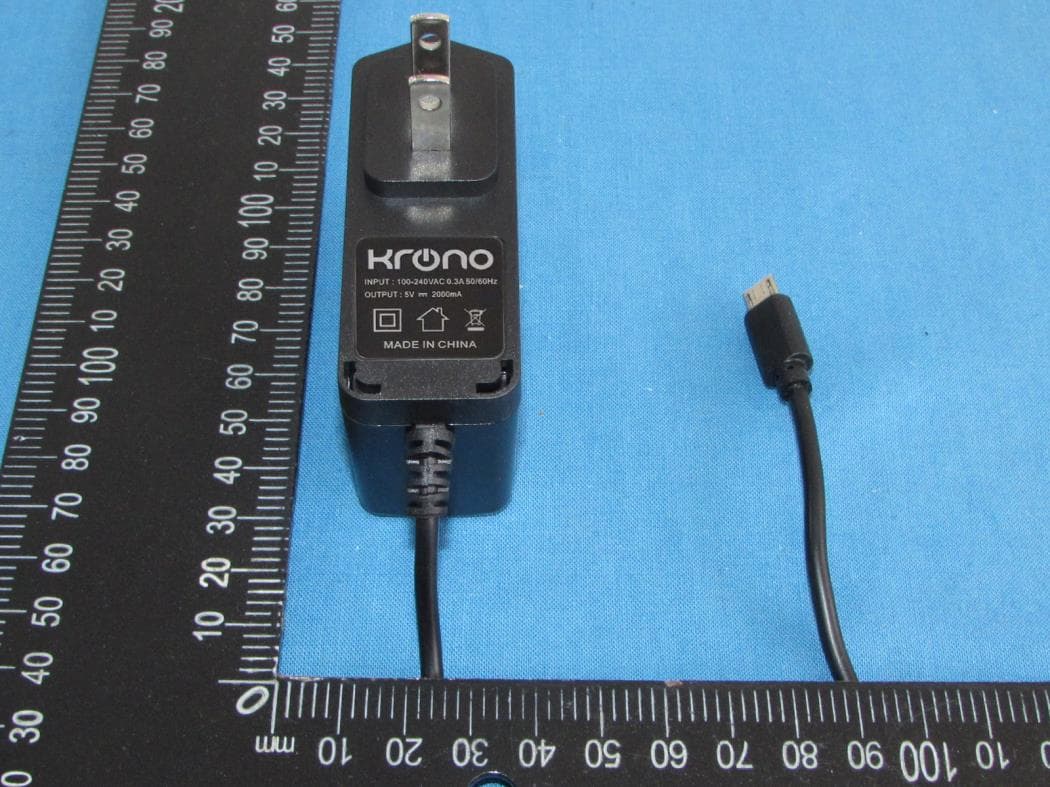
2AFD9101
Jul 19, 2021TABLET PC
Equipment Class
PCB - PCS Licensed Transmitter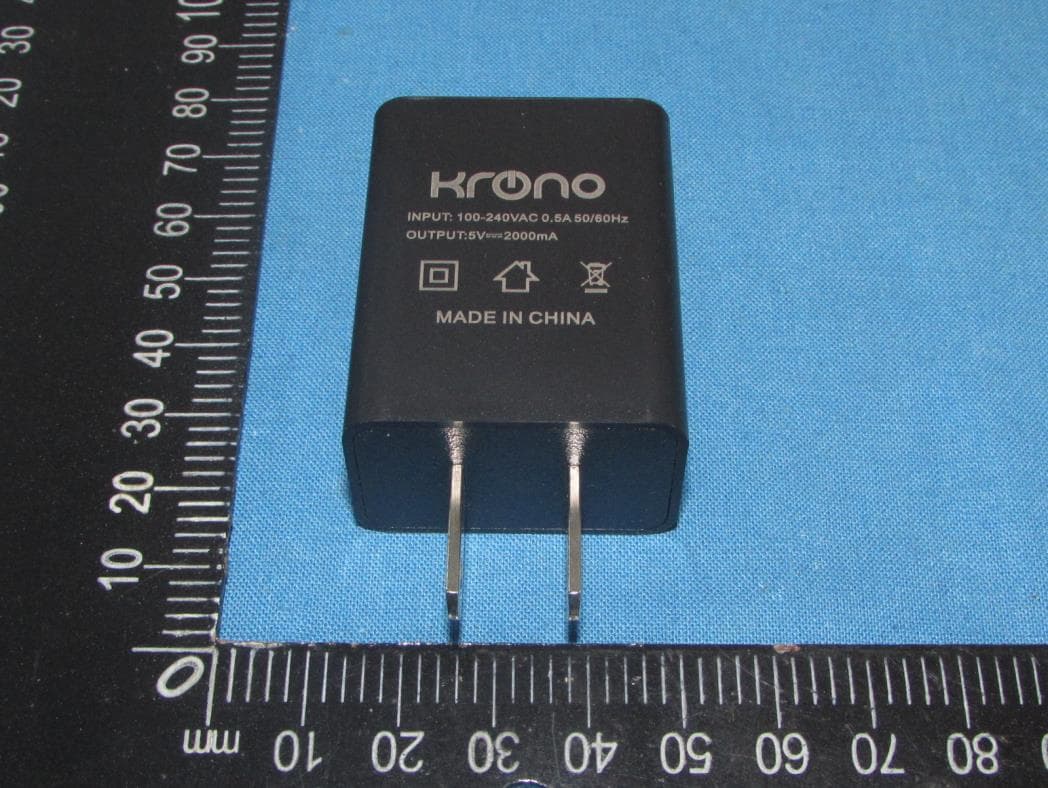
2AFD9NET9
Apr 12, 2021Tablet PC
Equipment Class
DTS - Digital Transmission System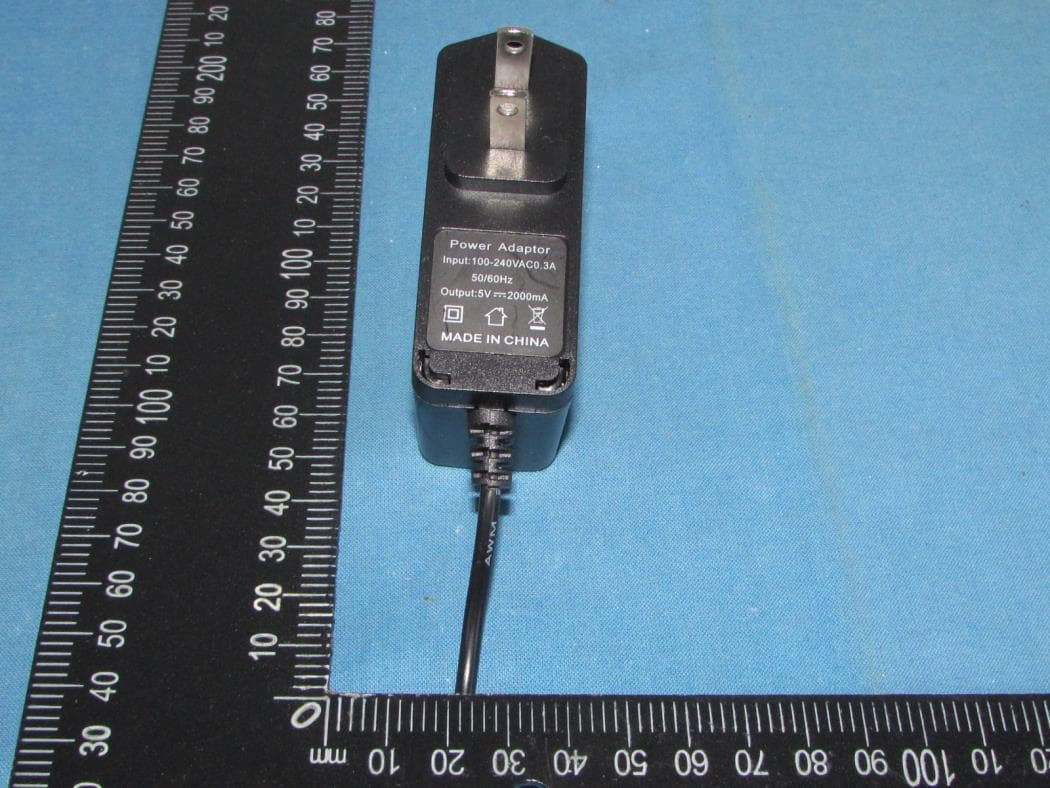
2AFD9ULTRA
Dec 21, 2020Tablet PC
Equipment Class
PCE - PCS Licensed Transmitter held to ear
2AFD9NETONE
Jul 22, 2020Smart Phone
Equipment Class
DSS - Part 15 Spread Spectrum Transmitter
2AFD9Q6
Jan 26, 2016MOBILE PHONE
Equipment Class
JBP - Part 15 Class B Computing Device Peripheral