2AGA6-DG001BT2CA Essential Bluetooth Dongle
Shenzhen AngSi Technology Co., LTD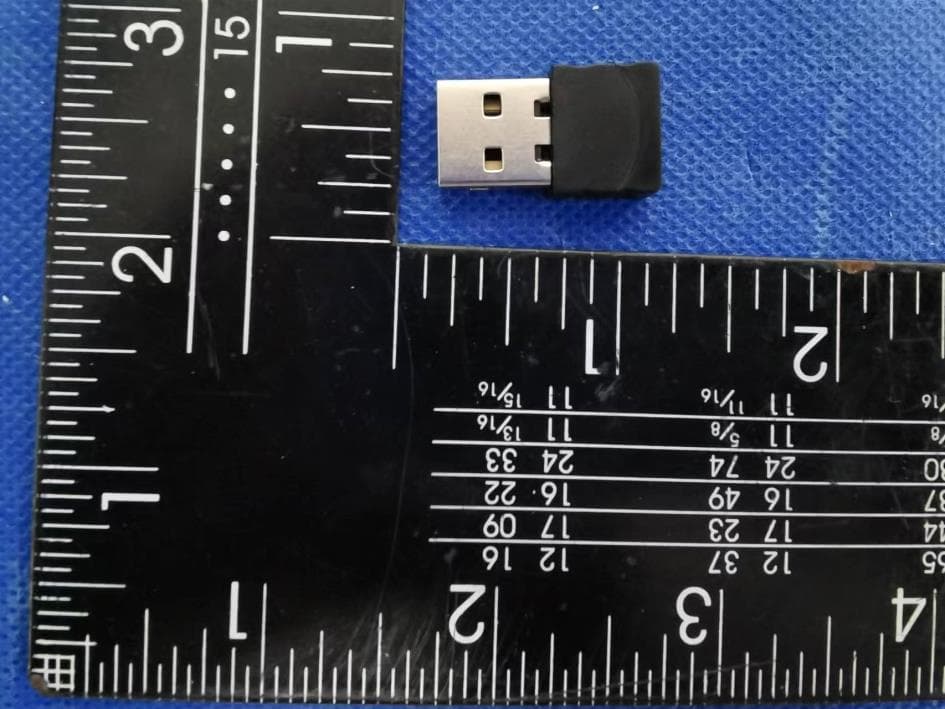
Click to zoom
Application Details
- Equipment Class
- DSS - Part 15 Spread Spectrum Transmitter
- Date of Grant
- Aug 14, 2022
- Application Purpose
- Original Equipment
- Date of Application
- Aug 14, 2022
- Equipment Note
- CA Essential Bluetooth Dongle
- Frequency Range
- 2402.00000000 - 2480.00000000
- Country
- China
Documents & Files
Document Text
Text extracted from the exhibit documents filed with the FCC. Open a document above to read the original.
Users Manual
Quick Start Guide www.CyberAcoustics.com Bluetooth Headset HS-2000BT Professional Bluetooth Headset CA P/N: HS-2000BT Rev. A00 2022-06 Bluetooth Headset HS-2000BT CA Essential Bluetooth Headset In the Package Quick Start Guide USB Type C to C Charging Cable Bluetooth Adapter Note: The Bluetooth Adapter and USB Type C to C Charging Cable are packed along with the QSG in the box Quick Start Guide www.CyberAcoustics.com Bluetooth Headset HS-2000BT Professional Bluetooth Headset CA P/N: HS-2000BT Rev. A00 2022-06 CA Essential Bluetooth Dongle DG-001BT Table of Contents Using the Headset Getting Started Controls Technical Specifications Frequently Asked Questions Customer Support Safety and Precautions Pages 1 6, 7 8 9 10 11 12,13 Compliance Information Lights 5 Connecting wit h Windows PC or Mac 2 Connecting wit h smartphone or two devices 3 Disconnecting from connected devices 4 Using the Headset Page 1 Skype, Zoom & Other UC Applications Music Getting Started The CA Essential Bluetooth Headset is designed to be used with both a Windows PC or Mac, smartphone or both at the same time. Before you start, please fully charge the CA Essential Bluetooth Headset. (See Page 6) See below for connecting with a Windows PC or Mac See Page 3 for connecting with your Smartphone or connecting with both your computer and smartphone at the same time. To connected with a Windows PC or Mac - Plug the USB Bluetooth Adapter into an available USB port on your computer. - The USB Bluetooth Adapter will automatically install on your computer and is available as the audio device “CA Essential BT Headset” on your computer. - Turn on the CA Essential Bluetooth Headset by pressing and holding the Power button until the Bluetooth/Charging Light is flashing Blue and Red. - The CA Essential Bluetooth Headset will connect automatically with the USB Bluetooth Adapter plugged into your computer and the Bluetooth/Charging Light will turn solid Blue. - The CA Essential Bluetooth Headset is ready to use. Note: The CA Essential Bluetooth Headset will connect automatically with the USB Bluetooth Adapter when plugged into your computer each time the headset is turned on and your computer is within range.* * Your computer or device needs to be within 10 unobstructed feet of the CA Essential Bluetooth Headset to pair and connect. If there is an issue when connecting, please move the headset closer to your computer or device, then pair and connect. When the charge is too low indicated by the Bluetooth/Charging Light flashing Red on the headset, your device will not be able to connect with the headset. Power Button Bluetooth / Charging Light Page 2 Getting Started To connect with an iPhone, iPad, Android smartphone or tablet - Turn on the CA Essential Bluetooth Headset by pressing and holding the Power button until the Bluetooth/Charging Light is flashing Blue and Red. - Go to Settings > Bluetooth, check Bluetooth is on - Select 'CA Essential BT Headset' when it appears under DEVICES - Your device will connect in a few seconds - The Bluetooth/Charging Light will turn solid Blue. - The CA Essential Bluetooth Headset is ready to use. Note: Your Smartphone or Tablet instructions may vary Note: The CA Essential Bluetooth Headset will connect automatically with your smartphone or tablet each time the headset is turned on and your smartphone or tablet is within range.* To connect with your computer and smartphone at the same time - First follow the steps to connect to your computer on Page 2 - To connect your smartphone at the same time, disconnect the headset from computer by removing the USB Bluetooth Adapter from the USB port on your computer. The headset will then go into pairing mode with the Bluetooth/Charging Light flashing Blue and Red. - Connect to your Smartphone by following the steps noted above. - Plug the USB Bluetooth Adapter back into the USB port on your computer. The headset will automatically connect to your computer with the USB Bluetooth Adapter. - Both your computer and smartphone should now both be connected to the headset. Note: When the headset is connected to both a smartphone and computer with the USB Bluetooth Adapter and playing music on both, press the Call Button (See page 6 for Controls) to switch back and forth between the computer and smartphone. * Your computer or device needs to be within 10 unobstructed feet of the CA Essential Bluetooth Headset to pair and connect. If there is an issue when connecting, please move the headset closer to your computer or device, then pair and connect. When the charge is too low indicated by the Bluetooth/Charging Light flashing Red on the headset, your device will not be able to connect with the headset. Power Button Bluetooth / Charging Light Page 3 Getting Started Disconnecting the CA Essential Bluetooth Headset from connected devices - To disconnect the headset from your computer with the USB Bluetooth Adapter, unplug the USB Bluetooth Adapter from the computer’s USB port. If your smartphone is connected as well, it will stay connected to the headset. - To disconnect the headset your smartphone, disconnect the headset in the Bluetooth Settings on your smartphone. If your computer with the USB Bluetooth Adapter is connected as well, it will stay connected to the headset. - To disconnect the headset when connected to both your computer with the USB Bluetooth Adapter and your smartphone, press and hold the Multi-Function Button and Call Button at the same time for 2 seconds. - The headset will switch to pairing mode and the Bluetooth/Charging Light will flash Blue and Red. Note: To reconnect to a computer you will need to unplug the USB Bluetooth Adapter and then plug it back into the USB port on the computer. See page 2 for further instructions to connect to your computer and page 3 for instructions to connect your smartphone. Page 4 Lights Bluetooth Pairing Bluetooth Connected Incoming Call Incoming or Call in Progress Microphone is Muted Bluetooth / Charging Light fla…
Text truncated - open the document above for the full version.
Cover Letter(s)
C5266091_X8_Ed.1 1/1 Letter of Authorization Company: Shenzhen AngSi Technology Co., LTD. Address: 6/F, Block B, Ding Xin Science Park, Hong Lang North No.2 Road, Bao An District, ShenZhen PRC Product Name: CA Essential Bluetooth Dongle Model Number: DG-001BT FCC Identifier: 2AGA6-DG001BT2 We authorize LGAI Technological Center S.A., Ronda de la Font del Carme, s/n, 08193 Bellaterra, Spain, to act on our behalf on all matters concerning the above named equipment. Any individual within LGAI Technological Center S.A. is authorized to act on our behalf and take action on the application. We declare that authorize LGAI Technological Center S.A., Ronda de la Font del Carme, s/n, 08193 Bellaterra, Spain, is allowed to forward all information related to the approval project to the Federal Communication Commission and to discuss any issues concerning the approval application. Any and all acts carried out by LGAI Technological Center S.A. on our behalf shall have the same effect as acts of our own. Name: Andy Zhang Date: 2022-08-06 Title: R&D Management Signature of applicant:
Cover Letter(s)
C5266091_X10_Ed.2 1/1 Shenzhen AngSi Technology Co., LTD Office of Engineering Technology Federal Communications Commission 7435 Oakland Mills Road Columbia, MD 21046 Date: 2022-08-06 Subject: Request for Confidentiality FCC ID: 2AGA6-DG001BT2 To Whom It May Concern, Pursuant to the provisions of Sections 0.457 and 0.459 of Commission's rules (47CFR0.457, 0.459), we are requesting the Commission to withhold the following attachment(s) as confidential document from public disclosure. Exhibits Long-Term Confidentiality Short-Term Confidentiality NOTE 2 ID Label/Location No No Attestation Statement No No External Photos No ☐ Block Diagram ☒ ☐ Schematics ☒ ☐ Test Report No No Test Setup Photos No ☐ User’s Manual ☐ NOTE 1 ☐ Internal Photos ☐ NOTE 1 ☐ Parts List / Tune Up ☐ ☐ RF Exposure Info No No Operational Description ☒ ☐ Cover Letter(s) No No SDR Software / Security Info ☐ No NOTE 1: Long-Term Confidentiality may be permitted under special conditions (See II. LONG-TERM CONFIDENTIALITY, Section 3 of KDB 726920, use last in force) NOTE 2: Short-Term Confidentiality can be requested for a maximum of 180 days from the date of the grant. Above mentioned document contains detailed system and equipment description are considered as proprietary information in operation of the equipment. The public disclosure of above documents might be harmful to our company and would give competitor an unfair advantage in the market. In case of short-term Confidentiality, the applicant requests the exhibits selected above are withheld from public view for a period of ______ days from the date of the Grant of Equipment Authorization and prior to marketing. It is our understanding that all measurement test reports, FCC ID label format and correspondent during certification review process cannot be granted as confidential documents and those information will be available for public review once the grant of equipment authorization is issued. Sincerely, Signature: Name: Andy Zhang Title: R&D Management
External Photos
GTSL202206000094 Global United Technology Services Co., Ltd. No. 123-128, Tower A, Jinyuan Business Building, No.2, Laodong Industrial Zone, Xixiang Road, Baoan District, Shenzhen, Guangdong, China 518102 Telephone: +86 (0) 755 2779 8480 Fax: +86 (0) 755 2779 8960 Page 1 of 3 Product Name: CA Essential Bluetooth Dongle Test Model No.: DG-001BT EUT Constructional Details GTSL202206000094 Global United Technology Services Co., Ltd. No. 123-128, Tower A, Jinyuan Business Building, No.2, Laodong Industrial Zone, Xixiang Road, Baoan District, Shenzhen, Guangdong, China 518102 Telephone: +86 (0) 755 2779 8480 Fax: +86 (0) 755 2779 8960 Page 2 of 3 GTSL202206000094 Global United Technology Services Co., Ltd. No. 123-128, Tower A, Jinyuan Business Building, No.2, Laodong Industrial Zone, Xixiang Road, Baoan District, Shenzhen, Guangdong, China 518102 Telephone: +86 (0) 755 2779 8480 Fax: +86 (0) 755 2779 8960 Page 3 of 3 ------End------
Internal Photos
GTSL202206000094 Global United Technology Services Co., Ltd. No. 123-128, Tower A, Jinyuan Business Building, No.2, Laodong Industrial Zone, Xixiang Road, Baoan District, Shenzhen, Guangdong, China 518102 Telephone: +86 (0) 755 2779 8480 Fax: +86 (0) 755 2779 8960 Page 1 of 2 Product Name: CA Essential Bluetooth Dongle Test Model No.: DG-001BT EUT Constructional Details Antenna GTSL202206000094 Global United Technology Services Co., Ltd. No. 123-128, Tower A, Jinyuan Business Building, No.2, Laodong Industrial Zone, Xixiang Road, Baoan District, Shenzhen, Guangdong, China 518102 Telephone: +86 (0) 755 2779 8480 Fax: +86 (0) 755 2779 8960 Page 2 of 2 ------End------
RF Exposure Info
FCC ID: 2AGA6-DG001BT2 RF Exposure Evaluation According to KDB 447498 D01 General RF Exposure Guidance v06 and part 2.1093, Unless specifically required by the published RF exposure KDB procedures, standalone 1-g head or body and 10-g extremity SAR evaluation for general population exposure conditions, by measurement or numerical simulation, is not required when the corresponding SAR Test Exclusion Threshold condition(s), listed below, is (are) satisfied. For 100 MHz to 6 GHz and test separation distances ≤ 50 mm, the 1-g and 10-g SAR test exclusion thresholds are determined by the following: [(max. power of channel, including tune-up tolerance, mW) / (min. test separation distance, mm)] · [√f (GHz) ] ≤ 3.0 for 1-g SAR, and ≤ 7.5 for 10-g extremity SAR, where f (GHz) is the RF channel transmit frequency in GHz Power and distance are rounded to the nearest mW and mm before calculation The result is rounded to one decimal place for comparison Here, For Bluetooth Max Power(dBm) Max Power(mW) Frequency(MHz) Min. distance(mm) Calc. thresholds limit 2.377 1.729 2441 5 0.5 3.0 So a SAR test is not required
Test Report
Global United Technology Services Co., Ltd. Report No.: GTSL202206000094F01 Authorized Signature: Robinson Luo Laboratory Manager This results shown in this test report refer only to the sample(s) tested, this test report cannot be reproduced, except in full, without prior written permission of the company. The report would be invalid without specific stamp of test institute and the signatures of compiler and approver. Page 1 of 45 TEST REPORT Applicant: Shenzhen AngSi Technology Co.,Ltd. Address of Applicant: 6/F, Block B, Ding Xin Science Park, Hong Lang North No.2 Road, Bao An District, ShenZhen PRC Manufacturer/Factory: Shenzhen AngSi Technology Co.,Ltd. Address of Manufacturer/Factory: 6/F, Block B, Ding Xin Science Park, Hong Lang North No.2 Road, Bao An District, ShenZhen PRC Equipment Under Test (EUT) Product Name: CA Essential Bluetooth Dongle Model No.: DG-001BT Trade Mark: FCC ID: 2AGA6-DG001BT2 Applicable standards: FCC CFR Title 47 Part 15 Subpart C Section 15.247 Date of sample receipt: May 25, 2022 Date of Test: May 25-30, 2022 Date of report issued: June 13, 2022 Test Result: PASS * * In the configuration tested, the EUT complied with the standards specified above. Report No.: GTSL202206000094F01 Global United Technology Services Co., Ltd. No. 123-128, Tower A, Jinyuan Business Building, No.2, Laodong Industrial Zone, Xixiang Road, Baoan District, Shenzhen, Guangdong, China 518102 Telephone: +86 (0) 755 2779 8480 Fax: +86 (0) 755 2779 8960 Page 2 of 45 2 Version Version No. Date Description 00 2022-6-13 Original Prepared By: Date: 2022-6-13 Project Engineer Check By: Date: 2022-6-13 Reviewer Report No.: GTSL202206000094F01 Global United Technology Services Co., Ltd. No. 123-128, Tower A, Jinyuan Business Building, No.2, Laodong Industrial Zone, Xixiang Road, Baoan District, Shenzhen, Guangdong, China 518102 Telephone: +86 (0) 755 2779 8480 Fax: +86 (0) 755 2779 8960 Page 3 of 45 3 Contents Page 1 COVER PAGE ........................................................................................................................................... 1 2 VERSION .................................................................................................................................................. 2 3 CONTENTS .............................................................................................................................................. 3 4 TEST SUMMARY ..................................................................................................................................... 4 5 GENERAL INFORMATION ...................................................................................................................... 5 5.1 GENERAL DESCRIPTION OF EUT ......................................................................................................... 5 5.2 TEST MODE ........................................................................................................................................ 7 5.3 DESCRIPTION OF SUPPORT UNITS ....................................................................................................... 7 5.4 DEVIATION FROM STANDARDS ............................................................................................................ 7 5.5 ABNORMALITIES FROM STANDARD CONDITIONS .................................................................................. 7 5.6 TEST FACILITY ................................................................................................................................... 7 5.7 TEST LOCATION ................................................................................................................................. 7 5.8 ADDITIONAL INSTRUCTIONS ................................................................................................................ 7 6 TEST INSTRUMENTS LIST ..................................................................................................................... 8 7 TEST RESULTS AND MEASUREMENT DATA .................................................................................... 10 7.1 ANTENNA REQUIREMENT ................................................................................................................... 10 7.2 CONDUCTED EMISSIONS ................................................................................................................... 11 7.3 CONDUCTED PEAK OUTPUT POWER .................................................................................................. 14 7.4 20DB EMISSION BANDWIDTH ............................................................................................................ 18 7.5 CARRIER FREQUENCIES SEPARATION ............................................................................................... 22 7.6 HOPPING CHANNEL NUMBER ............................................................................................................ 26 7.7 DWELL TIME ..................................................................................................................................... 28 7.8 BAND EDGE ..................................................................................................................................... 33 7.8.1 Conducted Emission Method ..................................................................................................... 33 7.8.2 Radiated Emission Method ........................................................................................................ 37 7.9 SPURIOUS EMISSION ........................................................................................................................ 39 7.9.1 Radiated Emission Method ........................................................................................................ 39 8 TEST SETUP PHOTO ............................................................................................................................ 45 9 EUT CONSTRUCTIONAL DETAILS .......…
Text truncated - open the document above for the full version.
Test Setup Photos
GTSL202206000094 Global United Technology Services Co., Ltd. No. 123-128, Tower A, Jinyuan Business Building, No.2, Laodong Industrial Zone, Xixiang Road, Baoan District, Shenzhen, Guangdong, China 518102 Telephone: +86 (0) 755 2779 8480 Fax: +86 (0) 755 2779 8960 Page 1 of 2 Product Name: CA Essential Bluetooth Dongle Test Model No.: DG-001BT Test Setup Photo Radiated Emission GTSL202206000094 Global United Technology Services Co., Ltd. No. 123-128, Tower A, Jinyuan Business Building, No.2, Laodong Industrial Zone, Xixiang Road, Baoan District, Shenzhen, Guangdong, China 518102 Telephone: +86 (0) 755 2779 8480 Fax: +86 (0) 755 2779 8960 Page 2 of 2 Conducted Emission ------End------
Contact Information
Applicant
Andy Zhang(R&D Management)
Technical Contact
Test Firm
Global United Technology Services Co. Ltd.Robinson Lo
Technical Specifications
| # | Rule Parts | Frequency Range | Power Output |
|---|---|---|---|
| 1 | 15C | 2.40 GHz - 2.48 GHz | 1.70 mW |
Other Applications from Shenzhen AngSi Technology Co., LTD
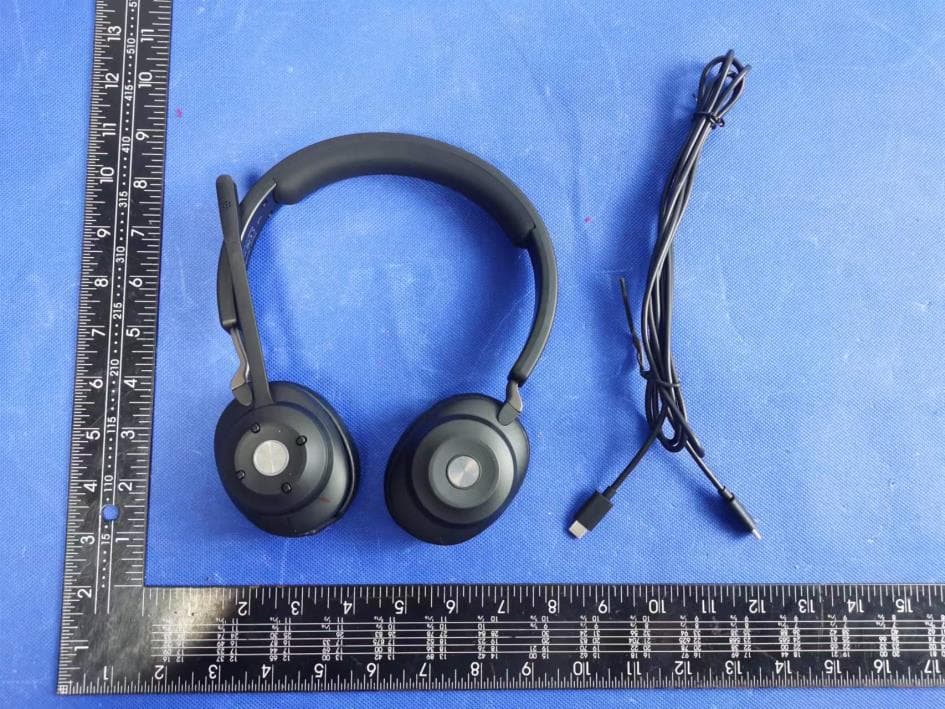
2AGA6-HS2000BT
Aug 13, 2022CA Essential Bluetooth Headset
Equipment Class
DSS - Part 15 Spread Spectrum Transmitter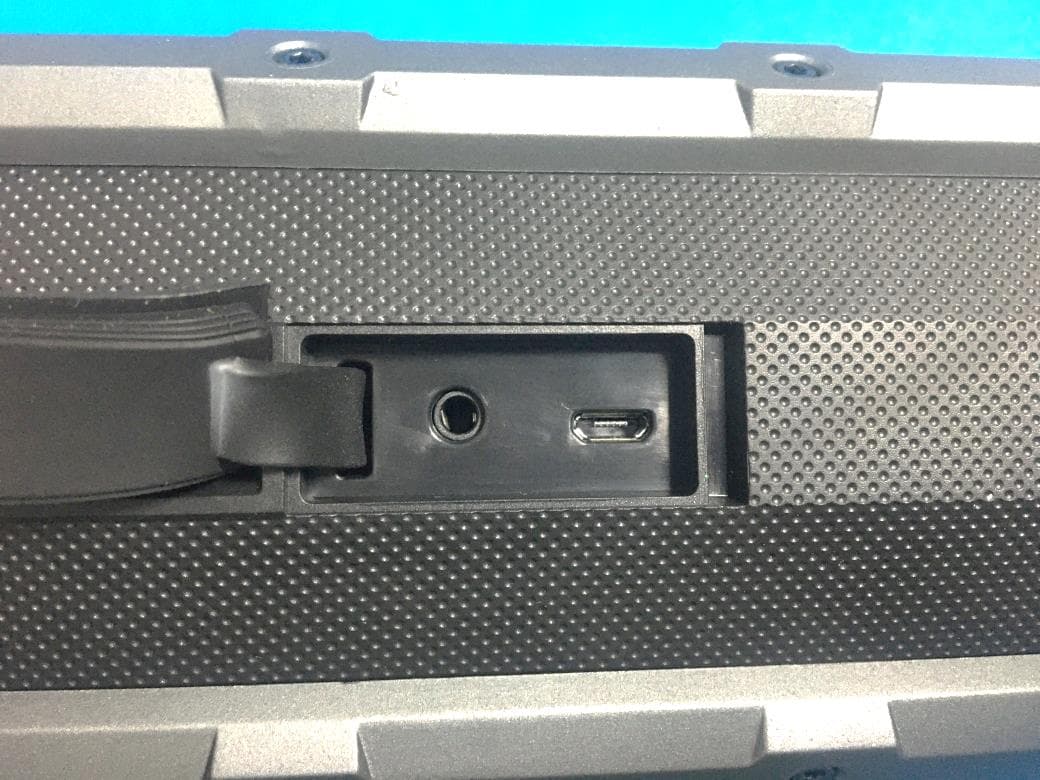
2AGA6-FUGOOF6EL
May 27, 2021Fugoo Element
Equipment Class
DSS - Part 15 Spread Spectrum Transmitter
2AGA6-OONTZRC
Nov 29, 2020Bluetooth Adapter
Equipment Class
DTS - Digital Transmission System
2AGA6-OONTZBTAD2
Nov 29, 2020Bluetooth Adapter
Equipment Class
DSS - Part 15 Spread Spectrum Transmitter2AGA6-OZA3PROS
Nov 15, 2020Portable Bluetooth Speaker
Equipment Class
DTS - Digital Transmission System