2AH78-AMBAina Multifunction Button
Aina Wireless Finland Oy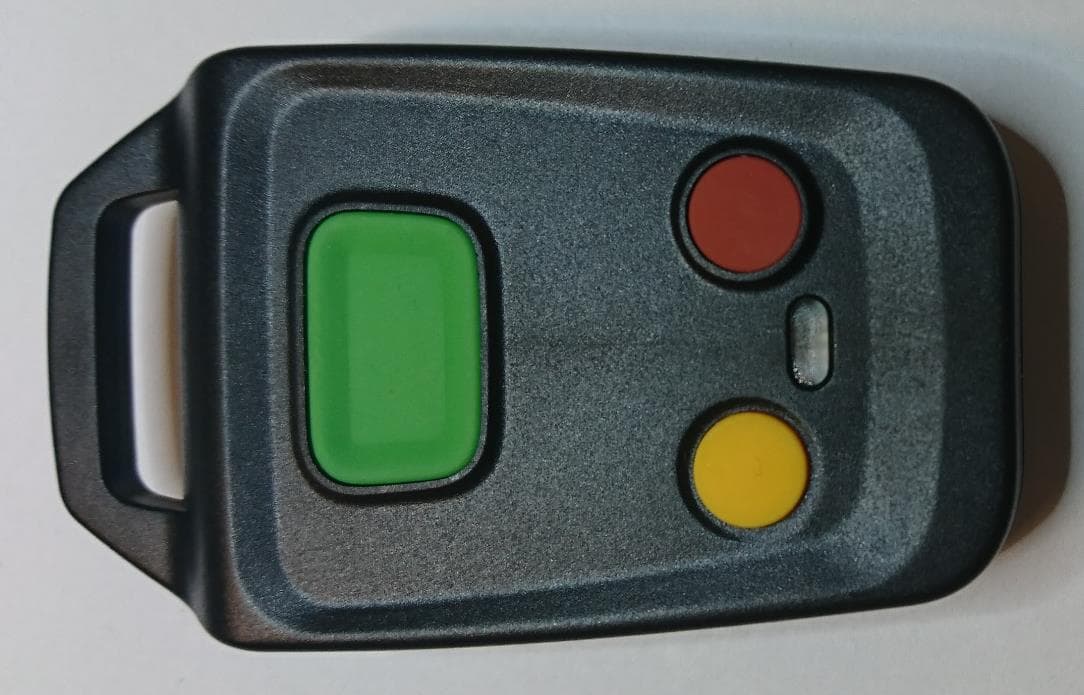
Click to zoom
Application Details
- Equipment Class
- DTS - Digital Transmission System
- Date of Grant
- Aug 04, 2024
- Application Purpose
- Original Equipment
- Date of Application
- Aug 04, 2024
- Equipment Note
- Aina Multifunction Button
- Frequency Range
- 2402.00000000 - 2480.00000000
- Company
- Aina Wireless Finland Oy
- Country
- Finland
Documents & Files
Document Text
Text extracted from the exhibit documents filed with the FCC. Open a document above to read the original.
Users Manual
AINA Wireless DOC ID : UI0018 ver. 1.0. INCLUDED IN THE PACKAGE X 1 + CR2032 BUTTONS AND PARTS A. Loophole B.PTT1 G F. Vol + X 1 AINA Multifunction Button USER GUIDE C. PTT2 D. Vol - E. LED FLIPPING AND INSERTING THE BUTTON CELL BATTERY (1) + CR2032 1 3 2 4 + CR2032 FLIPPING AND INSERTING THE BUTTON CELL BATTERY (2) 1.Unscrew the button cell battery cover counterclockwise with a tool or coin until it pops up. 2. Remove the cover, and remove, flip and re-insert the button cell battery 3. Put the cover back on top 4. Gently push down the cover and screw it clockwise to secure it into place. NOTE! When the button cell battery is inside, the device will be constantly ON. To turn the device OFF, you must remove the battery. 1. Lösen Sie die Knopfzellen-Batterie-Abdeckung gegen den Uhrzeigersinn mit einem Werkzeug oder einer Münze, bis sie aufspringt 2. Entnehmen, wenden und setzen Sie die Knopfzellen-Batterie wieder ein 3. Setzen Sie die Abdeckung wieder auf das Gerät 4.Drücken Sie vorsichtig auf die Abdeckung und schrauben Sie sie im Uhrzeigersinn, bis sie fest sitzt. HINWEIS: Wenn die Knopfzellen-Batterie eingelegt ist, bleibt das Gerät konstant EINgeschaltet. Um das Gerät AUSzuschalten, müssen Sie die Batterie entfernen. 1. À l'aide d'un outil ou d'une pièce de monnaie, dévissez le couvercle de la pile-bouton dans le sens inverse des aiguilles d'une montre jusqu'à ce qu'il se dégage 2. Retirez, retournez et remplacez la pile bouton 3. Replacez le couvercle 4. Abaissez doucement le couvercle et revissez-le dans le sens des aiguilles d'une montre afin de le fixer en place. ATTENTION : Lorsque la pile-bouton est à l'intérieur, le dispositif reste constamment ALLUMÉ. Pour ÉTEINDRE le dispositif, vous devez ôter la pile. 1.Desenrosca la tapa de la batería hacia la izquierda con una herramienta o moneda hasta que la tapa salga hacia arriba 2. Quita la tapa y quita, gira e re-inserta la batería 3. Vuelve a colocar la tapa encima 4. Presiona la tapa hacia abajo suavemente y enróscala hacia la derecha. ¡NOTA! El dispositivo estará constantemente encendido cuando la batería está adentro. Para apagar el dispositivo se tiene que sacar la batería completamente. EN DE FR ES BLUETOOTH PAIRING (1) 3 sec Bluetooth 1 2 3 EN DE AMB123456 Bluetooth 1. Press all three buttons simultaneously for 3 seconds to put the device into pairing mode (and remove any previous pairings) 2. Open the phone’s Bluetooth settings and turn this function on 3. Select your device from the list. NOTE! Your AINA Multifunction Button will move from ‘Available devices’ to ‘Paired devices’, but it will not appear as connected. 1. Halten Sie gleichzeitig alle drei Tasten 3 Sekunden lang gedrückt, um das Gerät in den Kopplungsmodus zu setzen (und ggf. vorherige Kopplungen zu entfernen) 2. Öffnen Sie die Bluetooth-Einstellungen des Telefons und aktivieren Sie diese Funktion 3. Wählen Sie Ihr Gerät aus der Liste aus. HINWEIS! Ihre AINA Multifunction Button wechselt von "Verfügbare Geräte" zu "Gekoppelte Geräte", wird aber nicht als "verbunden" angezeigt. 1. Appuyez simultanément sur tous les trois boutons pendant 3 secondes afin de mettre le dispositif en mode couplage (et de supprimer tous les couplages précédents) 2. Ouvrez les paramètres Bluetooth du téléphone et activez cette fonction 3. Sélectionnez votre appareil dans la liste. ATTENTION! Votre AINA Multifunction Button passera de ‘Appareils disponibles’ à ‘Périphériques appairés’, mais il n’apparaîtra pas connecté. 1. Presiona los tres botones simultáneamente por 3 segundos para activar el modo de conexión (y para eliminar previas asociaciones) del dispositivo 2. Abre la configuración de Bluetooth de tu teléfono Smart y enciende esta función 3. Selecciona tu dispositivo de la lista. ¡NOTA! Tu AINA Multifunction Button cambiará de "Dispositivos disponibles" a "Dispositivos vinculados/emparejados", pero no aparecerá como conectado. FR ES BLUETOOTH PAIRING (2) 1.Operating temperature: -20°C - +60°C 2.Operating frequency range: 2400 - 2483.5MHz 3.Bluetooth power level: Class 2 (Smart 2.5mW) For more detailed instructions on setting up and using your AINA Multifunction Button, please visit www.ainaptt.com If any part of the equipment is damaged on arrival, contact the shipper to conduct an inspection and prepare a damage report. Save the shipping container and all packing materials until the inspection and the damage report are completed. In addition, contact the Customer Care to make arrangements for replacement equipment. Do not return any part of the shipment until you receive detailed instructions from an AINA Wireless Finland Oy representative. Contact Customer Care at: + 358 40 322 6717 or [email protected] ADDITIONAL SAFETY TIPS OPERATION CUSTOMER CARE EN 1.Betriebstemperatur: -20 °C – +60 °C 2.Betriebsfrequenzbereich: 2400–2483,5 MHz 3.Bluetooth-Leistung: Klasse 2 (Smart 2,5 mW) Detailliertere Anweisungen zur Einrichtung und Verwendung Ihres AINA Multifunction Button finden Sie in der Online-Gebrauchsanweisung unter www.ainaptt.com Sollte ein Teil des Geräts bei Erhalt beschädigt sein, wenden Sie sich an das Versandunternemen, um eine Untersuchung und die Erstellung eines Schadensberichts zu veranlassen. Bewahren Sie den Versandbehälter und alle Verpackungen auf, bis die Untersuchung und der Schadensberich abgeschlossen sind. Setzen Sie sich darüber hinaus mit dem Kundenservice in Verbindung, um die Bereitstellung eines Ersatzgeräts zu vereinbaren. Senden Sie keinen Teil der Sendung zurück, bevor Sie detaillierte Anweisungen vonseiten eines Vertreters von AINA Wireless Finland Oy erhalten haben. Kontakt Kundenservice: + 358 40 322 6717 / [email protected] ZUSÄTZLICHE SICHERHEITSTIPPS OPERATION KUNDENDIENST DE 1.Température de fonctionnement : -20 °C – +60 °C 2.Gamme de fréquences de fonctionnement : 2400–2483,5 MHz 3.Puissance Bluetooth : Classe 2 (Smart 2,5 mW) Pour obtenir des informations plus détaillées sur la configuration et l'utilisation de votre AINA Multifunction But…
Text truncated - open the document above for the full version.
Users Manual
AINA PTT Smart Button 2 USER GUIDE AINA Wireless DOC ID : UI0019 ver.1. INCLUDED IN THE PACKAGE X 1 X 1 + CR2032 BUTTONS AND PARTS A. Loophole B. PTT1 C. PTT2 D. LED E. Button cell battery cover F. Emergency FLIPPING AND INSERTING THE BUTTON CELL BATTERY (1) + CR2032 1 3 2 4 + CR2032 FLIPPING AND INSERTING THE BUTTON CELL BATTERY (2) 1.Unscrew the button cell battery cover counterclockwise with a tool or coin until it pops up. 2. Remove the cover, and remove, flip and re-insert the button cell battery. 3. Put the cover back on top. 4. Gently push down the cover and screw it clockwise to secure it into place. NOTE! When the button cell battery is inside, the device will be constantly ON. To turn the device OFF, you must remove the battery. 1. Lösen Sie die Knopfzellen-Batterie-Abdeckung gegen den Uhrzeigersinn mit einem Werkzeug oder einer Münze, bis sie aufspringt 2. Entnehmen, wenden und setzen Sie die Knopfzellen-Batterie wieder ein 3. Setzen Sie die Abdeckung wieder auf das Gerät 4.Drücken Sie vorsichtig auf die Abdeckung und schrauben Sie sie im Uhrzeigersinn, bis sie fest sitzt. HINWEIS: Wenn die Knopfzellen-Batterie eingelegt ist, bleibt das Gerät konstant EINgeschaltet. Um das Gerät AUSzuschalten, müssen Sie die Batterie entfernen. 1. À l'aide d'un outil ou d'une pièce de monnaie, dévissez le couvercle de la pile-bouton dans le sens inverse des aiguilles d'une montre jusqu'à ce qu'il se dégage 2. Retirez, retournez et remplacez la pile bouton 3. Replacez le couvercle 4. Abaissez doucement le couvercle et revissez-le dans le sens des aiguilles d'une montre afin de le fixer en place. ATTENTION : Lorsque la pile-bouton est à l'intérieur, le dispositif reste constamment ALLUMÉ. Pour ÉTEINDRE le dispositif, vous devez ôter la pile. 1.Desenrosca la tapa de la batería hacia la izquierda con una herramienta o moneda hasta que la tapa salga hacia arriba 2. Quita la tapa y quita, gira e re-inserta la batería 3. Vuelve a colocar la tapa encima 4. Presiona la tapa hacia abajo suavemente y enróscala hacia la derecha. ¡NOTA! El dispositivo estará constantemente encendido cuando la batería está adentro. Para apagar el dispositivo se tiene que sacar la batería completamente. EN DE FR ES BLUETOOTH PAIRING (1) 3 sec Bluetooth 1 2 3 1. Press all three buttons simultaneously for 3 seconds to put the device into pairing mode (and remove any previous pairings) 2. Open the phone’s Bluetooth settings and turn this function on 3. Select your device from the list. NOTE! Your PTT Smart Button 2 will move from ‘Available devices’ to ‘Paired devices’, but it will not appear as connected. 1. Halten Sie gleichzeitig alle drei Tasten 3 Sekunden lang gedrückt, um das Gerät in den Kopplungsmodus zu setzen (und ggf. vorherige Kopplungen zu entfernen) 2. Öffnen Sie die Bluetooth-Einstellungen des Telefons und aktivieren Sie diese Funktion 3. Wählen Sie Ihr Gerät aus der Liste aus. HINWEIS! Ihre PTT Smart Button 2 wechselt von "Verfügbare Geräte" zu "Gekoppelte Geräte", wird aber nicht als "verbunden" angezeigt. EN DE ASB2123456 Bluetooth 1. Appuyez simultanément sur tous les trois boutons pendant 3 secondes afin de mettre le dispositif en mode couplage (et de supprimer tous les couplages précédents) 2. Ouvrez les paramètres Bluetooth du téléphone et activez cette fonction 3. Sélectionnez votre appareil dans la liste. ATTENTION! Votre PTT Smart Button 2 passera de ‘Appareils disponibles’ à ‘Périphériques appairés’, mais il n’apparaîtra pas connecté. 1. Presiona los tres botones simultáneamente por 3 segundos para activar el modo de conexión (y para eliminar previas asociaciones) del dispositivo 2. Abre la configuración de Bluetooth de tu teléfono Smart y enciende esta función 3. Selecciona tu dispositivo de la lista. ¡NOTA! Tu PTT Smart Button 2 cambiará de "Dispositivos disponibles" a "Dispositivos vinculados/emparejados", pero no aparecerá como conectado. FR ES BLUETOOTH PAIRING (2) 1.Operating temperature: -20°C - +60°C 2.Operating frequency range: 2400 - 2483.5MHz 3.Bluetooth power level: Class 2 (Smart 2.5mW) For more detailed instructions on setting up and using your PTT Smart Button 2, please visit www.ainaptt.com If any part of the equipment is damaged on arrival, contact the shipper to conduct an inspection and prepare a damage report. Save the shipping container and all packing materials until the inspection and the damage report are completed. In addition, contact the Customer Care to make arrangements for replacement equipment. Do not return any part of the shipment until you receive detailed instructions from an AINA Wireless Finland Oy representative. Contact Customer Care at: + 358 40 322 6717 or [email protected] ADDITIONAL SAFETY TIPS OPERATION CUSTOMER CARE EN 1.Betriebstemperatur: -20 °C – +60 °C 2.Betriebsfrequenzbereich: 2400–2483,5 MHz 3.Bluetooth-Leistung: Klasse 2 (Smart 2,5 mW) Detailliertere Anweisungen zur Einrichtung und Verwendung Ihres PTT Smart Buttons finden Sie in der Online-Gebrauchsanweisung unter www.ainaptt.com Sollte ein Teil des Geräts bei Erhalt beschädigt sein, wenden Sie sich an das Versandunternemen, um eine Untersuchung und die Erstellung eines Schadensberichts zu veranlassen. Bewahren Sie den Versandbehälter und alle Verpackungen auf, bis die Untersuchung und der Schadensberich abgeschlossen sind. Setzen Sie sich darüber hinaus mit dem Kundenservice in Verbindung, um die Bereitstellung eines Ersatzgeräts zu vereinbaren. Senden Sie keinen Teil der Sendung zurück, bevor Sie detaillierte Anweisungen vonseiten eines Vertreters von AINA Wireless Finland Oy erhalten haben. Kontakt Kundenservice: + 358 40 322 6717 / [email protected] ZUSÄTZLICHE SICHERHEITSTIPPS OPERATION KUNDENDIENST DE 1.Température de fonctionnement : -20 °C – +60 °C 2.Gamme de fréquences de fonctionnement : 2400–2483,5 MHz 3.Puissance Bluetooth : Classe 2 (Smart 2,5 mW) Pour obtenir des informations plus détaillées sur la configuration et l'utilisation de votre PTT Smart Button 2, veuillez consulter le ma…
Text truncated - open the document above for the full version.
Attestation Statements
Applicant Declaration QSF27-14-04 Rev 1.0 Rev. Feb 6, 2023Page 1 of 1 Original Issue: Jan. 4, 2021 SGS North America Inc. 620 Old Peachtree Road SUITE 100 Suwanee, Georgia 30024 United States Applicant Legal Business Name Aina Wireless Finland Oy Address Joensuunkatu 7G, 24100 Salo Finland Grantee Code 2AH78 FCC ID 2AH78-AMB Authorized Contact Name Jukka Porkka Contact Email [email protected] Contact Phone +358444939773 I, the undersigned, certify that I am an authorized signatory for the Applicant and therefore declare; a) in accordance with 47CFR2.911(d), all of the statements herein and the exhibits attached hereto are true and correct to the best of my knowledge and belief. b) in accepting a Grant of Equipment Authorization issued by a TCB, under the authority of the FCC, as a result of the representations made in this application, the Applicant is responsible for: (1) labeling the equipment with the exact FCC ID as specified in this application, (2) compliance statement labeling pursuant to the applicable rules, (3) compliance of the equipment with the applicable technical rules, c) if the Applicant is not the actual manufacturer of the equipment, appropriate arrangements have been made with the manufacturer to ensure that production units of this equipment will continue to comply with the FCC’s technical requirements. d) in accordance with 47 CFR 2.909 and KDB394321, the Applicant has read, understood and agrees to accept that they are the responsible party and agree to abide by their responsibilities as specified under 47 CFR 2.909 and KDB394321. e) in accordance with ISO 17065, FCC KDB641163, FCC KDB610077, KDB394321 and RSP-100, the Applicant has read, understood, accepts and agrees to abide by the post market surveillance requirements. (1) the Applicant understands, accepts and agrees that a sample may be requested for surveillance testing. (2) the Applicantshall make provisions to always have a production sample available upon request by SGS, FCC and/or ISED. (3) the Applicantshall, upon request by SGS, at the Applicant’s expense, provide a production sample of the requested product to SGS, FCC and/or ISED as instructed. The sample shall include all support devices, cables, software, accessories or other hardware or software required for evaluation, review, certification and audit surveillance of products certified by SGS. f) neither the Applicant nor any party to the application is subject to a denial of Federal benefits, that includes FCC benefits, pursuant to Section 5301 of the Anti-Drug Abuse Act of 1988, 21 U.S.C. §862 because of a conviction for possession or distribution of a controlled substance. See 47CFR 1.2002(b) for the definition of a “party” for these purposes. g) the Applicant has read, understood, accepts and agrees to abide by the SGS North America, Inc.(TCB) terms and conditions. Link to CFRs:https://www.fcc.gov/wireless/bureau-divisions/technologies-systems-and-innovation-division/rules-regulations-title-47 Link to KDBs:https://apps.fcc.gov/oetcf/kdb/index.cfm Link to RSP-100:https://www.ic.gc.ca/eic/site/smt-gst.nsf/eng/sf01130.html Link to the Covered List:Covered List Aina Wireless Finland Oy (“the applicant”) certifies that the equipment for which authorization is sought is not “covered” equipment prohibited from receiving an equipment authorization pursuant to section 2.903 of the FCC rules. Aina Wireless Finland Oy (“the applicant”) certifies that, as of the date of the filing of the application, the applicant [is not identified on the Covered list, established pursuant to§1.50002, as an entity producing “covered” equipment. Applicant Signature: Date:02.08.2023 Print Name: Jukka Porkka Title: Technical Manager *NOTE: This declaration cannot be signed by an Agent, it shall be signed by an authorized person listed in the FCC database
Cover Letter(s)
UNITED STATES DESIGNATED AGENT LETTER Date: 03.08.2023 TO: Federal Communication Commission Equipment Authorization Branch 7435 Oakland Mills Road Columbia, MID 21046 Applicant U.S. designated agent Company Name: Aina Wireless Finland Oy Company Name: Americas Compliance consulting, LLC dba iCertifi Grantee Code: 2AH78 FRN: 0033399411 Contact Name: Jukka Porkka Contact Name: Paul Preston Address: Joensuunkatu 7G Address: 1001 SW Disk Drive, Suite 250, City/Province/Zip: 24100 Salo Finland City/Province/Zip: Bend, Oregon 97702 Telephone: +358444939773 Telephone: 866-885-4575 Fax: Fax: Email: [email protected] Email: [email protected] Applicable Equipment: FCC ID: 2AH78-AMB & FCC ID: 2AH78-ASB2 ATTN: Director of Certification: We, Aina Wireless and iCertifi understand and acknowledge the applicants consent and the designated agent’s obligation to accept service of process in the United States for matters related to the applicable equipment, and at the physical U.S. address and e-mail of the designated agent listed above. We, Aina Wireless and iCertifi acknowledge the applicant’s acceptance of its obligation to maintain an agent for service of process in the United States for no less than one year after either the grantee has permanently terminated all marketing and importation of the applicable equipment within the U.S., or the conclusion of any Commission-related administrative or judicial proceeding involving the equipment, whichever is later. Applicant U.S. designated agent Name (Printed):Jukka Porkka Name (Printed): Paul Preston Title:Technical Manager Title: CEO Signature: Signature:
Cover Letter(s)
Model Difference Letter for family certification Dear application reviewer. This document contains differences between ASB2 & AMB On the left side is a picture that shows the mechanical differences between ASB2 & AMB. Multifunction Button has an extra button and front cover is also different compared to ASB2. Another difference is the product software. AMB has different software since it has an extra button. RF functintionality is identical with both models since they has the same PCB Here you can see the difference in mechanics from the internal point of view. PCB, back cover and battery cover is the same in both models. I hereby confirm that these informations are correct. Jukka Porkka Technical Manager AinaPTT
Cover Letter(s)
AINA WIRELESS FINLAND OY Salo IoT Campus, Joensuunkatu 7G 24100 Salo, Finland www.ainaptt.com•+358 40 322 6717•[email protected] VAT-ID: FI23956662 To: SGS North America Inc. 620 Old Peachtree Road SUITE 100 Suwanee, Georgia United States From: AINA Wireless Finland Oy Joensuunkatu 7G 24100 Salo Finland Regarding:Confidentiality Request regarding application for FCC ID2AH78-AMB LONG TERM CONFIDENTIALITY Pursuant to 47 CFR Section 0.459 and 0.457 of the commission’s rules, the applicant hereby request confidential treatment of the documents listed below, associated with the certification application referenced above. Schematic and layout Block Diagrams Operational Descriptions Parts List / BOM The documents above contain proprietary information not released to the public. Public disclosure of this information may prove harmful to the business of the applicant. Sincerely, Jukka Porkka Technical Manager Aina Wireless Finland Oy
External Photos
Aina Smart Button 2 (ASB2) Aina Multifunction Button (AMB) 46.3mm 16.1mm 76.4mm
Internal Photos
Aina Smart Button 2 (ASB2) Aina Multifunction Button (AMB)
RF Exposure Info
Reference number: HELEM2304000206-1 V1.1 RF EXPOSURE ASSESSMENT Page 1 of 2 Manufacturer: AINA Wireless Finland Oy Address: Joensuunkatu 7 G, FI-24100 Salo, Finland Model: Multifunction button Type: Aina MB FCC ID: - Test laboratory: SGS Fimko Oy Address: Karakaarenkuja 4, FI-02610 Espoo, Finland Accreditation body: FINAS Designation number: FI0002 REFERENCE DO CUM ENT S KDB 447498 D04 Interim General RF Exposure Guidance v01 47 CFR §1.1307(b)(3) Determination of exemption 47 CFR §2.1093 Radiofrequency radiation exposure evaluation: portable devices Test Report HELEM2304000201-1 (v1.0) EUT SPECI FI CAT IO N The equipment under test is a push-to-talk button with Bluetooth Low Energy connection. Operating frequency range: 2402 – 2480 MHz Channels: 40 Channel width: 2 MHz Channel separation: 2 MHz Spectrum access technique: DSSS Modulation: GFSK Maximum peak conducted output power 4.9 dBm Maximum Duty cycle of the BLE protocol 86.6% Antenna model: - Antenna gain: 0.5 dBi Maximum effective radiated power (calculated): 3.25 dBm (2.1 mW) Device category: Portable Environment: General Population/Uncontrolled Separation distance: not known, 0.5 cm assumed for assessment Reference number: HELEM2304000206-1 V1.1 RF EXPOSURE ASSESSMENT Page 2 of 2 ASSESSM ENT Exemption limits: A single RF source is exempt if the available maximum time-averaged power or effective radiated power (ERP), whichever is greater, is less than or equal to the threshold P th (mW) described in the following formula. This method shall only be used at separation distances (cm) from 0.5 centimeters to 40 centimeters and at frequencies from 0.3 GHz to 6 GHz (inclusive). P th is given by: Assessment results: f [GHz] d [cm] ERP 20 cm [mW] x P th [mW] 2.402 0.5 3060 1.898 2.788 2.440 0.5 3060 1.901 2.753 2.480 0.5 3060 1.905 2.717 The maximum time averaged effective radiated power of the EUT (2.1 mW) is below the exemption threshold. The maximum time averaged conducted power of the EUT (2.68 mW) is below the exemption threshold. CO NCLUSI O N The assessment shows that the device qualifies for SAR-based exemption in portable use at separation distance of 0.5 cm. Date: July 24, 2024 Henri Mäki Testing Engineer
Test Report
Reference number: HELEM2304000201-1 v1.1 Page 1 of 34 These test results are valid for the tested unit only. This report shall not be reproduced, except in full, without a written permission of SGS Fimko. Test Report HELEM2304000201-1 v1.1 INTENTIONAL RADIATOR TESTS ACCORDING TO FCC PART 15 C AND ISED CANADA REQUIREMENTS Equipment Under Test: Remote controller for AINA PTT with BLE connection Model: AINA MULTIFUNCTION BUTTON Type: AMB Trademark: AINA Manufacturer/Customer: AINA Wireless Finland Oy Joensuunkatu 7 G FI-24100, Salo Finland FCC Rule Part: §15.247 IC Rule Part: RSS-247, Issue 3, 2023 RSS-GEN Issue 5 Amendment 2, 2021 KDB: 558074 D01 15.247 Meas Guidance v05r02 Guidance for Compliance Measurements on Digital Transmission Systems, Frequency Hopping Spread Spectrum System, and Hybrid System Devices Operating Under §15.247 of the FCC rules (April 2, 2019) Date: 1 July 2024 Date: 1 July 2024 Issued by: Checked by: Pekka Kälviäinen Henri Mäki Testing Engineer Testing Engineer Reference number: HELEM2304000201-1 v1.1 Page 2 of 34 Table of Contents TABLE OF CONTENTS TABLE OF CONTENTS ....................................................................................................................................... 2 GENERAL REMARKS .......................................................................................................................................... 3 Disclaimer ........................................................................................................................................................ 3 RELEASE HISTORY ............................................................................................................................................ 4 PRODUCT DESCRIPTION .................................................................................................................................. 5 Equipment Under Test .................................................................................................................................... 5 General Description ......................................................................................................................................... 5 Samples and Modifications ............................................................................................................................. 5 Ratings and declarations ................................................................................................................................. 5 Ports and Cables ............................................................................................................................................. 6 Peripherals ...................................................................................................................................................... 6 SUMMARY OF TESTING ..................................................................................................................................... 7 EUT Test Conditions during Testing ............................................................................................................... 8 Test Facility ..................................................................................................................................................... 9 TEST RESULTS ................................................................................................................................................... 10 Antenna Requirement ..................................................................................................................................... 10 6 dB Bandwidth ............................................................................................................................................... 11 Occupied Bandwidth 99% ............................................................................................................................... 13 Maximum Peak Conducted Output Power ...................................................................................................... 15 Unwanted Emissions (conducted) ................................................................................................................... 17 Unwanted Emissions (radiated) ...................................................................................................................... 20 Power Spectral Density ................................................................................................................................... 32 TEST EQUIPMENT .............................................................................................................................................. 34 Conducted RF Tests ....................................................................................................................................... 34 Unwanted Emissions (radiated) ...................................................................................................................... 34 Reference number: HELEM2304000201-1 v1.1 Page 3 of 34 Disclaimer GENERAL REMARKS Disclaimer This document is issued by the Company subject to its General Conditions of Service printed overleaf, available on request or accessible at http://www.sgs.com/en/Terms-and-Conditions and, for electronic format documents, subject to Terms and Conditions for Electronic Documents at http://www.sgs.com/en/Terms-and-Conditions/Terms-e-Document Attention is drawn to the limitation of liability, indemnification and jurisdiction issues defined therein. Any holder of this document is advised that information contained hereon reflects the Company’s findings at the time of its intervention only and within the limits of Client’s instructions, if any. The Company’s sole responsibility is to its Client and this document does not exonerate parties to a transaction from exercising all their rights and obligations under the transaction documents. This document cannot be reproduced except in full, with…
Text truncated - open the document above for the full version.
Test Setup Photos
TEST SETUP PHOTOGRAPHS Page 1 of 3 Project number: HELEM2304000201-1 SGS Fimko Ltd. Takomotie 8, FI-00380 Helsinki Finland t +358 9 6963 361 f +358 9 692 5474 www.sgs.fi Member of SGS Group (Société Générale de Surveillance) Photograph 1. Test setup for conducted RF tests Photograph 2. Test setup for radiated emissions (9 kHz – 30 MHz) TEST SETUP PHOTOGRAPHS Page 2 of 3 Project number: HELEM2304000201-1 SGS Fimko Ltd. Takomotie 8, FI-00380 Helsinki Finland t +358 9 6963 361 f +358 9 692 5474 www.sgs.fi Member of SGS Group (Société Générale de Surveillance) Photograph 3. Test setup for radiated emissions (30 – 1000 MHz) Photograph 4. Test setup for radiated emissions (1 – 18 GHz) TEST SETUP PHOTOGRAPHS Page 3 of 3 Project number: HELEM2304000201-1 SGS Fimko Ltd. Takomotie 8, FI-00380 Helsinki Finland t +358 9 6963 361 f +358 9 692 5474 www.sgs.fi Member of SGS Group (Société Générale de Surveillance) Photograph 5. Test setup for radiated emissions (18 – 26.5 GHz)
Contact Information
Applicant
Jukka Porkka(Technical Manager)
Technical Contact
Non-Technical Contact
Aina Wireless Finland OyJukka Porkka
[email protected]358444939773
Test Firm
SGS Fimko OyJanne Nyman
Technical Specifications
| # | Rule Parts | Frequency Range | Power Output |
|---|---|---|---|
| 1 | 15C | 2.40 GHz - 2.48 GHz | 3.09 mW |
Other Applications from Aina Wireless Finland Oy
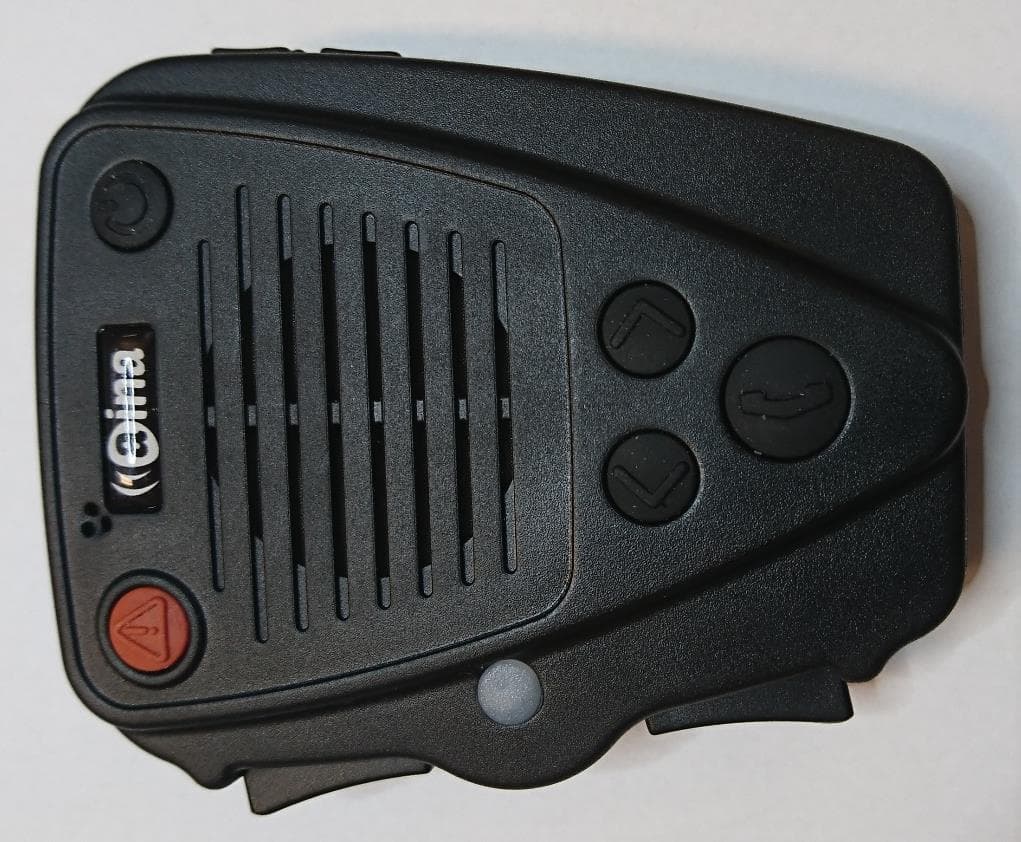
2AH78-APTT2
May 09, 2023AINA PTT Voice Responder
Equipment Class
DTS - Digital Transmission System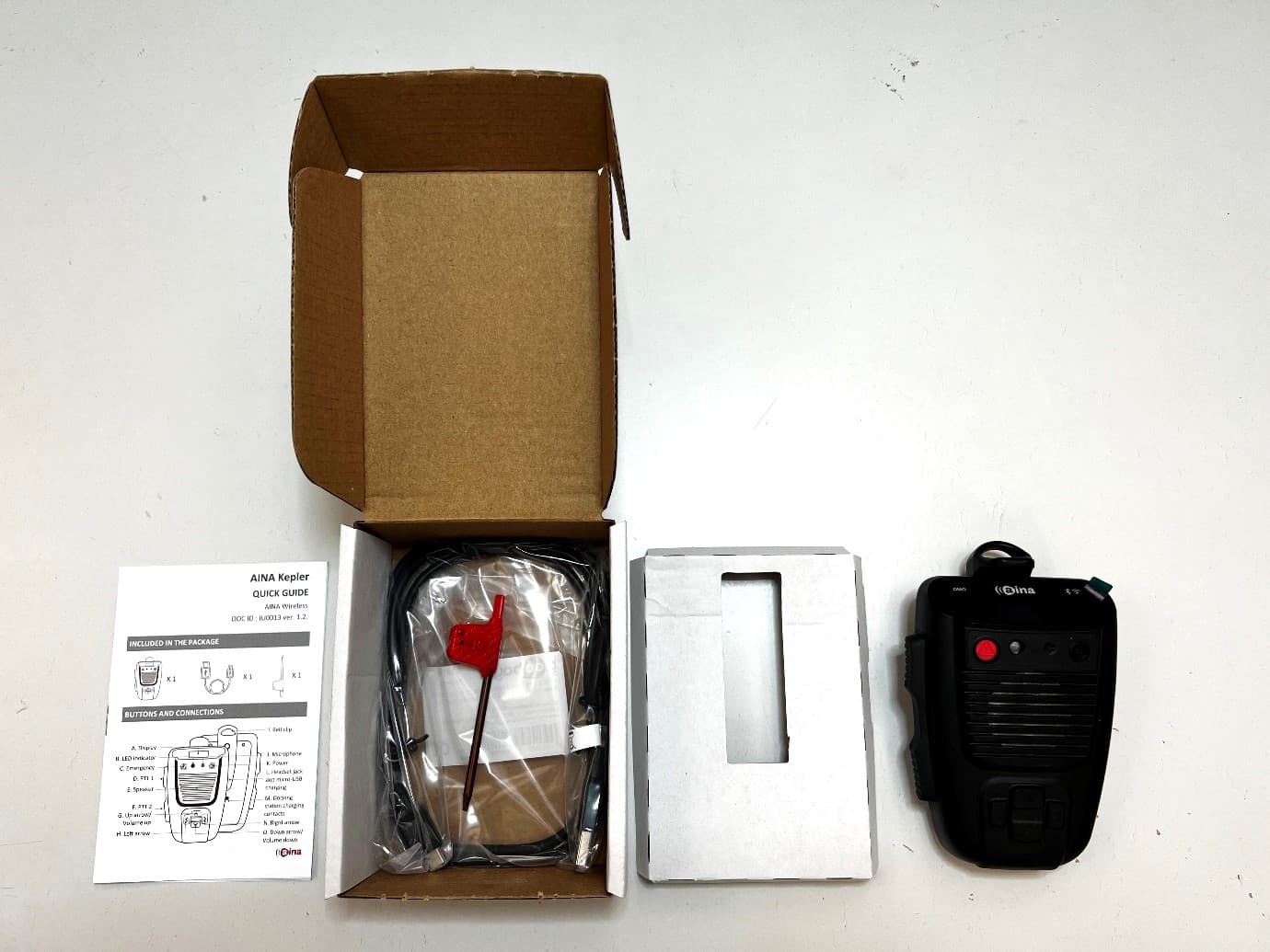
2AH78-AKEPLERW
Apr 20, 2023Kepler Wi-Fi and Bluetooth
Equipment Class
DTS - Digital Transmission System