2AJ3G-E1Indoor WiFi Security Camera
Zhuhai Raysharp Technology Co.,Ltd.
Click to zoom
Application Details
- Equipment Class
- DTS - Digital Transmission System
- Date of Grant
- Jan 04, 2023
- Application Purpose
- Original Equipment
- Date of Application
- Jan 04, 2023
- Equipment Note
- Indoor WiFi Security Camera
- Frequency Range
- 2412.00000000 - 2462.00000000
- Country
- China
Documents & Files
Document Text
Text extracted from the exhibit documents filed with the FCC. Open a document above to read the original.
Users Manual
06 APP Installation Thank you for using SmartCam View. Please setup the camera by following the steps below : 1.In order to connect the camera stably, please install it in the range that could strongly accept the Wi-Fi signal of the home wireless router. Before installing the camera, please determine the installation location(flat surface or wall) When the camera is installed in a place where is difficult to obtain Wi-Fi signal, please use a Wi-Fi extender to extend the Wi-Fi network range. 2.Connect power adapter to the camera Please keep the wires away from children to avoid any potential danger. In order to get the best image quality, please don't touch the camera lens with your hands. Please make sure to use the matching power adapter cable, or the camera may not work properly. 1. Download the APP ● Download the “SmartCam View” app from the App Store(IOS devices) or Google Play (Android devices). ● Scan the QR code below to download the APP For IOS For Android Recommended system specifications Wi-Fi 802.11 b/g/n IOS 11.0 or higher Android OS 6.0 or higher Application pre-check function Make full use of SmartCam View to monitor your home(the supported functions may be varied by different models) : Event notification Motion/Human/Vehicle/Package/Sound detection Customized real-time monitoring Voice intercom Run SmartCam View,then tap <Sign Up>. Input user's information then tap <Get Verification Code>, Verification code will be sent to your email. Input the verification code,read and accept the relevant privacy policy,then tap <Sign Up>. Return to the login interface, input user name and password,Choose Region, then tap <Login>. After tap <Login> will reach the Home menu. Connect power adapter to the camera. Plug the adapter into an outlet. Wait until the camera indicator light on.Tap button<Add Device> in the middle of Home menu . Aim the scanning window at the QR code on the camera. Tap button <Yes,The LED is already slowly blinking Red> when the camera LED is blinking in red. Tap button<CONNECT> to connect camera hotspot Select a 2.4 GHz WIFI network for the camera to connect and input the WIFI password, tap button <save> to connect WIFI. Waiting for the WIFI connecting Set a device name, you can choose or customize a device name you want. Device was added successfully and tap <Next> Register an account 1 2 Adding Device 3 07 08 2. Connect the power connector to the camera and plug the power adapter into a power outlet. Wait until the camera status LED turns solid red. 3. Create an account and tap “Add Device” to add a device into your device list, follow the instructions to complete the setup. 09 10 11 12 13 14 15 Please insert micro SD card and tap <Next> to format Micro SD. If you forgot to insert Micro SD, you can insert Micro SD and tap <Check again> Choose the accurate region in where you want to setup your devices. Tap <Format> to format micro SD card. Tap <Got it> after formatting successfully. Select a desired way to mount the camera according to the installation Guide. Tap <Finish> to finish camera configuration. Mounting the Camera Mount bullet camera onto a wall Rotate the camera to adjust the view angle and check it by using the live stream which you can access in the SmartCam View app. Place cube camera on a table Keep a gap of more than 10 inches (25cm) between objects to the side of the camera lens to avoid overexposure caused by infrared light reflection. 16 17 Keep a gap of more than 10 inches (25cm) between objects to the side of the camera lens to avoid overexposure caused by infrared light reflection. Place PT camera on a table Keep a gap of more than 10 inches (25cm) between objects to the side of the camera lens to avoid overexposure caused by infrared light reflection. Mount the PT camera on celling Mount the battery camera onto a wall Keep a gap of more than 10 inches (25cm) between objects to the side of the camera lens to avoid overexposure caused by infrared light reflection. Mount with magnetic bracket Mount with fixed bracket Unplug the camera power connector from the power adapter. Find a spot where the camera can easily reach a power outlet. Make sure the camera receives a strong Wi-Fi connection in the spot where you want to mount it so that it can stream video to your SmartCam view app. Note: Before mounting the camera: 4 Screw hole positioning card Drill and install anchors Anchors are not required, if the wall is made of wood. Screw the bracket into position Screw hole positioning card Screw the bracket into position Drill and install anchors Anchors are not required, if the wall is made of wood. Attach the camera onto the magnetic base Gap>1 0 inche s( 25 cm) G ap>10 inc he s(25 cm) Ga p> 1 0in che s(25 c m) Across the power cord through mounting bracket Ga p>1 0 inche s(25 cm) G ap >1 0in c he s(2 5c m) Ga p> 1 0in che s(25c m) Ga p>1 0i nches( 25 cm) Gap>1 0i nches( 25 cm) G ap>10in che s(25cm) Gap>10in c hes( 25 cm) G ap >1 0in c he s(2 5cm) Gap >1 0in c hes ( 25cm) This device contains licence-exempt transmitter(s)/receiver(s) that comply with Innovation, Science and Economic Development Canada’s licence-exempt RSS(s) and Part 15 of the FCC Rules. Operation is subject to the following two conditions: (1) This device may not cause interference. (2) This device must accept any interference, including interference that may cause undesired operation of the device. L’émetteur/récepteur exempt de licence contenu dans le présent appareil est conforme aux CNR d’Innovation, Sciences et Développement économique Canada applicables aux appareils radio exempts de licence. L’exploitation est autorisée aux deux conditions suivantes : (1) L’appareil ne doit pas produire de brouillage; (2) L’appareil doit accepter tout brouillage radioélectrique subi, même si le brouillage est susceptible d’en compromettre le fonctionnement. NOTE: This equipment has been tested and found to comply with the limits for a Class B digital device, pursuant to Part 15 of the FCC Ru…
Text truncated - open the document above for the full version.
External Photos
SGS-CSTC Standards Technical Services Co., Ltd. Guangzhou Branch EMC-ARF-02 Rev 1.1 Page: 1 of 4 Appendix External Photos for GZCR2210001322AT Test Model No.: E1 SGS-CSTC Standards Technical Services Co., Ltd. Guangzhou Branch EMC-ARF-02 Rev 1.1 Page: 2 of 4 EUT Constructional Details (EUT Photos) SGS-CSTC Standards Technical Services Co., Ltd. Guangzhou Branch EMC-ARF-02 Rev 1.1 Page: 3 of 4 SGS-CSTC Standards Technical Services Co., Ltd. Guangzhou Branch EMC-ARF-02 Rev 1.1 Page: 4 of 4
Internal Photos
SGS-CSTC Standards Technical Services Co., Ltd. Guangzhou Branch EMC-ARF-03 Rev 1.1 Page: 1 of 5 Appendix Internal Photos for GZCR2210001322AT Test Model No.: E1 SGS-CSTC Standards Technical Services Co., Ltd. Guangzhou Branch EMC-ARF-03 Rev 1.1 Page: 2 of 5 EUT Constructional Details (EUT Photos) Wi-Fi ANT SGS-CSTC Standards Technical Services Co., Ltd. Guangzhou Branch EMC-ARF-03 Rev 1.1 Page: 3 of 5 SGS-CSTC Standards Technical Services Co., Ltd. Guangzhou Branch EMC-ARF-03 Rev 1.1 Page: 4 of 5 SGS-CSTC Standards Technical Services Co., Ltd. Guangzhou Branch EMC-ARF-03 Rev 1.1 Page: 5 of 5
RF Exposure Info
SGS-CSTC Standards Technical Services Co., Ltd. Guangzhou Branch EMC-TRF-03 Rev 1.1 Report No.: GZCR221000132203 Page: 1 of 9 FCC ID: 2AJ3G-E1 Ricky Liu EMC Laboratory Manager RF EXPOSURE EVALUATION REPORT Application No.: GZCR2210001322AT Applicant:Zhuhai Raysharp Technology Co., Ltd. Address of Applicant:No.100 Technology 6th. Road, High-tech Zone, Zhuhai, Guangdong, China P.R. Manufacturer:Zhuhai Raysharp Technology Co., Ltd. Address of Manufacturer:No.100 Technology 6th. Road, High-tech Zone, Zhuhai, Guangdong, China P.R. Factory:Zhuhai Raysharp Technology Co., Ltd. Address of Factory:No.100 Technology 6th. Road, High-tech Zone, Zhuhai, Guangdong, China P.R. Equipment Under Test (EUT): EUT Name:Indoor WiFi Security Camera Model No.: E1 Standard(s) : 47 CFR Part 1.1310 KDB447498D01 General RF Exposure Guidance v06 Date of Receipt: 2022-10-18 Date of Evaluation: 2022-11-18 Date of Issue: 2022-12-12 Evaluation Result: Pass* * In the configuration evaluated, the EUT complied with the standards specified above. SGS-CSTC Standards Technical Services Co., Ltd. Guangzhou Branch EMC-TRF-03 Rev 1.1 Report No.: GZCR221000132203 Page: 2 of 9 Revision Record VersionReport No.DateRemark 01GZCR2210001322032022-12-12Original Authorized for issue by: Jim Li/Project Engineer Vico Cui/Reviewer SGS-CSTC Standards Technical Services Co., Ltd. Guangzhou Branch EMC-TRF-03 Rev 1.1 Report No.: GZCR221000132203 Page: 3 of 9 2Evaluation Summary ItemStandardMethodRequirementResult RF Exposure KDB447498D01 General RF Exposure Guidance v06 KDB447498D01 General RF Exposure Guidance v06 47 CFR Part 1.1310Pass Note: E.U.T./EUT means Equipment Under Test. Pass means the test result passed the test standard requirement, please find the detailed decision rule in the report relative section. SGS-CSTC Standards Technical Services Co., Ltd. Guangzhou Branch EMC-TRF-03 Rev 1.1 Report No.: GZCR221000132203 Page: 4 of 9 3Contents Page 1Cover Page...............................................................................................................................................1 2Evaluation Summary................................................................................................................................3 3Contents....................................................................................................................................................4 4General Information.................................................................................................................................5 4.1Details of E.U.T.................................................................................................................................5 4.2Evaluating Location...........................................................................................................................5 4.3Facility...............................................................................................................................................6 4.4Deviation from Standards..................................................................................................................6 4.5Abnormalities from Standard Conditions...........................................................................................6 5Technical Requirements Specification..................................................................................................7 5.1General Description of Applied Standards........................................................................................7 5.2RF Exposure Evaluation....................................................................................................................7 5.2.1Limit & Test Method......................................................................................................................7 5.2.2Conclusion....................................................................................................................................8 6EUT Constructional Details (EUT Photos).............................................................................................9 SGS-CSTC Standards Technical Services Co., Ltd. Guangzhou Branch EMC-TRF-03 Rev 1.1 Report No.: GZCR221000132203 Page: 5 of 9 4General Information 4.1Details of E.U.T. Power supply:DC 5 V 1A Cable(s):Type C input ports Micro SD card ports Operation Frequency:802.11b/g/n(HT20): 2412MHz to 2462MHz Modulation Type: 802.11b: DSSS (CCK, DQPSK, DBPSK);802.11g/n: OFDM (64QAM, 16QAM, QPSK, BPSK) Number of Channels:802.11b/g/n(HT20):11 Channel Spacing:5MHz Antenna Type:Integral Antenna Antenna Gain:3.32 dBi 4.2Evaluating Location All tests were performed at: SGS-CSTC Standards Technical Services Co., Ltd., Guangzhou Branch EMC Laboratory, 198 Kezhu Road, Scientech Park, Guangzhou Economic & Technology Development District, Guangzhou, China 510663 Tel: +86 20 82155555Fax: +86 20 82075059 No tests were sub-contracted. SGS-CSTC Standards Technical Services Co., Ltd. Guangzhou Branch EMC-TRF-03 Rev 1.1 Report No.: GZCR221000132203 Page: 6 of 9 4.3Facility The facility is recognized, certified, or accredited by the following organizations: ● ACMA SGS-CSTC Standards Technical Services Co., Ltd., EMC Laboratory can also perform testing for the Australian/New Zealand Regulatory Compliance Mark (RCM). ● SGS UK(Certificate No.: 32), SGS-TUV SAARLAND and SGS-FIMKO Have approved SGS-CSTC Standards Technical Services Co., Ltd., EMC Laboratory as a supplier of EMC TESTING SERVICES and SAFETY TESTING SERVICES. ● FCC Recognized Accredited Test Firm(Registration No.: 486818) SGS-CSTC Standards Technical Services Co., Ltd., EMC Laboratory has been accredited and fully described in a report filed with the (FCC) Federal Communications Commission. The acceptance letter from the FCC is maintained in our files. Designation Number: CN5016, Test Firm Registration Number: 486818. ● ISED (Registration No.: 4620B, CAB identifier: CN0052) SGS-CSTC Standards Technical Services Co., Ltd., h…
Text truncated - open the document above for the full version.
Test Report
SGS-CSTC Standards Technical Services Co., Ltd. Guangzhou Branch EMC-TRF-01 Rev 1.1 Report No.: GZCR221000132202 Page: 1 of 96 FCC ID: 2AJ3G-E1 Ricky Liu EMC Laboratory Manager TEST REPORT Application No.: GZCR2210001322AT Applicant: Zhuhai Raysharp Technology Co., Ltd. Address of Applicant: No.100 Technology 6th. Road, High-tech Zone, Zhuhai, Guangdong, China P.R. Manufacturer: Zhuhai Raysharp Technology Co., Ltd. Address of Manufacturer: No.100 Technology 6th. Road, High-tech Zone, Zhuhai, Guangdong, China P.R. Factory: Zhuhai Raysharp Technology Co., Ltd. Address of Factory: No.100 Technology 6th. Road, High-tech Zone, Zhuhai, Guangdong, China P.R. Equipment Under Test (EUT): EUT Name: Indoor WiFi Security Camera Model No.: E1 Standard(s) : 47 CFR Part 15, Subpart C 15.247 Date of Receipt: 2022-10-18 Date of Test: 2022-11-01 to 2022-11-23 Date of Issue: 2022-12-12 Test Result: Pass* * In the configuration tested, the EUT complied with the standards specified above. SGS-CSTC Standards Technical Services Co., Ltd. Guangzhou Branch EMC-TRF-01 Rev 1.1 Report No.: GZCR221000132202 Page: 2 of 96 Revision Record Version Report No. Date Remark 01 GZCR221000132202 2022-12-12 Original Authorized for issue by: Jim Li/Project Engineer Vico Cui/Reviewer SGS-CSTC Standards Technical Services Co., Ltd. Guangzhou Branch EMC-TRF-01 Rev 1.1 Report No.: GZCR221000132202 Page: 3 of 96 2 Test Summary Radio Spectrum Technical Requirement Item Standard Method Requirement Result Antenna Requirement 47 CFR Part 15, Subpart C 15.247 N/A 47 CFR Part 15, Subpart C 15.203 & 15.247(b)(4) Pass Radio Spectrum Matter Part Item Standard Method Requirement Result Conducted Emissions at AC Power Line (150kHz-30MHz) 47 CFR Part 15, Subpart C 15.247 ANSI C63.10 (2013) Section 6.2 47 CFR Part 15, Subpart C 15.207 Pass Conducted Peak Output Power ANSI C63.10 (2013) Section 11.9.2 47 CFR Part 15, Subpart C 15.247(b)(3) Pass Minimum 6dB Bandwidth ANSI C63.10 (2013) Section 11.8.1 47 CFR Part 15, Subpart C 15.247a(2) Pass Power Spectrum Density ANSI C63.10 (2013) Section 11.10.2 47 CFR Part 15, Subpart C 15.247(e) Pass Conducted Band Edges Measurement ANSI C63.10 (2013) Section 11.13.3.2 47 CFR Part 15, Subpart C 15.247(d) Pass Conducted Spurious Emissions ANSI C63.10 (2013) Section 11.11 47 CFR Part 15, Subpart C 15.247(d) Pass Radiated Emissions which fall in the restricted bands ANSI C63.10 (2013) Section 6.10.5 47 CFR Part 15, Subpart C 15.205 & 15.209 Pass Radiated Spurious Emissions Below 1GHz ANSI C63.10 (2013) Section 6.4,6.5 47 CFR Part 15, Subpart C 15.205 & 15.209 Pass Radiated Spurious Emissions Above 1GHz ANSI C63.10 (2013) Section 6.6 47 CFR Part 15, Subpart C 15.205 & 15.209 Pass** **: The EUT passed the Radiated Spurious Emissions Above 1GHz test after modifications. Note: E.U.T./EUT means Equipment Under Test. Pass means the test result passed the test standard requirement, please find the detailed decision rule in the report relative section. SGS-CSTC Standards Technical Services Co., Ltd. Guangzhou Branch EMC-TRF-01 Rev 1.1 Report No.: GZCR221000132202 Page: 4 of 96 3 Contents Page 1 Cover Page ......................................................................................................................................... 1 2 Test Summary ..................................................................................................................................... 3 3 Contents ............................................................................................................................................. 4 4 General Information............................................................................................................................ 6 4.1 Details of E.U.T. ........................................................................................................................... 6 4.2 Description of Support Units ......................................................................................................... 6 4.3 Measurement Uncertainty ............................................................................................................ 6 4.4 Test Location ............................................................................................................................... 7 4.5 Test Facility .................................................................................................................................. 7 4.6 Deviation from Standards ............................................................................................................. 7 4.7 Abnormalities from Standard Conditions ....................................................................................... 7 5 Equipment List ................................................................................................................................... 8 6 Radio Spectrum Technical Requirement ..........................................................................................11 6.1 Antenna Requirement .................................................................................................................11 6.1.1 Test Requirement: ..................................................................................................................11 6.1.2 Conclusion ..............................................................................................................................11 7 Radio Spectrum Matter Test Results ................................................................................................12 7.1 Conducted Emissions at AC Power Line (150kHz-30MHz) ..........................................................12 7.1.1 E.U.T. Operation .....................................................................................................................12 7.1.2 Test Mode Description ............................................................................................................12 7.1.3 Test Setup Diagram ....…
Text truncated - open the document above for the full version.
Test Setup Photos
SGS-CSTC Standards Technical Services Co., Ltd. Guangzhou Branch EMC-ARF-04 Rev 1.1 Page: 1 of 3 Appendix Test Setup Photo for GZCR221000132202 Test Model No.: E1 SGS-CSTC Standards Technical Services Co., Ltd. Guangzhou Branch EMC-ARF-04 Rev 1.1 Page: 2 of 3 Test Setup Photo Conducted Emissions at AC Power Line (150kHz-30MHz) SGS-CSTC Standards Technical Services Co., Ltd. Guangzhou Branch EMC-ARF-04 Rev 1.1 Page: 3 of 3 Radiated Emissions which fall in the restricted bands & Radiated Spurious Emissions
Contact Information
Applicant
Xuanpeng Zhu(Certification Engineer)
Technical Contact
SGS-CSTC Standards Technical Services Co., LtdKobe Jian
[email protected]+862082155314
No.198 Kezhu Road, Science City Economic & · Guangzhou, Guangdong · China
Non-Technical Contact
SGS-CSTC Standards Technical Services Co., LtdKobe Jian
[email protected]+862082155314
Test Firm
SGS-CSTC Standards Technical Services Co., Ltd.Bonnie Liao
[email protected]020-8215-5379
Technical Specifications
| # | Rule Parts | Frequency Range | Power Output |
|---|---|---|---|
| 1 | 15C | 2.41 GHz - 2.46 GHz | 47.50 mW |
Other Applications from Zhuhai Raysharp Technology Co.,Ltd.

2AJ3G-W2
Feb 16, 2023Dual WiFi Security Camera
Equipment Class
DTS - Digital Transmission System
2AJ3G-C1
Jan 04, 2023Pan Tilt Indoor WiFi Camera
Equipment Class
DTS - Digital Transmission System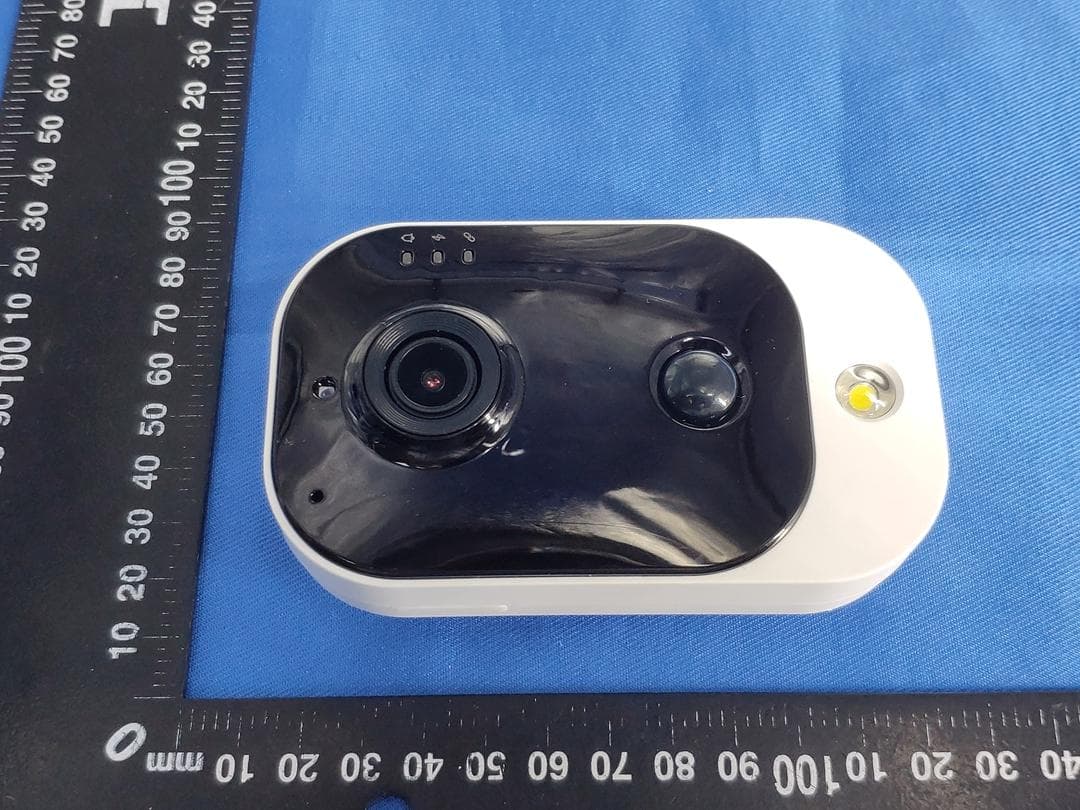
2AJ3GCH728H4CWA28PW
Nov 10, 2020Wireless Camera
Equipment Class
DTS - Digital Transmission System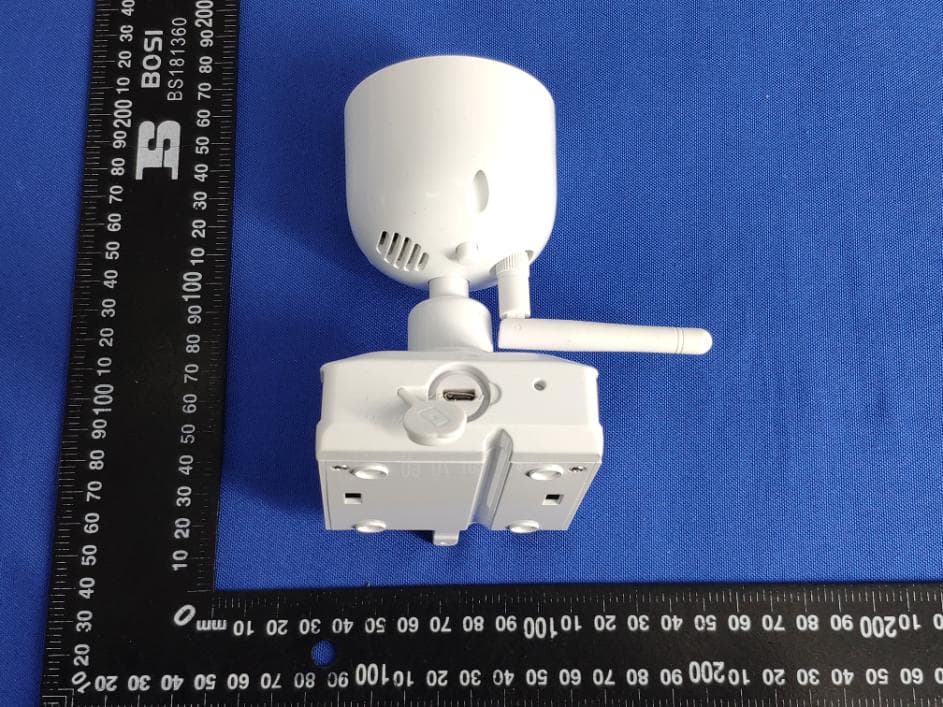
2AJ3GRS-CH222H1XDTL
Mar 01, 2020Wireless Camera
Equipment Class
DTS - Digital Transmission System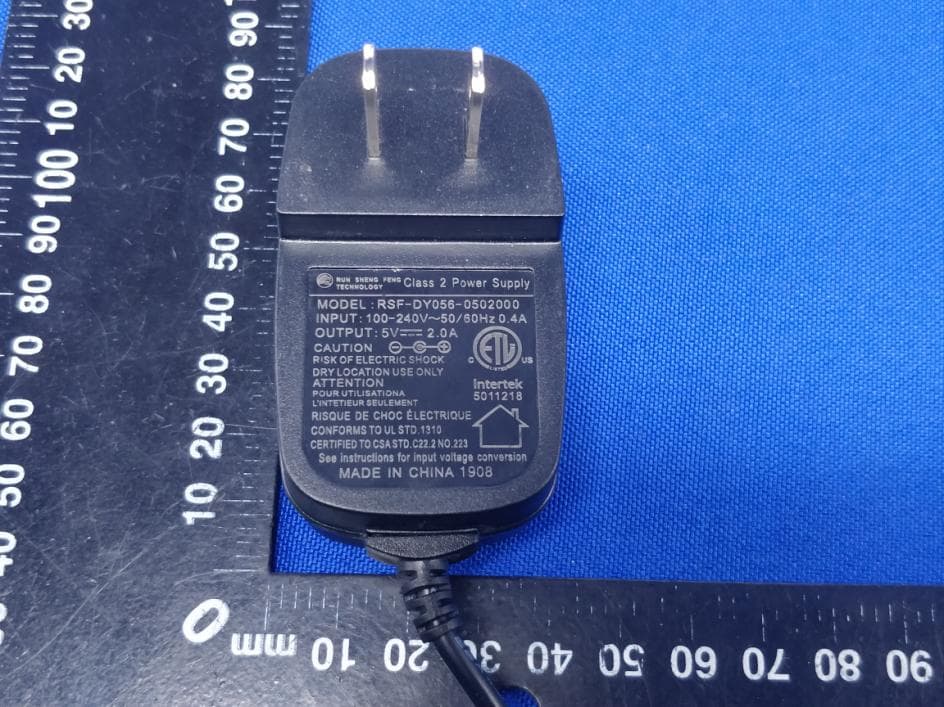
2AJ3GRS-CH222H1CGA
Jan 17, 2020Wireless Camera
Equipment Class
DTS - Digital Transmission System