2AJMW-M350W-DUSB Dongle
Edco Electronics Inc.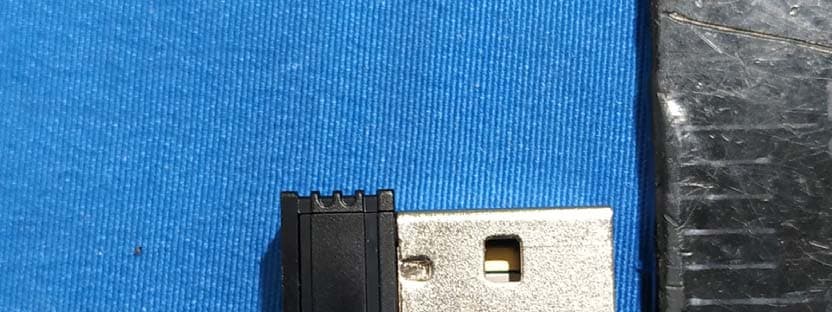
Click to zoom
Application Details
- Equipment Class
- DSS - Part 15 Spread Spectrum Transmitter
- Date of Grant
- Apr 13, 2020
- Application Purpose
- Original Equipment
- Date of Application
- Apr 13, 2020
- Equipment Note
- USB Dongle
- Frequency Range
- 2402.00000000 - 2480.00000000
- Company
- Edco Electronics Inc.
- Country
- Canada
Documents & Files
Document Text
Text extracted from the exhibit documents filed with the FCC. Open a document above to read the original.
Users Manual
Wireless Optical Mouse M350W PLEASE READ THIS USER MANUAL COMPLETELY BEFORE OPERATING THIS UNIT AND RETAIN THIS BOOKLET FOR FUTURE REFERENCE. IMPORTANT SAFETY INSTRUCTIONS 1.Read these instructions carefully. 2.Keep these instructions in a safe place. 3.Follow all instructions. 4.Do not use this product near water. 5.Clean only with dry cloth. 6.Refer all servicing to qualified service personnel. Servicing is required when the product has been damaged in any way, such as liquid has been spilled or objects have fallen into the product, the product has been exposed to rain or moisture, does not operate normally, or has been dropped. FCC Warning This device complies with part 15 of the FCC Rules. Operation is subject to the following two conditions: (1) This device may not cause harmful interference, and (2) this device must accept any interference received, including interference that may cause undesired operation. NOTE 1: This equipment has been tested and found to comply with the limits for a Class B digital device, pursuant to part 15 of the FCC Rules. These limits are designed to provide reasonable protection against harmful interference in a residential installation. This equipment generates, uses and can radiate radio frequency energy and, if not installed and used in accordance with the instructions, may cause harmful interference to radio communications. However, there is no guarantee that interference will not occur in a particular installation. If this equipment does cause harmful interference to radio or television reception, which can be determined by turning the equipment off and on, the user is encouraged to try to correct the interference by one or more of the following measures: - Reorient or relocate the receiving antenna. - Increase the separation between the equipment and receiver. - Connect the equipment into an outlet on a circuit different from that to which the receiver is connected. - Consult the dealer or an experienced radio/TV technician for help. NOTE 2: Any changes or modifications to this unit not expressly approved by the party responsible for compliance could void the user’s authority to operate the equipment. IC Warning This device com plies with Innovation, Science and E c onomic Developm ent Canada Compliance licence-ex empt RSS standard (s). Operation is subject to the following two conditions: (1) this device may not cause interference, and (2) this device must accept any interference,including interference that may cause undesired operation of the device. Le présent appareil est conforme aux CNR d'Innovation, Sciences et Développement économique Canada applicables aux appareils radio exempts de licence. L'exploitation est autorisée aux deux conditions suivantes: (1)l'appar eil ne doit pas produire de brouillage, et (2)l'utilisateur de l'appar eil doit accepter tout b rouillage radioélectrique subi, même si le brouillage est susceptible d'en compromettre le fonctionnement. ISEDC Radiation Exposur e S tatement: This equipment complies with IS EDC RF radiation exposure limits set forth for an uncontrolled environment. This transmitter must not be co-located or operating in conjunction with any other antenna or transmitter. IC exposition aux radiations: Cet équipement est conforme avec ISEDC les limites d'exposition aux rayonnements définies pour un contrôlé environnement. Cet émetteur ne doit pas être co-localisés ou fonctionner en conjonction avec une autre antenne ou enne ou émetteur. Thank you for your purchase. Please visit our website at www.borne-lifestyle.com. DIAGRAM A.Left ButtonD. DPI Button (800 / 1200 / 1600) B. Right ButtonE. Forward Button C. Scroll Wheel / ButtonF. Back Button OPERATION 1.Remove the battery compartment cover. 2.Remove the USB dongle.(Modle:M350W-D) 3.Insert 2 x AAA size batteries (not included) in the correct polarity position and replace the battery compartment cover. 4.ON/OFF power switch. CONNECTING THE MOUSE 1.Turn on your desktop computer or laptop 2.Insert the USB dongle into an available USB port on your desktop computer or laptop 3.Your plug-and-play wireless will be ready to use. Need help? Please call us. If you encounter any difficulties with this product, please call or email us and our representatives will be ready to help you. Toll free: 1-800-593-6669 (Monday to Friday: 9am – 5pm EST) Email: [email protected] Thank you for your purchase. We want you to start enjoying your product. LIMITED WARRANTY Warning: Some Products may contain components that are small enough to be swallowed. Keep out of the reach of children. Before returning your Product for service under this Warranty, (i) please read the instruction manual carefully and visit our website at www.borne-lifestyle.com for product updates and extended support documentation (e.g., Frequently Asked Questions, Common Troubleshooting Guides); (ii) please contact Borne Electronics Support if you are still having trouble with your Product. Subject to the terms and conditions herein, Borne Electronics warrants to the original purchaser of the Product (“Customer”) that the Product will be free from defects in material or workmanship under normal, noncommercial use (“Defects”) for a period of 1 year. Warranty Period encompasses separate “Coverage Periods” for Parts and Labor, with each Coverage Period to begin from the original date of Customer purchase. Parts are covered for a period of 1yr. Labour is covered for 90 days. If Customer returns a defective Product during the applicable Warranty Period, Borne Electronics will, at its option during the specified Coverage Periods for Parts and Labor (as applicable), either: (i) repair the Product or (ii) replace the Product with a new or refurbished Product, in either case free of charge to Customer for Parts and/or Labor (as applicable) during the specified Coverage Period only, and excluding applicable shipping charges for which the Customer is responsible. The foregoing states the Customer’s exclusive reme…
Text truncated - open the document above for the full version.
Cover Letter(s)
QA-FR-170-B Edco Electronics Inc. ADD: 8484 Avenue de l'Esplanade Montreal, Quebec Montreal, H2P 2R7Canada Tel: 1-438-738-5163 Fax: 1-514-858-1588 E-mail: [email protected] FCC Authorization Date: 2020-04-05 FEDERAL COMMUNICATIONS COMMISSION Authorization and Evaluation Division 7435 Oakland Mills Road Columbia, MD 21046 Subject: Agent Authorization To whom it may concern: We , Edco Electronics Inc., Hereby authorizes Bay Area Compliance Laboratories Corporation to act on its behalf in all matters relating to application for Equipment authorization, including the signing of all documents relating to these matters. All acts carried out by Bay Area Compliance Laboratory Corporation on our behalf shall have the same effect as our own action. We, the undersigned, hereby certify that we are not subject to a denial of federal benefits, that includes FCC benefits, pursuant to Section 5301 of the Anti-Drug Abuse Act of 1988, 21 U.S.C. 862. This authorization is valid until further written notice from the applicant. Sincerely Yours, Client’s signature Printed Name: Jonathan Lee Title: Director of Product Developmen t
Cover Letter(s)
-M350W-D FCC ID: 2AJMW QA-FR-171-A Edco Electronics Inc. Add: 8484 Avenue de l'Esplanade Montreal, Quebec Montreal, H2P 2R7 Canada Tel: 1-438-738-5163 Fax: 1-514-858-1588 E-mail: [email protected] FCC Confidential Authorization Date:2020-04-05 FEDERAL COMMUNICATIONS COMMISSIONS Authorization and Evaluation Division 7435 Oakland Mills Road Columbia, MD 21046 Subject: Confidentiality Request regarding application for certification of In accordance with Sections 0.457 and 0.459 of the Commission’s R ules, Edco Electronics Inc. hereby requests long-term confidential treatment of information accompanying this application as outlined below: Block Diagram Schematics Operation Description The above materials contain proprietary and confidential information not customarily released to the public. The public disclosure of these materials provides unjustified benefits to its competitors in the market. Sincerely, Signature: Jonathan Lee Director of Product Development
External Photos
EXHIBIT B - EUT EXTERNAL PHOTOGRAPHS
Internal Photos
EXHIBIT C - EUT INTERNAL PHOTOGRAPHS
Test Report
FCC PART 15.247 RSS-GEN, ISSUE 5, MARCH 2019 AMENDMENT 1 RSS-247, ISSUE 2, FEBRUARY 2017 TEST REPORT For Edco Electronics Inc. FCC Address: 8484 Avenue de l'Esplanade Montreal, Quebec Montreal, H2P 2R7 Canada IC Address: 8484 Avenue de l'Esplanade Montréal QC H2P 2R7 Canada FCC ID: 2AJMW-M350W-D IC: 20174-M350WD Report Type: Original Report Product Name: USB Dongle Report Number: RDG200109009-00 Re port Date: 2020-03-27 Reviewed By: Ivan Cao Assistant Manager Test Laboratory: Bay Area Compliance Laboratories Corp. (Dongguan) No.69 Pulongcun, Puxinhu Industry Area, Tangxia, Dongguan, Guangdong, China Tel: +86-769-86858888 Fax: +86-769-86858891 www.baclcorp.com.cn Bay Area Compliance Laboratories Corp. (Dongguan) Report No.: RDG200109009-00 Page 2 of 41 TABLE OF CONTENTS GENERAL INFORMATION ....................................................................................................................................... 4 PRODUCT DESCRIPTION FOR EQUIPMENT UNDER TEST (EUT) ..................................................................................... 4 OBJECTIVE ................................................................................................................................................................... 4 RELATED SUBMITTAL(S)/GRANT(S) ............................................................................................................................. 4 TEST METHODOLOGY .................................................................................................................................................. 4 MEASUREMENT UNCERTAINTY .................................................................................................................................... 5 TEST FACILITY ............................................................................................................................................................. 5 DECLARATIONS ............................................................................................................................................................ 5 SYSTEM TEST CONFIGURATION .......................................................................................................................... 6 DESCRIPTION OF TEST CONFIGURATION ...................................................................................................................... 6 EUT EXERCISE SOFTWARE .......................................................................................................................................... 6 EQUIPMENT MODIFICATIONS ....................................................................................................................................... 6 SUPPORT EQUIPMENT LIST AND DETAILS .................................................................................................................... 6 SUPPORT CABLE LIST AND DETAILS ............................................................................................................................ 6 BLOCK DIAGRAM OF TEST SETUP ................................................................................................................................ 7 SUMMARY OF TEST RESULTS ............................................................................................................................... 8 FCC §15.247 (i) & §1.1310 & §2.1093- RF Exposure ................................................................................................. 9 APPLICABLE STANDARD .............................................................................................................................................. 9 RSS-102 § 2.5.1 EXEMPTION LIMITS FOR ROUTINE EVALUATION – SAR EVALUATION ................... 10 APPLICABLE STANDARD ............................................................................................................................................ 10 FCC §15.203 & RSS-GEN CLAUSE 6.8 - ANTENNA REQUIREMENT ............................................................. 11 APPLICABLE STANDARD ............................................................................................................................................ 11 ANTENNA INFORMATION AND CONNECTOR CONSTRUCTION ..................................................................................... 11 FCC §15.207 (a) & RSS-GEN CLAUSE 8.8 – AC LINE CONDUCTED EMISSIONS ....................................... 12 APPLICABLE STANDARD ............................................................................................................................................ 12 EUT SETUP ................................................................................................................................................................ 12 EMI TEST RECEIVER SETUP ....................................................................................................................................... 12 TEST PROCEDURE ...................................................................................................................................................... 12 CORRECTED AMPLITUDE & MARGIN CALCULATION ................................................................................................. 13 TEST EQUIPMENT LIST AND DETAILS ......................................................................................................................... 13 TEST DATA ................................................................................................................................................................ 13 FCC §15.209, §15.205 & §15.247(D) & RSS-247 CLAUSE 5.5,RSS -GEN CLAUSE 8.10- SPURIOUS EMISSIONS ................................................................................................................................................................. 16 APPLICABLE STANDARD ......................................................................................................................................…
Text truncated - open the document above for the full version.
Test Setup Photos
EXHIBIT D - TEST SETUP PHOTOGRAPHS Conducted Emissions Front View Conducted Emissions Side View Radiated Emission Below 1GHz View Radiated Emission Above 1GHz View
Contact Information
Applicant
Jonathan Lee(Director of Product Development)
Test Firm
Bay Area Compliance Laboratories Corp.(Dongguan)David Zhang
[email protected]0086 0769 86858888
Technical Specifications
| # | Rule Parts | Frequency Range | Power Output |
|---|---|---|---|
| 1 | 15C | 2.40 GHz - 2.48 GHz | 1.00 mW |
Other Applications from Edco Electronics Inc.
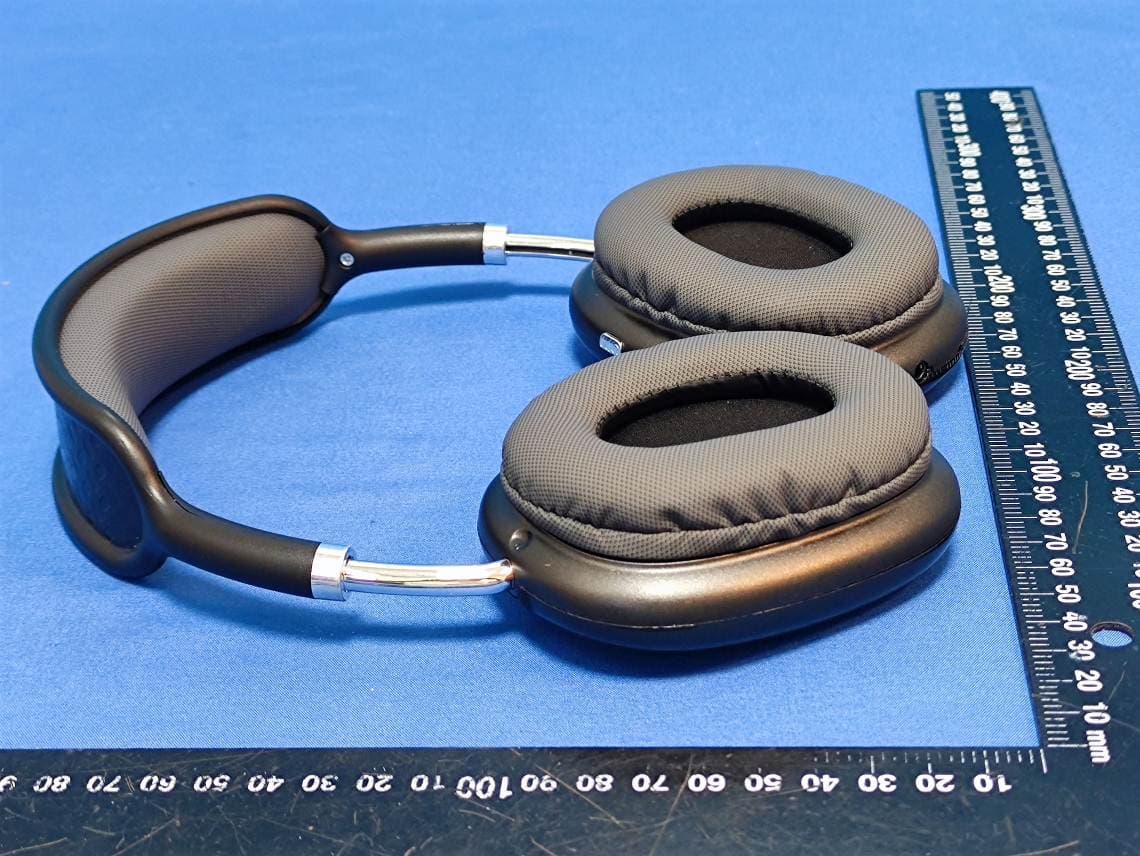
2AJMW-BTHP4X
Sep 04, 2024Wireless Headphones
Equipment Class
DSS - Part 15 Spread Spectrum Transmitter
2AJMW-BTWSG20
Jun 26, 2023Wireless Earbuds
Equipment Class
DSS - Part 15 Spread Spectrum Transmitter
2AJMW-BTSP110
May 17, 2023Wireless LED Speaker
Equipment Class
DSS - Part 15 Spread Spectrum Transmitter
2AJMW-BTHP10
May 10, 2023Wireless Business Headset
Equipment Class
DSS - Part 15 Spread Spectrum Transmitter
2AJMW-BTSP111
May 10, 2023Wireless LED Speaker
Equipment Class
DSS - Part 15 Spread Spectrum Transmitter