2AJVKSW600Smart Watch
Foto Electric Supply Co., INC.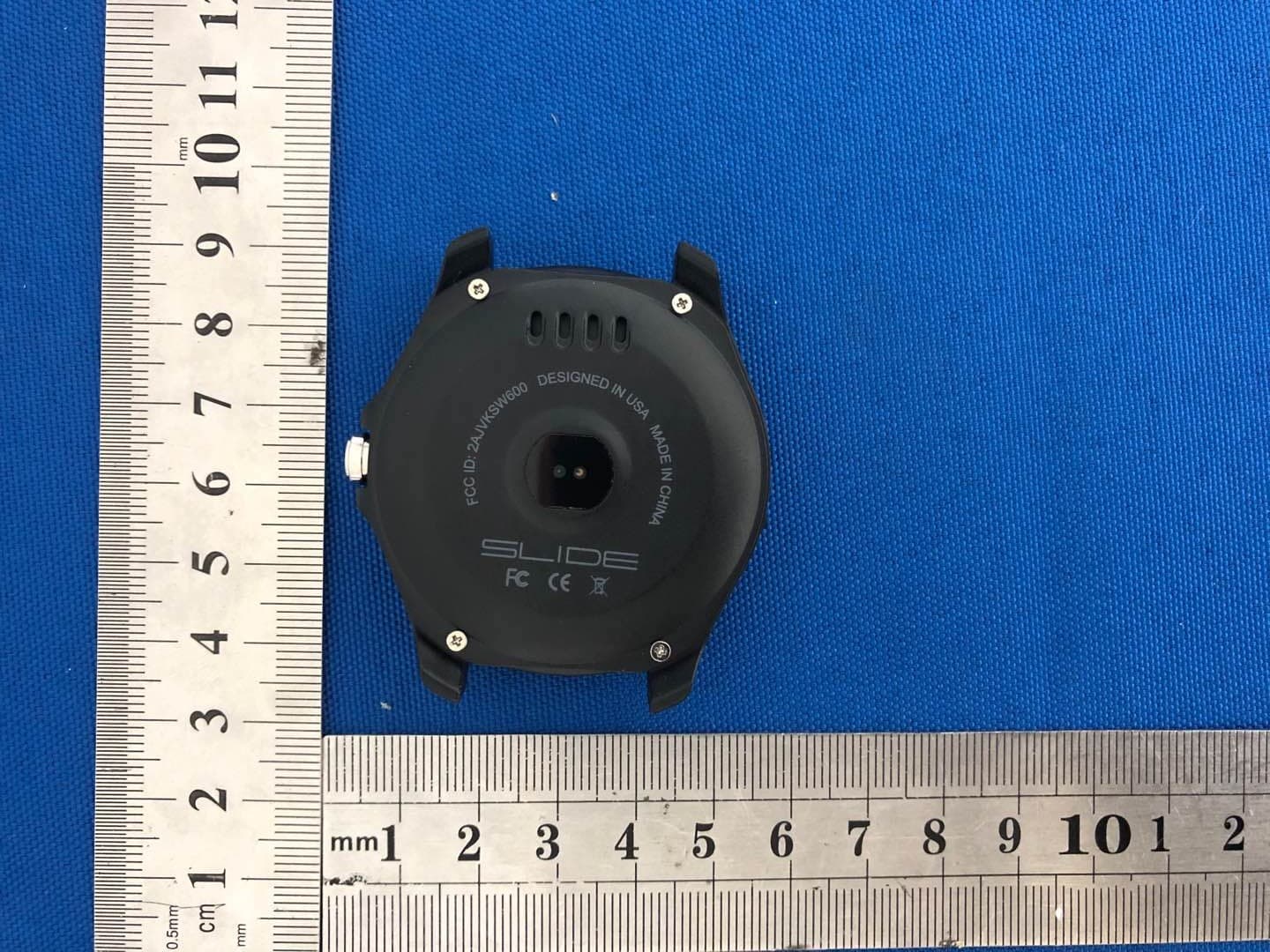
Click to zoom
Application Details
- Equipment Class
- DSS - Part 15 Spread Spectrum Transmitter
- Date of Grant
- Jul 11, 2020
- Application Purpose
- Original Equipment
- Date of Application
- Jul 11, 2020
- Equipment Note
- Smart Watch
- Frequency Range
- 2402.00000000 - 2480.00000000
- Country
- United States
Documents & Files
Document Text
Text extracted from the exhibit documents filed with the FCC. Open a document above to read the original.
Users Manual
Smart Watch User Manual Please refer to this manual before use V1.0 1. Precautions for use 1.1The company reserves the right to modify the contents of this manual without any further notification. It is normal that some functions may vary in certain versions of software. 1.2 Please charge this watch with the configured cable for no less than 2 hours before use. Models can be paired with: Android phones: support OS 5.0 and above Iphones:Support OS 9.0 and above 2. BT connection APP download and instruction 2.1 installation of APP (1) Use your mobile phone to scan the QR code below to download the app and follow the prompts to install it. (2)Search “LinkTo Health” to download Android phone: Google Play store Apple phone:APP store (3) APP and watch connection Click to enter the APP, select "Login" or "Registered", or “Login without registering” (Figure 8), successful login--tap the watch icon at bottom to enter into Equipment page (Figure 9). Tap “Bind the New Device” and Enter into Device Selection page (Figure 10). Tap on the photo of KW05 and enter into Connection Page (Figure 11), then tap manual connection, find the right Bluetooth name of your device and tap it (Figure 12). (Figure 8)(Figure 9)(Figure 10) (Figure 11)(Figure 12)(Figure 13) 3. Main Functions 其他应用: Tools 设置 Setting 健康 Health 通讯 Phone 远程控制 Remote control 消息推送 Notifier Brief Introduction Heart Rate Slidewatch faces from right to left into the function list, clickHealth, choose Heart Rate function, click the small circle icon to start measuring.Slide from top to down to enter into "Options" interface (it can not be done when it’s measuring), you can view the History and Help, set test mode into Onceor Repeat. Pedometer Pedometer function is on by default. When bluetooth is connected, the sports data of watch will be real-time synced to Linkto Health app of phone. Or click “Sync Data” on app to sync data from your watch to your phone.Watch’s record data will be cleared at 00:00. Slide from downto up to enter into "Options" interface, you can set status OFF or ON, Goal, Gender, Height, Weight and view History here. Reset Go to “Settings” of you watch,touchReset, your watch will erase all data and reboot. Sleep monitor The default sleep monitoring time of watch is from 21:00 p.m to 9:00 a.m. Slide from down to up to enter the "Options" interface, you can set "OFF" or "ON", and view History and Help. After connected with both watch and phone, click sync data on Linkto Health APP to synchronize sleep data from your watch to phone. ( Please refer to the Synchronization procedure in bluetooth connection page). Sedentary Set a sedentary duration (at intervals of 30 mins, 0min--300mins for options), your watch will vibrate and ring to remind you when you have been seated for a sedentary duration. Drink Turn on “Drink”function, the default duration is from 9 am to 9 pm. It will remind you once an hour. OFF means turn off the function, ON means turn on the function. Phone Dialer Once connected with bluetooth of your phone, you can make Bluetooth calls by inputing phone number. Phonebook Once connected with bluetooth of your phone, contacts on your phone will be automatically synced to your watch(Please refer to Bluetooth Connection Guide for more details ). Note: Please allow your watch access to phone’s contacts during connection.. Call history Once connected with bluetooth of your phone, call history on your phone will be automatically synced to your watch, and you can dial to anyone. Note: Please allow your watch access to phone’s call history during connection. Messaging If connected withAndroid phone, messages on your phone will be automatically synced to your watch. ( iPhones are not supported to use this function ) Note: Please allow your watch access to phone’s messages during connection. Notifier Once connected with blueooth of your phone, your phone’s notifications showed on status bar will be automatically synced to your watch. (Please refer to Bluetooth Connection Guide for more details ). Remotecontrol Camera After watch connected with bluetooth of your phone successfully, open the camera in the phone, click capture on watch to take photos. The photos will be kept in the phone. BT music After connected with bluetooth of your phone, you can remote control the music player in watch, music is playing on the phone’s end. Anti-lost After connected with bluetooth of your phone, click “anti-lost” on your watch, your phone will get an alert and ringing. Siri When your watch is connected with iphones, turn on “Siri” function, you can search Weather, information, etc. (Only for iPhones and some of Android phones). Tool Alarm You can set one or several alarm clocks and self-defined the alarm time, ring frequencies, rings, and remind method. Calculator Inputnumber on the keypad to calculate. Calendar View the current date, touch the rose red round button to check the current month data, by sliding up and down to shift months. Stopwatch Click the middle icon to start, left icon to start a new count, 10 counts at most; right icon to erase all records. Only 2 latest counts would be displayed in the stopwatch interface, tap on the counts to check all 10 counts record. Weather After watch is successfully paired with phone Bluetooth (refer to Bluetooth guide for the synchronization method), the weather information of the phone APP can be synced to the watch (Note: The information can only display the highest and lowest temperature of the day, with updated every 4 hours) Setting APP Download Scan the QR code on your watchthrough phone browser to download and install Linkto HealthApp. BT setting 1.Tap power on/off to turn on/off Bluetooth (before bluetooth paring). 2. Tap visibility on/off to decide whether the device bluetooth can be detected by nearby bluetooth devices (before bluetooth pairing). 3.Search your phone Bluetooth with watch: Click Search Device on the watch to search for a new device, find the Bluetooth name of your phone, cli…
Text truncated - open the document above for the full version.
Cover Letter(s)
(Foto Electric Supply Co., INC.) Federal Communications Commission Authorization and Evaluation Division Confidentiality Request regarding application for certification of FCC ID: 2AJVKSW600 Pursuant to Sections 0.457 and 0.459 of the Commission’s Rules, we hereby request confidential treatment of information accompanying this application as outlined below: Exhibit Type File Name Block Diagram, Schematics, Operational Description Block Diagram Schematics Operational Description The above materials contain trade secrets and proprietary information not customarily released to the public. The public disclosure of these materials may be harmful to the applicant and provide unjustified benefits to its competitors. The applicant understands that pursuant to Section 0.457 of the Rules, disclosure of this application and all accompanying documentation will not be made before the date of the Grant for this application. Sincerely, ( Jared Melnicoff) Rev 11/20/07
Cover Letter(s)
(Foto Electric Supply Co., INC.) Federal Communications Commission Authorization and Evaluation Division 1435 Oakland Mills Road Columbia, MD 21046 Date: 2020/7/6 SUBJECT: FCC Application for FCC ID: 2AJVKSW600 To Whom It May Concern: We, the undersigned, hereby authorize Alan Mei at Shenzhen BCTC Testing Co., Ltd. on our behalf, to apply to the Federal Communications Commission on our equipment. Any and all acts carried out by Alan Mei of Shenzhen BCTC Testing Co., Ltd. on our behalf shall have the same effect as acts of our own. This is to advise that we are in full compliance with the Anti- Drug Abuse Act. We, the applicant, are not subject to a denial of federal benefits pursuant to Section 5301 of the Anti-Drug Act of 1988, 21 USC853a, and no party to the application is subject to a denial of federal benefits pursuant to that section. Regards, ( Jared Melnicoff)
External Photos
External Photos
ID Label/Location Info
Label & label location
Internal Photos
Internal Photos Antenna
RF Exposure Info
RF EXPOSURE EVALUATION METHOD FCC ID: 2AJVKSW600 SAR Test Exclusion Thresholds for 100 MHz – 6 GHz and ≤ 50 mm Approximate SAR Test Exclusion Power Thresholds at Selected Frequencies and Test Separation Distances are illustrated in the following Table. The 1-g and 10-g SAR test exclusion thresholds for 100 MHz to 6 GHz at test separation distances ≤ 50 mm are determined by: [(max. power of channel, including tune-up tolerance, mW)/(min. test separation distance, mm)] · [√f(GHz)] ≤ 3.0 for 1-g SAR and ≤ 7.5 for 10-g extremity SAR,where f(GHz) is the RF channel transmit frequency in GHz Power and distance are rounded to the nearest mW and mm before calculation The result is rounded to one decimal place for comparison The test exclusions are applicable only when the minimum test separation distance is ≤ 50 mm and for transmission frequencies between 100 MHz and 6 GHz. When the minimum test separation distance is < 5 mm, a distance of 5 mm is applied to determine SAR test exclusion. BT-EDR max possible output power (PK,conducted):2±1dbm 2.5dBi logarithmic terms convert to numeric result is nearly 1.78 3dBm=2.00mW 2402MHz [(max. power of channel, including tune-up tolerance, mW)/(min. test separation distance,mm)] · [√f(GHz)]=2.00/5*√2.402=0.62≤3.0 Threshold at which no SAR required is 10mw and ≤ 3.0 for 1-g SAR, Separation distance is 5mm. Modulation Frequency (MHz) Output Power (dBm) Max Antenna Gain (dBi) GFSK 2402 2.14 2.5 GFSK 2441 2.14 2.5 GFSK 2480 2.10 2.5 Pi/4 DQPSK 2402 0.96 2.5 Pi/4 DQPSK 2441 1.02 2.5 Pi/4 DQPSK 2480 1.09 2.5 8DPSK 2402 1.38 2.5 8DPSK 2441 1.48 2.5 8DPSK 2480 1.58 2.5 2441MHz [(max. power of channel, including tune-up tolerance, mW)/(min. test separation distance,mm)] · [√f(GHz)]= 2.00/5*√2.441 =0.62≤3.0 Threshold at which no SAR required is 10mw and ≤ 3.0 for 1-g SAR, Separation distance is 5mm. 2480MHz [(max. power of channel, including tune-up tolerance, mW)/(min. test separation distance,mm)] · [√f(GHz)]=2.00/5*√2.48=0.63≤3.0 Threshold at which no SAR required is 10mw and ≤ 3.0 for 1-g SAR, Separation distance is 5mm. BT-BLE max possible output power (PK,conducted):2±1dbm 2.5dBi logarithmic terms convert to numeric result is nearly 1.78 3dBm=2.00mW 2402MHz [(max. power of channel, including tune-up tolerance, mW)/(min. test separation distance,mm)] · [√f(GHz)]=2.00/5*√2.402=0.62≤3.0 Threshold at which no SAR required is 10mw and ≤ 3.0 for 1-g SAR, Separation distance is 5mm. 2440MHz [(max. power of channel, including tune-up tolerance, mW)/(min. test separation distance,mm)] · [√f(GHz)]= 2.00/5*√2.440 =0.62≤3.0 Threshold at which no SAR required is 10mw and ≤ 3.0 for 1-g SAR, Separation distance is 5mm. Modulation Frequency (MHz) Output Power (dBm) Max Antenna Gain (dBi) GFSK 2402 2.14 2.5 GFSK 2440 2.12 2.5 GFSK 2480 1.89 2.5 2480MHz [(max. power of channel, including tune-up tolerance, mW)/(min. test separation distance,mm)] · [√f(GHz)]=2.00/5*√2.480 =0.63≤3.0 Threshold at which no SAR required is 10mw and ≤ 3.0 for 1-g SAR, Separation distance is 5mm. Conclusion: No SAR is required.
Test Report
Shenzhen BCTC Testing Co., Ltd. Report No.: BCTC2006001480E FCC Part 15C Test Report FCC ID:2AJVKSW600 Product Name: Smart Watch Trademark: , Model Name : SW600 Prepared For : Foto Electric Supply Co., INC. Address : 1 Rewe St. Brooklyn, New York 11211, United States Prepared By : Shenzhen BCTC Testing Co., Ltd. Address : BCTC Building & 1-2F, East of B Building, Pengzhou Industrial, Fuyuan 1st Road, Qiaotou Community, Fuyong Street, Bao’an District, Shenzhen, China Test Date: Jun. 18, 2020 – Jun. 29, 2020 Date of Report : Jun. 29, 2020 Report No.: BCTC2006001480E Te s t Report Tel: 400-788-9558 Web: https://www.bctc-lab.com BCTC/RF-EMC-0 07 Ver.:A.0 Page 1 of 69 Shenzhen BCTC Testing Co., Ltd. Report No.: BCTC2006001480E TEST RESULT CERTIFICATION Applicant’s name ............. : Foto Electric Supply Co., INC. Address ............................. : 1 Rewe St. Brooklyn, New York 11211, United States Manufacture's Name ........ : Foto Electric Supply Co., INC. Address ............................. : 1 Rewe St. Brooklyn, New York 11211, United States Product description Product name .................... : Smart Watch Trademark ......................... : COBY SLIDE Model and/or type reference .......................................... : SW600 Standards ......................... : FCC Part15.247 ANSI C63.10:2013 558074 D01 15.247 Meas Guidance v05r02 This device described above has been tested by BCTC, and the test results show that the equipment under test (EUT) is in compliance with the FCC requirements. And it is applicable only to the tested sample identified in the report. This report shall not be reproduced except in full, without the written approval of BCTC, this document may be altered or revised by BCTC, personal only, and shall be noted in the revision of the document. Prepared by(Engineer): Willem Wang Reviewer(Supervisor): Eric Yang Approved(Manager): Zero Zhou Te s t Report Tel: 400-788-9558 Web: https://www.bctc-lab.com BCTC/RF-EMC-0 07 Ver.:A.0 Page 2 of 69 Shenzhen BCTC Testing Co., Ltd. Report No.: BCTC2006001480E Table of Contents Test Report Declaration Page 1. TEST SUMMARY ...................................................... 5 2. TEST FACILITY ....................................................... 6 3. MEASUREMENT UNCERTAINTY........................................ 6 4. GENERAL INFORMATION .............................................. 7 4.1 GENERAL DESCRIPTION OF EUT ....................................... 7 4.2 Test Setup Configuration ................................................ 7 4.3 Support Equipment ..................................................... 8 4.4 Channel List ........................................................... 9 4.5 Test Mode ............................................................ 10 5. TEST FACILITY AND TEST INSTRUMENT USED ........................ 11 5.1 Test Facility ........................................................... 11 5.2 Test Instrument Used .................................................. 11 6. CONDUCTED EMISSIONS ............................................. 13 6.1 Block Diagram Of Test Setup ........................................... 13 6.2 Limit ................................................................. 13 6.3 Test procedure ........................................................ 13 6.4 Test Result ........................................................... 15 7. RADIATED EMISSIONS ............................................... 17 7.1 Block Diagram Of Test Setup ........................................... 17 7.2 Limit ................................................................. 18 7.3 Test procedure ........................................................ 18 7.4 Test Result ........................................................... 20 7.5 RADIATED Band EMISSION MEASUREMENT ............................ 24 8. CONDUCTED EMISSION .............................................. 27 8.1 Block Diagram Of Test Setup ........................................... 27 8.2 Limit ................................................................. 27 8.3 Test procedure ........................................................ 27 8.4 Test Result ........................................................... 28 9. 20 DB BANDWIDTH .................................................. 37 9.1 Block Diagram Of Test Setup ........................................... 37 9.2 Limit ................................................................. 37 9.3 Test procedure ........................................................ 37 9.4 Test Result ........................................................... 38 10. MAXIMUM PEAK OUTPUT POWER .................................... 43 10.1 Block Diagram Of Test Setup .......................................... 43 10.2 Limit ................................................................ 43 10.3 Test procedure ....................................................... 43 10.4 Test Result .......................................................... 44 11. HOPPING CHANNEL SEPARATION .................................... 49 11.1 Block Diagram Of Test Setup .......................................... 49 11.2 Limit ................................................................ 49 Te s t Report Tel: 400-788-9558 Web: https://www.bctc-lab.com BCTC/RF-EMC-0 07 Ver.:A.0 Page 3 of 69 Shenzhen BCTC Testing Co., Ltd. Report No.: BCTC2006001480E 11.3 Test procedure ....................................................... 49 11.4 Test Result .......................................................... 50 12. NUMBER OF HOPPING FREQUENCY .................................. 55 12.1 Block Diagram Of Test Setup .......................................... 55 12.2 Limit ................................................................ 55 12.3 Test procedure ....................................................... 55 12.4 Test Result .......................................................... 56 13. DWELL TIME .....................…
Text truncated - open the document above for the full version.
Test Setup Photos
Shenzhen BCTC Testing Co., Ltd. Report No.: BCTC2006001480E 16. EUT TEST SETUP PHOTOGRAPHS Spurious emissions Te s t Report Tel: 400-788-9558 Web: https://www.bctc-lab.com BCTC/RF-EMC-0 07 Ver.:A.0 Page 68 of 69 Shenzhen BCTC Testing Co., Ltd. Report No.: BCTC2006001480E Conducted emissions ※※※※※ END OF REPORT ※※※※※ Te s t Report Tel: 400-788-9558 Web: https://www.bctc-lab.com BCTC/RF-EMC-0 07 Ver.:A.0 Page 69 of 69
Contact Information
Applicant
Jared Melnicoff(Director Sourcing)
Test Firm
Shenzhen BCTC Testing Co., Ltd.Alan Mei
[email protected]+8675536882589
Technical Specifications
| # | Rule Parts | Frequency Range | Power Output |
|---|---|---|---|
| 1 | 15C | 2.40 GHz - 2.48 GHz | 1.64 mW |
Other Applications from Foto Electric Supply Co., INC.
2AJVKSW475
Oct 16, 2023Smart Watch
Equipment Class
DTS - Digital Transmission System
2AJVKTWKB100
Apr 02, 2023Wireless Mechanical Keyboard
Equipment Class
DTS - Digital Transmission System
2AJVKMO-SSD5
Nov 05, 2022Smart Dumbbell
Equipment Class
DTS - Digital Transmission System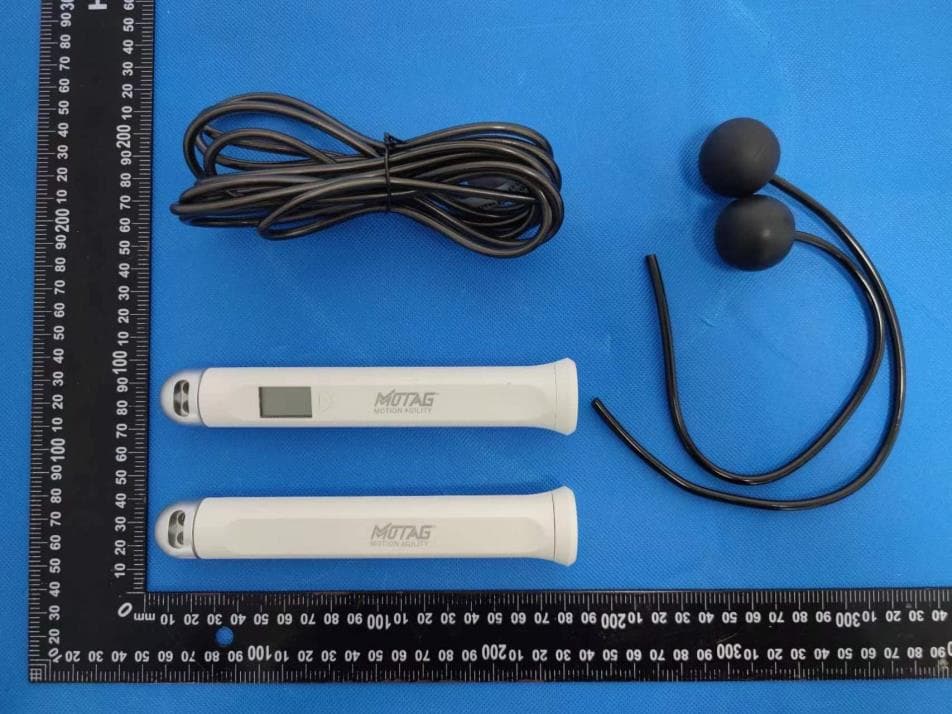
2AJVKMO-SJR
Nov 05, 2022Smart Jump Rope
Equipment Class
DTS - Digital Transmission System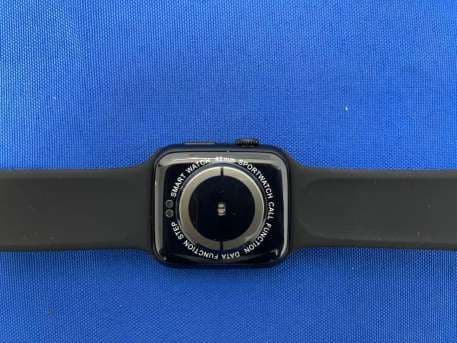
2AJVKSW375
Jul 11, 2021Smart Watch
Equipment Class
DSS - Part 15 Spread Spectrum Transmitter