2AKDT-DECOMINI7WGraphic Drawing Tablet
XPPEN Technology CO.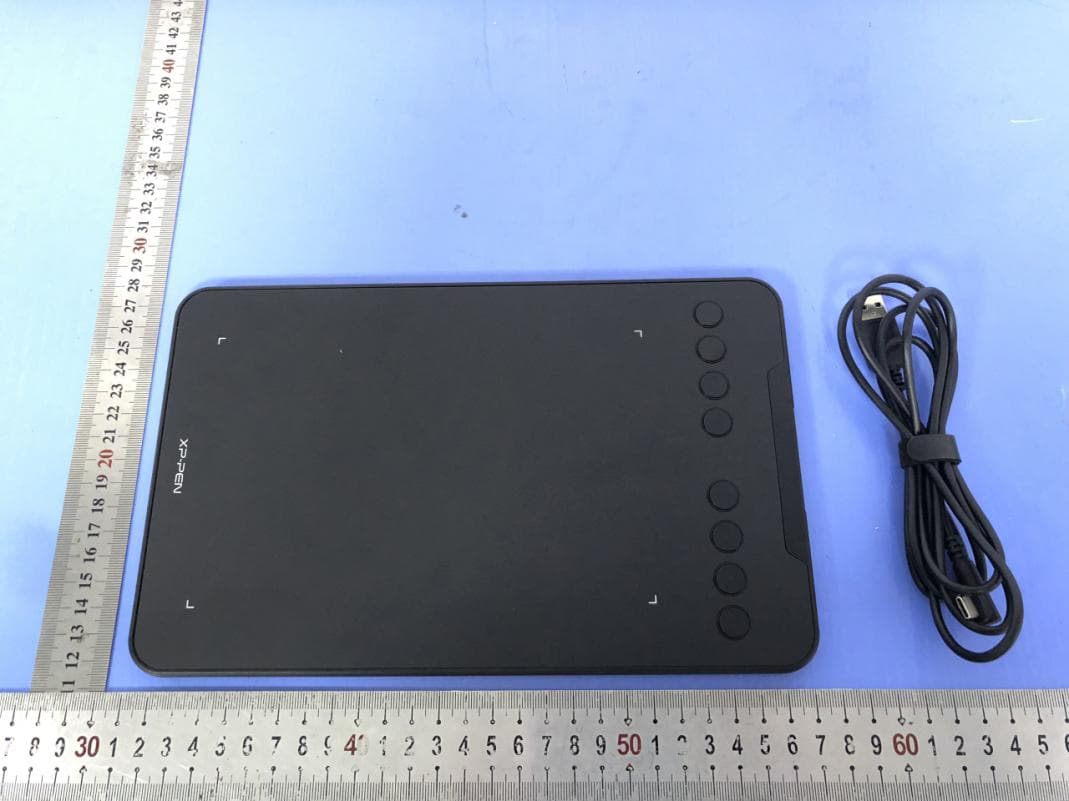
Click to zoom
Application Details
- Equipment Class
- DXX - Part 15 Low Power Communication Device Transmitter
- Date of Grant
- Jul 06, 2020
- Application Purpose
- Original Equipment
- Date of Application
- Jul 06, 2020
- Equipment Note
- Graphic Drawing Tablet
- Frequency Range
- 2420.00000000 - 2480.00000000
- Company
- XPPEN Technology CO.
- Country
- United States
Documents & Files
Document Text
Text extracted from the exhibit documents filed with the FCC. Open a document above to read the original.
Users Manual
User Manual Deco mini7 1 °C °C 2 Contents I. Product Overview Overview II. Driver Installation Windows Mac III. Driver Settings UI Windows Mac V. Driver Uninstall Windows Mac VI. FAQ 3 Thank you for purchasing the XP-Pen digital tablet. Our product user manual currently supports English, Russian, Japanese, German, Korean, Chinese, Italian, Spanish, and French. We apologize if your preferred language is not supported { I. Product Overview } Overview Image 1-1 (1) Power key(Only Wireless mode) (2) USB port (3) Status shown by the white indicator: a. Flashing: The digital stylus is in the sensing area, but it does not touch the tablet b. Always On: The digital stylus is in contact with the sensing area c. Off: The digital stylus is outside the sensing area (4) Express key (5) Wireless+Power indicator(Only Wireless mode) Status shown by the blue indicator: a. Flashing: The tablet is waiting for pairing and wireless connection b. Always On: The tablet is successfully paired and connected Status shown by the red indicator: a. Flashing: The battery power is low (10%) b. Always on: The battery is being charged c. Off: The battery is fully charged (6) Active area The digital tablet connection 1. Wired connection of the digital tablet Connect the digital tablet to your computer, and make sure you can use the digital stylus to control the cursor. 4 2.Wireless connection of the digital tablet (Only available on wireless digital tablet) 2.1 Plug the wireless receiver onto the computer. 2.2 Press and hold the power key on the digital tablet for 3 seconds to turn it on; it will be automatically connected to your computer, after which you can control the cursor with the digital stylus. 2.3 Press and hold the power key on the digital tablet for 3 seconds to turn it off. { II. Driver Installation } Supported operating systems: Windows 10, 8 or 7 Mac OS X 10.10 or above Download and install the driver onto the digital tablet to ensure that the product is integral and runs properly. 1. Log onto the official website of XP-Pen (https://www.xp-pen.com/) to download the latest version of the driver. 2. After downloading the driver, please temporarily disable the anti-virus software and unzip the driver file; then open the folder. For Windows users, please run the ".exe" file; for Mac users, please run the ".dmg" file;and then drag the “PenTablet” folder to the “Applications” folder with the mouse (as shown below), so that the installation is completed. Image 2-1 Drag install Driver If your system Mojave(10.14), please click this button to setup your digital tablet and reboot. Image 2-2: Mojave Setup Navigation 3. After the driver is installed, connect the digital tablet to the computer, and check if you can control the cursor properly with the digital stylus. 4. Open the driver interface on the digital tablet; set and test whether the stylus pressure is appropriate. NOTES: Uninstall any existing digital tablet software before attempting to install driver. Other digital tablet drivers may conflict with the Deco mini4&mini7’s driver or prevent installation entirely. { III. Driver Settings UI } 5 Windows The Deco mini4&mini7’s driver settings can be opened in two ways: Double-click the driver’s icon ( ) in system tray or your desktop. Driver UI Image 3-1: UI 1.1. Pen Function Settings You may customize the functions of your digital tablet pen’s barrel button here. Use the “Function Key” option to program custom keystrokes. Image 3-2: Pen Functions Setting 1.2. Click Sensitivity & Current Pen Pressure You can adjust the “Output” of the pen pressure to “Press” “Soft” or “Hard” in this section. Current Pen Pressure shows the current pressure level being exerted on your digital tablet and can be used to test pen pressure. 6 Image 3-3: Click Sensitivity & Current Pen Pressure 1.3. Mouse Mode Absolute (Pen) Mode: Standard digital tablet mode; Each point of the digital tablet’s work area corresponds to an absolute point on your computer display. Relative (Mouse) Mode: Mouse mode; The digital tablet’s work area does not correspond to absolute points on your computer display and your pen works as a standard mouse. Note: Only when you are in Relative Mode can you adjust the cursor’s speed. Image 3-4: Mouse Mode 1.4. Current Screen The digital tablet may be configured for use with single or dual monitors. If only one monitor is selected, your digital tablet input will be limited to that particular monitor. Custom Display Mapping: The dimensions of your digital tablet’s on-screen work area can be changed here. Please click the top- left and bottom-right to customize. 0、90、180 & 270 angles: The digital tablet are set up for 0, 90, 180 and 270 angles and when you set it, you must also rotate your digital tablet. Left hand is 180 angles. You may adjust your digital tablet’s on-screen working area in this tab. Set Work area: When you click the “Set Work area” button, you can use the stylus pen to customize the digital tablet work area. Please click the top-left and bottom-right to customize. Display Ratio: You can set your digital tablet work area adjusts the digital tablet’s on-screen working area to match 7 your monitor’s resolution. Max Active Area: You can set your digital tablet work area to the max. Image 3-5: Current Screen 1.5. Import & Export Profiles You can use the Import & Export Profile function to save/load your barrel buttons and shortcut key settings. Note: When you finish setting up your barrel buttons and shortcut keys, click the OK button to save and exit the digital tablet settings menu. 8 Image 3-6: Export Profile Image 3-7: Import Profile 1.6. Windows Ink This capability can be toggled on and off here. Enabling this will allow support for Windows Ink and applications that run using Windows Ink. Image 3-8: Windows Ink 9 1.7. Express Keys Setting Notes: (a). The digital tablet’s shortcut keys are designed to work with US English keyboards. Keys may not function correctly with the other keyboard languages. (b).…
Text truncated - open the document above for the full version.
Cover Letter(s)
XPPEN Technology CO. Agent Authorization Company: XPPEN Technology CO. Address: 4020 N Palm Street, Suite 206/207, Fullerton, California 92835, United States Product Name: Graphic Drawing Tablet Trade Mark: XP-PEN Model Number(s): Deco mini7W, Deco mini7W S, Deco mini7W G, Deco mini7W X, Deco mini7W F, Deco01W, Deco02W, Deco03W, Deco04W, Deco05W FCC ID: 2AKDT-DECOMINI7W We authorize MiCOM Labs Inc., 575 Boulder Court, Pleasanton, California 94566, USA, to act on our behalf on all matters concerning the certification of above named equipment. We declare that MiCOM Labs Inc. is allowed to forward all information related to the approval and certification of equipment to the regulatory agencies as required and to discuss any issues concerning the approval application. Any and all acts carried out by MiCOM Labs on our behalf shall have the same effect as acts of our own. Signature: Date: 2020-07-03 Name: Tiger Li Title: general manager Company: XPPEN Technology CO.
Cover Letter(s)
XPPEN Technology CO. Dear Sir/Madam, We, XPPEN Technology CO. Hereby declares the following statement for FCC, PCB board, circuit, structure and internal of these model(s) are the same, Only model number is different for these model: Product Name: Graphic Drawing Tablet Model Number(s): Deco mini7W, Deco mini7W S, Deco mini7W G, Deco mini7W X, Deco mini7W F, Deco01W, Deco02W, Deco03W, Deco04W, Deco05W FCC ID: 2AKDT-DECOMINI7W Sincerely, Signature: Date: 2020-07-03 Name: Tiger Li Title: general manager Company: XPPEN Technology CO.
Cover Letter(s)
XPPEN Technology CO. Office of Engineering Technology Federal Communications Commission 7435 Oakland Mills Road Columbia, MD 21046 USA Date: 2020-07-03 Subject; Request for Confidentiality FCC ID: 2AKDT-DECOMINI7W To Whom It May Concern, Pursuant to the provisions of the Commission’s rules Title 47 Sections §0.457 and §0.459, we are requesting the Commission to withhold the following attachment(s) as confidential documents from public disclosure indefinitely. These documents contain detailed system and equipment descriptions and are considered as proprietary information in operation of the equipment. The public disclosure of these documents might be harmful to our company and would give competitors an unfair advantage in the market. Schematic Diagram Block Diagram Operational Description In additional to above mentioned documents, in order to comply with the marketing regulations in Title 47 CFR §2.803 and the importation rules in Title 47 CFR §2.1204, while ensuring that business sensitive information remains confidential until the actual marketing of newly authorized devices, we request Short Term Confidentiality of the following attachment(s); External Photos Test Setup Photos Internal Photos User Manual For 45 days, pursuant to Public Notice DA 04-1705. OR For 180 days pursuant to KDB 726920 D01. It is our understanding that all measurement test reports, FCC ID label format and correspondence during the certification review process cannot be granted as confidential documents and this information will be available for public review once the grant of equipment authorization is issued. Sincerely, Signature: Name: Tiger Li Title: general manager
External Photos
SHENZHEN LCS COMPLIANCE TESTING LABORATORY LTD. FCC ID: 2AKDT-DECOMINI7W This report shall not be reproduced except in full, without the written approval of Shenzhen LCS Compliance Testing Laboratory Ltd. Page 1 of 5 External Photos of the EUT Fig. 1 Fig. 2 Transmitter Receiver SHENZHEN LCS COMPLIANCE TESTING LABORATORY LTD. FCC ID: 2AKDT-DECOMINI7W This report shall not be reproduced except in full, without the written approval of Shenzhen LCS Compliance Testing Laboratory Ltd. Page 2 of 5 Fig. 3 Fig. 4 SHENZHEN LCS COMPLIANCE TESTING LABORATORY LTD. FCC ID: 2AKDT-DECOMINI7W This report shall not be reproduced except in full, without the written approval of Shenzhen LCS Compliance Testing Laboratory Ltd. Page 3 of 5 Fig. 5 Fig. 6 SHENZHEN LCS COMPLIANCE TESTING LABORATORY LTD. FCC ID: 2AKDT-DECOMINI7W This report shall not be reproduced except in full, without the written approval of Shenzhen LCS Compliance Testing Laboratory Ltd. Page 4 of 5 Fig. 7 Fig. 8 SHENZHEN LCS COMPLIANCE TESTING LABORATORY LTD. FCC ID: 2AKDT-DECOMINI7W This report shall not be reproduced except in full, without the written approval of Shenzhen LCS Compliance Testing Laboratory Ltd. Page 5 of 5 Fig. 9
ID Label/Location Info
SHENZHEN LCS COMPLIANCE TESTING LABORATORY LTD. FCC ID: 2AKDT-DECOMINI7W This report shall not be reproduced except in full, without the written approval of Shenzhen LCS Compliance Testing Laboratory Ltd. Page 1 of 1 Label and Location Size: L: 3.5cm*W: 3.0cm Label Location Graphic Drawing Tablet Model No.: Deco mini7W FCC ID : 2AKDT-DECOMINI7W DC 3.7V by Rechargeable Li-ion Battery, 1000mAh Input: DC5V/1A Caution:This device complies with part 15 of the FCC Rules. Operation is subject to the following two conditions: (1) This device may not cause harmful interference, and (2) this device must accept any interference received, including interference that may cause undesired operation. Made In China
Internal Photos
SHENZHEN LCS COMPLIANCE TESTING LABORATORY LTD. FCC ID: 2AKDT-DECOMINI7W This report shall not be reproduced except in full, without the written approval of Shenzhen LCS Compliance Testing Laboratory Ltd. Page 1 of 3 Internal Photos of the EUT Fig. 1 Fig. 2 SHENZHEN LCS COMPLIANCE TESTING LABORATORY LTD. FCC ID: 2AKDT-DECOMINI7W This report shall not be reproduced except in full, without the written approval of Shenzhen LCS Compliance Testing Laboratory Ltd. Page 2 of 3 Fig. 3 Fig. 4 SHENZHEN LCS COMPLIANCE TESTING LABORATORY LTD. FCC ID: 2AKDT-DECOMINI7W This report shall not be reproduced except in full, without the written approval of Shenzhen LCS Compliance Testing Laboratory Ltd. Page 3 of 3 Fig. 5 Antenna
Test Report
SHENZHEN LCS COMPLIANCE TESTING LABORATORY LTD. FCC ID: 2AKDT-DECOMINI7W Report No.: LCS200513147AEA This report shall not be reproduced except in full, without the written approval of Shenzhen LCS Compliance Testing Laboratory Ltd. Page 1 of 34 FCC TEST REPORT FOR XPPEN Technology CO. Graphic Drawing Tablet Test Model: Deco mini7W Additional Model No.: Please Refer to Page 6 Prepared for : XPPEN Technology CO. Address : 4020 N Palm Street, Suite 206/207, Fullerton, California 92835, United States Prepared by : Shenzhen LCS Compliance Testing Laboratory Ltd Address : 101, 201 Bldg A & 301 Bldg C, Juji Industrial Park Shajing Street, Baoan District, Shenzhen, China Tel : (+86)755-82591330 Fax : (+86)755-82591332 Web : www.LCS-cert.com Mail : [email protected] Date of receipt of test sample : May 29, 2020 Number of tested samples : 1 Sample number : Prototype Date of Test : May 29, 2020 ~ June 04, 2020 Date of Report : June 08, 2020 SHENZHEN LCS COMPLIANCE TESTING LABORATORY LTD. FCC ID: 2AKDT-DECOMINI7W Report No.: LCS200513147AEA This report shall not be reproduced except in full, without the written approval of Shenzhen LCS Compliance Testing Laboratory Ltd. Page 2 of 34 FCC TEST REPORT FCC CFR 47 PART 15 C (15.249) Report Reference No. ................. : LCS200513147AEA Date of Issue................................... : June 08, 2020 Testing Laboratory Name ............ : Shenzhen LCS Compliance Testing Laboratory Ltd. Address ........................................... : 101, 201 Bldg A & 301 Bldg C, Juji Industrial Park Shajing Street, Baoan District, Shenzhen, China Testing Location/ Procedure .......... : Full application of Harmonised standards ■ Partial application of Harmonised standards □ Other standard testing method □ Applicant’s Name ......................... : XPPEN Technology CO. Address ........................................... : 4020 N Palm Street, Suite 206/207, Fullerton, California 92835, United States Test Specification Standard ......................................... : FCC CFR 47 PART 15 C(15.249) / ANSI C63.10: 2013 Test Report Form No. ..................... : LCSEMC-1.0 TRF Originator ................................ : Shenzhen LCS Compliance Testing Laboratory Ltd. Master TRF ..................................... : Dated 2011-03 Shenzhen LCS Compliance Testing Laboratory Ltd. All rights reserved. This publication may be reproduced in whole or in part for non-commercial purposes as long as the Shenzhen LCS Compliance Testing Laboratory Ltd. is acknowledged as copyright owner and source of the material. Shenzhen LCS Compliance Testing Laboratory Ltd. takes no responsibility for and will not assume liability for damages resulting from the reader's interpretation of the reproduced material due to its placement and context. Test Item Description. .................. : Graphic Drawing Tablet Trade Mark ..................................... : XP-PEN Test Model ...................................... : Deco mini7W Ratings ............................................ : DC 3.7V by Rechargeable Li-ion Battery, 1000mAh Input: DC5V/1A Result ........................................... : Positive Compiled by: Supervised by: Approved by: Linda He/ Administrators Jin Wang/ Technique principal Gavin Liang/ Manager SHENZHEN LCS COMPLIANCE TESTING LABORATORY LTD. FCC ID: 2AKDT-DECOMINI7W Report No.: LCS200513147AEA This report shall not be reproduced except in full, without the written approval of Shenzhen LCS Compliance Testing Laboratory Ltd. Page 3 of 34 FCC -- TEST REPORT Test Result Positive The test report merely corresponds to the test sample. It is not permitted to copy extracts of these test result without the written permission of the test laboratory. Test Report No. : LCS200513147AEA June 08, 2020 Date of issue Test Model.............................. : Deco mini7W EUT......................................... : Graphic Drawing Tablet Applicant............................... : XPPEN Technology CO. Address.................................. : 4020 N Palm Street, Suite 206/207, Fullerton, California 92835, United States Telephone............................... : / Fax.......................................... : / Manufacturer........................ : Hanvon Ugee Technology Co., Ltd. Address................................... : 2/F, West of 3/F, 4/F, No.4 Building, Fulongte Industrial Park, Huaxing Road, Langkou Community, Dalang Street, Longhua District, Shenzhen, China Telephone............................... : / Fax.......................................... : / Factory................................... : / Address................................... : / Telephone............................... : / Fax.......................................... : / SHENZHEN LCS COMPLIANCE TESTING LABORATORY LTD. FCC ID: 2AKDT-DECOMINI7W Report No.: LCS200513147AEA This report shall not be reproduced except in full, without the written approval of Shenzhen LCS Compliance Testing Laboratory Ltd. Page 4 of 34 Revision History Revision Issue Date Revisions Revised By 000 June 08, 2020 Initial Issue Gavin Liang SHENZHEN LCS COMPLIANCE TESTING LABORATORY LTD. FCC ID: 2AKDT-DECOMINI7W Report No.: LCS200513147AEA This report shall not be reproduced except in full, without the written approval of Shenzhen LCS Compliance Testing Laboratory Ltd. Page 5 of 34 TABLE OF CONTENTS 1. GENERAL INFORMATION ................................................................................................... 6 1.1 Description of Device (EUT) ......................................................................................................... 6 1.2. Support Equipment List ................................................................................................................ 7 1.3. External I/O .................................................................................................................................... 7 1.4. Description of Test Facility ..................................…
Text truncated - open the document above for the full version.
Test Setup Photos
SHENZHEN LCS COMPLIANCE TESTING LABORATORY LTD. FCC ID: 2AKDT-DECOMINI7W _______________________________________________________________________________________________ 7. TEST SETUP PHOTOGRAPHS Photo of Radiated Emissions Measurement Below 1 GHz Above 1 GHz SHENZHEN LCS COMPLIANCE TESTING LABORATORY LTD. FCC ID: 2AKDT-DECOMINI7W _______________________________________________________________________________________________ Power Line Conducted Emission
Contact Information
Applicant
Tiger Li(general manager)
Technical Contact
Test Firm
Shenzhen LCS Compliance Testing Laboratory Ltd.Gavin Liang
Technical Specifications
| # | Rule Parts | Frequency Range | Power Output |
|---|---|---|---|
| 1 | 15C | 2.42 GHz - 2.48 GHz | - |
Other Applications from XPPEN Technology CO.
2AKDT-MS1601
Jul 24, 2026Drawing Laptop Magic Stuido 16
Equipment Class
DTS - Digital Transmission System2AKDT-ACD02G
Apr 14, 2026Dongle
Equipment Class
DTS - Digital Transmission System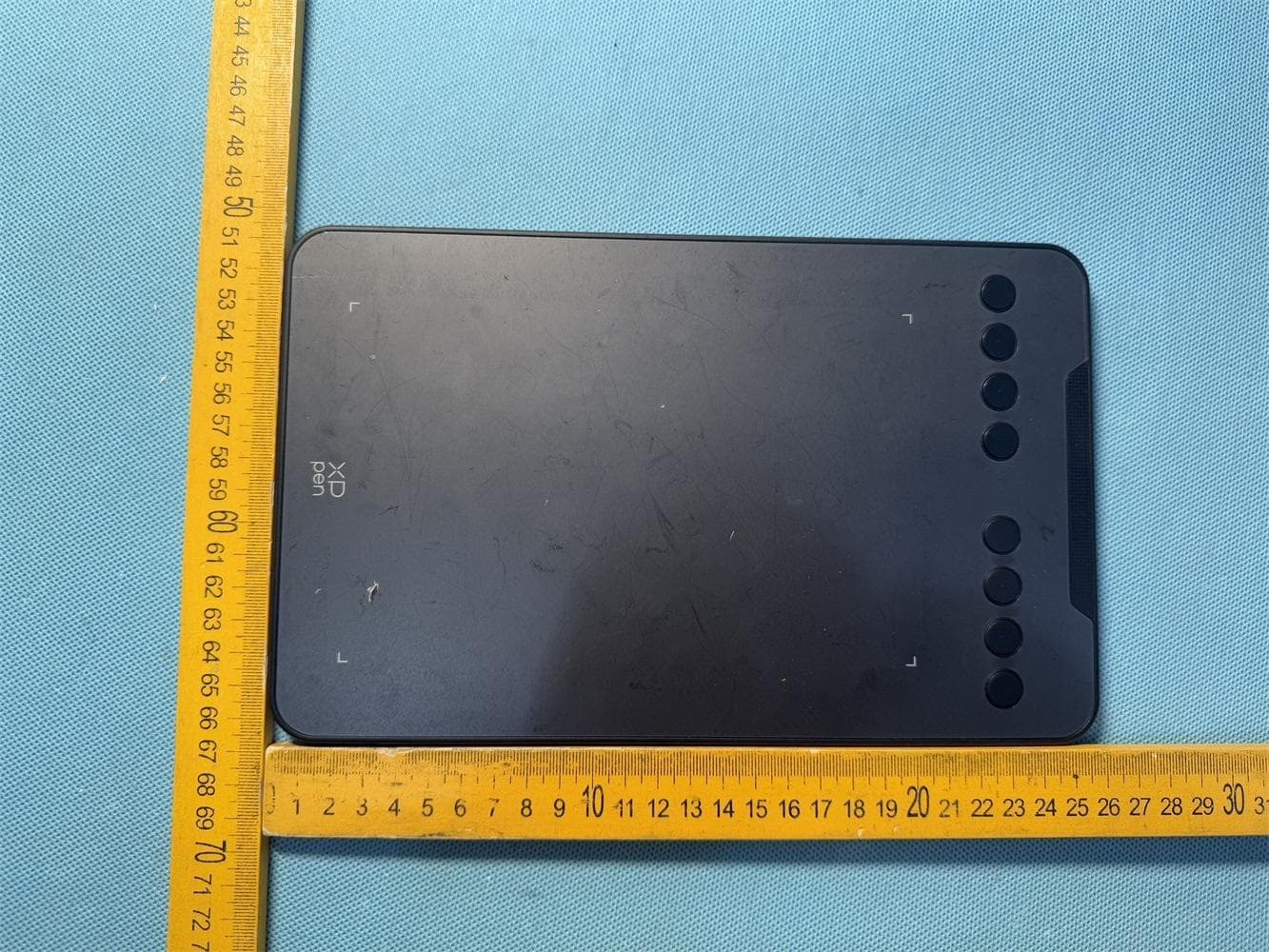
2AKDT-DECOMINI7WV2
Dec 12, 2025Drawing Tablet
Equipment Class
DTS - Digital Transmission System2AKDT-ACK05B
Apr 26, 2024Wireless Shortcut Remote
Equipment Class
DTS - Digital Transmission System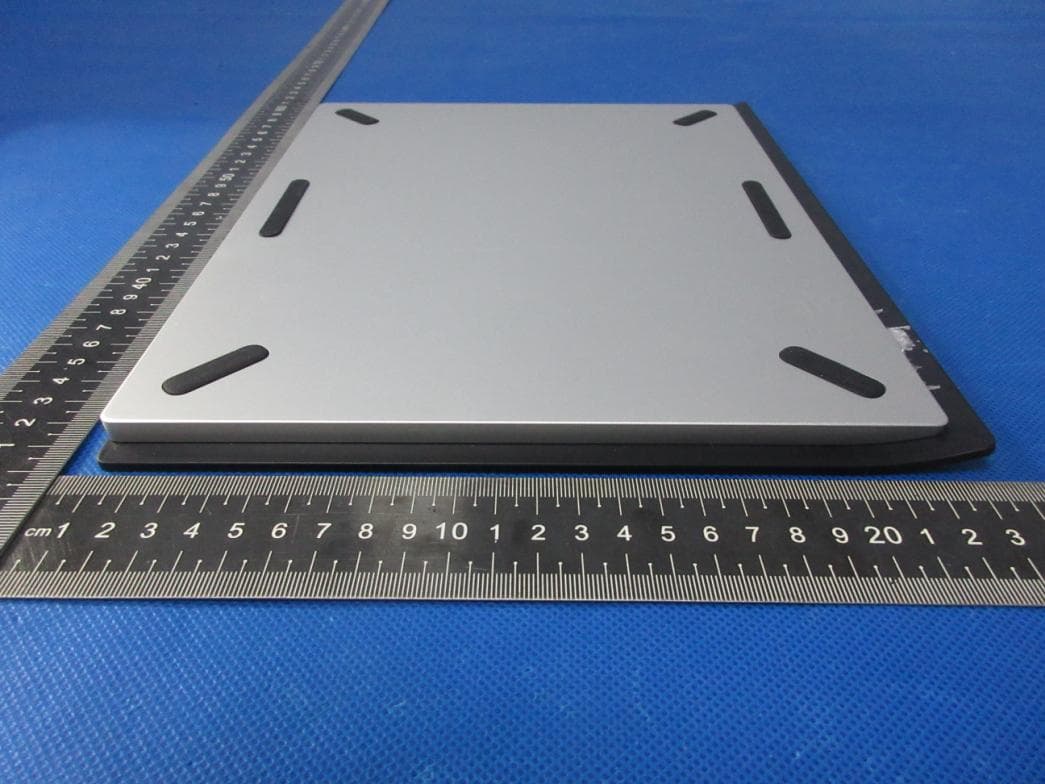
2AKDT-MT0962B
May 04, 2023Drawing Tablet
Equipment Class
DTS - Digital Transmission System