2AMTQALPM23LEGENDS PINBALL MICRO
AtGames Digital Media Inc.
Click to zoom
Application Details
- Equipment Class
- NII - Unlicensed National Information Infrastructure TX
- Date of Grant
- Nov 09, 2022
- Application Purpose
- Original Equipment
- Date of Application
- Nov 09, 2022
- Equipment Note
- LEGENDS PINBALL MICRO
- Frequency Range
- 5745.00000000 - 5825.00000000
- Company
- AtGames Digital Media Inc.
- Country
- United States
Documents & Files
Document Text
Text extracted from the exhibit documents filed with the FCC. Open a document above to read the original.
Users Manual
INSTRUCTION MANUALINSTRUCTION MANUAL TAITO, the TAITO logo, ARKANOID™ and BUBBLE BOBBLE™ and DARIUS™ and FRONT LINE™ and RAINBOW ISLANDS™ and RASTAN SAGA™ and SPACE INVADERS™ and THE LEGENDS OF KAGE™ are trademarksand/or registered trademarks of TAITO CORPORATION in Japan and/or other countries. www.atgames.net MANUEL D'INSTRUCTIONS This product is intended for indoor, home use only and is not to be used in a commercial setting. Ce produit est destiné à une utilisation intérieure et domestique uniquement et ne doit pas être utilisé dans un cadre commercial. Assembly Guide P4 Packaging/Unboxing Warning P7 Controls & Inputs P8 Quick Start Guide/How to Update Firmware P9 How to Register/Sign In Your Legends Account P10 P11 Game List P12 Warning/FCC Statement/Safety Notice P13 INDEX P14 P17 P18 P19 P20 P21 P22 P23 Guide d'assemblage Avertissement sur l'emballage et le déballage Commandes et périphériques d’entrée Guide de démarrage rapide / Comment mettre à jour le micrologiciel Comment s'inscrire / vous connecter à votre compte Legends Enregistrement du produit / Quand mettre hors tension en toute sécurité le ALP Micro / Informations sur la garantie Liste des jeux Avertissement / Avis de sécurité Product Registration/When to Safely Power Off THE ALP Micro/ Warranty Info ASSEMBLY GUIDE Philips head screwdriver TOOLS INCLUDED SCREWS CORD A S1 B Backglass X3 S2 X3 a 4 M AC adapter ASSEMBLY GUIDE Step 1: Use the included Philips head screwdriver to open up the back panel on the Backglass. Step 2. Insert [S2] Dowels to the matching hole on top the Playfield. Step 3. Feed the video and audio cables through the hole on the back of Backglass, and attach the Backglass to the top of the Playfield through the dowels. Step 4. Insert 2 [S1] screws to the matching holes and tighten them. 5 S1S1 S2S2 Assembly Guide Step 5. Connect the video and audio cables to the matching slots. Step 6. Attach the back cover of the backglass and tighten it with the included Philips head screwdriver. 6 PACKAGING/UNBOXING WARNING Please note that when assembling the machine that the top rear • Due to the weight of the cabinet body, do not carry the cabinet body by grabbing the opening on the backglass. This can cause serious damage to both the body and electronics inside. • Please exercise extra caution when moving the cabinet body and backglass so that you have an ideal and safe out-of-the-box experience. • Please use caution when removing the cabinet body and backglass to avoid damage to the components. • 7 8 AtGames/Home Button Plunger Button Cabinet Indicator HDMI Indicator ChannelVolume +/- Buttons HDMI Port Left USB Port for additional storage (USB flash drive not included) Ethernet Input Power Input Power Switch CONTROLS AND INPUTS Right USB Port for OTG (on-the-go) connectivity •• 9 Note: If you encounter any issues during firmware update, contact support at: https://arcades.atgames.net/contact/ 3-13-23-2 Plug in the AC adapter and press the power button located on the back of the cabinet to turn on. Use the D-pad to select from the 50 pre-loaded games. Connect to the internet via the Ethernet port (Ethernet cable is not included) or WiFi for system updates and to play more games on ArcadeNet®. When prompted, enter the Wi-Fi password using the on-screen QUICK START GUIDE HOW TO UPDATE FIRMWARE ALP Micro. Settings Settings HOW TO REGISTER/SIGN IN YOUR LEGENDS ACCOUNT 10 Make sure your device is connected via Wi-Fi or Ethernet, then go to [Settings] and select [SIGN IN]. Create a new account if you do not have one yet. 1. 2. and return to your arcade. A “Success!” message will show on the arcade once signed in. 6. Once you have a Legends account, you can choose either to sign in with your Legends ID or with the QR code. To sign in with your Legends ID, enter the Legends ID and password. To sign in with the QR code, a smartphone or tablet is required. Use a smartphone or tablet to scan the QR code on the screen and launch the ArcadeNet® website. You will be directed to the login page, where you can choose either to sign in with an existing Google/Facebook account or your email. 3. 4. 5. WHEN TO SAFELY POWER OFF THE ALP MICRO Do not power off the ALP Micro during the following: • Firmware update • Factory reset • Data cleanup • Read/write USB drive This could prevent irreversible data loss and/or damage to your cabinet and USB drives. WARRANTY INFO The manufacturer warrants this product to be free and clear of defects in the materials and workmanship, under normal residential use and conditions, for a period of ninety (90) days from the original invoice date. Shipping and handling fees are to be paid for by the customer. To make a warranty claim, please submit a service request here: https://www.atgames.net/arcades/contact Standard warranty coverage for the AtGames Legends Pinball Micro does not apply to and is considered invalid due to misuse, improper maintenance, self-repair, tampering, or invasive hardware related causes. Note: Standard warranty services are valid with receipt from an authorized retailer. Purchases through third-party sellers and resellers do not fall under the standard warranty program. For warranty support, please contact the third-party seller or reseller where you purchased the product. PRODUCT REGISTRATION Use your Legends account login to register your product. If you signed up for a new Legends account, follow the instructions in the product registration email sent to the email address associat ed with the account. If you already have a Legends account, you can view your new device by going to the ArcadeNet ® website, logging in, and selecting Registration under My Account. 11 GAME LIST 12 ARKANOID™ & © TAITO CORPORATION 1986 ALL RIGHTS RESERVED. BUBBLE BOBBLE™ & © TAITO CORPORATION 1986 ALL RIGHTS RESERVED. DARIUS™ & © TAITO CORPORATION 1986 ALL RIGHTS RESERVED. FRONT LINE™ & © TAITO CORPORATION 1982 ALL RIGHTS RESERVED. RAINBOW ISLANDS™ & © TAITO CORPORATION 1987 ALL RIGHTS RESERVED. RASTA…
Text truncated - open the document above for the full version.
Users Manual
WARNING Adult assembly required. Due to the presence of small parts during assembly, keep out of reach of children until assembly is complete. FCC STATEMENT This equipment has been tested and found to comply with the limits for a Class B digital device, pursuant to part 15 of the FCC Rules. These limits are designed to provide reasonable protection against harmful interference in a residential installation. This equipment generates, uses and can radiate radio frequency energy and, if not installed and used in accordance with the instructions, may cause harmful interference to radio communications. However, there is no guarantee that interference will not occur in a particular installation. If this equipment does cause harmful interference to radio or television reception, which can be determined by turning the equipment off and on, the user is encouraged to try to correct the interference by one or more of the following measures: •Reorient or relocate the receiving antenna. •Increase the separation between the equipment and receiver. •Connect the equipment into an outlet on a circuit different from that to which the receiver is connected. •Consult the dealer or an experienced radio/TV technician for help. Caution oved by manufacturer could void your authority to operate this equipment. This device complies with part 15 of the FCC Rules. Operation is subject to the following two conditions: (1)This device may not cause harmful interference, and (2) this device must accept any interference received, including interference that may cause undesired operation. For Game Host This equipment complies with FCC radiation exposure limits set forth for an uncontrolled environment. This equipment should be installed and operated with minimum distance 20cm between the radiator and your body. This transmitter must not be co-located or operating in conjunction with any other antenna or transmitter. SAFETY NOTICE Doing so may cause permanent damage to your device. Always use a dry towel to clean the cabinet and the control top. Transformers are suitable for indoor use only. Transformers and power supplies for toys are not intended to be used as toys, and the use of these products by children shall be under the full supervision of parents. • • • 13 GUIDE DASSEMBLAGE Tournevis cruciforme OUTILS INCLUS VISSES CABLES A S1 B Moniteur secondaire X3 S2 X3 a 14 M Adaptateur secteur Moniteur principal GUIDE DASSEMBLAGE Étape 1. Utilisez le tournevis cruciforme fourni pour ouvrir le panneau arrière du moniteur secondaire. Étape 2. Insérez les chevilles [S2] dans le trou correspondant sur le dessus du moniteur principal. Étape 3. Faites passer les câbles vidéo et audio par le trou situé à l'arrière du moniteur secondaire et fixez le moniteur secondaire au sommet du moniteur principal à l'aide des chevilles. Étape 4. Insérez 2 vis [S1] dans les trous correspondants et serrez-les. 15 S1S1 S2S2 GUIDE DASSEMBLAGE Étape 5. Connectez les câbles vidéo et audio aux fentes correspondantes. Étape 6. Fixez la trappe du moniteur secondaire et serrez-la à l'aide du tournevis cruciforme fourni. 16 AVERTISSEMENT SUR LEMBALLAGE ET LE DÉBALLAGE Veuillez noter que lors de l'assemblage de la machine, la partie arrière supérieure du moniteur principal comporte une ouverture pour le raccordement au moniteur secondaire. • En raison du poids de la machine, ne portez pas celle-ci en la saisissant par l'ouverture sur le moniteur secondaire. Vous risqueriez d'endommager gravement le boîtier et les composants électroniques à l'intérieur. • Veuillez faire preuve d'une grande prudence lorsque vous déplacez les différentes parties de la machine afin d’éviter tout dégât. • Veuillez faire preuve de prudence lorsque vous retirez les différentes parties de la machine du carton afin d'éviter d'endommager les composants. • 17 18 Bouton AtGames/Home Bouton Plunger Voyant d’alimentation Voyant HDMI SourceBoutons de volume +/- Port HDMIEntrée EthernetEntrée d'alimentation Interrupteur COMMANDES ET PERIPHERIQUES DENTREE Port USB droit pour la connectivité OTG (on-the-go) •• Port USB gauche pour stockage supplémentaire (clé USB non incluse) Croix directionnelle Bouton retour/sélection Bouton avancer Bouton Start Bouton Flipper SITUÉ À L'ARRIÈRE DE L'APPAREIL Bouton secouage 19 3-13-23-2 Branchez l'adaptateur secteur et appuyez sur le bouton d'alimentation situé à l'arrière de la machine pour l'allumer. Utilisez la croix directionnelle pour choisir parmi les 50 jeux préchargés. Connectez-vous à Internet via le port Ethernet (le câble Ethernet n'est pas inclus) ou le WiFi pour les mises à jour du système et pour jouer à d'autres jeux sur ArcadeNet®. Pour vous connecter via le Wi-Fi : 3-1. Sélectionnez [Wi-Fi] dans la PAGE [Settings]. 3-2. Sélectionnez le SSID Wi-Fi auquel vous souhaitez vous connecter et sélectionnez [Connect]. Lorsque vous y êtes invité, saisissez le mot de passe Wi-Fi à l'aide du clavier à l'écran et sélectionnez [Submit] lorsque vous avez terminé. GUIDE DE DÉMARRAGE RAPIDE COMMENT METTRE À JOUR LE MICROLOGICIEL Note : Si vous rencontrez un problème lors de la mise à jour de votre logiciel, merci de contacter notre service client à : https://arcades.atgames.net/contact/ Allumez l’ALP Micro. Connectez-vous à internet via Ethernet (le câble Ethernet n'est pas inclus) ou Wi-Fi. Rendez-vous dans [Settings] et sélectionnez [Version]. Si une version plus récente du logiciel est disponible, merci de suivre les instructions afin de télécharger celle-ci. Merci de vous assurer que la connexion internet reste stable durant le téléchargement. Une fois le logiciel installé avec succès, sélectionnez [Upgrade] et l’appareil redémarrera automatiquement afin d’activer la nouvelle version du logiciel. COMMENT SINSCRIRE VOUS CONNECTER À VOTRE COMPTE LEGENDS 20 1. Assurez-vous que votre appareil est connecté par Wi-Fi ou Ethernet, puis allez dans [Settings] et sélectionnez [SIGN IN]. 2. Créez un nouveau compte si vous n'en avez pas encore. 3. Une fois que vo…
Text truncated - open the document above for the full version.
Cover Letter(s)
FCC Software Configuration Control Declaration Rev1.1 AtGames Digital Media Inc. FCC Software Configuration Control Declaration Date: November 4, 2022 Federal Communications Commission 7435 Oakland Mills Road Columbia, MD 21046 USA Attn: OET Dept. Product/ Model Number: LEGENDS PINBALL MICRO HA8818, HA8818S,HA8818B,HA8818C;HA8818D;HA8819,HA8819S,HA8819B; HA8819C;HA8819D;HA8820,HA8820S,HA8820B,HA8820C;HA8820D; HA8813,HA8813S,HA8813B;HA8813C;HA8813D;HA8814,HA8814S, HA8814B,HA8814C;HA8814D;HA8815,HA8815S,HA8815B,HA8815C; HA8815D;HA8816,HA8816S,HA8816B;HA8816C;HA8816D;HA8817, HA8817S,HA8817B,HA8817C;HA8817D Regarding FCC Country Code Selection guidelines identified in 594280 D01 Software Configuration Control v02r01. “All applications for equipment authorization for transmitters that can have radio parameters, or other technical parameters, reported to the Commission set by software must have an attestation indicating that no third party will have software, or configuration control, to program the device out of compliance of the technical rules under which it has been certified.” We declare that no third party will have software, or configuration control, to program the device out of compliance of the technical rules under which it has been certified. Name: May Su Date: 2022-11-03 Title: Manager Signature of applicant
Cover Letter(s)
AtGames Digital Media Inc. Agent Authorization Company: AtGames Digital Media Inc. Address: 2228 E Maple Ave,El Segundo,California,90245,United States Product Name: LEGENDS PINBALL MICRO Trade Mark: AtGames Model Number(s): HA8818, HA8818S,HA8818B,HA8818C;HA8818D;HA8819,HA8819S,HA8819B; HA8819C;HA8819D;HA8820,HA8820S,HA8820B,HA8820C;HA8820D; HA8813,HA8813S,HA8813B;HA8813C;HA8813D;HA8814,HA8814S, HA8814B,HA8814C;HA8814D;HA8815,HA8815S,HA8815B,HA8815C; HA8815D;HA8816,HA8816S,HA8816B;HA8816C;HA8816D;HA8817, HA8817S,HA8817B,HA8817C;HA8817D FCC ID: 2AMTQALPM23 We authorize MiCOM Labs Inc., 575 Boulder Court, Pleasanton, California 94566, USA, to act on our behalf on all matters concerning the certification of above named equipment. We declare that MiCOM Labs Inc. is allowed to forward all information related to the approval and certification of equipment to the regulatory agencies as required and to discuss any issues concerning the approval application. Any and all acts carried out by MiCOM Labs on our behalf shall have the same effect as acts of our own. Signature: Date: 2022-11-03 Name: May Su Title: Manager Company: AtGames Digital Media Inc.
Cover Letter(s)
AtGames Digital Media Inc. Address: 2228 E Maple Ave,El Segundo,California,90245,United States To: MiCOM Labs Inc 575 Boulder Court, Pleasanton, California 94566, USA Dear Sir/Madam, We, AtGames Digital Media Inc. Hereby declares the following statement, PCB board, structure and internal of these model(s) are the same, Only models name is different for these models: Product Name: LEGENDS PINBALL MICRO Trade Mark: AtGames Model Number(s): HA8818, HA8818S,HA8818B,HA8818C;HA8818D;HA8819,HA8819S,HA8819B; HA8819C;HA8819D;HA8820,HA8820S,HA8820B,HA8820C;HA8820D; HA8813,HA8813S,HA8813B;HA8813C;HA8813D;HA8814,HA8814S, HA8814B,HA8814C;HA8814D;HA8815,HA8815S,HA8815B,HA8815C; HA8815D;HA8816,HA8816S,HA8816B;HA8816C;HA8816D;HA8817, HA8817S,HA8817B,HA8817C;HA8817D FCC ID: 2AMTQALPM23 Signature: Date: 2022-11-03 Name: May Su Title: Manager Company: AtGames Digital Media Inc.
Cover Letter(s)
AtGames Digital Media Inc. Office of Engineering Technology Federal Communications Commission 7435 Oakland Mills Road Columbia, MD 21046 USA Date: 2022-11-03 Subject; Request for Confidentiality FCC ID: 2AMTQALPM23 To Whom It May Concern, Pursuant to the provisions of the Commission’s rules Title 47 Sections §0.457 and §0.459, we are requesting the Commission to withhold the following attachment(s) as confidential documents from public disclosure indefinitely. These documents contain detailed system and equipment descriptions and are considered as proprietary information in operation of the equipment. The public disclosure of these documents might be harmful to our company and would give competitors an unfair advantage in the market. Schematic Diagram Block Diagram Parts List Operational Description Tune-up Procedure Declaration of Software Security Requirements For U-NII Devices In additional to above mentioned documents, in order to comply with the marketing regulations in Title 47 CFR §2.803 and the importation rules in Title 47 CFR §2.1204, while ensuring that business sensitive information remains confidential until the actual marketing of newly authorized devices, we request Short Term Confidentiality of the following attachment(s); External Photos Test Setup Photos Internal Photos User Manual For 45 days, pursuant to Public Notice DA 04-1705. OR For 180 days pursuant to KDB 726920 D01. It is our understanding that all measurement test reports, FCC ID label format and correspondence during the certification review process cannot be granted as confidential documents and this information will be available for public review once the grant of equipment authorization is issued. Sincerely, Signature: Name: May Su Title: Manager
External Photos
Page 1 of 7 FCC ID: 2AMTQALPM23 Shenzhen LCS Compliance Testing Laboratory Ltd. Add: 101, 201 Bldg A & 301 Bldg C, Juji Industrial Park Yabianxueziwei, Shajing Street, Baoan District, Shenzhen, 518000, China Tel: +(86) 0755-82591330 | E-mail: [email protected] | Web: www.lcs-cert.com Scan code to check authenticity External Photos of the EUT Fig. 1 Fig. 2 Page 2 of 7 FCC ID: 2AMTQALPM23 Shenzhen LCS Compliance Testing Laboratory Ltd. Add: 101, 201 Bldg A & 301 Bldg C, Juji Industrial Park Yabianxueziwei, Shajing Street, Baoan District, Shenzhen, 518000, China Tel: +(86) 0755-82591330 | E-mail: [email protected] | Web: www.lcs-cert.com Scan code to check authenticity Fig. 3 Fig. 4 Page 3 of 7 FCC ID: 2AMTQALPM23 Shenzhen LCS Compliance Testing Laboratory Ltd. Add: 101, 201 Bldg A & 301 Bldg C, Juji Industrial Park Yabianxueziwei, Shajing Street, Baoan District, Shenzhen, 518000, China Tel: +(86) 0755-82591330 | E-mail: [email protected] | Web: www.lcs-cert.com Scan code to check authenticity Fig. 5 Fig. 6 Page 4 of 7 FCC ID: 2AMTQALPM23 Shenzhen LCS Compliance Testing Laboratory Ltd. Add: 101, 201 Bldg A & 301 Bldg C, Juji Industrial Park Yabianxueziwei, Shajing Street, Baoan District, Shenzhen, 518000, China Tel: +(86) 0755-82591330 | E-mail: [email protected] | Web: www.lcs-cert.com Scan code to check authenticity Fig. 7 Fig. 8 Page 5 of 7 FCC ID: 2AMTQALPM23 Shenzhen LCS Compliance Testing Laboratory Ltd. Add: 101, 201 Bldg A & 301 Bldg C, Juji Industrial Park Yabianxueziwei, Shajing Street, Baoan District, Shenzhen, 518000, China Tel: +(86) 0755-82591330 | E-mail: [email protected] | Web: www.lcs-cert.com Scan code to check authenticity Fig. 9 Fig. 10 Page 6 of 7 FCC ID: 2AMTQALPM23 Shenzhen LCS Compliance Testing Laboratory Ltd. Add: 101, 201 Bldg A & 301 Bldg C, Juji Industrial Park Yabianxueziwei, Shajing Street, Baoan District, Shenzhen, 518000, China Tel: +(86) 0755-82591330 | E-mail: [email protected] | Web: www.lcs-cert.com Scan code to check authenticity Fig. 11 Fig. 12 Page 7 of 7 FCC ID: 2AMTQALPM23 Shenzhen LCS Compliance Testing Laboratory Ltd. Add: 101, 201 Bldg A & 301 Bldg C, Juji Industrial Park Yabianxueziwei, Shajing Street, Baoan District, Shenzhen, 518000, China Tel: +(86) 0755-82591330 | E-mail: [email protected] | Web: www.lcs-cert.com Scan code to check authenticity Fig. 13
ID Label/Location Info
Page 1 of 1 FCC ID: 2AMTQALPM23 Shenzhen LCS Compliance Testing Laboratory Ltd. Add: 101, 201 Bldg A & 301 Bldg C, Juji Industrial Park Yabianxueziwei, Shajing Street, Baoan District, Shenzhen, 518000, China Tel: +(86) 0755-82591330 | E-mail: [email protected] | Web: www.lcs-cert.com Scan code to check authenticity LABEL AND LOCATION (Size: L5.0cm x 4.0cm) Label Location LEGENDS PINBALL MICRO Model No.: HA8818 FCC ID : 2AMTQALPM23 Input: 12.0V5.0A This device complies with part 15 FCC Rules. Operation is subject to the following two conditions: (1) This device may not cause harmful interference, and (2) this device must accept any interference received, including interference that may cause undesired operation.
Internal Photos
Page 1 of 4 FCC ID: 2AMTQALPM23 Shenzhen LCS Compliance Testing Laboratory Ltd. Add: 101, 201 Bldg A & 301 Bldg C, Juji Industrial Park Yabianxueziwei, Shajing Street, Baoan District, Shenzhen, 518000, China Tel: +(86) 0755-82591330 | E-mail: [email protected] | Web: www.lcs-cert.com Scan code to check authenticity Internal Photos of the EUT Fig. 1 Fig. 2 Page 2 of 4 FCC ID: 2AMTQALPM23 Shenzhen LCS Compliance Testing Laboratory Ltd. Add: 101, 201 Bldg A & 301 Bldg C, Juji Industrial Park Yabianxueziwei, Shajing Street, Baoan District, Shenzhen, 518000, China Tel: +(86) 0755-82591330 | E-mail: [email protected] | Web: www.lcs-cert.com Scan code to check authenticity Fig. 3 Fig. 4 BT/WIFI ANT Page 3 of 4 FCC ID: 2AMTQALPM23 Shenzhen LCS Compliance Testing Laboratory Ltd. Add: 101, 201 Bldg A & 301 Bldg C, Juji Industrial Park Yabianxueziwei, Shajing Street, Baoan District, Shenzhen, 518000, China Tel: +(86) 0755-82591330 | E-mail: [email protected] | Web: www.lcs-cert.com Scan code to check authenticity Fig. 5 Fig. 6 Page 4 of 4 FCC ID: 2AMTQALPM23 Shenzhen LCS Compliance Testing Laboratory Ltd. Add: 101, 201 Bldg A & 301 Bldg C, Juji Industrial Park Yabianxueziwei, Shajing Street, Baoan District, Shenzhen, 518000, China Tel: +(86) 0755-82591330 | E-mail: [email protected] | Web: www.lcs-cert.com Scan code to check authenticity Fig. 7
RF Exposure Info
Page 1 of 9 FCC ID: 2AMTQALPM23 Shenzhen LCS Compliance Testing Laboratory Ltd. Add: 101, 201 Bldg A & 301 Bldg C, Juji Industrial Park Yabianxueziwei, Shajing Street, Baoan District, Shenzhen, 518000, China Tel: +(86) 0755-82591330 | E-mail: [email protected] | Web: www.lcs-cert.com Scan code to check authenticity Maximum Permissible Exposure Report 1. Product Information FCC ID : 2AMTQALPM23 EUT : LEGENDS PINBALL MICRO Test Model : HA8818 Additional Model No. : HA8818S,HA8818B,HA8818C;HA8818D;HA8819,HA8819S,HA8819B; HA8819C;HA8819D;HA8820,HA8820S,HA8820B,HA8820C;HA8820D; HA8813,HA8813S,HA8813B;HA8813C;HA8813D;HA8814,HA8814S, HA8814B,HA8814C;HA8814D;HA8815,HA8815S,HA8815B,HA8815C; HA8815D;HA8816,HA8816S,HA8816B;HA8816C;HA8816D;HA8817, HA8817S,HA8817B,HA8817C;HA8817D Model Declaration : PCB board, structure and internal of these model(s) are the same, So no additional models were tested Power Supply : Input: 12.0V5.0A For Adapter Input: 100-240V~, 50/60Hz, 2A For Adapter Output: 12.0V5.0A 60.0W Hardware Version : HA8818_V2.6 Software Version : 10979 Bluetooth : Frequency Range : 2402MHz ~ 2480MHz Channel Number : 79 channels for Bluetooth V4.2(DSS) 40 channels for Bluetooth V4.2 (DTS) Channel Spacing : 1MHz for Bluetooth V4.2 (DSS) 2MHz for Bluetooth V4.2 (DTS) Modulation Type : GFSK, π/4-DQPSK, 8-DPSK for Bluetooth V4.2(DSS) GFSK for Bluetooth V4.2 (DTS) Bluetooth Version : V4.2 Antenna Description : Internal Antenna, 2.0dBi (max.) WIFI(2.4G Band) : Frequency Range : 2412MHz ~ 2462MHz Channel Spacing : 5MHz Channel Number : 11 Channels for 20MHz bandwidth (2412~2462MHz) 7 Channels for 40MHz bandwidth (2422~2452MHz) Modulation Type : IEEE 802.11b: DSSS (CCK, DQPSK, DBPSK) IEEE 802.11g: OFDM (64QAM, 16QAM, QPSK, BPSK) IEEE 802.11n: OFDM (64QAM, 16QAM, QPSK, BPSK) Antenna Description : Internal Antenna, 2.0dBi (max.) 5.2G WLAN : Frequency Range : 5180MHz-5240MHz Channel Number : 4 channels for 20MHz bandwidth(5180MHz-5240MHz) 2 channels for 40MHz bandwidth(5190MHz~5230MHz) 1 channels for 80MHz bandwidth(5210MHz) Page 2 of 9 FCC ID: 2AMTQALPM23 Shenzhen LCS Compliance Testing Laboratory Ltd. Add: 101, 201 Bldg A & 301 Bldg C, Juji Industrial Park Yabianxueziwei, Shajing Street, Baoan District, Shenzhen, 518000, China Tel: +(86) 0755-82591330 | E-mail: [email protected] | Web: www.lcs-cert.com Scan code to check authenticity Modulation Type : IEEE 802.11a/n/ac: OFDM (256QAM, 64QAM, 16QAM, QPSK, BPSK) Antenna Description : Internal Antenna, 2.0dBi (max.) 5.8G WLAN : Frequency Range : 5745MHz-5825MHz Channel Number : 5 channels for 20MHz bandwidth(5745MHz-5825MHz) 2 channels for 40MHz bandwidth(5755MHz~5795MHz) 1 channels for 80MHz bandwidth(5775MHz) Modulation Type : IEEE 802.11a/n/ac: OFDM (256QAM, 64QAM, 16QAM, QPSK, BPSK) Antenna Description : Internal Antenna, 2.0dBi (max.) Exposure category : General population/uncontrolled environment EUT Type : Production Unit Device Type : Mobile Device 2. Evaluation Method Systems operating under the provisions of FCC 47 CFR section shall be operated in a manner that ensures that the public is not exposed to radio frequency energy level in excess of the Commission’s guidelines. In accordance with 47 CFR FCC Part 2 Subpart J, section 2.1091 this device has been defined as mobile device whereby a distance of 0.2m normally can be maintained between the user and the device, and below RF Permissible Exposure limit shall comply with. In accordance with KDB447498D01 for Simultaneous transmission MPE test exclusion applies when the sum of the MPE ratios for all simultaneous transmitting antennas incorporated in a host device, based on the calculated/estimated, numerically modelled or measured field strengths or power density, is ≤ 1.0. The MPE ratio of each antenna is determined at the minimum test separation distance required by the operating configurations and exposure conditions of the host device, according to the ratio of field strengths or power density to MPE limit, at the test frequency. Either the maximum peak or spatially averaged results from measurements or numerical simulations may be used to determine the MPE ratios. Spatial averaging does not apply when MPE is estimated using simple calculations based on far-field plane-wave equivalent conditions. The antenna installation and operating requirements for the host device must meet the minimum test separation distances required by all antennas, in both standalone and simultaneous transmission operations, to satisfy compliance. 3. Limit 3. 1 Refer Evaluation Method ANSI C95.1–2019: IEEE Standard for Safety Levels with Respect to Human Exposure to Electric, Magnetic, and Electromagnetic Fields, 0 Hz to 300 GHz FCC KDB publication 447498 D01 General 1 RF Exposure Guidance v06: Mobile and Portable Devices RF Exposure Procedures and Equipment Authorization Policies. FCC CFR 47 part1 1.1310: Radiofrequency radiation exposure limits. FCC CFR 47 part2 2.1091: Radiofrequency radiation exposure evaluation: mobile devices. Page 3 of 9 FCC ID: 2AMTQALPM23 Shenzhen LCS Compliance Testing Laboratory Ltd. Add: 101, 201 Bldg A & 301 Bldg C, Juji Industrial Park Yabianxueziwei, Shajing Street, Baoan District, Shenzhen, 518000, China Tel: +(86) 0755-82591330 | E-mail: [email protected] | Web: www.lcs-cert.com Scan code to check authenticity 3. 2 Limit Limits for Maximum Permissible Exposure (MPE)/Controlled Exposure Frequency Range(MHz) Electric Field Strength(V/m) Magnetic Field Strength(A/m) Power Density (mW/cm²) Averaging Time (minute) Limits for Occupational/Controlled Exposure 0.3 – 3.0 3.0 – 30 30 – 300 300 – 1500 1500 – 100,000 614 1842/f 61.4 / / 1.63 4.89/f 0.163 / / (100) * (900/f 2 )* 1.0 f/300 5 6 6 6 6 6 Limits for Maximum Permissible Exposure (MPE)/Uncontrolled Exposure Frequency Range(MHz) Electric Field Strength(V/m) Magnetic Field Strength(A/m) Power Density (mW/cm²) Averaging Time (minute) Limits for Occupational/Uncontrolled Exposure 0.3 – 3.0 3.0 – 30 30 – 300 300 – 1500 1500 – 1…
Text truncated - open the document above for the full version.
Test Report
Page 1 of 44 FCC ID: 2AMTQALPM23 Report No.: LCSA101122068ED Shenzhen LCS Compliance Testing Laboratory Ltd. Add: 101, 201 Bldg A & 301 Bldg C, Juji Industrial Park Yabianxueziwei, Shajing Street, Baoan District, Shenzhen, 518000, China Tel: +(86) 0755-82591330 | E-mail: [email protected] | Web: www.lcs-cert.com Scan code to check authenticity Appendix D RF Test Data for 5.2G WIFI (Conducted Measurement) Product Name: LEGENDS PINBALL MICRO Test Model: HA8818 Environmental Conditions Temperature: 23.5 C Relative Humidity: 52.2% ATM Pressure: 100.0 kPa Test Engineer: Taylor Hu Supervised by: Li huan Page 2 of 44 FCC ID: 2AMTQALPM23 Report No.: LCSA101122068ED Shenzhen LCS Compliance Testing Laboratory Ltd. Add: 101, 201 Bldg A & 301 Bldg C, Juji Industrial Park Yabianxueziwei, Shajing Street, Baoan District, Shenzhen, 518000, China Tel: +(86) 0755-82591330 | E-mail: [email protected] | Web: www.lcs-cert.com Scan code to check authenticity D.1 26dB Bandwidth Test Result TestMode Antenna Channel 26db EBW [MHz] FL[MHz] FH[MHz] Limit[MHz] Verdict 11A Ant 5180 19.880 5170.080 5189.960 --- PASS 5220 19.840 5210.120 5229.960 --- PASS 5240 19.960 5230.080 5250.040 --- PASS 11N20SISO Ant 5180 20.280 5169.920 5190.200 --- PASS 5220 21.160 5209.840 5231.000 --- PASS 5240 20.440 5229.680 5250.120 --- PASS 11N40SISO Ant 5190 40.240 5170.000 5210.240 --- PASS 5230 40.160 5209.920 5250.080 --- PASS 11AC20SISO Ant 5180 20.200 5169.920 5190.120 --- PASS 5220 20.160 5209.920 5230.080 --- PASS 5240 20.160 5229.920 5250.080 --- PASS 11AC40SISO Ant 5190 40.480 5169.760 5210.240 --- PASS 5230 40.400 5209.920 5250.320 --- PASS 11AC80SISO Ant 5210 80.480 5169.840 5250.320 --- PASS Page 3 of 44 FCC ID: 2AMTQALPM23 Report No.: LCSA101122068ED Shenzhen LCS Compliance Testing Laboratory Ltd. Add: 101, 201 Bldg A & 301 Bldg C, Juji Industrial Park Yabianxueziwei, Shajing Street, Baoan District, Shenzhen, 518000, China Tel: +(86) 0755-82591330 | E-mail: [email protected] | Web: www.lcs-cert.com Scan code to check authenticity Test Graphs 11A_Ant_5180 11A_Ant_5220 11A_Ant_5240 Page 4 of 44 FCC ID: 2AMTQALPM23 Report No.: LCSA101122068ED Shenzhen LCS Compliance Testing Laboratory Ltd. Add: 101, 201 Bldg A & 301 Bldg C, Juji Industrial Park Yabianxueziwei, Shajing Street, Baoan District, Shenzhen, 518000, China Tel: +(86) 0755-82591330 | E-mail: [email protected] | Web: www.…
Text truncated - open the document above for the full version.
Contact Information
Applicant
May Su(PM)
Technical Contact
Test Firm
Shenzhen LCS Compliance Testing Laboratory Ltd.Gavin Liang
Technical Specifications
| # | Rule Parts | Frequency Range | Power Output |
|---|---|---|---|
| 2 | 15E | 5.75 GHz - 5.83 GHz | 10.50 mW |
Other Applications from AtGames Digital Media Inc.
2AMTQALUM22
May 14, 2022Legends Ultimate Mini Home Arcade
Equipment Class
DSS - Part 15 Spread Spectrum Transmitter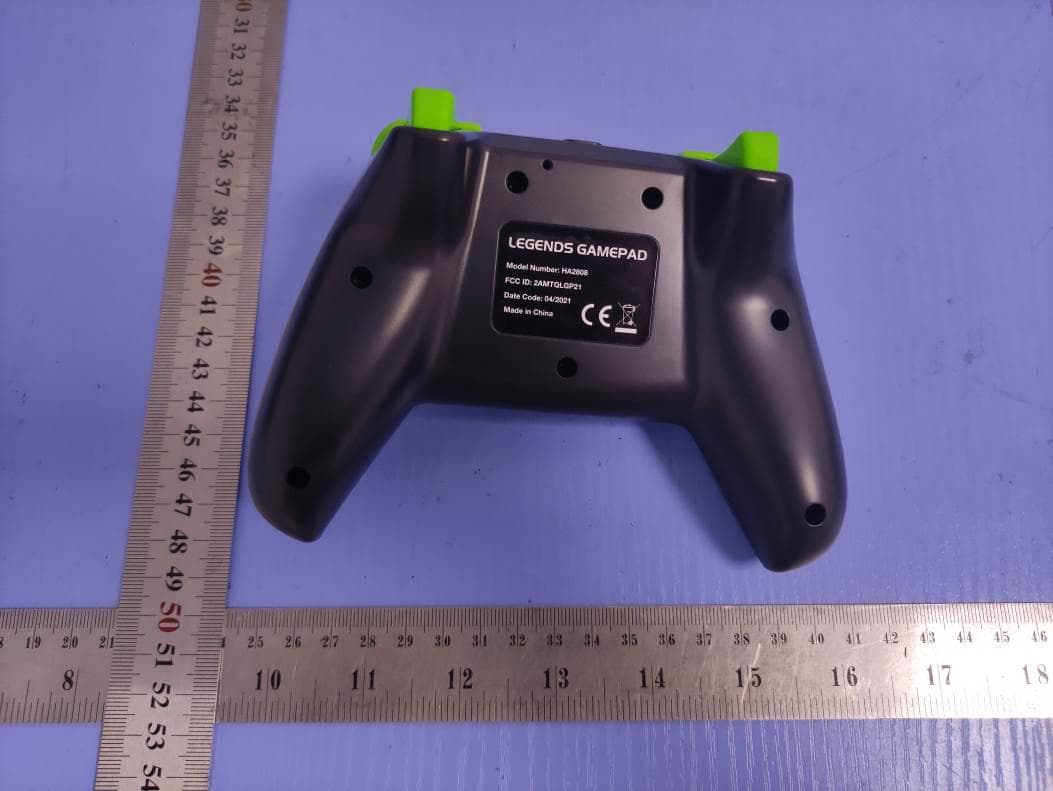
2AMTQLGP21
Jul 12, 2021LEGENDS GAMEPAD
Equipment Class
DTS - Digital Transmission System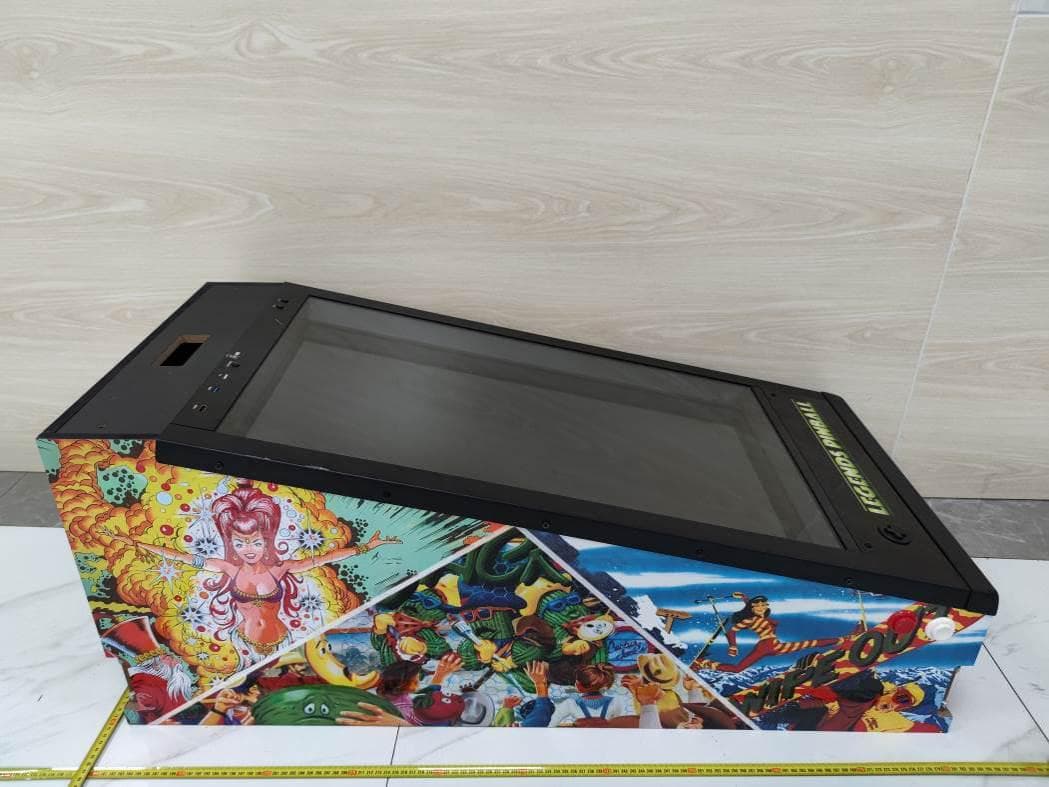
2AMTQPINBAL20
Apr 28, 2021LEGENDS PINBALL
Equipment Class
DSS - Part 15 Spread Spectrum Transmitter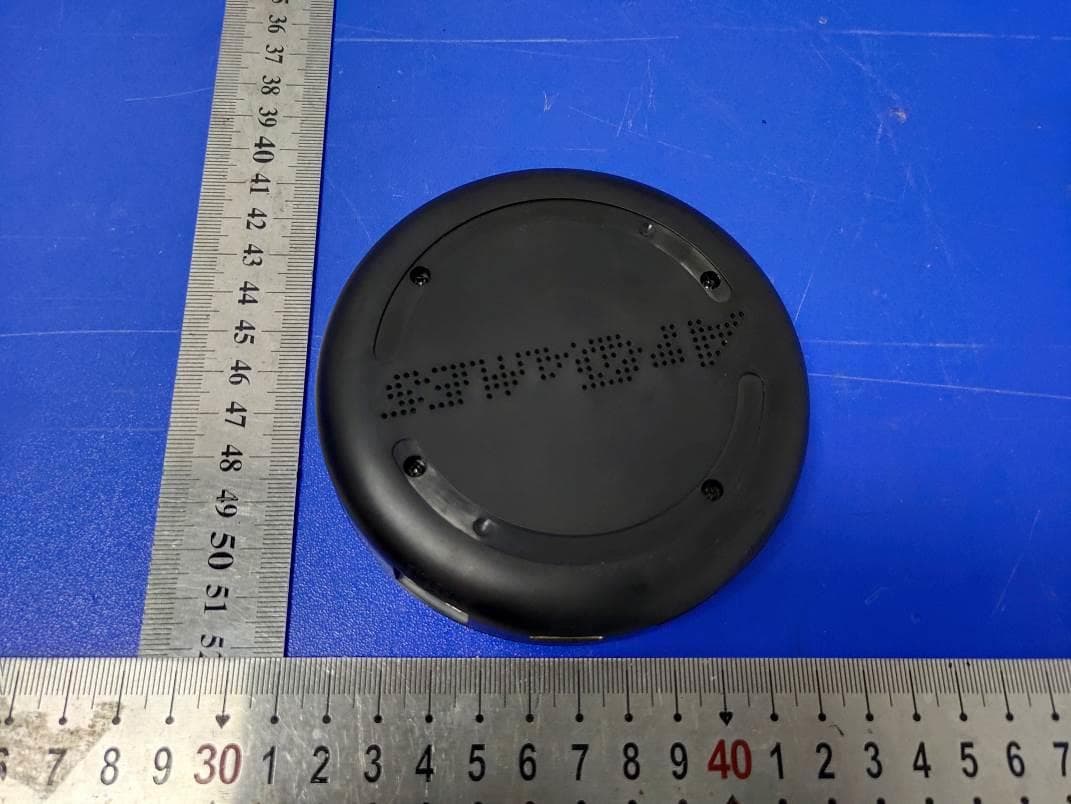
2AMTQCGC20
Jul 29, 2020Streaming box
Equipment Class
DSS - Part 15 Spread Spectrum Transmitter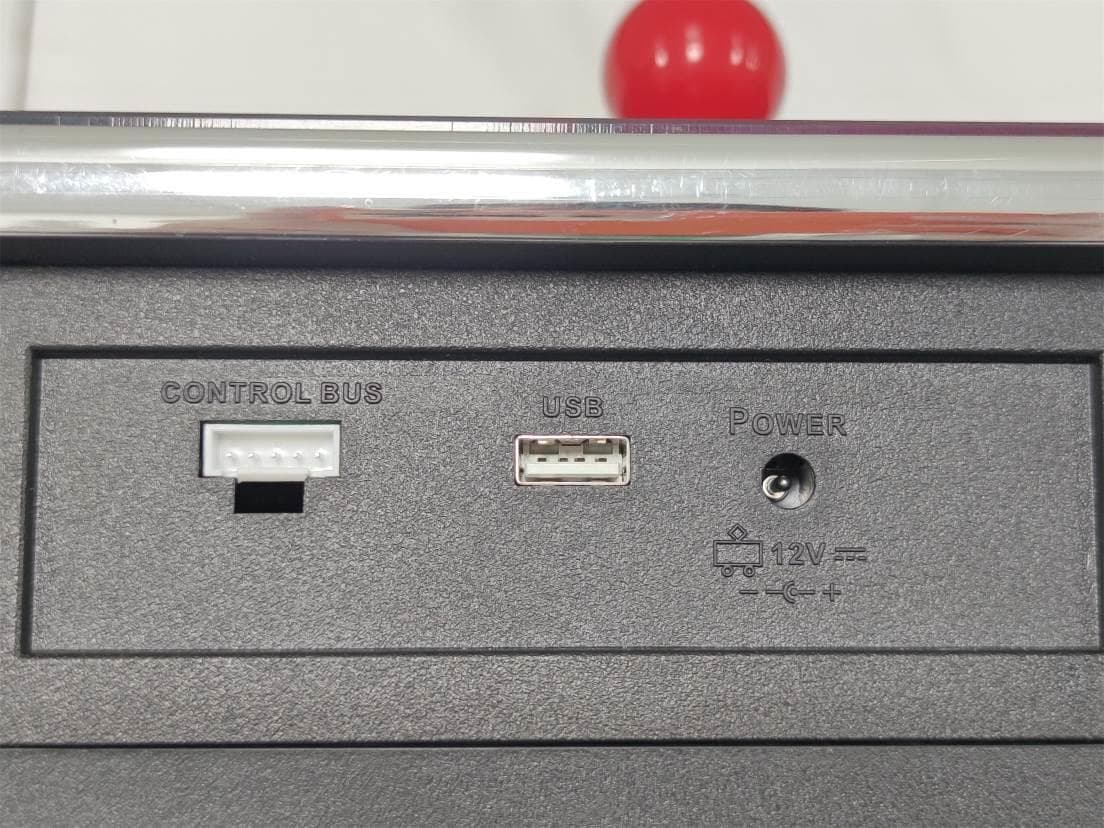
2AMTQHA28XX20
Jul 28, 2020Legends Gamer Pro
Equipment Class
DTS - Digital Transmission System