2AO6ZX602Mobile Phone
Epik One America Corporation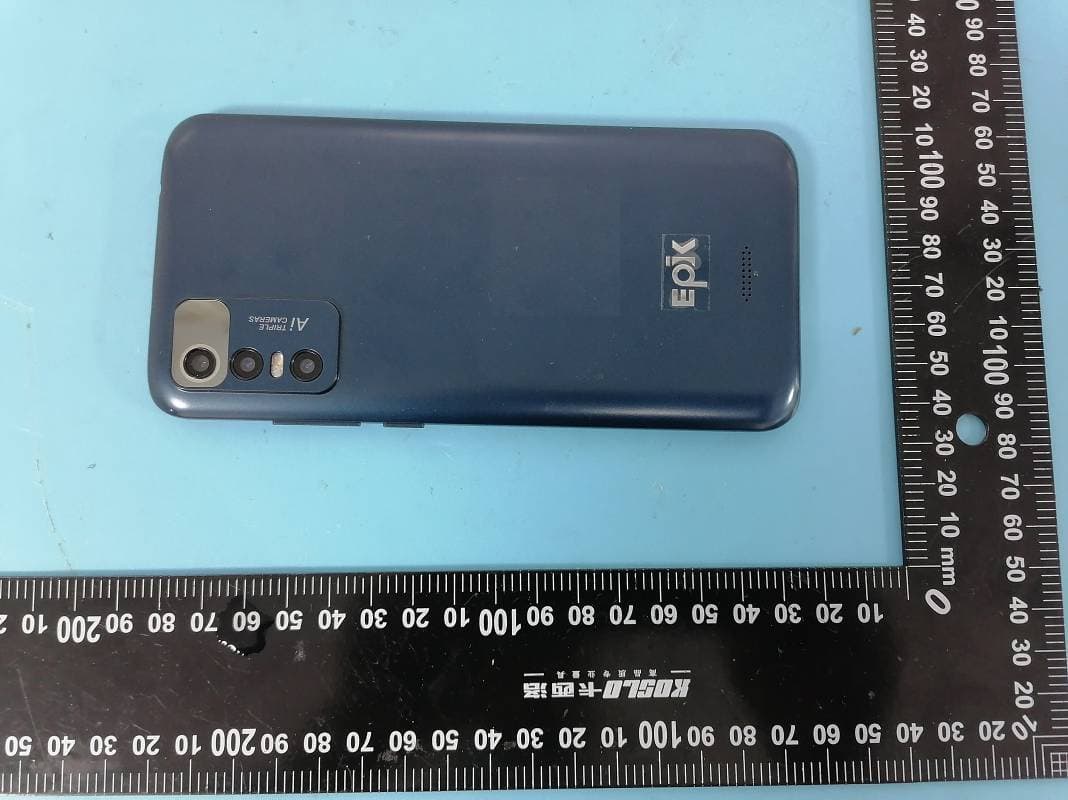
Click to zoom
Application Details
- Equipment Class
- DSS - Part 15 Spread Spectrum Transmitter
- Date of Grant
- Nov 23, 2022
- Application Purpose
- Original Equipment
- Date of Application
- Nov 23, 2022
- Equipment Note
- Mobile Phone
- Frequency Range
- 2402.00000000 - 2480.00000000
- Company
- Epik One America Corporation
- Country
- United States
Documents & Files
Document Text
Text extracted from the exhibit documents filed with the FCC. Open a document above to read the original.
Users Manual
Basic Operations Switch on Touch and hold the Power button until the phone switches on. Note: If you have enabled USIM/SIM locking in the Settings menu, enter the correct PIN number upon power-on before you use the phone. Caution: Three consecutive attempts of entering an incorrect PIN will lock the SIM card. If it is locked, use a PUK provided by the operator to unlock it. Switch off Touch and hold the “Power button” until the Phone Options screen displays. Tap " Power off ” to switch off the phone. Unlock Short press the “Power button” light up the screen, according to the clues of the screen interface can be unlocked. Touchscreen Usage Use your fingers to perform operations directly on icons, buttons, and the on-screen keypad. Tap/Touch/Click Tap the icon of an App to start it. Touch & Hold Touch and hold an item to display a pop-up menu of options. For example, go to Address Book, touch and hold a contact on the Address Book page, and a menu of options pops up. Drag Tap an item on the screen and drag it to another place. Slide/Sweep To sweep vertically or horizontally across the screen, you can view apps, pictures, and webpages in a convenient manner. Scroll Similar to sweeping, but faster. Pinch Put two fingers on the screen to pinch in or out an item, such as a webpage or picture. Home Screen 1. Status bar: allows you to view status icons and notices, such as signal, battery, current time and data service. 2. Notification bar: On the Home screen, tap the status bar and drag it down to display the notification bar. Tap this bar. Then you can view the notices. Touch the return button to switch back to the previous page. 3. App icon: Tap an app to open it. 4. Main menu: Slide your finger up to enter the main menu of the application.. Phone Settings To display the Settings menu, tap the Settings icon directly. 1.SIM card: In the Settings menu, choose SIM Card. You can then manage your SIM cards on the pop-up page. 2. Network: In the Settings menu, select WLAN to configure your radio network; or select Traffic usage to configure your mobile date services; or select Mobile Network under More to configure data services of your phone. 3. Sound: In the Settings menu, choose Sound. The allows you to set the volume, enable/disable vibration during ringing, and select ringtones for incoming calls and messages, as well as enable/disable keypad touch sound effect, touch alert tone, and screen lock tone 4. Display: allows you to configure the brightness, wallpaper, automatic device rotation, sleep duration, and font size. 5. Security: In the Settings menu, choose Security. The Security page allows you to set the screen locking mode and USIM/SIM locking mode. App Permission: allows you to configure certain permissions for an App and monitor their usage. 6. Anti-theft: allows you to remotely lock the phone or clear all data of it. 7. Manage apps: In the Settings menu, choose Apps. Then you can view or manage your apps. Note: Disable or unload certain apps if available space is less than 100MB. 8. Message: On the Message page, tap the Menu button and choose Settings. On the Message Settings page, you can enable/disable report sending, create or select a message template, and configure a message alert tone for each short or multimedia message. 9. Call: To display the Call Settings page, choose Settings on the Call page. Shortcuts On the Home screen, lightly drag down the Status bar. On the screen top, a group of shortcuts are displayed, such as Settings, WLAN, Bluetooth, Brightness, Auto-rotate, flashlight Airplane mode and so on. Tap any of them to open it quickly. Shortcut menu Powered by Android™ 11 (Go edition) provides several easy-to-use shortcut menus on the home screen. On this screen, long press on the screen, the selection menu of the shortcut function menu will pop up. Click the menu of the desired settings and complete the function settings according to the prompts. Move/Uninstall apps 1. Access the App main menu from the Home screen. On the ALL App page, tap and hold an app to be put on the Home screen, and drag it left or right to locate it at a proper place. In this way, a desktop app is created. 2. On the All App page, tap and hold an app, and drag it to Uninstall on the desktop. In this way, the app is removed from the phone. Note: You are not allowed to uninstall basic apps of the phone. 3. On the All App page, tap and hold an app, and drag it to APP Info. on the desktop. In this way, details about the app is displayed. Call This phone allows you to make or answer a call, initiate an emergency call, and launch a multi-party call. On the bottom left of the Home screen, tap the Dial-up icon. The Dial-up page is displayed. Enter a phone number and choose between card 1 and card 2 to make the call. When you enter the number, the phone will automatically search among all contacts a number that best matches the entered numerals, to facilitate your operation. During a call, tap Add a Call, and this call automatically switches to Silent mode. Enter the number of another contact, tap Dial-up, and the previous call automatically switches to On-hold mode. After the second call is answered, tap Join. In this way, a teleconference is established to achieve a multi-party talk. Note: You need to subscribe to this service from your carrier before you use it. You are also allowed to initiate a call by selecting a phone number from the list of contacts or the Message page. Contacts Tap Contacts to open it. The Contacts page offers management functions. It allows you to view the list of contacts and related details, make a call or send an SMS to a certain contact, and share the contact. Contact import: On the Contacts page, tap the Menu button, and choose Import/Export to select a mode for importing or exporting a contact. Add a contact: On the lower right of the Contacts page, tap the Add button to add a contact to your phone or USIM/SIM. Enter the name and number, and tap Finish. In this way, a cont…
Text truncated - open the document above for the full version.
Cover Letter(s)
EpikOneAmericaCorporation Address:801BrickellAve.#900,Miami,Florida,UnitedStates Tel.:+1-8582489036 E-mail:[email protected] QA-FR-170-B FCCAuthorization Date:2022-11-02 FEDERALCOMMUNICATIONSCOMMISSIONS AuthorizationandEvaluationDivision 7435OaklandMillsRoad Columbia,MD21046 Subject:AgentAuthorization Towhomitmayconcern: We,EpikOneAmericaCorporationherebyauthorizesShenzhenAccurateTechnology Co.,Ltd.toactonitsbehalfinallmattersrelatingtoapplicationforEquipment authorization,includingthesigningofalldocumentsrelatingtothesematters.Allacts carriedoutbyShenzhenAccurateTechnologyCo.,Ltd.onourbehalfshallhavethe sameeffectasourownaction. We,theundersigned,herebycertifythatwearenotsubjecttoadenialoffederalbenefits, thatincludesFCCbenefits,pursuanttoSection5301oftheAnti-DrugAbuseActof1988, 21U.S.C.862. Thisauthorizationisvaliduntilfurtherwrittennoticefromtheapplicant. SincerelyYours, Signature TracyHu Manager
Cover Letter(s)
EpikOneAmericaCorporation Address:801BrickellAve.#900,Miami,Florida,UnitedStates Tel.:+1-8582489036 E-mail:[email protected] FCCConfidentialAuthorization Date:2022-11-02 FEDERALCOMMUNICATIONSCOMMISSIONS AuthorizationandEvaluationDivision 7435OaklandMillsRoad Columbia,MD21046 Subject:ConfidentialityRequestregardingapplicationforcertificationof FCCID:2AO6ZX602 InaccordancewithSections0.457and0.459oftheCommission’sRules, EpikOneAmericaCorporationherebyrequestslong-termconfidentialtreatmentof informationaccompanyingthisapplicationasoutlinedbelow: BlockDiagram Schematics OperationDescription Partlist/Tuneupprocedure(forlicenseddevices) Theabovematerialscontainproprietaryandconfidentialinformationnotcustomarily releasedtothepublic.Thepublicdisclosureofthesematerialsprovidesunjustified benefitstoitscompetitorsinthemarket. SincerelyYours, Signature TracyHu Manager
External Photos
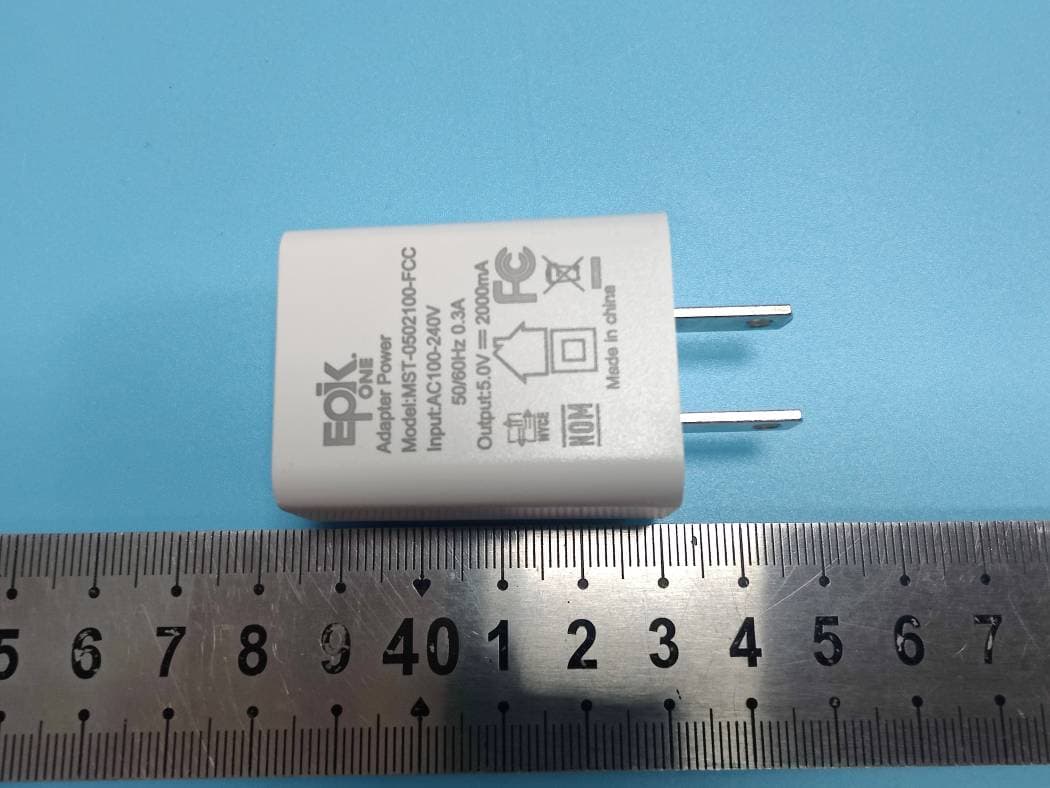
Shenzhen Accurate Technology Co., Ltd. FCC ID: 2AO6ZX602 External Photos Page 1 of 6 External Photos Shenzhen Accurate Technology Co., Ltd. FCC ID: 2AO6ZX602 External Photos Page 2 of 6 Shenzhen Accurate Technology Co., Ltd. FCC ID: 2AO6ZX602 External Photos Page 3 of 6 Shenzhen Accurate Technology Co., Ltd. FCC ID: 2AO6ZX602 External Photos Page 4 of 6 Shenzhen Accurate Technology Co., Ltd. FCC ID: 2AO6ZX602 External Photos Page 5 of 6 Adapter Shenzhen Accurate Technology Co., Ltd. FCC ID: 2AO6ZX602 External Photos Page 6 of 6
ID Label/Location Info
Shenzhen Accurate Technology Co., Ltd. Project No.: SZNS221017-47343E-RF LABEL AND LOCATION Page 1 of 1 FCC ID Label FCC ID Label Location Information The label shown shall be permanently affixed at a conspicuous location on the device and be readily visible to the user at the time purchase (Labeling requirements per 2.925)
Internal Photos
Shenzhen Accurate Technology Co., Ltd. FCC ID: 2AO6ZX602 Internal Photos Page 1 of 7 Internal photos 1 Shenzhen Accurate Technology Co., Ltd. FCC ID: 2AO6ZX602 Internal Photos Page 2 of 7 Shenzhen Accurate Technology Co., Ltd. FCC ID: 2AO6ZX602 Internal Photos Page 3 of 7 Shenzhen Accurate Technology Co., Ltd. FCC ID: 2AO6ZX602 Internal Photos Page 4 of 7 Shenzhen Accurate Technology Co., Ltd. FCC ID: 2AO6ZX602 Internal Photos Page 5 of 7 Shenzhen Accurate Technology Co., Ltd. FCC ID: 2AO6ZX602 Internal Photos Page 6 of 7 Shenzhen Accurate Technology Co., Ltd. FCC ID: 2AO6ZX602 Internal Photos Page 7 of 7 GSM & WCDMA & LTE Antenna DIV Antenna BT & Wi-Fi Antenna
Test Report
★ Note: This report may contain data that are not covered by the A2LA accreditation and are marked with an asterisk “ ”. Shenzhen Accurate Technology Co., Ltd. is not responsible for the authenticity of any test data provided by the applicant. Data included from the applicant that may affect test results are marked with an asterisk ’*’. Customer model name, addresses, names, trademarks etc. are not considered data. This report cannot be reproduced except in full, without prior written approval of the Company. Unless otherwise stated the results shown in this test report refer only to the sample(s) tested. This report is valid only with a valid digital signature. The digital signature may be available only under the Adobe software above version 7.0. Shenzhen Accurate Technology Co., Ltd. 1/F., Building A, Changyuan New Material Port, Science & Industry Park, Nanshan District, Shenzhen, Guangdong, P.R. China Tel: +86 755-26503290 Fax: +86 755-26503396 Web: www.atc-lab.com Version 11: 2021-11-09 Page 1 of 61 FCC-BT TEST REPORT Applicant Name : Epik One America Corporation Address : 801 Brickell Ave. #900 Miami Florida United States Report Number : SZNS221017-47343E-RF-00A FCC ID: 2AO6ZX602 Test Standard (s) FCC PART 15.247 Sample Description Product Type: Mobile Phone Model No.: X602 Multiple Model(s) No.: N/A Trade Mark: Epik One Date Received: 2022/10/17 Report Date: 2022/11/11 Test Result: Pass* * In the configuration tested, the EUT complied with the standards above. Prepared and Checked By: Approved By: Roger Ling Candy Li EMC Engineer EMC Engineer Shenzhen Accurate Technology Co., Ltd. Report No.: SZNS221017-47343E-RF-00A Version 11: 2021-11-09 Page 2 of 61 FCC-BT TABLE OF CONTENTS GENERAL INFORMATION ....................................................................................................................................... 4 PRODUCT DESCRIPTION FOR EQUIPMENT UNDER TEST (EUT) ..................................................................................... 4 OBJECTIVE ................................................................................................................................................................... 4 TEST METHODOLOGY .................................................................................................................................................. 4 MEASUREMENT UNCERTAINTY .................................................................................................................................... 5 TEST FACILITY ............................................................................................................................................................. 5 SYSTEM TEST CONFIGURATION .......................................................................................................................... 6 DESCRIPTION OF TEST CONFIGURATION ...................................................................................................................... 6 EUT EXERCISE SOFTWARE .......................................................................................................................................... 6 SPECIAL ACCESSORIES ................................................................................................................................................. 6 EQUIPMENT MODIFICATIONS ....................................................................................................................................... 6 SUPPORT EQUIPMENT LIST AND DETAILS .................................................................................................................... 6 EXTERNAL I/O CABLE .................................................................................................................................................. 6 BLOCK DIAGRAM OF TEST SETUP ................................................................................................................................ 7 SUMMARY OF TEST RESULTS ............................................................................................................................... 8 TEST EQUIPMENT LIST ........................................................................................................................................... 9 FCC§15.247 (I), §1.1307 (B) (3) &§2.1093 – RF EXPOSURE ..................................................................................... 11 APPLICABLE STANDARD ............................................................................................................................................ 11 FCC §15.203 – ANTENNA REQUIREMENT .......................................................................................................... 13 APPLICABLE STANDARD ............................................................................................................................................ 13 ANTENNA CONNECTOR CONSTRUCTION .................................................................................................................... 13 FCC §15.207 (A) – AC LINE CONDUCTED EMISSIONS .................................................................................... 14 APPLICABLE STANDARD ............................................................................................................................................ 14 EUT SETUP ................................................................................................................................................................ 14 EMI TEST RECEIVER SETUP ....................................................................................................................................... 14 TEST PROCEDURE ...................................................................................................................................................... 14 TRANSD FACTOR & MARGIN CALCULATION.............................................................................................................. 15…
Text truncated - open the document above for the full version.
Test Report
ShenZhen Huaxinwei communication technology Co.,Ltd . Antenna test report 2 The customer name Hua Yue Shi Tong Project Name N63B-A NO. project Detailed above 1 spectrum GSM850/900/1800/1900+WCDMA-B1/2/4/5/8+LTE-B2/3/4/5/7/8/28/38+GPS/WIFI/BT 2 Project type The mobile phone 3 Antenna space area 4 Feed point type 5 The sensitivity 6 Type of antenna The length 7 of the PCB board 8 note Debugging prototype RF Zhang Jun 13430515055 [email protected] 3 1、 Test system and test equipment System Brand: MVG(SATIMO) measurement features: gain • pattern beamwidth cross polarization resolution sidelobe level 3D cavity reflectance at any polarization cavity reflectance (line or arc) antenna efficiency TRP, TIS, EIRP and EIS. Frequency band: StarLab 6 GHZ - 650 MHZ to 6 GHZ The object under test Link antenna Test Equipment Antenna position WWAN LB antenna GPS/WIFI/BT antenna WWANdiversityM&Hantenna Efficient ( 2G+3G+4G+2.4G-WiFi /BT) PEAK GAIN 2G: Frequency range dBi GSM850 824~894Mhz -0.70 GSM900 880~960Mhz -1.05 DCS1800 1710~1880Mhz 0.63 PCS1900 1850~1990Mhz 0.82 3G: W1 1920~2170Mhz 0.91 W2 1850~1990Mhz 0.82 W4 1710~2155 0.92 W5 824~894Mhz -0.70 W8 880~960Mhz -1.05 4G: LTE-B2 1850~1990Mhz 0.82 LTE-B3 1710~1880Mhz 0.63 LTE-B4 1710~2155Mhz 0.92 LTE-B5 824~894Mhz -0.70 LTE-B7 2500~2690Mhz 1.11 LTE-B8 880~960Mhz -1.05 LTE-B26 819~889Mhz -0.70 LTE-B28 708~798Mhz -1.41 LTE-B38 2570~2620MHz 1.12 WIFI 2400~2500Mhz 2.08dBi BT 2400~2500Mhz 2.08dBi Efficient ( GSM850+W5+LTE-B5/B26 ) Efficient ( GSM900+W8+LTE-B8 880~960MHz ) Efficient ( GSM1800+LTE-B3 1710~1880 MHz) Efficient ( GSM1900+W2+LTE-B2 1850~1990 MHz ) Efficient (W1/4+LTE-B1/4 1710~2170MHz ) Efficient ( LTE-B7/38 2500~2690MHz ) Efficient (LTE-B17 708~798 MHz ) Efficient (2.4GWIFI/BT) NOTES: 1. The adhesive paper is : 3M300LSE ; 2. Gold-plated fingers 0.5~3u"; Pay attention to the materials , There shall be no oxidation in this position . 3. The overall thickness should be less than or equal to 0.12mm; 4. Precise tolerance range :±0.03mm; 5. Only allow electrical conductivity of product drawings ; Back 3M300LSE 9471 50 m Zoom in on A The third layer is AD glue ADH 13-18 m Fourth layer of substrate PI 12.5 m The second layer is coated with copper Cu 18 m The front side is ink 13-20 m Total thickness 0.12±0.01mm Sub-black ink screen printing bright black characters √ Finished drawing - Heads Figure of hand-pulled thread back glue - Back Shape+Silk screen 60.92±0.2 21.69±0.2 N63B-A-MAIN-HXW-V1.3 NOTES: 1. The adhesive paper is : 3M300LSE ; 2. Gold-plated fingers 0.5~3u"; Pay attention to the materials , There shall be no oxidation in this position . 3. The overall thickness should be less than or equal to 0.12mm; 4. Precise tolerance range :±0.03mm; 5. Only allow electrical conductivity of product drawings ; Total thickness 0.12±0.01mm Sub-black ink screen printing bright black characters √ Finished drawing - Heads Shape+Silk screen 18.19±0.2 26.97±0.2 N 6 3 B - A - D I V - H X W - V 1 . 1 Back 3M300LSE 9471 50 m Zoom in on A The third layer is AD glue ADH 13-18 m Fourth layer of substrate PI 12.5 m The second layer is coated with copper Cu 18 m The front side is ink 13-20 m NOTES: 1. The adhesive paper is : 3M300LSE ; 2. Gold-plated fingers 0.5~3u"; Pay attention to the materials , There shall be no oxidation in this position . 3. The overall thickness should be less than or equal to 0.12mm; 4. Precise tolerance range :±0.03mm; 5. Only allow electrical conductivity of product drawings ; Total thickness 0.12±0.01mm Sub-black ink screen printing bright black characters √ Finished drawing - Heads Figure of hand-pulled thread back glue - Back Shape+Silk screen 35.89±0.2 22.79±0.2 N63B-A-GWB-HXW-V1.2 Back 3M300LSE 9471 50 m Zoom in on A The third layer is AD glue ADH 13-18 m Fourth layer of substrate PI 12.5 m The second layer is coated with copper Cu 18 m The front side is ink 13-20 m
Test Setup Photos
Shenzhen Accurate Technology Co., Ltd. Project No.: SZNS221017-47343E-RF Test Photos Page 1 of 2 Photo of Conducted Emission Measurement Shenzhen Accurate Technology Co., Ltd. Project No.: SZNS221017-47343E-RF Test Photos Page 2 of 2 Photo of Radiated Emission Measurement (Below 1G) Photo of Radiated Emission Measurement (Above 1G)
Contact Information
Applicant
Tracy Hu
Test Firm
Shenzhen Accurate Technology Co., Ltd.Lisa Zhang
[email protected]+86-755-26503290
Technical Specifications
| # | Rule Parts | Frequency Range | Power Output |
|---|---|---|---|
| 1 | 15C | 2.40 GHz - 2.48 GHz | 2.00 mW |
Other Applications from Epik One America Corporation
2AO6ZTX1000
Dec 16, 20214G LTE Tablet
Equipment Class
DTS - Digital Transmission System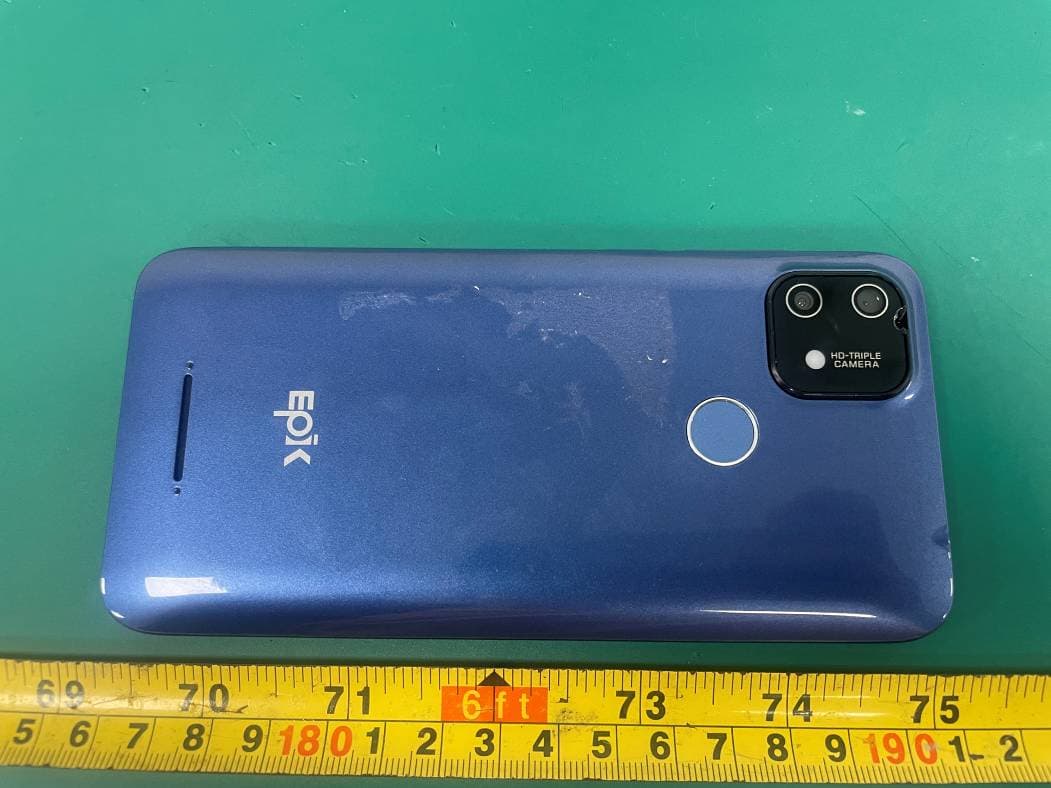
2AO6ZX515
Jun 29, 20214G Smart Phone
Equipment Class
DTS - Digital Transmission System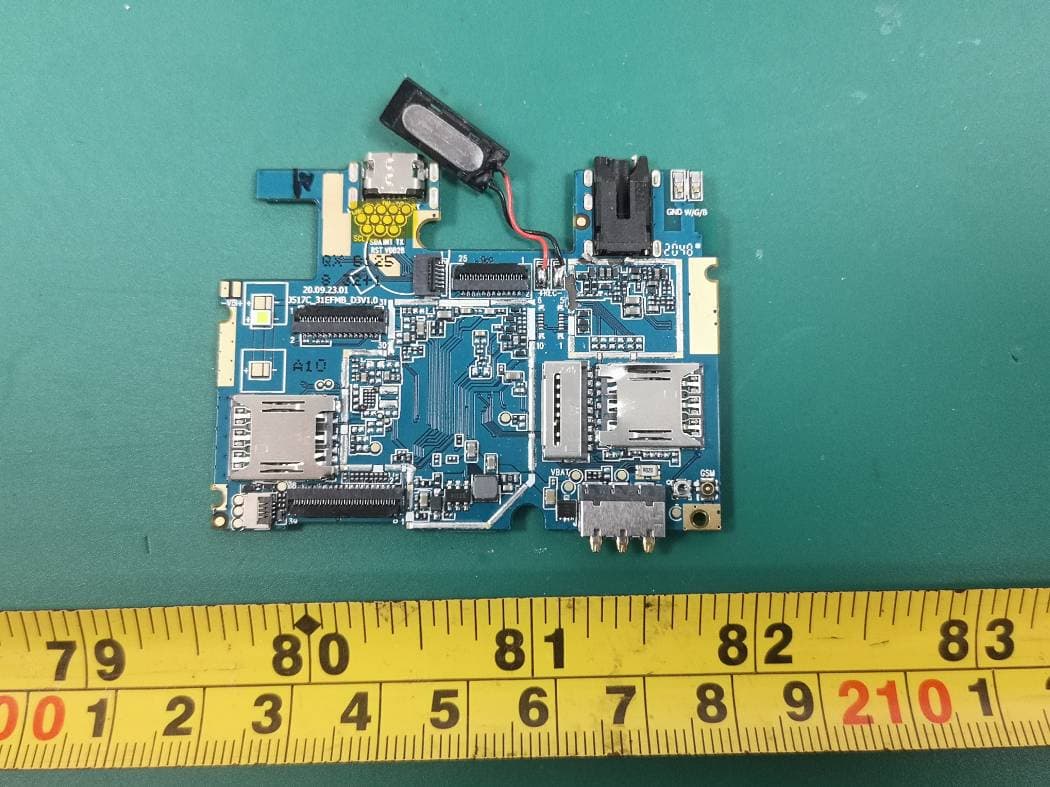
2AO6ZK506
Apr 13, 20213G Smart Phone
Equipment Class
DSS - Part 15 Spread Spectrum Transmitter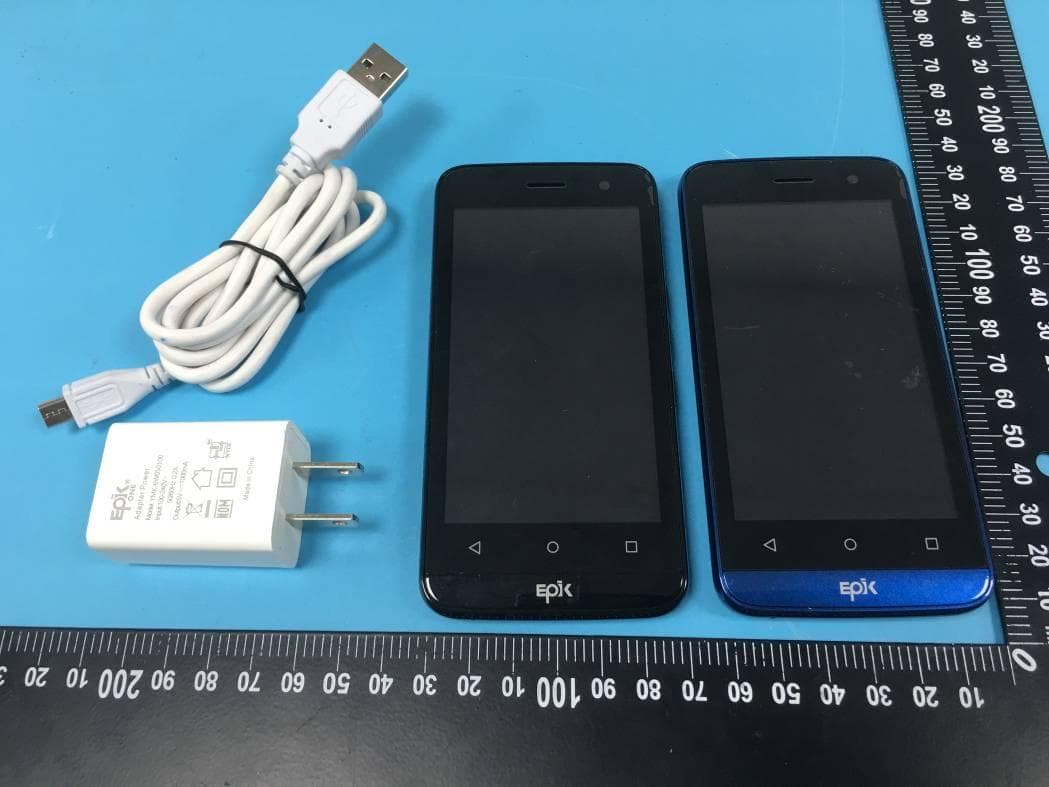
2AO6ZX410
May 27, 20204G Smart Phone
Equipment Class
DTS - Digital Transmission System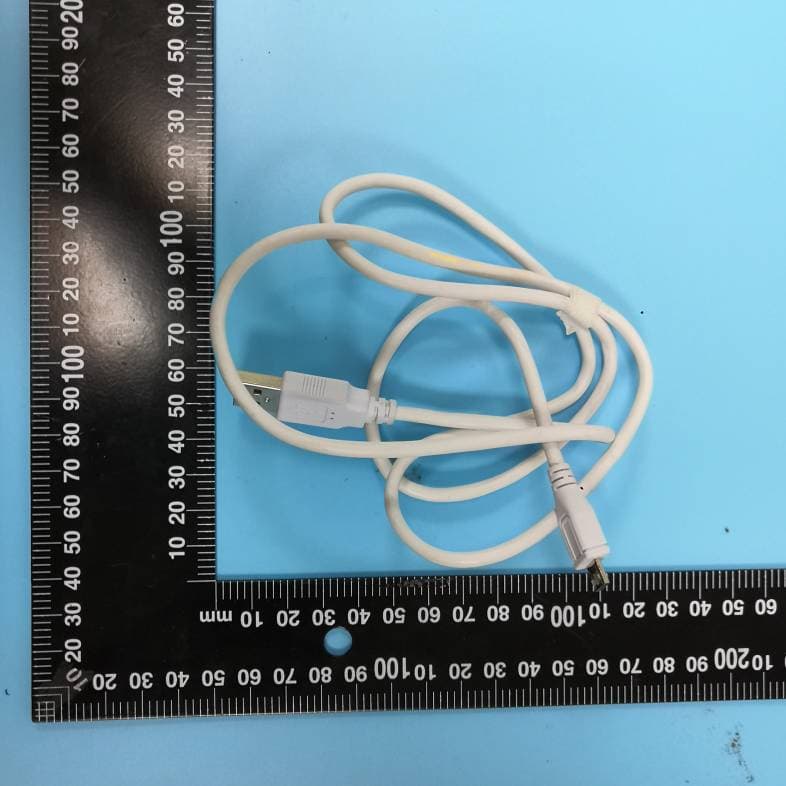
2AO6ZX547
Apr 13, 20204G Smart Phone
Equipment Class
DTS - Digital Transmission System