2AON4-BC505.0 Inch Video Baby Monitor
Global Media Industry Group Co., Ltd.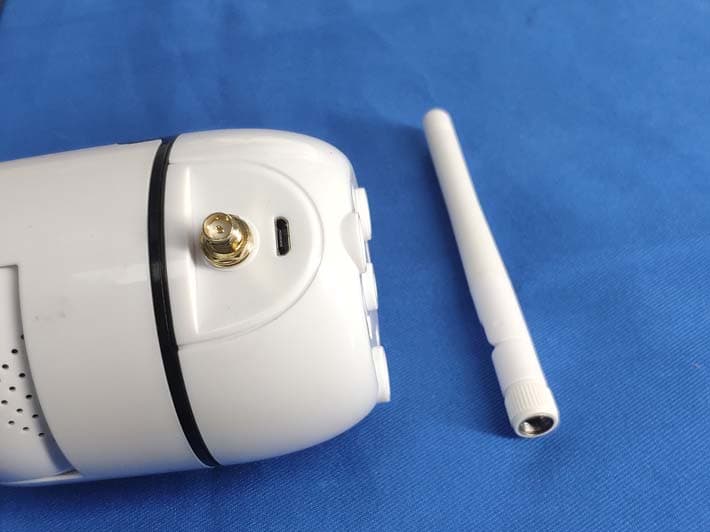
Click to zoom
Application Details
- Equipment Class
- DSS - Part 15 Spread Spectrum Transmitter
- Date of Grant
- Oct 29, 2020
- Application Purpose
- Original Equipment
- Date of Application
- Oct 29, 2020
- Equipment Note
- 5.0 Inch Video Baby Monitor
- Frequency Range
- 2410.87500000 - 2471.62500000
- Country
- China
Documents & Files
Document Text
Text extracted from the exhibit documents filed with the FCC. Open a document above to read the original.
Users Manual
5.0 Inch Video Baby Monitor QUICK START GUIDE Q: Cannot connect to camera. A: 1. Please ensure the camera is charging. 2. Make sure the camera and the monitor are within the effective distance 3. Please confirm if the antenna is tightened Q: The video changed to unclear. A: 1. Please try to remove the camera near to monitor. 2. Please clear the obstacle between camera and monitor. Q: The baby monitor has some noise. A: 1. The camera and monitor may be too close. Move them further apart. 2. Please adjust the angle of the antenna to minimize wireless interference. Q: How long this monitor can standby? A: After charged fully, the monitor can standby about 12 hours. Q: Can I hear my baby’s voice when turn off the screen? A: Yes. You should turn on VOX, and it will wake up the screen if a loud sound is detected. Q: Picture is black and white? A: The Night Vision Mode will be activated if the camera worked in a dark environment. Turn on room light can force monitor out of night vision mode. 14 FAQ WARNING 1. Strangulation Hazard - Children have strangled in cords. Keep this cord out of the reach of children (more than 3 feet away). 2. Never Place the Camera of Cord in or Near Crib or Playpen. Secure the cord at least three feet away from crib or playpen. 3. Never use the transmitter or receiver near water, including near a bathtub, sink, laundry tub, wet basement, etc. 4. Use the Power Adapter(s) provided by us ONLY. Using unauthorized charging cables and Power Adapters may result in overheat even explosion. 5. Adult assembly is required. Keep small parts away from children. 6. This product is not a toy. Do not allow children to play with it. 7. This product is not intended to replace proper adult supervision of children. 15. Before using this product, read and follow all instructions and warnings contained in this booklet. 9. This product is intended for indoor use only. 10. This product is not intended for use as a medical monitor and its use should not replace adult supervision. 11. Test monitor before use and after changing camera location. Check reception regularly. Obstacles, such as concrete walls, may shorten the wireless signal transfer range. 12. Always unplug AC adapters from wall outlets and power sources during periods of non-use. 13. Do not touch the plug contacts with sharp or metal objects. 14. Do not allow water damage to the monitor unit, charging port, or charging cable which cause overheat of the charging components. 8. You must check your child’s activity regularly, as this product will not alert parents to silent activities of a child. 1 PACKING LISTGETTING STARTED BC50 CameraBC50 MonitorPower Adapter x2 Power Cable x2 AntennaQuick Start Guide 5.0 Inch Video Babay Monitor QUICK START GUIDE Step 1: Charge the monitor by connecting the Power Adapter to the monitor and a socket. The monitor takes about 10 hours to be fully charged (Enlarged 6000 mAh battery), and it lasts about 12 hours. Step 2: Connect the Power Adapter to the camera and a socket to power on the camera. Step 3: Place the camera at least 3ft/1m away from your baby. Step 4: Long press the Power button to turn on the monitor, then you can see the monitoring interface. 23 ICONS EXPLANATION Signal strength No signal connection Feeding reminder enabled Zoom in Two-way talk enabled Night vision enabled Current room temperature Sound detection enabled Lullabies enabled Mute Current camera Battery Level Mount Kit OVERVIEW 1. Camera Unit 2. Parent Unit 1. Light sensor5. Antenna interface 2. IR LED lights6. Power cable interface 3. Lens7. Pair button 4. Speaker 12. Antenna interface11. Speaker 13. Power cable interface14. Support Stand 1 2 3 4 5 6 7 123 89 6 7 5 4 1011 12 13 14 1. Light indicator 2. Menu/Back: Press to enter menu page in the monitoring image or press as a Back button in menu page. 3. Lullaby/Confirm: Press to play lullabies in the monitoring image or press as a Confirm button in menu page. 4. Left: Press to pan the camera leftward in the monitoring image or to change your selection leftward in menu page. 5. Up: Press to tilt the camera upward in main interface or to change your selection upward in menu page. 6. Right: Press to pan the camera rightward in the monitoring image or to change your selection rightward in menu page. 7. Down: Press to tilt the camera downward in the monitoring image or to change your selection downward in menu page. 8. Zoom: In the monitoring image, long press to zoom in/out, short press to switch temperature unit 9. Talk: Press to talk to your baby in the monitoring image. 10. Power/Sleep Button: Long press to turn on/off the monitor; short press to turn on/off the screen. 45 You do not need to pair it again unless the Camera Unit loses its link with the Monitor Unit or pair to a new Camera Unit. If it shows “Lost Link!!!” after turning on the monitor, this is likely due to the far disstance between the monitor and camera, or the unsuccessful factory pairing. Please move the monitor closer to the camera, or manually pair the monitor with the camera following the next section accordingly. PAIR THE CAMERA MENU SETTINGS VOX VOX 1. Press “ “ to enter the menu page. Choose ” “ and press ”OK”. 3. Select “ “, then press ”OK”. you will see the prompt paired. NOTED: “About step 3”, a cyan-blue icon indicates that there is no camera paired with this channel, while a red icon indicates there is a camera paired with this channel. 2. Select “ “ , then press ”OK”. 1342 Press PAIR on cam 24. Long press “Pair Button” on the top of the camera. 5. if the pairing is successful, the monitor screen will prompt “PAIR SUCCEED”. Pair Button DELETE CAMERAS 1. Press “ “ to enter the menu page. Choose ” “ and press ”OK”. 2. Select “ “ , then press ”OK”. 3. Select a paired camera “ “ , then press ”OK”. 1. Press “ “ to enter the menu page. Choose ” “ and press ”OK”. 2. Select “ “ , then press ”OK”. 3421 1 4. Your camera is deleted. 67 CAMERAS DISPLAY MODE VOX The monitor has a voice operated switch, als…
Text truncated - open the document above for the full version.
Cover Letter(s)
Global Media Industry Group Co., Ltd. 2020-10-21 Equipment Autorisation Division Federal Communications Commission 7435 Oakland Mills Road Columbia, MD 21046 FCC ID: 2AON4-BC50 Product Name: 5.0 Inch Video Babay Monitor Request for Confidentiality Pursuant to Sections 0.457 and 0.459 of the commissions rules, we hereby request that the following documents be held confidential: Schematics Block diagram Operation description These materials contain trade secrets and proprietary information and are not customarily released to the public. The public disclosure of this information might be harmful to the company and provide unjustified benefits to our competitors. <Signature> Name: Selina Wang Title: Sales Manager Company: Global Media Industry Group Co., Ltd.
Cover Letter(s)
Global Media Industry Group Co., Ltd. 2020-10-21 Federal Communications Commission Authorization & Evaluation Division 7345 Oakland Mills Road Columbia, Maryland 21046 Authority to Act as Agent On our behalf, I appoint Shenzhen Tongce Testing Lab. / 1B/F., Building 1, Yibaolai Industrial Park, Qiaotou, Fuyong, Baoan District, Shenzhen, Guangdong, China(Name of Agent company name and address) to act as our agent in the preparation of this application for equipment certification. I certify that submitted documents properly describe the device or system for which equipment certification is sought. I also certify that each unit manufactured, imported or marketed, as defined in the Federal Communications Commission’s regulations will have affixed to it a label identical to that submitted for approval with this application. For instances where our authorized agent signs the application for certification on ourbehalf, I acknowledge that all responsibility for complying with the terms and conditionsfor certification, still resides with Global Media Industry Group Co., Ltd. / 2F, Bldg A, No. 46, Xingye 1st Rd, Fenghuang, Fuyong, Bao'an, Shenzhen, China(Applicant Name and address) <Signature> Name:Selina Wang Title:Sales Manager Company: Global Media Industry Group Co., Ltd.
External Photos
Page 1 of 5 Appendix B: Photographs of EUT Product: 5.0 Inch Video Baby Monitor Model: BC50 External Photos Page 2 of 5 Page 3 of 5 Antenna Page 4 of 5 Page 5 of 5
ID Label/Location Info
Label Artwork and Location Model: BC50 Label: Size: L*W=30*20mm 5.0 Inch Video Baby Monitor Model: BC50 FCC ID: 2AON4-BC50 This device complies with part 15 of the FCC rules. Operation is subject to the following two conditions (1)this device may not cause harmful interference, and (2) this device must accept any interference received, including interference that may cause undesired operation. Location
Internal Photos
Page 1 of 5 Appendix B: Photographs of EUT Product: 5.0 Inch Video Baby Monitor Model: BC50 Internal Photos Page 2 of 5 Page 3 of 5 Page 4 of 5 Page 5 of 5
RF Exposure Info
Maximum Permissible Exposure Applicable Standard According to §1.1307(b)(5), systems operating under the provisions of this section shall be operated in a manner that ensure that the public is not exposed to radio frequency energy level in excess of the Commission’s guideline. Remark: 1) The maximum output power for antenna is 14.94dBm (31.19mW) at 2471.625MHz, 2dBi antenna gain(with 1.58 numeric antenna gain.) 2) For mobile or fixed location transmitters, no SAR consideration applied. The minimum separation generally be used is at least 20cm, even if the calculation indicate that the MPE distance would be lesser. Maximum Permissible Exposure output power=31.19mW Numeric Antenna gain=1.58 Substituting the MPE safe distance using d=20cm into above equation. Yields: S=0.000199*P*G Where P=Power in mW G=Numeric antenna gain S=Power density in mW/cm 2 Power density=0.009807mW/cm 2 (For mobile or fixed location transmitters, the maximum power density is 1.0 mW/cm 2 even if the calculation indicates that the power density would be larger.)
Test Report
Hotline: 400-6611-140 Tel: 86-755-27673339 Fax: 86-755-27673332 http://www.tct-lab.com TEST REPORT FCC ID: 2AON4-BC50 Product: 5.0 Inch Video Baby Monitor Model No.: BC50 Additional Model No.: N/A Trade Mark: GERMID Report No.: TCT200827E024 Issued Date: Oct. 16, 2020 Issued for : Global Media Industry Group Co., Ltd. 2F, Bldg A, No. 46, Xingye 1st Rd, Fenghuang, Fuyong, Bao'an, Shenzhen, China Issued By: Shenzhen Tongce Testing Lab. 1B/F., Building 1, Yibaolai Industrial Park, Qiaotou, Fuyong, Baoan District, Shenzhen, Guangdong, China TEL: +86-755-27673339 FAX: +86-755-27673332 Note: This report shall not be reproduced except in full, without the written approval of Shenzhen Tongce Testing Lab. This document may be altered or revised by Shenzhen Tongce Testing Lab. personnel only, and shall be noted in the revision section of the document. The test results in the report only apply to the tested sample. Report No.: TCT200827E024 Page 2 of 54 Hotline: 400-6611-140 Tel: 86-755-27673339 Fax: 86-755-27673332 http://www.tct-lab.com TABLE OF CONTENTS 1. Test Certification....................................................................................... 3 2. Test Result Summary ............................................................................... 4 3. EUT Description ........................................................................................ 5 4. General Information .................................................................................. 6 4.1. Test environment and mode ............................................................................................................ 6 4.2. Description of Support Units ........................................................................................................... 6 5. Facilities and Accreditations ................................................................... 7 5.1. Facilities ............................................................................................................................................. 7 5.2. Location ............................................................................................................................................. 7 5.3. Measurement Uncertainty ................................................................................................................ 7 6. Test Results and Measurement Data ...................................................... 8 6.1. Antenna requirement ........................................................................................................................ 8 6.2. Conducted Emission ......................................................................................................................... 9 6.3. Conducted Output Power ............................................................................................................... 13 6.4. 20dB Occupy Bandwidth ................................................................................................................ 16 6.5. Carrier Frequencies Separation ..................................................................................................... 19 6.6. Hopping Channel Number .............................................................................................................. 22 6.7. Dwell Time ........................................................................................................................................ 25 6.8. udorandom Frequency Hopping Sequence.................................................................................. 28 6.9. Conducted Band Edge Measurement ........................................................................................... 29 6.10. Conducted Spurious Emission Measurement ............................................................................. 31 6.11. Radiated Spurious Emission Measurement ................................................................................. 33 Appendix A: Photographs of Test Setup Appendix B: Photographs of EUT Report No.: TCT200827E024 Page 3 of 54 Hotline: 400-6611-140 Tel: 86-755-27673339 Fax: 86-755-27673332 http://www.tct-lab.com 1. Test Certification Product: 5.0 Inch Video Baby Monitor Model No.: BC50 Additional Model: N/A Trade Mark: GERMID Applicant: Global Media Industry Group Co., Ltd. Address: 2F, Bldg A, No. 46, Xingye 1st Rd, Fenghuang, Fuyong, Bao'an, Shenzhen, China Manufacturer: Global Media Industry Group Co., Ltd. Address: 2F, Bldg A, No. 46, Xingye 1st Rd, Fenghuang, Fuyong, Bao'an, Shenzhen, China Date of Test: Aug. 28, 2020 - Oct. 15, 2020 Applicable Standards: FCC CFR Title 47 Part 15 Subpart C Section 15.247 FCC KDB 558074 D01 15.247 Meas Guidance v05r02 ANSI C63.10:2013 The above equipment has been tested by Shenzhen Tongce Testing Lab. and found compliance with the requirements set forth in the technical standards mentioned above. The results of testing in this report apply only to the product/system, which was tested. Other similar equipment will not necessarily produce the same results due to production tolerance and measurement uncertainties. Tested By: Date: Oct. 15, 2020 Brave Zeng Reviewed By: Date: Oct. 16, 2020 Beryl Zhao Approved By: Date: Oct. 16, 2020 Tomsin Report No.: TCT200827E024 Page 4 of 54 Hotline: 400-6611-140 Tel: 86-755-27673339 Fax: 86-755-27673332 http://www.tct-lab.com 2. Test Result Summary Requirement CFR 47 Section Result Antenna Requirement §15.203/§15.247 (c) PASS Conducted Peak Output Power §15.247 (b)(1) PASS 20dB Occupied Bandwidth §15.247 (a)(1) PASS Carrier Frequencies Separation §15.247 (a)(1) PASS Hopping Channel Number §15.247 (a)(1) PASS Dwell Time §15.247 (a)(1) PASS Radiated Emission §15.205/§15.209 PASS Band Edge §15.247(d) PASS Note: 1. PASS: Test item meets the requirement. 2. Fail: Test item does not meet the requirement. 3. N/A: Test case does not apply to the test object. 4. The test result judgment is decided by the limit of test standard. Report No.: TCT…
Text truncated - open the document above for the full version.
Test Setup Photos
Page 1 of 2 Appendix A: Photographs of Test Setup Product: 5.0 Inch Video Baby Monitor Model: BC50 Radiated Emission Page 2 of 2 Conducted Emission
Contact Information
Applicant
Selina Wang(Sales Manager)
Test Firm
SHENZHEN TONGCE TESTING LABBeryl Zhao
[email protected]+8675527208735
Technical Specifications
| # | Rule Parts | Frequency Range | Power Output |
|---|---|---|---|
| 1 | 15C | 2.41 GHz - 2.47 GHz | 31.19 mW |
Other Applications from Global Media Industry Group Co., Ltd.
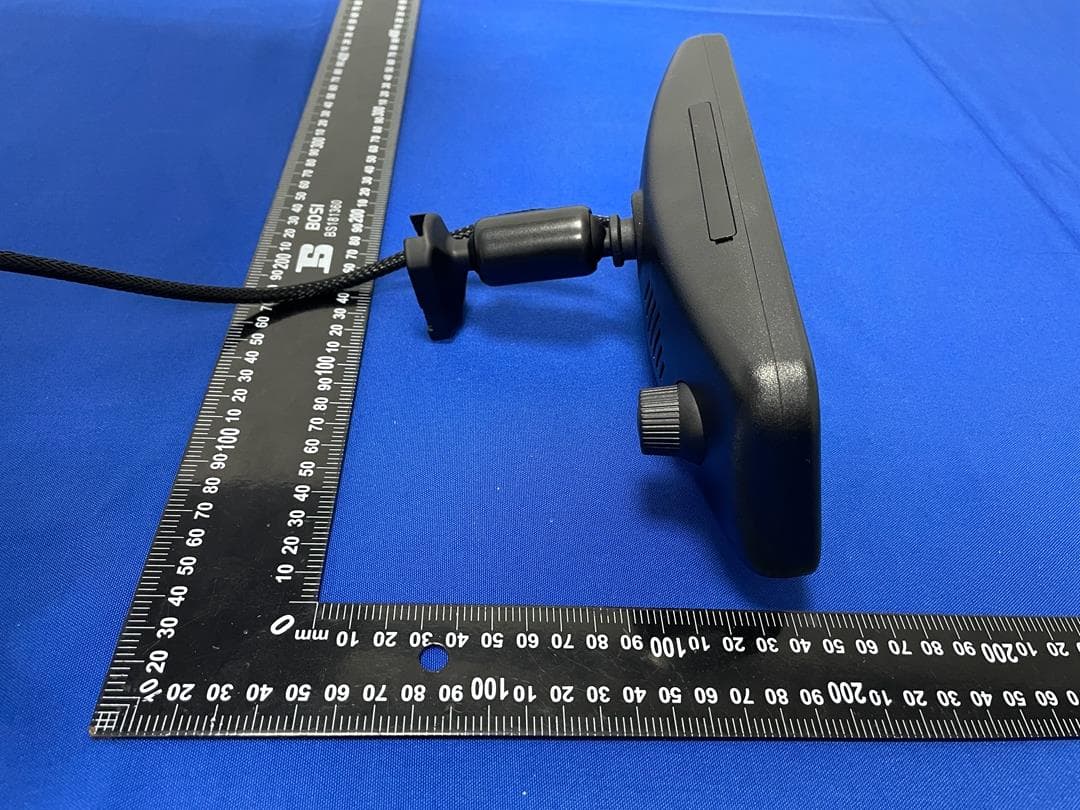
2AON4YVL-096A-M39S
Apr 10, 20239.66 inch 1080P Streaming Media Mirror Monitor With Built-in Dash Cam
Equipment Class
DTS - Digital Transmission System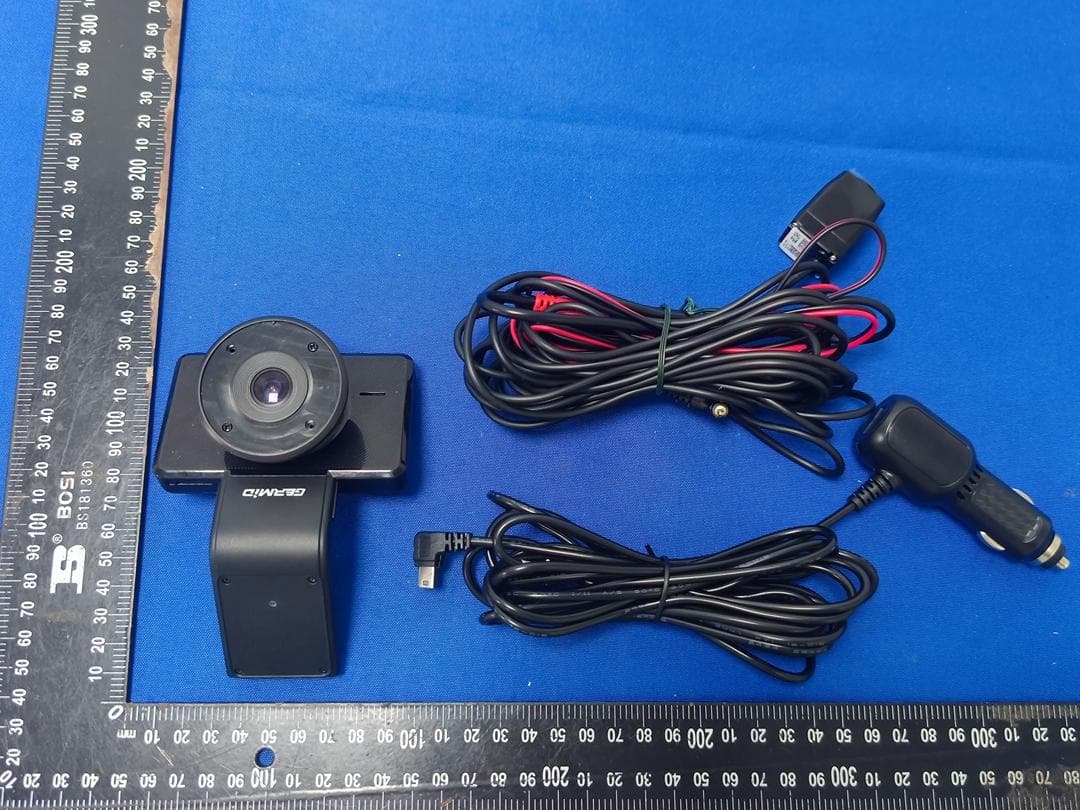
2AON4-N3
Jun 07, 2022Starvis Dual Dash Camera 1080P With Super Night Vision
Equipment Class
DTS - Digital Transmission System