2APUQW829K8 Android Kids Tablet
Hunan Greatwall Computer System Co.,Ltd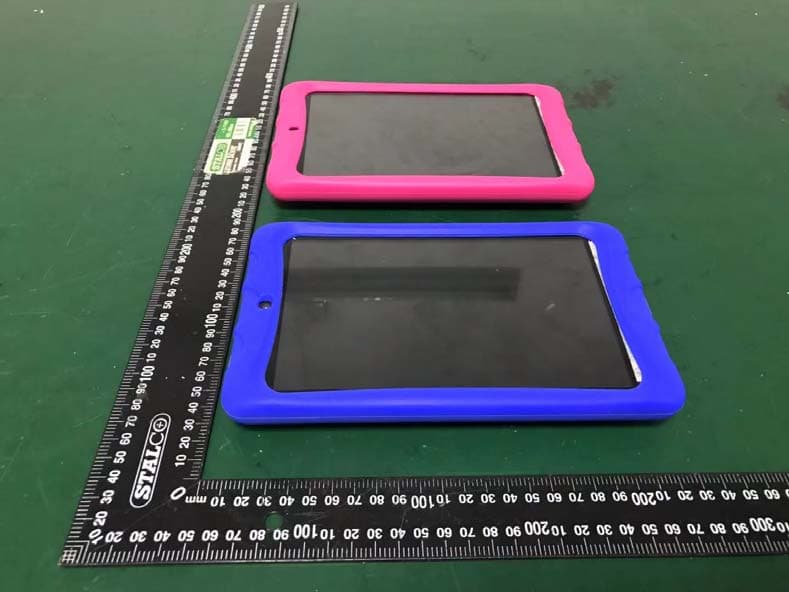
Click to zoom
Application Details
- Equipment Class
- DTS - Digital Transmission System
- Date of Grant
- Jun 02, 2021
- Application Purpose
- Original Equipment
- Date of Application
- Jun 02, 2021
- Equipment Note
- 8 Android Kids Tablet
- Frequency Range
- 2412.00000000 - 2462.00000000
- Country
- China
Documents & Files
Document Text
Text extracted from the exhibit documents filed with the FCC. Open a document above to read the original.
Users Manual
Kids' Tablet Model:100044018G PRODUCT GUIDE We ‘d love to hear from you. Scan with your Walmart app and let us know what you think. May 08, 2021_V1 63 81 131 41350 IntroductionThank you for purchasing the tablet with Android™ 11 (Go edition).Featuring a fast and responsive quad core processor, this tablet is perfect for accomplishing everyday tasks, streaming music and movies, taking photos, checking emails, and engaging with social media.The tablet offers 32GB of internal storage, Bluetooth connectivity, Micro SD slot for up to 128GB of additional storage, on-the-go productivity services.The following information will help you get the most out of your tablet.What You Should Know to Ensure Best Performance: Charge the battery completely before first use. While updates download in the background, tablet performance can be affected until completed. Close unused applications. Open apps that run in the background will affect overall performance. Battery Consumption: Play times on a fully charged battery will vary depending on your display settings, apps that remain open, and internet use (e.g.,streaming video content). It is recommended to use a tablet screen protector and tablet case to protect the tablets.2 3 In The Box USB-C cable size:61*41*24mmInput: 100-240V~50/60Hz,0.3AOutput:5.0V 2.0A Charger Kids' Tablet User Manual Kids' Tablet Quick Start Guide Quick Start Guide Kids' Tablet Model:100044018G PRODUCT GUIDE We ‘d love to hear from you. Scan with your Walmart app and let us know what you think. May 08, 2021_V1 63 81 131 41350 4 1. Headphone Port2. Micro SD Slot3. Front Camera4. Volume Control5. Power On/off 6. Reset7. Speaker8. USB-C Charging Port9. Microphone10. Rear Camera 87 6 5 4 12 3 10 9 9 5 Starting Your Tablet 1. Press and hold the Power button for 3~4 seconds.(If your tablet does not turn on, or instructs you to "Connect your charger" ,connect the AC adapter and charge the unit.)2. At the Start-up screen, swipe up from the bottom of the screen to unlock.3. Once you' ve arrived at the Home screen, you can begin using your tablet. Home Screen At-a-Glance 6 1. Status Bar2. Search Box3. Go Back 4. Home5. Recents 7 Using the Cameras Tap on the Camera lcon 1. Camera Settings2. Switch Cameras (Front/Rear)3. Take Photo4. Recent Photo GO 8 Tablet Updates To ensure the tablet runs smoothly it is recommended to perform periodic system software updates, especially during initial set up of the tablet. You may receive notifications (on the Lock screen) from time to time that software updates are available.Tap the notification to be directed to the update.Other options to access updates:Tap on Settings > System > Advanced > System update.NOTE: To perform an update, you must be connected to WiFi. 9 Google Play Updates The first time you sign in on Google Play, updates will automatically start downloading on to the tablet.Installing a new application while multiple apps are downloading will reduce tablet speed and performance. After all downloads and updates have been installed, the tablet will resume normal operating performance.To view the progress of downloads working in the background, swipe down from the top edge of the screen. Set up the Kids Space 10 Follow the steps below to set up Google Kids Space.1. When asked who will use the tablet, select A child . (If you’ve previously set up the tablet, tap on the Google Kids Space icon ) 2. Sign into your child’s existing Google Account or follow the prompts to create a new Google Account for your child under 13 (or the applicable age in your country).3. When prompted to set up Google Kids Space, tap Set Up.4. Edit your child’s settings and interests. Remove the Kids Space 11 Remove Kids Space1. In the bottom right, press and hold the Parent menu > Device Settings.2. Go to Accounts to remove the account from the device More details about Kids Space on g.co/KidsSpace. 12 Entertainment Space instructions1. Slide the main desktop to the right, follow the prompts to log in to Google Play.2. You can choose to log in with a child account or an adult account. (Step 1 ) (Step 2 ) (Step 1 ) 13 Entertainment Space instructions 3. Enter the Google account and follow the system prompts to enter the main interface of Entertainment Space.4. Tap Update to search for the latest updates of Entertainment Space. 14 Touching and Typing To select an item on the screen, simply tap it once with your fingertip. Some items mayrequire you to "double-tap”. To type in to a text field (e.g., when inputting your name , or a web address), tap the text field. The on-screen keyboard will appear, and allow you to type the information you wish to enter. Touch and Hold: Keep your finger on an on-screen item until it glows or activates an alternate menu. Drag: Move an App or object by touching and holding the image, then moving it to the destination. Slide: When there are extra "screens" to the side, slide one or more fingers from one side to another. 15 Connecting to the Internet Wireless RouterIn order to connect to the internet, you will need the following: A wireless router or an access point with a broadband internet connection.The name of your network (SSID), as well as the password or other credentials, if your network is secure. The wireless router must support WiFi 802.11 a/b/g/n/ac connections.Go to SETTINGS > Network & internet > WiFiTap on WiFi to activate wireless connectivity. The Tablet will scan for available WiFi networks within range. Secured networks will require a password. Once you have successfully entered your information the tablet will remember your settings. 16 Connecting BluetoothYour Tablet is compatible with Bluetooth capable devices. Once your tablet searches and finds the Bluetooth device, follow on-screen instructions to initiate the pairing of the device with the Tablet. Add or "pair" a Bluetooth compatible device with your Tablet as follows:1) Turn on the compatible Bluetooth device and make it discoverable.2) Open the Settings > Connected devi…
Text truncated - open the document above for the full version.
Attestation Statements
DifferenceDeclarationLetter Signedby:KelvinWang,Iherebystate: Forthefollowingproductmodels,onlythecoloroftheshellisdifferent.Theothersare completelythesame.Differentmodelscorrespondtodifferentcoloroftheshell. FCCID:2APUQW829K Productmodel:100044018G,100044018P Note:Onlythecolorofthecasingisdifferentbetweenthetwomodels,andtherestare completelythesame. <Signature>:KelvinWang applyforcompany:HUNANGREATWALLCOMPUTERSYSTEMCO.,LTD Date:2021.5.31
Cover Letter(s)
1/1 Co m Add Pro d Mod FCC We a 0819 abov Any beh a We d Carm relat to d carri same Na m Titl e Si gn mpany:Hu dress: Hu'n Zhu duct Nam delNumbe C Identifie authorize L 93 Bellater ve named e individual alf and tak declare tha me, s/n, 0 ted to the discuss any ied out by e effect as me:KelvinW e: Manage nature of nan Great w nan Greatw zhou, Hu'n me:8 Andro er:1000440 er:2APUQW LGAI Tech rra, Spain, equipment within LGA ke action on at authoriz 08193 Bel approval p y issues c y LGAI Te s acts of ou Wang er applican t Letter o wall Compu wall Indust nan, China oid Kids Ta 018G,1000 W829K nological C , to act o t. AI Technol n the appli ze LGAI Te laterra, Sp project to concerning echnologica ur own. t: of Auth uter System trial Park, X blet 044018P Center S.A on our beh logical Cen cation. echnologica pain, is a the Feder the app r al Center S Date horizati m Co.,Ltd Xiangyun M ., Ronda d half on all nter S.A. is al Center S llowed to al Commu oval applic S.A. on ou e:2021/05/2 C ion Middle Rd., de la Font d matters c s authorize S.A., Ronda forward nication C cation. An ur behalf 25 C5266091_X8 ,Tianyuan del Carme, concerning d to act on a de la Fon all inform ommissio n ny and all shall have 8_Ed.1 Dist. , s/n, g the n our nt del ation n and acts e the
Cover Letter(s)
1/1 Offic Fed e 7435 Colum Date Subj e FCC To W Purs u (47C attac Abo v cons discl o comp It is corr e docu equip Si gn Nam Title e of Engin e eral Commu 5 Oakland M mbia, MD 2 : 2021/05/2 ect: Reques ID: 2APUQ Whom It May uant to th CFR0.457, 0 chment(s) a ve mentione idered as osure of ab petitor an u our under s espondent d uments and pment auth ature of ap me: Kelvin W e: Manage Huna eering Techn nications Co Mills Road 21046 25 st for Confid QW829K y Concern, he provisio 0.459), we as confident Exhibits ID Label/Loca Attestation St External Photo Block Diagram Schematics Test Report Test Setup Ph User’s Manua Internal Photo Parts List / Tu RF Exposure I Operational D Cover Letter(s SDR Software ed docume proprietar y bove docum nfair advan standing th during cert those infor orization is pplicant: Wang er an Greatwa nology ommission dentiality ns of Sec t are reques tial docume ation tatement os m hotos l os une Up Info Description s) e / Security Inf nt contains y informatio ments migh ntage in the hat all mea tification rev rmation wil issued. ll Computer tions 0.457 sting the C nt from pub Lon Co n fo s detailed s on in oper ht be harm market. surement t view proce l be availab r System Co 7 and 0.4 Commission blic disclosu g-Term nfidentiality S C No No No No No No system and ration of th mful to our test reports ess cannot ble for publ C5 o.,Ltd 59 of Co m to withho ure. Short-Term Confidentiality No No No No No equipment he equipm company s, FCC ID la be granted ic review o 266091_X10 mmission's old the follo y t descriptio ent. The p and would abel format d as confid nce the gr a 0_Ed.1 rules owing n are public give t and ential ant of
External Photos
External Photos M/N: 100044018G External Photos M/N: 100044018G External Photos M/N: 100044018G External Photos M/N: 100044018G
ID Label/Location Info
4018G2105Z000001 4018G 21 2021 05 5 Z 000001 4018P2105Z000001 4018P 21 2021 05 5 Z 000001 SN: 4018P2105Z000001 SN: 4018G2105Z000001 silk screen print CCool grey 7C Navy blue PT 19-3815 TPX 海军蓝 PT 19-3815 TPX
Internal Photos
Internal Photos M/N: 100044018G Internal Photos M/N: 100044018G Antenna Port Internal Photos M/N: 100044018G Mainboard Model No.: NCLDXC2MG512M32+E32GCYNB1ABE00 Antenna Internal Photos M/N: 100044018G Mainboard Model No.: RS512M32LZ4D2ANP+FEMDNN032G‐A3A55
RF Exposure Info
Waltek Testing Group (Shenzhen) Co., Ltd. Http://www.waltek.com.cn Page 1 of 63 TEST REPORT Reference No. .................... : WTD21X05045109W FCC ID ................................ : / Applicant ........................... : HUNAN GREATWALL COMPUTER SYSTEM CO., LTD Address ............................. : HUNAN GREATWALL INDUSTRIAL PARK, TIANYI SCIENCE ANDTECHNOLOGY CITY, XIANGYUN MIDDLE ROAD, TIANYUAN DISTRICT,ZHUZHOU, HUNAN PROVINCE Product Name ................... : 8"Android Kids Tablet Test Model. ........................ : 100044018P Standards .......................... : FCC Part 2.1093, ANSI / IEEE C95.1 :2005+A1:2010 ANSI / IEEE C95.3 :2002(R2008) Date of Receipt sample .... : 2020-04-29 Date of Test........................ : 2020-04-29 to 2020-05-08 Date of Issue ..................... : 2021-05-31 Test Result ......................... : Pass Remarks: The results shown in this test report refer only to the sample(s) tested, this test report cannot be reproduced, except in full, without prior written permission of the company. The report would be invalid without specific stamp of test institute and the signatures of compiler and approver. Prepared By: Waltek Testing Group (Shenzhen) Co., Ltd. Address: 1/F., Room 101, Building 1, Hongwei Industrial Park, Liuxian 2nd Road, Block 70 Bao'an District, Shenzhen, Guangdong, China Tel.: +86-755-33663308 Fax.: +86-755-33663309 Tested by: Reviewed By: Approved & Authorized By: Jack Sun / Project Engineer Lion Cai / RF Manager Silin Chen / Manager Reference No.: WTD21X05045109W Page 2 of 63 Waltek Testing Group (Shenzhen) Co., Ltd. Http://www.waltek.com.cn TABLE OF CONTENTS 1. General Information ................................................................................................................................................... 4 1.1 Product Description for Equipment Under Test (EUT) ......................................................................................... 4 1.2 Test Standards .................................................................................................................................................... 6 1.3 Test Methodology ................................................................................................................................................ 6 1.4 Test Facility ......................................................................................................................................................... 6 2. Summary of Test Results .......................................................................................................................................... 7 3. Specific Absorption Rate (SAR) ................................................................................................................................ 8 3.1 Introduction .......................................................................................................................................................... 8 3.2 SAR Definition ..................................................................................................................................................... 8 4. SAR Measurement System ........................................................................................................................................ 9 4.1 The Measurement System .................................................................................................................................. 9 4.2 Probe ................................................................................................................................................................... 9 4.3 Probe Calibration Process ................................................................................................................................. 11 4.4 Phantom ............................................................................................................................................................ 12 4.5 Device Holder .................................................................................................................................................... 12 4.6 Test Equipment List ........................................................................................................................................... 13 5. Tissue Simulating Liquids ....................................................................................................................................... 14 5.1 Composition of Tissue Simulating Liquid ........................................................................................................... 14 5.2 Tissue Dielectric Parameters for Head and Body Phantoms ............................................................................. 15 5.3 Tissue Calibration Result ................................................................................................................................... 16 6. SAR Measurement Evaluation ................................................................................................................................ 17 6.1 Purpose of System Performance Check ............................................................................................................ 17 6.2 System Setup .................................................................................................................................................... 17 6.3 Validation Results .............................................................................................................................................. 18 7. EUT Testing Position ............................................................................................................................................... 19 7.1 EUT Antenna Position ....................................................................................................................................... 19 7.2 EUT Testing Position ........................…
Text truncated - open the document above for the full version.
Test Report
FCC ID: 2APUQW829K EST Technology Co., Ltd Report No.ESTE-R2105266 Page 1 of 75 FCC PART 15C TEST REPORT FOR CERTIFICATION On Behalf of HUNAN GREATWALL COMPUTER SYSTEM CO., LTD 8"Android Kids Tablet Model Number: 100044018G Additional Model: 100044018P FCC ID: 2APUQW829K Prepared for: HUNAN GREATWALL COMPUTER SYSTEM CO., LTD Hu'nan Greatwall Industrial Park, Xiangyun Middle Rd.,Tianyuan Dist. Zhuzhou, Hu'nan, China Prepared By: EST Technology Co., Ltd. Chilingxiang, Qishantou, Santun, Houjie, Dongguan, Guangdong, China Tel: 86-769-83081888-808 Report Number: ESTE-R2105266 Date of Test: May. 06-22, 2021 Date of Report: May. 25, 2021 FCC ID: 2APUQW829K EST Technology Co., Ltd Report No.ESTE-R2105266 Page 2 of 75 TABLE OF CONTENTS Description Page TEST REPORT VERIFICATION ........................................................................................................................ 3 1. GENERAL INFORMATION ................................................................................................................. 5 1.1. Description of Device (EUT) ........................................................................................................... 5 1.2. Difference between Model Numbers ................................................................................................ 5 1.3. Antenna Information ........................................................................................................................ 5 2. SUMMARY OF TEST ......................................................................................................................... 6 2.1. Summary of test result ...................................................................................................................... 6 2.2. Test Facilities .................................................................................................................................... 7 2.3. Measurement uncertainty ................................................................................................................. 8 2.4. Assistant equipment used for test ..................................................................................................... 8 2.5. Block Diagram .................................................................................................................................. 8 2.6. Test Mode ......................................................................................................................................... 9 2.7. Power Setting of Test Software ........................................................................................................ 9 2.8. Duty Cycle ...................................................................................................................................... 10 2.9. Channel List .................................................................................................................................... 12 2.10. Test Equipment List ....................................................................................................................... 13 3. 6DB BANDWIDTH ......................................................................................................................... 14 3.1. Limit ............................................................................................................................................... 14 3.2. Test Setup ....................................................................................................................................... 14 3.3. Spectrum Analyzer Setting ............................................................................................................. 14 3.4. Test Procedure ................................................................................................................................ 14 3.5. Test Result ...................................................................................................................................... 15 4. MAXIMUM PEAK OUTPUT POWER ................................................................................................ 19 4.1. Limit ............................................................................................................................................... 19 4.2. Test Setup ....................................................................................................................................... 19 4.3. Spectrum Analyzer Setting ............................................................................................................. 19 4.4. Test Procedure ................................................................................................................................ 19 4.5. Test Result ...................................................................................................................................... 20 5. POWER SPECTRAL DENSITY .......................................................................................................... 24 5.1. Limit ............................................................................................................................................... 24 5.2. Test Setup ....................................................................................................................................... 24 5.3. Spectrum Analyzer Setting ............................................................................................................. 24 5.4. Test Procedure ................................................................................................................................ 24 5.5. Test Result ...................................................................................................................................... 25 6. CONDUCTED BAND EDGE ............................................................................................................. 29 6.1. Limit .........................................…
Text truncated - open the document above for the full version.
Test Report
FCC ID: 2APUQW829K EST Technology Co., Ltd Report No.ESTE-R2105267 Page 1 of 78 FCC PART 15C TEST REPORT FOR CERTIFICATION On Behalf of HUNAN GREATWALL COMPUTER SYSTEM CO., LTD 8"Android Kids Tablet Model Number: 100044018G Additional Model: 100044018P FCC ID: 2APUQW829K Prepared for: HUNAN GREATWALL COMPUTER SYSTEM CO., LTD Hu'nan Greatwall Industrial Park, Xiangyun Middle Rd.,Tianyuan Dist. Zhuzhou, Hu'nan, China Prepared By: EST Technology Co., Ltd. Chilingxiang, Qishantou, Santun, Houjie, Dongguan, Guangdong, China Tel: 86-769-83081888-808 Report Number: ESTE-R2105267 Date of Test: May. 06-22, 2021 Date of Report: May. 25, 2021 FCC ID: 2APUQW829K EST Technology Co., Ltd Report No.ESTE-R2105267 Page 2 of 78 TABLE OF CONTENTS Description Page TEST REPORT VERIFICATION ........................................................................................................................ 3 1. GENERAL INFORMATION ................................................................................................................. 5 1.1. Description of Device (EUT) ........................................................................................................... 5 1.2. Difference between Model Numbers ................................................................................................ 5 1.3. Antenna Information ........................................................................................................................ 5 2. SUMMARY OF TEST ......................................................................................................................... 6 2.1. Summary of test result ...................................................................................................................... 6 2.2. Test Facilities .................................................................................................................................... 7 2.3. Measurement uncertainty ................................................................................................................. 8 2.4. Assistant equipment used for test ..................................................................................................... 8 2.5. Block Diagram .................................................................................................................................. 9 2.6. Test Mode ......................................................................................................................................... 9 2.7. Power Setting of Test Software ...................................................................................................... 10 2.8. Duty Cycle ...................................................................................................................................... 11 2.9. Channel List .................................................................................................................................... 14 2.10. Test Equipment List ....................................................................................................................... 15 3. 6DB BANDWIDTH ......................................................................................................................... 16 3.1. Limit ............................................................................................................................................... 16 3.2. Test Setup ....................................................................................................................................... 16 3.3. Spectrum Analyzer Setting ............................................................................................................. 16 3.4. Test Procedure ................................................................................................................................ 16 3.5. Test Result ...................................................................................................................................... 17 4. MAXIMUM PEAK OUTPUT POWER ................................................................................................ 24 4.1. Limit ............................................................................................................................................... 24 4.2. Test Setup ....................................................................................................................................... 24 4.3. Spectrum Analyzer Setting ............................................................................................................. 24 4.4. Test Procedure ................................................................................................................................ 24 4.5. Test Result ...................................................................................................................................... 25 5. POWER SPECTRAL DENSITY .......................................................................................................... 26 5.1. Limit ............................................................................................................................................... 26 5.2. Test Setup ....................................................................................................................................... 26 5.3. Spectrum Analyzer Setting ............................................................................................................. 26 5.4. Test Procedure ................................................................................................................................ 26 5.5. Test Result ...................................................................................................................................... 27 6. CONDUCTED BAND EDGE ............................................................................................................. 34 6.1. Limit ..........................................…
Text truncated - open the document above for the full version.
Test Report
Ref : ACR.233.1.17.SATU.A SHENZHEN SEM TEST TECHNOLOGY CO., LTD. 1/F, BUILDING A, HONGWEI INDUSTRIAL PARK, LIUXIAN 2ND ROAD BAO'AN DISTRICT SHENZHEN (518101), CHINA MVG COMOSAR DOSIMETRIC E-FIELD PROBE SERIAL NO.: SN 45/15 EPGO280 Calibrated at MVG US 2105 Barrett Park Dr. - Kennesaw, GA 30144 Calibration Date: 07/08/2019 Summary: This document presents the method and results from an accredited COMOSAR Dosimetric E-Field Probe calibration performed in MVG USA using the CALISAR / CALIBAIR test bench, for use with a COMOSAR system only. All calibration results are traceable to national metrology institutions. COMOSAR E-Field Probe Calibration Report COMOSAR E-FIELD PROBE CALIBRATION REPORT Ref: ACR.233.1.17.SATU.A Page: 2/10 This document shall not be reproduced, except in full or in part, without the written approval of MVG. The information contained herein is to be used only for the purpose for which it is submitted and is not to be released in whole or part without written approval of MVG. Name Function Date Signature Prepared by : Jérôme LUC Product Manager 7/8/2019 Checked by : Jérôme LUC Product Manager 7/8/2019 Approved by : Kim RUTKOWSKI Quality Manager 7/8/2019 Customer Name Distribution : Shenzhen SEM.Test Technology Co., Ltd. Issue Date Modifications A 7/8/2019 Initial release COMOSAR E-FIELD PROBE CALIBRATION REPORT Ref: ACR.233.1.17.SATU.A Page: 3/10 This document shall not be reproduced, except in full or in part, without the written approval of MVG. The information contained herein is to be used only for the purpose for which it is submitted and is not to be released in whole or part without written approval of MVG. TABLE OF CONTENTS 1 Device Under Test ..................................................................................................... 4 2 Product Description ................................................................................................... 4 2.1 General Information _______________________________________________________ 4 3 Measurement Me…
Text truncated - open the document above for the full version.
Contact Information
Applicant
zhengde zhang(Manager)
Technical Contact
Non-Technical Contact
EST Technology Co., Ltd.Iceman Hu
[email protected]86-769-83081888
Test Firm
EST Technology Co., Ltd.Iceman Hu
[email protected]+86 0769-83081888
Technical Specifications
| # | Rule Parts | Frequency Range | Power Output |
|---|---|---|---|
| 2 | 15C | 2.41 GHz - 2.46 GHz | 143.20 mW |
Other Applications from Hunan Greatwall Computer System Co.,Ltd
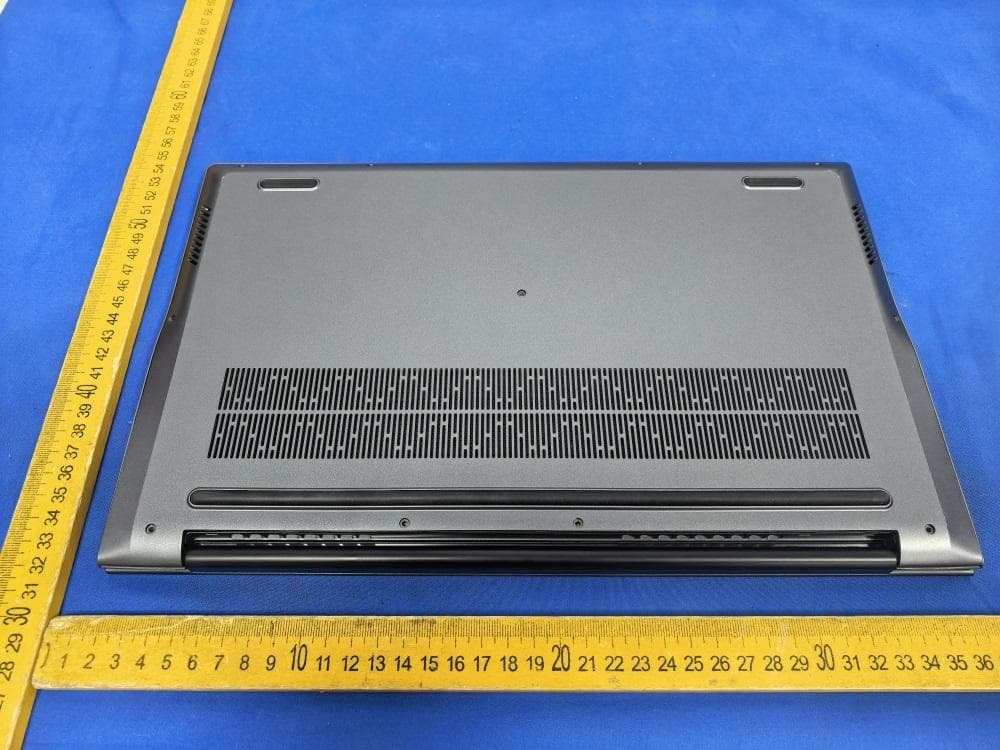
2APUQ-W1523
Jul 29, 2026Laptop
Equipment Class
NII - Unlicensed National Information Infrastructure TX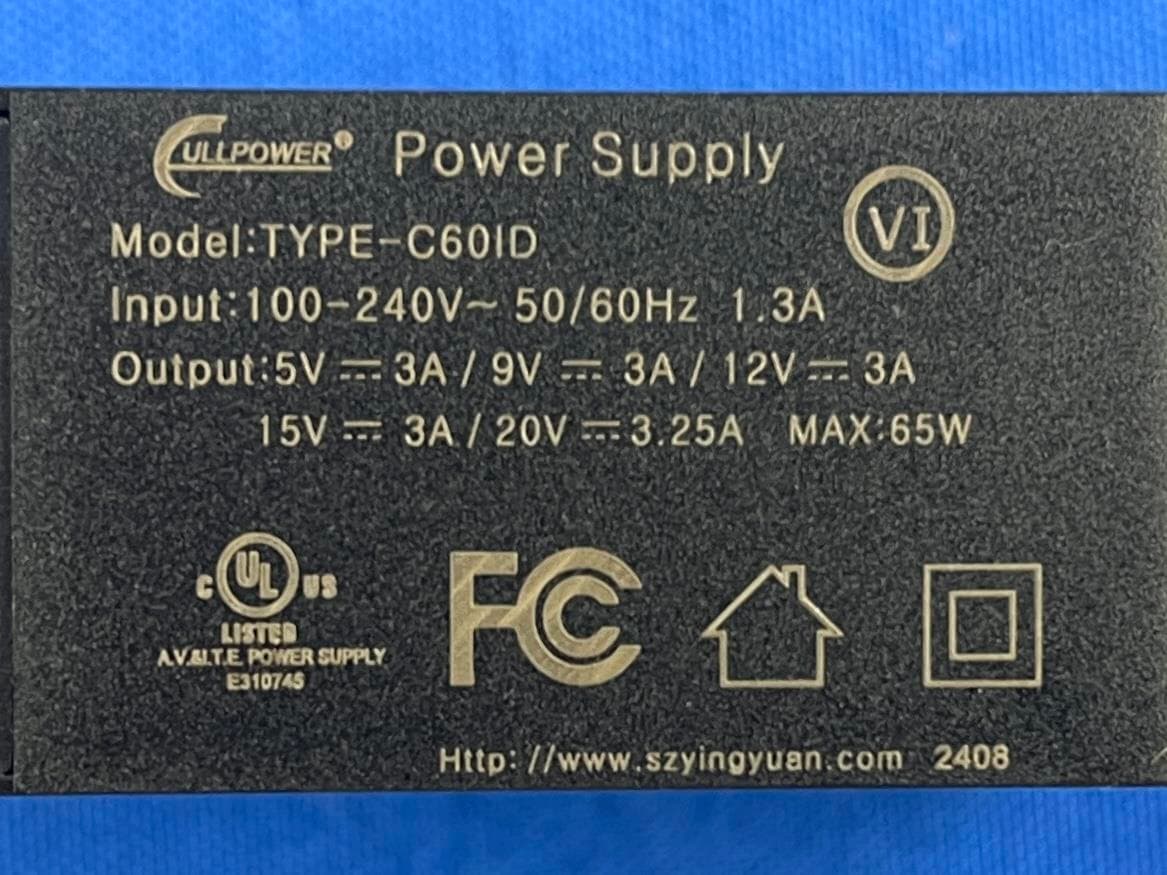
2APUQ-W14198
Sep 05, 2024Personal Computer
Equipment Class
DTS - Digital Transmission System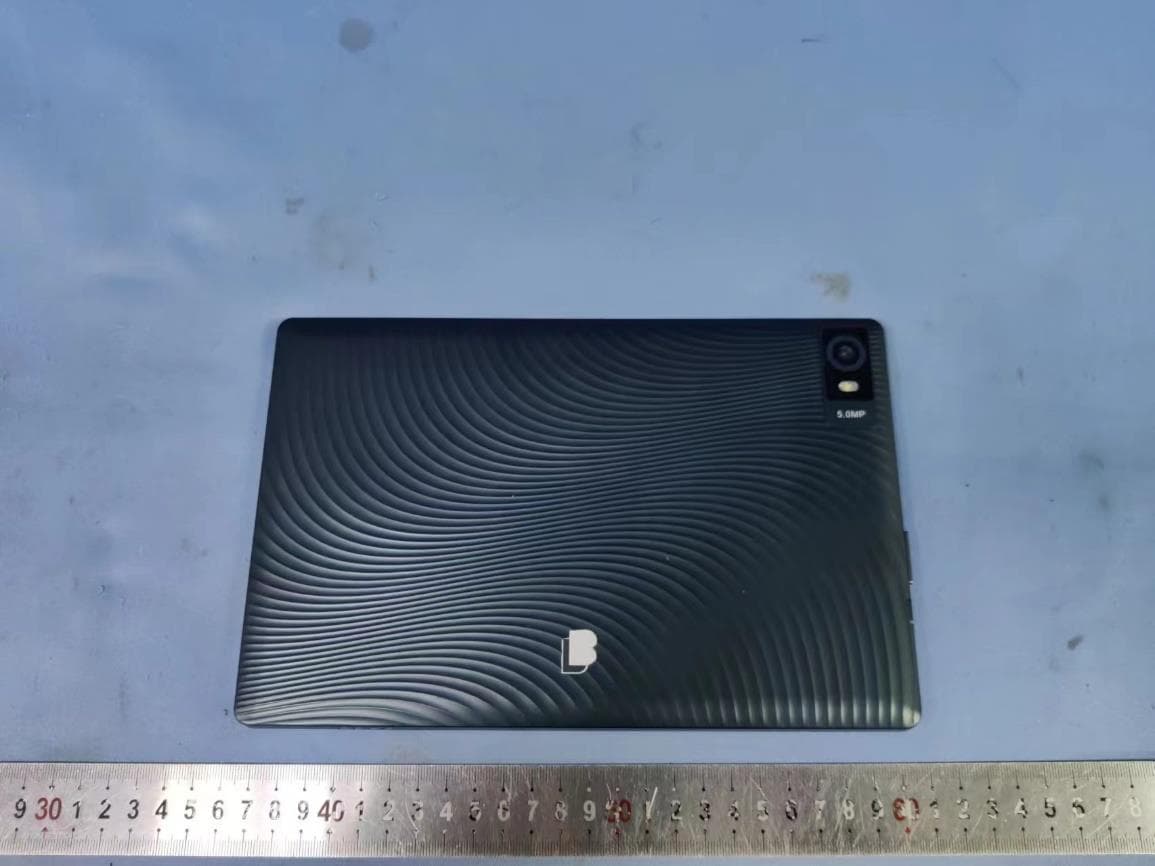
2APUQ-LM1097P
Aug 01, 2024Tablet
Equipment Class
DXX - Part 15 Low Power Communication Device Transmitter2APUQ-T100-001
Jun 12, 2024Smart Projector
Equipment Class
NII - Unlicensed National Information Infrastructure TX
2APUQ-W14118GP
Apr 18, 2024LAPTOP
Equipment Class
DSS - Part 15 Spread Spectrum Transmitter