2AR4E-T11Smart voice translator
Shenzhen Beibo Intelligent Technology Co., Ltd.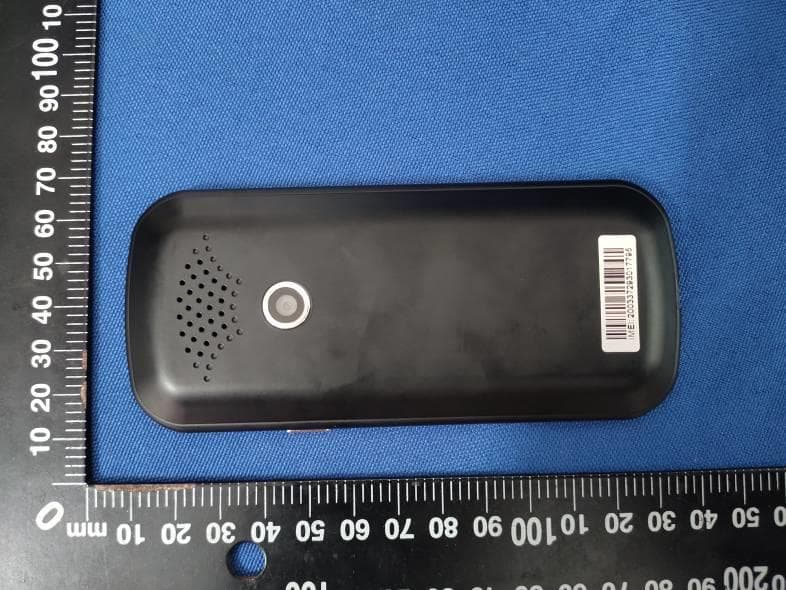
Click to zoom
Application Details
- Equipment Class
- DTS - Digital Transmission System
- Date of Grant
- Aug 12, 2020
- Application Purpose
- Original Equipment
- Date of Application
- Aug 12, 2020
- Equipment Note
- Smart voice translator
- Frequency Range
- 2422.00000000 - 2452.00000000
- Country
- China
Documents & Files
Document Text
Text extracted from the exhibit documents filed with the FCC. Open a document above to read the original.
Users Manual
1 Smart voice translator T11 Instruction manual 2 Introduction: The Smart voice translator is an artificial intelligence hardware product that uses AI technology to integrate speech recognition, OCR (character recognition), text translation, speech synthesis and other technologies. In the network (or hotspot) state, as long as the voice is spoken, it can be instantly translated into the language you want and broadcast, and the photo text can be translated into a foreign language. In the scenes of traveling abroad, foreign language learning, business communication, etc., the communication problems between different languages are effectively solved. The Smart voice translator should be used in the connected state first, it can connect to the wireless WIFI or mobile hotspot.(Offline translation response speed and accuracy are limited, please use voice translation first.) ① :Power ON/OFF ②:Voice left button ③:Voice right button ④:Touch screen ⑤:microphone ⑥:volume + - ⑦:Speaker ⑧:Camera ⑨:Charger ⑩:Hanging hole ⑪:Return 3 Button introduction Power ON/OFF: 1. Power ON/OFF: Press and hold the power button for more than 3 seconds, the power on/off interface appears, and you can select on/off or restart. 2. Standby: Short press the power button to wake up or standby. Volume button + -: Tap the volume +-- button to adjust the volume. Return button O: Tap the O virtual button on the main unit to directly jump to the main interface of the screen. And you can slide the screen left and right. Voice left button②③:Enter the speech translation interface as shown 1,The left button corresponds to the upper red language, and the right button corresponds to the blue language below. Example: Enter the voice translation interface as shown 1, long press the voice right button②Speak Chinese "我爱你" After releasing, automatically dial the English and display it as shown 2 Speak English and press the left button③,To change the language of the translation, please click on the touch screen switch. 圖1 圖2 Preparation for work before use: 1. Device charging: Before using this device, please check if the device is fully charged. If the device fails to turn on or the battery is low, please use the dedicated power cord 4 provided in the box to charge the device. It is best to charge the device for 1 hour or after the battery is fully charged. The device is charged in the off state, and the screen will display a larger charging ID and percentage of power in about 8-10 seconds.The device is charged in the power-on state, and the battery symbol in the upper right corner of the screen is marked “Lightning”. 2, Network connection: After turning on the device, enter the network connection interface, please check if the network connection is successful. The Smart voice translator should be used in the connected state first, it can connect to the wireless WIFI or mobile hotspot. (Offline translation response speed and accuracy are limited, please use voice translation first.) Go to the "WLAN" interface via the menu "Network Connection" or "Settings" option. Click the ON/OFF switch button to open the WIFI connection and search for nearby networks. (If you don't see the network you want, you can try ON/OFF. Open again.) Click on the WIFI you want to connect to, enter your password and click on "V". Note: At present, the device only supports WIFI with direct password input. For some hotels, the WIFI that needs to open the secondary authentication of the website is temporarily not supported. 3, System language settings In the main interface, click the "Settings" option to enter the "Settings" interface, 5 click "System Language" to enter the system language selection, slide up and down to select the operating system language you need. 4, The main screen The main screen of the device is the main function entry of the device, including: voice translation, photo translation, AI assistant, recording translation, language learning, network connection, settings, etc. Touch the screen to enter the corresponding function options. Slide the screen left and right to display different function options. 5. The top of the device screen displays some status information about the device, such as WIFI connection status, power, and charging status. Main function introduction: Speech translation In the main interface, tap the on-screen speech translation option to enter the speech 6 translation interface. First confirm that your device network connection is successful (long press the red / blue button to start "speak", indicating that the network connection is successful, otherwise the network connection is not successful, please return to the network connection interface to reconnect to the network). 1. Language selection: At the top and bottom of the speech translation interface, touch the red/blue language bar to enter the language selection list, and select the desired source language and destination language respectively. 2. Voice input: Press and hold the red/blue button (voice input button) on the device to wait for the screen to start “talking” and start talking to the microphone position to enter the voice recognition state. (Remember: the red key corresponds to the red language at the top of the screen, and the blue key corresponds to the blue language at the bottom of the screen. Be sure to say the corresponding language selected, otherwise it will not be recognized.) 3. After the hands are released, the voice is automatically recognized and parsed, and translated into the set target language and broadcasted by voice. Tap the screen speaker icon to replay the conversation. 4. When the screen list shows too many conversation records, you can slide up and down to view the conversation record; you can also long press and hold a conversation record to delete the conversation record. 7 Photo translation In the main interface, tap the screen photo translation option to enter the photo translation interface. 1. Language selection: At the top of the…
Text truncated - open the document above for the full version.
Cover Letter(s)
Shenzhen Beibo Intelligent Technology Co., Ltd. Add: 512, Building A, Quansen Qichuangyuan, No. 58-60, Bulong Road, Dalang Street, Longhua District, Shenzhen, China Tel: + 8613615185095 Fax: 0755-29051127 Date: Aug. 06, 2020 Dear Sir/Madam, We, Shenzhen Beibo Intelligent Technology Co., Ltd. Hereby declares the following statement for Federal Communications Commission, PCB board, circuit, structure and internal of these model(s) are the same, Only model number is different for these model: Product name: Smart voice translator Model no.: T11, T10, T12, Z2, Z4, Z5, Z6 FCC ID: 2AR4E-T11 Sincerely, Name: Wendy zhang Company: Shenzhen Beibo Intelligent Technology Co., Ltd. Address: 512, Building A, Quansen Qichuangyuan, No. 58-60, Bulong Road, Dalang Street, Longhua District, Shenzhen, China Phone: + 8613615185095 Fax: 0755-29051127 E-Mail: [email protected]
Cover Letter(s)
CONFIDENTIALITY REQUEST for Certification Service in USA Federal Communication Commission Equipment Authorization Division, Application Processing Branch 7435 Oakland Mills Road Columbia, MD 21046 Date: Aug. 06, 2020 TO WHOM IT MAY CONCERN Pursuant to Paragraphs §0.457 and 0.459 of the Commission’s Rules (47 C.F.R.) and Section §552(b)(4) of the Freedom of Information Act, we requests confidentiality for the following products: FCC ID Model name 2AR4E-T11 T11, T10, T12, Z2, Z4 ,Z5, Z6 For the product stated above, we request that the following information be held confidential; Exhibits Long-Term Confidentiality Short-Term Confidentiality Short-Term Confidentiality Days External Photos Internal Photos Block Diagram Schematics Test Setup Photos User’s Manual Parts List Tune Up Operational Descriptions The long-term confidentiality exhibits contain our trade secrets and proprietary information that could be of benefit to our competitors. The short-term confidentiality on the basis of ensuring that business sensitive information remains confidential until the actual marketing of our new device. If you have any questions, please feel free to contact me at the address shown below. Sincerely, Name: Wendy zhang Company: Shenzhen Beibo Intelligent Technology Co., Ltd. Address: 512, Building A, Quansen Qichuangyuan, No. 58-60, Bulong Road, Dalang Street, Longhua District, Shenzhen, China Phone: + 8613615185095 Fax: 0755-29051127 E-Mail: [email protected]
Cover Letter(s)
Shenzhen Beibo Intelligent Technology Co., Ltd. 512, Building A, Quansen Qichuangyuan, No. 58-60, Bulong Road, Dalang Street, Longhua District, Shenzhen, China Tel: + 8613615185095 Fax: 0755-29051127 Date: Aug. 06, 2020 FCC ID: 2AR4E-T11 Model Number: T11, T10, T12, Z2, Z4 ,Z5, Z6 To: Federal Communications Commission Authorization and Evaluation Division 7435 Oakland Mills Road Columbia, MD To Whom It May Concern, We, Shenzhen Beibo Intelligent Technology Co., Ltd., declare that this EUT (FCC ID: 2AR4E-T11) doesn’t have Ad Hoc mode function on“non-US/Canada frequencies”. Inaddition.The frequency selection feature is disabled by firmware for devices marked to the US/Canada. For DTS part of this device, only channels 1-11 will be used in North America, Country code selection is disabled. Should you have any questions or comments regarding this matter, please have my best attention. Sincerely, Name: Wendy zhang Company: Shenzhen Beibo Intelligent Technology Co., Ltd. Address: 512, Building A, Quansen Qichuangyuan, No. 58-60, Bulong Road, Dalang Street, Longhua District, Shenzhen, China Phone: + 8613615185095 Fax: 0755-29051127 E-Mail: [email protected]
Cover Letter(s)
Shenzhen Beibo Intelligent Technology Co., Ltd. 512, Building A, Quansen Qichuangyuan, No. 58-60, Bulong Road, Dalang Street, Longhua District, Shenzhen, China Tel: + 8613615185095 Fax: 0755-29051127 Federal Communications Commission Authorization and Evaluation Division Equipment Authorization Branch 7435 Oakland Mills Road Columbia, MD 21046 8/06/2020 To whom it may concern: We, the undersigned, hereby authorize Eurofins Product Service GmbH to act on our behalf in all matters relating to applications for equipment authorization FCC ID: 2AR4E-T11 including the signing of all documents related to these matters. Any and all acts carried out by Eurofins Product Service GmbH on our behalf shall have the same effect as acts of our own. We also hereby certify that no party to this application is subject to a denial of benefits, including FCC benefits, pursuant to Section 5301 of the Anti-Drug Abuse Act of 1988, 21 U.S.C. 862. Sincerely, Name: Wendy zhang Company: Shenzhen Beibo Intelligent Technology Co., Ltd. Address: 512, Building A, Quansen Qichuangyuan, No. 58-60, Bulong Road, Dalang Street, Longhua District, Shenzhen, China Phone: + 8613615185095 Fax: 0755-29051127 E-Mail: [email protected]
External Photos
FCC ID: 2AR4E-T11 FCC ID: 2AR4E-T11
ID Label/Location Info
FCC ID: 2AR4E-T11
Internal Photos
FCC ID: 2AR4E-T11 BT/WIFI Antenna FCC ID: 2AR4E-T11
RF Exposure Info
RF Exposure evaluation FCC ID: 2AR4E-T11 1.1. Applicable Standard According to §1.1307(b)(1), systems operating under the provisions of this section shall be operated in a manner that ensures that the public is not exposed to radio frequency energy level in excess of the Commission’s guidelines. According to §1.1310 and §2.1093 RF exposure requirement KDB447498 v06: Mobile and Portable Devices RF Exposure Procedures and Equipment Authorization Policies 1.2. Requirement According to KDB447498 D01 General RF Exposure Guidance v06 Section 4.3.1 Standalone SAR test exclusion considerations: “Unless specifically required by the published RF exposure KDB procedures, standalone 1-g head or body and 10-g extremity SAR evaluation for general population exposure conditions, by measurement or numerical simulation, is not required when the corresponding SAR Test Exclusion Threshold condition, listed below, is satisfied. These test exclusion conditions are based on source-based time-averaged maximum conducted output power of the RF channel requiring evaluation, adjusted for tune-up tolerance, and the minimum test separation distance required for the exposure conditions.22 The minimum test separation distance is determined by the smallest distance from the antenna and radiating structures or outer surface of the device, according to the host form factor, exposure conditions and platform requirements, to any part of the body or extremity of a user or bystander (see 5) of section 4.1). To qualify for SAR test exclusion, the test separation distances applied must be fully explained and justified by the operating configurations and exposure conditions of the transmitter and applicable host platform requirements, typically in the SAR measurement or SAR analysis report, according to the required published RF exposure KDB procedures. When no other RF exposure testing or reporting is required, a statement of justification and compliance must be included in the equipment approval, in lieu of the SAR report, to qualify for the SAR test exclusion. When required, the device specific conditions described in the other published RF exposure KDB procedures must be satisfied before applying these SAR test exclusion provisions; for example, handheld PTT two-way radios, handsets, laptops & tablets etc.23 “ [(max. power of channel, including tune-up tolerance, mW)/ (min. test separation distance, mm)] · [√f (GHz)] ≤ 3.0 for 1-g SAR and ≤ 7.5 for 10-g extremity SAR, where: • f (GHz) is the RF channel transmit frequency in GHz • Power and distance are rounded to the nearest mW and mm before calculation • The result is rounded to one decimal place for comparison • 3.0 and 7.5 are referred to as the numeric thresholds in the step 2 below The test exclusions are applicable only when the minimum test separation distance is ≤ 50 mm and for transmission frequencies between 100 MHz and 6 GHz. When the minimum test separation distance is < 5 mm, a distance of 5 mm according to 5) in section 4.1 is applied to determine SAR test exclusion. 1.3. Manufacturing tolerance WIFI 802.11b Channel Channel 01 Channel 06 Channel 11 Target (dBm) 8.5(AV) 8.5(AV) 8.5(AV) Tolerance ±(dB) 1.0 1.0 1.0 802.11g Channel Channel 01 Channel 06 Channel 11 Target (dBm) 8.0(AV) 8.0(AV) 8.0(AV) Tolerance ±(dB) 1.0 1.0 1.0 802.11n(HT20) Channel Channel 01 Channel 06 Channel 11 Target (dBm) 8.0(AV) 8.0(AV) 8.0(AV) Tolerance ±(dB) 1.0 1.0 1.0 802.11n(HT40) Channel Channel 03 Channel 06 Channel 09 Target (dBm) 8.0(AV) 8.0(AV) 8.0(AV) Tolerance ±(dB) 1.0 1.0 1.0 BT GFSK Channel Channel 00 Channel 39 Channel 78 Target (dBm) 4.0(PK) 4.0(PK) 5.0(PK) Tolerance ±(dB) 1.0 1.0 1.0 π/4DQPSK Channel Channel 00 Channel 39 Channel 78 Target (dBm) 3.0(PK) 3.0(PK) 4.0(PK) Tolerance ±(dB) 1.0 1.0 1.0 8DPSK Channel Channel 00 Channel 39 Channel 78 Target (dBm) 3.0(PK) 3.0(PK) 4.0(PK) Tolerance ±(dB) 1.0 1.0 1.0 2. E v a l u a t i o n R e s u l t Evaluation Results Band/Mode f (GHz) Antenna Distance (mm) RF output power (including tune-up tolerance) SAR Test Exclusion Threshold SAR Test Exclusion dBm mW BT 2.480 5 6.0 3.981 1.3<3.0 Yes WIFI 2.462 5 9.5 8.913 2.8<3.0 Yes 3. C o n c l u s i o n The measurement results comply with the FCC Limit per 47 CFR 2.1093 for the uncontrolled RF Exposure and SAR Exclusion Threshold per KDB 447498 v06, No SAR is required. .....................End.........................
Test Report
Shenzhen Global Test Service Co.,Ltd. No.7-101 and 8A-104, Building 7 and 8, DCC Cultural and Creative Garden, No.98, Pingxin North Road, Shangmugu Community, Pinghu Street, Longgang District, Shenzhen, Guangdong FCC PART 15 SUBPART C TEST REPORT FCC PART 15.247 Report Reference No. ..................... : FCC ID. ............................................ : GTS20200811019-1-1 2AR4E-T11 Compiled by ( position+printed name+signature) .. : File administrators Jimmy Wang Supervised by ( position+printed name+signature) .. : Test Engineer Aaron Tan Approved by ( position+printed name+signature) .. : Manager Jason Hu Date of issue ..................................... : Aug. 11, 2020 Representative Laboratory Name .: Shenzhen Global Test Service Co.,Ltd. Address ............................................ : No.7-101 and 8A-104, Building 7 and 8, DCC Cultural and Creative Garden, No.98, Pingxin North Road, Shangmugu Community, Pinghu Street, Longgang District, Shenzhen, Guangdong, China Applicant’s name ............................ : Shenzhen Beibo Intelligent Technology Co., Ltd. Address ............................................ : 512, Building A, Quansen Qichuangyuan, No. 58-60, Bulong Road, Dalang Street, Longhua District, Shenzhen, China Test specification ...........................: Standard ........................................... : FCC Part 15.247 TRF Originator .................................. : Shenzhen Global Test Service Co.,Ltd. Master TRF ....................................... : Dated 2014-12 Shenzhen Global Test Service Co.,Ltd. All rights reserved. This publication may be reproduced in whole or in part for non-commercial purposes as long as the Shenzhen Global Test Service Co.,Ltd. is acknowledged as copyright owner and source of the material. Shenzhen Global Test Service Co.,Ltd. takes no responsibility for and will not assume liability for damages resulting from the reader's interpretation of the reproduced material due to its placement and context. Test item description .....................: Smart voice translator Trade Mark ....................................... : N/A Manufacturer ................................... : Shenzhen Beibo Intelligent Technology Co., Ltd. Model/Type reference....................... : T11 Listed Models .................................. : T10, T12, Z2, Z4 ,Z5, Z6 Ratings ............................................. : 5V0.5A Modulation ....................................... : CCK/DSSS, OFDM Hardware version ............................. : S6_MB_V1.3 Software version .............................. : V1.0 Frequency .......................................... From 2412MHz-2462MHz Result................................................ : PASS Report No.: GTS20200811019-1-1 Page 2 of 42 T E S T R E P O R T Test Report No. : GTS20200811019-1-1 Aug. 11, 2020 ____________________________________________________________________________________ Date of issue Equipment under Test : Smart voice translator Model /Type : T11 Listed Models : N/A Applicant : Shenzhen Beibo Intelligent Technology Co., Ltd. Address : 512, Building A, Quansen Qichuangyuan, No. 58-60, Bulong Road, Dalang Street, Longhua District, Shenzhen, China Manufacturer : Shenzhen Beibo Intelligent Technology Co., Ltd. Address : 512, Building A, Quansen Qichuangyuan, No. 58-60, Bulong Road, Dalang Street, Longhua District, Shenzhen, China Test Result: PASS The test report merely corresponds to the test sample. It is not permitted to copy extracts of these test result without the written permission of the test laboratory. Report No.: GTS20200811019-1-1 Page 3 of 42 Contents 1 T E S T S T A N D A R D S ................................................................. 4 2 S U M M A R Y ............................................................................ 5 2.1 General Remarks 5 2.2 Product Description 5 2.3 Test Sample 5 2.4 Equipment Under Test 5 2.5 Short description of the Equipment under Test (EUT) 5 2.6 EUT operation mode 6 2.7 Block Diagram of Test Setup 6 2.8 Special Accessories 6 2.9 Related Submittal(s) / Grant (s) 6 2.10 Modifications 6 3 T E S T E N V I R O N M E N T .............................................................. 7 3.1 Address of the test laboratory 7 3.2 Test Facility 7 3.3 Environmental conditions 7 3.4 Test Description 8 3.5 Statement of the measurement uncertainty 8 3.6 Equipments Used during the Test 9 4 T E S T C O N D I T I O N S A N D R E S U L T S ........................................... 11 4.1 AC Power Conducted Emission 11 4.2 Radiated Emission 14 4.3 Maximum Conducted Output Power 21 4.4 Power Spectral Density 22 4.5 6dB Bandwidth 25 4.6 Out-of-band Emissions 28 4.7 Antenna Requirement 37 5 T E S T S E T U P P H O T O S O F T H E E U T ......................................... 38 6 P H O T O S O F T H E E U T ........................................................... 39 Report No.: GTS20200811019-1-1 Page 4 of 42 1 T E S T S T A N D A R D S The tests were performed according to following standards: FCC Rules Part 15.247: Frequency Hopping, Direct Spread Spectrum and Hybrid Systems that are in operation within the bands of 902-928 MHz, 2400-2483.5 MHz, and 5725-5850 MHz. ANSI C63.10-2013: American National Standard for Testing Unlicensed Wireless Devices KDB558074 D01 V05r02: Guidance for Compliance Measurements on Digital Transmission Systems (DTS) ,Frequency Hopping Spread Spectrum System(HFSS), and Hybrid System Devices Operating Under §15.247 of The FCC rules. Report No.: GTS20200811019-1-1 Page 5 of 42 2 S U M M A R Y 2.1 General Remarks Date of receipt of test sample : Jul. 26, 2020 Testing commenced on : Jul. 27, 2020 Testing concluded on : Aug. 03, 2020 2.2 Product Description Product Description: Smart voice translator Model/Type reference: T11 Power supply: DC 3.7V from battery Sample ID: GTS20200811019-1-1#/ GTS20200811019-1-2# WIFI Supported type: 802.11b/802.11g/802.11n(H20)/802.11n(H40) Modulation: 802.11b: DSSS 802.11g/802.…
Text truncated - open the document above for the full version.
Test Setup Photos
FCC ID: 2AR4E-T11
Contact Information
Applicant
Wendy zhang(manager)
Test Firm
Shenzhen Global Test Service Co., Ltd.Simon Hu
[email protected]86-137-286-828-40
Technical Specifications
| # | Rule Parts | Frequency Range | Power Output |
|---|---|---|---|
| 2 | 15C | 2.42 GHz - 2.45 GHz | 26.20 mW |
Other Applications from Shenzhen Beibo Intelligent Technology Co., Ltd.
2AR4E-C6
Jan 29, 2024Carplay
Equipment Class
DSS - Part 15 Spread Spectrum Transmitter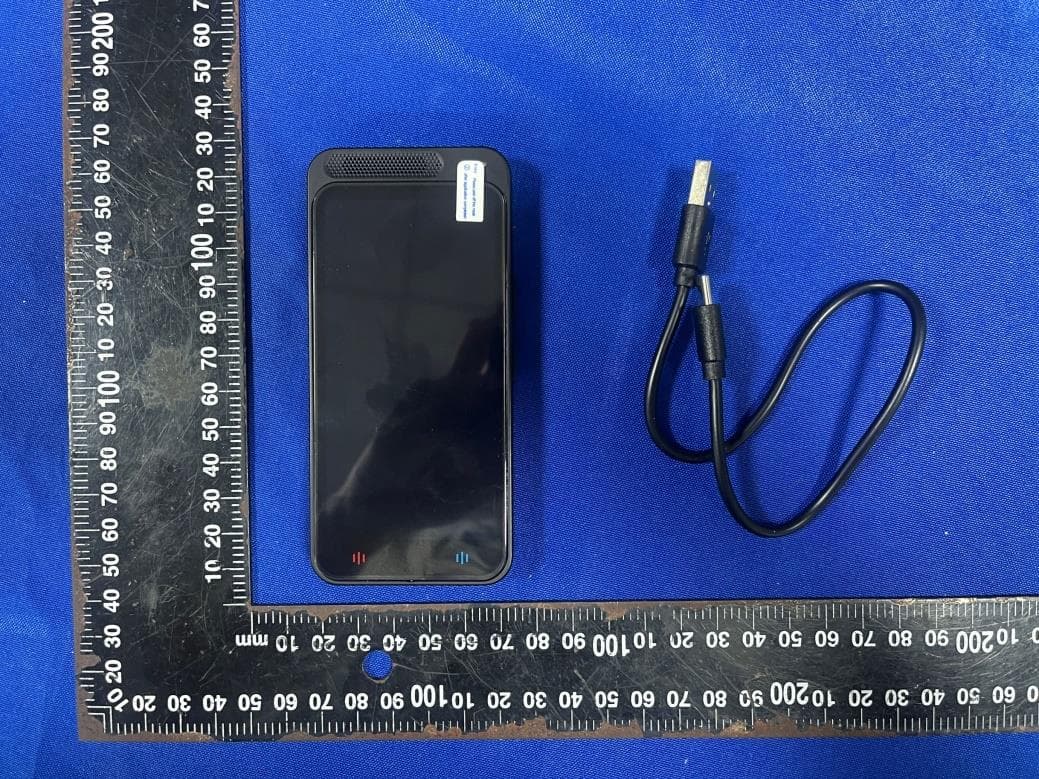
2AR4E-VORMOR-Z6
Sep 19, 2023Language Translator Device
Equipment Class
DTS - Digital Transmission System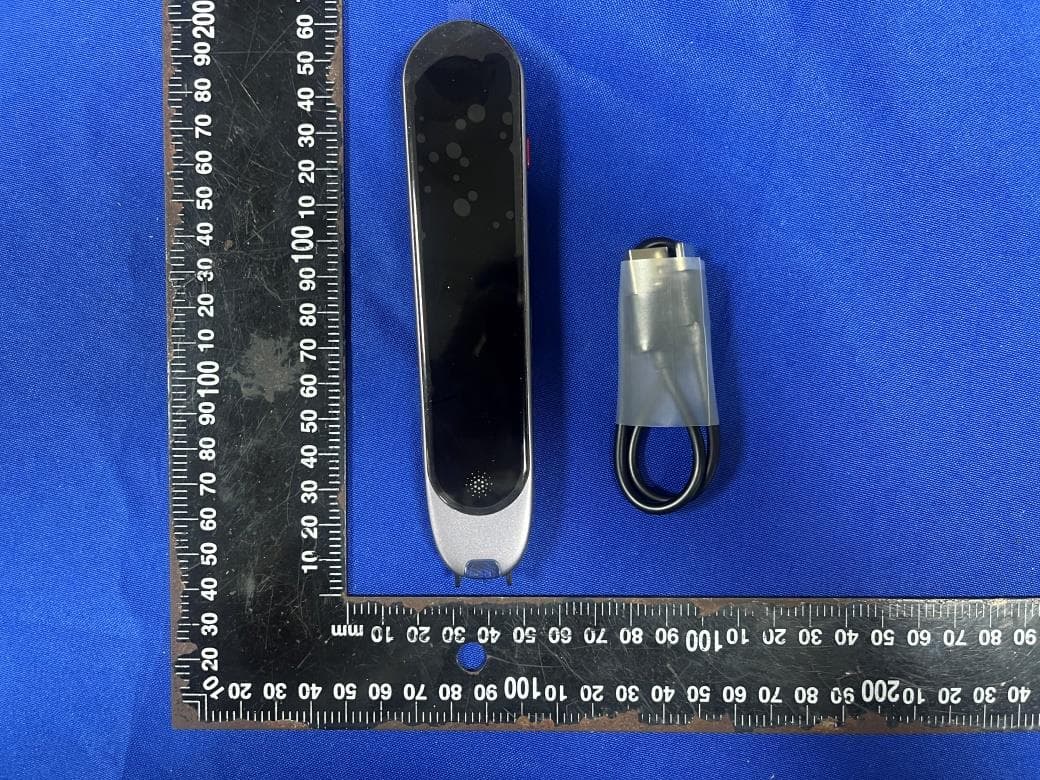
2AR4E-SCAN
Sep 19, 2023Scanmarker Pro
Equipment Class
DTS - Digital Transmission System