2ASAF-WIFIKIT02Wi-Fi Kit
Shenzhen Eybond Co., Ltd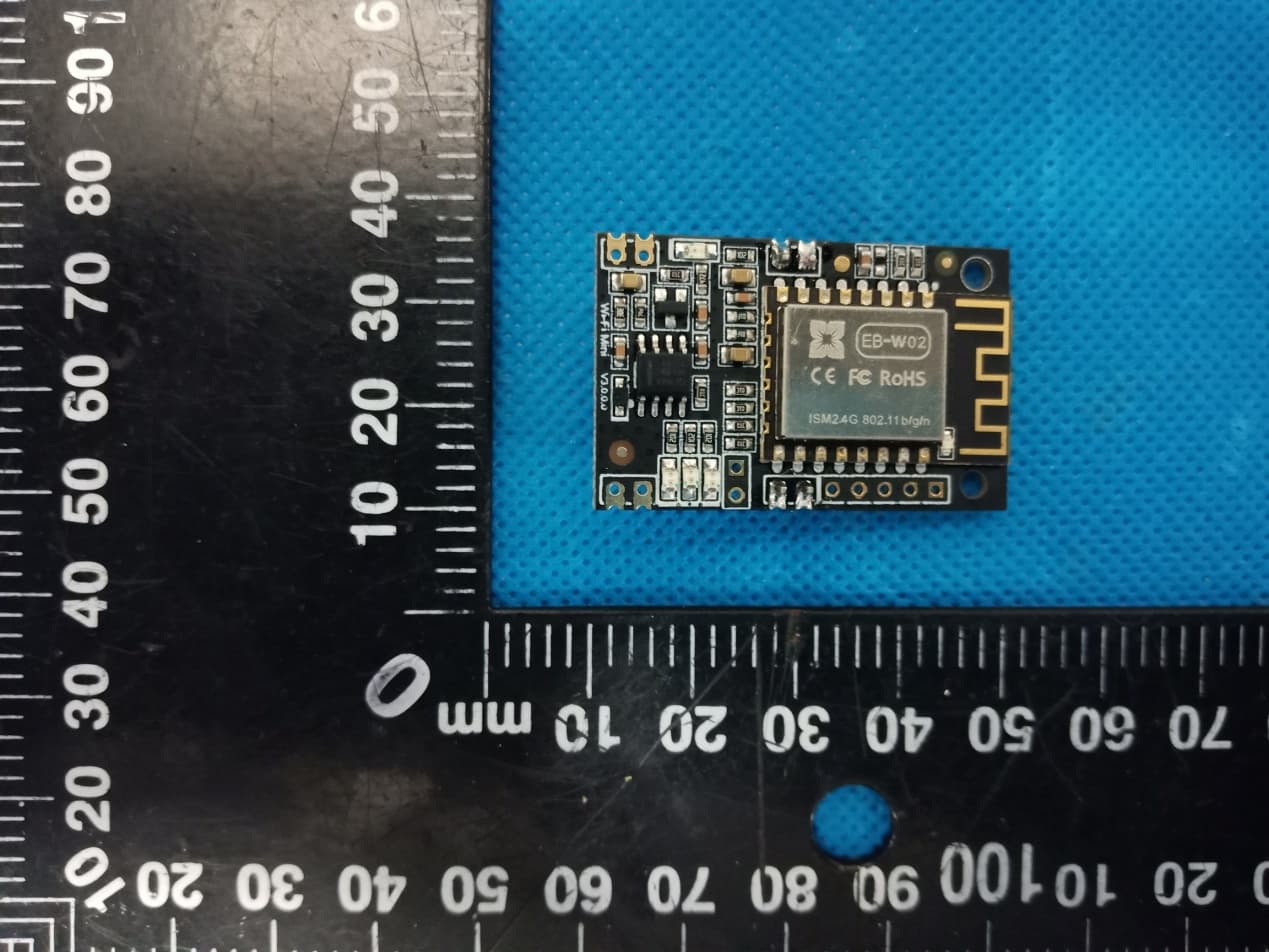
Click to zoom
Application Details
- Equipment Class
- DTS - Digital Transmission System
- Date of Grant
- Aug 20, 2020
- Application Purpose
- Original Equipment
- Date of Application
- Aug 20, 2020
- Equipment Note
- Wi-Fi Kit
- Frequency Range
- 2412.00000000 - 2462.00000000
- Company
- Shenzhen Eybond Co., Ltd
- Country
- China
Documents & Files
Document Text
Text extracted from the exhibit documents filed with the FCC. Open a document above to read the original.
Users Manual
快速安装指南 Wi-Fi Mini 数采器 3.1 3.2 创建电站 快 速 安 装 指 南 ① 登录APP,选择“列表”菜单。 ② 点击右上角的“+”按钮,进入到“创建电站”页面。 ③ 根据提示输入相关信息,完成电站创建。 护光者 记住密码 请输入用户名 请输入密码 登录 Wi-Fi配置 注册 示例电站 > 注册账号 ① 扫描快速安装指南封面上的二维码,下载APP。 ② 打开APP,点击“Wi-Fi配置”按钮,进入 “Wi-Fi配置”页面。 APP下载2.1 ① 在“Wi-Fi配置”页面,点击“连接Wi-Fi数 采器”按钮(安卓手机不需此步骤)。 ② 找到与数采器PN号相同的Wi-Fi进行连接 (初始密码:12345678)。 连接Wi-Fi数采器2.2 ① 点击“连网设置”按钮,进入该界面。 ② 填写相关信息,完成连网设置。 ③ 断开2.2步骤所连接的数采器Wi-Fi。 ④ 重新连接可上网的Wi-Fi热点或运营商网络。 连网设置2.3 护光者 记住密码 请输入用户名 请输入密码 登录 Wi-Fi配置 注册 示例电站 > 注册 用户名 密码 确认密码 邮箱地址 手机号码 采集器编码 完成 PN号 创建电站 请输入电站名称 电站名称* 完成 电站描述 电站图片 请输入电站描述 电站图片 新建电站 新建电站 您还没有电站, 请添加电站! 总览 列表 地图 我的 电站名称 当前功率:0.00kW 日发电量:0.00kWh 当日收益:¥0.0 总发电量:0.00kWh 总览 地图 我的 列表 ① 在APP首页,点击“注册”按钮,按提示填写相 关信息,完成注册。 Wi-Fi连接 选取无线网络... W2015 2018LA 无线局域网 Eybond 2.4g Eybond2015 W0016250020617 Wifi111 Wifi-test 请输入无线密码 12345678 未连接Wi-Fi 请选择一个Wi-Fi数采器并与其连接 Wi-Fi配置 连接Wi-Fi数采器 连网诊断 连网设置 连网设置 路由器: 密码: 请输入路由器的SSID 请输入路由器的密码 请与无线路由器进行连接,确保远程数据传输 设置 确认密码: 请确认路由器的密码 请选择一个Wi-Fi数采器并与其连接 Wi-Fi配置 连接Wi-Fi数采器 连网诊断 连网设置 W0016250020617 无线路由器连接 2. 注册账号与创建电站 3. 2.3 添加多个数采器设备 电站名称 当前功率:55.6kW 日发电量:141.6kWh 当日收益:¥158.2 总发电量:364.3kWh 总览 列表 地图 我的 请对准数采器PN号条码扫描 手动输入数采器PN号 数采器上的PN号 添加数采器 ① 点击已经建好的电站,进入该电站主界面。 ② 选择“设备”菜单,点击右上角的“+”按钮,进入到“添加数采器”页面。 ③ 扫描数采器的PN号,添加数采器;如果扫描不成功,可以手动输入。 注意:一个账号可创建多个电站,一个电站可添加多个数采器,如果您只有一个数采器,则不需此步骤。 备注:除护光者APP外,您还可以通过微信小 程序实现电站的远程监控。 无需下载 即开即用 节省流量 自动更新 电站分享 好友互动 微信扫一扫,使用小程序 添加设备 设备类型 设备名称 当前功率:12.5kW 日发电量:12.5kWh 设备 P N:123456789 信息 地图 数据 告警 设备 确定电站位置 当前位置:深圳市宝安区 请输入你要创建的电站位置 确定 取消 AndroidiOS Quick Installation Guideline Wi-Fi Kit Plant Name Current power: 55.6kW Daily generation: 141.6kWh Daily income: ¥158.2 Total generation: 364.3kWh OVERVIEW LIST MAP ME Input the Datalogger PN Datalogger PN Add Datalogger Add Datalogger Device Device 1 Current power: 125kW Daily generation: 125kWh PN:123456789 Info Map Data Alarm Devices 3.3 Add Multiple Dataloggers ①Tap the new plant you just created, and enter its home page. ②Click the Device button on the bottom of the home page. ③ Tap the “+” button at the top-right corner to add the datalogger. ④Scan the datalogger PN on the Wi-Fi Mini, or input it manually. Note: One account can create multiple plants and one plant can add multiple dataloggers. If you only have one datalogger, you can ignore this step. Note: Besides the SmartClient APP, you’re also can remote monitoring your plants by using WeChat mini program. Scan the Wechat QR code to use the mini program. ①Login the account and click the list button on the bottom of the home page. ②Tap the “+” button on the top-right corner of the list page. ③According to the prompts, type in the information to finish creating plant. 3.2 Create Plant Create Plants Please enter plant’s name Plant Name* Finish Plant description Plant picture Please input the description the plant Plant picture 新建电站 Create Plant You don't have a plant yet. OVERVIEW LIST MAP ME Plant Name Current power: 0.00kW Daily generation: 0.00kWh Daily income: ¥0.0 Total generation: 0.00kWh OVERVIEW MAP ME LIST 3.1 Create Account SmartClient Keep password Please enter user name Please enter password Login Wi-Fi Config Register Demo> Register User Name Password Confirm Password E-mail Phone Number PN Register Datalogger PN ①Open the APP, tap the Register button. ② According to the prompt information, complete creating an account. Create Account And Plant 3. Wireless Router Connection 2. ①Scan the QR Code from the cover of this guideline and download the APP. ② Open the APP, tap the Wi-Fi Config button to enter this page. 2.1 Download APP SmartClient Keep password Please enter user name Please enter password Login Wi-Fi Config Register DEMO> Quick Installation Guideline ①Tap the Connect Wi-Fi Datalogger button on the Connected page. (Android phone has no need of this step) . ②Select the same number of Wi-Fi Mini PN to connect. (Initial Password: 12345678) 2.2 Connect Wi-Fi Datalogger WLAN CHOOSE A NETWORK... W2015 2018LA WLAN Eybond 2.4g Eybond2015 W0016250020617 Wifi111 Wifi-test PASSWORD 12345678 Disconnect Please choose a Wi-Fi and connect. Connected Connect Wi-Fi Datalogger Network Diagnose Network Setting ① After the connection completes, tap the Network Setting button. ② According to the prompts, type in the information to finish the network setting. ③ Reconnect the Wi-Fi or Cellular Data which can surf the Internet instead of the Wi-Fi connected by step 2.2. 2.3 Network Setting Network Settings Router Name: Password: Please connect to the wireless router Setting Confirm password: W0016250020617 Please choose a Wi-Fi and connect. Connected Network Diagnose Network Setting Connect Wi-Fi Datalogger Location of the plant Location: Baoan,Shenzhen Please enter the location of the plant Confirm Cancel Current power: 0.00kW Daily generation: 0.00kWh Daily income: ¥0.0 Total generation: 0.00kWh OVERVIEW MAP ME LIST Plant Name AndroidiOS 20C 2.2 List of applicable FCC rules List the FCC rules that are applicable to the modular transmitter. These are the rules that specifically establish the bands of operation, the power, spurious emissions, and operating fundamental frequencies. DO NOT list compliance to unintentional-radiator rules (Part 15 Subpart B) since that is not a condition of a module grant that is extended to a host manufacturer. See also Section 2.10 below concerning the need to notify host manufacturers that further testing is required.3 Explanation: This module meets the requirements of Part 15 Subpart C Section 15.247 2.3 Summarize the specific operational use conditions Describe use conditions that are applicable to the modular transmitter, including for example any limits on antennas, etc. For example, if point-to-point antennas are used that require reduction in power or compensation for cable loss, then this information must be in the instructions. If the use condition limitations extend to professional users, then instructions must state that this information also extends to the host manufacturer’s instruction manual. In addition, certain information may also be…
Text truncated - open the document above for the full version.
Cover Letter(s)
Co m Ad d Nan Pr o Mo d Pr o We act We an d issu our Sig Na m Title Com mpany: Sh dress: Buil nshan Dis oduct Name del Numbe oduct Desc authorize M on our beha declare tha d certificatio ues concern behalf shal nature: me: e: mpany: enzhen Ey lding 10, Z strict, Shen e: Wi-Fi Kit er(s): Wi-Fi ription: Wi MiCOM Lab alf on all ma at MiCOM L n of equipm ning the app ll have the s Mencius m Manager Shenzhen She Agen ybond Co., Zhiheng S nzhen City t Kit-02, Wi - -Fi Kit bs Inc., 575 atters conce Labs Inc. is ment to the r proval applic same effect meng n Eybond Co enzhen Eyb nt Auth Ltd Science &T y, Guangd -Fi Kit-03 Boulder C o erning the c allowed to f regulatory a cation. Any t as acts of o., Ltd bond Co., Lt horizat Technolog dong Prov ourt, Pleasa certification forward all i agencies as and all acts our own. td tion gy Park, N vince, Chin anton, Califo of above na information s required a s carried ou Date: Nantou Str na ornia 94566 amed equip related to t nd to discu ut by MiCOM Aug. 17, 20 reet, 6, USA, to pment. the approva ss any M Labs on 020 al
Cover Letter(s)
FCC Mo Modula Federa Equip m 7435 O Columb USA Comp a FCC ID Dear S i In acc o Auth G requirem Requi The rad shielded located assem b The mo that the of input The mo The mo contain operat e 15.204( The mo configur The mo label, or The mo transmit instructi The mo Name: Title: Signat u odular Appr ar Transmitte l Communic ment Authori Oakland Mills bia, MD 210 any name: D: 2ASAF-W ir/Madam, ordance with Guide v02’. ments. irement per dio elements m d. Physical co external to th e bly. odule must hav device will co signal. odule must con odule must con a unique ante ed only with sp (c), 15.212(a), odule must dem ration. odule must be r use an electr odule must com tter, including ions by the gra odule must com Mencius m Manager ure of appl S roval Reque er Approva cations Com ization Divis s Road 046 Shenzhen WIFIKIT02 h 47CFR 1 FCC ID: 2 15.212 and must have the mponents an d e shield, but m ve buffered mo omply with Par ntain power su ntain a perman enna connecto pecific antenna 2.929(b). monstrate com labeled with it ronic display ( mply with all s all the conditi antee. mply with RF e meng icant: henzhe est Rev 2.1 l Request mmission sion Eybond C 2 5.212 Mod u 2ASAF-W KDB 996369 radio frequen d tuning capac must be on the odulation/data rt 15 requirem upply regulatio nently attache or, and be mar a(s), per §§ 15 mpliance in a s ts permanently (see KDB Pub pecific rules a ons provided exposure requ en Eybo Co., Ltd ular Transm IFIKIT02 9 D01 cy circuitry citor(s) may be e module a inputs to ens ments with any on on the mod ed antenna, or rketed and 5.203, 15.204( stand-alone y affixed FCC blication 78474 applicable to th in the integrat uirements ond Co., mitters and has been Exp (do n com e Ye s sure type Ye s mod dule. Ye s pow r (b), Ye s ante 15.2 atta Yes inde C ID 48). Ye s WIF he tion Ye s the Par t in th Yes com plea Date: Aug. , Ltd KDB 99636 examined planation fro not write yes/no plies/how it is ac s, the modular s, The modular dulation/data in s, The modular wer supply regu s, The modular enna requirem 204(c). The an ched. s, The module ependently and s, The FCC ID FIKIT02 s, The module operating re q t 15 section as he test report. s, The modular mplies with this ase refer to RF 17, 2020 69 D01 ‘Mo against th om Grantee , but explain why chieved) has own shiel r transmitter ha nputs. r transmitterha ulation. r transmitter co ments of Sectio ntenna either b can be configu d meets the re on the produc complies fully quirements of s demonstrated r transmitter s requirement, F exposure rep odule Equip he following y product ding cover. ave buffered ave its own omply with the n 15.203 and be permanently ured equirements ct: 2ASAF- with d port. p g e y
Cover Letter(s)
Office o Federa 7435 O Columb USA Subjec t FCC ID To Wh o Pursua are req u docume These d propriet might b It is ou r corresp docume authoriz Sincer e Signat u Name: Title: M of Engineeri l Communic Oakland Mills bia, MD 210 t; Request f D: 2ASAF-W om It May C nt to the pro uesting the ents from pu documents tary informa be harmful to Schema Block D Parts Lis Operatio r understand pondence du ents and thi zation is iss ely, ure: Mencius m e anager ing Techno cations Com s Road 046 for Confiden WIFIKIT02 Concern, ovisions of t Commissio ublic disclos contain det ation in ope o our comp atic Diagram iagram st onal Descri ding that all uring the ce s informatio sued. eng Shenz logy mmission ntiality 2 the Commis on to withho sure indefin tailed syste ration of th e any and wo m ption l measurem ertification re on will be av hen Eybon ssion’s rule old the follow nitely. m and equi e equipmen ould give co ment test rep eview proce vailable for nd Co., Ltd s Title 47 S wing attach pment desc nt. The publ ompetitors a ports, FCC ess cannot public revi e Sections §0. hment(s) as criptions an ic disclosu r an unfair ad ID label for be granted ew once the Date: Aug. 457 and §0 confidentia d are consi re of these d vantage in mat and as confide n e grant of eq 17, 2020 0.459, we al dered as documents the market . ntial quipment .
Cover Letter(s)
Model Difference Declaration To Whom It May Concern, We, Shenzhen Eybond Co., Ltd(Wi-Fi Kit) Trademark:Eybond; Model Number: Wi- Fi Kit-02, Wi-Fi Kit-03;All model’s the function, software and electric circuit are the same, only with a product model named different for commercial purpose. Test sample model: Wi-Fi Kit-02. Please contact me if you have any question. Name: Mencius meng Date: Aug. 17, 2020 Title: Manager Signature of applicant:
External Photos
Annex A External Photos Report No.: HK2007202000‐E Page 1 of 3 Antenna Report No.: HK2007202000‐E Page 2 of 3 Report No.: HK2007202000‐E Page 3 of 3
ID Label/Location Info
FCC ID LABEL: Ca. 5mm x 10mm Label Location FCC ID: 2ASAF-WIFIKIT02
Internal Photos
Annex B Internal Photo Report No.: HK2007202000-E Page 1 of 1
RF Exposure Info
MPE ESTIMATION FCC ID: 2ASAF-WIFIKIT02 1,Limit for General Population/ Uncontrolled Exposures Frequency Power density (mW/ cm 2 ) Averaging time(minutes) 300MHz----1.5GHz F/1500 30 1.5GHz---100GHz 1.0 30 Note: F= Frequency in MHz 2, Estimation Result WIFI Mode Max PK Output power(dBm) Tune Up Power(dBm) Max Tune Up power(mW) Antenna Gain(dBi) Antenna Gain (numerical) MPE ( mW/cm²) 2.4G WIFI 15.76 15±1(16) 39.811 1 1.2589 0.00998 Note: Note: The estimation distance is 20cm Note: PK Output power= conducted power. Conducted power see the test report HK2007202000-E, antenna gain=1dBi when the minimum test separation distance is >20 cm, a distance of 20 cm is applied to determine RF Exposure test exclusion. The test exclusion threshold is 0.00998 mW/cm² which is< 1.0mW/cm², RF Exposure testing is not required. -------The End-------
Test Report
Report No.: HK2007202000-E FCC TEST REPORT Test report On Behalf of Shenzhen Eybond Co., Ltd For Wi-Fi Kit Model No.: Wi-Fi Kit-02, Wi-Fi Kit-03 FCC ID: 2ASAF-WIFIKIT02 Prepared for : Shenzhen Eybond Co., Ltd Building 10, Zhiheng Science &Technology Park, Nantou Street, Nanshan District, Shenzhen City, Guangdong Province, China Prepared By : Shenzhen HUAK Testing Technology Co., Ltd. 1F, B2 Building, JunfengZhongchengZhizao Innovation Park, Fuhai Street, Bao'an District, Shenzhen City, China Date of Test: Jul. 23, 2020 ~Jul.30, 2020 Date of Report: Jul.30, 2020 Report Number: HK2007202000-E Report No.: HK2007202000-E Page 2 of 58 TEST RESULT CERTIFICATION Applicant’s name .................. : Shenzhen Eybond Co., Ltd Address .................................. : Building 10, Zhiheng Science &Technology Park, Nantou Street, Nanshan District, Shenzhen City, Guangdong Province, China Manufacture's Name ............. : Shenzhen Eybond Co., Ltd Address .................................. : Building 10, Zhiheng Science &Technology Park, Nantou Street, Nanshan District, Shenzhen City, Guangdong Province, China Product description Trade Mark: Eybond Product name ............................ : Wi-Fi Kit Model and/or type reference . : Wi-Fi Kit-02, Wi-Fi Kit-03 Standards .............................. : FCC Rules and Regulations Part 15 Subpart C Section 15.247 ANSI C63.10: 2013 This publication may be reproduced in whole or in part for non-commercial purposes as long as the Shenzhen HUAK Testing Technology Co., Ltd. is acknowledged as copyright owner and source of the material. Shenzhen HUAK Testing Technology Co., Ltd. takes no responsibility for and will not assume liability for damages resulting from the reader's interpretation of the reproduced material due to its placement and context. Date of Test ............................................ : Date (s) of performance of tests ............. : Jul. 23, 2020 ~Jul.30, 2020 Date of Issue ........................................... : Jul.30, 2020 Test Result ............................................... : Pass Testing Engineer : (Gary Qian) Technical Manager : (Eden Hu) Authorized Signatory : (Jason Zhou) Report No.: HK2007202000-E Page 3 of 58 TABLE OF CONTENTS 1. Test Result Summary ............................................................................... 5 1.1. TEST PROCEDURES AND RESULTS ............................................................................................... 5 1.2. TEST FACILITY .................................................................................................................................. 5 1.3. MEASUREMENT UNCERTAINTY ............................................................................................................... 6 2. EUT Description ........................................................................................ 7 2.1. GENERAL DESCRIPTION OF EUT ................................................................................................... 7 2.2. OPERATION OF EUT DURING TESTING .................................................................................................... 8 2.3. DESCRIPTION OF TEST SETUP ....................................................................................................... 9 3. Genera Information ................................................................................. 10 3.1. TEST ENVIRONMENT AND MODE ............................................................................................................ 10 3.2. DESCRIPTION OF SUPPORT UNITS ........................................................................................................ 11 4. Test Results and Measurement Data .................................................... 12 4.1. CONDUCTED EMISSION ........................................................................................................................ 12 4.2. TEST RESULT ...................................................................................................................................... 14 4.3. MAXIMUM CONDUCTED OUTPUT POWER .............................................................................................. 15 4.4. EMISSION BANDWIDTH ......................................................................................................................... 17 4.5. POWER SPECTRAL DENSITY ................................................................................................................ 22 4.6. CONDUCTED BAND EDGE AND SPUR IOUS EMISSION MEASUREMENT .................................................... 27 4.7. RADIATED SPURIOUS EMISSION MEASUREMENT ................................................................................... 35 4.8. ANTENNA REQUIREMENT ............................................................................................................. 56 4.9. PHOTOGRAPH OF TEST ................................................................................................................. 57 4.10. PHOTOS OF THE EUT ..................................................................................................................... 58 Report No.: HK2007202000-E Page 4 of 58 ** Modifited History ** Revison Description Issued Data Remark Revsion 1.0 Initial Test Report Release Jul.30, 2020 Jason Zhou Report No.: HK2007202000-E Page 5 of 58 1. Test Result Summary 1.1. TEST PROCEDURES AND RESULTS Requirement CFR 47 Section Result Antenna requirement §15.203/§15.247 (c) PASS AC Power Line Conducted Emission §15.207 N/A Conducted Peak Output Power §15.247 (b)(3) PASS 6dB Emission Bandwidth §15.247 (a)(2) PASS Power Spectral Density §15.247 (e) PASS Band Edge 1§5.247(d) PASS Spurious Emission §15.205/§15.209 PASS Note: 1. PASS: Test item meets the requirement. 2. Fail: Test item does not meet the requirement. 3. N/A: Test case does not apply to the test object. 4. The test result judgment is decided by the limit of test standard. 1.2. TEST FACI…
Text truncated - open the document above for the full version.
Test Setup Photos
Radiated Emissions
Contact Information
Applicant
Mencius meng
Technical Contact
Test Firm
Shenzhen HUAK Testing Technology Co., Ltd.Jason Zhou
[email protected]+86-755-23029901
Technical Specifications
| # | Rule Parts | Frequency Range | Power Output |
|---|---|---|---|
| 1 | 15C | 2.41 GHz - 2.46 GHz | 37.67 mW |
Other Applications from Shenzhen Eybond Co., Ltd
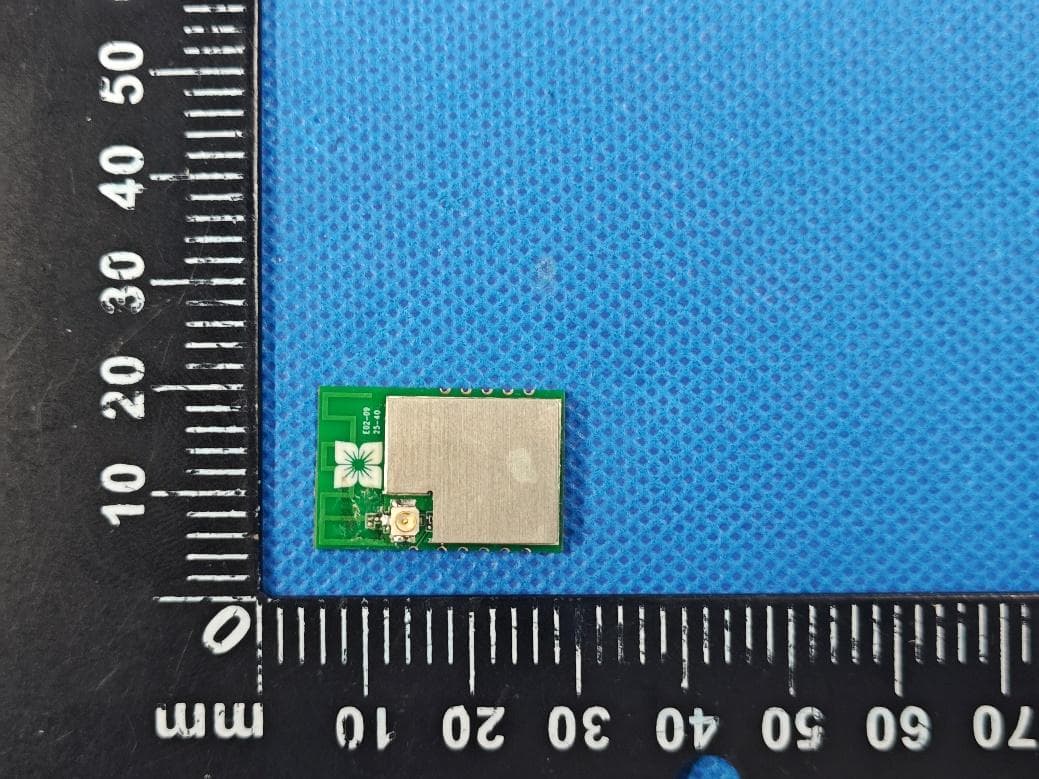
2ASAF-WFBLE
Mar 12, 2026Module
Equipment Class
DTS - Digital Transmission System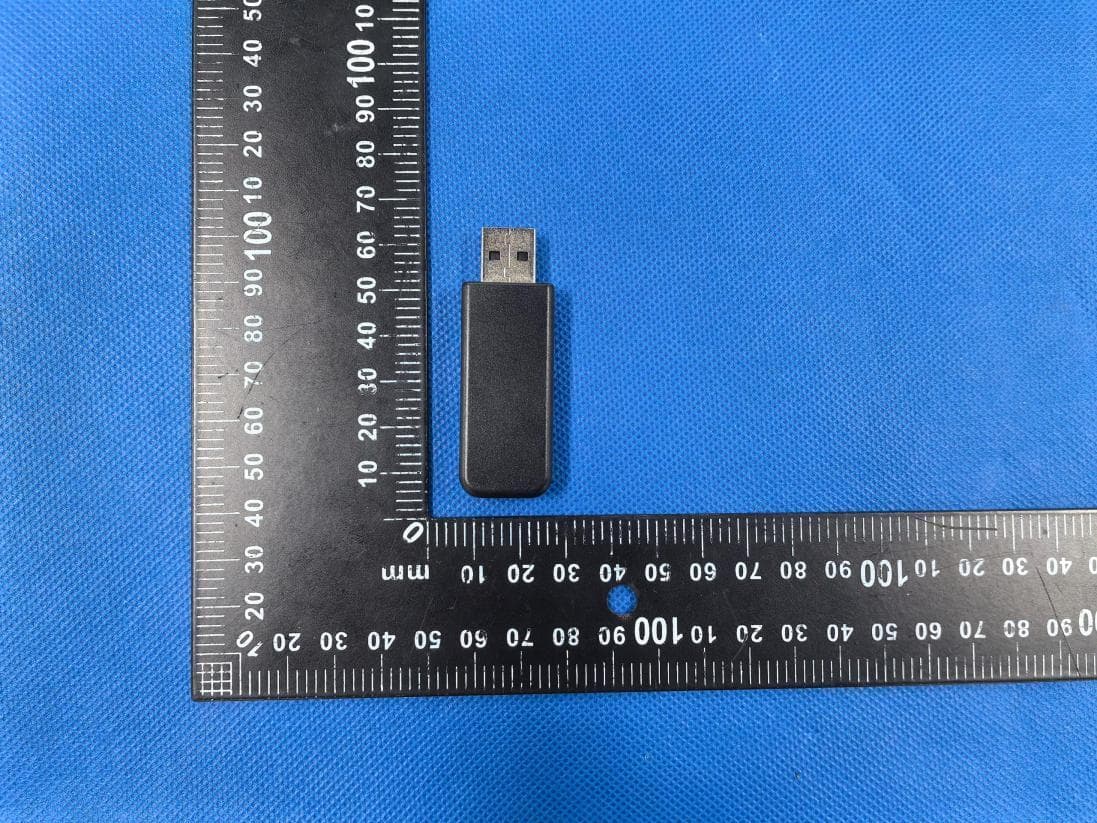
2ASAF-07C
Jan 28, 2026Datalogger
Equipment Class
DTS - Digital Transmission System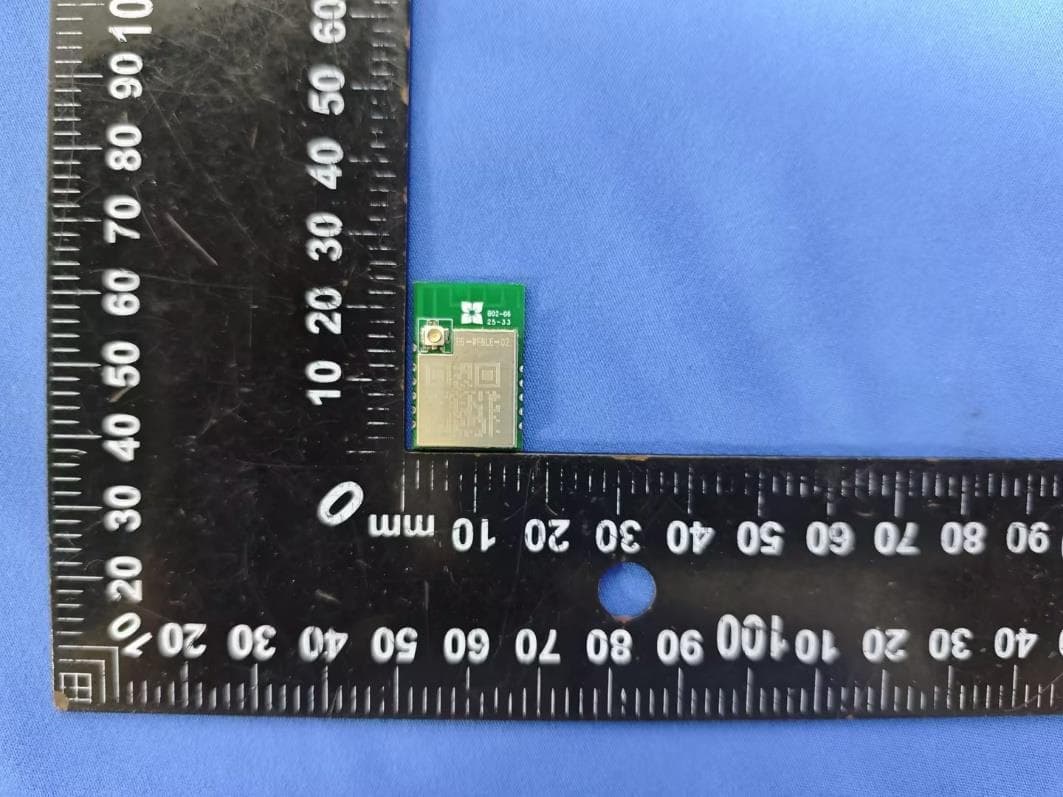
2ASAF-MODULE-106
Jan 15, 2026Module
Equipment Class
DTS - Digital Transmission System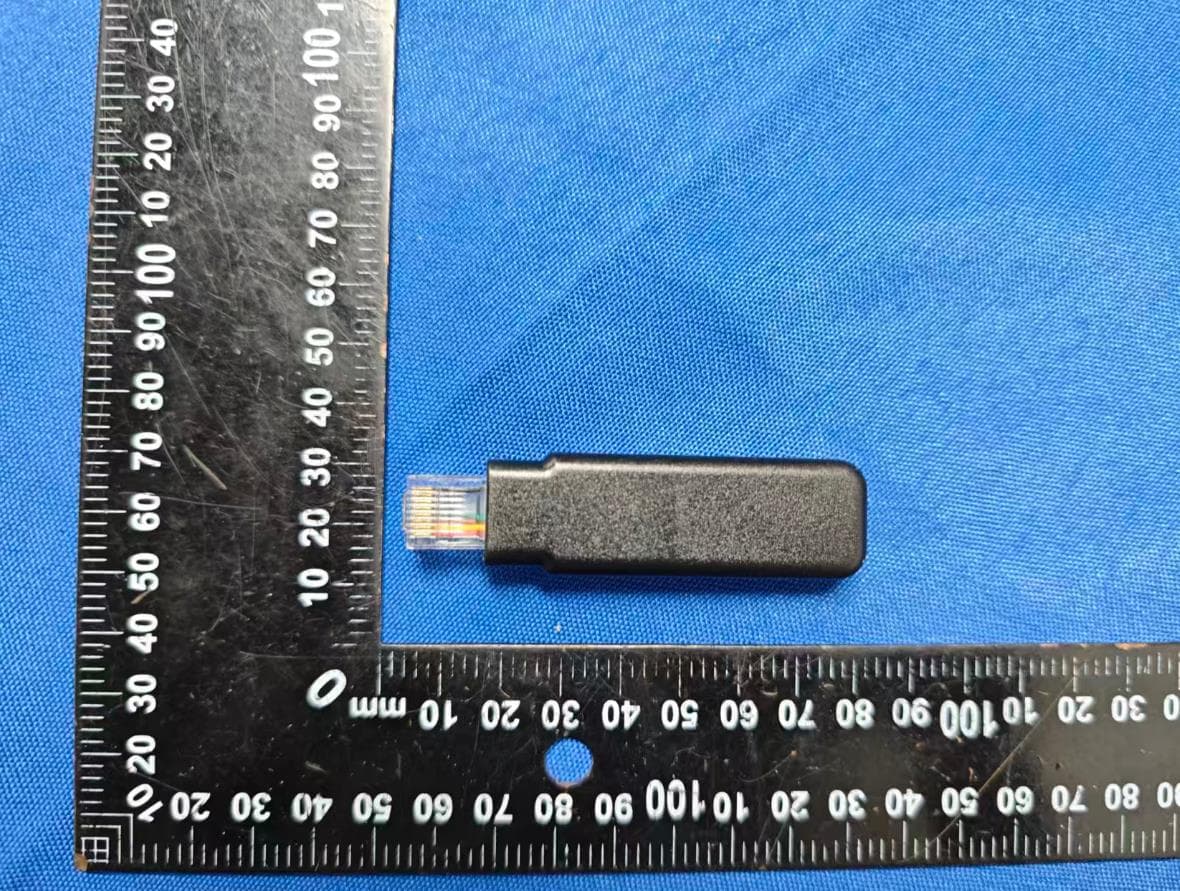
2ASAF-BAR-06F
Dec 05, 2025Datalogger
Equipment Class
DTS - Digital Transmission System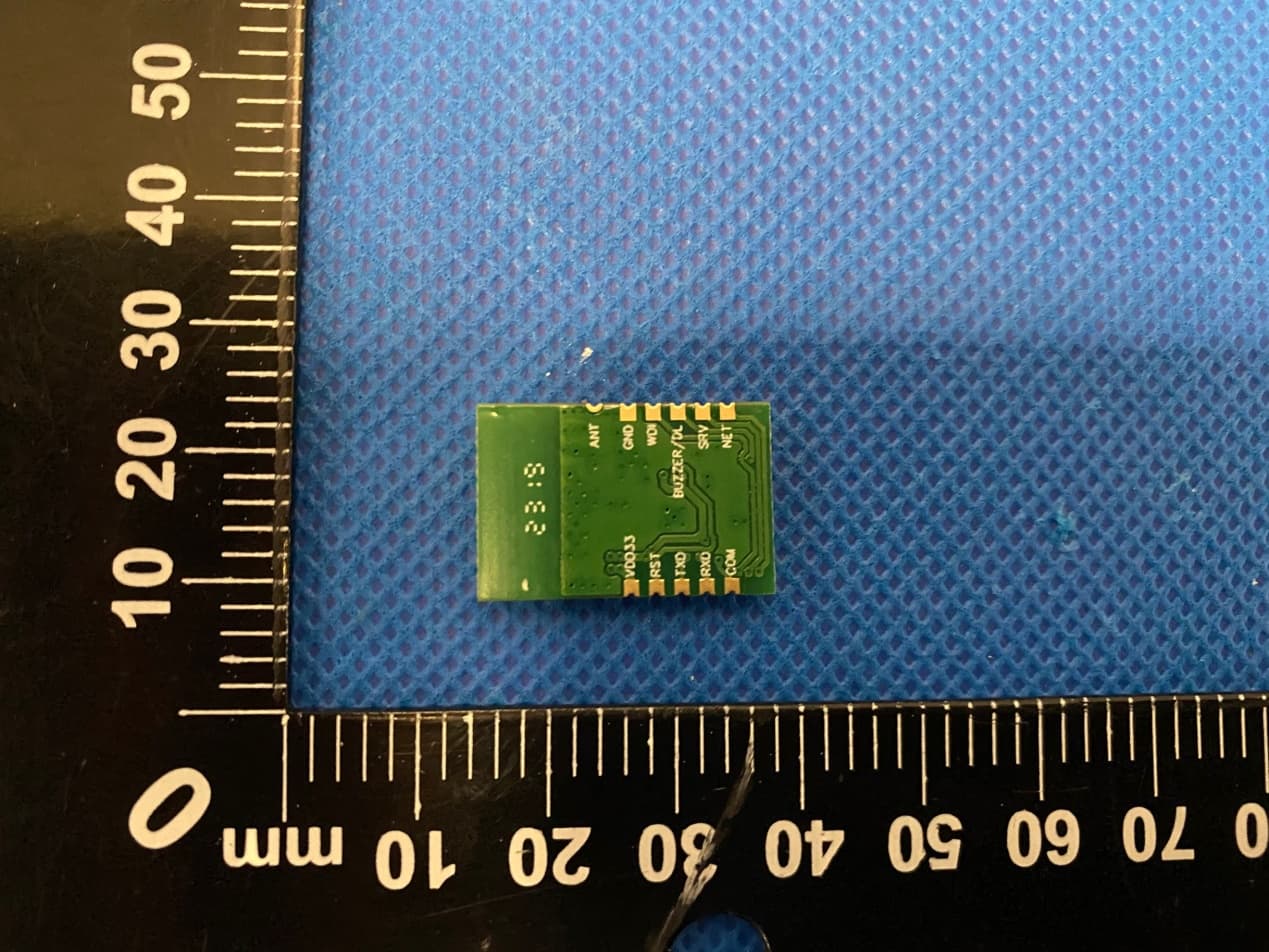
2ASAF-MODULE201
Jul 01, 2023WFBLE.Module
Equipment Class
DTS - Digital Transmission System